Guides
4 Best Continuous Translation Apps for Long Conversations [Honest Reviews]

Viraj Mahajan
February 11, 2026
Popular real-time translation apps like Google Translate not continuously translating a conversation, can be a major inconvenience, especially for lengthy business meetings. Some translations seem off, and you may find yourself asking others to repeat themselves.
Here, continuous translation apps like JotMe, Hi Translate, Translate Voice, and AI Translate Voice Translator can be useful. Except for JotMe's mobile app, all three translation apps we tested require you to tap the microphone icon each time you pause.
Meanwhile, JotMe's mobile app allow you to get the translations as long as you speak. That’s more convenient than any Ai continous translation apps we tested. Here’s what we obtained in our tests:
- JotMe mobile app offers real-time translation in 45+ languages, with a continuous translation feature suitable for group conversations. JotMe can continuously translate up to 10 languages into your target language without requiring a language switch.
- Hi Translate- Chat translator offers continuous translations, but according to a user on Google Play Store, “it sometimes stops working.”
- Translate Voice: AI Translator quickly translates text or speech in a conversation mode. However, Translate Voice requires you to tap every time you start speaking, which can be frustrating, especially in lengthy business meetings.
- AI Translate Voice Translator provides continuous translations, but only displays the translated text on screen.
This article compares the best live continuous translation apps based on features, pricing, and real-time experience. Review what each app offers and make an informed choice.
Quick Answer: Best Continuous Translation Apps for Long Conversations
Most translation apps for continuous speech are designed to streamline communication in lengthy business meetings, but each differs in use cases and real-time performance. Here’s the best choice for each use case:
- Best overall continuous translation app for long conversations: JotMe mobile app is the best continuous translation app as it doesn’t require repeated taps and provides instant, contextually accurate translations.
- Best for business meetings and in-person discussions: JotMe's mobile app understands and accurately translates business-related conversations without requiring a custom glossary.
- Best for chat-style continuous translation: JotMe and Hi Translate – Chat Translator offer a clean, chat-style continuous translation that lets users easily skim.
- Best free option with limitations: Translate Voice: AI Translator lets you translate for free, but it shows frequent ads.
Quick Comparison: Top Real-Time Continuous Translation Apps
We tested the best live translation apps in real-world scenarios, including lengthy business meetings, product demonstrations, and live conferences. Before we walk you through the reviews, here’s a tabular comparison of the continuous translation apps:
What are the best Real-Time Continuous Translation Apps for In-Person Conversations?
Now that you have a basic idea about how the continuous translation tools compare, here’s a detailed review to help select the best live translation app for your long business meetings.
JotMe Mobile App
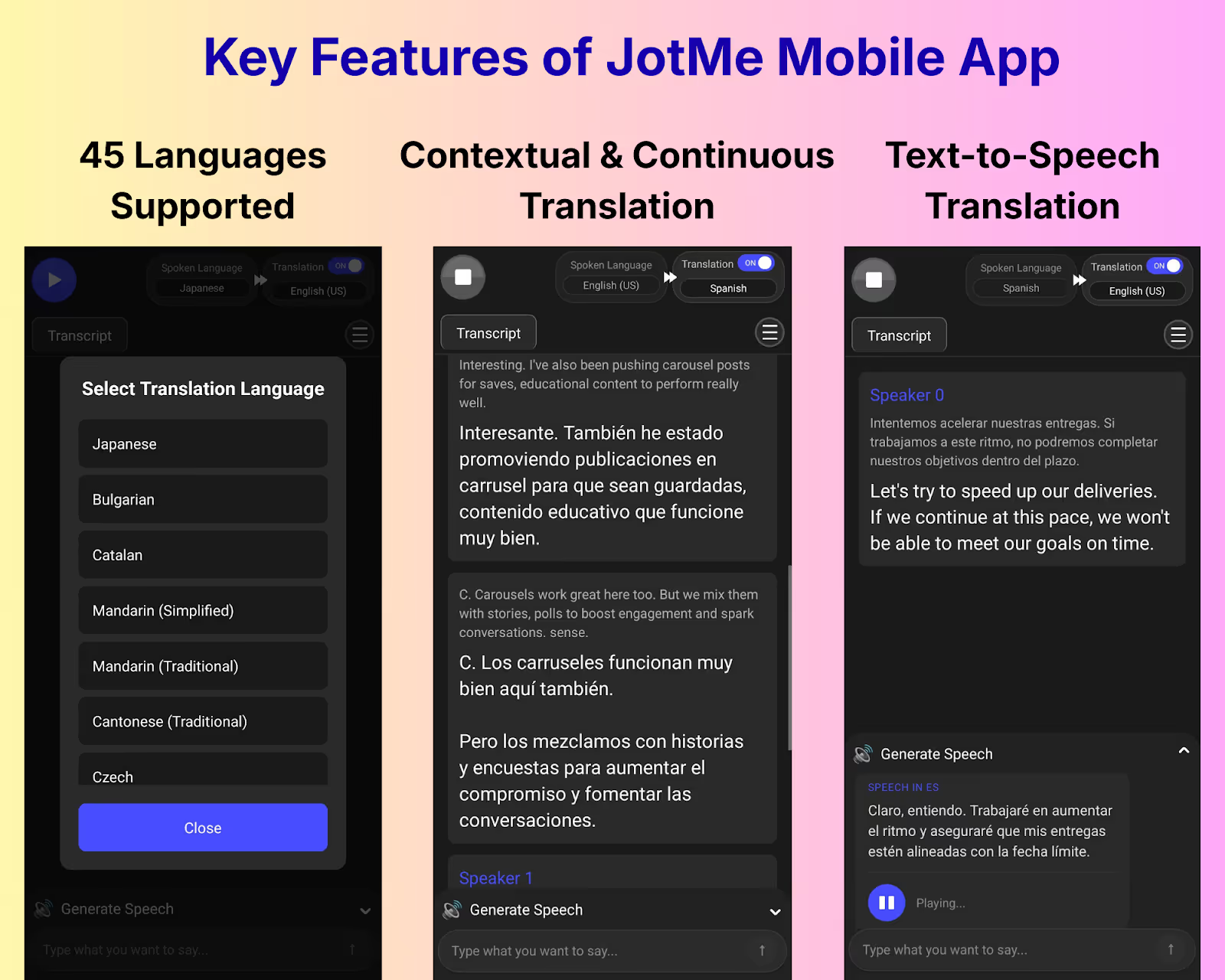
JotMe is a popular voice-to-text Android and iOS app for real-time interpretation with a continuous translation feature. JotMe mobile has a chat-like translation interface; as you select the languages and tap “play,” the translation appears. No need to tap the start button every time as you start speaking.
Whether you’re in a lengthy business meeting or having conversations while traveling, the JotMe mobile app helps maintain the conversational flow. We tested JotMe during our in-person business meetings with Japanese clients, and here’s what we found:
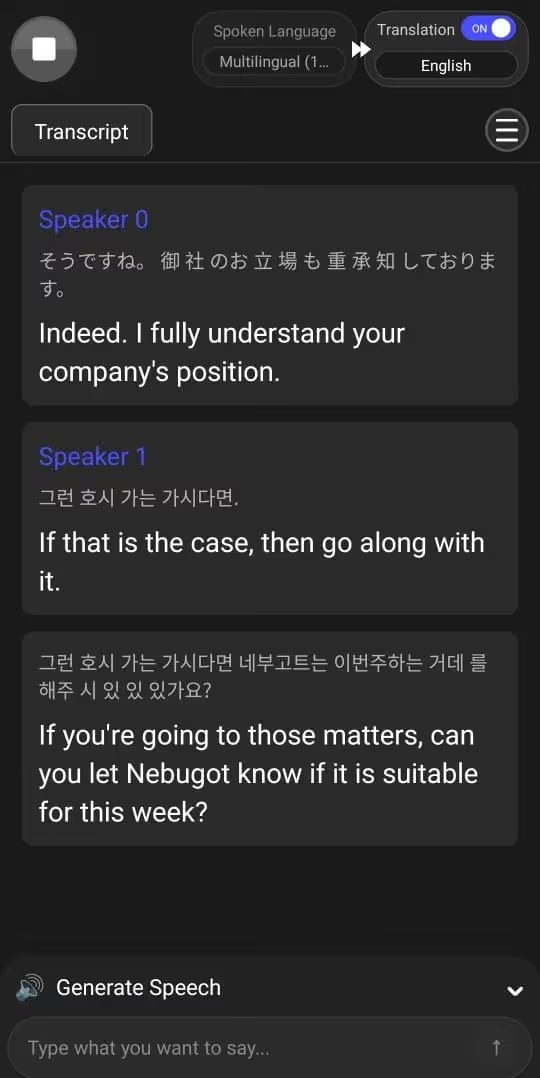
- During our meetings, JotMe mobile captured conversations among multiple people and displayed translations in separate bubbles, each with a speaker tag. We could easily skim through the discussions and point out anything.
- We also invited a Korean-speaking colleague to the meeting, and the JotMe mobile app continuously provided Korean to English and Japanese to English live translations.
- JotMe’s mobile app doesn’t reset when you pause a translation. This helps JotMe maintain context, and you can follow the entire discussion without losing the thread when someone stops speaking.
What are the Other Features JotMe Mobile App Offers?
In addition to the continuous translation feature, the JotMe mobile app offers live contextual translation, speech generation, and translation quality settings.
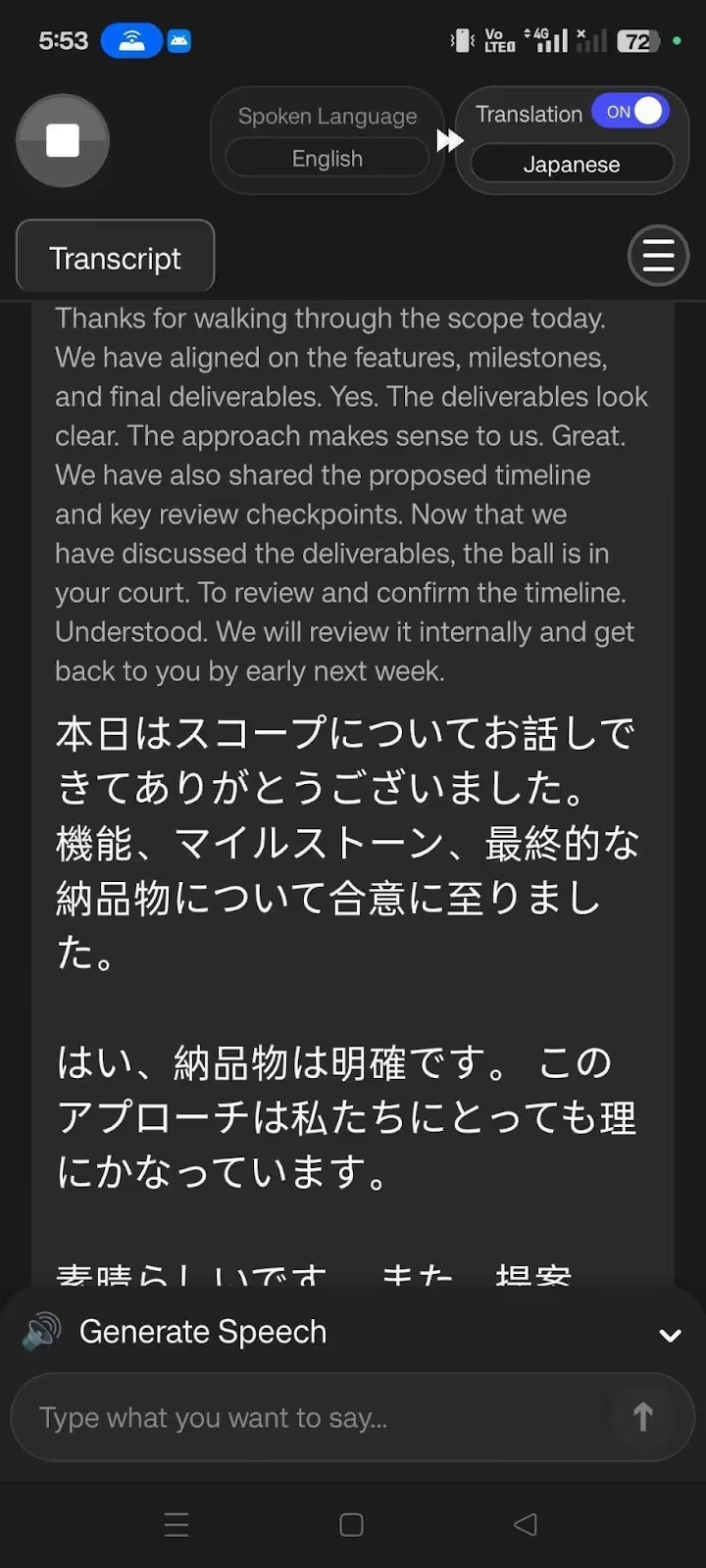
Live Contextual Translation: JotMe’s mobile app doesn’t just translate words; it also understands the intent, emotions, and meaning behind them. Last month, during a meeting with Japanese-speaking clients, someone said, “Now that we have discussed the deliverables, the ball is in your court to review and confirm the timeline.” JotMe translated it as:
The JotMe mobile app interpreted the idiom “ball is in your court” as “it’s your responsibility.”
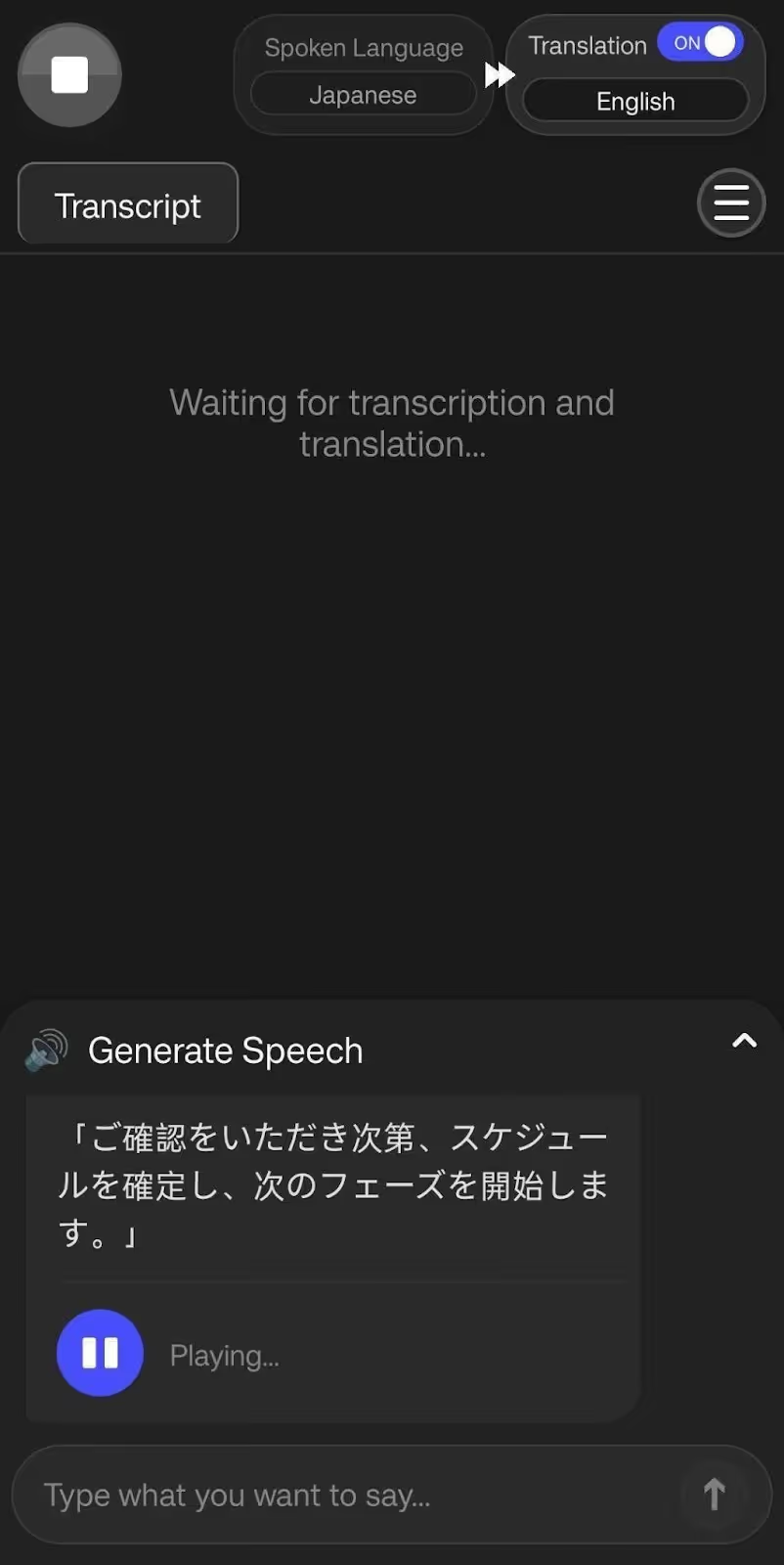
JotMe Mobile Turns Text to Speech: JotMe’s Generate Speech feature instantly converts text into speech, with audio you can play. This way, the listener will understand better and respond accordingly.
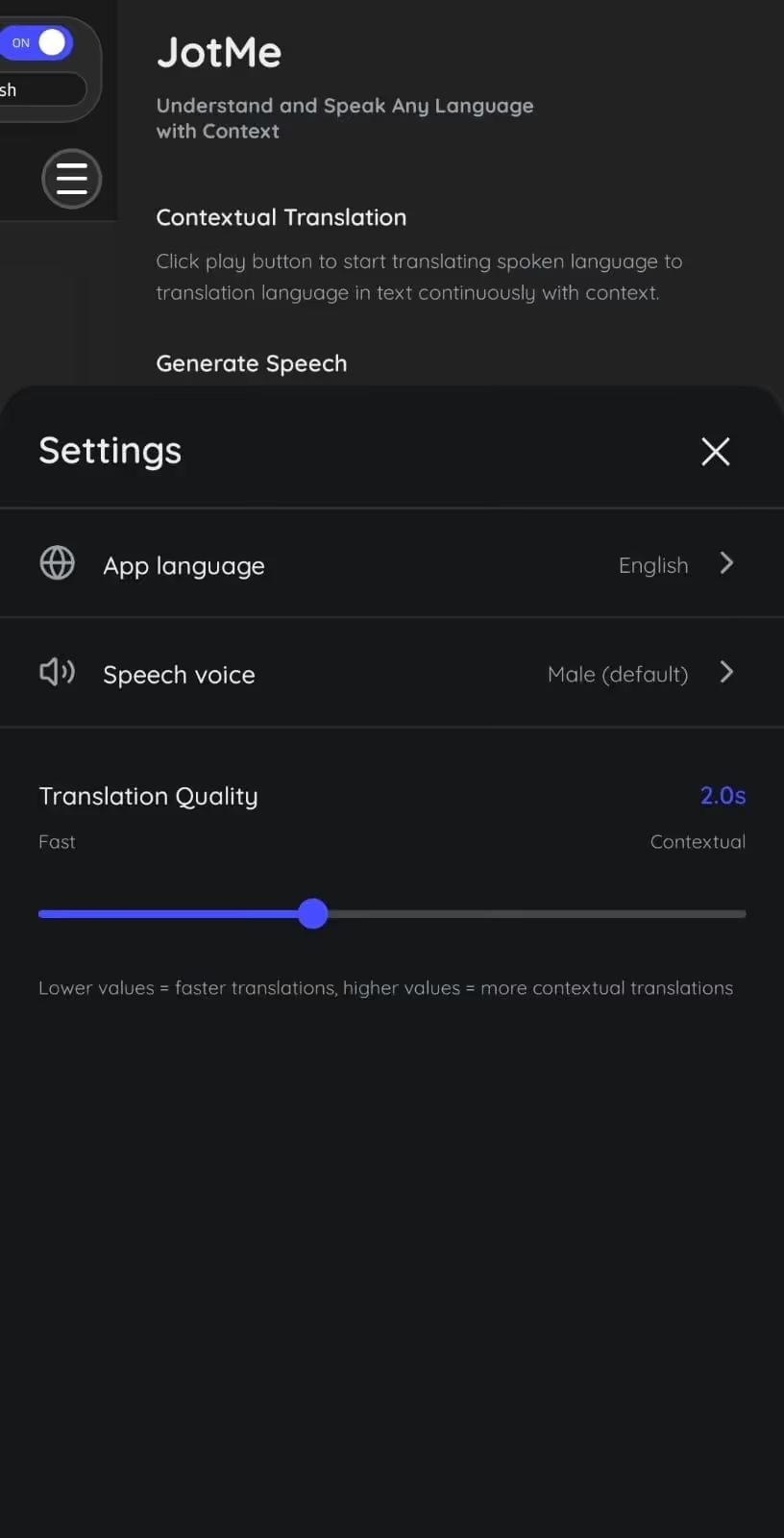
JotMe Mobile’s Translation Quality Setting: The JotMe mobile app lets you switch between Fast and Contextual modes based on your translation needs. For example, for sensitive business meetings, Contextual setting is suitable for more accurate translations. Meanwhile, if you’re in quick back-and-forth conversations, you can set the Translation to Fast.
JotMe mobile app also has a smart AI adjustment feature that analyzes the type of conversation you’re in and provides translations accordingly. This way, if your meetings get too technical, JotMe takes time to understand what’s being said and ensures accurate translation.
If you want real-time summaries and AI meeting notes of your real-time meetings, an AI to answer your queries, check out the JotMe desktop app.
What Makes JotMe Mobile App Special
- Translates up to 10 languages at a time, so you don’t need to constantly switch between languages in a multilingual conversation.
- JotMe Mobile lets you set translation quality and speed, making it suitable for fast-paced one-on-one discussions or sensitive business meetings.
- The live translation app can handle group conversations simultaneously while providing contextually accurate translations.
- JotMe lets you speak out loud in someone else’s language with its Generate Speech feature.
Pricing
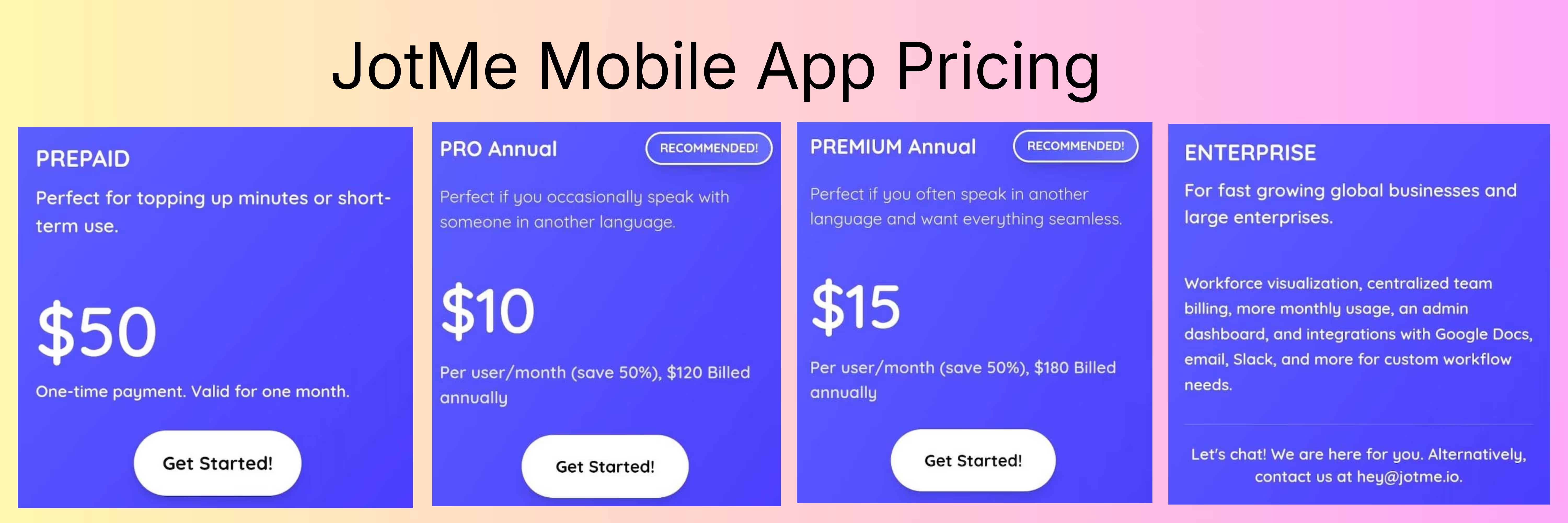
JotMe's mobile app offers a free plan (20 minutes of translation/ month). Besides, there’s a Pay as you Go plan ($50 for 500 minutes of translation for one month), Pro plan ($10/month, billed annually for 200 translation minutes/month), and Premium plan ($15/month, billed annually for 500 translation minutes/month).
Hi Translate- Chat translator
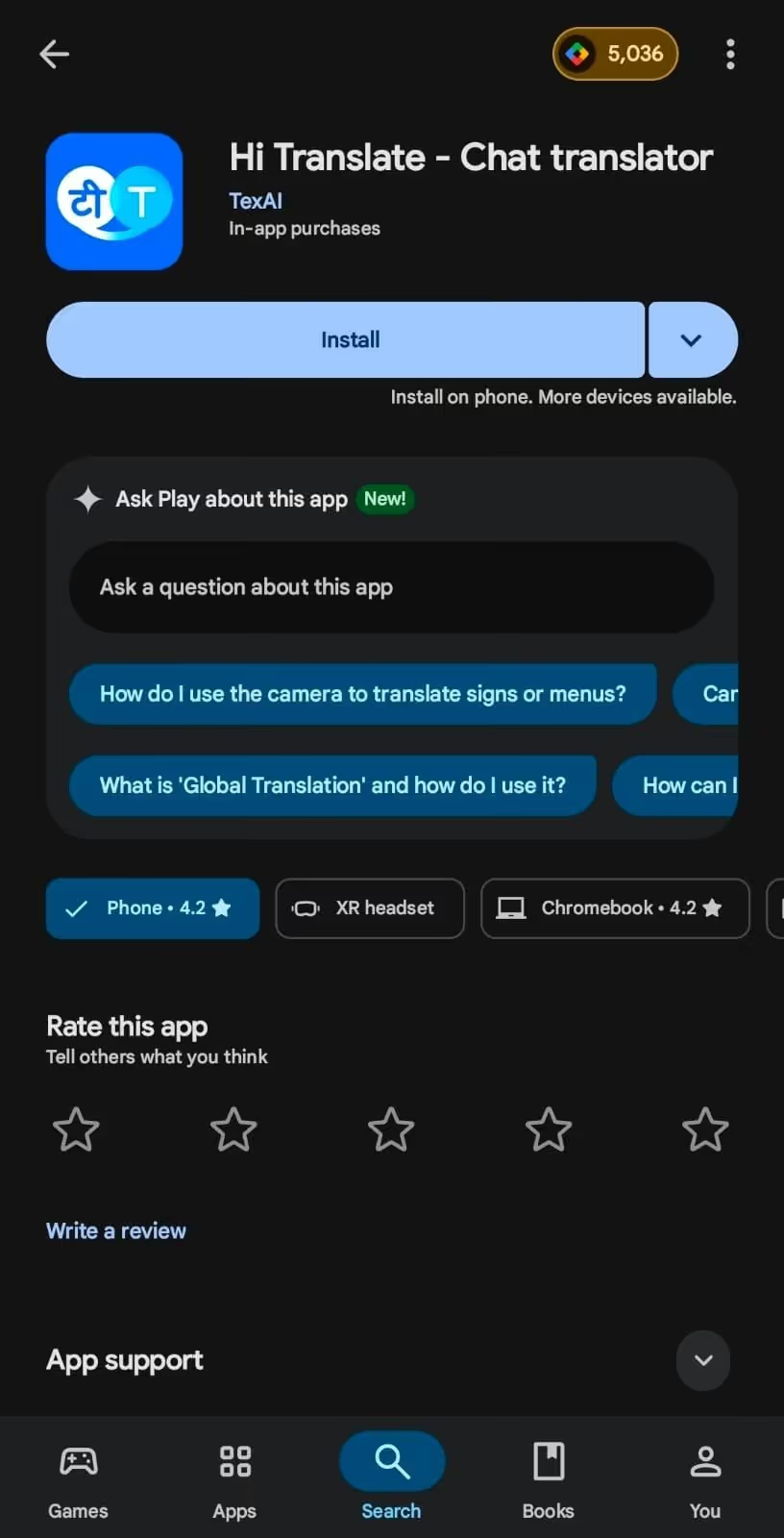
Hi Translate - Chat translator offers a simple interface, instant voice-to-voice translations, and support for 130+ languages. This makes the live translation app for continuous speech suitable for professionals who travel internationally and need rapid translations for hotel check-ins, site visits, and casual business interactions.
Talking about Hi Translate- Chat translator’s continuous translations, the interface is similar to JotMe’s mobile app. The transcripts appear with translations in a chat-like bubble, so you can easily follow through the conversations and respond without asking others to repeat themselves.
What Makes Hi Translate- Chat translator Special
- Simple interface and support for a plenty of languages.
- The translations are fast and let users stay in sync with discussions.
What We Didn’t Like About Hi Translate- Chat translator
- Translations in Hi Translate- Chat translator don’t appear automatically throughout the meeting. You must tap the microphone button every time you or someone else starts speaking.
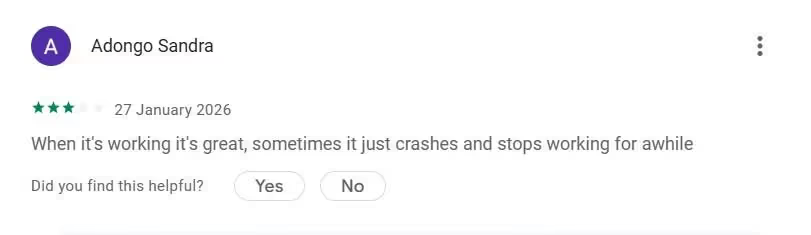
- A user on the Google Play Store reports, “Hi Translate- Chat translator sometimes crashes and stops working for a while.”
Pricing
HI Translate offers a free version and its Premium plan costs $29.99/year, $7.99/month, or $2.99/week. It unlocks text translations, more natural human voices, and an offline translation feature.
Translate Voice: AI Translator
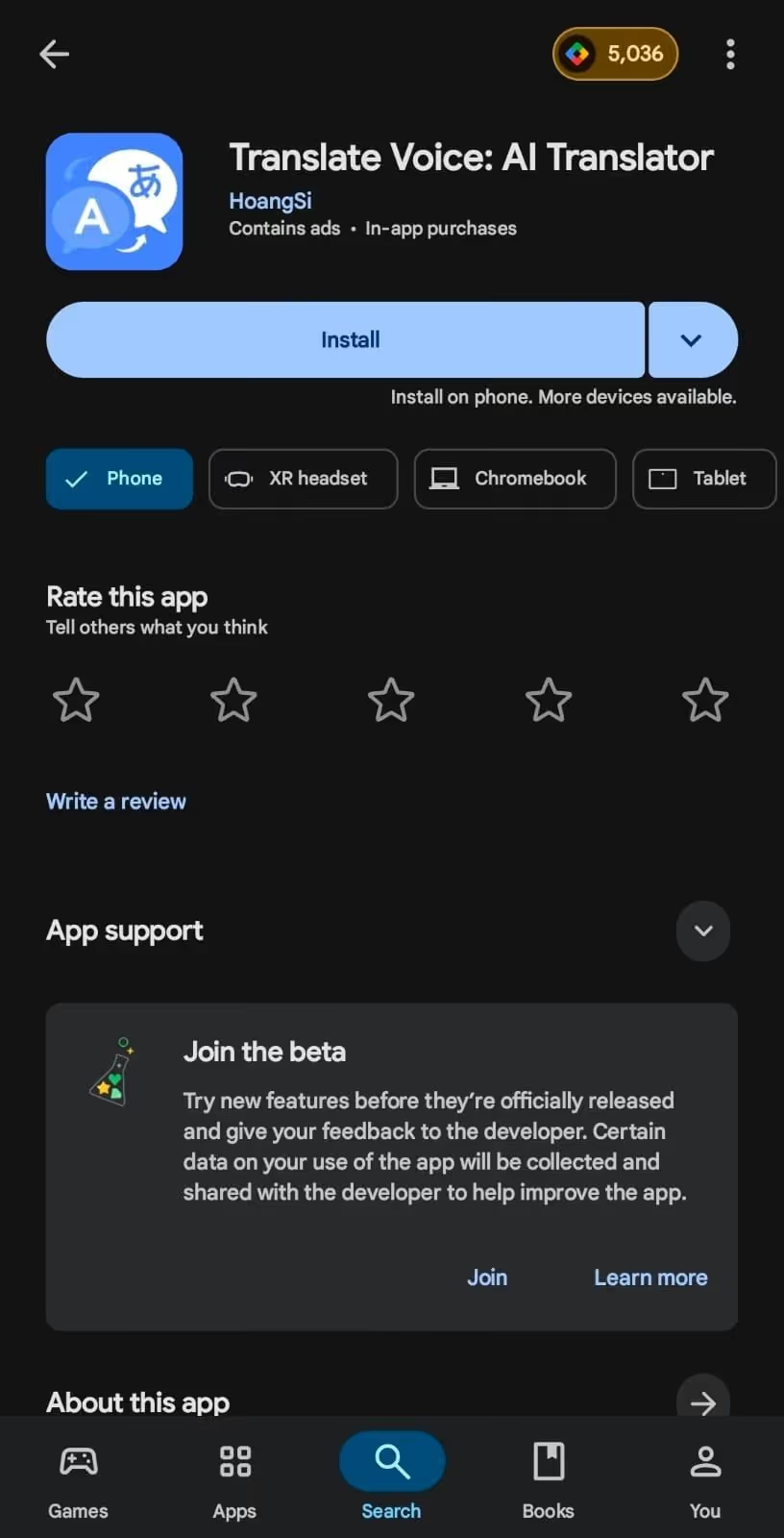
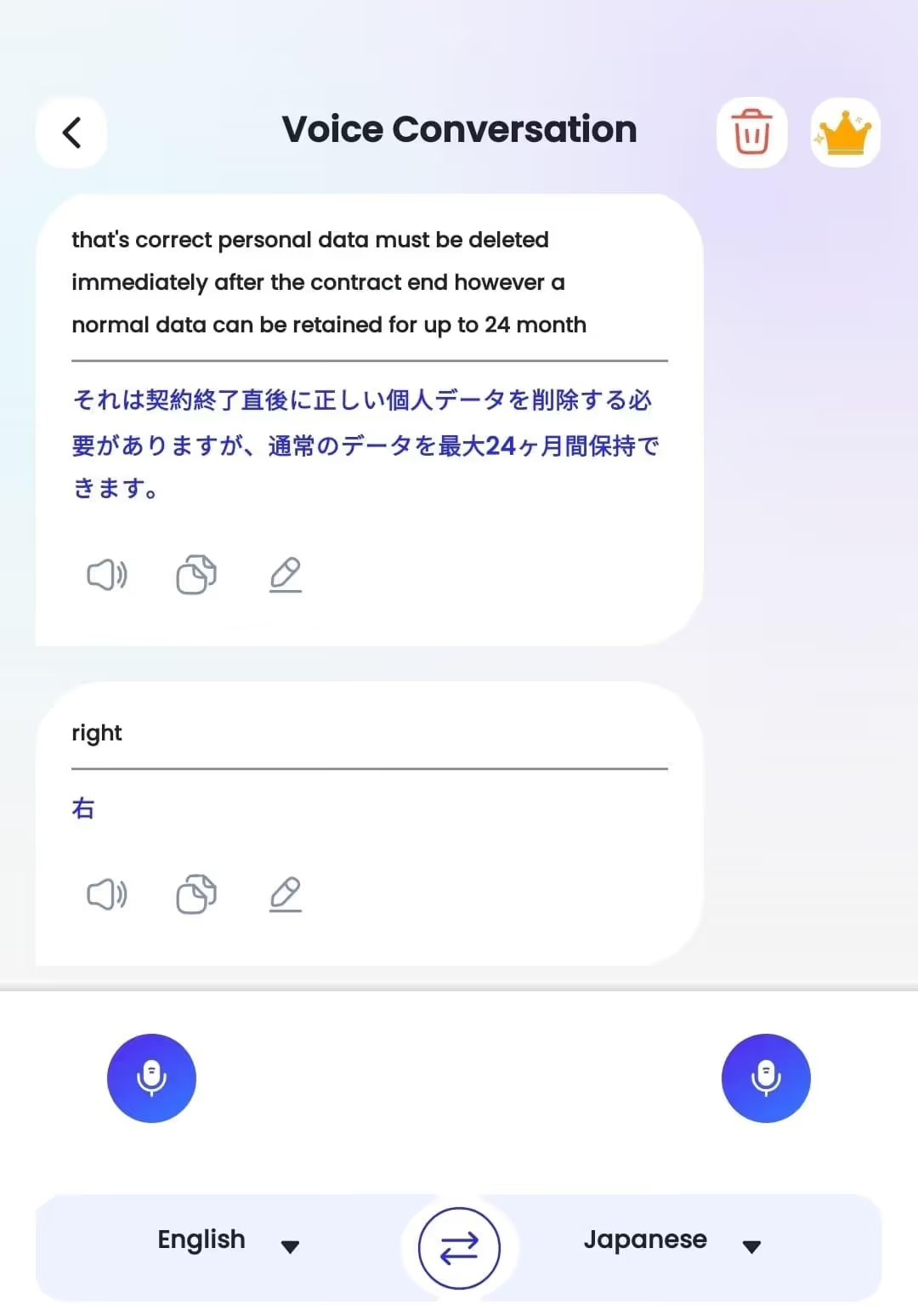
Translate Voice: AI Translator is a decent, live continuous translation app with a two-way translation interface. Although you must tap each time you or the other person speaks, the translation appears as chat bubbles, making it easy to scan messages for important information.
While testing Translate Voice: AI Translator for English to Spanish continuous translation, we found the output to be instantaneous.
What Makes Translate Voice: AI Translator Special?
- Translate Voice: AI Translator supports offline translations, provided you download the language package.
- The simple interface makes Translate Voice suitable for casual users and travelers.
What We Didn’t Like About Translate Voice: AI Translator?
- Translate Voice’s interface is full of ads.
- Translate Voice requires you to tap the microphone every time you speak.
Pricing
Translate Voice: AI Translator offers a free trial with access to voice-to-voice and text-to-voice translation, but it includes ads. It offers a premium plan for $14.99/month that removes ads and provides access to all available features.
AI Translate Voice Translator
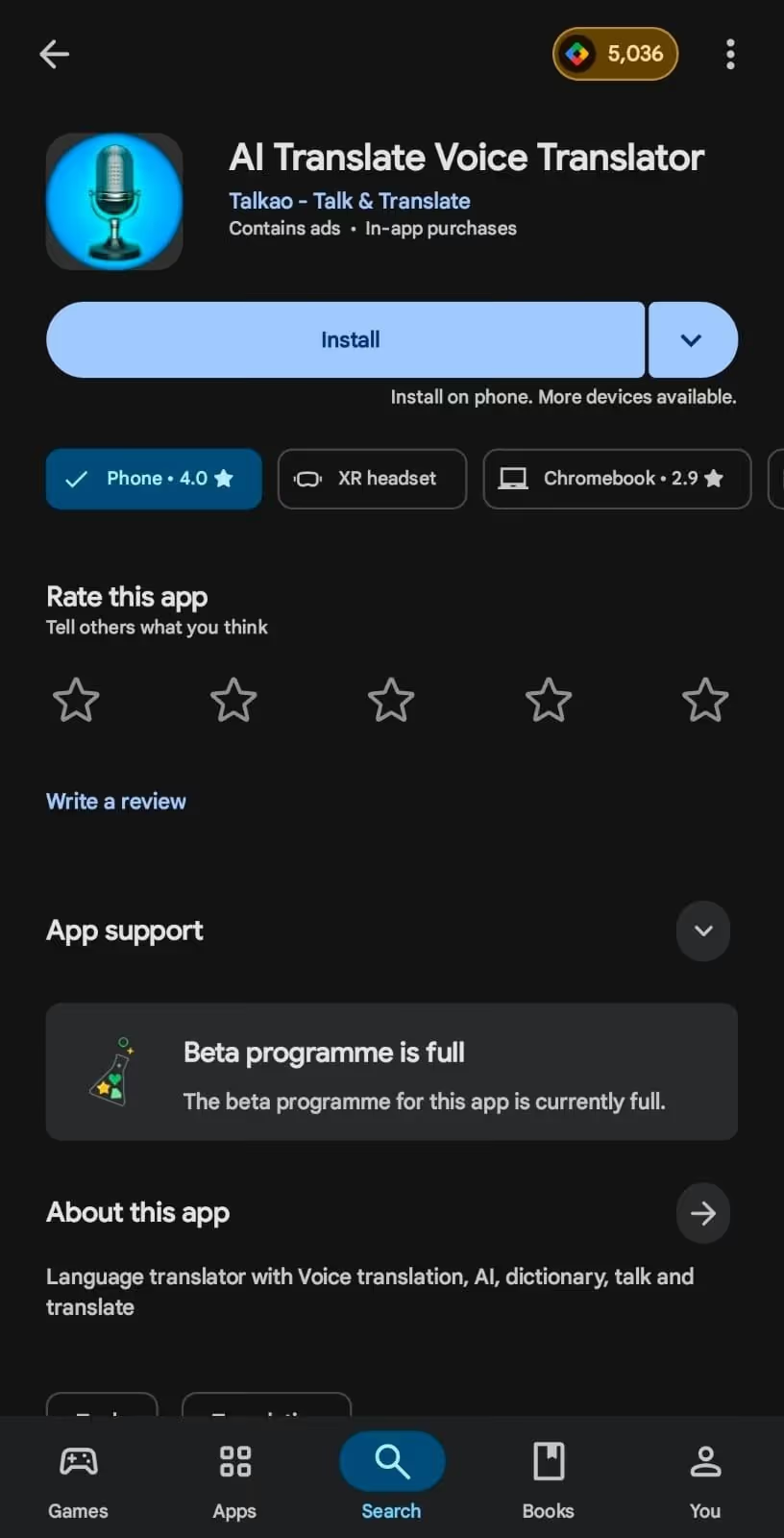
AI Translate Voice Translator is a popular live translation app with voice-to-voice continuous translation capabilities. There’s support for 129+ languages, so AI Translate Voice Translator is a good choice for professionals who need a basic translation app for long casual conversations.
What Makes AI Translate Voice Translator Special?
- A support for 129+ languages makes AI Translate Voice Translator suitable for multilingual translations.
- Its dictionary feature provides an explanation of the terms.
What We Didn’t Like About AI Translate Voice Translator?
- As with Translate Voice: AI Translator, you must tap the microphone every time you speak.
- The live translator only provides translations, which can be an issue when you need to skim through conversations.
Pricing
AI Translate Voice Translator offers a one-week free trial and gives you access to all its translation features. Once it’s over, you can pay $7.99/week to continue using the live translation app for continuous speech and its voice-to-voice translation, text-to-voice translation, and other features.
What are the Best Use Cases of the Continuous Translation Apps?
Continuous translations are primarily designed for ongoing, natural conversations such as business meetings, on-site discussions, sales negotiations, and more. These are detailed as follows:
Lengthy In-Person Business Meetings: Traditional live translation apps stop translating when you pause and restart from scratch when you tap the microphone. Meanwhile, live continuous translation apps like JotMe keep conversations flowing and maintain context, especially when participants use short follow-ups such as “yes,” “that works,” and similar.
On-Site Discussions With International Partners: Continuous translation apps like JotMe are ideal for on-site discussions where the background can be noisy, and conversations are fast-paced. JotMe mobile app avoids repeated restarts and minimizes miscommunication between parties.
Sales Negotiations and Client Briefings: Sales negotiations rely heavily on nuances, follow-ups, and quick affirmations. Continuous translation apps like JotMe preserve context across short follow-ups, which traditional translators might mess up.
Training Sessions with Multilingual Teams: Training sessions can go long, and with continuous translation apps, participants can focus on learning, rather than managing translations. This makes JotMe a suitable choice for corporate training sessions, skill workshops, and instructor-led demos.
Conclusion: What is the Best Continuous Translation App?
Choosing the best continuous translation app depends on your translation needs, whether you need it for casual conversations or sensitive business meetings. Here’s how you decide:
- Use JotMe in multilingual business meetings to accurately translate everything discussed. Its multilingual translation and ability to perform well in noisy environments can keep conversations flowing without pauses.
- If you need a live, continuous translation app that works offline and supports multiple languages, Translate Voice: AI Translator can be a good pick.
- If you need live translation when you have a long casual conversation with colleagues or locals, Hi Translate- Chat translator may be right for you.
If you need a reliable, continuous translation app for live conversations on mobile that delivers instant, contextually accurate translations in 45+ languages, JotMe is a strong choice. The interface is free of any ads, there’s no need to tap continuously, so you can have lengthy meetings without worrying about losing anything.
Try the JotMe mobile app today and see how it streamlines your multilingual business meetings.
FAQs for Continuous Translation Apps
Can continuous translation apps handle long conversations?
Yes, continuous translation apps like JotMe can handle long conversations. Just select the spoken and translation languages, press the “Play” button, and the translations appear as you speak, regardless of the conversation length.
Are continuous translation apps suitable for business meetings?
Yes, continuous translation apps like JotMe are suitable for business meetings. JotMe's mobile app can translate multiple languages into a single language, handle long conversations, and accurately translate technical terms without requiring a custom glossary.
Why doesn’t Google Translate work well for continuous speech?
Google Translate works when you tap the microphone icon, but it treats every pause as the end of the conversation. As you begin speaking, your translations start from scratch, which can lead to context loss.
Are continuous translation apps meant for language learning or students?
Yes, language learners or students can use continuous translation apps like JotMe to practice speaking or to translate their live classes. Language learners can also use the text-to-speech feature in live translation apps like JotMe to hear how locals pronounce words.
Which app translates English to Spanish continuously?
JotMe is the mobile app that translates English to Spanish continuously and accurately. Unlike many continuous translation apps, you don’t need to tap the microphone every time you speak. JotMe also understands the tone, flow, and core meaning of a sentence and preserves them in translations, so everyone understands what’s said.
Last updated on
June 8, 2026
Follow us on social media: