Guides
6 Best Tools for Anime Translation to English I Tried (2026 Guide)

Viraj Mahajan
December 29, 2025

There’s no denying that some tools for anime translation to English can spoil the viewing experience. You sit down to watch your favorite show, only to find the subtitles sound robotic or out of place with what the character says on screen. Being an anime fan, I understand how frustrating this can be. So, I tried more than 15 translation tools, and JotMe stood out for its contextually accurate live translations.
Unlike most live translation tools, JotMe uses multilingual speech recognition to understand cultural references in anime, such as senpai, keigo, and tsundere, while jokes land naturally in English. JotMe also generates subtitles that match scene emotion, speech pacing, and reading pace. There weren’t any rushed lines or delays to distract from the visuals, and I could wholeheartedly enjoy the show.
In my tests, five more tools came close to JotMe for real-time anime translation to English. I’ll talk about each of them and mention their strengths and quirks, and how JotMe became my ultimate real-time anime translator.
What Matters in an Anime Translation Tool?
To effectively translate anime to English, a tool must understand the nuances and cultural references, jokes, and sound effects to produce a contextually accurate translation. Before I dive into the best tools, understand why anime translation is a challenge for most tools.
Nuances and Cultural References: Most AI anime translation tools focus on words rather than vocal cues. This way, they cannot interpret micro-pauses, pitch drops, breath control, or similar cues, and often misinterpret the scene's overall emotional weight.
Not only the vocal cues, but the anime translation tools must consider social and historical contexts to relay the message properly.
Cultural Sensitivity: While most AI tools trained on statistical patterns may produce technically accurate translations, some words may come off as culturally insensitive. What’s important for AI live translation tools is to understand the emotional, cultural, or suggested associations the word carries beyond its dictionary definition.
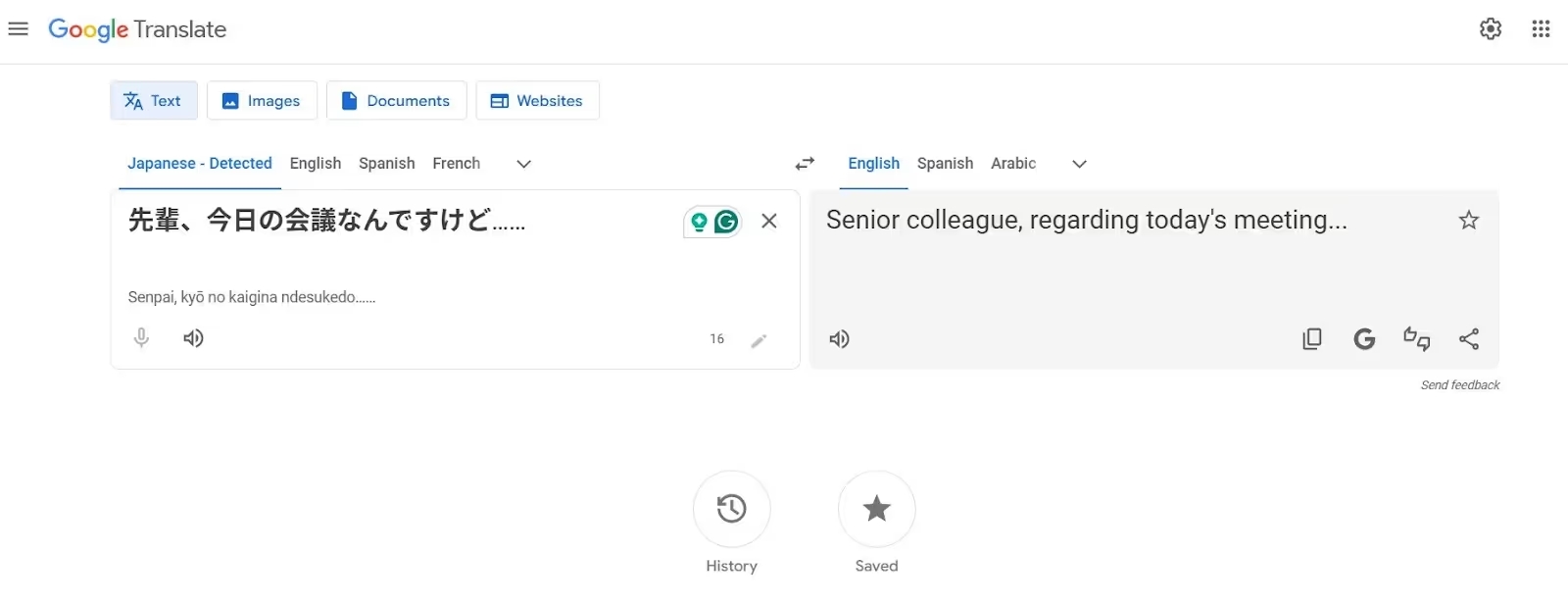
Here’s an example:
Literal Translation: Senior colleague, about today’s meeting…
Here’s a tabular representation of the challenges most tools face to anime translate to English:
What are the Best Tools for Translating Anime Subtitles Into English?
JotMe, Maestra AI, DeepL Voice, Palabra AI, Papago, and Bing Translator are the best tools for anime translation in English. Each tool offers something unique, but before you dig deep into each tool, here’s what other users and I have to say about these:
- JotMe is one of the best live translation apps, offering natural-sounding, contextually accurate translations that preserve the actual meaning, along with features like AI Ask, Generate Speech, real-time summary, and more, all for just $15/month.
- Maestra AI offers automatic subtitling and video localization in 125+ languages, but a user on G2 says, “they need to improve their windowing scroll on the dashboard.”
- DeepL Voice provides accurate translations with high-quality neural models, but a user on G2 mentions, “This lags a lot.”
- Palabra AI ensures minimal latency for a seamless anime-watching experience, but it struggles with overlapping dialogues.
- Papago Plus is a decent translator for voice, images, documents, and websites, but a Reddit user says that it can be confusing for people translating from English to Japanese.
- Bing Translator provides real-time translation in hundreds of languages, but according to a G2 user, “translations can be too strict or literal.”
Now, let me help you choose the best tool for anime translation:
JotMe
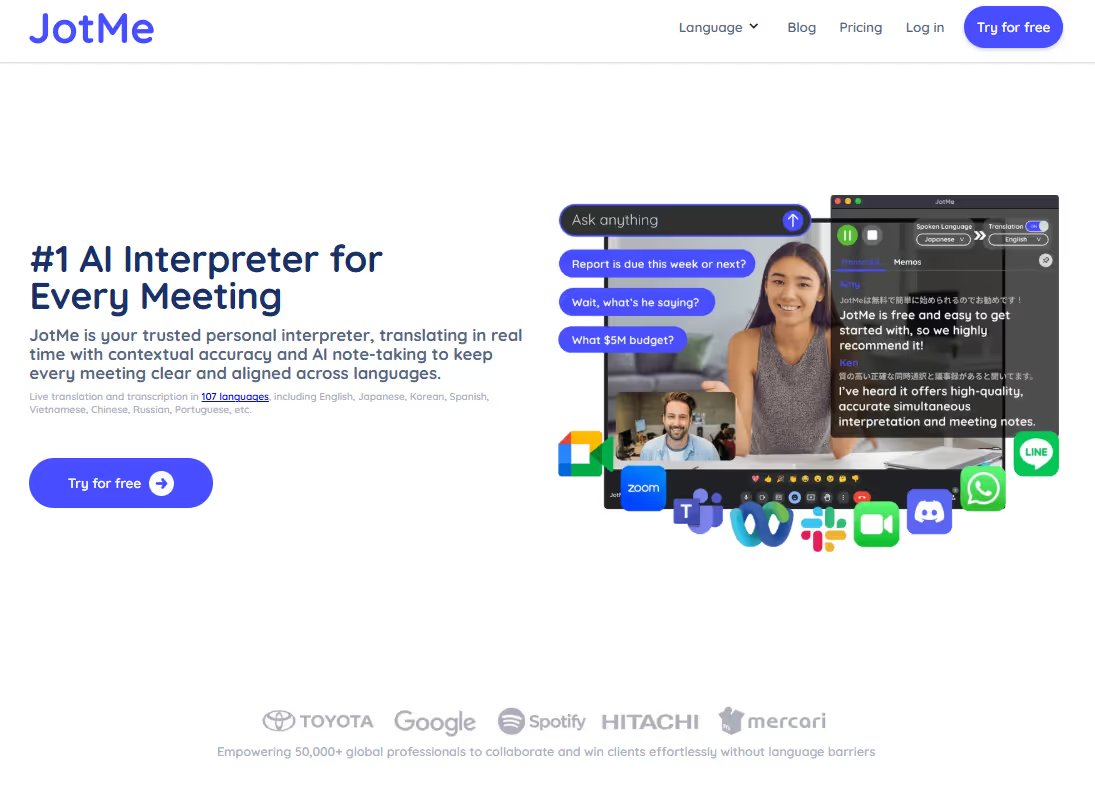
I first tried JotMe while watching Demon Slayer on Netflix, and it turned out to be a much better anime subtitle translator than I anticipated. Rather than throwing random words on the screen, it understands the emotions, tone, and context of the conversations to show the right meaning. This, and other reasons that make JotMe stand out are:
No Latency: As soon as the anime starts, you’ll see translations appear on the JotMe window. JotMe ensured I didn’t miss a single dialogue and could immerse myself in the story right from the start.
No Integration Required: I loved how you could just open JotMe, play the anime, and the translated texts appear. No complex setup, no integrations were needed, making it ideal for beginners.
JotMe will soon launch a mobile app that provides English-to-Japanese translations on the go. This will be a big help on my next trip to Japan.
Key Features of JotMe
Live contextual translation, AI Ask, real-time summary, and generate speech were the most helpful anime translation features. These are detailed below:
Live Contextual Translation
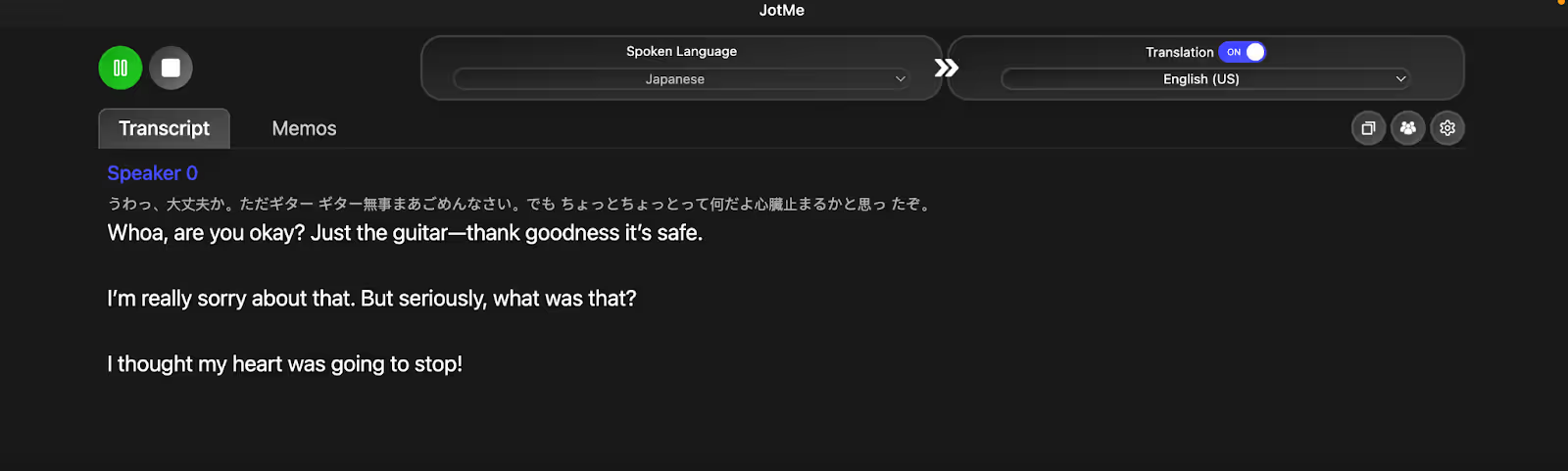
JotMe packs in an advanced multilingual speech recognition technology to understand the tone, conversation flow, cultural nuance, and meaning of the dialogues, and provides a contextually accurate translation. This is what matters the most in a real-time anime translation. Here’s an example:
AI Ask
Last month, one of my friends mentioned Gintama when I asked for a sci-fi and historical anime recommendation. However, with cultural references embedded in almost every alternative dialogue, I was required to keep my Google search open at all times.

Real-Time Summary
Whenever I am watching a movie or a long anime arc, JotMe's real-time AI summary feature is helpful. The bulleted, to-the-point summaries help quickly catch up on missed plot points and stay on track with the fast-paced narrative. In some anime with multiple arcs, it also helps refresh my memory of key characters, relationships, and events.

Generate Speech
I love how I can use JotMe to speak Japanese clearly. All I need to do is write a sentence in English, and JotMe immediately translates it into Japanese with accurate pronunciation. I often use it to practice my Japanese and have made good progress so far.

Text-to-Text Translation
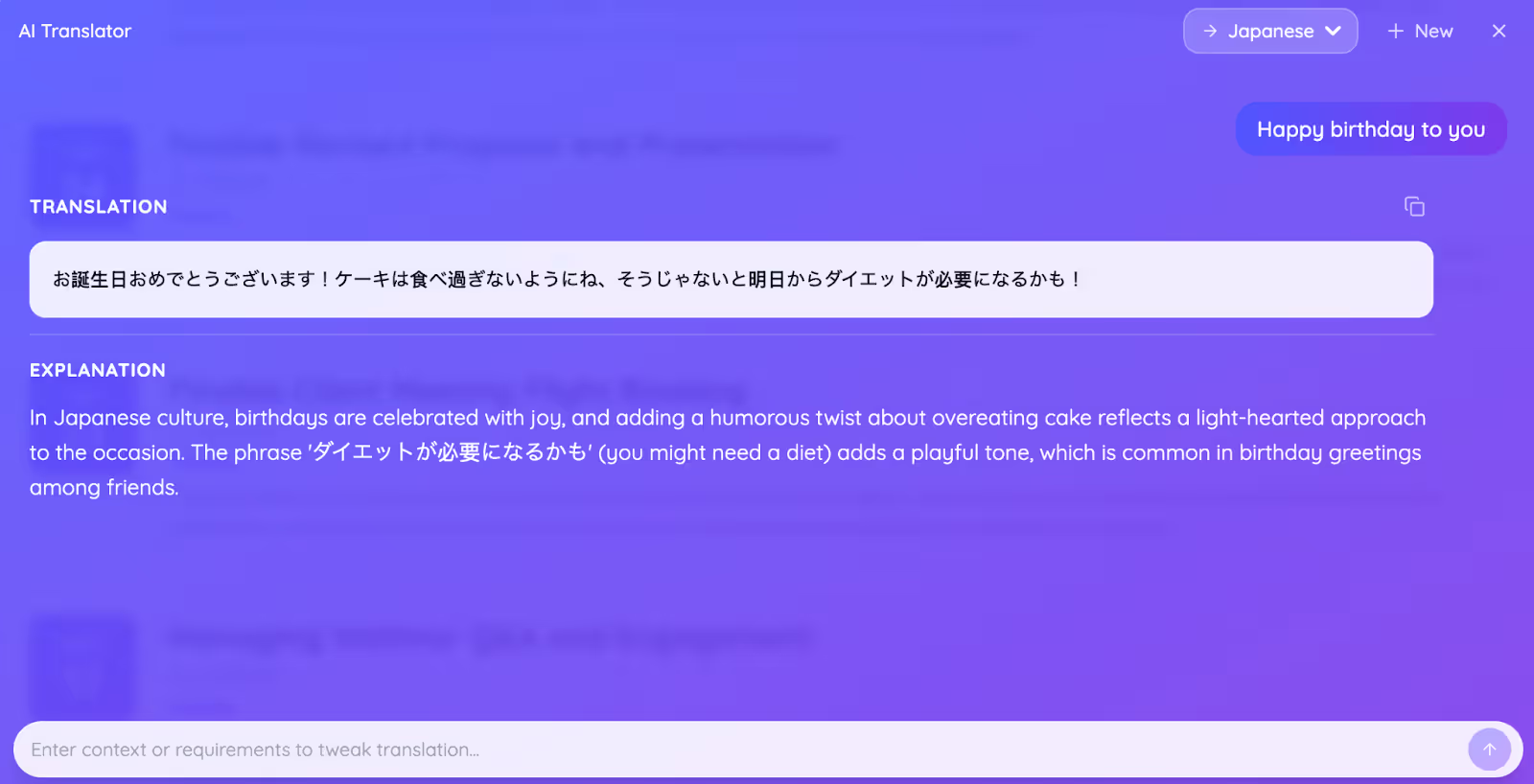
JotMe also provides a unique way to wish your anime-loving friend a happy birthday or send a humorous or congratulatory message. Just type a sentence, “Happy Birthday to you,” and add a request: keep the humorous tone. I was impressed with the output and a side-by-side explanation of why it chose specific wordings.
Pricing
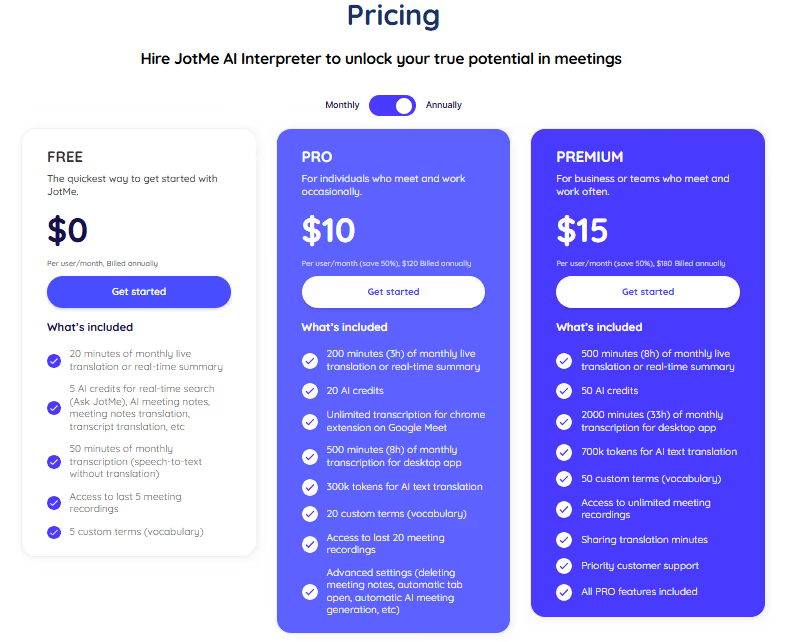
JotMe offers a flexible pricing policy that suits both someone who watches anime once a week and an avid anime lover.
- JotMe offers a free plan with 20 minutes of live translation and 50 minutes of transcription per month.
- Its Pro ($10/month, billed annually) plan provides 200 live translation and 500 transcription minutes.
- The Premium ($15/month, billed annually) plan includes 500 live translation and 2000 transcription minutes, with unlimited access to meeting recordings.
What I Liked
- JotMe understands the tone, flow, and cultural nuances to provide a contextually accurate translation.
- It provides instant answers to your queries.
- No bot integration for a seamless anime watching experience.
What I Didn’t Like
- JotMe doesn’t support video uploads.
Maestra AI
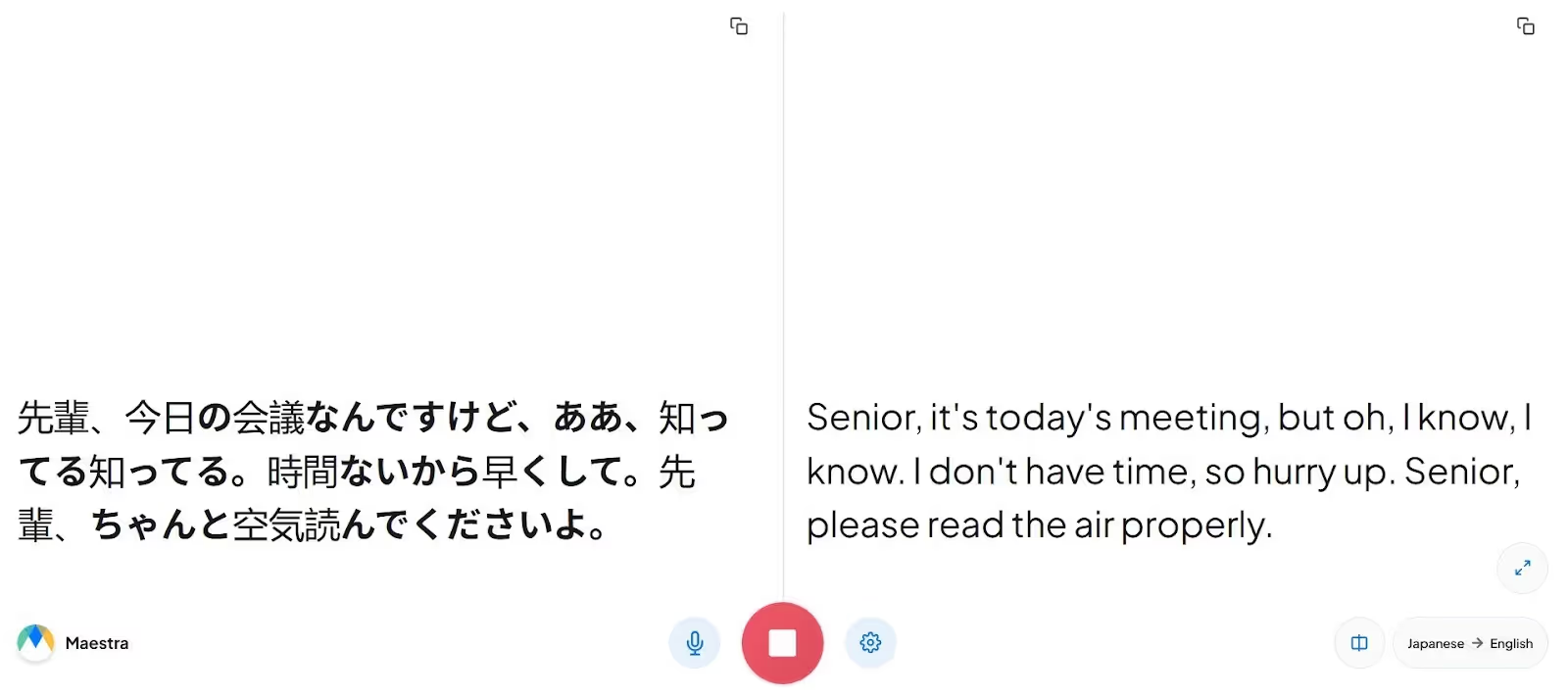
Maestra AI, with its web-based interface and accuracy, stood out to me as a decent tool for real-time anime translation to English. As with JotMe, no integration is required, and the translation appears as soon as the character begins speaking.
Maestra AI has a simple interface, but I had to keep the browser open next to the anime window and repeatedly switch between the scene and its translations. It felt inconvenient at times.
Pricing
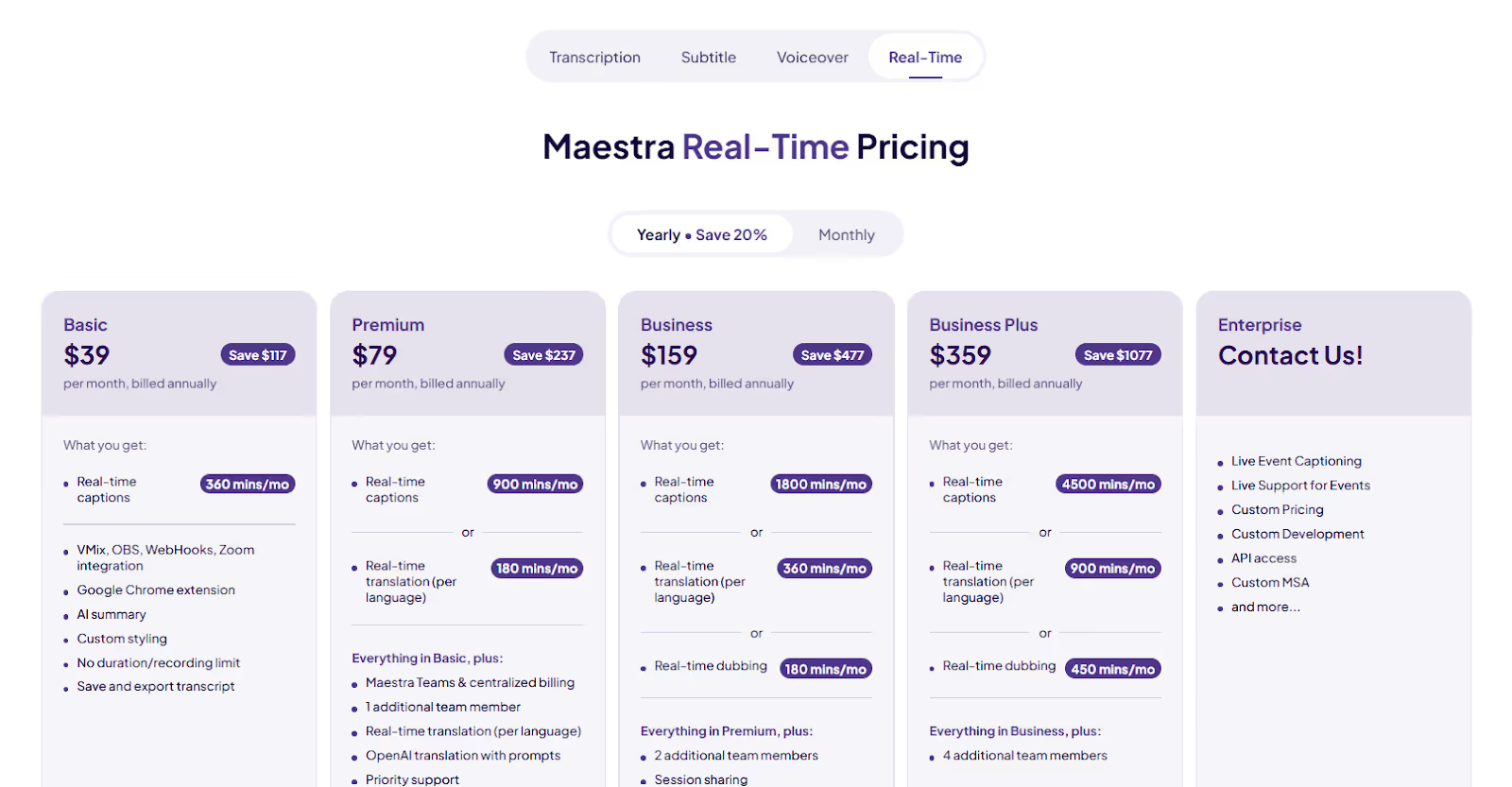
Maestra offers a two-minute free trial and a set of flexible plans suited to your anime translation needs:
- Basic ($39/month, billed annually): You get 360 minutes/month of real-time captions with an AI summary.
- Premium ($79/month, billed annually): Offers 900 minutes/month of real-time captions and 180 minutes of real-time translations.
- Business ($159/month, billed annually): Provides 1800 minutes/month of real-time captions and 360 minutes of real-time translations.
What I Liked
- Its interface is intuitive and straightforward.
- Maestra AI lets you share translations via a QR code.
What I Didn’t Like
- It struggled in conversations stuffed with cultural references.
- Its subscription is expensive.
- The basic plan doesn’t include a real-time translation feature.
DeepL Voice
Pricing
DeepL Voice hasn’t been transparent about its pricing plans, so you'll need to contact their sales team for a personalized quote.
What I Liked
- DeepL Voice lets you create a custom glossary.
- Known to produce accurate translations.
What I Didn’t Like
- DeepL Voice isn’t transparent about its pricing policy.
- There is no free trial on offer.
- A user on G2 reports a slight delay between the speaker and the translation.
Palabra
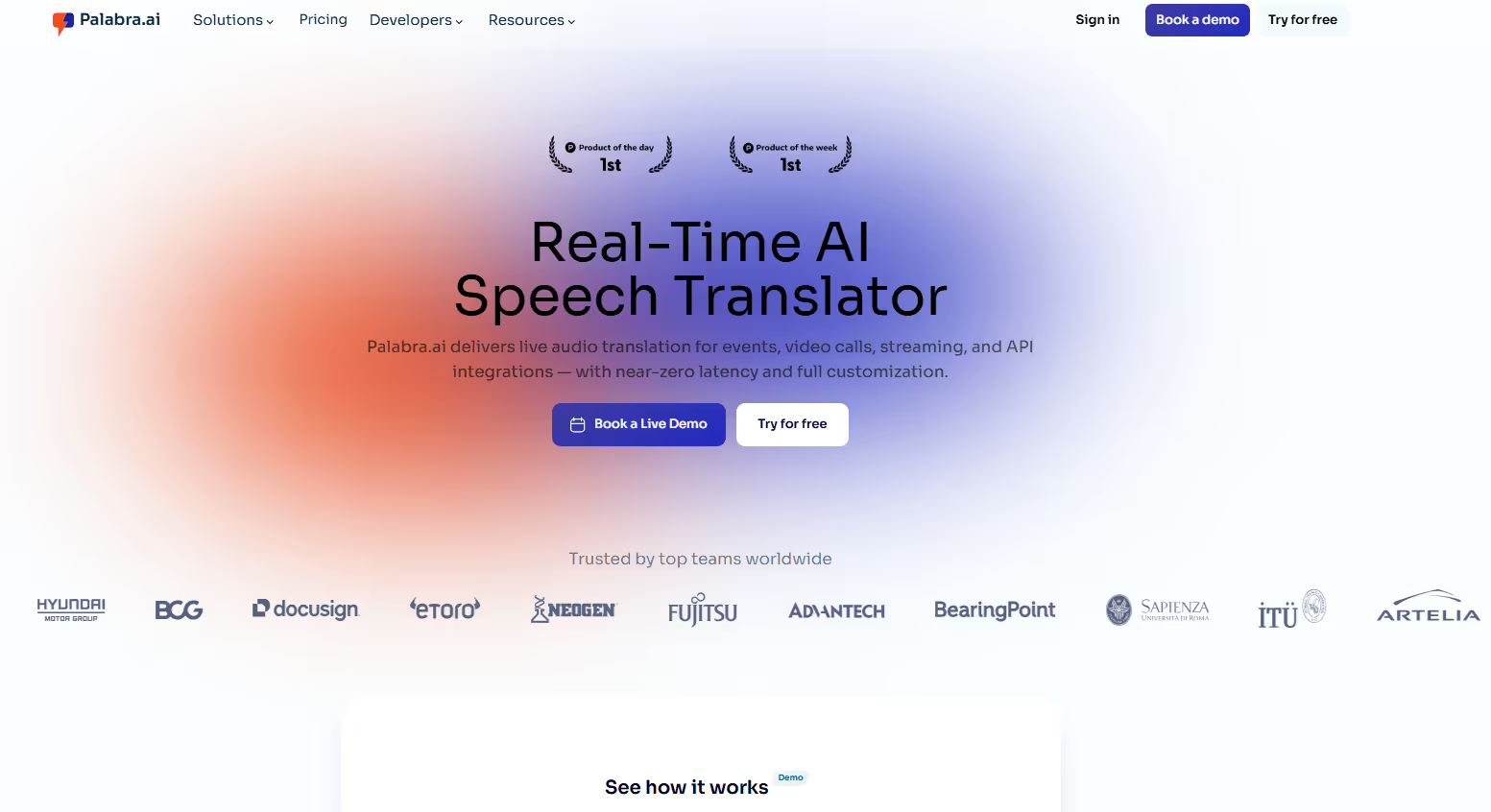
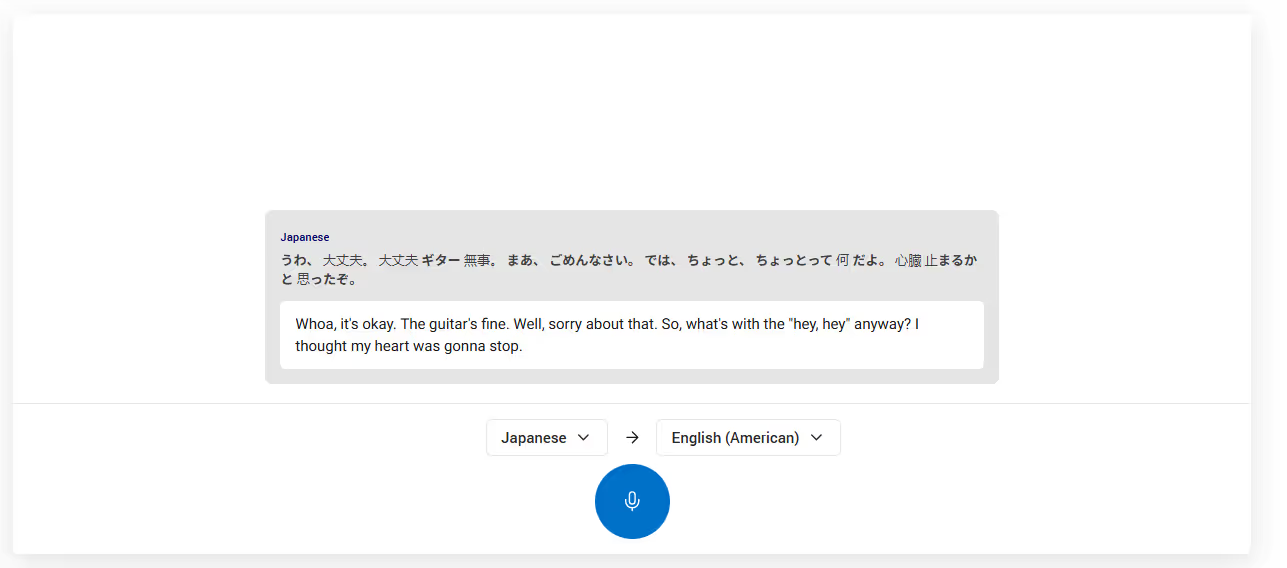
When choosing the best Japanese to English live translation tools for anime, my first priority was how quickly they could translate conversations. Palabra ranked among the fastest tools and kept translations fairly accurate. That’s a good balance developers have achieved.
Pricing
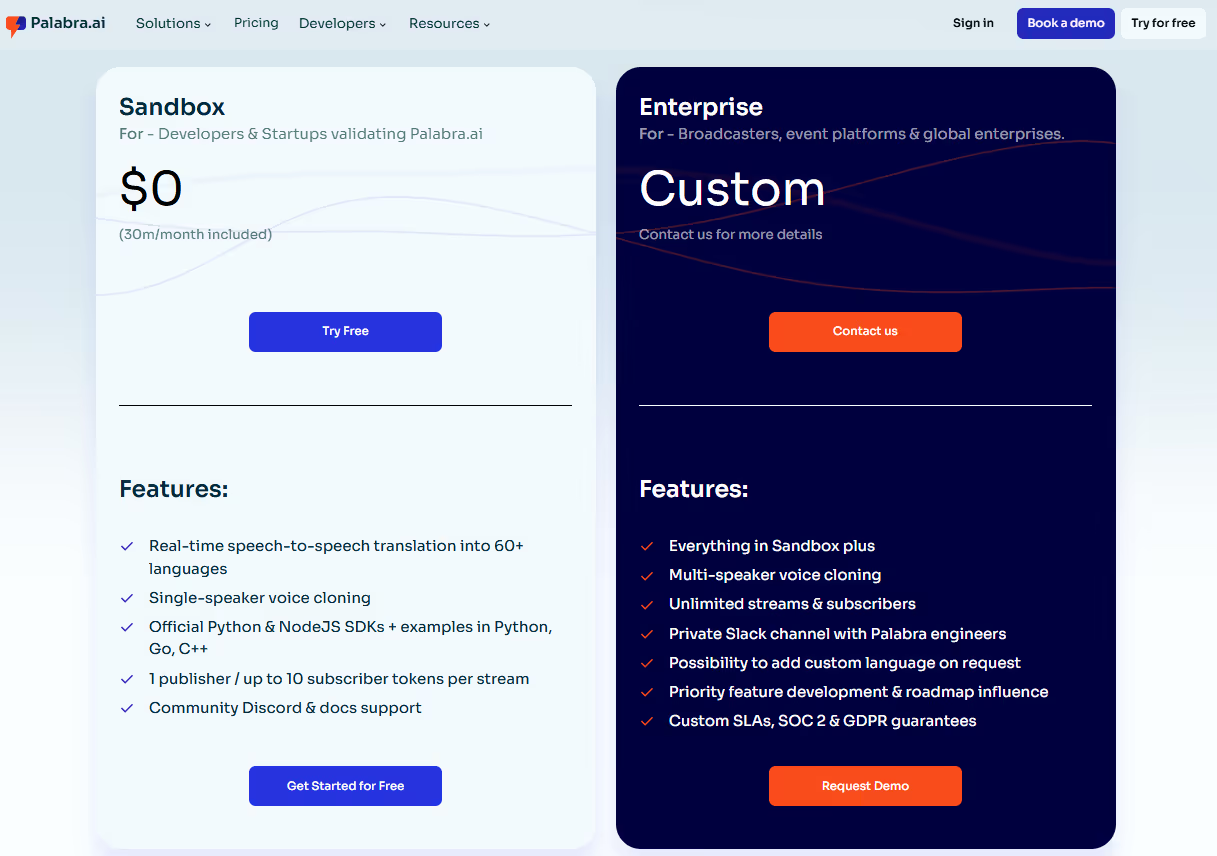
Palabra offers 30 minutes of free real-time anime translation to English and other languages. There’s also an Enterprise plan that requires you to contact its sales team to get the quote.
What I Liked
- Its translations are quick.
- You get 30 minutes of free trial.
What I Didn’t Like
- Palabra struggled with culturally-heavy translations.
- Its interface is a bit outdated.
- There’s no detail provided about its enterprise plan.
Papago Plus
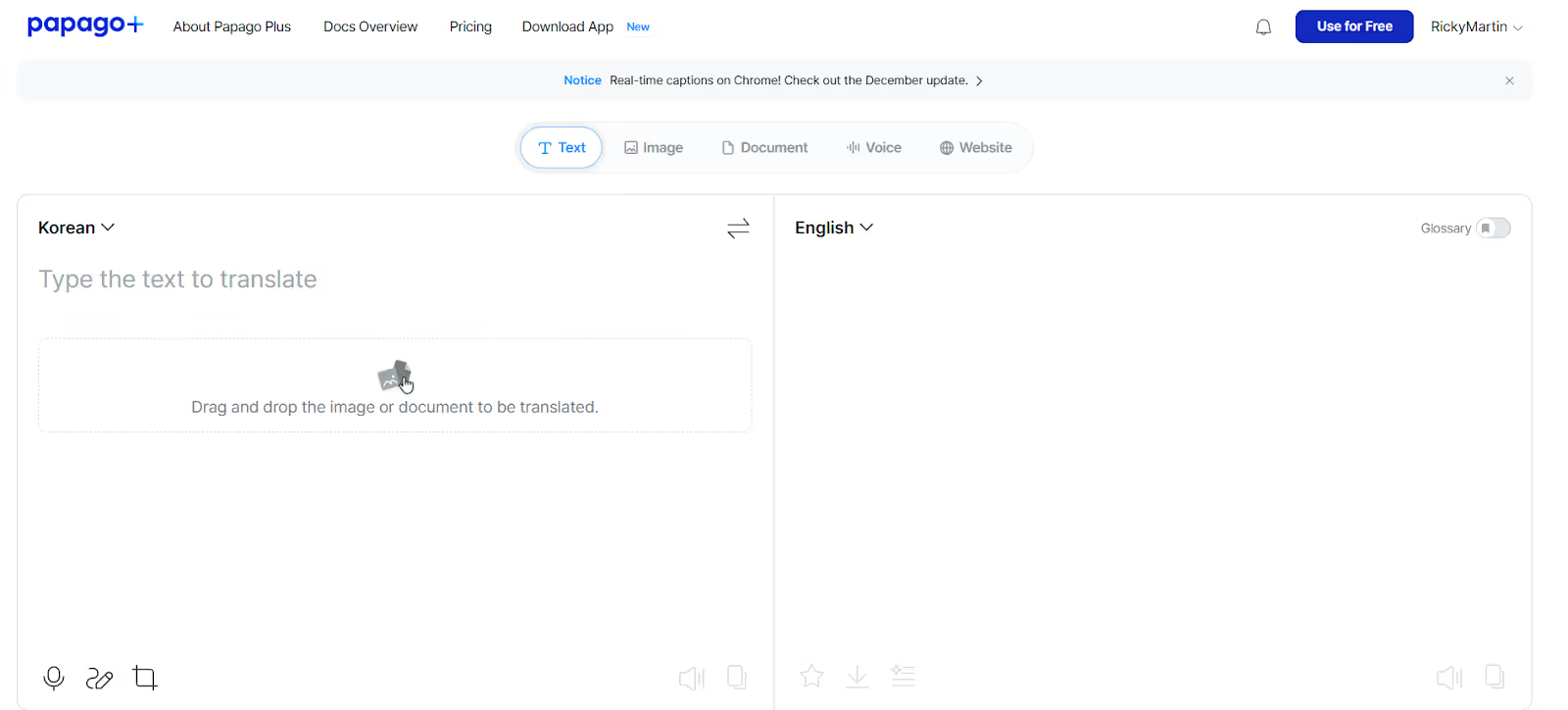
Papago Plus also caught my eye for anime translation for several reasons. For one, there’s an option to add specialized cultural terms and create customized glossaries for better translation accuracy. It provides a concise summary once you finish watching the show. You can also upload your anime video for subtitles and translate manga, images, documents, and Japanese anime websites. This makes Papago Plus a good tool not only for anime translations but also for students who need quick translations of their coursebooks.
Papago Plus offers a one-month trial to test its translation accuracy. It, however, required a credit card, which isn’t the case with JotMe. Moreover, for some reason (maybe a server or technical issue), I couldn’t register my credit card either.
Pricing
Papago Plus offers flexible plans, including Basic, Standard, Advanced, and Enterprise Plus, with free trials in Basic and Standard Plans.
- Basic ($8.49/month, billed annually): 60 minutes of voice translations, one glossary, 10 documents, and 50 images translated per month.
- Standard ($25.49/month, billed annually): Includes 60 minutes of voice translation per month and 10 shareable glossaries.
- Advanced ($47.59/month, billed annually): Offers unlimited text translation, 60 minutes of voice translation, and 1,000 shareable glossaries.
What I Liked
- Offers personalized and shareable glossaries for accurate translation.
- Upload anime videos for translation.
What I Didn’t Like
- Credit card registration is required to access the free trial.
- Supports only 13 languages for translation.
- Only 60 minutes of live translation per month.
Bing Translator
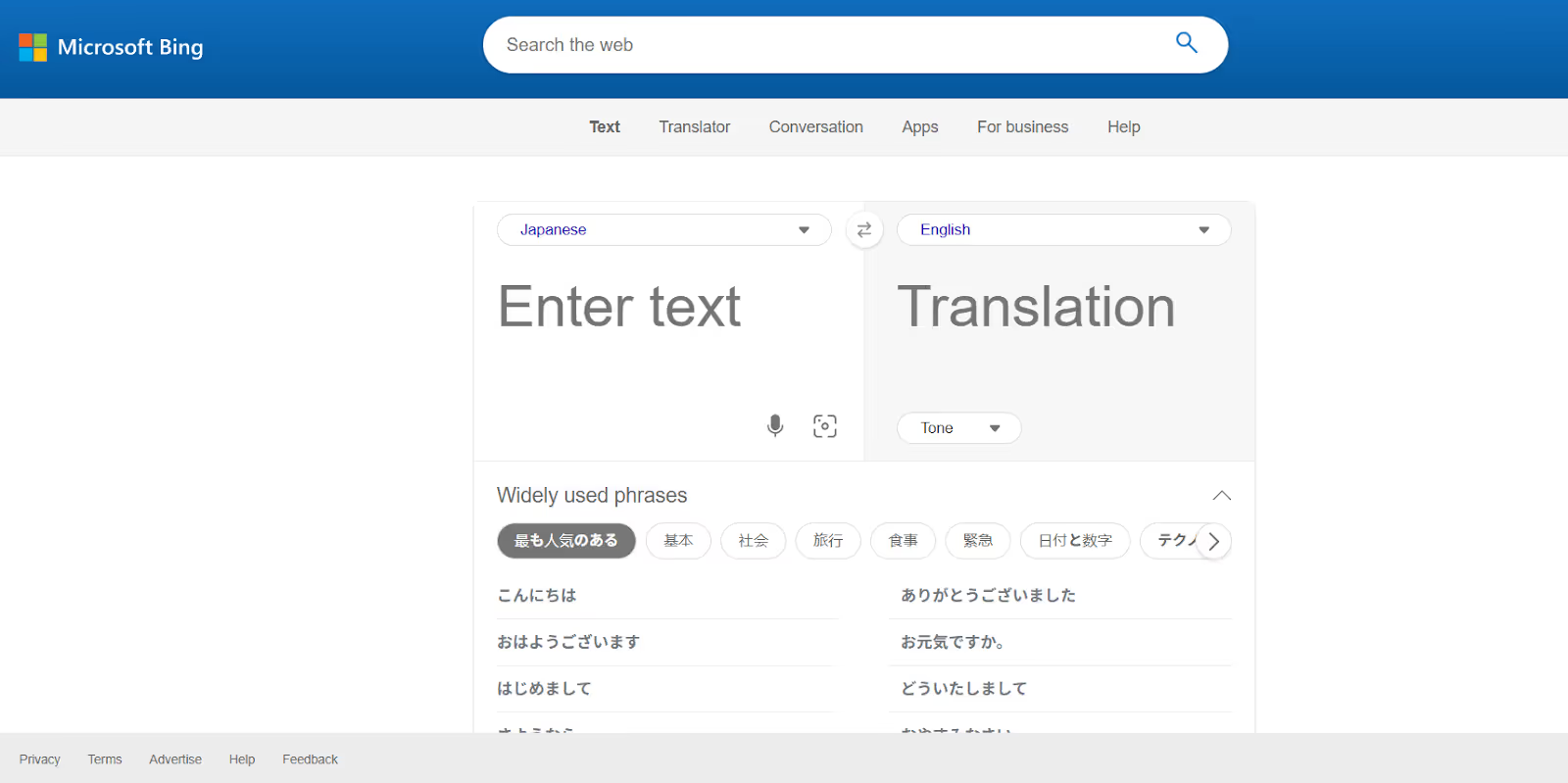
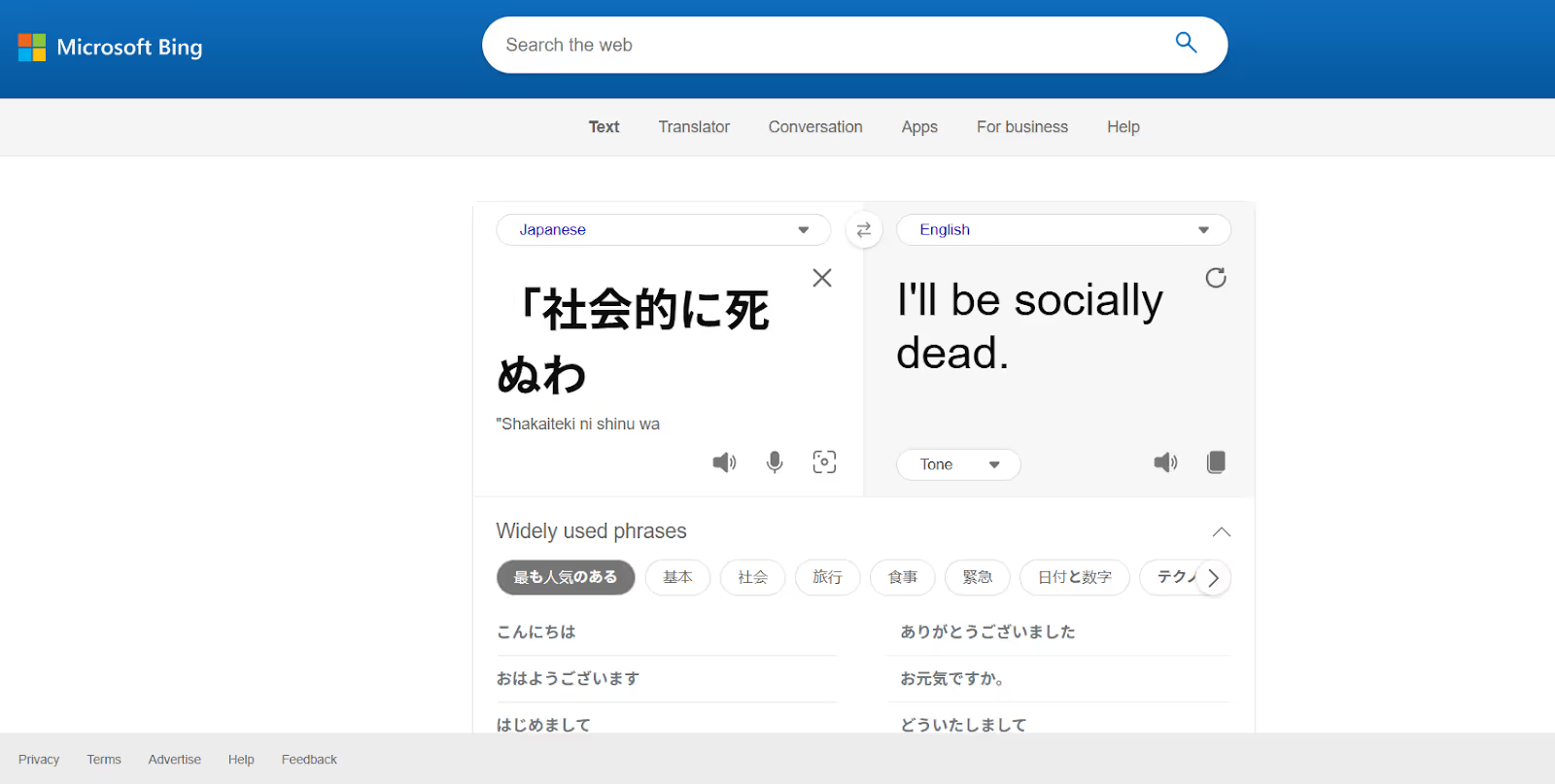
Bing Translator was my go-to translator for my trip to Japan last year, and I tried using it for anime as well. The interface is simple; just press the microphone icon for Bing Translator to listen to the conversation and generate translations. Also, I can choose between a standard, casual, or formal tone.
Pricing
Bing Translator is free to use on desktop and mobile, but there isn’t much information available about its premium plans.
What I Liked
- Bing Translator has a simple interface and is free to use.
- It offers text-to-text translations.
What I Didn’t Like
- Lacks any advanced translation features.
- Its accuracy isn’t great for sentences with cultural nuances.
- Its pricing policy isn’t transparent.
Conclusion: Which is the Best Anime Translator to English?
The best tool for anime translation to English is one that understands the meaning and cultural nuances and keeps up with the fast-paced dialogues to provide a contextually accurate translation. JotMe stands out among available tools for its no-latency translations and lets you watch hours of anime without lag.
Also, whether you watch comedy shows like Gintama or action-packed shows like Demon Slayer, JotMe understands the tone and translates it accurately. Here’s a comparison table of the listed Japanese to English anime translators:
With anime translation tools like JotMe, you don’t need to rely on inconsistent dubs or fight with lags; you can enjoy anime in English or any of your preferred languages. So, use JotMe today and take your anime-watching experience to the next level.
FAQs
How to change anime into English?
If you are watching anime shows on popular streaming services like Netflix or Crunchyroll, you can select the English Dub option in the audio settings. However, many anime shows aren’t available in any language other than Japanese. In that case, use a reliable live translator like JotMe. It provides accurate, no-lag subtitle translations for your anime shows.
What is the best tool for translating Japanese into English?
JotMe is one of the best tools for translating your Japanese anime into English. It listens to audio in real time and provides accurate translations immediately. Because it understands the meaning, you won’t find any translation errors like those in traditional tools.
Can I learn English by watching anime?
Yes, you can learn English by watching anime. Play anime in Japanese, open JotMe on the side, and watch it display accurate translations in the window. You can also try its Generate Speech feature, where you type in a Japanese text and obtain its translations in English with an accurate pronunciation.
How do I translate a video from Japanese to English?
You can use live translation tools like JotMe to translate a video from Japanese to English. Open JotMe, select Japanese and English as the spoken and translation languages, respectively, press Play, and play the video. JotMe provides contextually accurate translations in real time.
Last updated on
April 14, 2026
Follow us on social media: