Guides
6 Best English to Indonesian Live Translator Apps We Tried [2026 Updated]

Viraj Mahajan
December 11, 2025
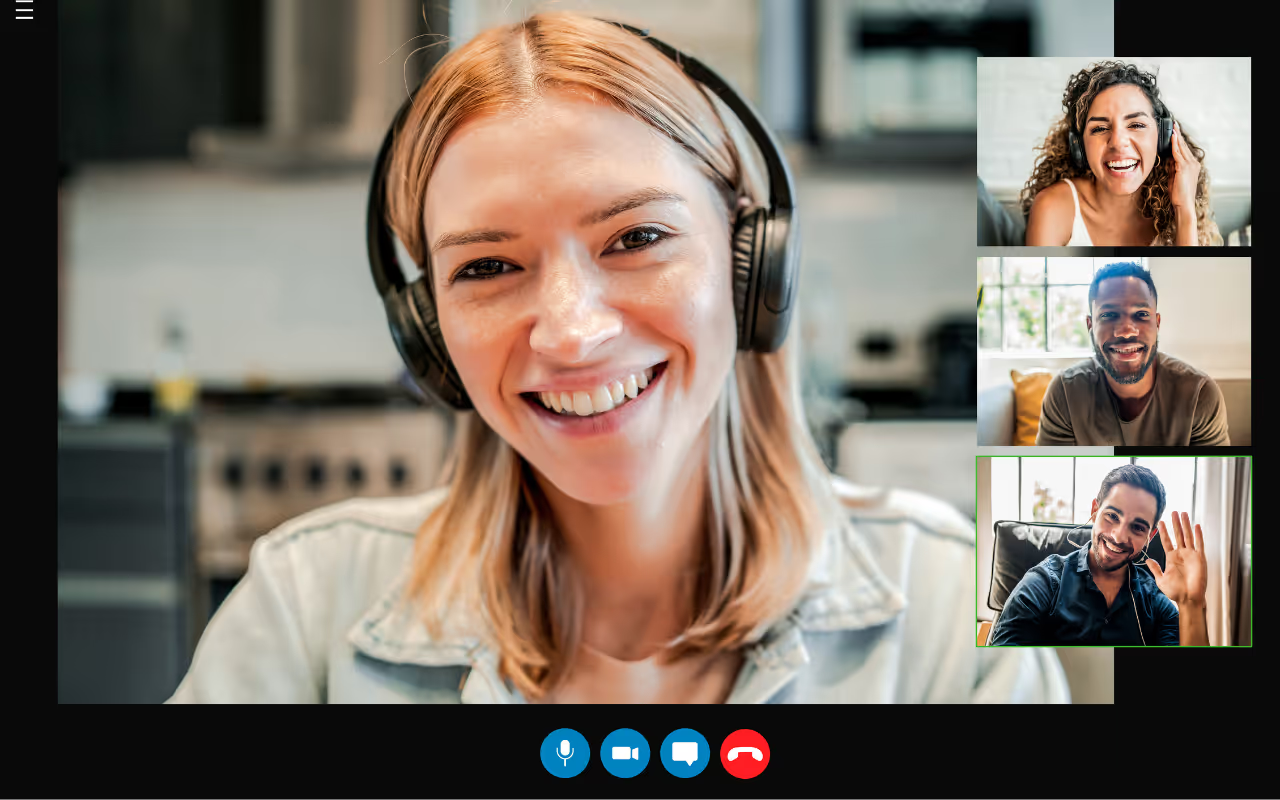
Does having a translation bot in your confidential meetings with Indonesian clients feel intrusive and unprofessional? Many participants feel uncomfortable when unknown bots record their conversations, creating trust issues. However, JotMe works differently by capturing audio directly from your Mac or Windows device without any bots joining your calls, keeping your conversations private and professional.
JotMe is an AI interpreter that delivers real-time translation in 45 languages with the desktop app and 77 languages via the Chrome extension, and is ideal for real estate agents who handle sensitive property negotiations or sales professionals presenting product information.
There are several live translator tools that translate English to Indonesian free online, but some miss out on accuracy, while others lack additional features. We have made it easy for you by testing multiple English to Indonesian live translation tools and compiling the top six. Check out what we found out about these tools.
- JotMe is ideal for live translation of real estate deals and product demos in 45 languages on desktop and 77 languages on Chrome, at just $15/month.
- Maestra AI offers real-time translation in 125+ languages with custom glossaries. However, a user on G2 stated that “The least helpful thing about it is the translation. Specifically, the translations from another language to English.”
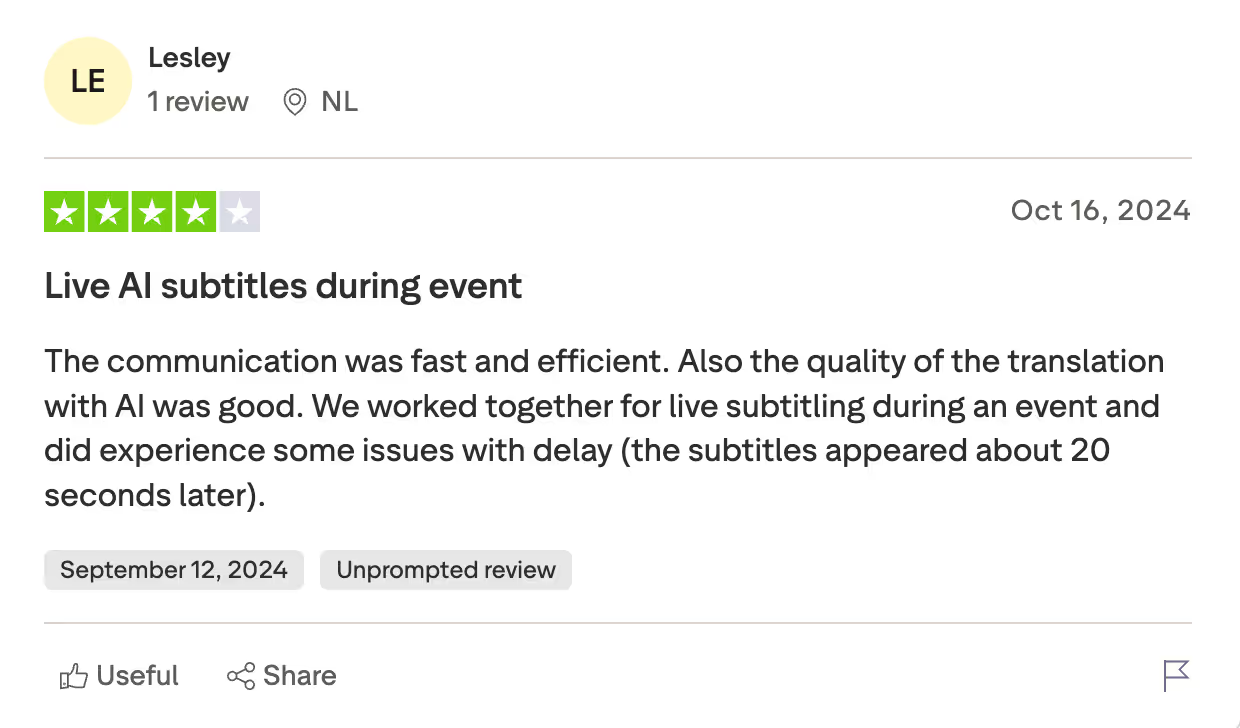
- SyncWords provides live subtitles in 100+ languages on more than 100 virtual event platforms. However, some users on Trustpilot said, “We worked together for live subtitling during an event and did experience some issues with delay.”
- LiveVoice offers flexible simultaneous interpretation with AI Voice Translation in 65+ languages and ~200ms latency, with pricing based on participant limits and account type.
- DeepL Voice is ideal for enterprise teams using Zoom and Microsoft Teams, offering real-time translation in 35+ languages with enterprise-grade security.
- Google Translate provides free live conversation translation in 100+ languages, including Indonesian. Plus, it supports text, audio, and translation on mobile and web.
Quick Comparison of English to Indonesian Live Translation Tools
When choosing an English to Indonesian live voice translator online, consider language support, pricing transparency, platform compatibility, and additional features like AI assistance. While all six real-time translator tools provide live translation, they are different in terms of accuracy, ease of use, and pricing. Compare their key features below to find the right tool to translate English to Indonesian for you.
What are the Best English to Indonesian Live Translation Apps?
The best English to Indonesian live translation apps are JotMe, DeepL Voice, Google Translate, Maestra AI, and SyncWords. Although these tools offer live translation from English to Indonesian and many other languages, their pricing, accuracy, and features vary. Take a detailed look at these apps below.
JotMe
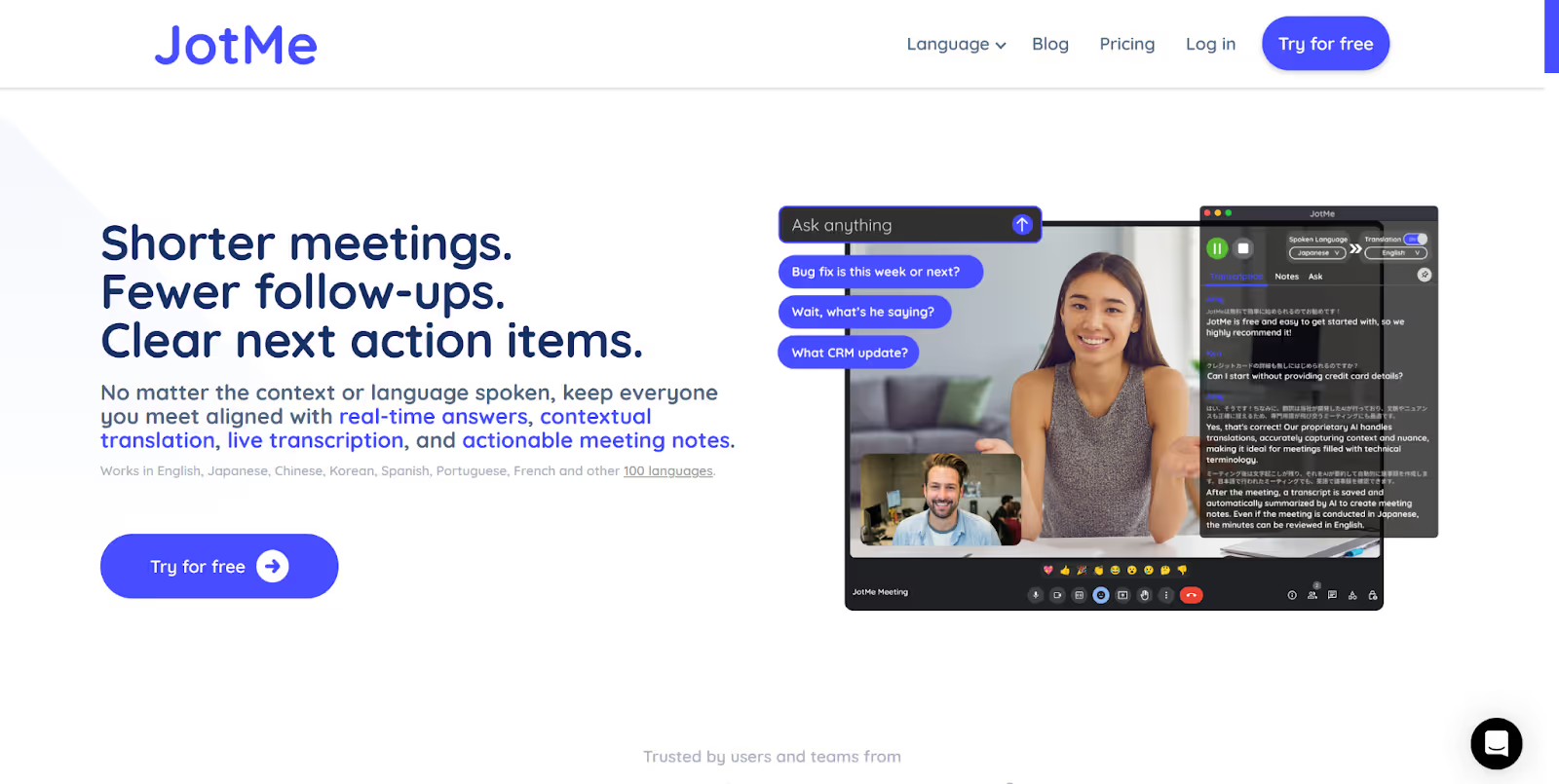
If you’re an international real estate agent working with Indonesian investors or a sales professional presenting demos to Indonesian clients, JotMe proved to be the best AI translator tool in our testing. It consistently delivered smooth, accurate, and contextual English to Indonesian live translation, supporting 45 languages on the desktop app and 77 languages via the Chrome extension. JotMe made real-time conversations feel more natural and eliminated the usual friction of repeating or re-explaining key points.
Key highlights from our testing:
- Delivered accurate English to Indonesian translations during live conferences, capturing tone, context, and technical terms with minimal lag. This helped keep conversations flowing without disrupting the discussion.
- The Real-Time Summary feature summarized full translations into short bullet points and explained complex ideas on the spot, making it easier for both sides to stay aligned during product demos or investment discussions.
- Pronunciation support helped English speakers articulate key Indonesian phrases correctly, especially useful when discussing property details, pricing terms, or product specifications, where mispronunciation could cause confusion.
- Customer support stood out as exceptional. Instead of ticket queues or automated replies, we were able to email the founder directly. Issues were resolved quickly, updates were released almost immediately, and our suggestions were genuinely considered.
- Additional features like AI chat, shareable translation minutes for teammates, and AI meeting notes added real operational value, especially during multi-team or cross-department discussions.
JotMe, currently available on desktop, is soon launching its mobile app for iOS and Android. You can sign up to get added to the wishlist and experience the English to Indonesian live translation on your mobile.
Key Features of JotMe
The key features of JotMe include contextual live translation, AI chat for real-time answers, shareable translation minutes, AI meeting notes, real-time summary, text-to-text translation. and more. Check out these excellent features in detail below:
Contextual Live Translation
One of the Indonesian participants in our Zoom call was impressed with the contextual live translation that JotMe provided and complained about how traditional tools often miss the context when delivering word-for-word translation.
With JotMe, you get contextual and accurate translation without compromising on the tone, flow, and emotions of the conversation. This is because JotMe uses advanced speech recognition and natural language processing, which also understands domain-specific knowledge and ensures accurate translations.
Check out these English statements, for instance:
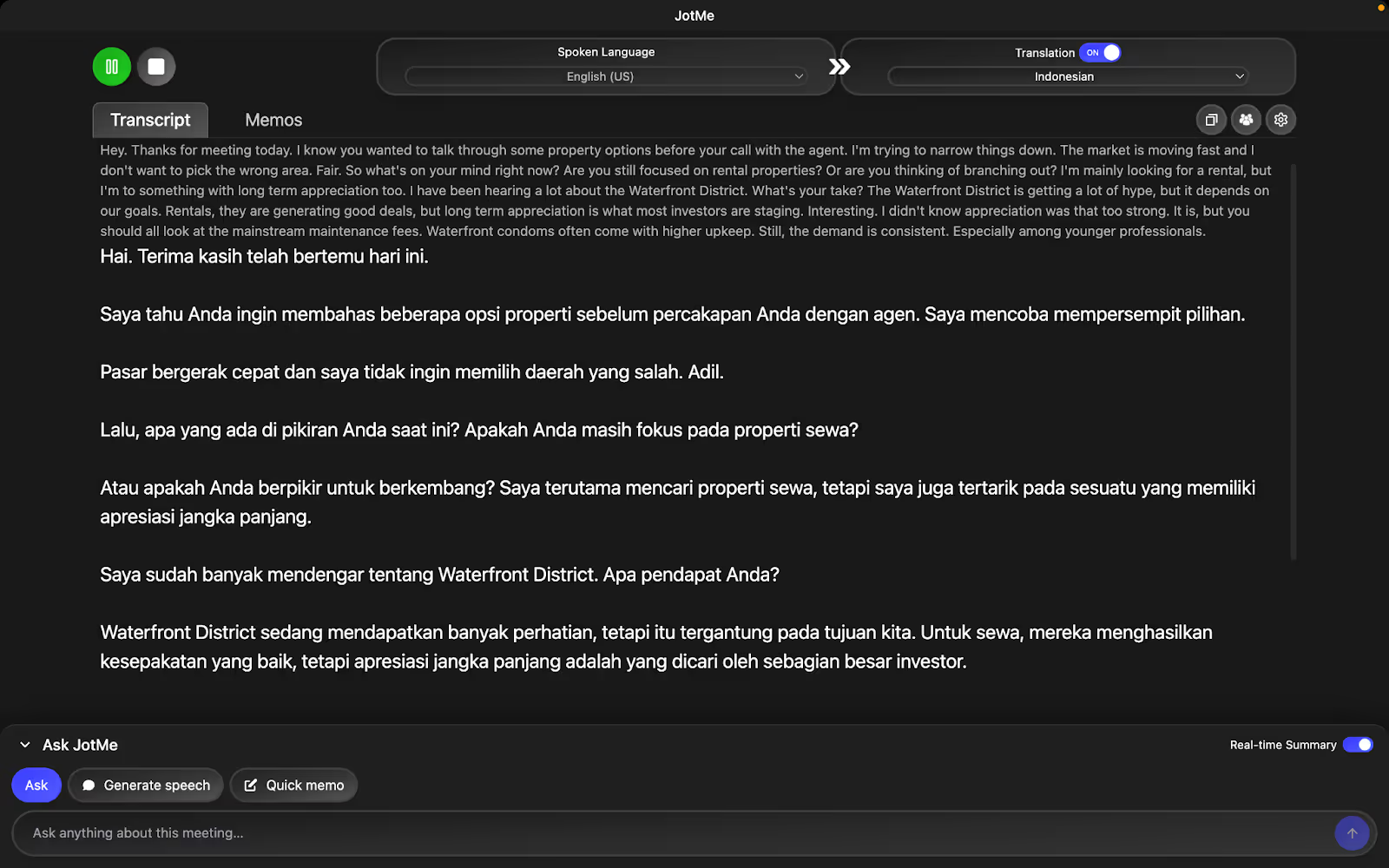
Are you still focused on rental properties? Or are you thinking of branching out? I'm mainly looking for a rental, but I'm open to something with long-term appreciation, too. I've been hearing a lot about the Waterfront District. What's your take?
JotMe’s contextual translation in Indonesian would be:
Apakah Anda masih fokus pada properti sewaan? Atau apakah Anda berpikir untuk melebarkan sayap? Saya terutama mencari properti sewa, tetapi saya juga terbuka untuk investasi yang memberikan apresiasi jangka panjang. Saya sudah banyak mendengar tentang Distrik Waterfront. Apa pendapat Anda tentang hal ini?
AI Chat for Quick Insights
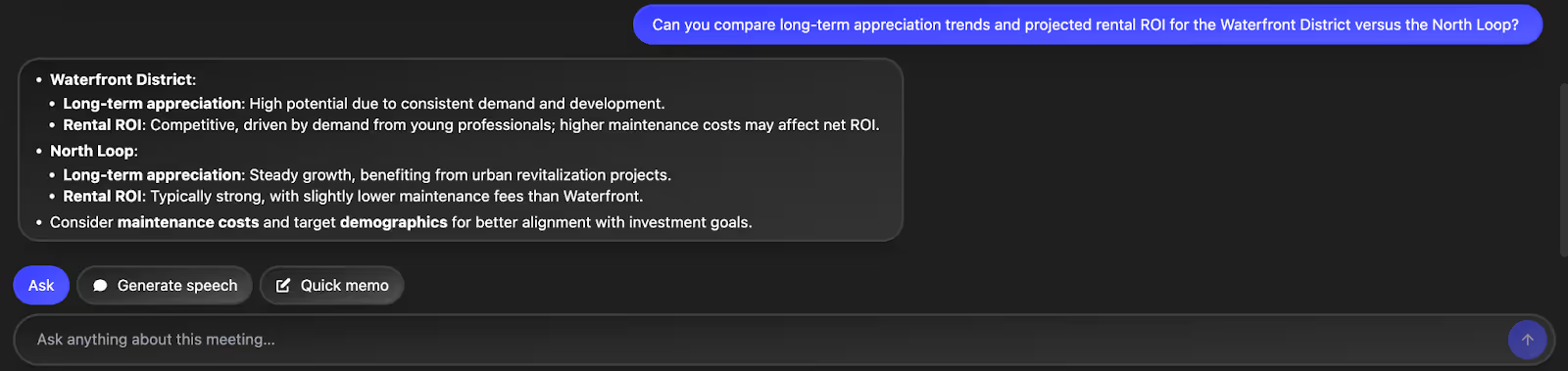
The built-in AI chat helps you break down and explain concepts instantly in English or Indonesian. If an Indonesian client asks a question about an API flow, you can paste their message into AI chat and get a clear explanation, which you can share with your Indonesian client. It also helps simplify product steps, summarize long threads, and clarify technical terms without switching tools or losing context.
Quick Memo
Quick Memo lets you capture important points during English–Indonesian meetings without interrupting the conversation. If an Indonesian client mentions timelines, product blockers, or specific setup needs, you can note them instantly. Once the meeting ends, these memos appear on your homepage beside the summary, making it easy to revisit critical details without relying on memory or scattered notes.

Real-Time Pronunciation
If you need to speak Indonesian confidently during a multilingual meeting, Real-Time Pronunciation ensures you deliver your message accurately. Type your sentence, select Indonesian, and JotMe plays the correct pronunciation so you can speak naturally. It’s useful for greeting Indonesian clients or explaining product steps without mispronouncing key terms or pausing awkwardly.

Real-Time Summary
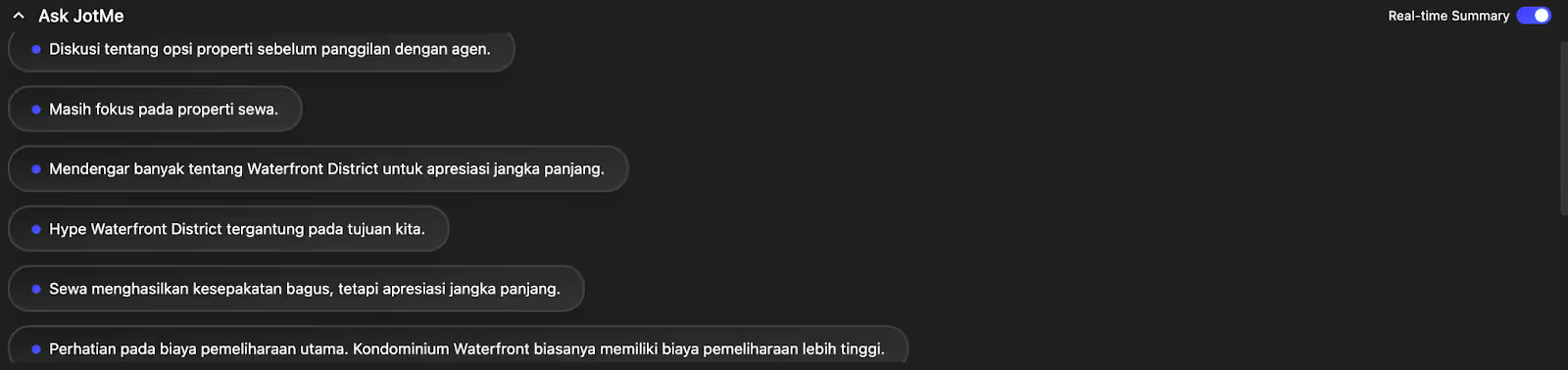
Real-Time Summary converts ongoing English–Indonesian discussions into clear bullet points while the meeting happens. You can quickly view decisions, requests, and key insights without waiting for the transcript later. It’s ideal for tracking client feedback, product concerns, or action items in real time, helping you stay aligned and revisit important points easily.
Shareable Translation Minutes
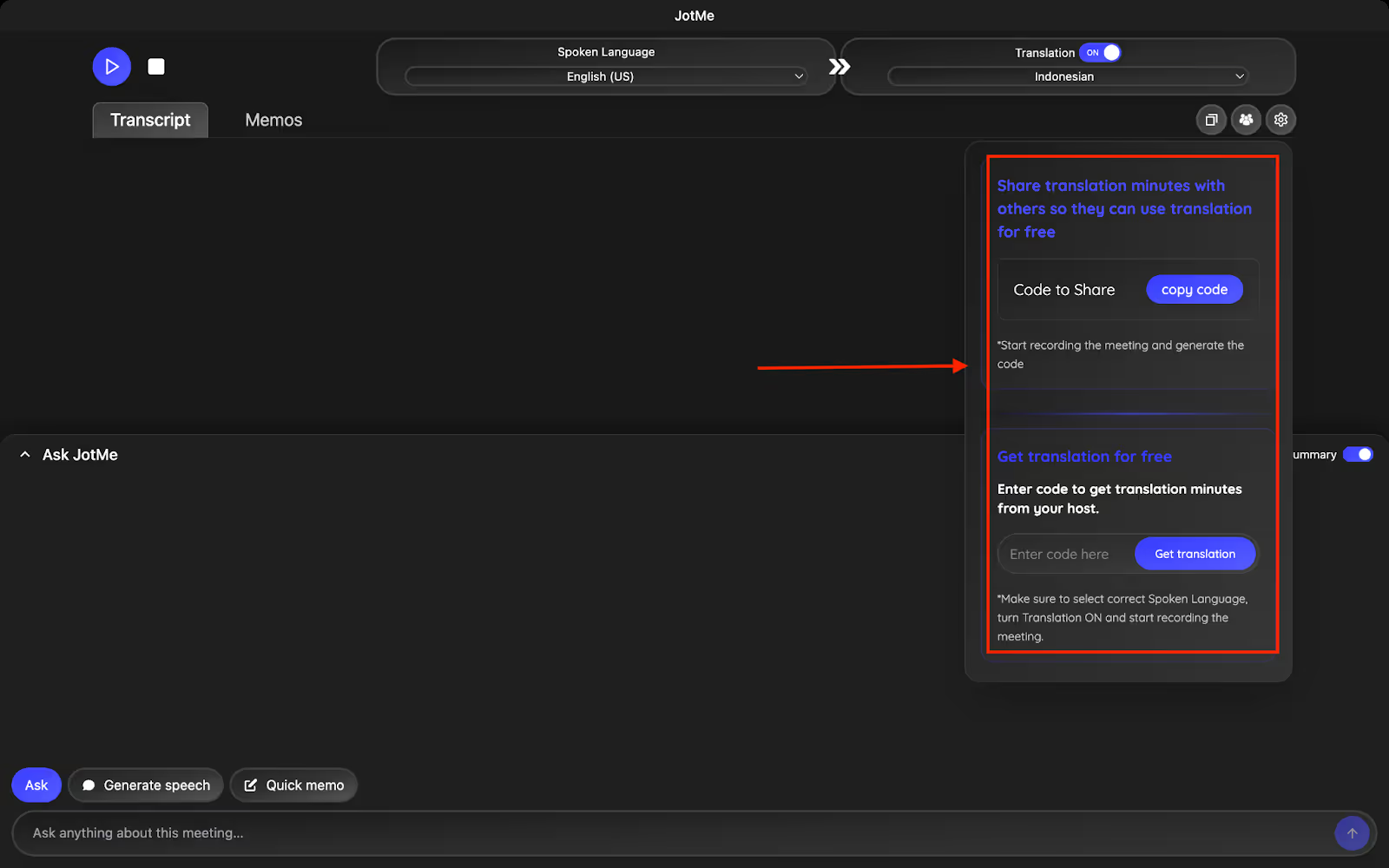
In cases where the participants are out of translation minutes or don’t have a paid plan, JotMe allows you to share translation minutes from your premium plan via a code. To do that, you need to begin the recording and translation of the meeting to generate a unique code.
Once you share this code with your Indonesian participants, they can record, transcribe, and translate the meeting in real time. Not only that, but they also get AI meeting notes, summaries, and transcripts once the meeting ends.
AI Meeting Notes
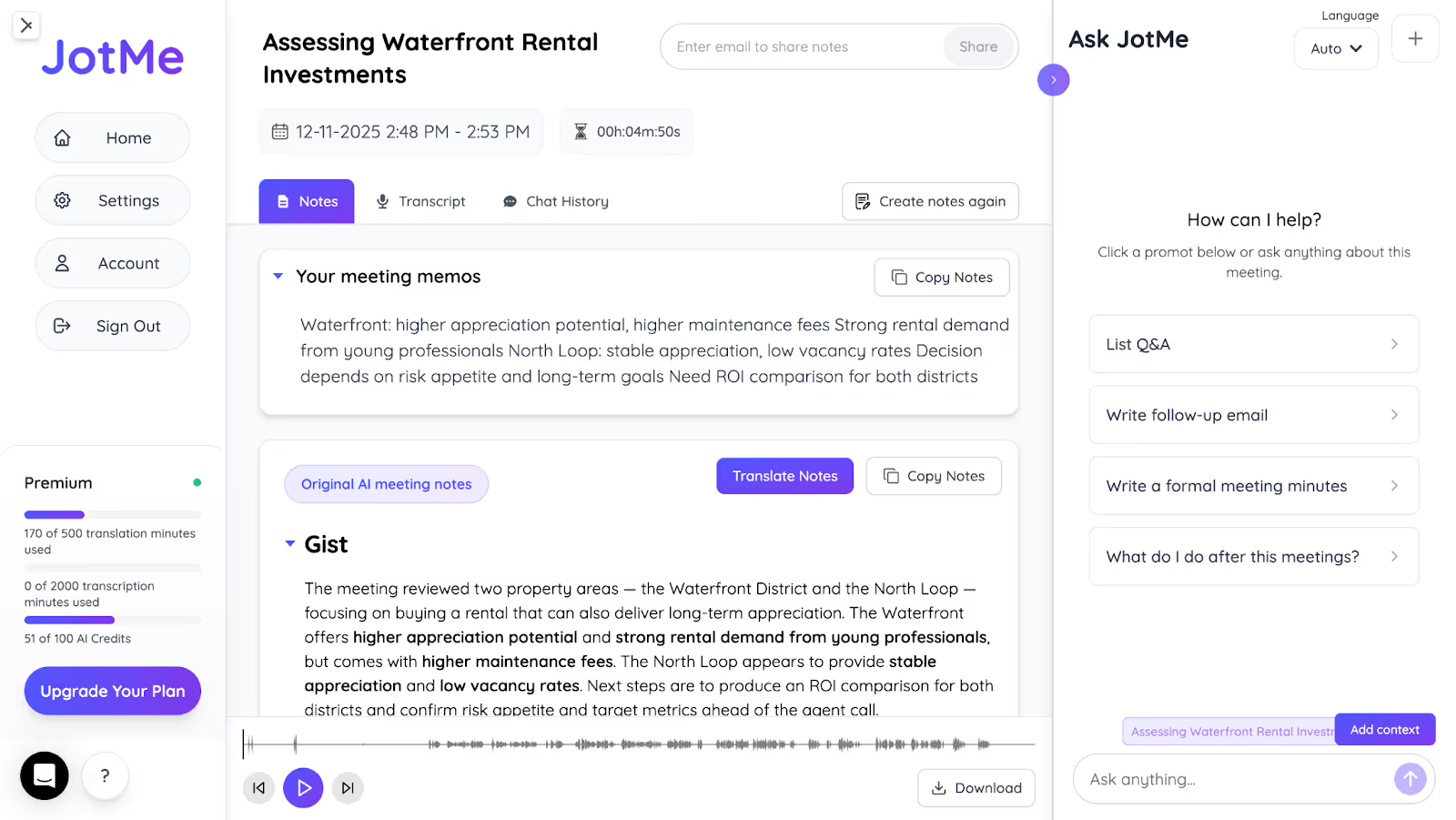
If taking manual notes consumes your time and focus, let JotMe do it for you. JotMe will automatically record what was discussed during the meeting and create AI post-meeting notes with clear action items and key points. If you wish to share these notes with your Indonesian teammates or clients, you can translate these notes into Indonesian and 12 other languages and share them via email.
JotMe Pricing
JotMe has a free monthly plan, along with two affordable paid plans: Pro and Premium.
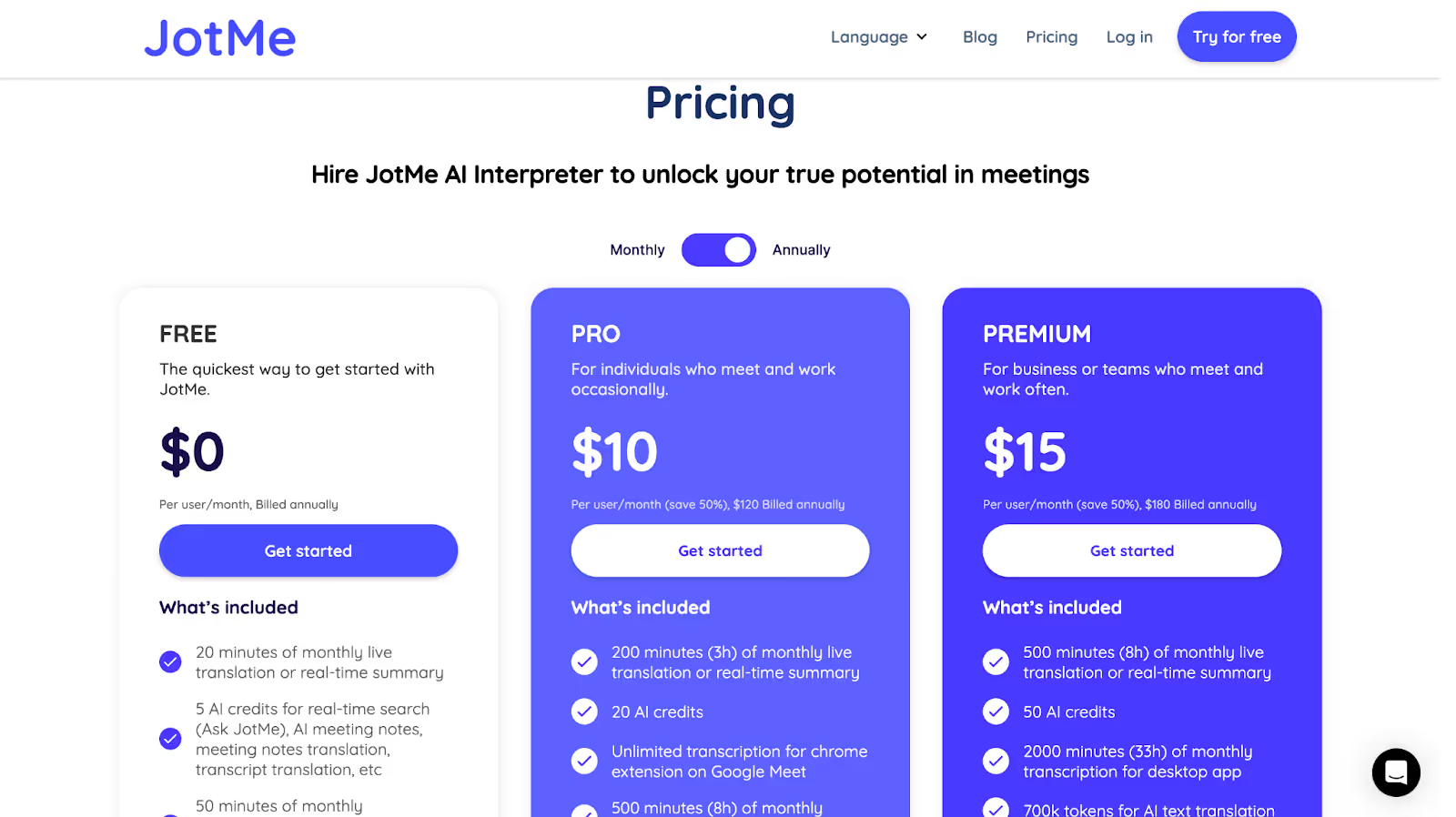
- With JotMe’s Free plan, you get 20 translation minutes and 50 transcription minutes per month, and 5 AI credits for notes translation, real-time answers, etc.
- The Pro plan offers 200 translation minutes and 500 transcription minutes per month, 20 AI credits, and access to the last 20 meeting recordings, at just $10/month.
- JotMe’s Premium plan, priced at $15/month, offers 500 translation minutes and 2,000 transcription minutes per month, 50 AI credits, priority customer support, and access to unlimited meeting recordings.
Pros
- Delivers contextual translation in 45 languages for desktop and 77 languages with the Chrome extension.
- No meeting bots join your calls, keeping conversations private.
- Seamless integration with Google Meet, MS Teams, Zoom, Slack, Discord, WhatsApp, and more.
Cons
- No mobile apps are available currently for Android or iOS devices.
JotMe Review
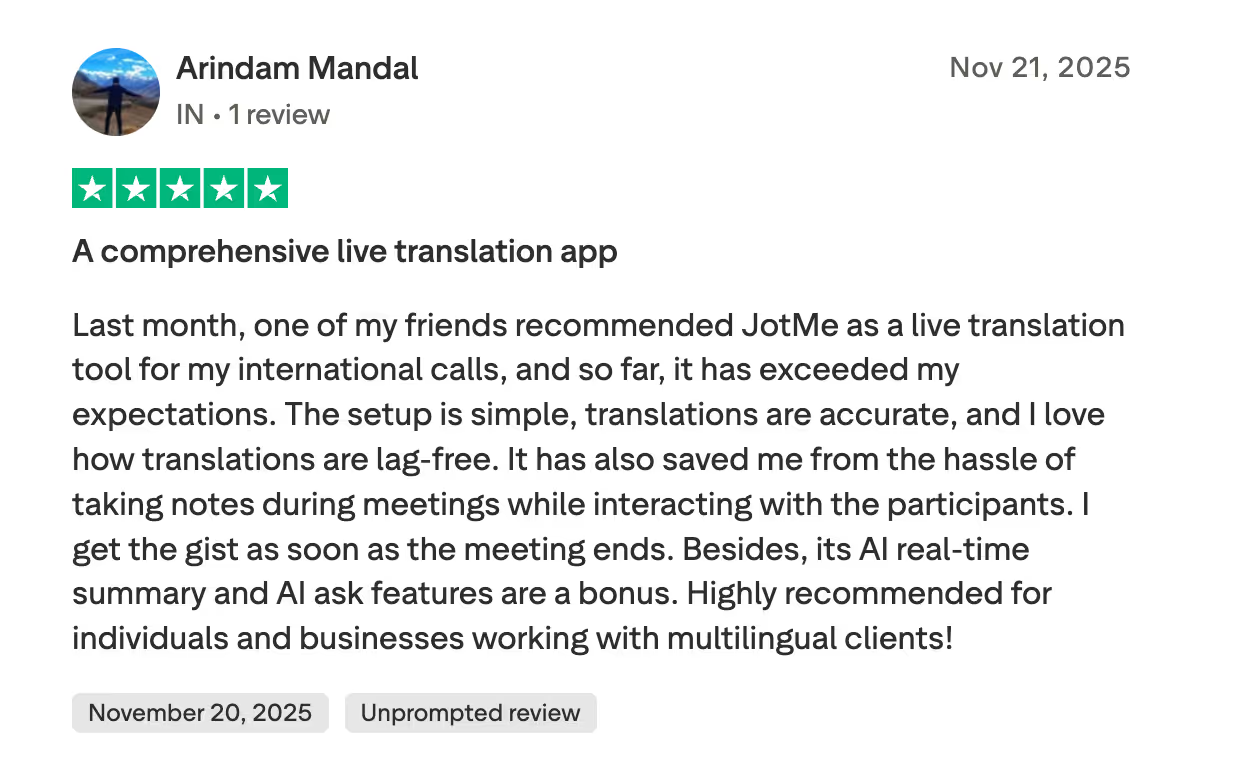
A JotMe user on Trustpilot praises JotMe for its accurate and fast translation, which helps him during multilingual meetings.
Maestra AI
If you manage global onboarding for Indonesian employees and want seamless English-to-Indonesian interpretation, Maestra AI can support your workflow effectively.. Maestra offers real-time translation in over 125 languages, and its custom glossaries maintain accuracy in live translation of technical jargon. It also provides AI-generated summaries and exportable transcripts for reference. However, some users said that the translation from a different language to English was not accurate, and even the pricing can seem high for small teams.
Maestra AI Pricing
Maestra offers five pricing plans, including Basic, Premium, Business, Business Plus, and Enterprise.
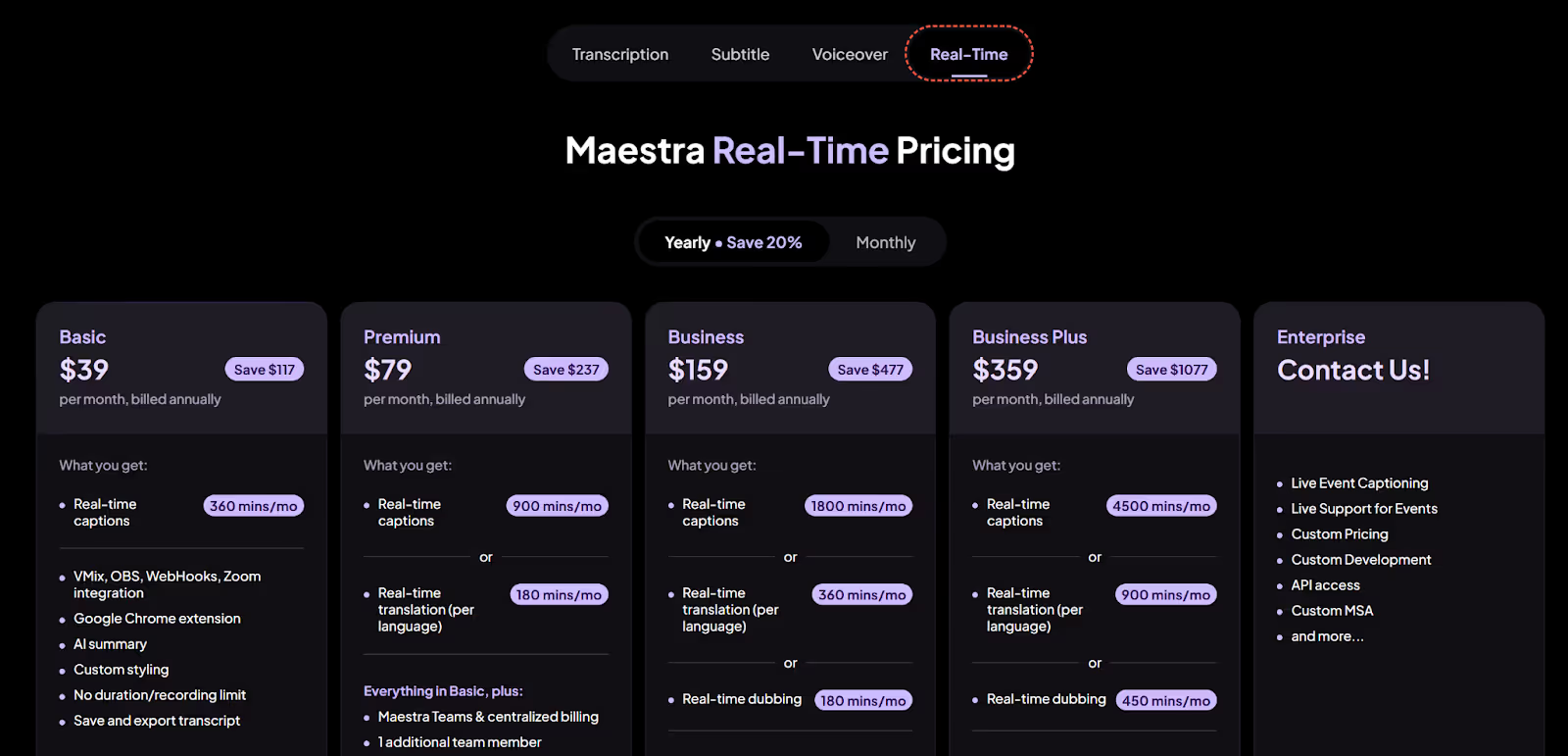
- Maestra’s Basic plan is priced at $39/month and offers 360 minutes for real-time captions, along with AI summaries, and an option to export transcripts.
- The Premium plan costs $79/month and comes with 900 minutes for real-time captions or 180 minutes of real-time translation per language, along with one additional team member and priority support.
- The Business plan, priced at $159/month (billed annually), provides 1,800 minutes of real-time captions, 360 minutes of real-time translation per language, or 180 minutes of real-time dubbing.
- The Business Plus plan, priced at $359/month, offers either 4,500 minutes for real-time captions, 900 minutes of real-time translation, or 450 minutes of real-time dubbing, in addition to translation glossaries, session sharing, and four additional members.
Pros
- Provides real–time captioning in more than 125 languages.
- Offers seamless integration with platforms like Zoom, Slack, and more.
Cons
- Some users on G2 report that the translation from another language to English was not accurate.
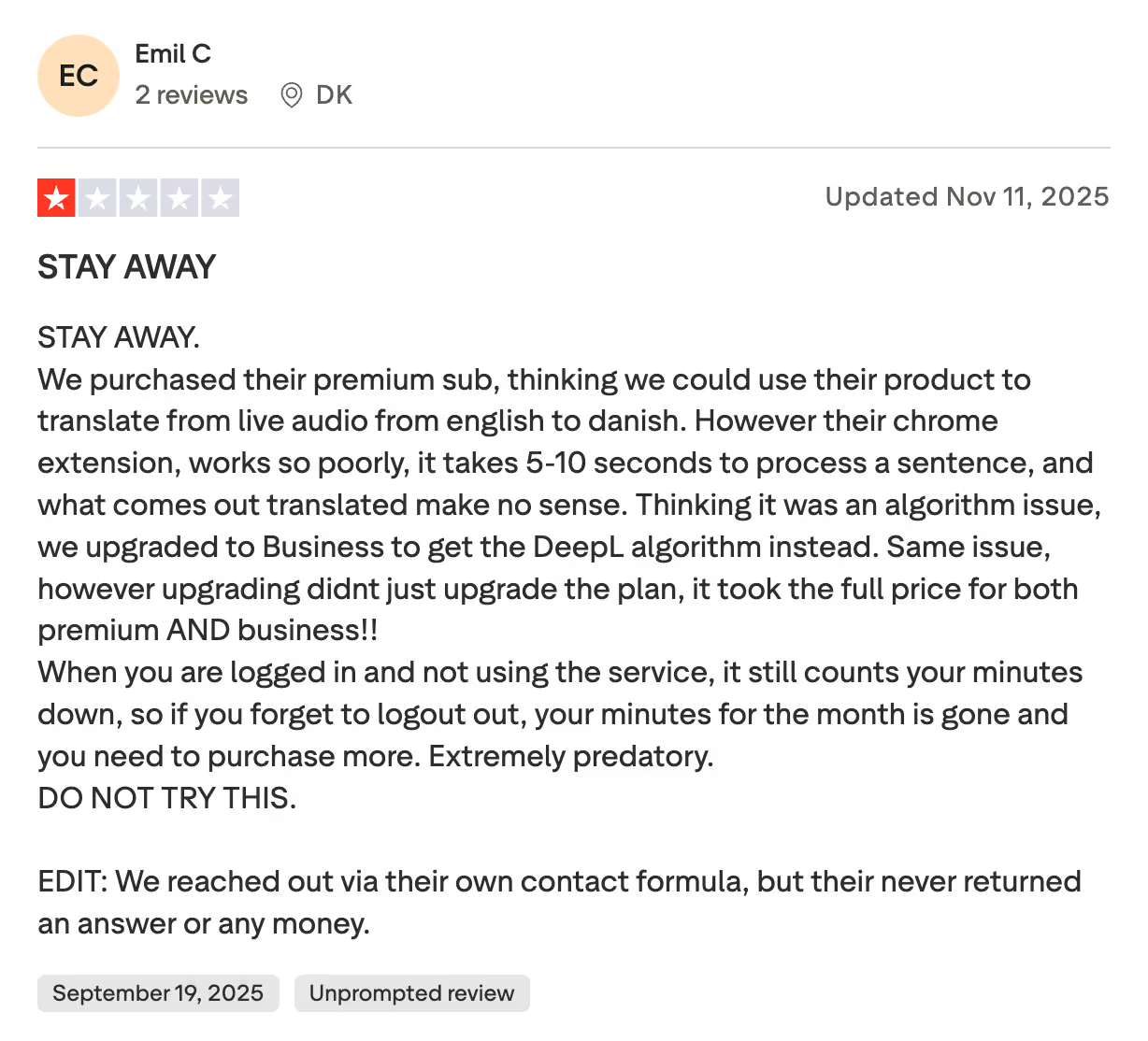
- The Chrome extension takes time to process a sentence and provides meaningless translation.
- The pricing plans can be expensive for small teams or individuals.
Maestra Review
A user on Trustpilot said Maestra’s Chrome Extension does not work properly and takes more time to start translation.
SyncWords
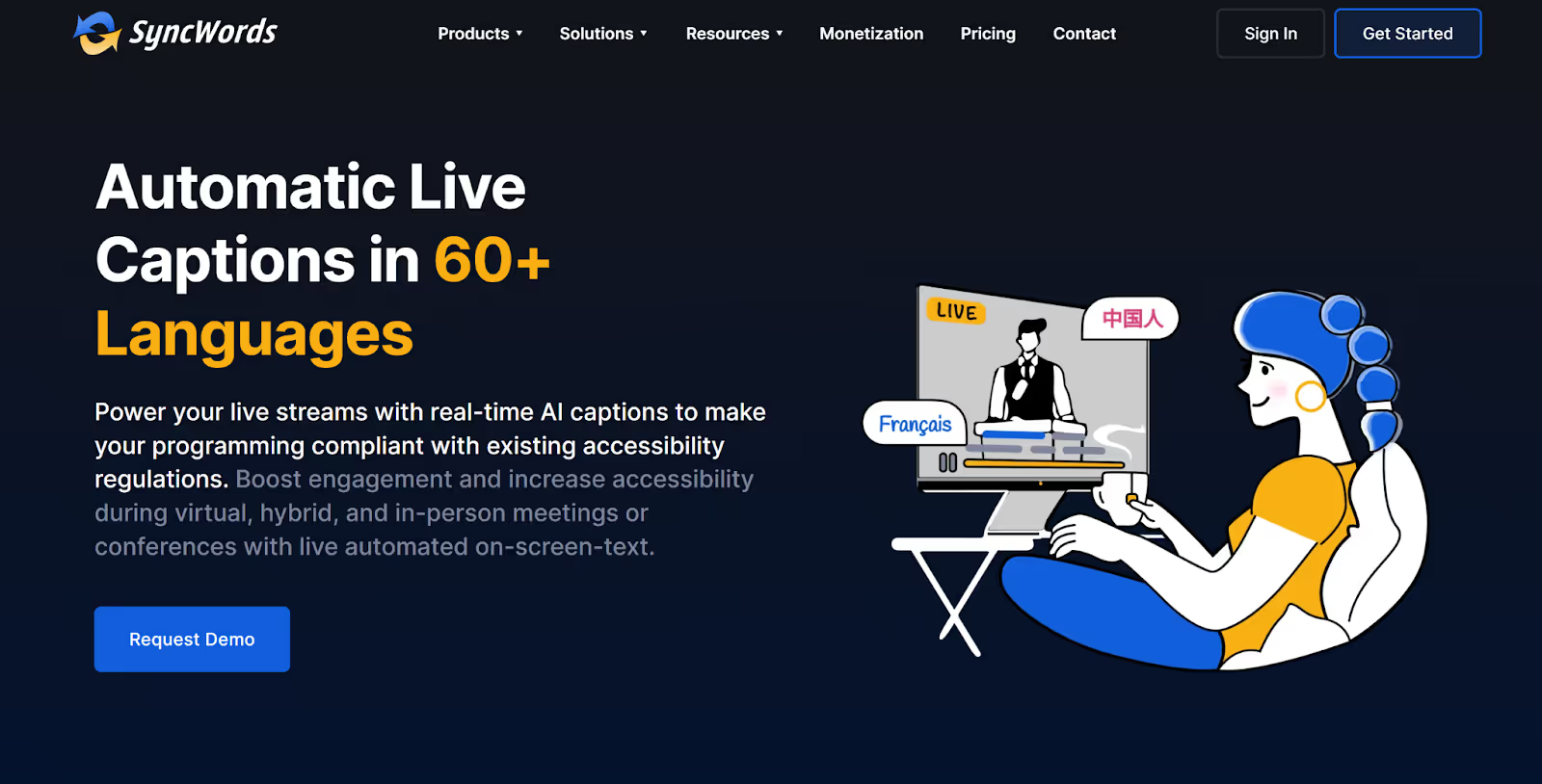
If you regularly conduct virtual, hybrid, or in-person conferences with Indonesian clients, SyncWords provides live subtitles in over 100 languages. It supports more than 100 virtual event platforms, including Zoom, Webex, RingCentral, and more.
Like Maestra, SyncWords also allows you to create custom glossaries to make sure that industry-related terms are accurately translated. However, the website lacks pricing information, and some users reported delays while using live subtitles during an event.
SyncWords Pricing
SyncWords pricing is not listed on its website; you need to request a quote by filling out a form based on your translation needs.
Pros
- Provides live captions in over 60 languages.
- Ideal for virtual, hybrid, and in-person meetings.
Cons
- No transparent pricing, making budget allocation difficult.
- A Trustpilot user experienced a delay in subtitles during an event.
- A G2 user reported that AI translation for non-English languages can cause confusion.
SyncWords Review
A Trustpilot user noted that while the communication and translation quality were strong, they experienced noticeable delays of up to 20 seconds during live AI subtitling at an event.
LiveVoice
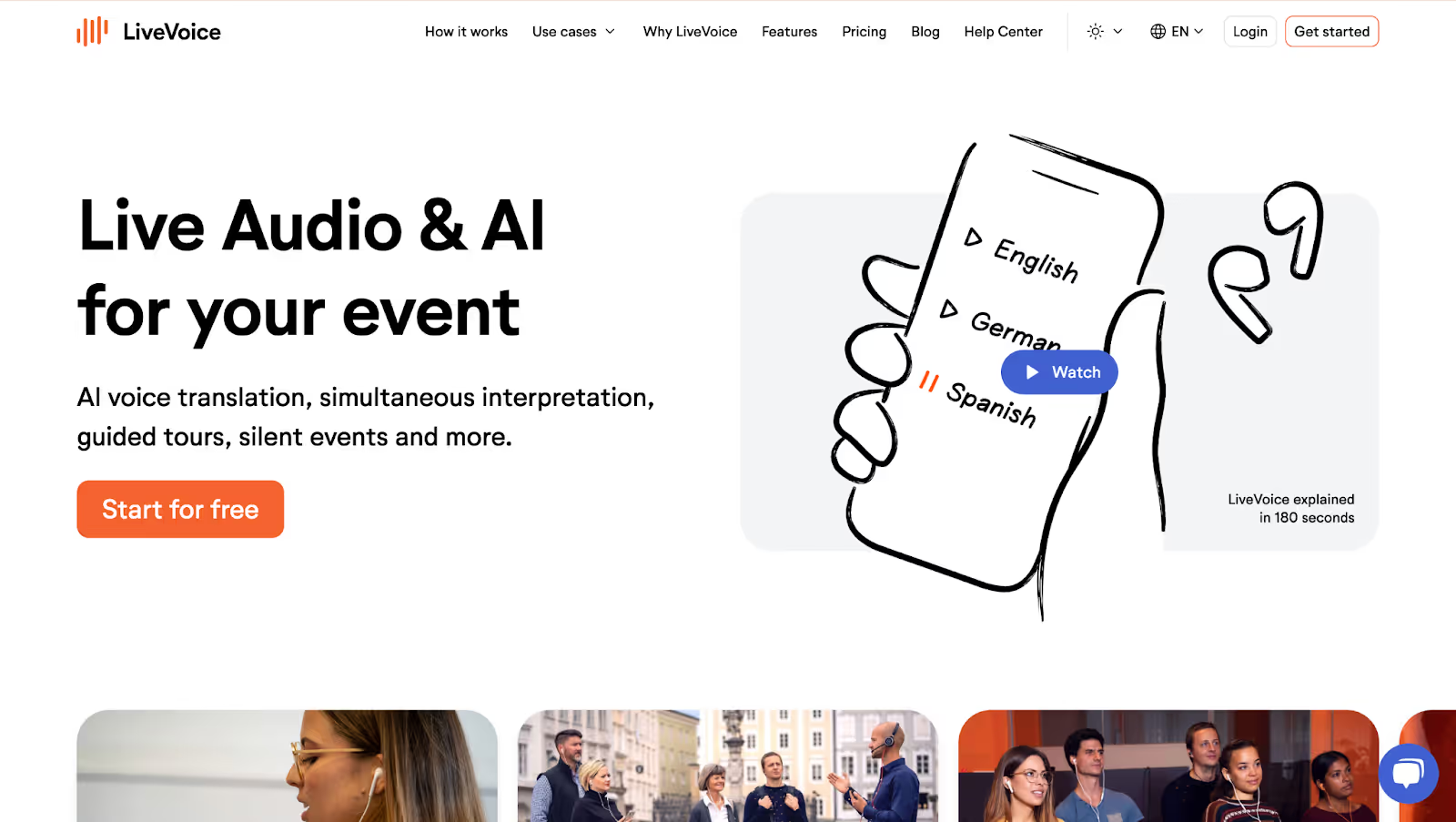
LiveVoice works for organizations conducting conferences, meetings, and online events with Indonesian participants who need flexible simultaneous interpretation. The tool supports AI Voice Translation in 65+ languages with low latency (~200ms), making it basically real-time. LiveVoice also enables remote interpreters to work from anywhere in the world, combining human expertise with AI-powered translation options.
The platform requires no special hardware; participants simply use their smartphones, tablets, or computers with either the LiveVoice app or a web browser. LiveVoice is available as an app on iOS and Android, and as a web version accessible through any browser.
LiveVoice Pricing
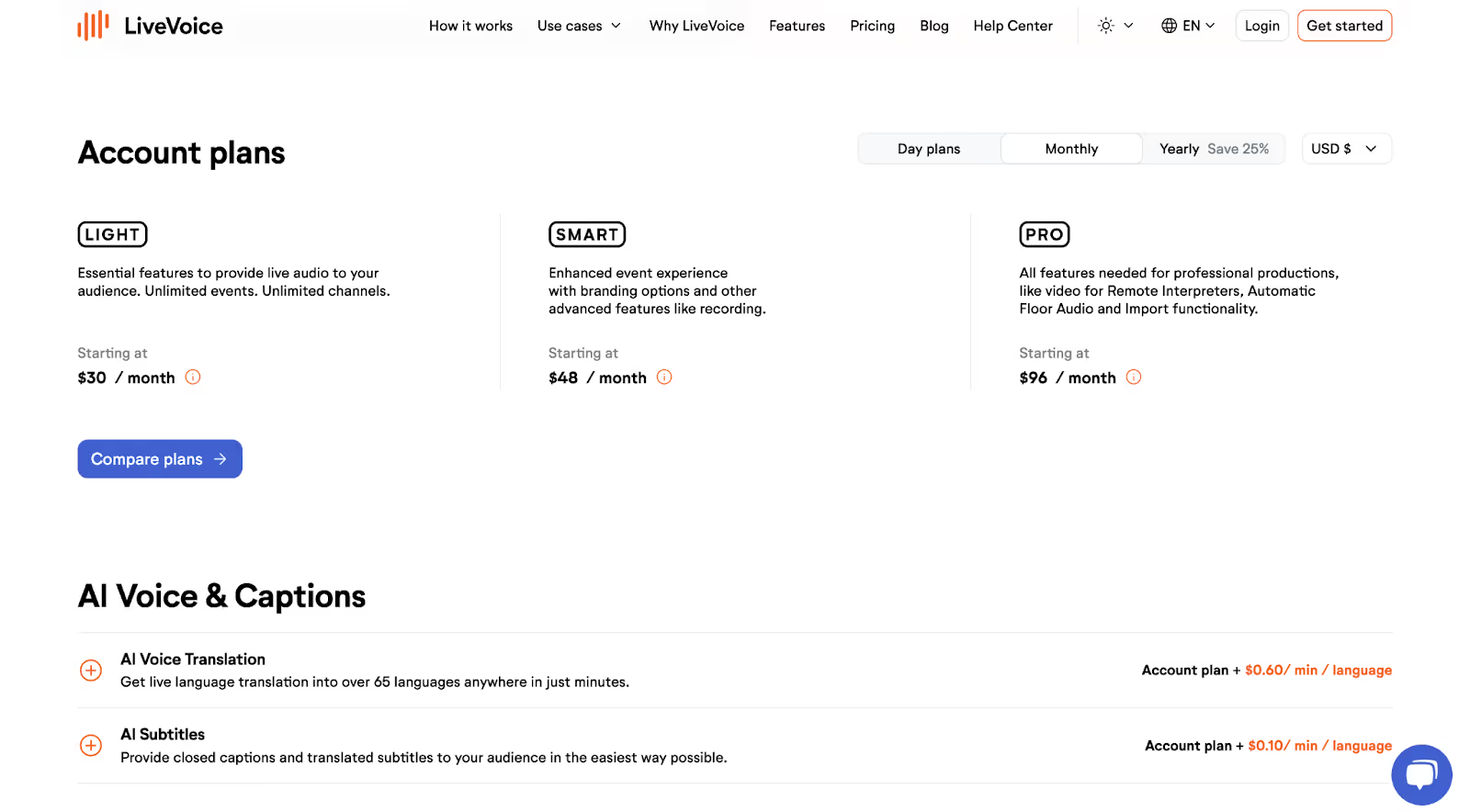
LiveVoice offers daily, monthly, and yearly plans. Here are the monthly plans to choose from:
- The LIGHT plan starts at $30/month and includes essential features like live audio streaming for your audience, unlimited events, and unlimited channels.
- The SMART plan starts at $48/month and adds advanced options such as branding and recording on top of the LIGHT features.
- The PRO plan starts at $96/month and unlocks all features needed for professional productions, including video for remote interpreters, automatic floor audio, and import functionality.
Pros
- Supports both human interpreters and AI Voice Translation in 65+ languages with flexible options.
- No special hardware required; works with smartphones, tablets, and computers via app or web browser.
Cons
- AI Voice Translation is an additional pay-as-you-go service beyond the account plan cost.
- Requires a stable internet connection for quality audio streaming.
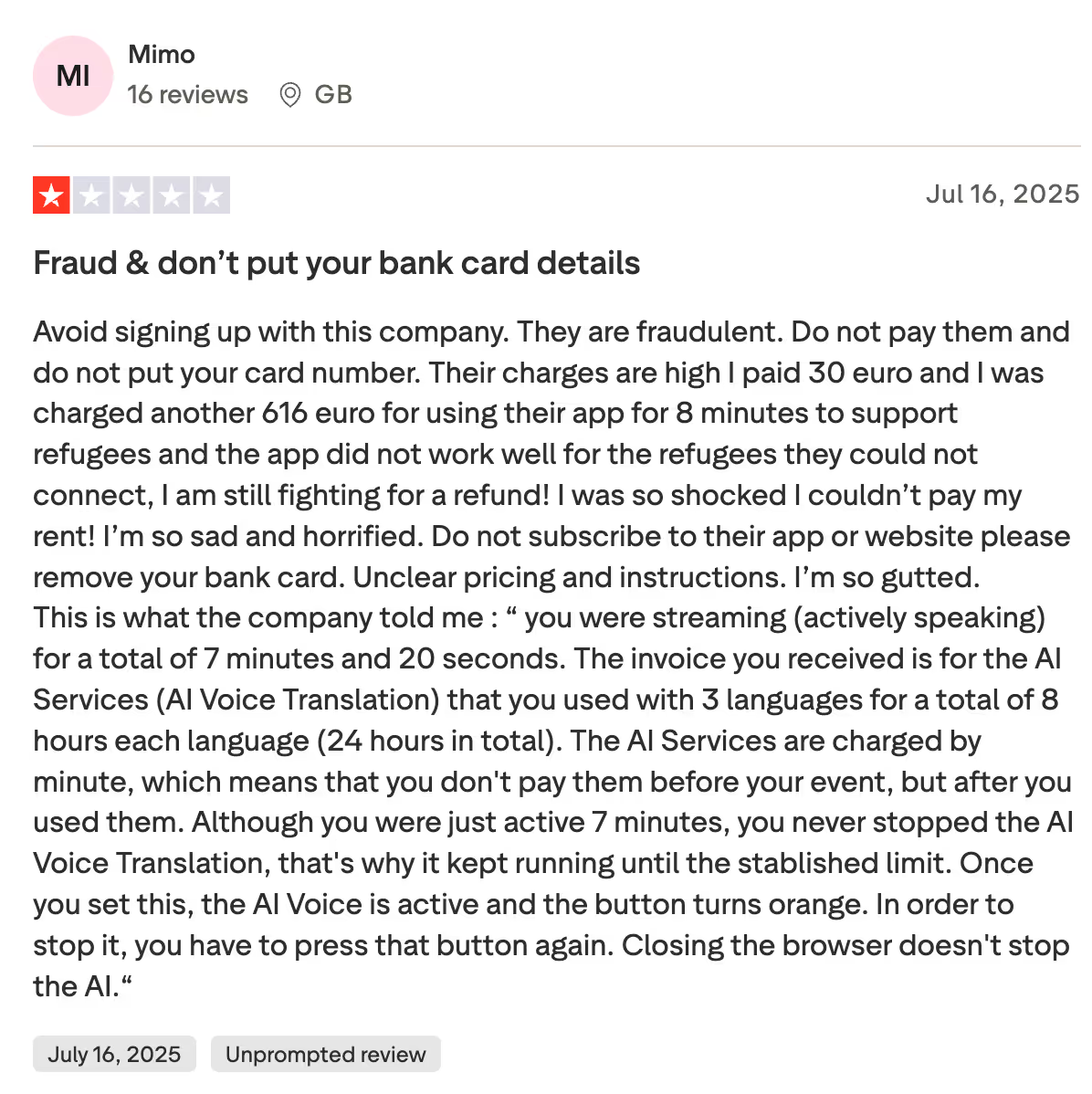
- Users are complaining about hidden pricing and did not get a refund.
LiveVoice Review
A user on Trustpilot says the company charged them over €600 for just a few minutes of use due to unclear pricing and an auto-running AI translation feature, leaving them shocked and unable to get a refund.
DeepL Voice
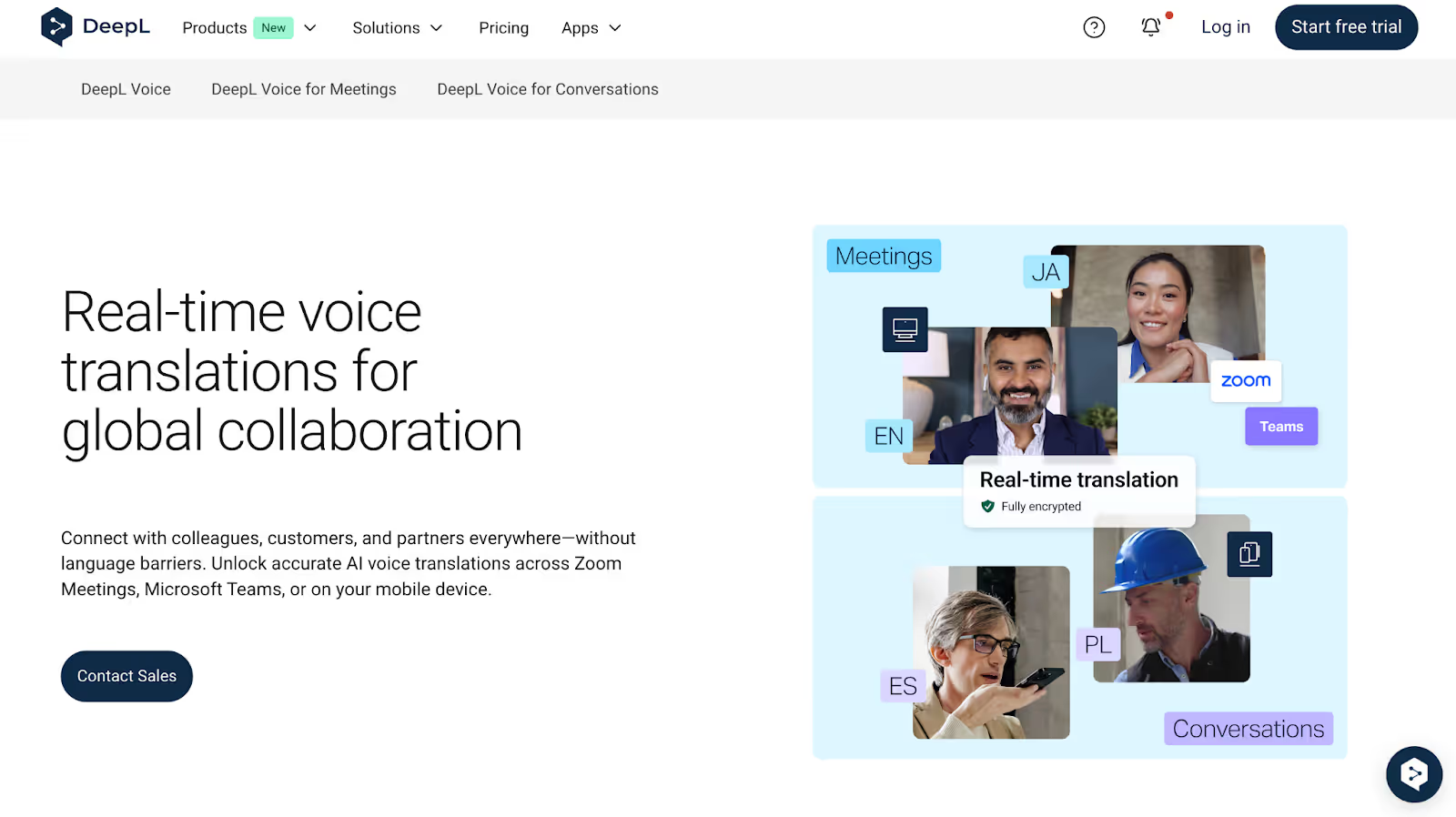
If you manage a multinational team where meeting accuracy and security really matter, DeepL Voice is an ideal option to consider. It offers real-time translation for Zoom and Microsoft Teams meetings, supports more than 35 languages, and follows ISO 27001 security standards. It’s built for global teams that need reliable translations without complicated setup. Keep in mind that it’s not available for free, so you’ll need a paid plan to use it.
DeepL Voice for Meetings works through Microsoft Teams and Zoom integrations, and you can also use its iOS and Android mobile apps for in-person conversations.
DeepL Voice Pricing
DeepL Voice pricing is custom and enterprise-focused. Pricing varies based on your specific needs for multilingual meeting translation or conversations. Contact the sales team for a custom quote.
Pros
- Offers high-quality translation accuracy with speech pattern and accent detection.
- Supports multiple spoken languages within single meetings for inclusive communication.
Cons
- Requires meeting bot integration, which some may find intrusive.
- Limited to 35+ languages compared to tools supporting 100+ languages.
- Pricing is not transparent; it requires contacting sales, making budget planning difficult.
DeepL Review
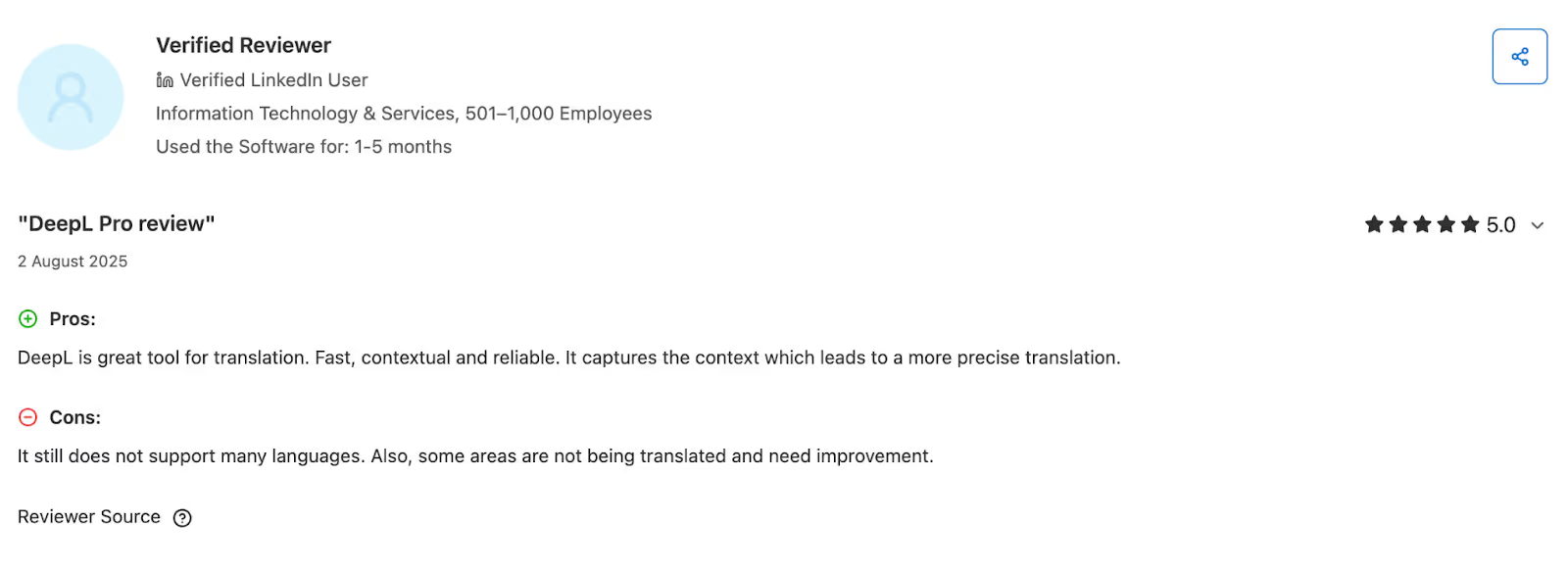
According to a Capterra review, DeepL Voice’s language support is limited, and the transcript needs improvement.
Google Translate
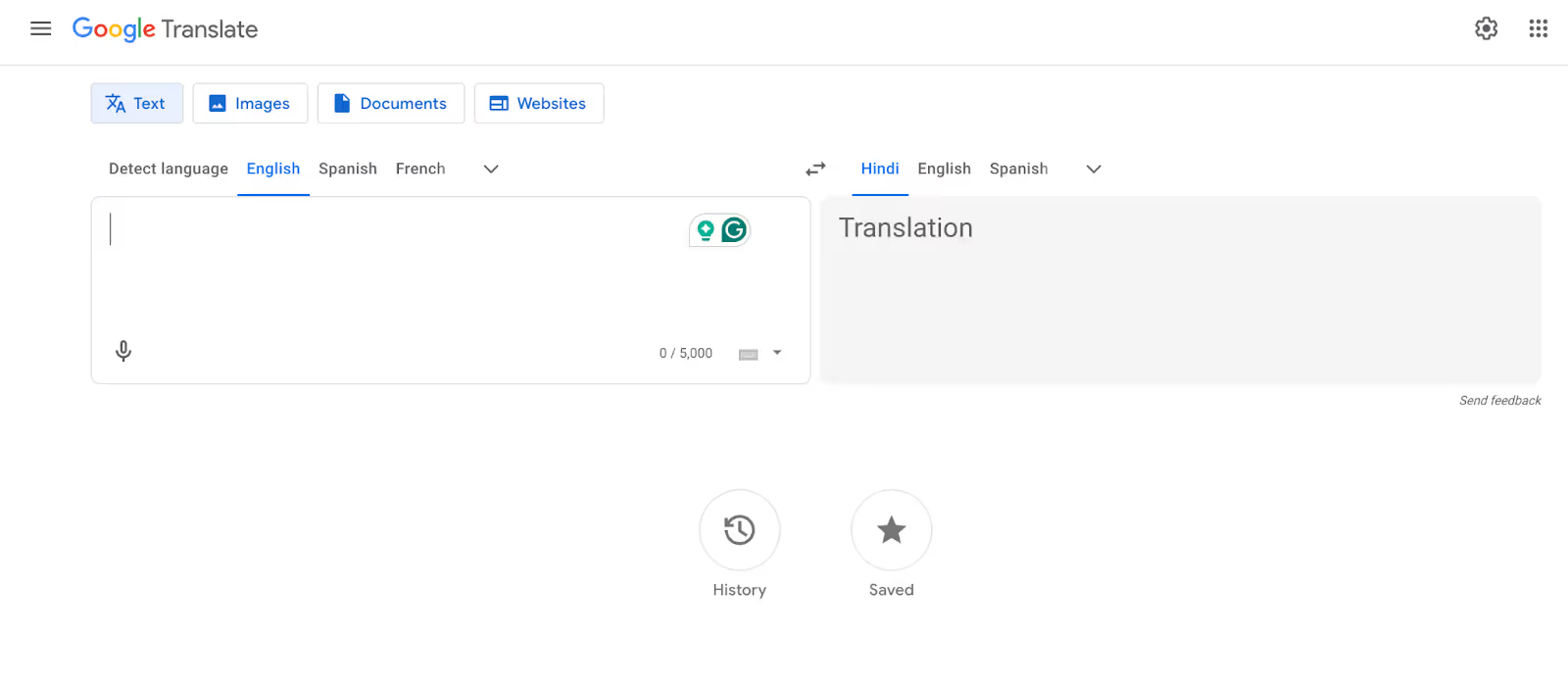
Google Translate works for travelers, freelancers, and casual communicators who need free translation for English to Indonesian conversations on the go. The tool offers completely free live conversation translation in 100+ languages, including Indonesian, with audio and on-screen translations.
When we tested Google Translate's live conversation feature with Indonesian speakers, the ability to have back-and-forth conversations with clear audio translations was useful. Google Translate is available as a free app on iOS and Android, with a web version at translate.google.com, and is built into Chrome browsers.
Google Translate Pricing
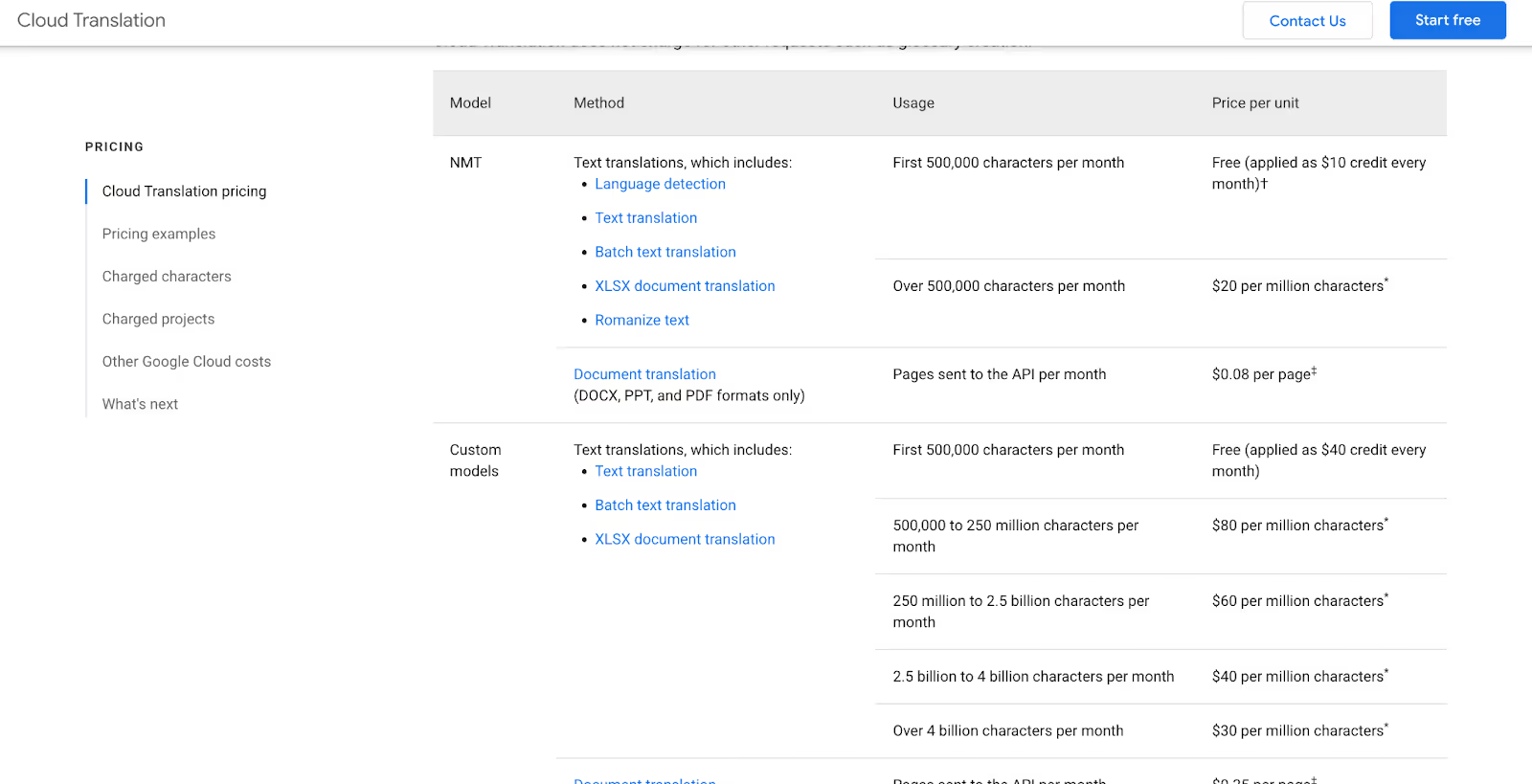
Google Translate offers its standard app and web version at no cost for personal use. For enterprise-level Cloud Translation API integration with automated systems, there's a complimentary allowance of 500,000 characters monthly, followed by $20 per million characters thereafter.
Pros
- Completely free for live conversation translation in 100+ languages, including Indonesian.
- Multiple translation modes (text, audio, camera, conversation) for different use cases.
Cons
- Accuracy for English to Indonesian is lower than specialized translation tools like JotMe.
- Translation often defaults to word-for-word instead of capturing context and meaning. If you want to have a context-based translation, JotMe can be a great choice.
- Translations for technical terms may not feel accurate or may be misleading.
Google Translate Review
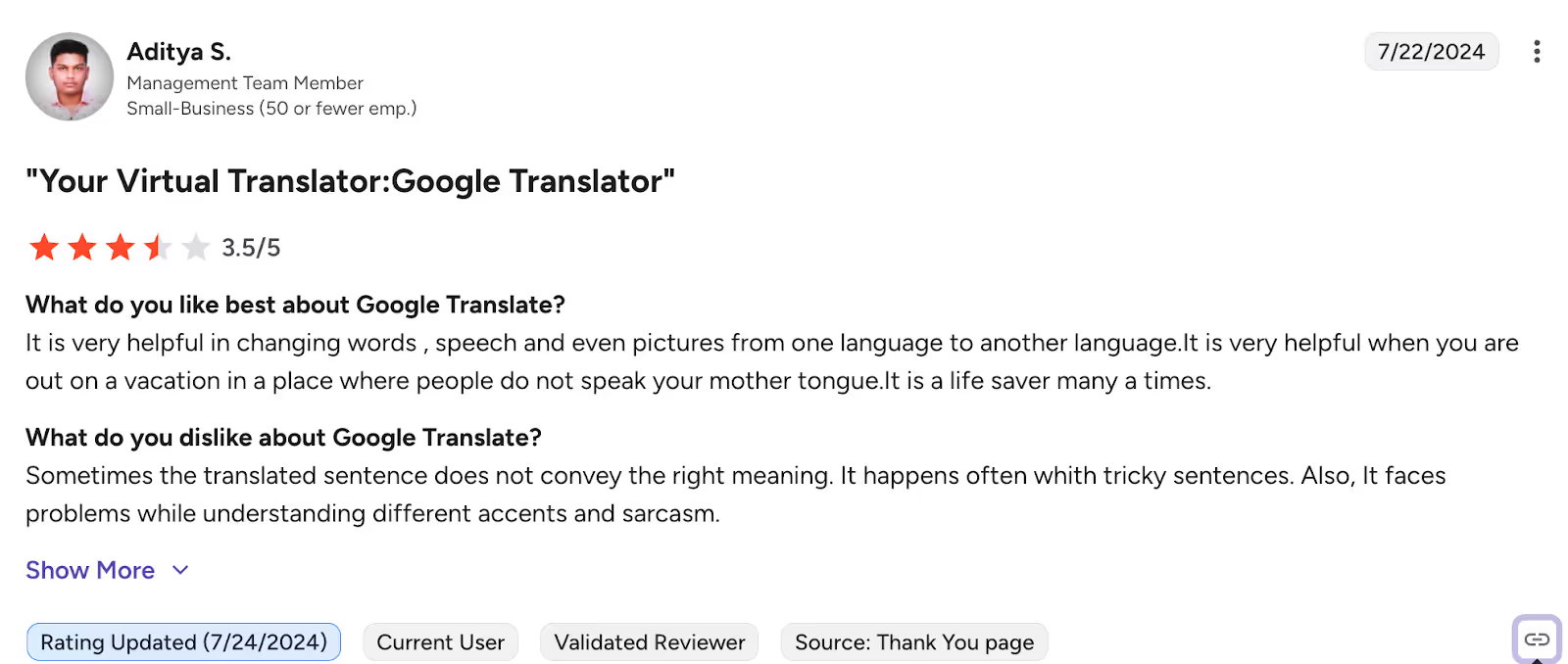
A user on G2 is complaining about the zero-context-based translation of Google Translate; it does not convey the proper meaning with tricky sentences and heavy accents.
How to Live Translate English to Indonesian Language with JotMe?
To live translate English to Indonesian with JotMe, make sure to install the desktop app on your device. Once you join your virtual multilingual meeting, open JotMe and select the spoken and translation languages to initiate the real-time translation. Follow the detailed steps below to get real-time translation from English to Indonesian:
Step 1: How to Install JotMe on Your Device?
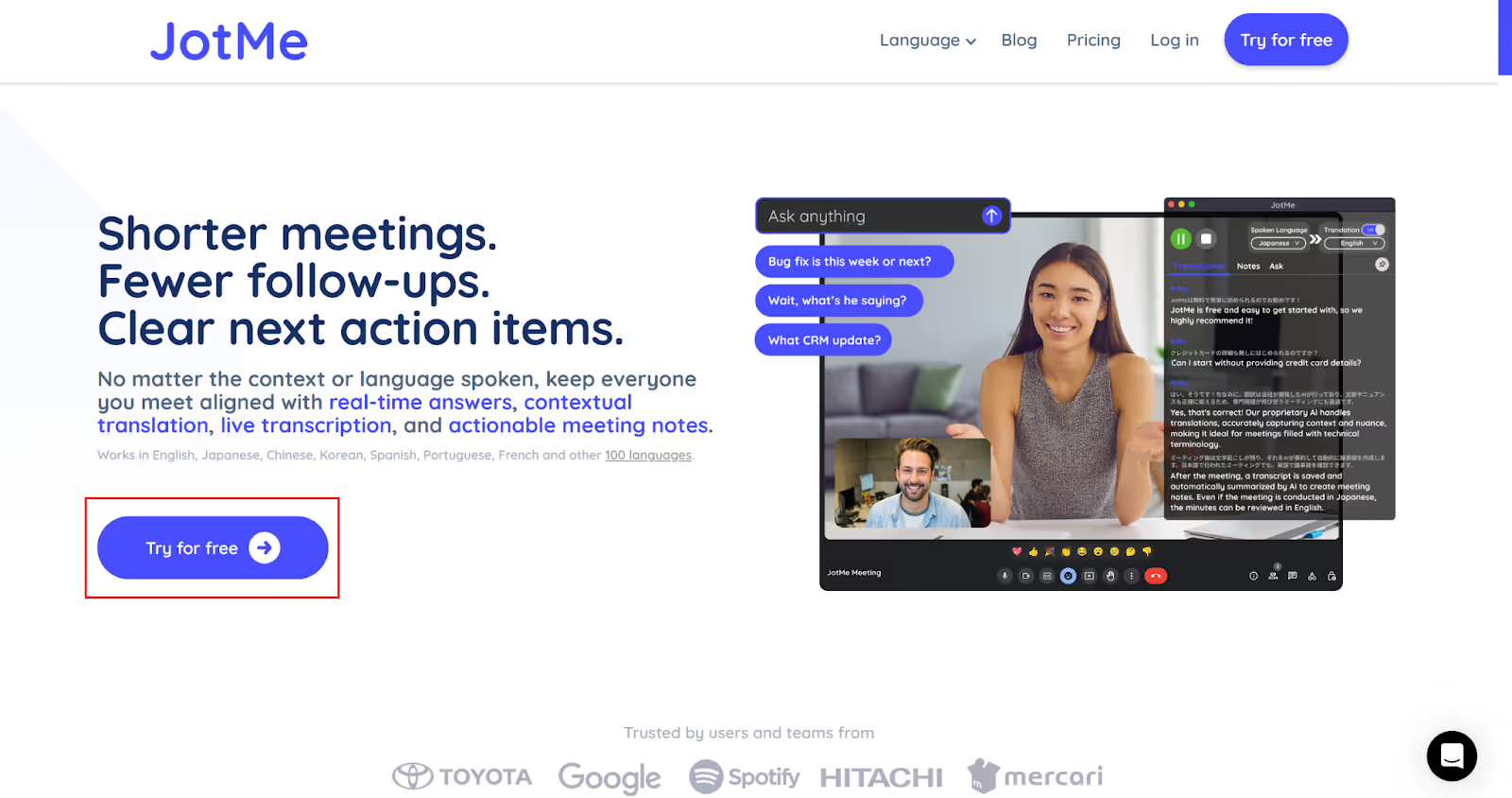
First, go to the official website of JotMe and click on “Try for free” to download its setup for your Mac or Windows device. Next, run the setup and finish the installation process.
Step 2: How to Start a Virtual Meeting and Launch JotMe?
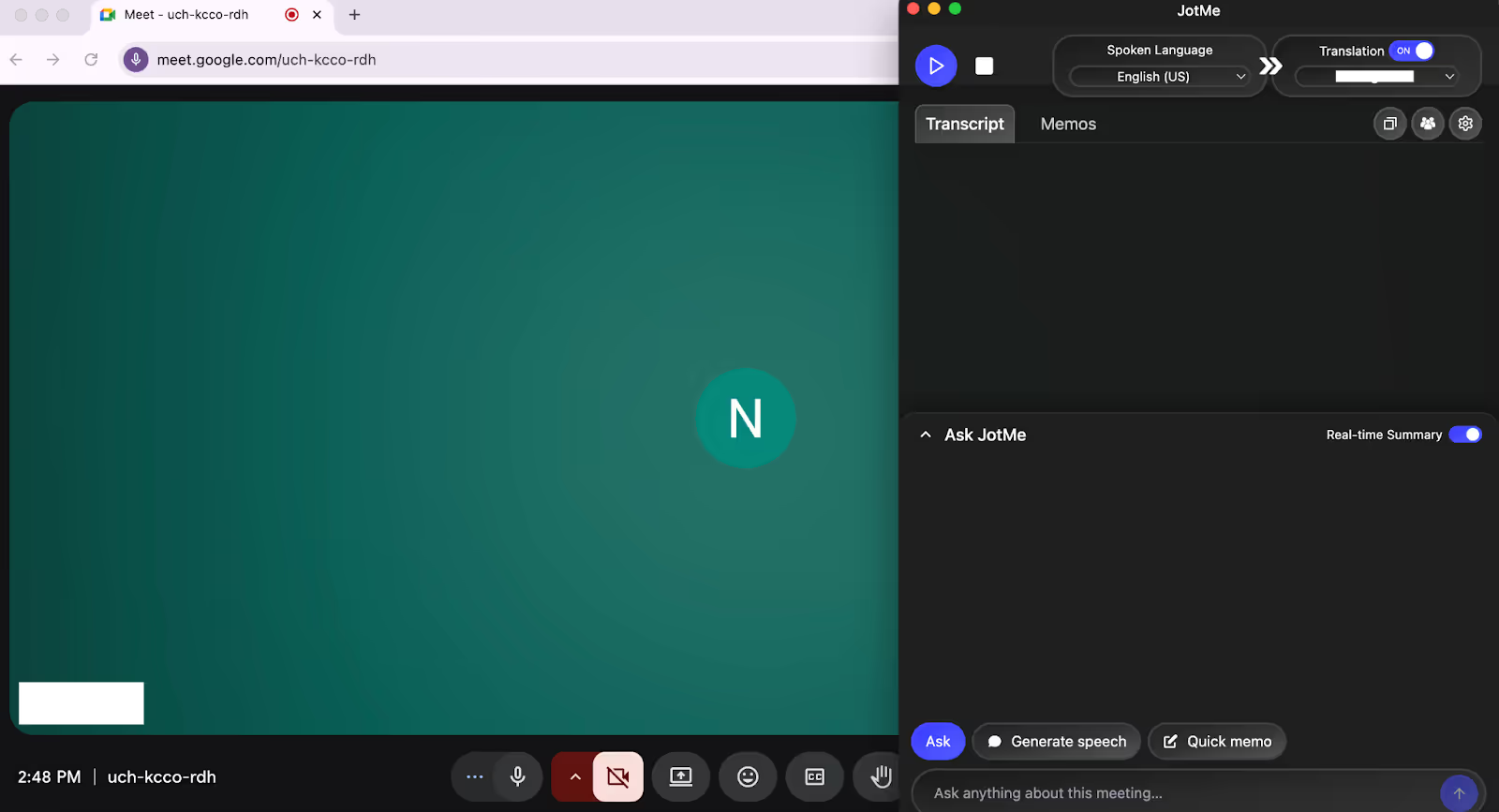
Start or join a virtual meeting on platforms like Google Meet, Microsoft Teams, Zoom, or any other, and launch the JotMe app. The app will open on your screen’s right side.
Step 3: How to Set the Languages in JotMe?
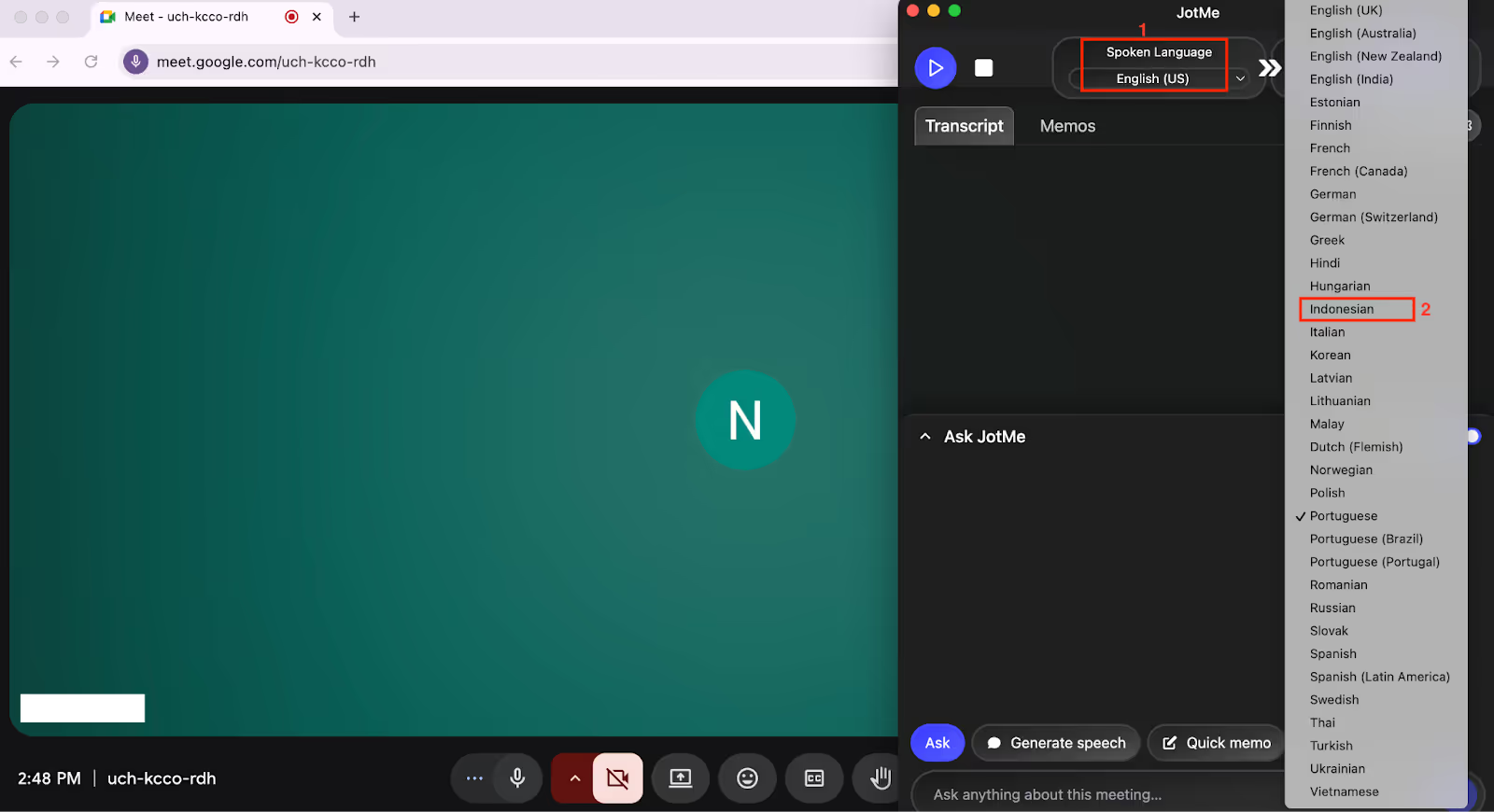
Toggle on the “Translation” button on the top-right of the JotMe window if it is off. From the dropdown menu under the “Spoken Language” option, select English. Similarly, select Indonesian under the “Translation” language option.
Step 4: How to Begin the English to Indonesian Live Translation?
With the languages selected, begin the live translation by tapping on the “Play” button on the top-left.
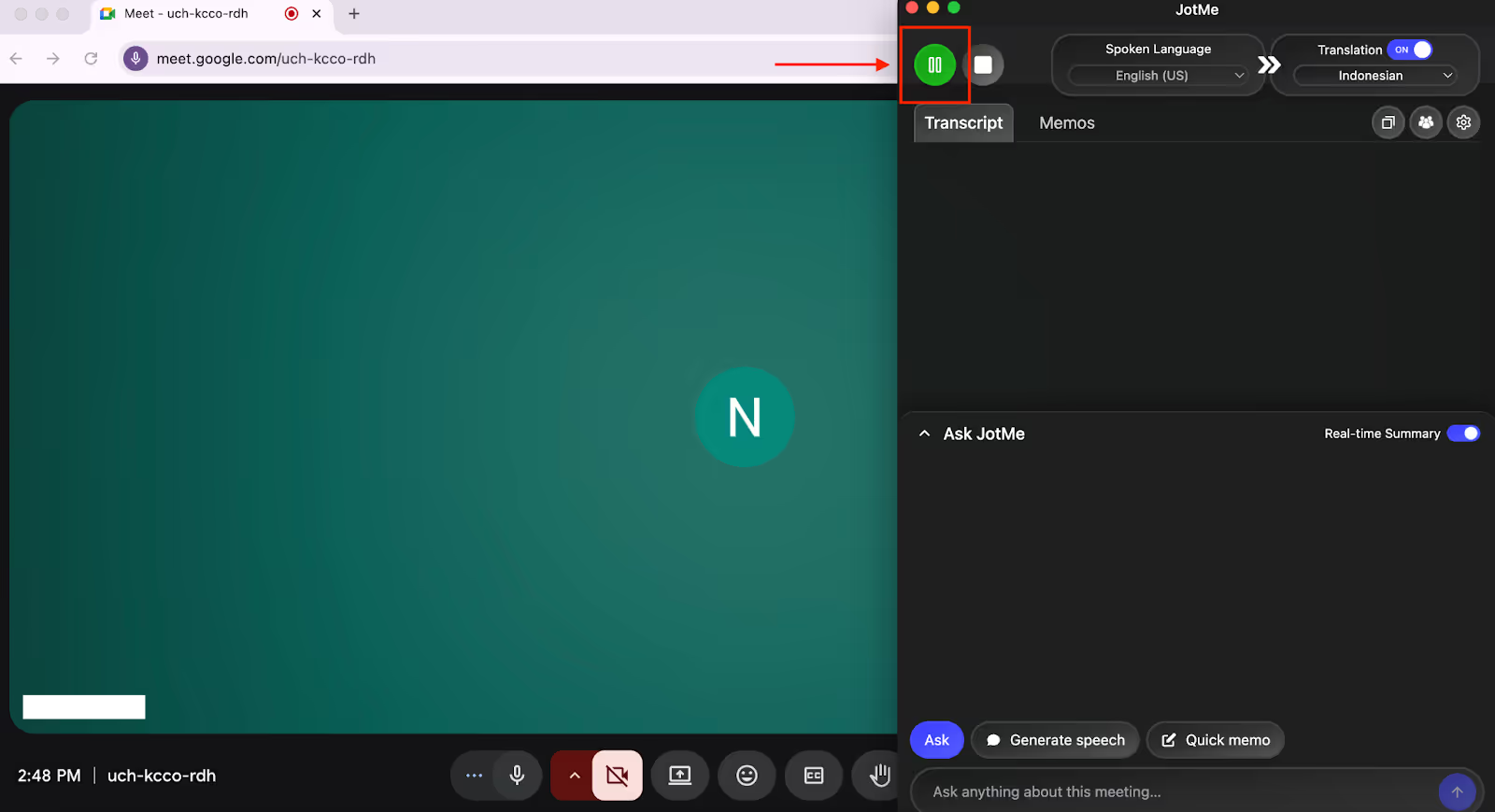
JotMe will start the English to Indonesian live translation as you speak. If you prefer the traditional caption system, you can adjust the size of the JotMe window to view the translation at the bottom of your screen.
Which Tool Should You Pick to Live Translate English to Indonesian?
You should pick the tool to translate English to Indonesian in real-time that comes under your budget, has the features you’re looking for, and matches the frequency of your usage. Here’s a quick breakdown to understand which tool is suitable for your translation needs and budget:
- For real estate agents and sales professionals conducting regular client calls and product demos with Indonesian clients, JotMe is an ideal tool that offers accurate, real-time translation.
- LiveVoice is well-suited for multilingual conferences, offering flexible simultaneous interpretation through a blend of human expertise and AI translation.
- Enterprise teams using Zoom or Microsoft Teams with security as a priority should consider DeepL Voice for enterprise-grade translation.
- Travelers, freelancers, and casual communicators needing free translation should consider Google Translate for free live conversation translation in 100+ languages.
- For live events, conferences, and team meetings, SyncWords and Maestra AI are suitable.
But, the thing is:
After testing multiple English to Indonesian live translation tools, JotMe stood out as the winner for us. Not only does it provide real-time translation in 45 languages with the desktop app and 77 languages with the Chrome extension, but it also provides real-time AI answers, the ability to create drafts for email and social media posts, AI meeting notes, summaries, transcripts, and more.
At just $15/month, JotMe delivers contextual and accurate bot-less real-time translation with advanced speech recognition. Whether you’re closing real estate deals or presenting product demos to Indonesian clients, JotMe makes sure that everything in your conversation is recorded.
Try JotMe today and experience how you can make communication seamless with your Indonesian teammates or clients.
FAQs
What is the best site to translate English to Indonesian?
The best site to translate English to Indonesian in real time is Google Translate, but its accuracy rate falls with heavy accents and does not offer after-meeting notes and a summary. To overcome these gaps, JotMe can be your ideal choice. JotMe provides live translation in 45 languages on Mac and Windows devices, and in 77 languages on the Chrome extension. Plus, you don’t have to invite a meeting bot to get the English to Indonesian live translation, as it records the audio from your device directly and works in the background.
What app translates English to Indonesian and vice versa?
There are several apps that translate English to Indonesian and Indonesian to English online, including JotMe, Maestra AI, Google Translate, SyncWords, and DeepL Voice. However, JotMe outperforms the remaining apps in terms of accuracy and context by using advanced speech recognition that understands industry-specific jargon, flow, and emotion of the conversation to provide real-time translation.
How to translate English into Indonesian for traveling?
To translate English to Indonesian for travel, you can use live translation apps like Google Translate or Microsoft Translator to get real-time voice or text translation. These apps can also work offline if you download the Indonesian language pack beforehand, but they might not work with voice or conversation mode for real-time translation.
Why is translation not working on some words?
Translation might not work on some words because most live translation tools translate word-for-word instead of understanding the meaning. However, tools like JotMe use advanced speech recognition that actually understands the technical terms, along with the flow and context of the conversation, and provides contextual live translation in your preferred language.
Last updated on
April 14, 2026
Follow us on social media: