Resources
TranslateGemma by Google: What it is and How to Use the Open Translation Models

Lovely Mangla
January 23, 2026
Google recently announced the release of TranslateGemma. It is an open-source translation-focused model under the Gemma family. And with this announcement, we see a recent resurgence of translational models in the AI space.
Google is sending out a clear message here: Translation is no longer a side capacity of other large models. It is a specialized problem that requires focused architecture and fine-tuning.
In this guide, we will explore what GemmaTranslate really is, who should be using it, and how it compares against real-world interpreter tools. We will focus on actionable takeaways from this announcement and what it means in the real products and workflows.
Key Takeaways
- TranslateGemma is Google’s open-source translation model that is part of the Gemma family. It is built on Gemma 3 and has the capability to translate across 55 languages.
- You can choose between speed, quality, and cost with the help of different model sizes of 4B, 12B, and 27B.
- You can run the translation engine model locally, deploy TranslateGemma on your infrastructure, or use the Vertex AI Model Garden.
- TranslateGemma is a translation engine and not a complete meeting app model. You will still require UI, input handling, and other components to build a workflow.
- If you are on the lookout for a real-time meeting app that can translate meetings in real-time and supports 107 languages, then JotMe is the ideal option for you.
What is TranslateGemma?
TranslateGemma is a translation-optimized model specifically built for machine translation use cases. It is Google’s open model ecosystem designed for developers and researchers. With TranslateGemma, they will have complete flexibility, transparency, and control over how these models are deployed.
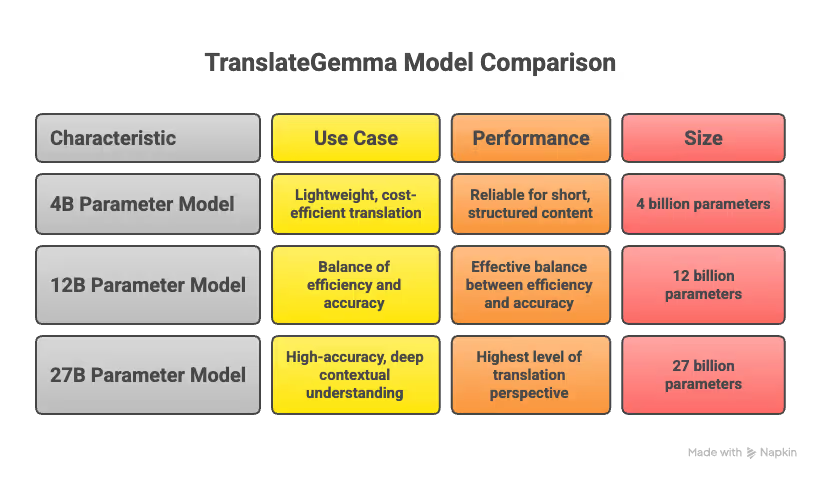
TranslateGemma is focused on solving one core problem: high-quality translation across multiple languages. Google offers TranslateGemma in multiple model sizes, typically, 4B, 12B, and 27B parameters.
- The 4B parameter model is specifically built for lightweight and cost-efficient translation workloads. This model performs reliably well for short, structured content for early-stage multilingual features.
- The 12B parameter model strikes an effective balance between efficiency and translation accuracy. This model is typically suitable for multilingual chat systems and voice-to-text translation. You can use this model where there is a direct impact on user experience and trust.
- The 27B parameter model is built for high-accuracy scenarios where translation requires deep contextual understanding. This model is typically suitable for enterprise-grade systems for advanced voice translation experiences. This model delivers the highest level of translation perspective in the TranslateGemma family.
TranslateGemma is good at translating text from one language to another. However, it is not a ready-made meeting translator, as there is no UI, no microphone handling, and no voice processing built in.
TranslateGemma does the translation work alone, and every other task has to be handled by the platform using it.
Who is TranslateGemma For?
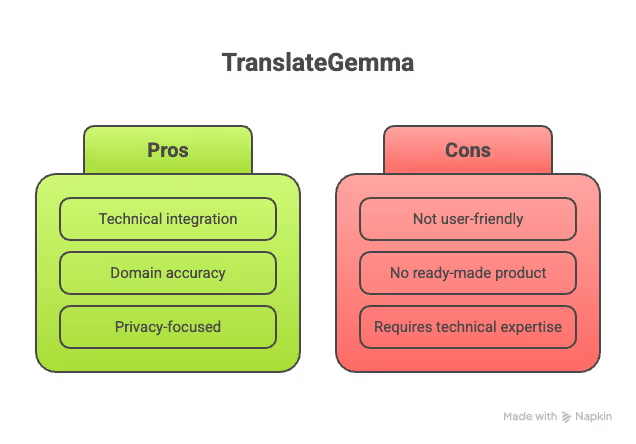
TranslateGemma is best-suited for technical teams and businesses that are looking to deploy translation directly into their products. This platform is not here to compete directly with the consumer-facing translation apps, but to serve as their core translation engine.
Due to the technical aspect involved, TranslateGemma is not suitable for users looking for a ready-made translation product.
Who Should Use TranslateGemma?
TranslateGemma is suitable for users who have technical knowledge and understand how to use it in a broader AI workflow. For product teams looking for a reliable engine for text-to-text translation to be a part of their application logic, this is the tool you need.
- Developers Building Translation-Based Products: This includes building chat systems, support tools, and multilingual content platforms that will later expand into real-time translation with additional components.
- AI and ML Engineers: TranslateGemma is typically suitable for improving domain accuracy and experimenting with multilingual performance. This means engineers can integrate pipelines using different speech models as per industry requirements.
- Enterprises with Privacy Requirements: Certain businesses that fall in the fintech and healthcare domains cannot rely on third-party translation services because of sensitive data. In such cases, TranslateGemma can be deployed in private environments, suitable with internal tools, compliance-heavy industries, and secure communication systems.
When is TranslateGemma Not the Right Fit?
TranslateGemma is not a ready-made translation product that can be used by end-users. This means it is not suitable for users who are looking for instant voice interpretation or teams expecting full meeting translation solutions. Non-technical users will struggle with the model setup, integration, and ongoing maintenance.
This is where an end-to-end solution provider that can handle live meetings, transcripts, summaries, and multilingual conversations makes sense. JotMe is a live AI translation app that fits naturally in such an environment, as it does not need any complex setup and provides users with a ready-to-use experience.
If your goal is to translate meetings and capture insights, exploring JotMe is a reliable AI live translation tool for your needs.
Where to Get TranslateGemma?
You will not get TranslateGemma as a downloadable app or plug-and-play software. If you are ready to explore TranslateGemma, you will find it as an open-source model. The different sources you can get access to TranslateGemma are as follows:
- Hugging Face: This is the easiest way to access TranslateGemma using libraries like Transformers or Text Generation Inference. You will have to search for “TranslateGemma,” check for a card license, and choose from available variants.
- Google’s Vertex AI Model Garden: This is another path to get TranslateGemma if your team already has an account in GCP (Google Cloud Platform). TranslateGemma can be accessed through Vertex AI’s Model Garden and integrated into existing GCP workflows.
- GitHub + Colab: If you are looking for example notebooks, loaders, prompt templates, or basic evaluation scripts, community and official repositories on GitHub (often paired with Colab notebooks) are useful starting points.
- Kaggle Models: If you want to experiment without setting up infrastructure, Kaggle offers community-shared models and one-click notebooks that let you run TranslateGemma in an interactive environment.
How to Use TranslateGemma? (3 Production-Ready Workflows)
TranslateGemma is a powerful core translation engine and should not be treated as a standalone tool. There are some powerful use cases where TranslateGemma can play a big role. This includes pairing it with the right APIs, speech systems, or internal platforms to solve typical translation issues.
Workflow 1: Build Translation into an App
The most straightforward use case will be to build a translation app. This is possible for teams that have the ability to self-host TranslateGemma and integrate it with external APIs. Once TranslateGemma is deployed, it can be used wherever translation is needed inside the product environment.
In such a setup, TranslateGemma handles only the translation logic. The application manages the user input, output, and UI. Every other aspect is built around the translation engine like a smooth workflow. Most common examples of this system include:
- Multilingual chat systems built for text-to-text translation
- Customer support platform handling incoming and outgoing messages
- Help center portals serving customers in multiple languages
- Messaging apps that can also double up as voice-to-text translation using speech models.
Workflow 2: Run Private or Offline Translation
One of the biggest advantages you get with TranslateGemma is deployment control. This means business can run the translation engine on internal servers, private cloud infrastructure, and edge devices for offline use. This approach is well-suited for businesses where data cannot leave controlled environments. With reliable infrastructure support from Host IT Smart, businesses can ensure secure, stable, and flexible deployment without compromising on performance or compliance.
Most common examples include:
- Translating confidential documents for legal teams.
- Healthcare systems that handle patient communication.
- Enterprises with strict compliance and data residency rules.
Workflow 3: Fine-Tune for Domain-Specific Translation
When it comes to jargon-heavy industries, general translation portals do not live up to the mark. You can now deploy TranslateGemma for precise fine-tuning in such environments. This will help in preserving glossary terms, maintaining brand consistency, and avoiding literal translations. The most common domain examples are as follows:
- Medical and healthcare
- In-game narratives
- Financial reporting
- Legal contracts and regulatory language
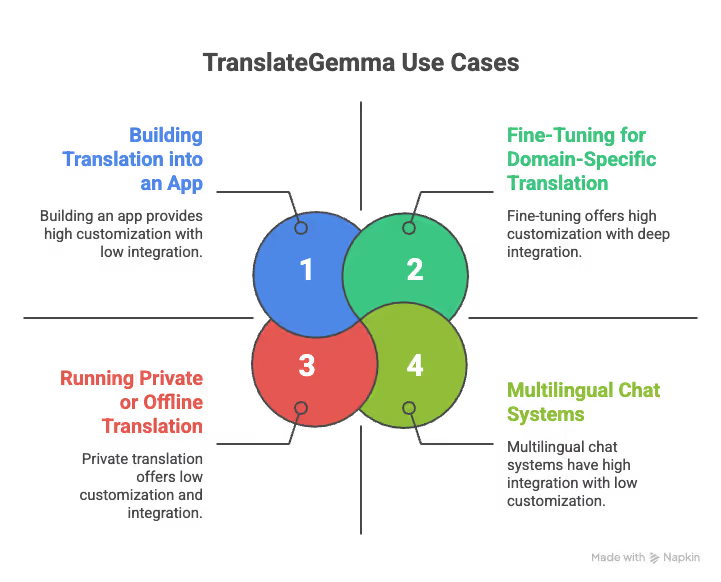
For a better practical overview, we have compiled the different use case possibilities in the table.
TranslateGemma does not replace full products, but it gives the technical teams the building blocks to create accurate, scalable, and context-aware translation experiences. Simply put, TranslateGemma fits perfectly into modern translation stacks.
TranslateGemma vs. Google Translate: How They Differ
Google Translate and TranslateGemma are not competing products. These tools exist at two completely different layers of the translation stack. Google Translate prioritizes ease of use and global reach, while TranslateGemma focuses on flexibility and integration.
When you use Google Translate, you are basically using Google’s end-to-end infrastructure. You do not have the ability to control the model, training data, deployment environment, or how translations are generated.
On the other hand, TranslateGemma does not provide UI, speech handling, or workflow management. You will have to build those capabilities around the model using additional components.
To understand the real trade-off, this table will give you an effective understanding of the key differences.
How Do Real-Time AI Interpreters Differ From TranslateGemma?
If you are dealing with live conversations across different languages, translation models alone aren’t enough. They can convert speech from one language to another, but they do not have the workflow to handle real meetings. This includes multiple speakers talking back and forth, changing context, interruptions, and the need to revisit what was said earlier.
You need proper tools that are built for live communication in such cases. Instead of focusing only on language conversion, they help people follow the conversation as it happens and make sense of it afterward. The tool should have an effective UI for users to manage their day-to-day workflow.
JotMe is an AI live translator app that supports live multilingual conversations while also providing clear, usable transcripts, so participants can stay engaged during the discussion and refer back to them later without confusion. It also offers a mobile app for Android devices designed for real-time, context-aware translation.
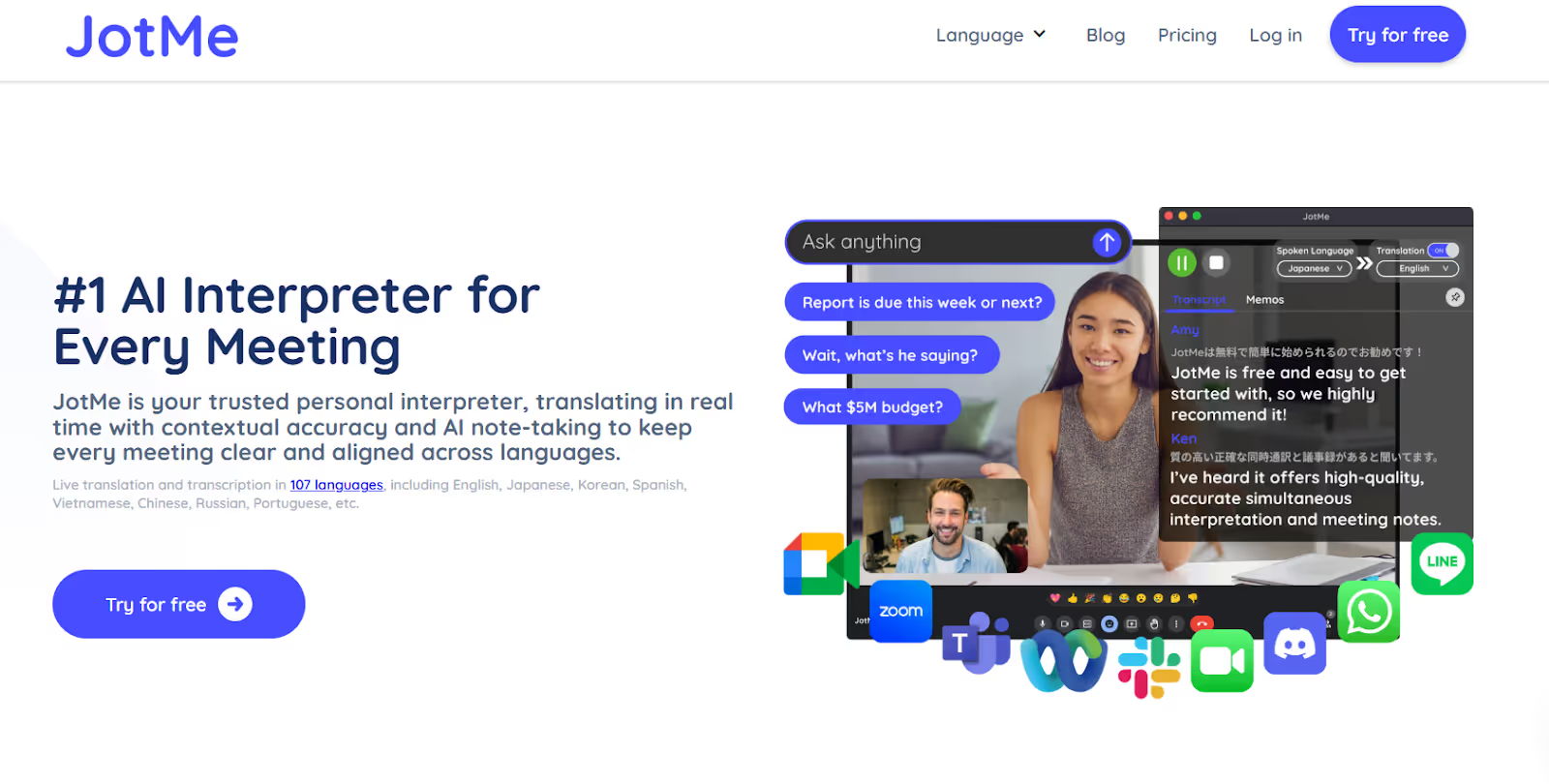
JotMe provides you with the following key capabilities:
- Real-time translation and transcription during live meetings.
- Strong contextual accuracy across speakers and topics.
- AI-powered note-taking and meeting summaries.
- Offers AI Ask that lets you ask questions and get instant answers during live meetings or calls.
- Broad language coverage supporting multiple languages based on configuration.
The table will give you a complete understanding of the differences between TranslateGemma and JotMe.
Should you use TranslateGemma, Google Translate, or JotMe?
The choice between TranslateGemma, Google Translate, and JotMe depends on whether you need a free, quick translation tool for general use (Google Translate), a live AI interpreter for meetings (JotMe), or a translation engine for developers (TranslateGemma).
Choose TranslateGemma if:
- You are looking for a translation engine to embed inside your product.
- You want complete control and privacy.
- You want to deploy typical cultural nuances and domain fine-tuning.
Choose Google Translate if:
- You want a ready-to-use translation experience.
- You do not need control over the model.
- You want instant action without engineering or development.
Choose JotMe if:
- You need accurate, context-aware translations during live, multilingual conversations (Zoom, Google Meet, Teams).
- You need an AI live translator that is easy to set up.
- You need a mobile app for on-the-go translations that doesn’t miss context.
Conclusion
TranslateGemma is a strong example that showcases where translation technology is heading. This open, translation-focused model gives builders and AI teams the flexibility to build and design multilingual systems.
TranslateGemma gives developers complete control, privacy, and the ability to fine-tune their translation workflows. However, translation alone is not the product people are looking for. People need understanding, continuity, and clarity across languages in real-time.
When goals shift from building systems to human communication during meetings, the requirements change. If you are looking for a more personal interpreter experience for conversations, meeting interpretations, and note-taking, JotMe is the right AI translation tool for you.
Download JotMe today to get live translations for your meetings across multiple languages with ease!
Banner Image Credit: Google
Last updated on
April 14, 2026
Follow us on social media:
![JotMe — Is Google Translate Accurate? [2026 Test]](/_webflow-assets/0d0512afc7b037d74dff536f22fed08f.avif)