Tips
How to Improve Your Spanish Translation Skills Online

Narmada Kajla
December 8, 2025

Quick Answer: To improve your Spanish translation skills online, you can use JotMe as your personal AI interpreter. As the conversation begins, JotMe analyzes the context, tone, and intent to generate accurate, natural-sounding live translations. This allows you to understand and avoid common errors, such as literal phrasing and word mix-ups.
Do you often second-guess whether your Spanish translations sound natural and accurate? If yes, you’ll need a reliable live interpreter like JotMe.
JotMe uses advanced speech recognition technology to pick up the context, nuance, and tone of conversations, which clearly reflects in its translations. It’s almost as close to speaking to a native Spanish speaker. Not only that, it corrects mispronunciations and industry-specific terms in real time. This way, you’ll get a clear sense of what improvements can make your Spanish translations sound more natural and accurate.
Here’s how to use JotMe to obtain contextually accurate Spanish translation:
Step 1: Connect your microphone to enable JotMe translation.
Step 2: Open JotMe’s Spanish page and download the app.
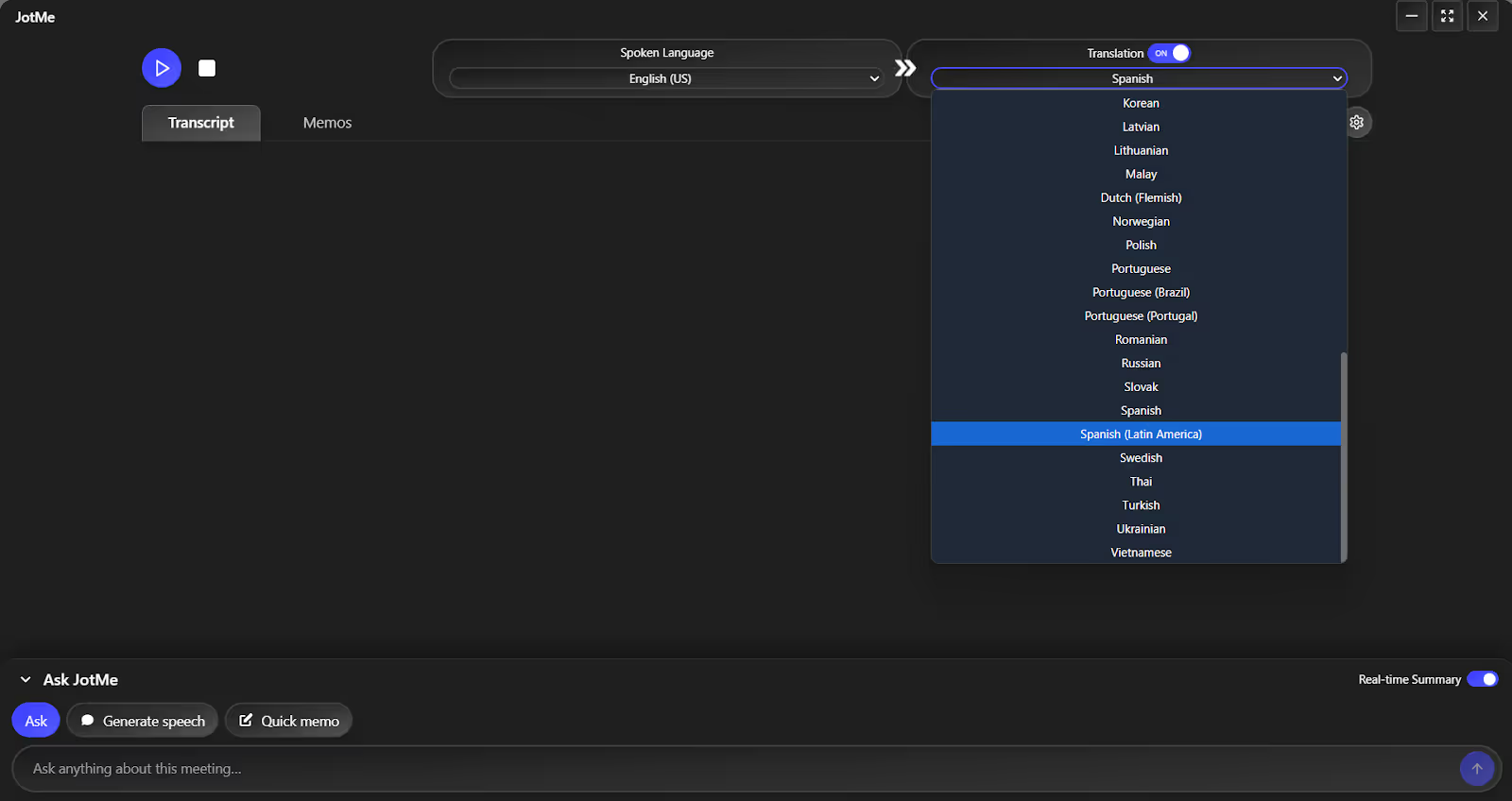
Step 3: Set the spoken and translation languages in JotMe.
Step 4: Click the “Play” button to begin translation.
What Challenges Do Spanish Translators Face?
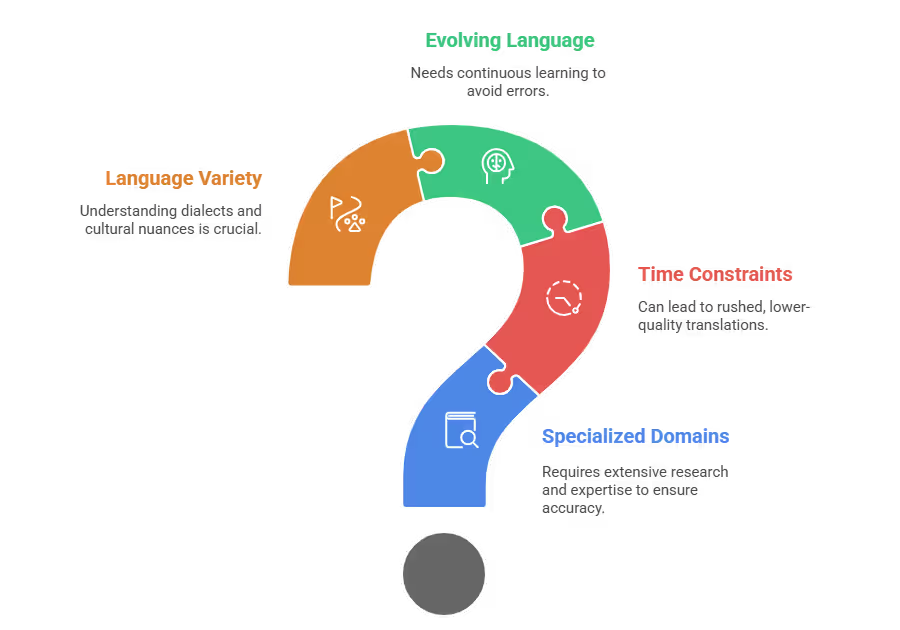
Despite being proficient in Spanish, many translators find it difficult to keep up with the fast-paced virtual meetings and manage large volumes of content instantly. This and other challenges are detailed as follows:
Highly Specialized Domains: Human translators may struggle in fields such as law, complex literature, or technical domains. Extensive research or specific subject-matter expertise is crucial to ensure accuracy.
Time and Volume Constraints: While human translators may produce high-quality work, they are slower than AI translation tools. Handling too much work or facing strict deadlines can lead to rushed, lower-quality translations. AI tools like JotMe, on the other hand, produce consistent results regardless of the workload.
Evolving Language: New jargon and cultural references emerge constantly. A human translator who isn’t diligent enough to continually update their knowledge is prone to errors in Spanish translation.
Variety in the Spanish Language: If you’re performing English to Spanish translation in virtual meetings, you must know what kind of Spanish speakers are present. The Spanish from Spain is different from the one in Latin America. For example, “Alright” translates to “Vale” in Spain, “Dale” in Argentina, or “Sale” in Mexico. So, understanding of specific vocabulary, cultural nuances, dialects, and quirks needs to be more detailed in Spanish.
AI live translation tools like JotMe, however, offer translation in both traditional Spanish and Latin American Spanish. Just select the one you need and obtain contextually accurate notes instantly.
How can I Improve my Spanish Translation Skills Using Online Tools?
If you’re someone who double-guesses yourself when idiomatic expressions or technical jargon are involved, it can be very tough to maintain accuracy while translating. This is where the best live translation tools like JotMe shine. It not only understands the conversation to provide contextually accurate English to Spanish translations with correct grammar, but also offers supplementary meeting features such as AI Ask, real-time summaries, and notes to improve the overall workflow. Also, it steps in where human translators fall short, such as understanding technical jargon, handling workload, and staying continually updated with evolving language.
The following are the key features of JotMe that can benefit translators:
Live Contextual Translation
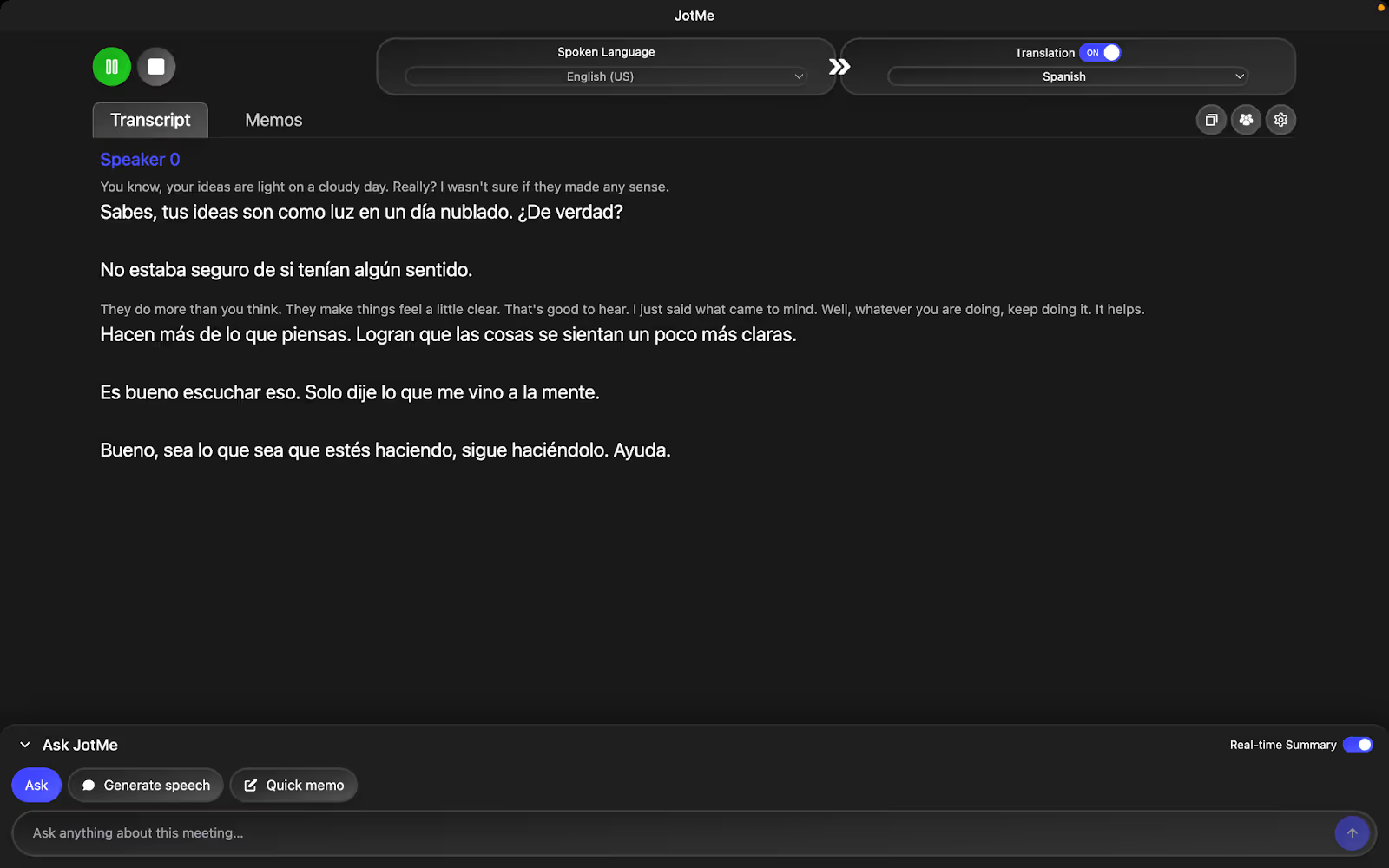
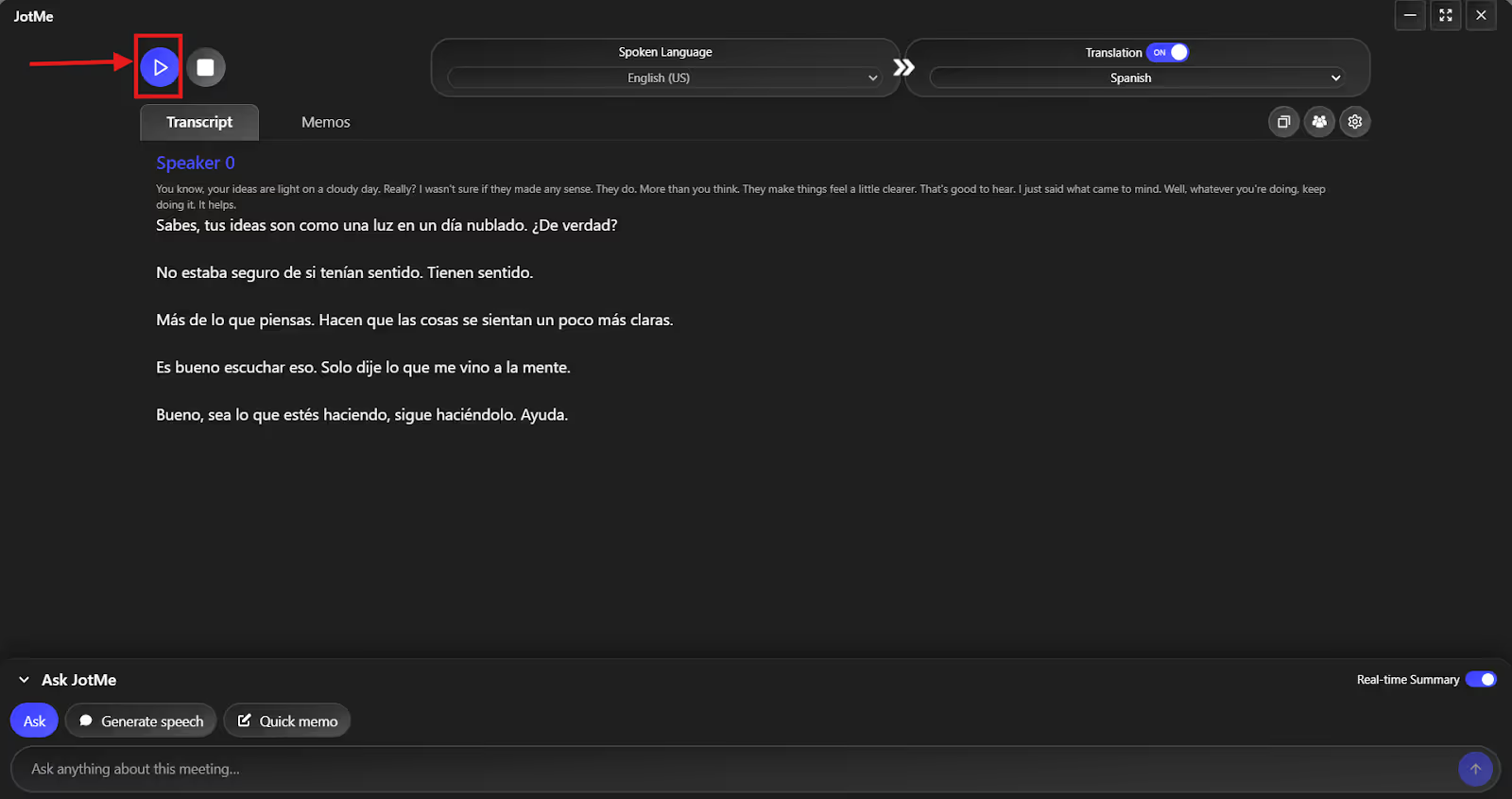
JotMe provides one of the best English to Spanish translations for Microsoft Teams, Zoom, or Google Meet by understanding the tone, cultural nuances, and context behind what’s said. This way, the messages aren’t lost in translation, and the participants in the meeting connect with them. For example, if a speaker says, “Your ideas are light on a cloudy day,” JotMe translates it to “Tus ideas son luz en un día nublado.” The idea of complimenting the person is clear in the translation, and the listener here feels valued and encouraged.
AI Ask
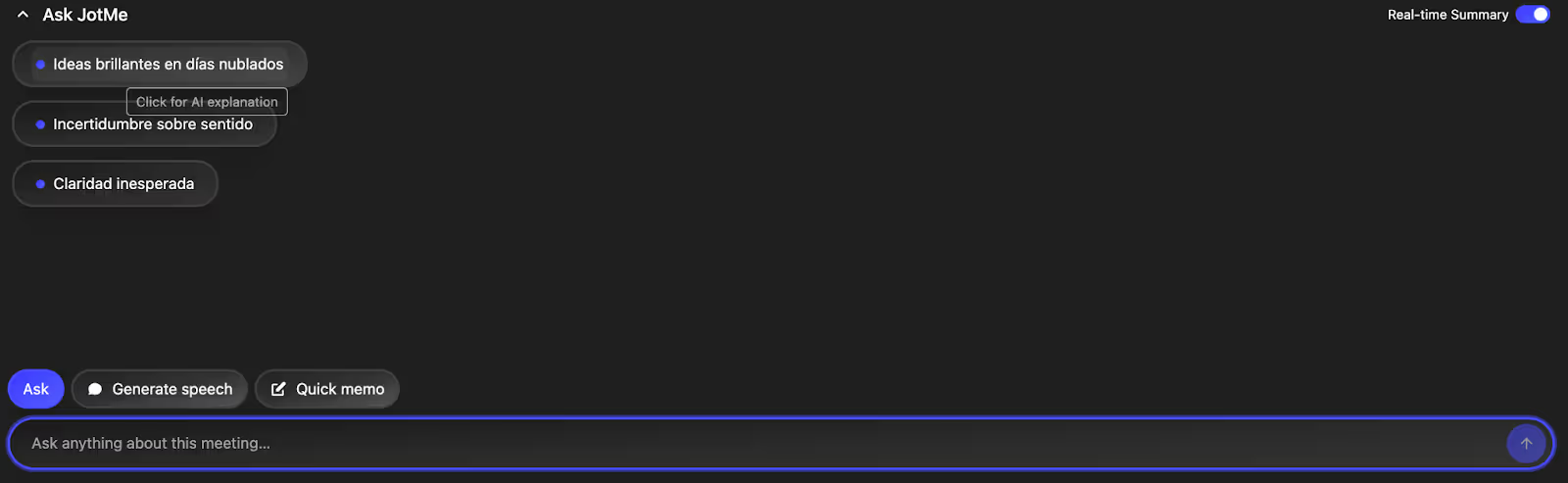
During a meeting, the participants might have a quick question regarding the topic at hand. Here, human translators can’t deliver the right output without the required expertise. Meanwhile, JotMe provides an instant answer to your queries without interrupting the flow of conversation.
For instance, last week, during a Microsoft Teams meeting with our Spanish-speaking engineers, terms like “refactor,” “hotfix,” “inference,” “shear force,” and others came up. When someone asked, “What is hotfix?” JotMe mentioned that it’s a small yet urgent software update released to fix a specific problem immediately. They didn’t need to switch tabs or run a Google search, and had clarity about the topic at hand.

Real-Time Summary
Something that many human translators struggle with is generating a concise summary instantly while translating the conversations. JotMe, on the other hand, displays a summary of key points in bullet format in real time. This allows the participants to get a brief idea of what’s being discussed in the meeting without waiting for it to end.
AI Notes and Summaries
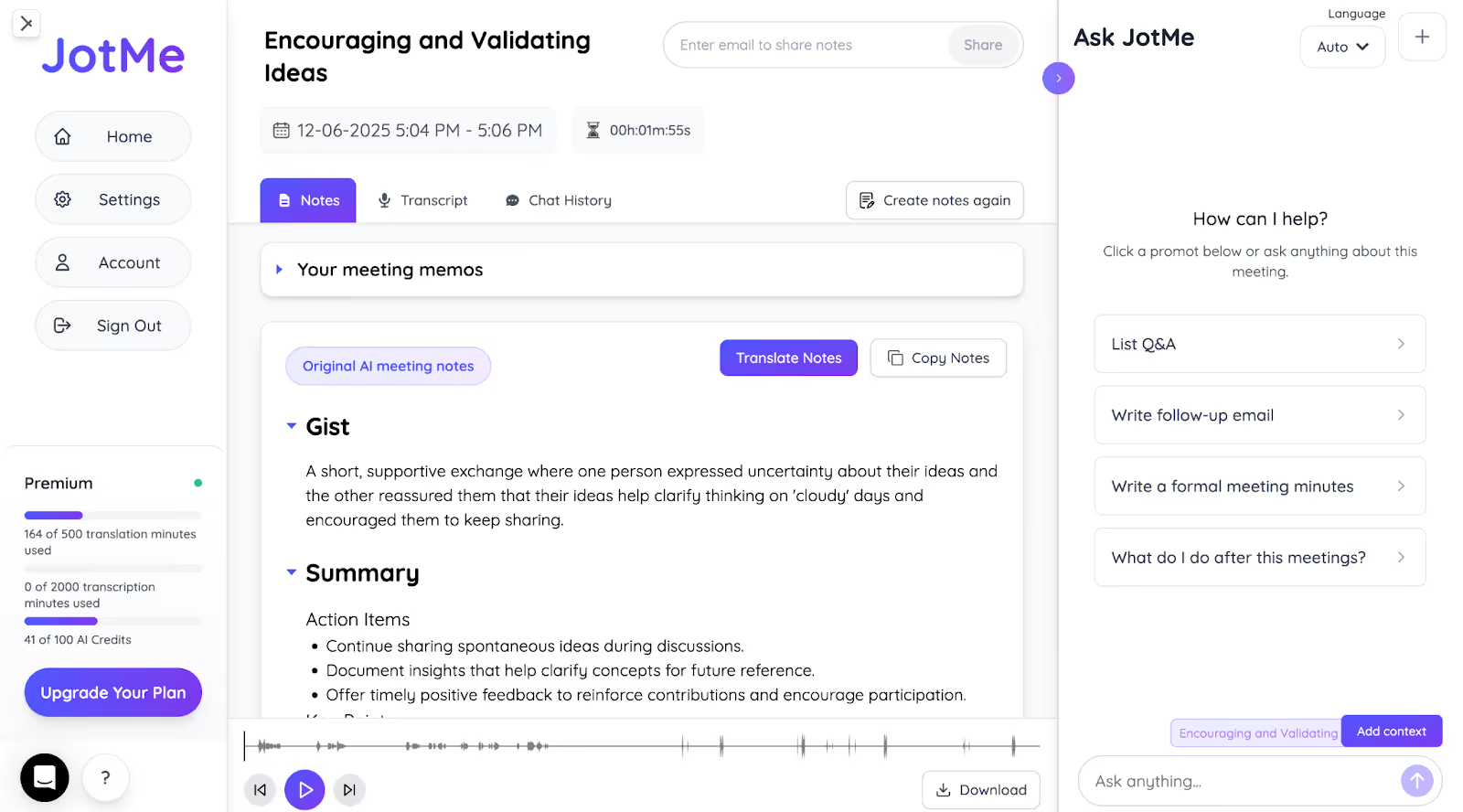
After the meeting ends, JotMe automatically generates the AI notes and divides them into key points and action items. Human translators may also struggle to take meeting notes while working with English to Spanish translation sentences during fast-paced meetings. JotMe's AI meeting notes make it easy for participants to catch up if they missed something important during the live event. You can also share these in Spanish with others via email or as a message.
Text-to-Text Translation
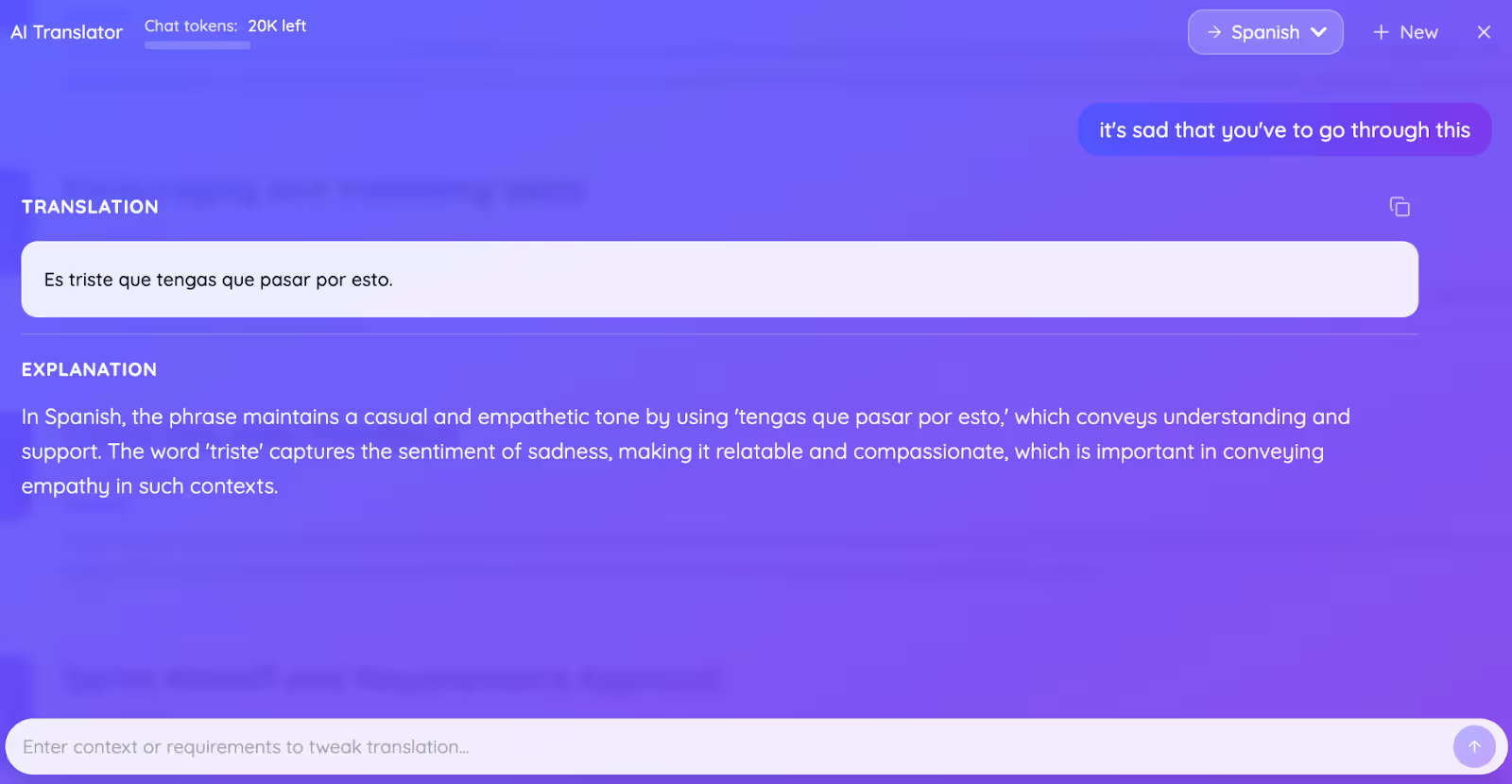
Aside from live meeting translation, JotMe can also translate your texts from English to Spanish with correct grammar or any other language. We were impressed that, like live calls, JotMe uses a context-aware translation engine to understand context, meaning, and tone, so the output feels natural. Not only that, JotMe lets you add a “request,” like “keep it casual and empathetic,” and the output is perfectly aligned with that tone.
Here’s a tabular comparison of a human and machine translator, like JotMe, to help you decide what’s best for your Spanish meetings:
In short, human Spanish translators can succumb to pressure, are difficult to scale, and can take up a chunk of your budget. JotMe, meanwhile, fills the gaps with its natural-sounding translations and stands out with features like AI Ask, real-time summary, and more to streamline your workflow. So, rather than hiring human interpreters, you can rely entirely on JotMe to be your personal AI interpreter.
How to Use JotMe for Real-Time Spanish Interpretation?
Set up your virtual meeting, launch JotMe, select the spoken and translation languages, and press “Play” to start real-time Spanish interpretation. Here’s a quick setup guide to obtain a real-time bilingual transcript and translation:
Step 1: How to Connect Your Microphone?
To start, select a quality microphone for your desktop or laptop. We recommend a microphone with features like noise cancellation, high sampling rates, and high-quality internal components. This way, a clear audio will be fed into JotMe for a consistent translation.
Step 2: How to Set Up JotMe?
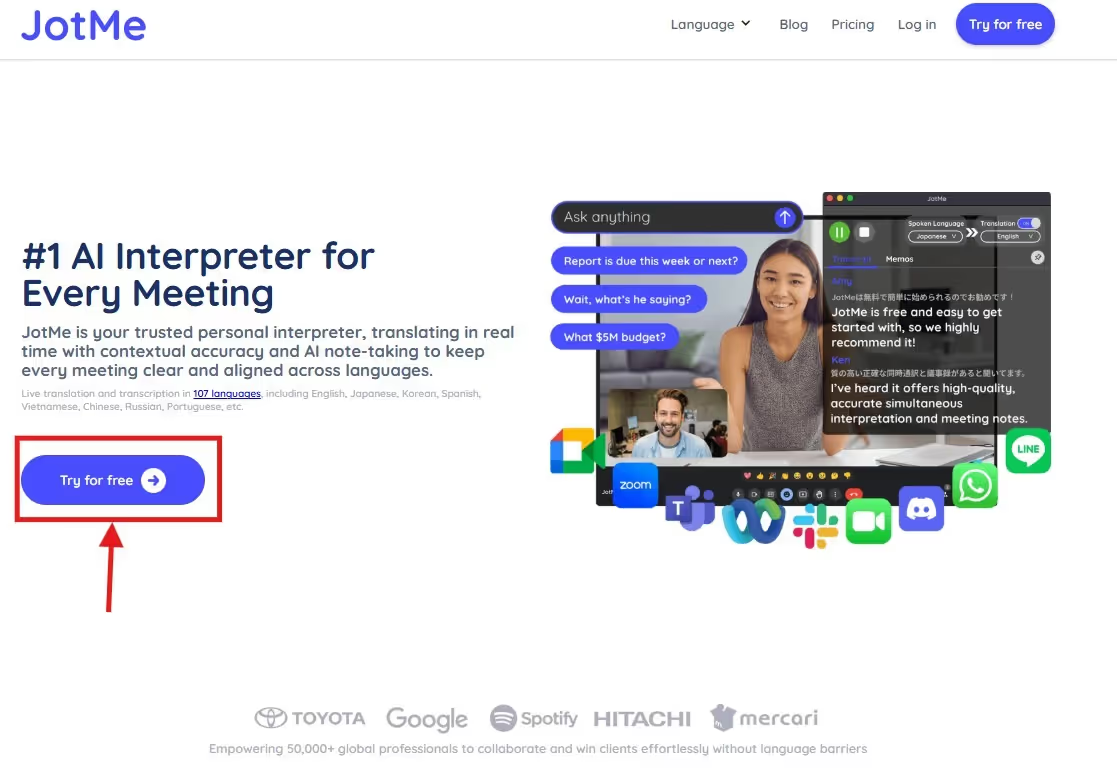
Visit JotMe’s official website and click on “Try for free” to download the app on your desktop or laptop. The download takes less than a minute to complete.
Step 3: How to Select Languages on JotMe?
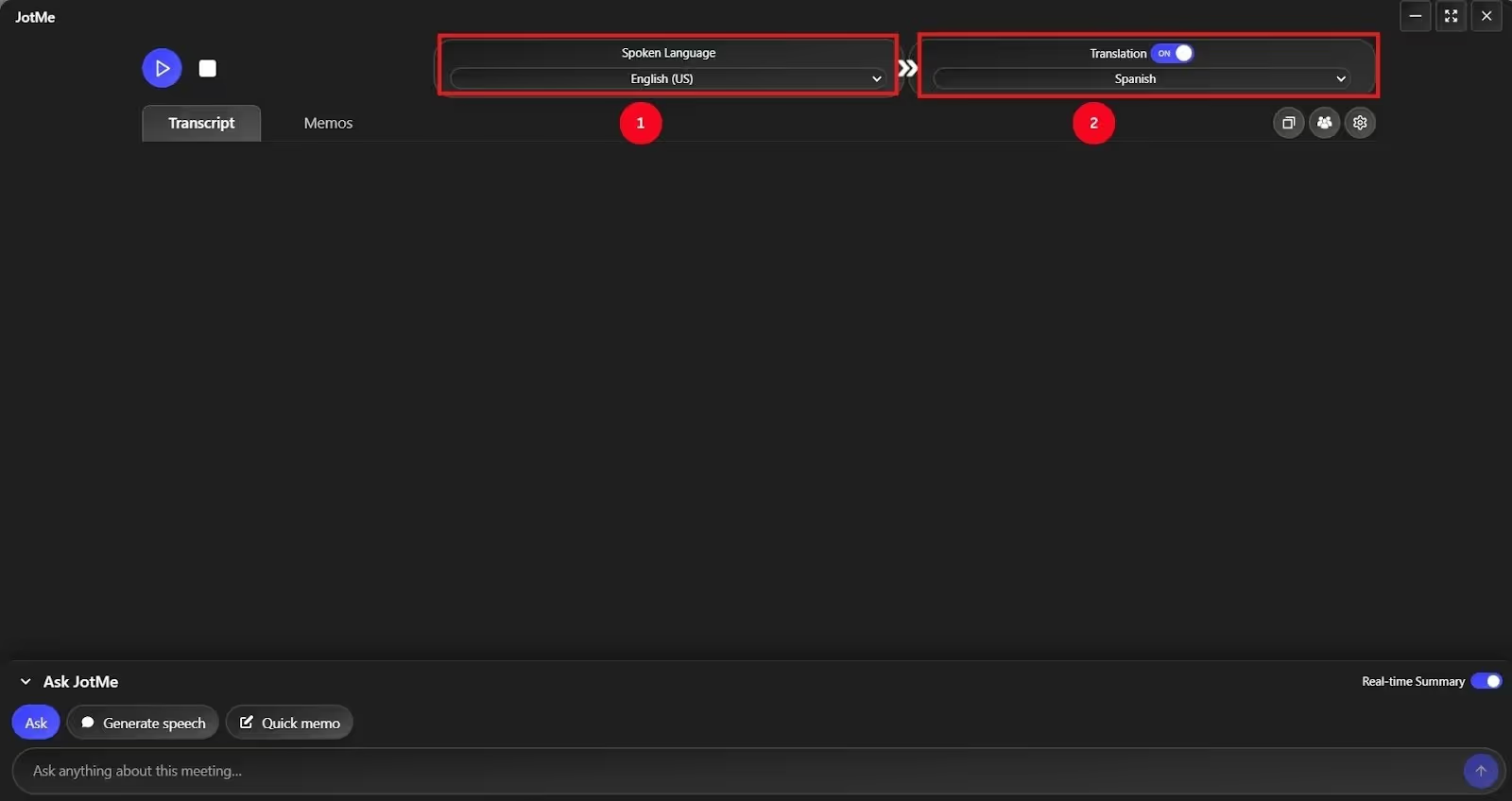
Launch JotMe, and toggle the “Translation” on the top right corner. Then, select the “Spoken Language” as English and “Translation Language” as Spanish. JotMe can also perform Spanish translation to English and more languages, if needed.
Step 4: How to Begin Live Translation in JotMe?
Once you’ve set the languages, simply tap “Play” to have JotMe listen to the conversations and translate them in real time.
Conclusion: Improve Your Spanish Translation Skills Online With JotMe
Human translators are great at understanding the context, tone, and nuances of a conversation. However, a Spanish translator who keeps questioning their own translations can make things awkward. In such scenarios, JotMe can be a reliable personal assistant that can translate your conversations instantly and accurately. It doesn’t seem to struggle with technical jargon or culturally relevant idioms at all.
If you want Spanish translations on your mobile device, the live personal interpreter will be available as a mobile app very soon. To obtain first-user access, sign up here and join the waitlist.
JotMe also offers additional features, such as AI Ask, real-time summaries, multilingual transcriptions, and more, that human interpreters typically don’t provide. All of these are available at a fraction of the cost that a human interpreter may charge. Try JotMe and transform your Spanish communication today!
FAQs
How to improve my Spanish-speaking skills?
To improve your Spanish-speaking skills, you must engage daily in speaking with native speakers, consume Spanish media, and practice regularly. If you want to hone your translation skills, use JotMe as your personal AI assistant that provides contextually accurate Spanish translations, even if the conversations involve complex jargon.
Are there any online platforms for practicing translation skills?
Yes, there are many online platforms to practice your translation skills, but JotMe can be one of the best. It provides real-time, context-aware translations from audio/video sources such as YouTube and Netflix. You can compare your output with your own understanding to get a sense of the nuances, tone, and culturally appropriate terminology.
How to learn Spanish through online conversations?
You can use AI-powered live translation tools like JotMe during your online conversations to learn Spanish. You can review the translations in the JotMe window and hone your translation skills.
What are some good online resources for studying Spanish?
If you’re a beginner, there are many free online resources available. Otherwise, if you want to improve your translation skills, use JotMe during online conversations; it works as a personal AI assistant that provides fast, yet contextually accurate, translations.
Where can I find reliable resources to translate between English and Mexican Spanish?
JotMe is a reliable option for translating between English and Spanish, handling regional expressions with strong contextual accuracy. Its live translation, transcripts, and summaries make it effective for meetings, work communication, and everyday conversations without relying on multiple tools
Last updated on
April 14, 2026
Follow us on social media: