Tips
How to Offer Real-Time Sermon Translation Without Translation Devices for Churches?

Viraj Mahajan
November 8, 2025
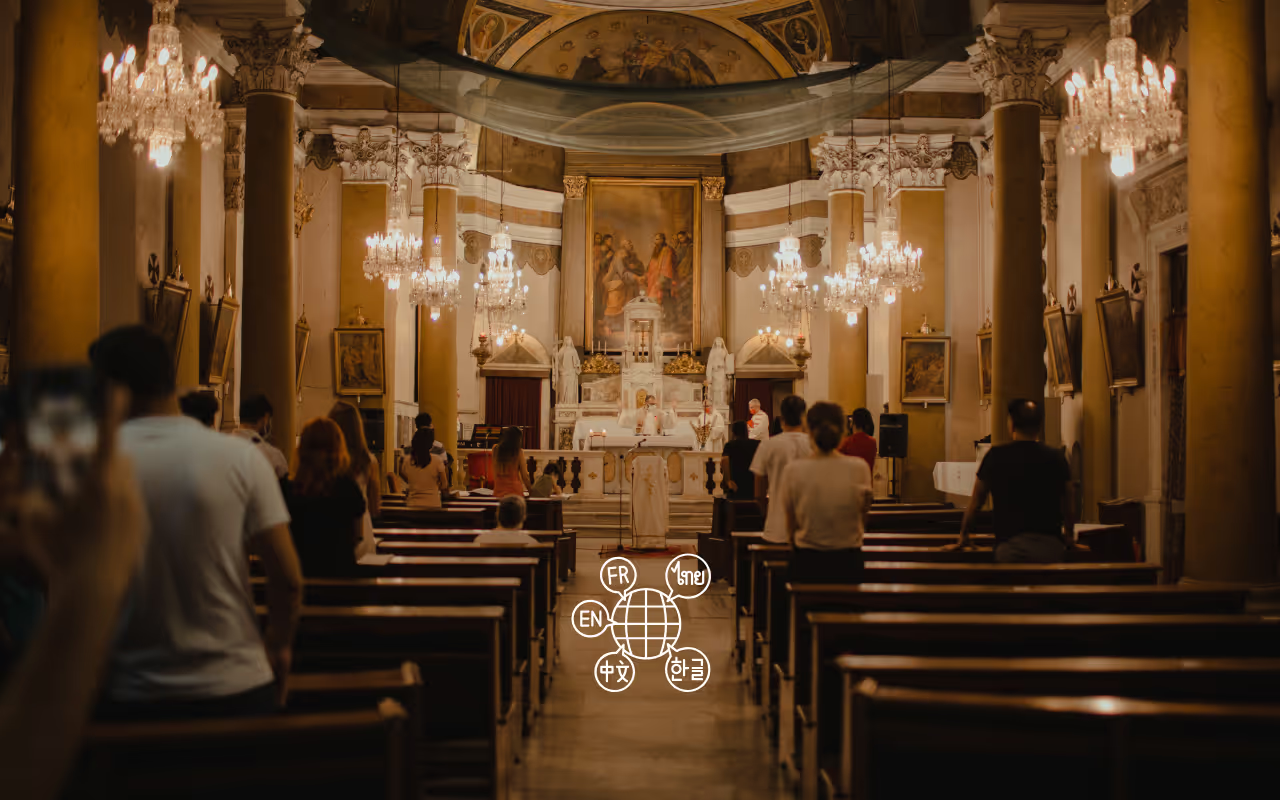
Is your church community becoming more diverse, but investing in new hardware for sermon live translation or translation devices for churches is not an option? If yes, then JotMe is the most reliable and accurate AI personal interpreter for you. JotMe doesn’t need a complex setup. Just launch the tool, choose the spoken and translation languages, and click the Play button. Your sermon will be translated in real time with context.
This article guides you through the features to look for in the best church live translation system in 2025, and explains how JotMe stands out with contextual translation, AI chat, AI insights, and more. In addition, it provides a simple, step-by-step guide for live sermon translation.
How to Find the Best Church Translation System in 2025?
To find the best AI live translation tools for churches in 2025, you should look for accuracy rate, pricing transparency, multilingual support, and ease of use. Here we will discuss features in detail so you can make the right choice:
Accuracy: The best live church sermon translator must deliver accurate translations with a minimal lag. This way, the attendees can fully engage with the services without missing anything important. In our tests, JotMe started translating as soon as we clicked “Play” and started speaking. It even understood the tone, nuances, and emotional context to provide an accurate English-to-Spanish translation.
Pricing Transparency and Real Value: Live translation tools should be affordable and keep their pricing transparent. But many AI tools didn’t make it easy. For example, Interprefy and Wordly asked us to contact their sales teams to obtain quotes. On the other hand, JotMe clearly lists its free and paid plans on its homepage, so you know exactly what you get from the tool, and whether it is within your budget or not.
Multilingual Support: While we looked for accurate English-to-Spanish live translators, a tool that supports other languages was also handy. Tools like Kudo support 60+ languages, but we had to request a demo from their sales team. On the other hand, we could sign into JotMe and start multilingual transcription and live translation within minutes. The most valuable feature is its multilingual live translation along with AI insights.
Ease of Use: A simple interface is suitable for both event organizers and attendees. In our tests, we evaluated the complexity of setting up and using the tool, as well as how well it adapted to on-the-fly language changes. Unlike complex translation devices for churches, JotMe involves a simple three-step setup and makes it easy to choose spoken and translation languages.
What's the Best Live Translation Tool for Church Sermons?

JotMe is the best live translation tool for church sermons and provides quick translations in Spanish and other languages without losing context. It also offers multilingual meeting transcription and shareable AI meeting notes. Here are a few features of JotMe that will help the attendees to truly enjoy their time in church.
Contextual Translation
Most basic translation tools translate words without understanding the meaning. This may work in general meetings, but mistranslating sermons can confuse the congregation and undermine the credibility of the religious message. JotMe, on the other hand, uses advanced speech recognition technology to analyze tone, flow, and emotional context to ensure precision in translations.
If you accidentally say “trace” instead of “grace” during the sermon, JotMe understands the context and translates it into “kindness.” This way, the participants won’t be lost in the literal meaning of sermons that don’t make sense.
For example, this sentence in English:
by the trace of god. We are all living happily. And safely.
A typical word-for-word translation in Spanish looks like this:
Siguiendo el camino de Dios, todos vivimos felices y seguros.
On the other hand, JotMe translates like this:
Por la huella de Dios. Todos estamos viviendo felices. Y seguros.
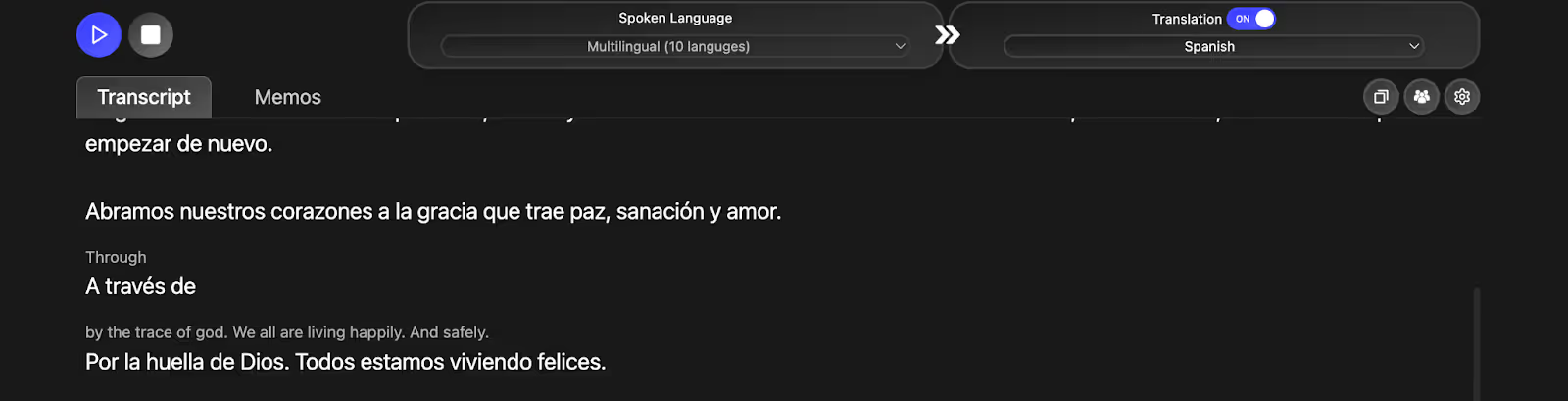
JotMe understood the context, and the translation would sound the same in Spanish, making it a personal AI interpreter for your high-stakes religious events. JotMe is currently available on desktop and will soon be available on mobile devices. You can sign up to join the waitlist, get notified on JotMe’s mobile app launch, and live translate English-to-Spanish, or English-to-Portuguese, etc., on your mobile.
AI Notes and Summary
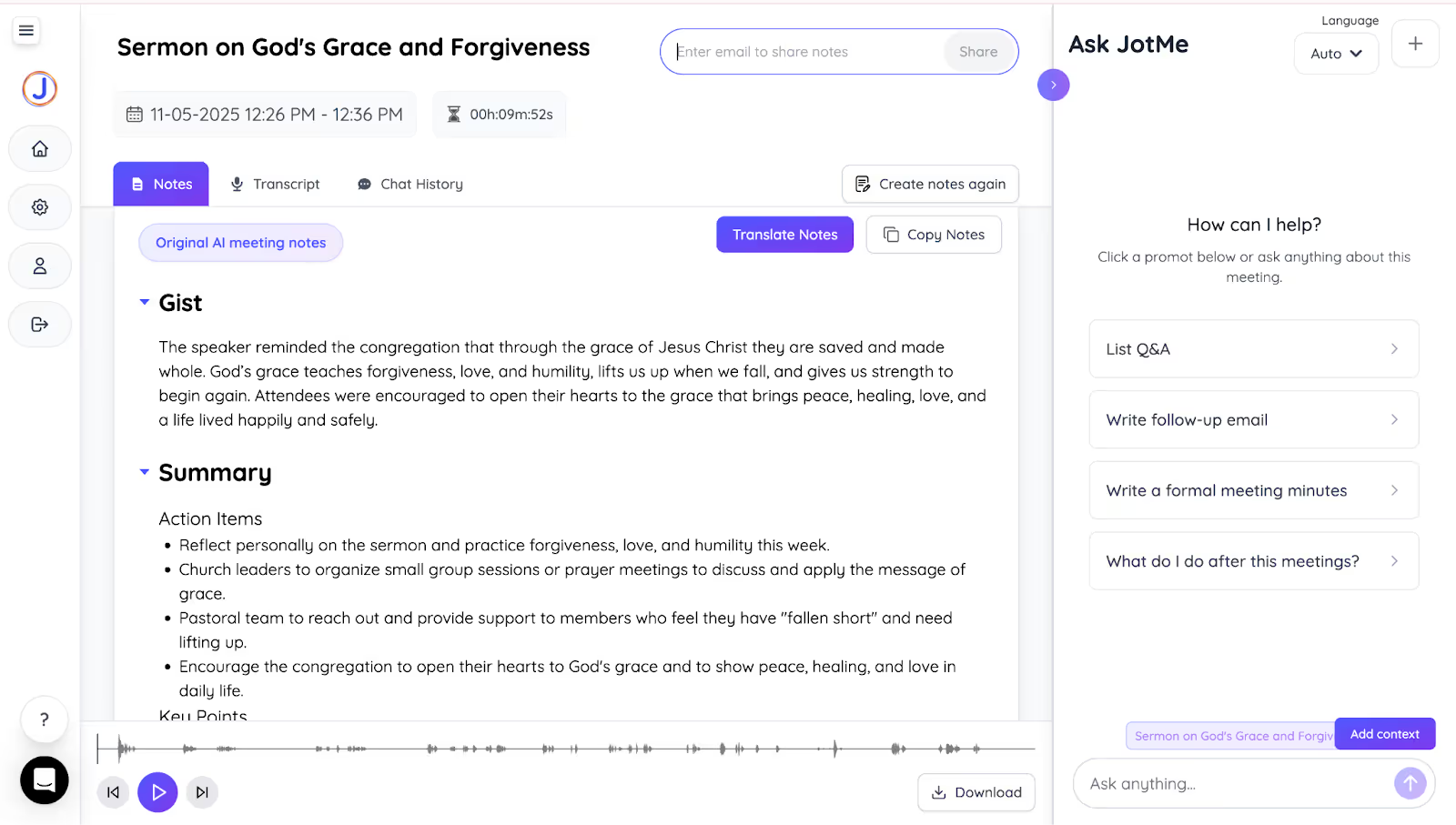
Most sermons are hour-long, and the chances of some participants losing focus at the midway point are high. The good news is that JotMe automatically summarizes sermons into three clear sections: Gist, Action Items, and Key Points. Rather than rewatching the hour-long recordings, the AI meeting summaries allow attendees to focus on the message and revisit them during the week. It also serves as a reference point for small groups and Bible studies.
Sharing Translation Minutes
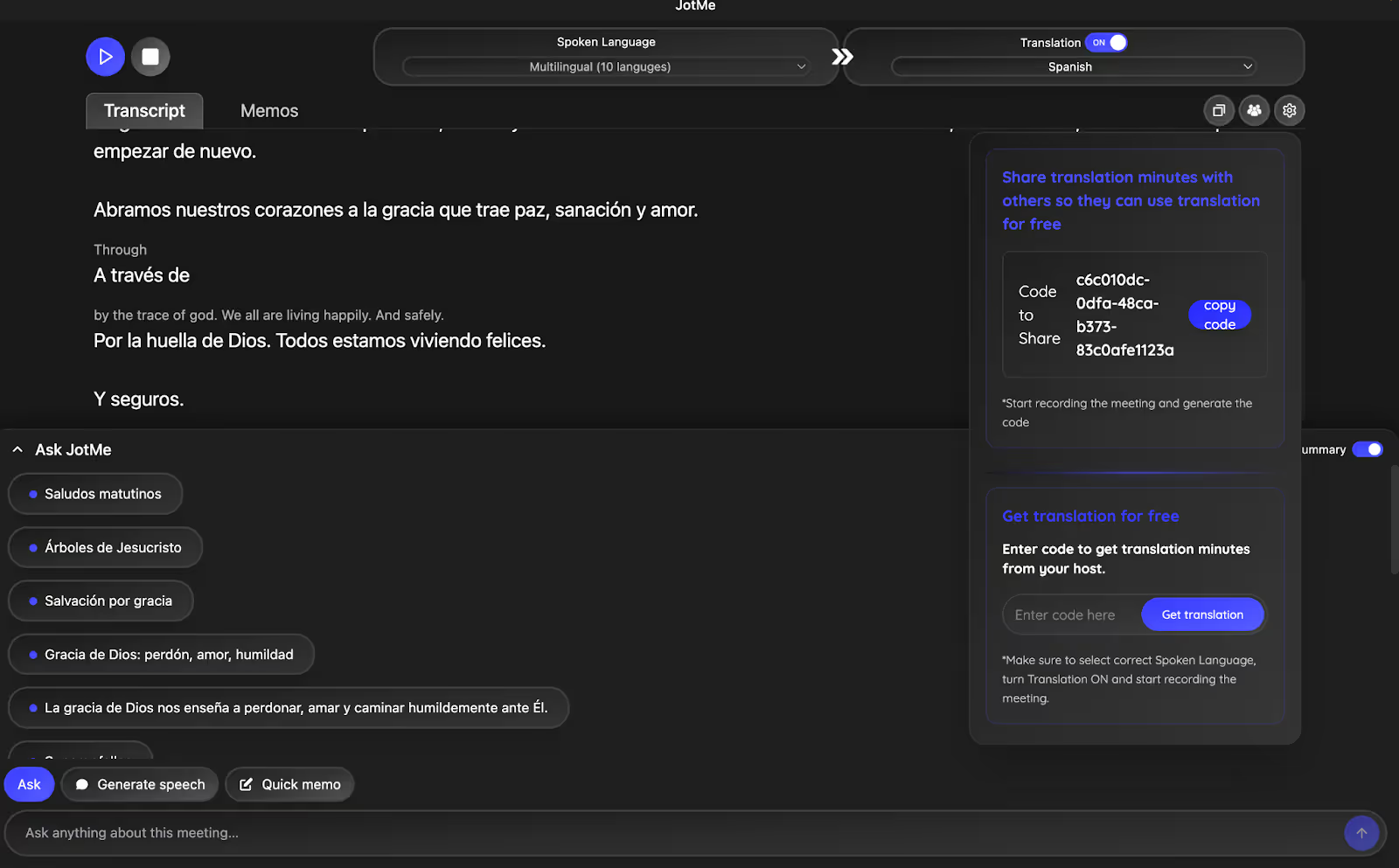
These days, major Christian denominations provide online sermons through their websites and social media, which anyone around the world can stream for free. The content is predominantly in English, and not everyone needs a paid JotMe plan to obtain accurate, contextual translations. Once you start narrating, share the unique JotMe code with your participants so they can access live transcription and translation, meeting notes, and summaries without them getting a subscription.
Meeting Notes Translation
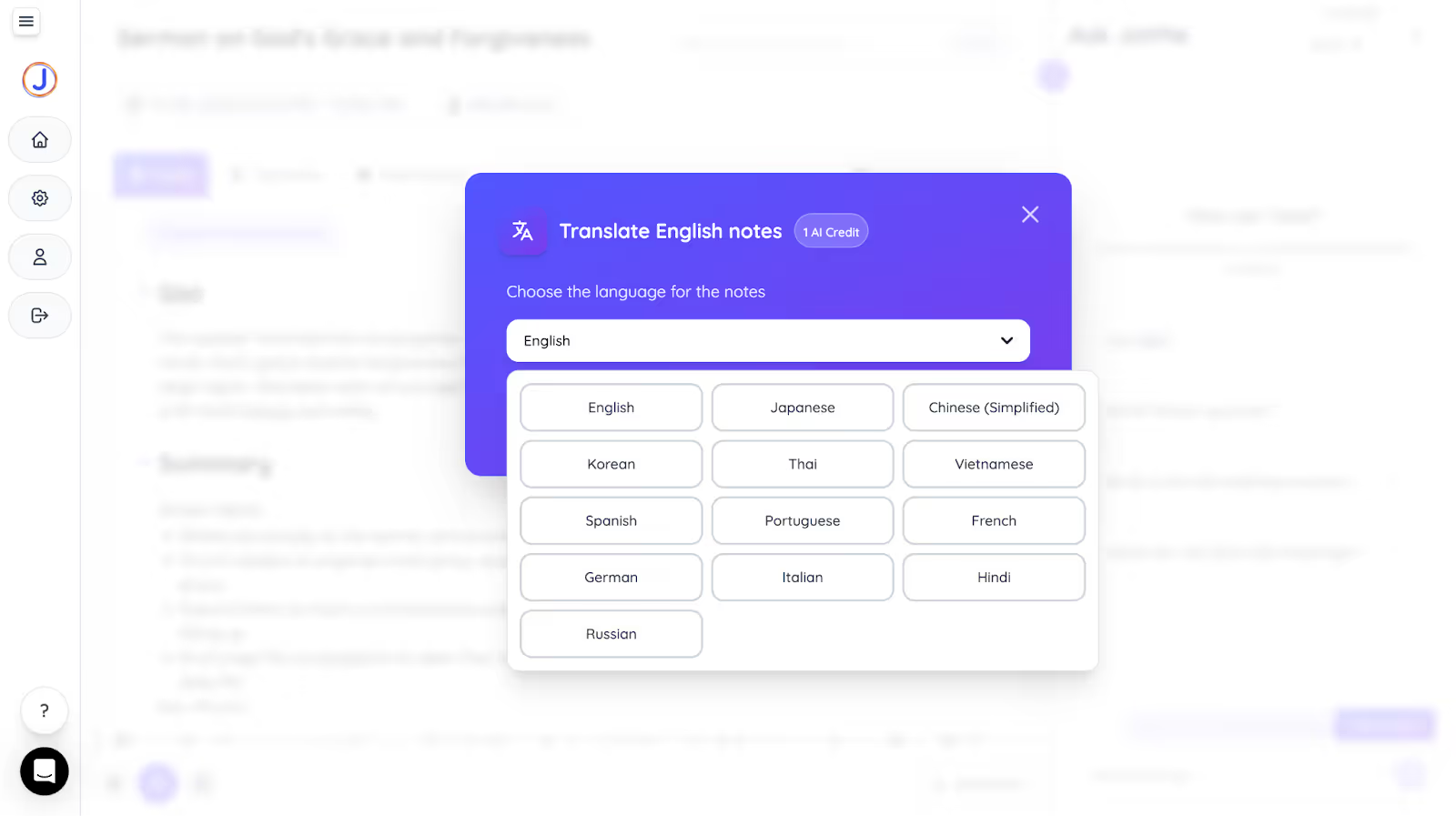
As the sermon ends, JotMe redirects you to its dashboard, which provides summaries and transcriptions. Head over to the “Transcript” section and turn on the “Multilingual” View to get a translation of your sermons from English to Spanish. Further translate it into other languages, such as Japanese, Chinese, Korean, and more, by clicking the “Translate” tab and sharing it with your multilingual participants, all without manual rewriting.
AI Chat
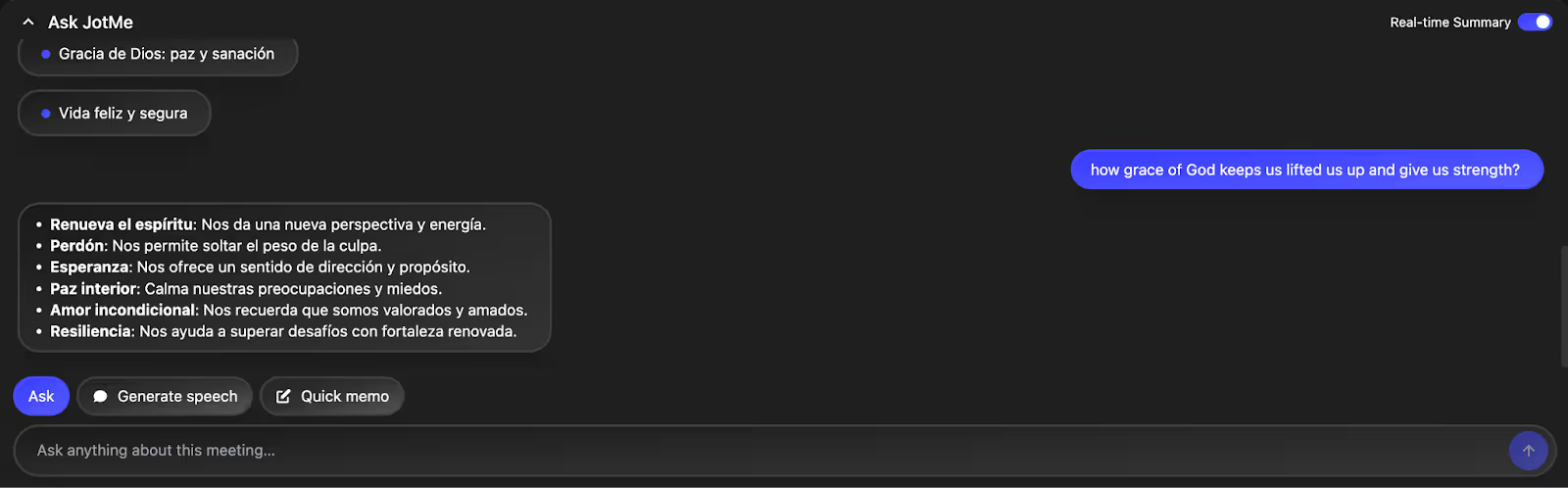
With JotMe's AI Chat feature, listeners can instantly ask questions about any part of the sermon they might have missed or need more clarification on, without ever needing to leave the service or search on Google. Whether it’s a biblical reference, a point in the message that was unclear, or even a deeper theological question, the AI Chat responds in real time, giving accurate, context-rich answers. This feature makes it easy for attendees to stay engaged, ensuring they don’t miss any part of the message.
How to Translate Church Sermons in Real Time with JotMe?
To translate church sermons in real-time with JotMe, connect the laptop to the projector and start narrating the sermon, open JotMe, select the spoken and translation language to capture the words and translate them into the desired language. Here’s a stepwise guide to get real-time sermon translation using JotMe:
Step 1: How to Install JotMe?
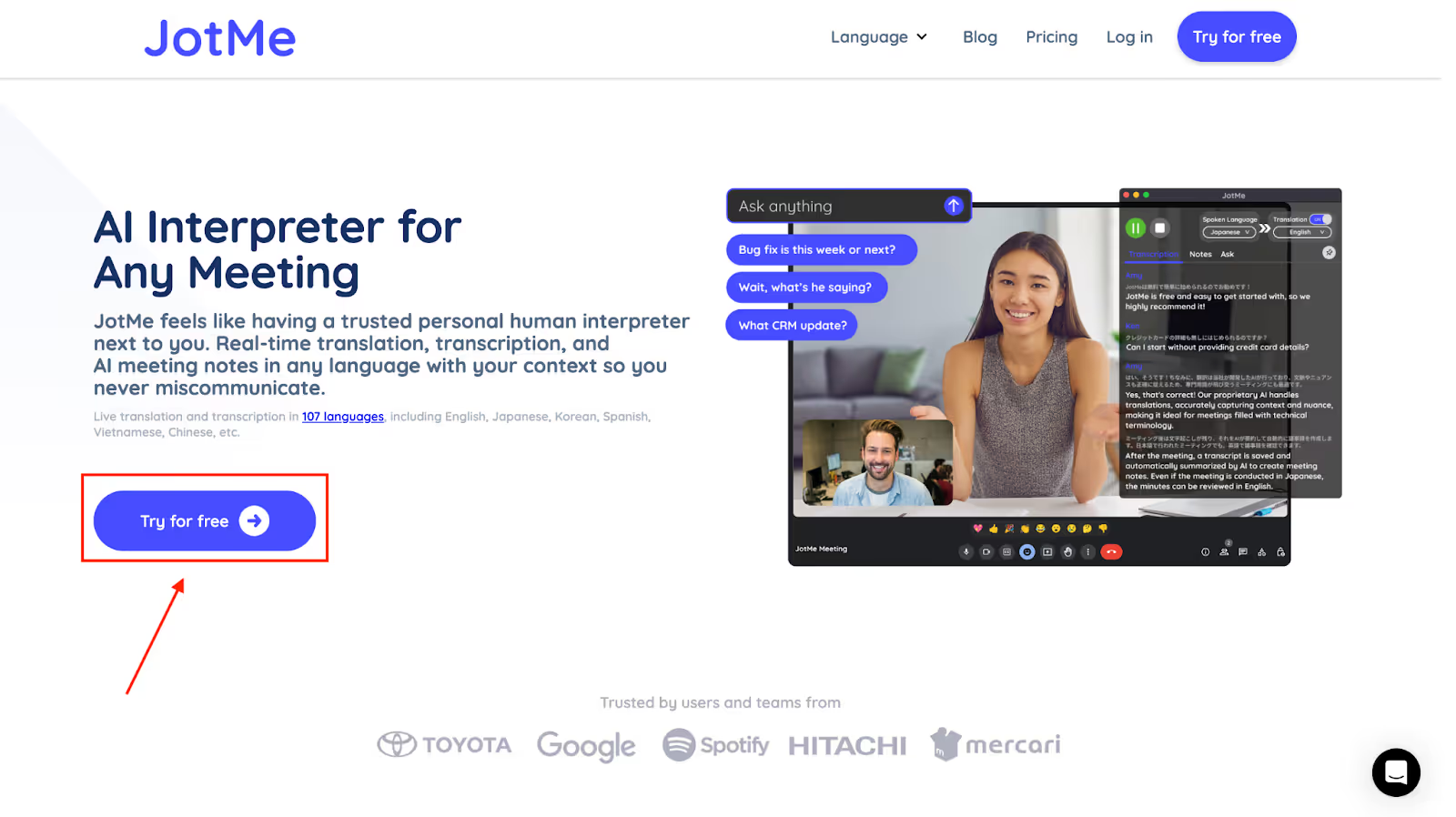
Visit the JotMe official website on your desktop and click on “Try for free” to download the JotMe app. Then, follow the prompts to install the app on your desktop (Mac or Windows).
Step 2: How to Start a Sermon and Launch JotMe?
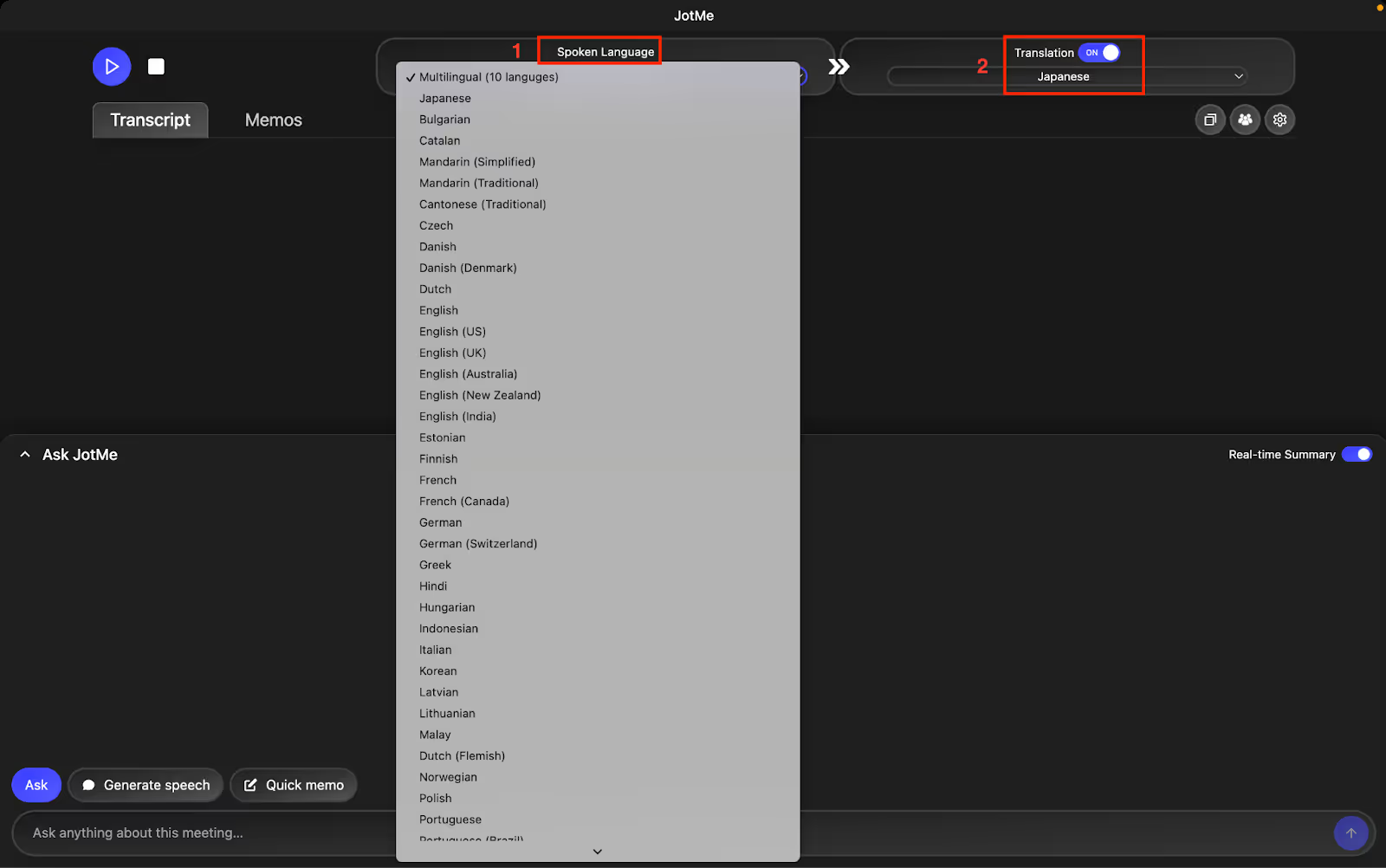
Plug your laptop into the projection device, launch JotMe, and keep it to the side when you start the sermon. Choose the spoken language as “English” and the translation language as “Spanish,” or your preferred language.
Step 3: How to Start Live Audio Translation?
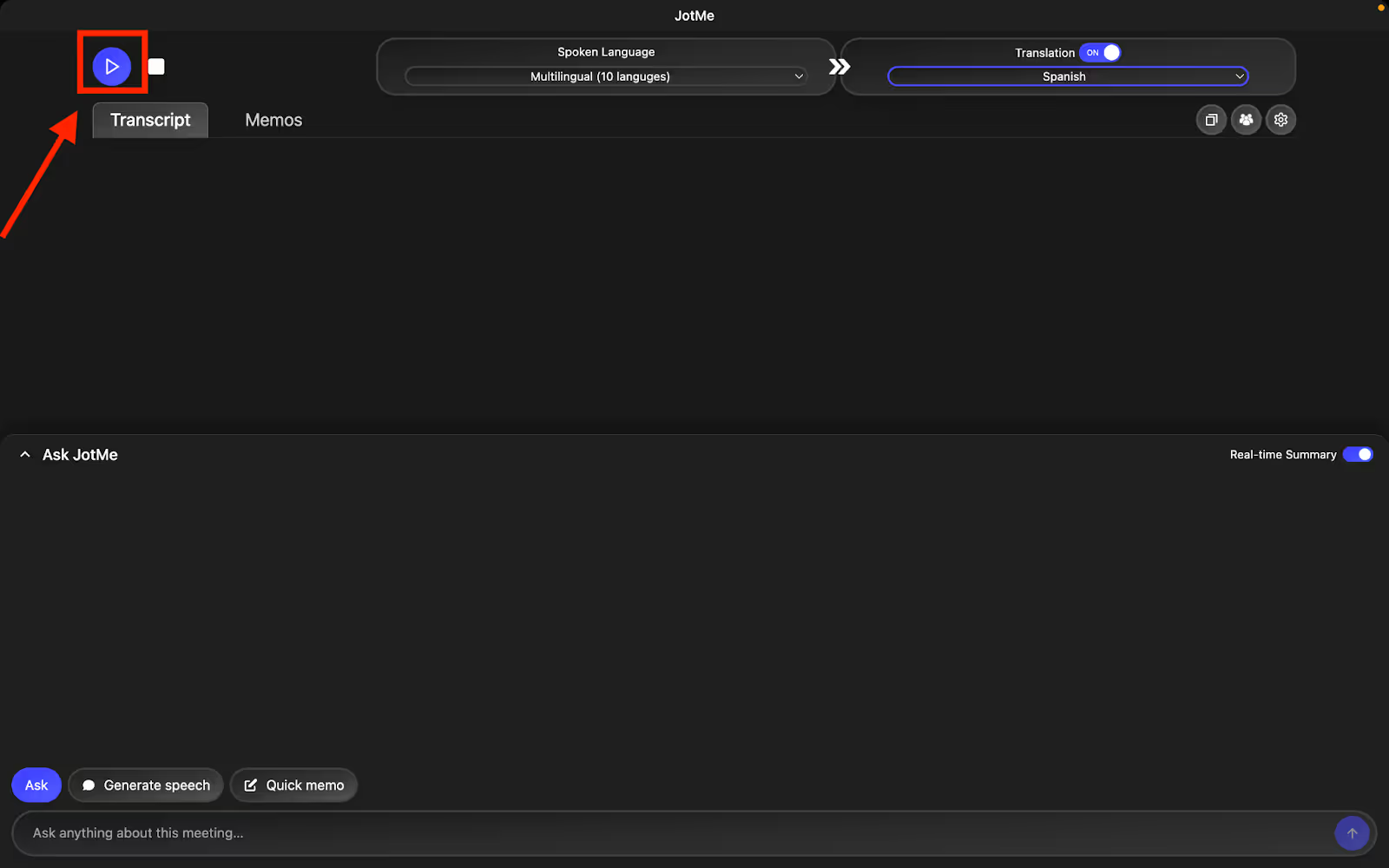
As you’re done setting the spoken and translation languages, click the “Play” button. You will see JotMe translating your sermons to Spanish almost immediately.
Conclusion
Live sermon translations from English to Spanish are straightforward with JotMe. Word-for-word translations or mistranslations of sermons can be unpleasant and disrupt your prayer, and hiring human interpreters or investing in translation devices for churches can be expensive. JotMe not only provides contextual and accurate translation at affordable rates but also offers multilingual support and features such as AI Chat, meeting note translations, real-time summary, and shareable meeting minutes for attendees. Install JotMe today and make your sermons accessible to all.
FAQs
How do I do a live English-to-Spanish translation where I am preaching a sermon in church?
To do a live English-to-Spanish translation, you can use platforms like JotMe on your desktop and display the translations to the attendees on a projector. Just open JotMe on the desktop, set the spoken and translation languages to English and Spanish, and narrate the sermon. JotMe will automatically translate the sermon without any lag.
What translation services are available for live church sermons?
JotMe is the AI translation service available for live church sermons. Aside from delivering accurate, contextual translation, it offers features such as AI insights, AI chat, meeting note translation, real-time summary, and translation minutes sharing.
Do churches use AI-powered captioning services?
Yes, many churches use AI-powered captioning services to make sermons accessible to a broader audience. Tools like JotMe provide real-time contextual translations that others can access via a shareable code.
Which AI can provide English-to-Spanish translations for church services for younger youth?
JotMe can provide English-to-Spanish translations for church services for younger youth. JotMe's translations are contextual and easy to understand. Younger youths can also refer to AI notes to capture information.
Last updated on
April 14, 2026
Follow us on social media: