Guides
Best Desktop Tools to Get Live AI Translations for Churches

Viraj Mahajan
November 8, 2025
Do many of your congregants speak a language other than the ones used in Sunday services? Churches today are more diverse, and to ensure everyone participates in services, live AI translation is a must-have.
JotMe can be an efficient and reliable personal interpreter, offering contextual translations in 107 languages (45 in the desktop app and 77 in the Chrome extension). JotMe also offers features like AI chat, AI insights, AI summaries, and lets you share translation minutes with your attendees.
Most churches we visit for the Sunday service have two interpreters in the booth to translate what the priest or pastor says. This isn’t a practical solution for most, considering the budget, setup, and the implementation challenges involved. Also, many churches host virtual events and online weekly services.
Considering all these, opt for online real-time AI translators for the job, but these options stood out:
- JotMe functions as your personal assistant, with highly accurate contextual real-time translations and features like post-meeting summaries and AI insights, at $15/month.
- Wordly AI provides hour-based translation; many users on G2 report that “While it's generally good, it’s not always on par with a professional human interpreter in those cases.”
- Sunflower AI provides 7.5 hours/month with annual billing of $900. It is ideal for churches, but a user on Trustpilot says, “Some of the more colloquial or informal phrases are not yet translated perfectly.”
- LiveVoice provides unlimited real-time translations in 65+ languages, including Spanish, German, and Chinese, starting at $10/day.
- Sermonlive offers real-time text and audio translation for churches, starting at $43/month for text-only and $127/month for text + audio (paid yearly).
How Churches Use AI Translation to Make Services More Inclusive?
Churches use AI translation to make services more inclusive by providing real-time, accurate translations in multiple languages, ensuring that everyone, regardless of their native language, can fully participate in the worship experience. AI translation tools like JotMe enable churches to break down language barriers without the need for expensive equipment or human interpreters.
Accessibility: Language barriers during sermons can make it difficult for some congregation members to fully connect with the message. Well, this won’t happen if the churches adopt real-time AI translation services. Tools like JotMe understand nuances, tone, and emotional context to provide accurate live translations from English to Spanish and other languages. Also, unlike human interpreters, it isn’t limited to a few languages. This way, everyone can worship together as a community.
Flexibility: Another big plus of AI live translation software is its flexibility. Whether it’s the weekly services or community services, tools like JotMe adapt seamlessly. JotMe starts translating as soon as the pastor recites the sermon. This way, non-native churchgoers could follow along with the sermon easily.
Cost: We understand hiring human interpreters and equipment isn’t a practical option for most churches, especially the ones with tight budgets. AI live translation tools like JotMe can be a smart choice for such situations. At just $15/month, you get accurate translations, along with features like AI chat, AI insights, real-time summaries, and shareable translation minutes.
Quick Comparison of AI Live Translation for Churches
When selecting the best AI live translation for churches, your focus must be on accuracy, pricing, and supported languages. Here’s a quick comparison of the tools that we tested:
What are the Best AI Live Translations for Churches?
The best AI live translation apps for churches include JotMe, Wordly, Sunflower AI, LiveVoice, and Sermonlive. We tested these interpreters during sermons in various churches across different languages to determine which tool works best.
JotMe
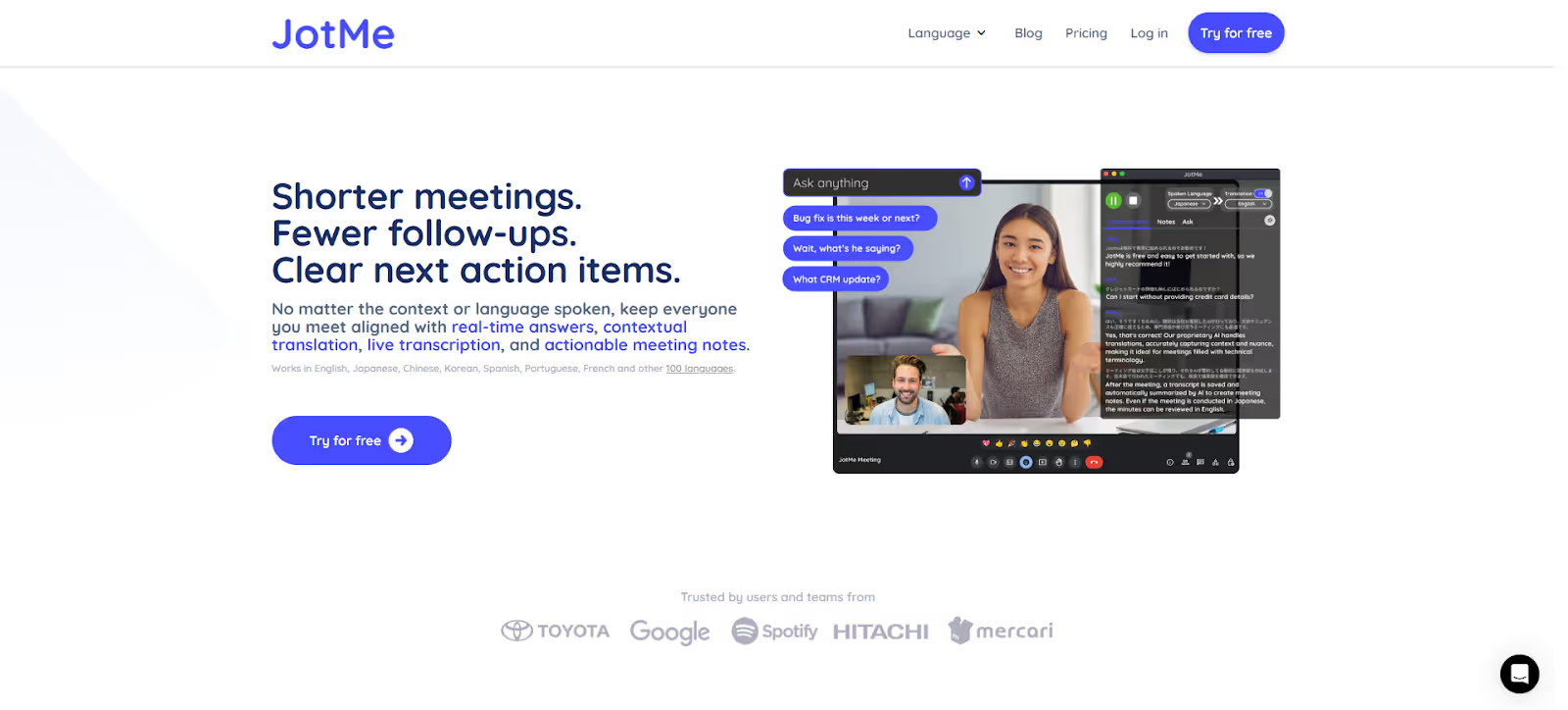
Language barriers are common in multilingual congregations, especially when sermons are delivered in English to diverse audiences. JotMe proved to be an invaluable English-to-Spanish translator, accurately providing the multilingual translation of the sermon while preserving its nuances and cultural references. That’s especially crucial in sermons, where a single mistranslation can cause confusion among followers.
What makes JotMe a suitable AI interpreter for churches is that you don’t need to integrate it with a third-party platform like Zoom or Microsoft Teams. Just launch it, start talking, and the translated text appears on the screen instantly. This way, your congregation can focus on worship while involving every attendee. Its other features, like AI insights, AI real-time summaries, and multilingual translations, can also be helpful in creating a more inclusive and connected worship experience.
JotMe is currently exclusive to desktop, and its mobile app is launching soon. If you want to use the live translator on the go, sign up, and you will be added to the waitlist.
Key Features of JotMe
The key features of JotMe include real-time contextual translation, AI insights, post-meeting notes, and more. Take a look at the features in detail to understand how this helps you:
Real Time Contextual Translation
Sermons are rich in idioms, metaphors, emotion, and theology; things that don’t cleanly translate in literal translations. JotMe, meanwhile, listened to the entire conversation, analyzed its tone, context, and specific terminology. The result was natural-sounding translations that captured the sermon's true essence and culturally relevant aspects.
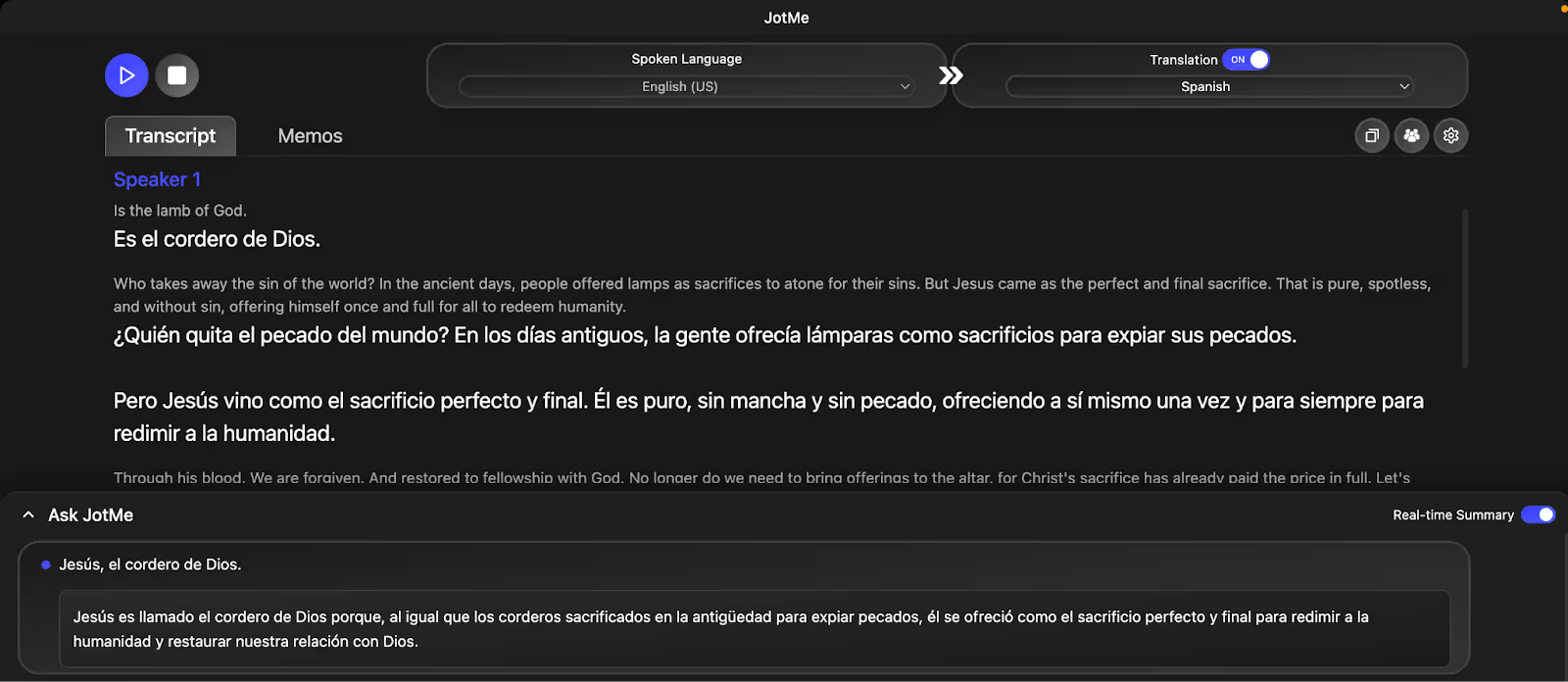
Actual statement in English:
“Jesus is the Lamb of God who takes away the sin of the world. In the ancient days, people offered lambs as sacrifices to atone for their sins.”
Here’s a word-for-word translation in Spanish:
“Jesús es el cordero de Dios que toma lejos el pecado del mundo. En los días antiguos, la gente ofreció ovejas como sacrificios para pagar sus pecados.”
The literal translation didn’t hit the right spots.
- “ovejas” means sheep in general and not sacrificial lambs, which changes the symbolic meaning.
- “para pagar sus pecados” is technically correct, but changes the theological nuance of atonement.
Here’s how JotMe did the translation:
“Jesús es llamado el cordero de Dios porque, al igual que los corderos sacrificados en la antigüedad para expiar pecados, él se ofreció como el sacrificio perfecto y final para redimir a la humanidad y restaurar nuestra relación con Dios.”
AI Chat
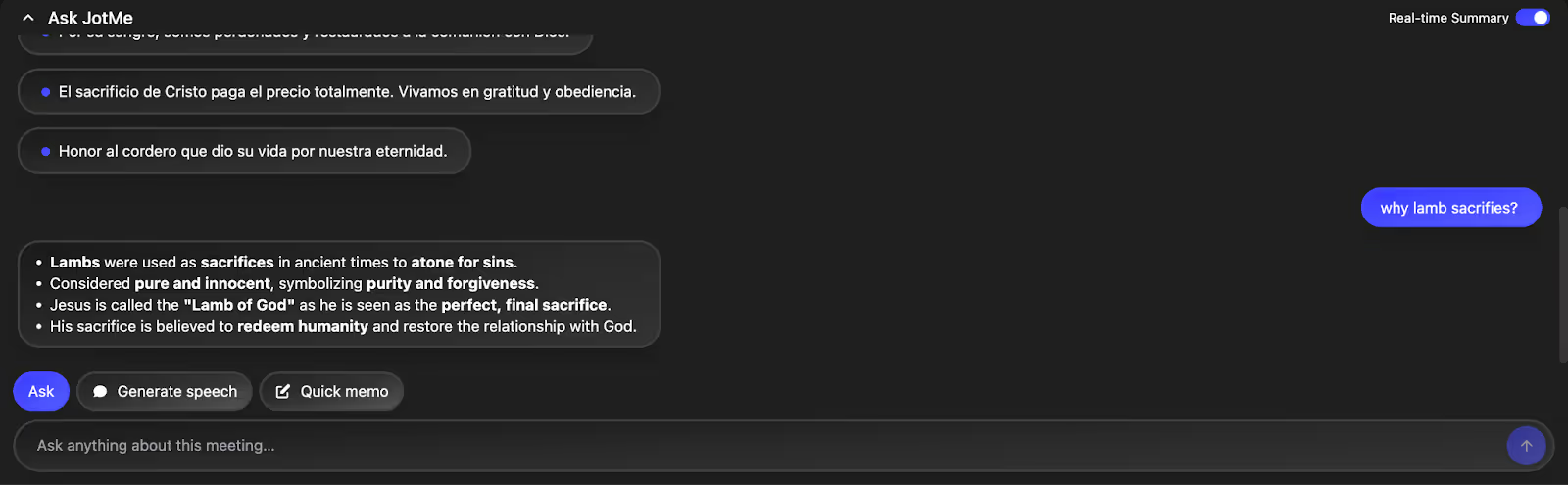
With JotMe's AI Chat feature, church attendees can instantly ask questions about any part of the sermon they may not have understood or need more clarification on, without needing to leave the service or search on Google. Whether it's a reference to scripture, a point in the message that was unclear, or even a deeper theological question, the AI Chat responds in real time, providing accurate, context-rich answers. This feature ensures that attendees stay engaged throughout the service, allowing them to get a full understanding of the message in real-time.
AI Meeting Notes and Summary
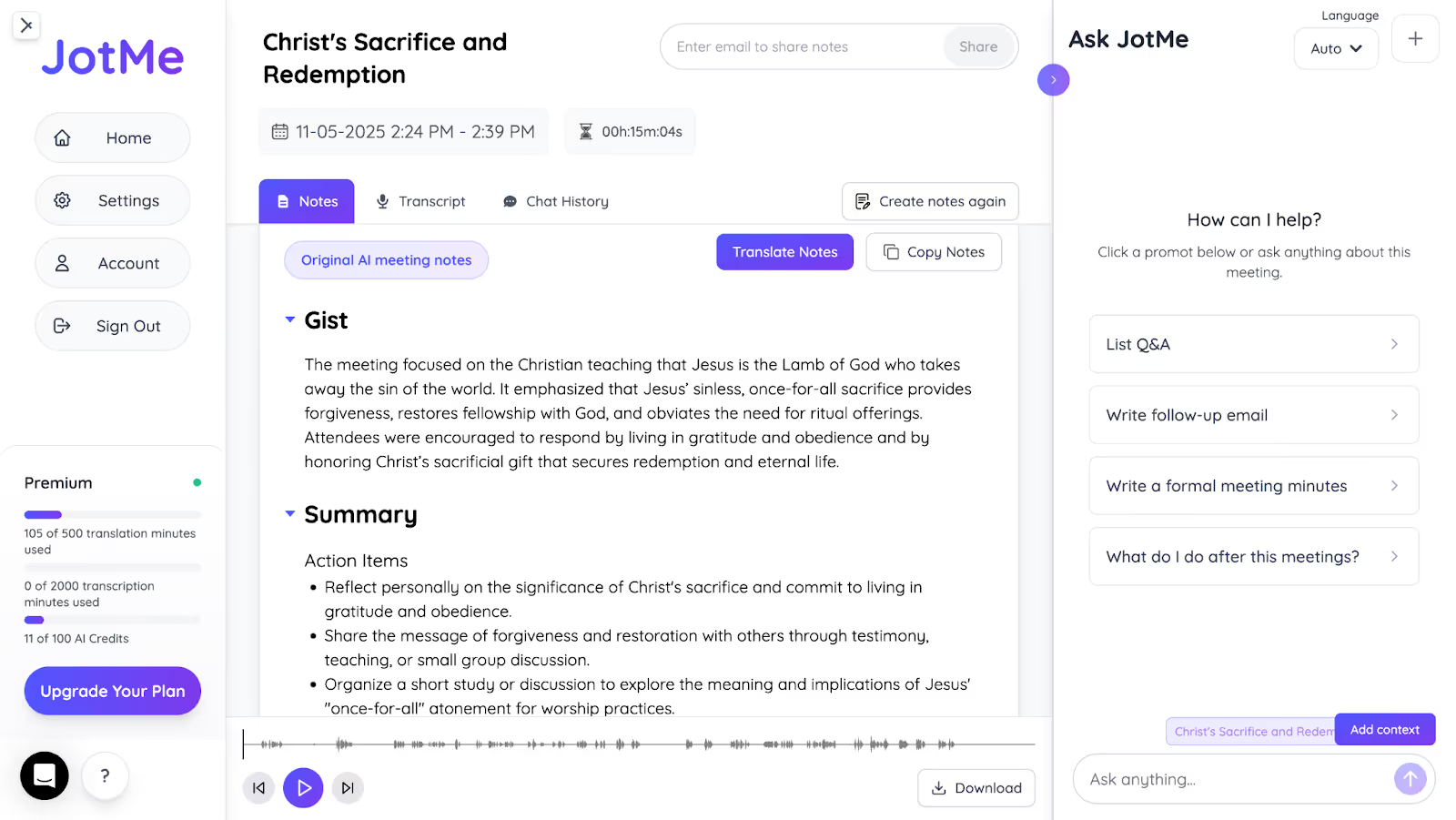
It’s not uncommon for some congregation members to lose track of key points during sermons, especially in longer or more complex messages.
JotMe automatically generates clear AI meeting notes and summaries that highlight the key points and action items from the sermon. This makes it easy for church members to review the message or catch up if they missed anything during the live service. The summaries are concise and easy to share, so attendees can quickly go through them and grasp the main takeaways.
Sharing Translation Minutes
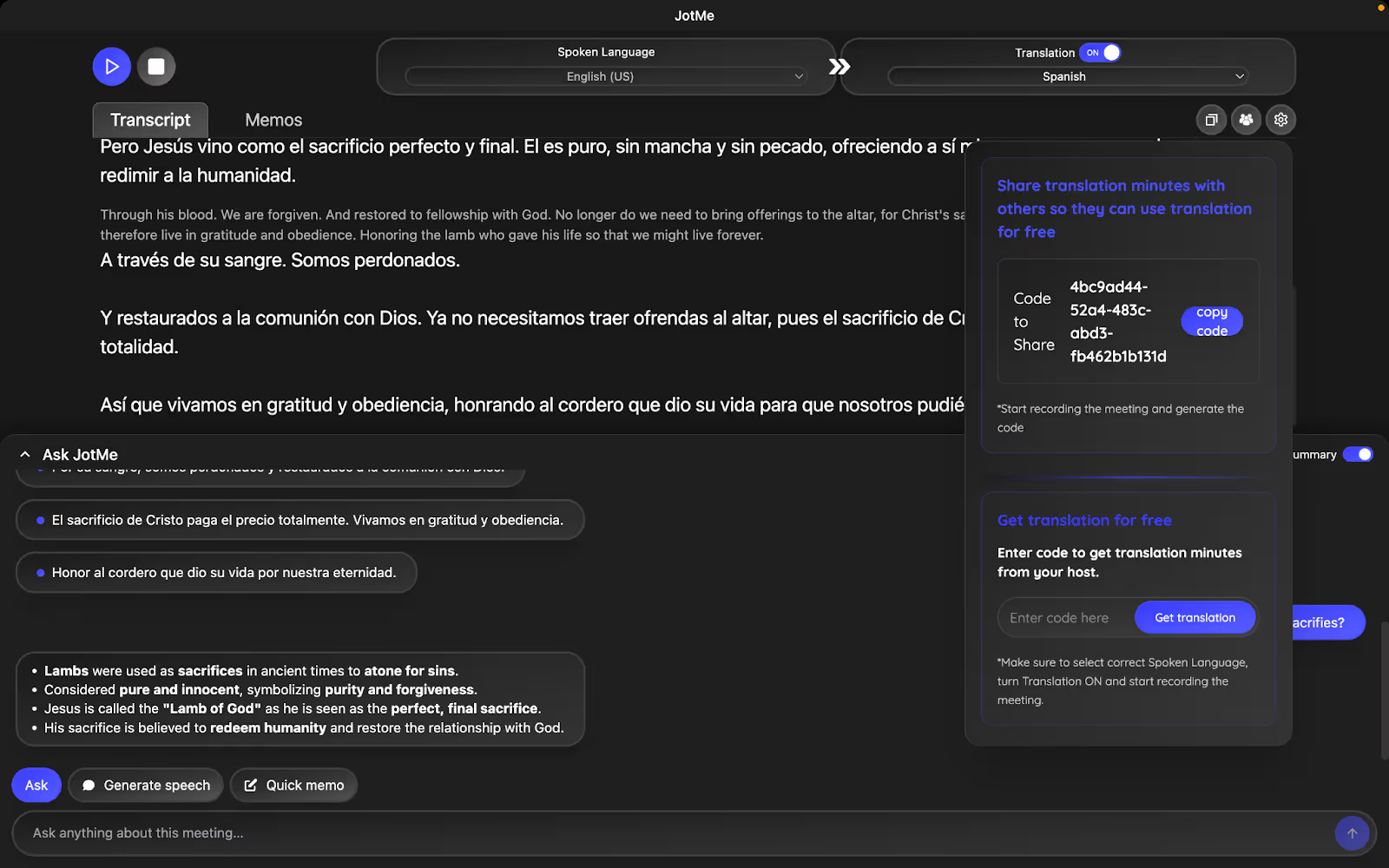
Many Sunday services these days are streamed online, and people around the world can attend. To make it more accessible, JotMe lets you create and share unique codes during live translation. This way, people can view the translations in real time and access them later, even without a paid subscription. They also find the AI notes, insights, and multilingual transcriptions after the sermon.
Meeting Notes Translation
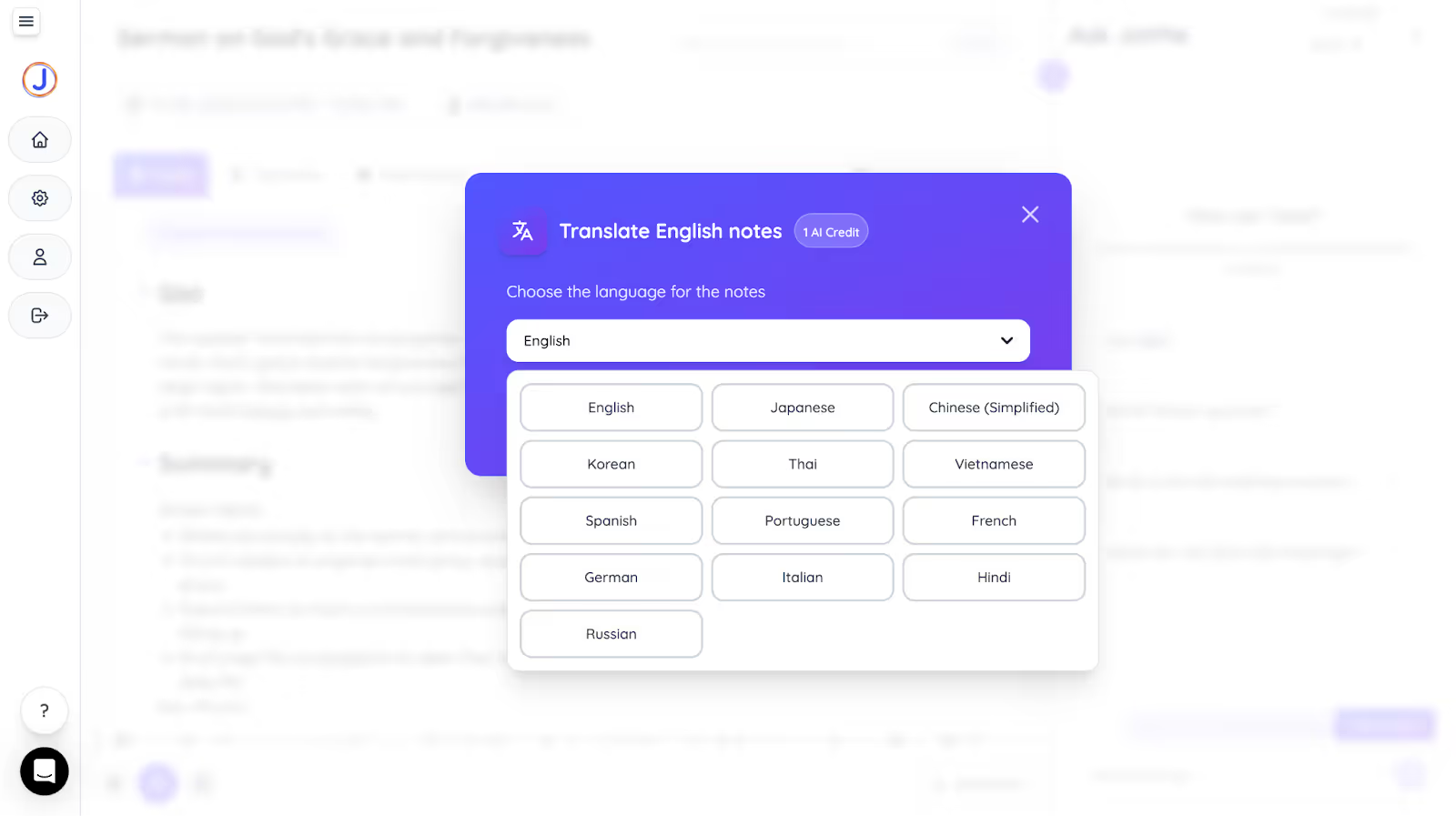
JotMe generates notes that are also a huge help. After each Sunday service, JotMe’s AI meeting notes translator translates the summary and action items into Spanish and 12 other languages, including Chinese, German, and Korean. This way, the non-native speakers can go through the sermons afterwards and understand the message well.
Pricing of JotMe
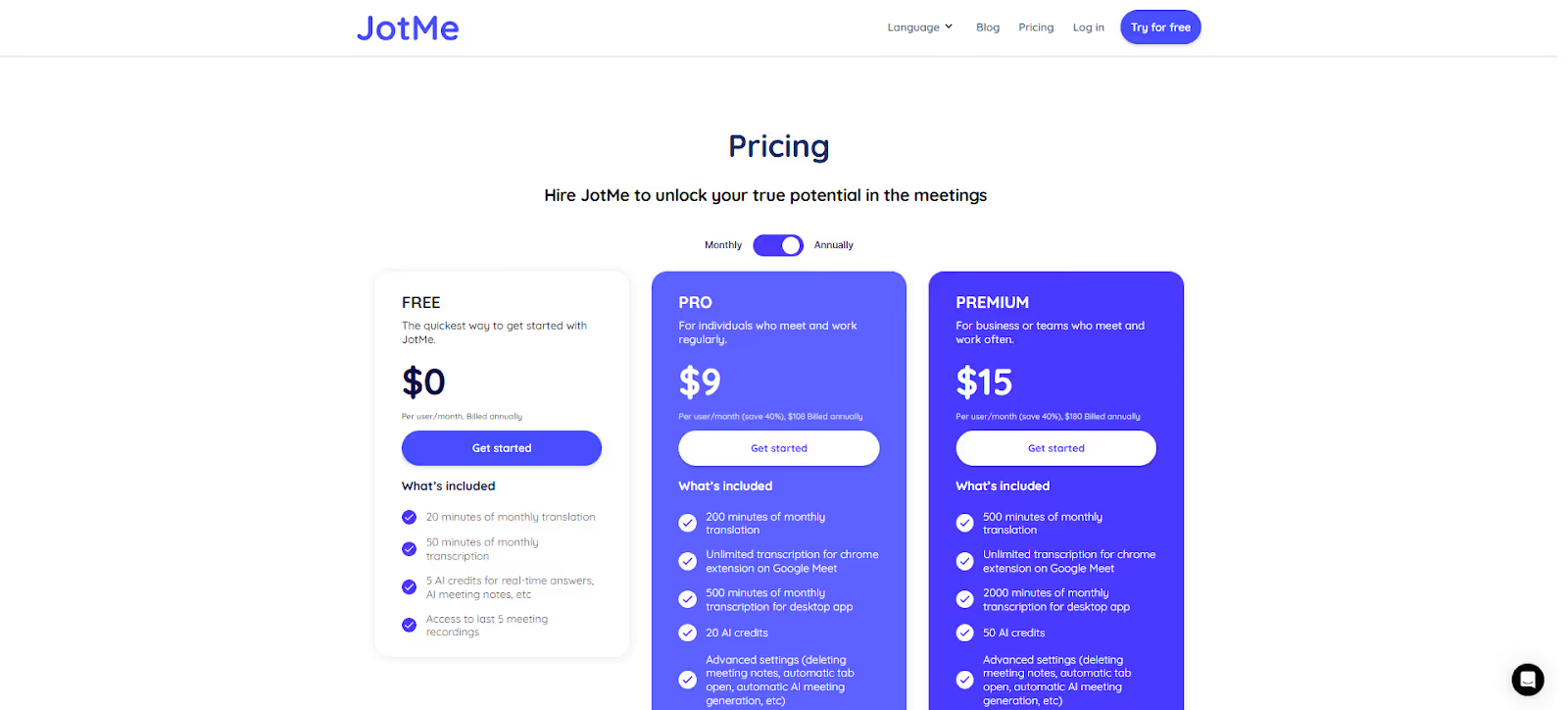
JotMe offers free and paid plans suited to your specific translation needs. You can try out the JotMe features for free and later get an upgrade with its premium plans:
- JotMe’s Free Plan includes 20 live translation and 50 transcription minutes, plus 5 AI credits. It’s suitable for young churchgoers who occasionally attend the Sunday services.
- JotMe’s Pro Plan starts at $9/month and offers 200 live translation and 500 transcription minutes. This plan works great for small churches or online sermons.
- JotMe’s Premium Plan starts at $15/month and offers 500 live translation and 2000 transcription minutes, with unlimited access to meeting recordings. It’s best for large churches that host hours of sermons, webinars, and large-scale virtual meetings.
Pros
- No bot integration for unobtrusive translations.
- Highly accurate contextual translations.
- Offers multilingual live translations in 45 languages on desktop and 77 languages on the Chrome extension.
Cons
- Jotme is currently available on desktop, with a mobile app coming soon.
Wordly
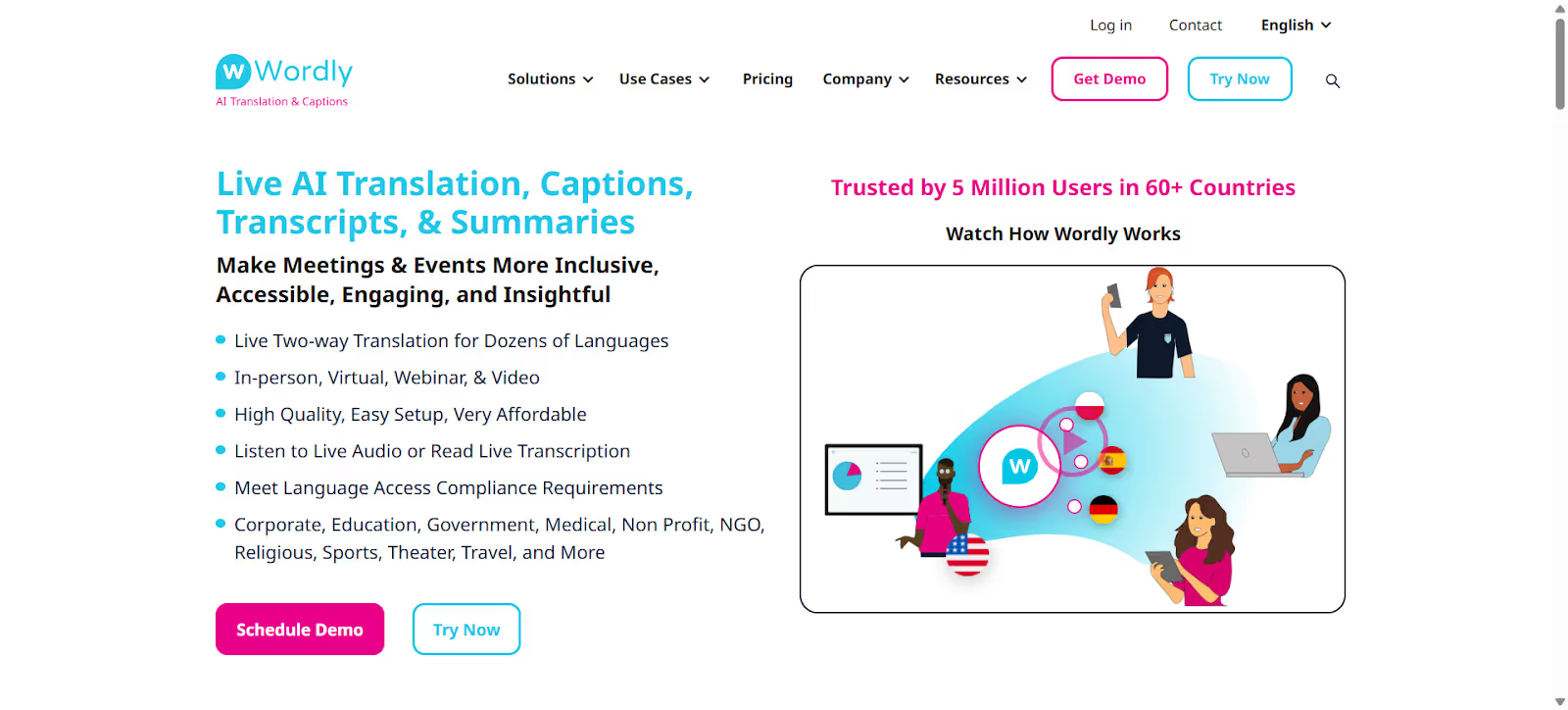
If you are a priest or pastor of a large church with around a thousand attendees at almost every Sunday service, Wordly AI can be a good choice. This live translation tool is known to handle diverse audiences well. It translates the idioms, metaphors, and cultural nuances in the sermons, leaving no room for misunderstandings. However, it sometimes struggles with accuracy.
Pricing of Wordly
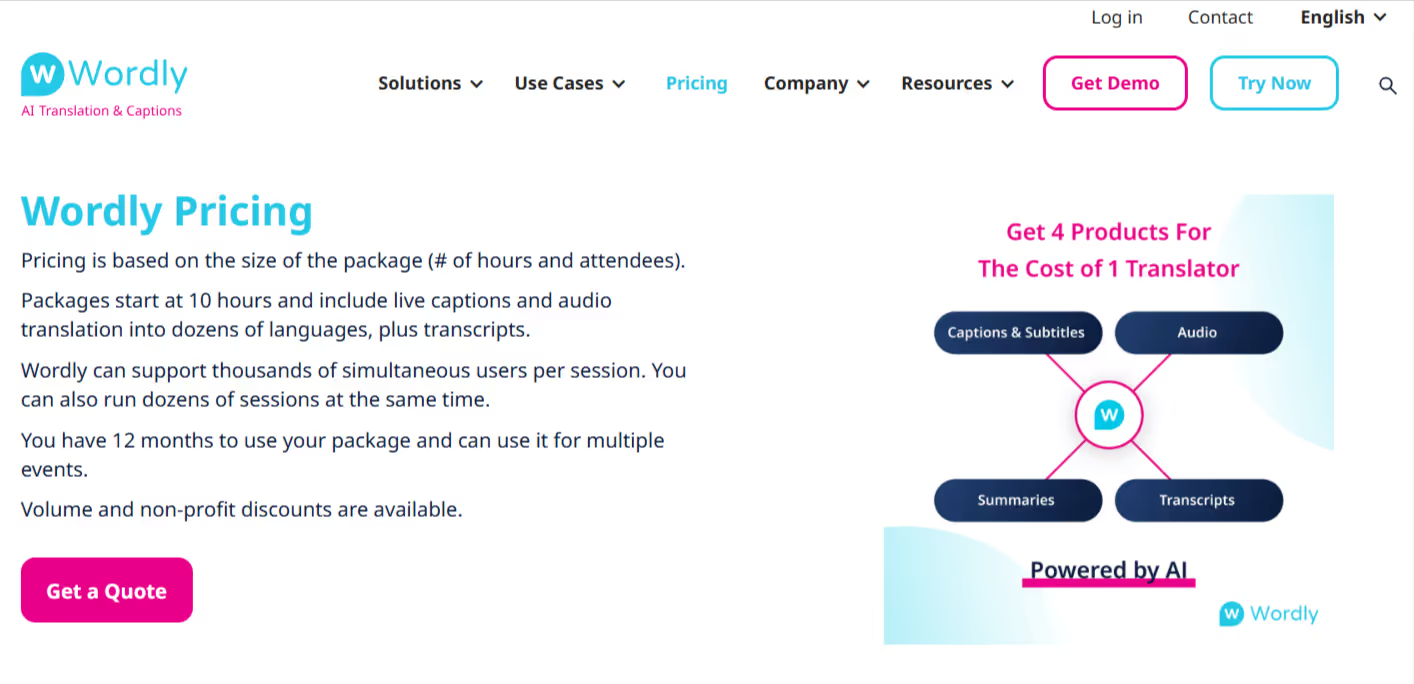
Wordly AI isn’t transparent about its pricing, and you must get in touch with the sales team to get a quotation.
Pros
- Easy to use and doesn’t involve a complex setup.
- Handles several users per session.
Cons
- Wordly AI isn’t transparent about its pricing policy.
- Limited customization to prepare a glossary.
- Some G2 users would like to see improved accuracy for complex or technical language.
Sunflower AI
When we were looking for a live AI translator for churches, easy setup, shareable, and accurate translations were the top-priority features. Sunflower AI ticked most of the boxes. It doesn’t require any software installation, and the captions are precise with minimal latency. We also liked its Audience view feature, which lets you access captions and translations via a browser link or a QR code on their devices. You can download the captions for later review as well.
However, it sometimes struggles with strong accents and fast narrations. Also, unlike JotMe, it only shares translations and lacks features such as multilingual summaries and AI insights.
Pricing of Sunflower AI
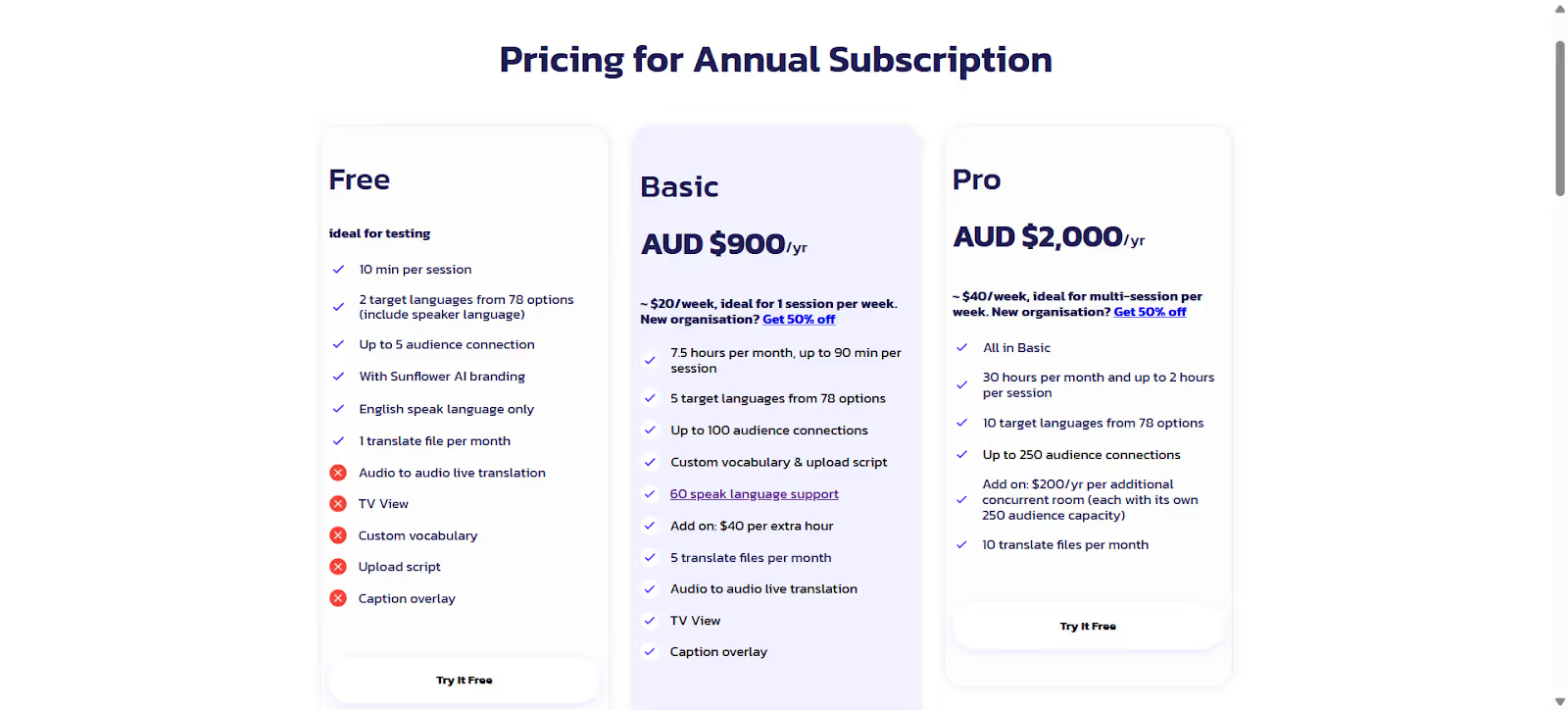
Alt text: sunflower ai pricing
- The free plan lets you connect with five audiences in a 10-minute session.
- Basic plan at AUD $900/year (around $593/year) for up to 50 audience connections.
- Pro plan at AUD $2,000/year (around $ 1,318/year) for up to 250 audience connections.
Pros
- Provides accurate, contextually relevant translations in 78+ languages.
- Easy to use and simple setup.
Cons
- According to a Trustpilot user, it struggles to accurately translate some colloquial and informal phrases.
- Its plans can be expensive for individuals and even small churches.
- The sharing translation minutes feature is rather limited.
LiveVoice
If you have a hybrid sermon setup at your church and want to make the translation available to elderly people or parents with small children at home, LiveVoice can be a good pick. It works differently from traditional apps like JotMe, and the setup can get tricky. You need to create an event, a channel, and invite the speakers and the audience. Setting it up won’t be an issue if you get used to it, and audiences can access the translations for free. However, for testing live translation, you need to take a subscription.
Pricing of LiveVoice
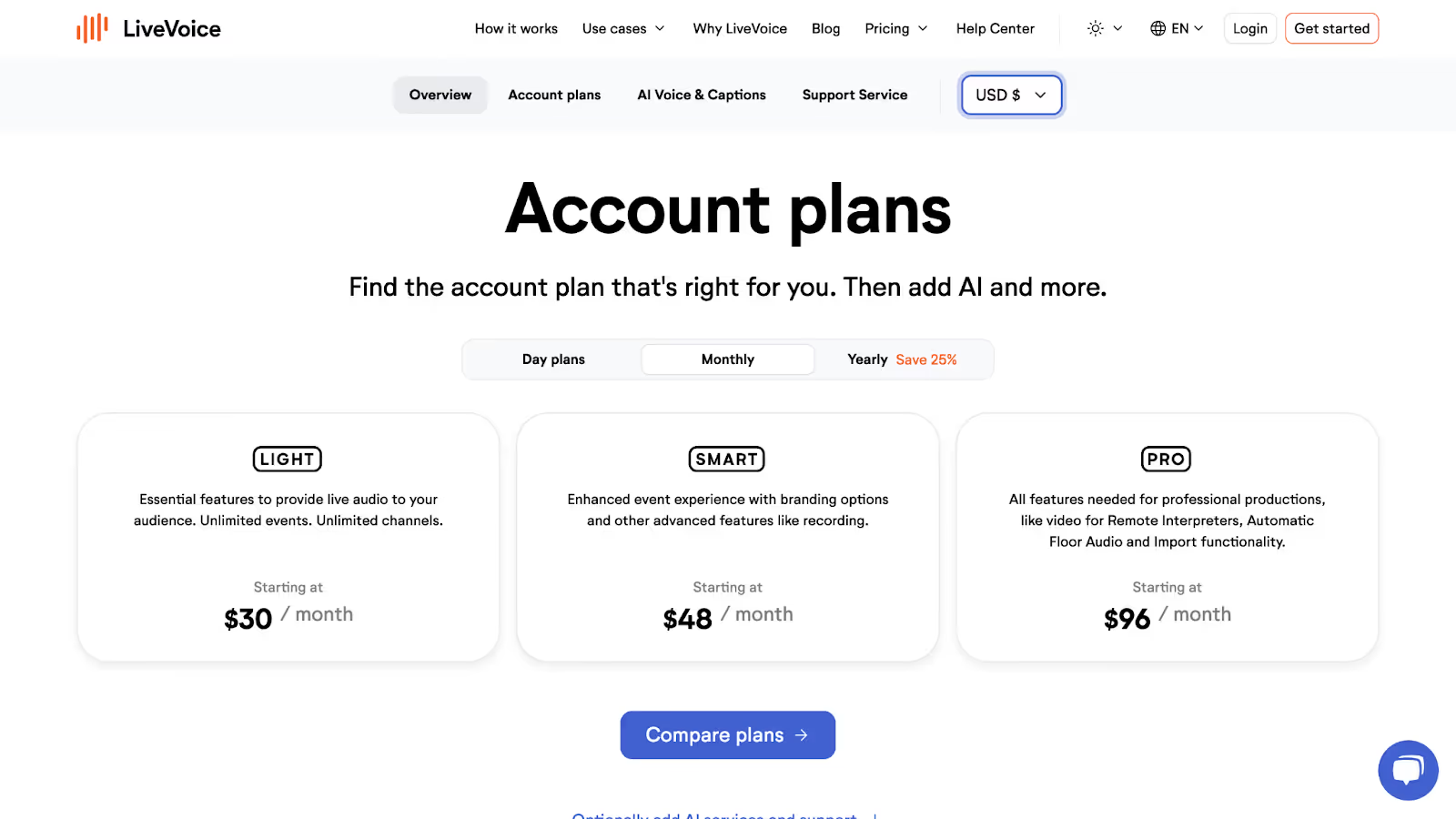
Alt text: livevoice pricing
- Light plan, starting at $30/month, provides essential features such as unlimited events and channels.
- Smart plans starting at $48/month offer additional advanced features, such as recording.
- Pro plan, starting at $96/month, offers all the features needed for professional productions, including remote interpreters, import functionality, and more.
Pros
- Audiences can access the translations for free.
- Lets you create unlimited channels in its basic plan.
Cons
- The setup is a bit complicated.
- Most AI features are accessible in its Pro plan.
- A Trustpilot user found the plans a bit expensive.
Sermonlive
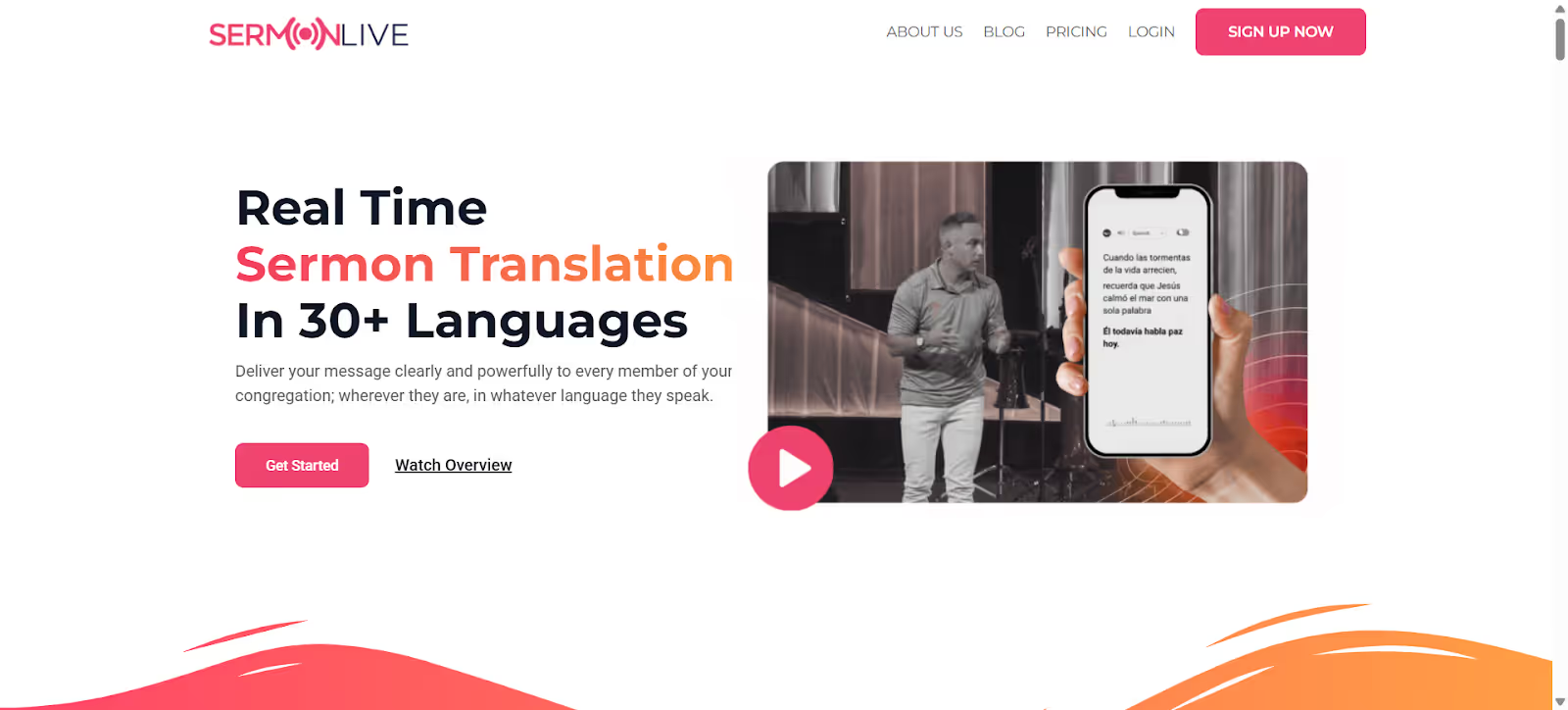
When we needed to improve the sermons for hearing-impaired and non-native churchgoers in our local church, it was crucial to maintain the context and nuances to avoid misunderstandings. Sermonlive did a pretty decent job, and its sharing translation feature makes it suitable even for large churches, online congregations, and Sunday services.
However, we didn’t like having to book a time slot to access the platform’s free trial. Unfortunately for us, the queue was long and we had to wait for almost three days to try it.
Pricing of Sermonlive
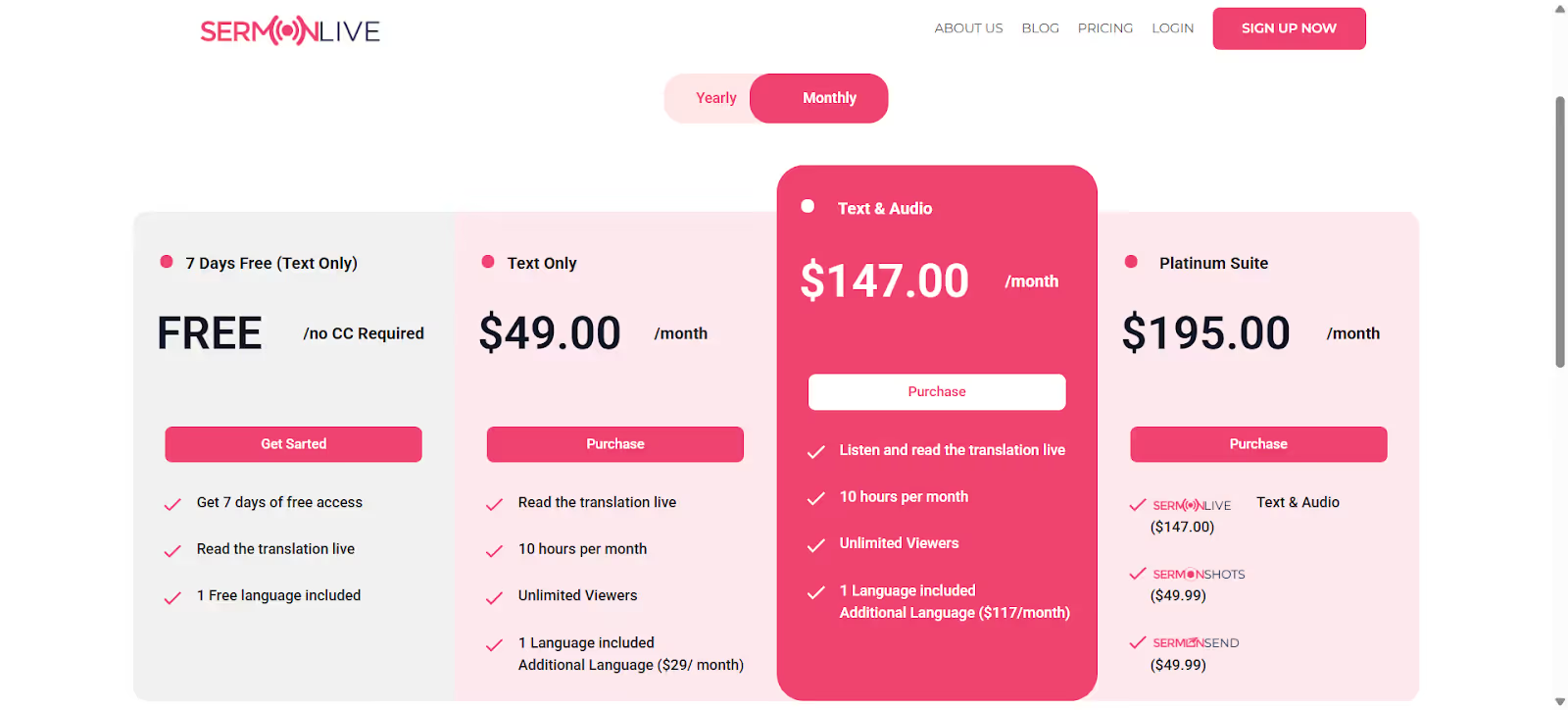
Alt text: sermonlive pricing
- Text Only plan starts at $49/month and includes live translation and 10 hours per month.
- Text & Audio plan starts at $147/month and lets you listen to and read the translation live.
- Platinum Suite starts at $195/month and includes all its features.
Pros
- Translations were accurate and contextual.
- Ability to share the QR code so participants can access the translations.
Cons
- Premium plans can be expensive.
- You must book a slot to access its free trial.
- Only supports 30 languages.
How to Translate Live With JotMe During a Sunday Service?
You can use JotMe to translate from English to Spanish and 45 languages by installing the desktop app and running it on your display. You don’t need to integrate it with third-party apps. As you speak, JotMe translates into your preferred language so that multilingual audiences can understand every detail of your sermon and feel included.
Step 1: How to Install JotMe?
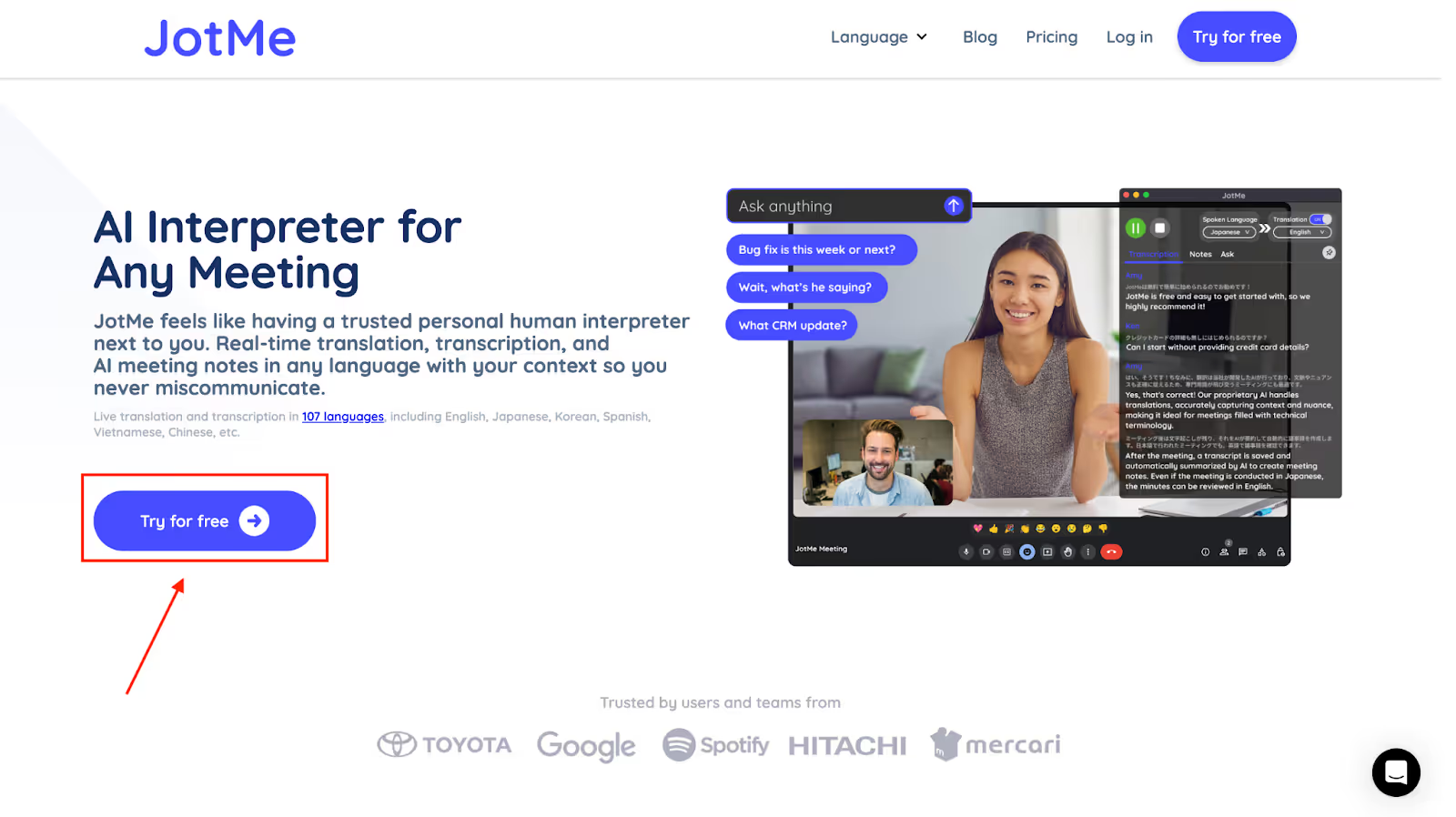
Head over to JotMe’s official website and click on “Try for free” to download the desktop app on Windows or macOS. Then, follow the on-screen prompts to install the app on your device.
Step 2: How to Start a Voice Conversation with JotMe?
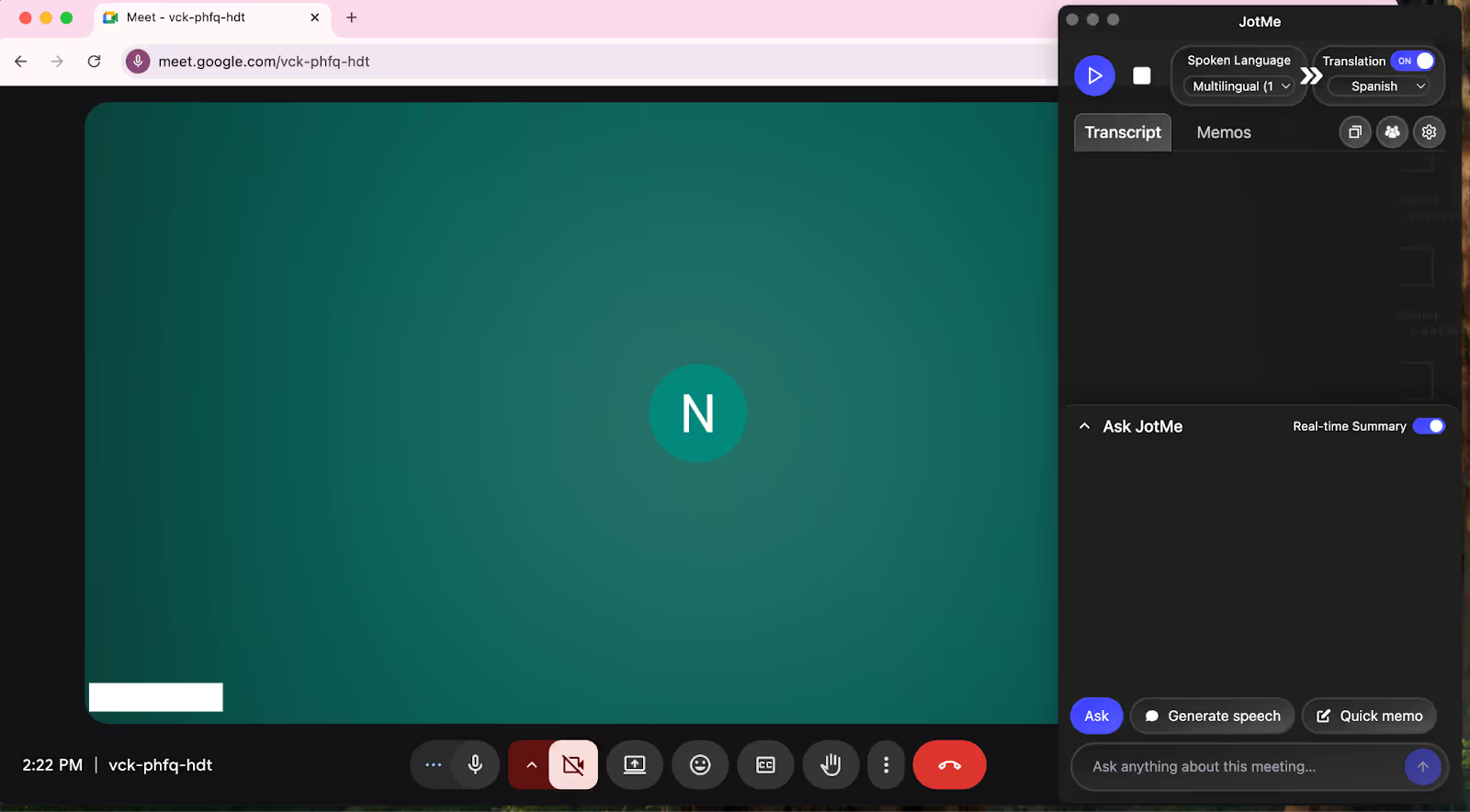
Pair your laptop with the projector to display translations during the Sunday service. Launch JotMe, log in with your Google account or email credentials, and keep it open on the side.
Step 3: How to Translate with JotMe?
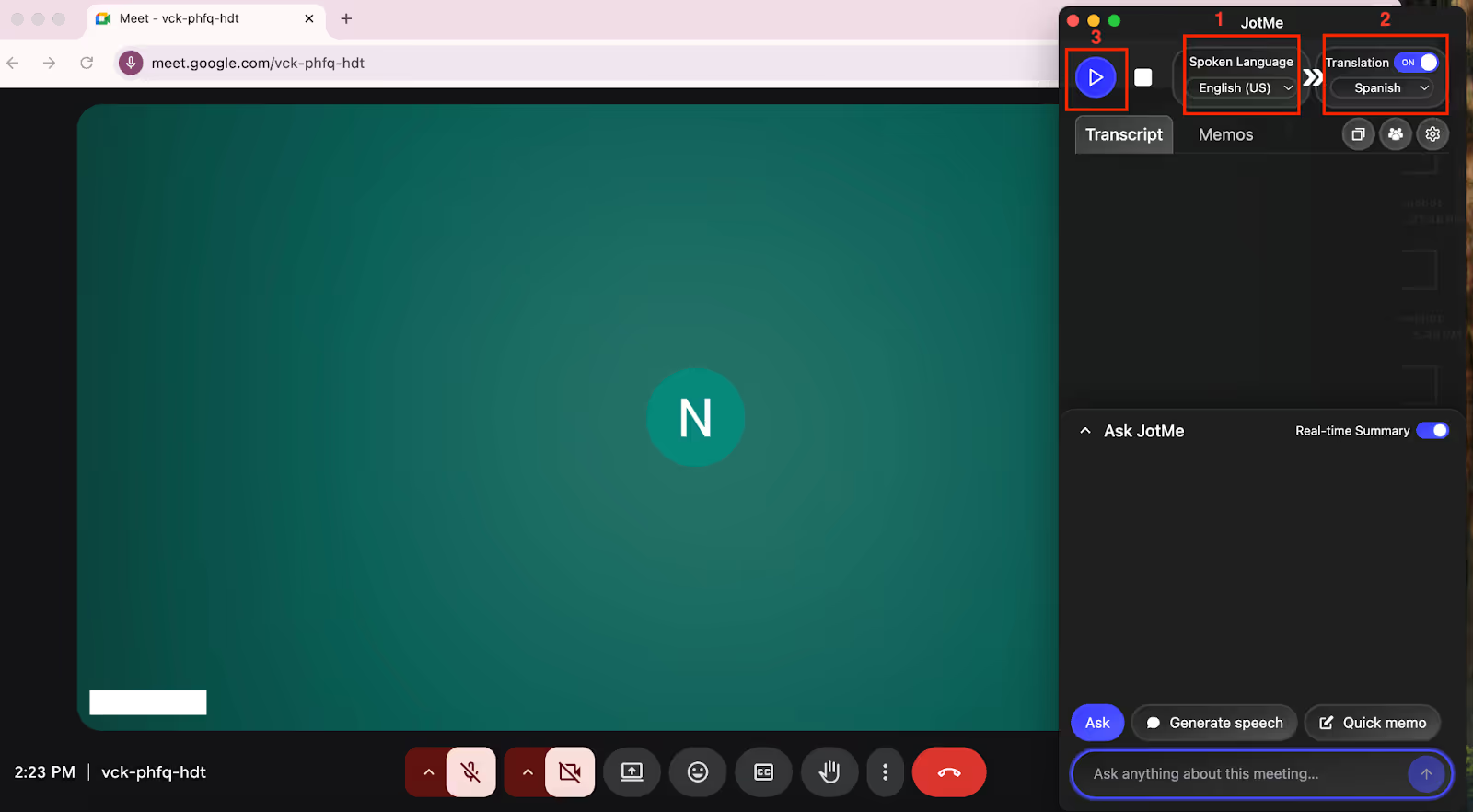
In the JotMe app, toggle the “Translation” feature. Set “Spoken Language” to English and “Translation Language” to Spanish or your preferred language. Then, click the “Play” button and start narrating your sermon. The app will automatically translate spoken language into context-based Spanish text, helping your Spanish-speaking churchgoers follow along effortlessly.
Which Live AI Translation for Churches is Best for You?
Selecting the live AI translation for churches depends on multiple factors, such as the type of events you host (online, in-person, or hybrid), how often you use it, and your budget. Understanding each tool's strengths and use cases helps you make the right decision.
- JotMe stands out for its flexibility across all types of Sunday services and for any number of attendees. It’s simple to use, provides contextual translations, and doesn’t require integration with third-party software. Besides, its shareable translation minutes feature makes translations accessible to your audiences for free.
- For large events, Wordly AI with support for thousands of users can be suitable for non-native churchgoers to follow along with the sermons.
- Sunflower AI and Sermonlive are primarily suited for in-person events, while LiveVoice works for hybrid events. Their shareable translation minutes feature lets participants access translations on their devices.
JotMe clearly stands out amongst all as the best live AI translation for churches. From in-person to online and hybrid Sunday services, it adapts well to a variety of event types. Try JotMe at your next event and see how it makes it more accessible and inclusive for churchgoers.
FAQs
Is there a live translation app for churches?
Yes, there are multiple live translation apps for churches, but most aren’t accurate or suffer from high latency. If you want a comprehensive live translation tool, then JotMe can be a good option. It provides contextual translation with additional features such as AI insights, post-meeting translation notes, and shareable translation minutes.
What software do churches use to livestream?
Churches use a variety of streaming software, such as OBS Studio, vMix, and Wirecast, but none of them offer built-in translation services. You can try out comprehensive AI live translation tools like JotMe, which offer accurate, contextual translation and support for multiple languages.
Do churches use AI-captioning services?
Yes, many churches use AI-captioning services to make their sermons and livestreams accessible to a wider audience, including those with hearing difficulties and non-native speakers. However, JotMe is one of the most accurate and reliable live AI translation apps.
What live translation apps are available for live church sermons?
Many live translation apps are available for church sermons, but JotMe stands out with multilingual support, platform compatibility, and context-aware translations.
Last updated on
April 14, 2026
Follow us on social media: