Tips
How to Translate Webex Meetings in Real Time & Cut Costs By 60%

Lovely Mangla
February 20, 2026

Brief Answer: You can translate Webex meetings in real time with AI live translation apps like JotMe. Simply select the “Spoken Language” and “Translation” language in the JotMe desktop app, and watch as it provides real-time , bot-less translation of your Webex meetings without any delay.
You’re nodding along in a Webex meeting with your Russian teammate, but you’re not actually understanding the conversation because real-time translation doesn’t exist for your language pair.
Webex offers a built-in live translation feature for real-time translation of your meetings in over 100 languages. However, Webex’s live translation feature allows you to translate from only 15 spoken languages and requires the Real-Time Translation license that costs $300/year.
That’s where a third-party AI live translation app like JotMe comes in. JotMe’s desktop app allows you to translate Webex meetings in real time from over 45 spoken languages and its pricing plans start at just $10/month ($120 billed annually), saving 60% ($180) of your cost against Webex’s Real-Time Translation license. JotMe also provides real-time summaries, speech generation from text, AI meeting notes, and more.
Follow the steps below to translate Webex meetings in real time:
- Install JotMe: First, install the JotMe desktop app on your device (Windows or Mac).
- Start a Webex Meeting/Webinar: Start or join a Webex meeting or webinar on your desktop and open JotMe.
- Set Languages in JotMe: Toggle on the “Translation” button in JotMe. Then, set the “Spoken Language” to the language spoken in the meeting and “Translation” language to your preferred translation output.
- Begin Live Translation: Lastly, hit the “Play” button to start the live translation of your Webex meeting.
Step 1: How to Install the JotMe Desktop App?
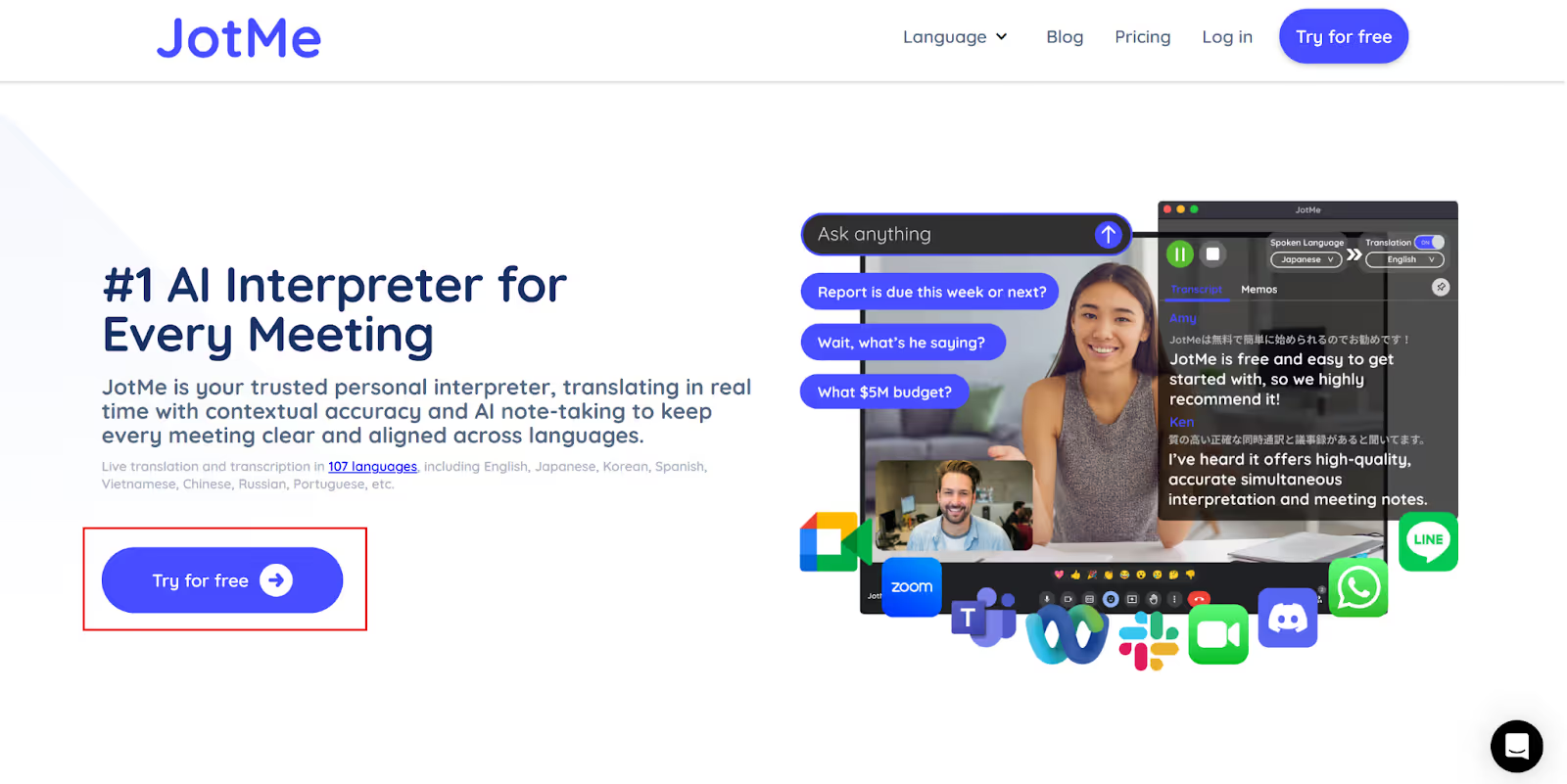
To install the JotMe desktop app on your device, visit its official website and click on the “Try for free” button to download the setup. Next, install the JotMe app by running the setup.
Step 2: How to Launch JotMe in a Webex Meeting/Webinar?
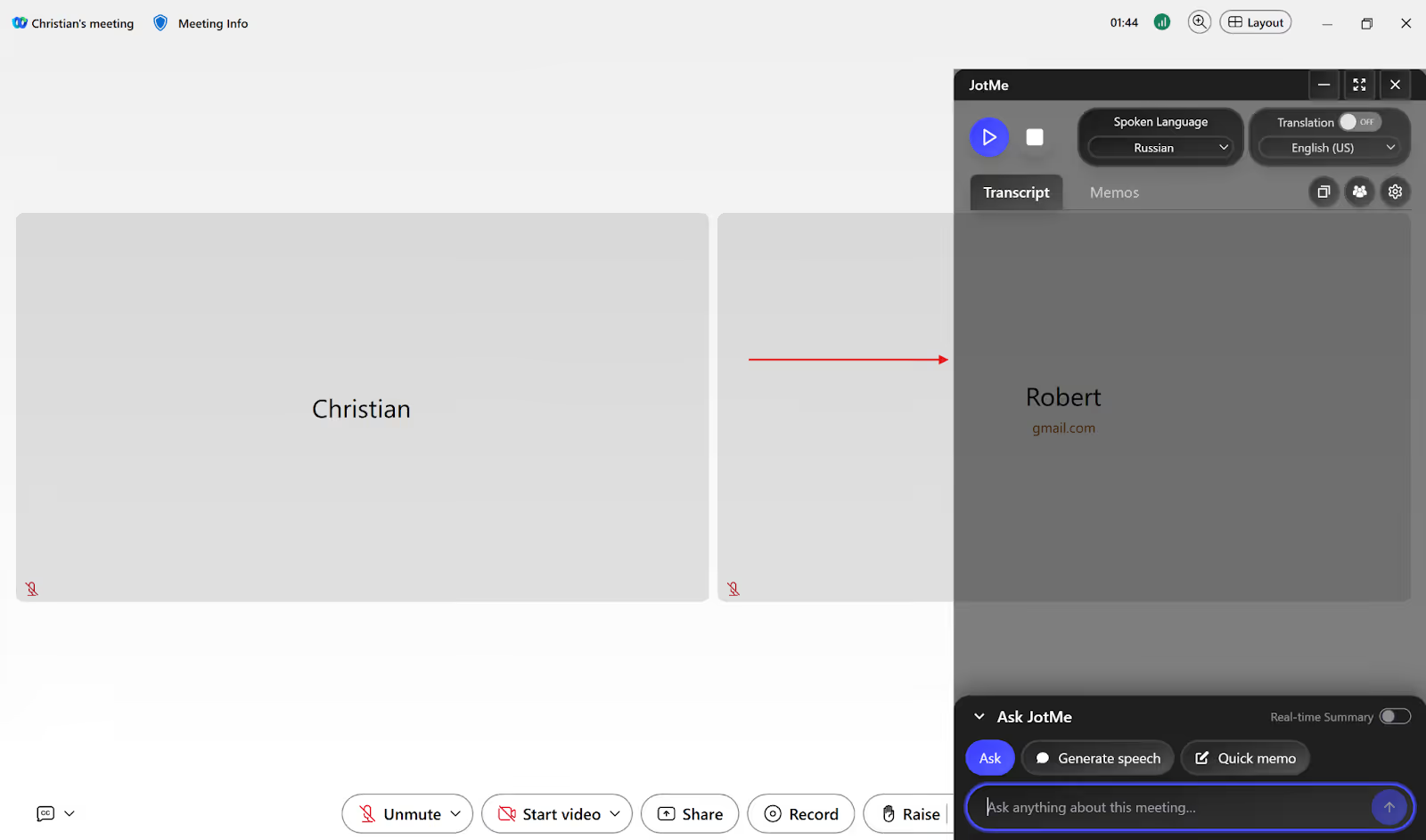
Next, start or join a Webex meeting or webinar through its desktop app and open JotMe. JotMe will run alongside your Webex meeting and capture audio without joining your call.
Step 3: How to Select the Spoken and Translation Languages in JotMe?
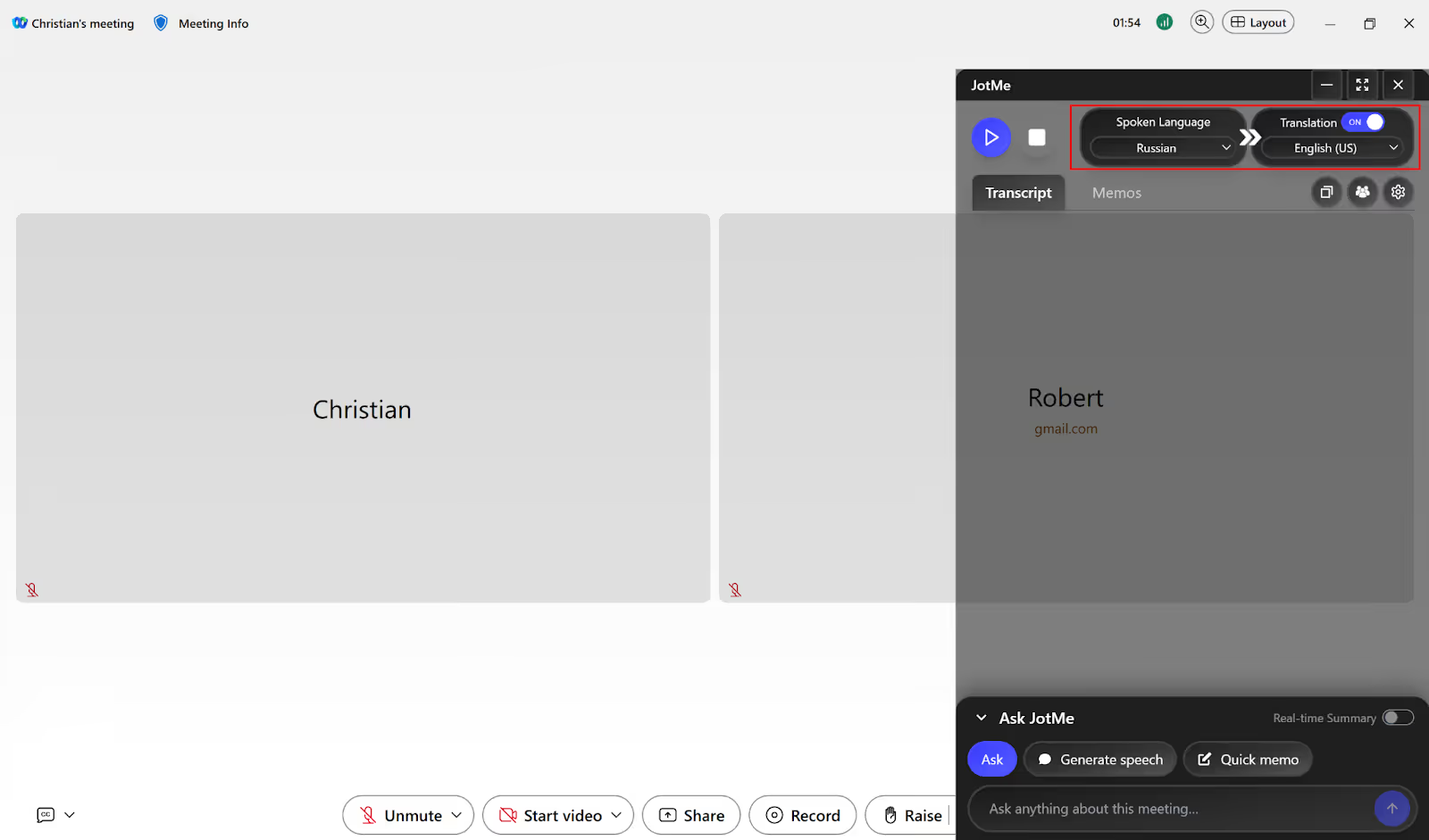
Once you’ve launched JotMe, turn on the “Translation” button on its top-right. Under the “Spoken Language” option, select the speaker’s language in your Webex meeting from the dropdown list. Similarly, select the “Translation” language into which you want to translate the speaker’s language.
Step 4: How to Start Real-Time Translation in JotMe?
Now that you’ve selected the languages, hit the “Play” button (▶) on the top-left of the JotMe app to initiate the real-time translation of your Webex meeting.
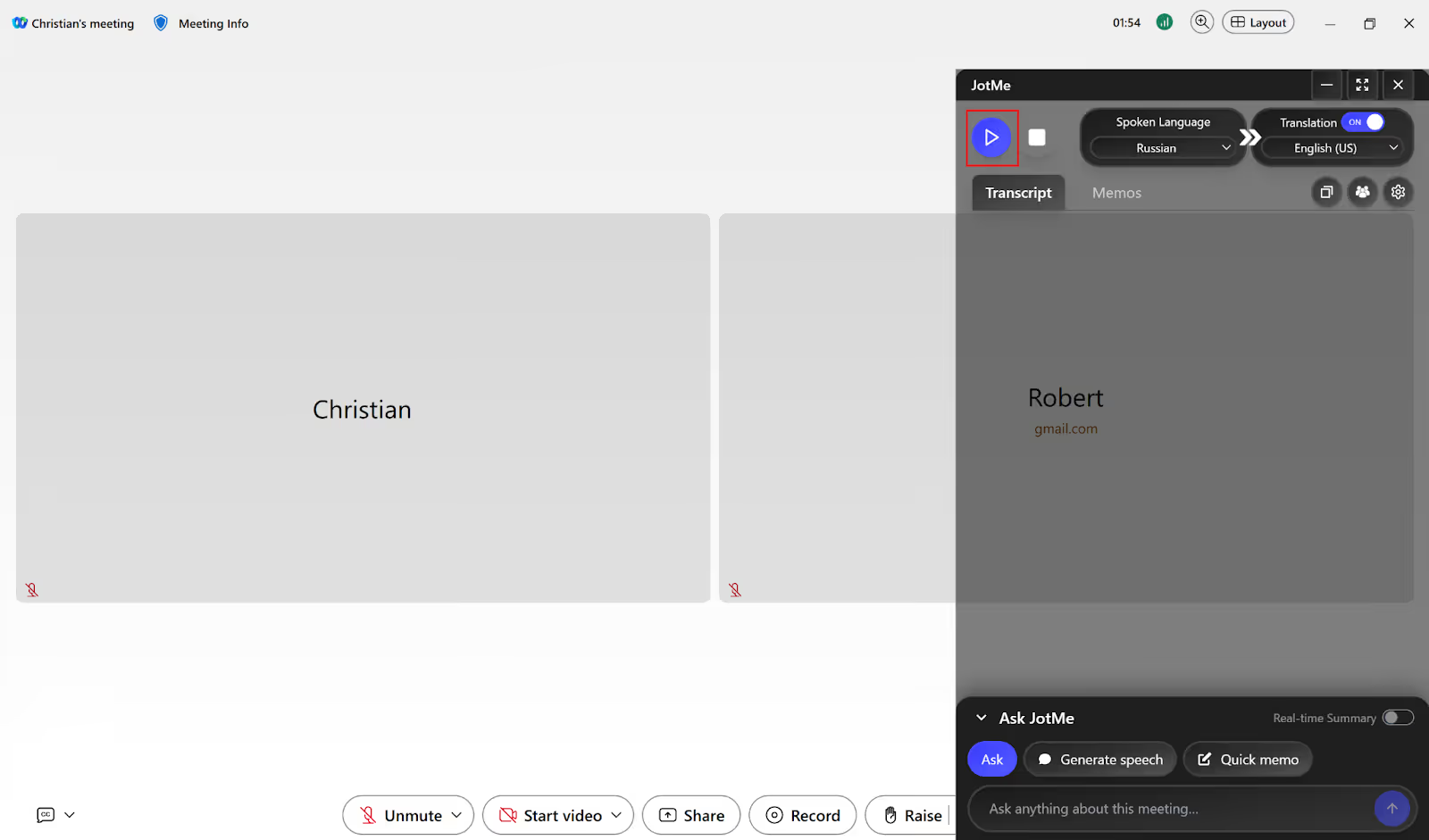
After hitting the “Play” button, JotMe will start the live translation of your Webex meeting as you speak. Not only that, JotMe also offers AI meeting notes and summaries of your Webex meetings after they end.

Does Webex have Built-in Live Translation?
Yes, Webex offers a built-in live translation feature to get translated captions in over 100 languages for meetings and webinars. However, it supports only 15 spoken languages and you will need a Real-Time Translation license to get translated captions in Webex meetings.
According to 6sense, over 31,000 companies in the world use Webex for meetings and 63.67% of its customers come from the United States. This means a significant number of people need live translation to make communication easier across different languages.
Take a look at the limitations of Webex’s built-in real-time translation:
Webex Covers Only 15 Spoken Languages for Live Translation
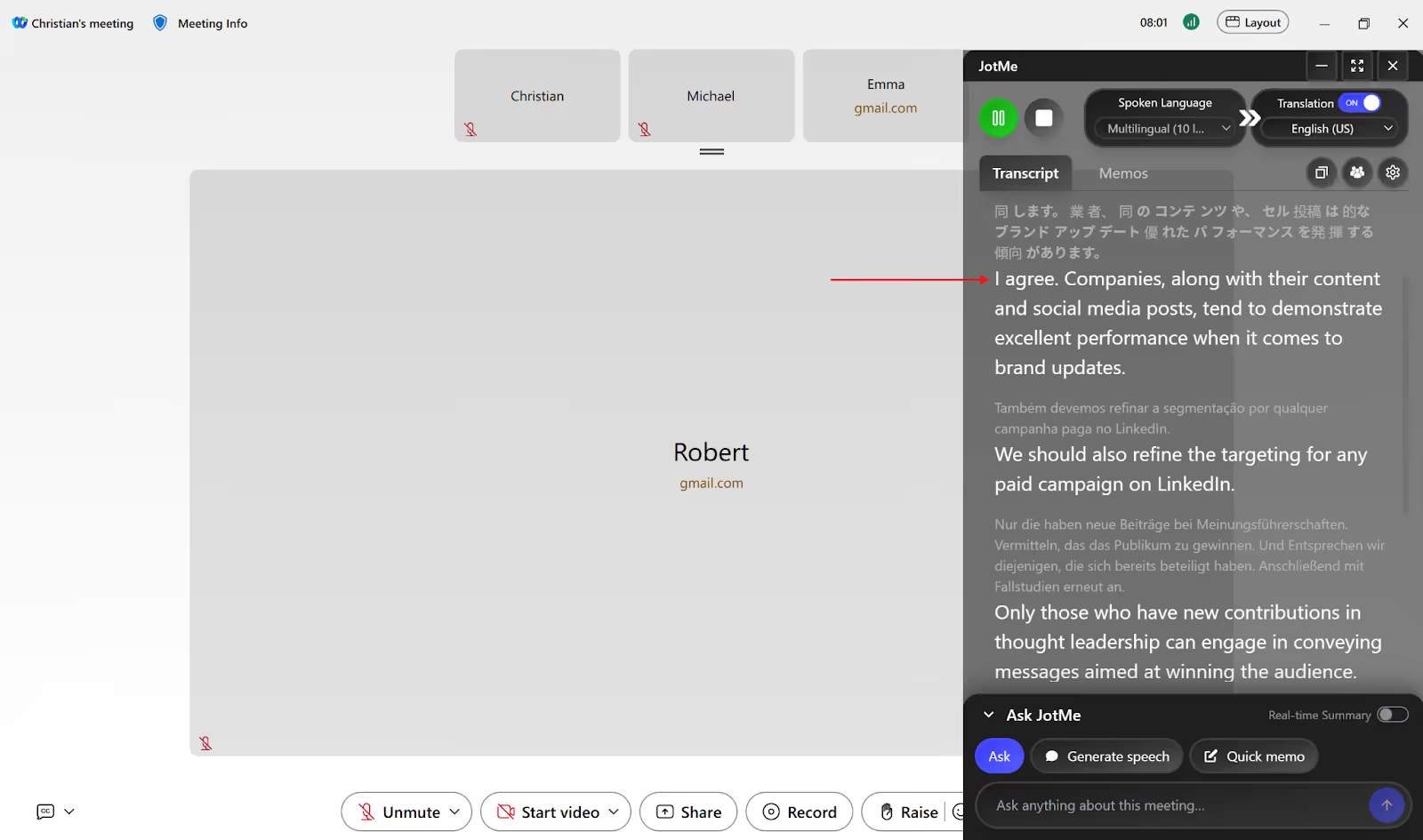
Webex supports only 15 spoken languages for live translation, including English, French, German, Italian, and more. On the other hand, JotMe supports 45+ spoken languages and understands the tone and technical terms to provide contextual and continuous translation of Webex meetings.
JotMe also allows you to communicate globally by providing live translation of up to 10 different spoken languages simultaneously, including English, Russian, Japanese, Dutch, and more. JotMe desktop app’s setup is simple and user-friendly, making it easier for teams to adopt it.
Webex Real-Time Translation Requires a Paid License
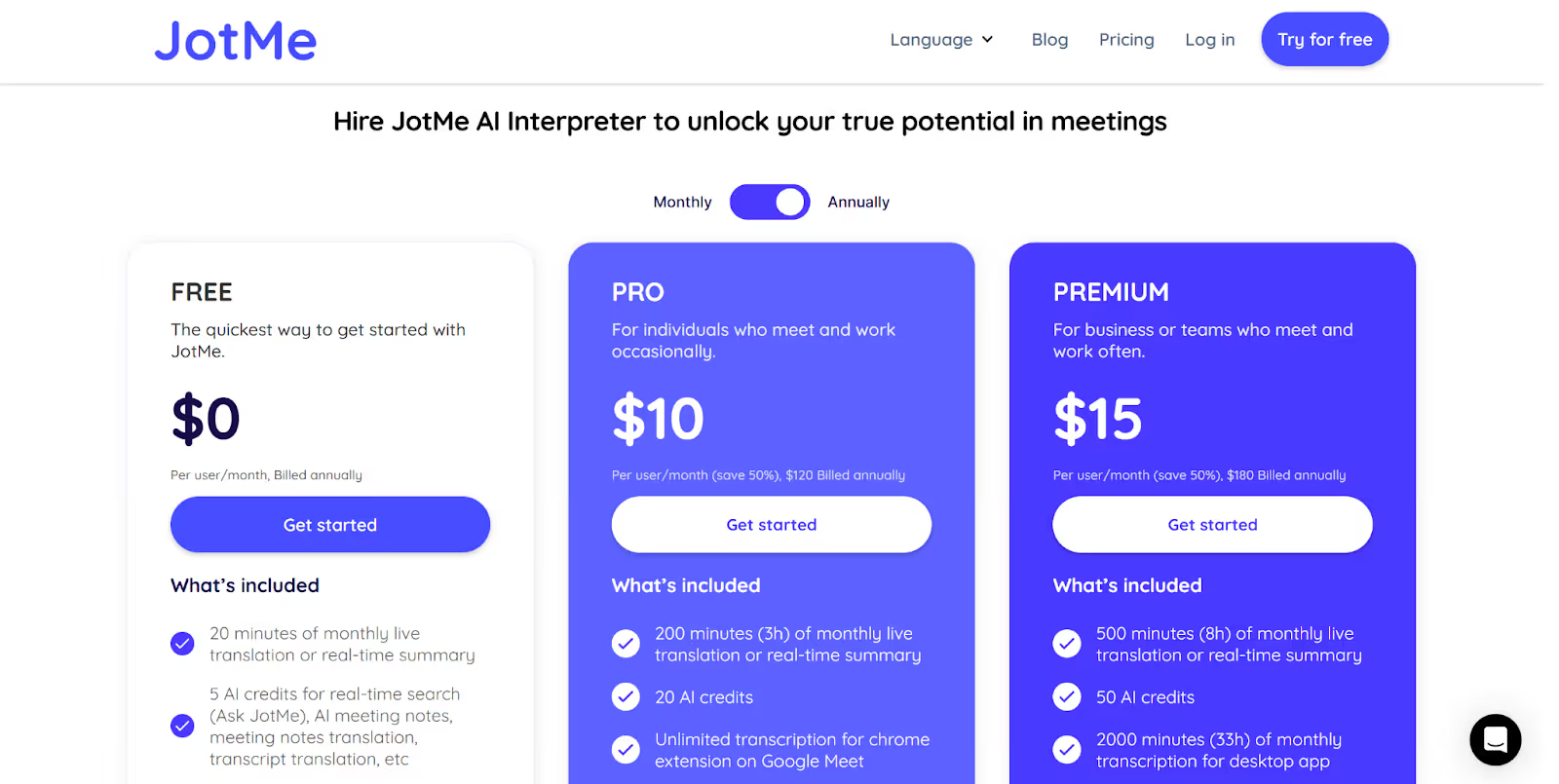
If you want to translate its meetings in real time, you need to pay $300/year for Webex’s Real-Time Translation license. However, the JotMe desktop app’s pricing plan starts at just $10/month ($120 billed annually) and helps you cut translation costs by 60%.
JotMe even offers a free monthly plan for you to try its real-time translation and other features before buying a paid plan.
JotMe desktop app is designed to minimize meeting disruption with a bot-less translation setup that works in the background by capturing audio directly from your desktop device and providing accurate live translation, even in noisy environments.
Webex Webinars Simultaneous Interpretation is Expensive
Webex offers simultaneous interpretation for webinars where the host can invite human interpreters to translate their speech into another language. However, you need to purchase the Webex Webinars plan for $56.25/month to get simultaneous interpretation in webinars.
On the other hand, JotMe’s desktop app reduces the cost of human interpreters by offering a Pro plan for real-time translation of webinars at just $10/month (billed annually). JotMe also offers a mobile app for iOS and Android to translate in-person conversations in real time while traveling.
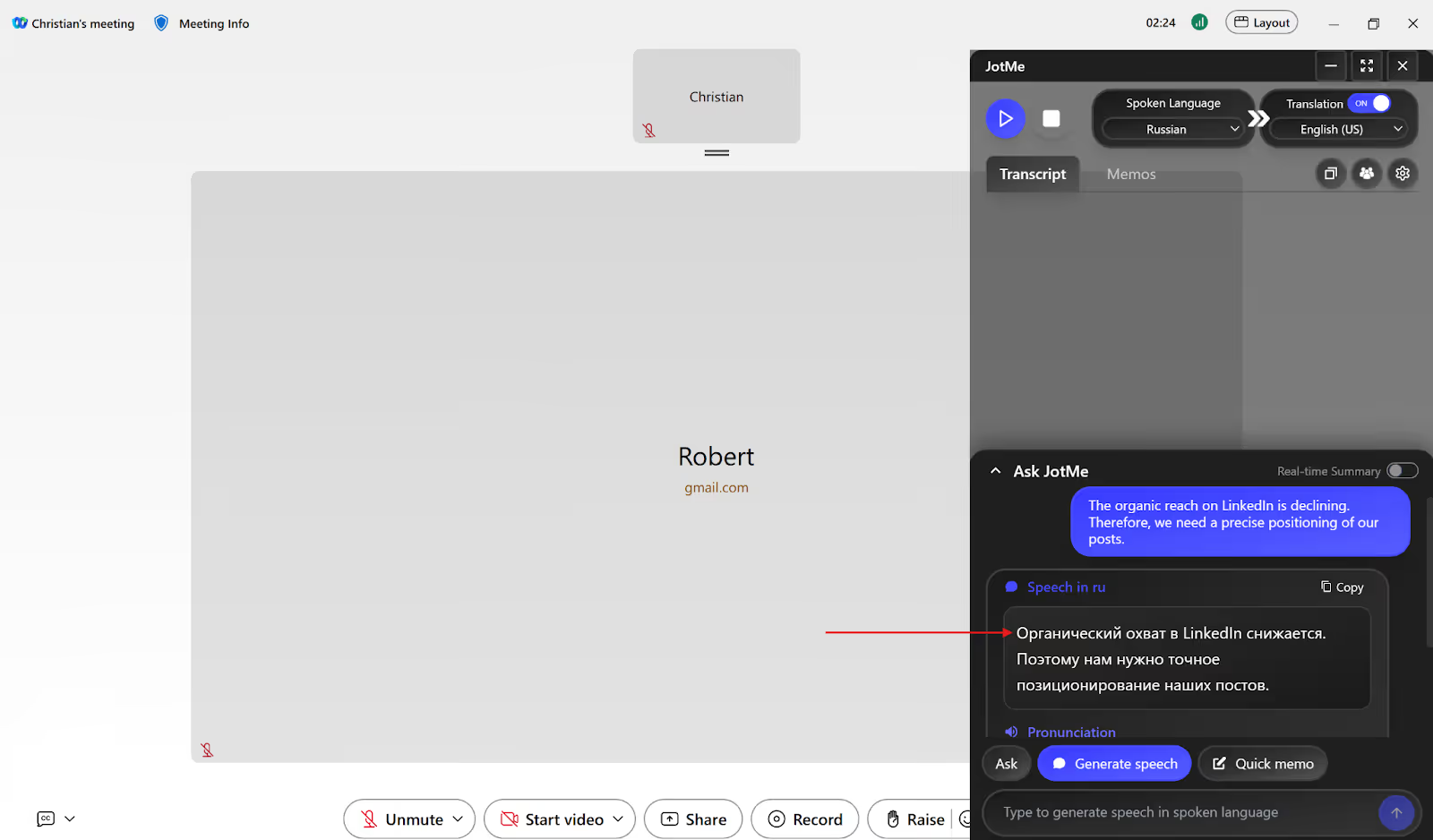
JotMe’s Generate Speech feature allows you to generate speech in the spoken language by simply typing a text in your known language, making it easier for the speaker to understand what you have to say and respond accordingly.
What is the Best Way to Translate Webex Meetings in Real Time?
The best way to translate Webex meetings in real time is to have stable internet connectivity, a quiet background, speak clearly, and avoid overlapping with other speakers. While Webex’s built-in translation feature supports 15 spoken languages and requires a paid license, JotMe desktop app outperforms it with higher spoken language support (45+) and a free monthly plan to try its Pro features.
JotMe provides contextual and continuous translation of Webex meetings in over 45 languages in real time, along with additional features like Generate Speech, post-meeting notes, summaries, multilingual meetings translation to communicate globally, and more.
JotMe provides cross-platform translation without bots on multiple platforms, including LINE, Google Meet, Zoom, Microsoft Teams, WhatsApp, and more. JotMe also doesn’t share your data with third-party platforms or use your meeting conversation for model training, making it a privacy-first live interpretation app.
Try the JotMe app today and experience seamless communication across different languages in your Webex meetings.
FAQs
Does Webex do live translation?
Yes, Webex does live translation with its built-in feature that provides translated captions of the speaker’s audio in over 100 languages. However, you can only translate from 15 spoken languages and require Webex’s Real-Time Translation license for it.
On the contrary, JotMe’s desktop app supports over 45 spoken and translation languages and provides a free monthly plan to try real-time translation of Webex meetings. JotMe also provides a Generate Speech feature, real-time insights during the meeting, AI meeting notes and summaries, and more.
What languages are translated in Webex?
Webex’s built-in translation feature supports 15 spoken languages (English, French, German, Italian, and more) that you can translate into more than 100 languages in real time. On the other hand, JotMe lets you translate over 45 spoken languages into your preferred language in real time during your Webex meetings.
How do I turn on translation in Webex?
To turn on live translation in Webex meetings or webinars, select the “Show closed captions” option > “Caption language” and choose your preferred language. However, getting real-time translation of Webex meetings requires a Real-Time Translation license that costs $300/year.
JotMe’s desktop app offers a free monthly plan for your team to try its live translation and other features. JotMe desktop supports 45+ spoken languages for real-time translation of Webex meetings. JotMe’s pricing plans start only at $10/month ($120 billed annually), making it cost-effective against Webex’s Real-Time Translation license.
Does Webex have simultaneous translation?
Yes, Webex has simultaneous translation that allows the host to invite human interpreters for real-time translation in meetings and webinars. But paying $56.25/month for the Webex Webinar plan can be expensive.
With JotMe’s desktop app, you can get real-time translation of Webex meetings and webinars at just $10/month (billed annually). You can even try JotMe’s free plan that comes with 20 minutes of live translation, 5 AI credits for AI meeting notes and summaries, real-time search, meeting notes translation, and more before investing in its paid plans.
Last updated on
April 14, 2026
Follow us on social media: