Guides
Best English to Vietnamese Translation Apps for Windows and Mac

Viraj Mahajan
November 26, 2025

Do your Vietnamese teammates or clients struggle to understand technical jargon—whether it's pest management strategies or software architecture, because word-for-word translators miss the meaning?
This is where JotMe becomes extremely helpful as an instant, contextual live audio translator. It uses advanced speech recognition and NLP to keep the intent, tone, and technical terms intact in real time. Beyond live translation, JotMe also includes AI Chat, real-time summary in bullet points, AI meeting notes, summaries, and more.
To make it easy for you, we tested several English-to-Vietnamese live translation tools and made a list of the five best ones. Below is a breakdown of what we found about the best AI translation tools:
- JotMe provides accurate, contextual live translation in 45 languages with the desktop app and 77 languages with the Chrome extension at just $15/month, along with real-time answers for difficult topics.
- Boostlingo empowers customer support teams with 130+ languages and custom glossaries for product-specific terms at $8.33/month/user.
- EventCAT offers sector-specific glossaries and is ideal for technical discussion, but its pricing of $179/month can be out of budget for smaller teams.
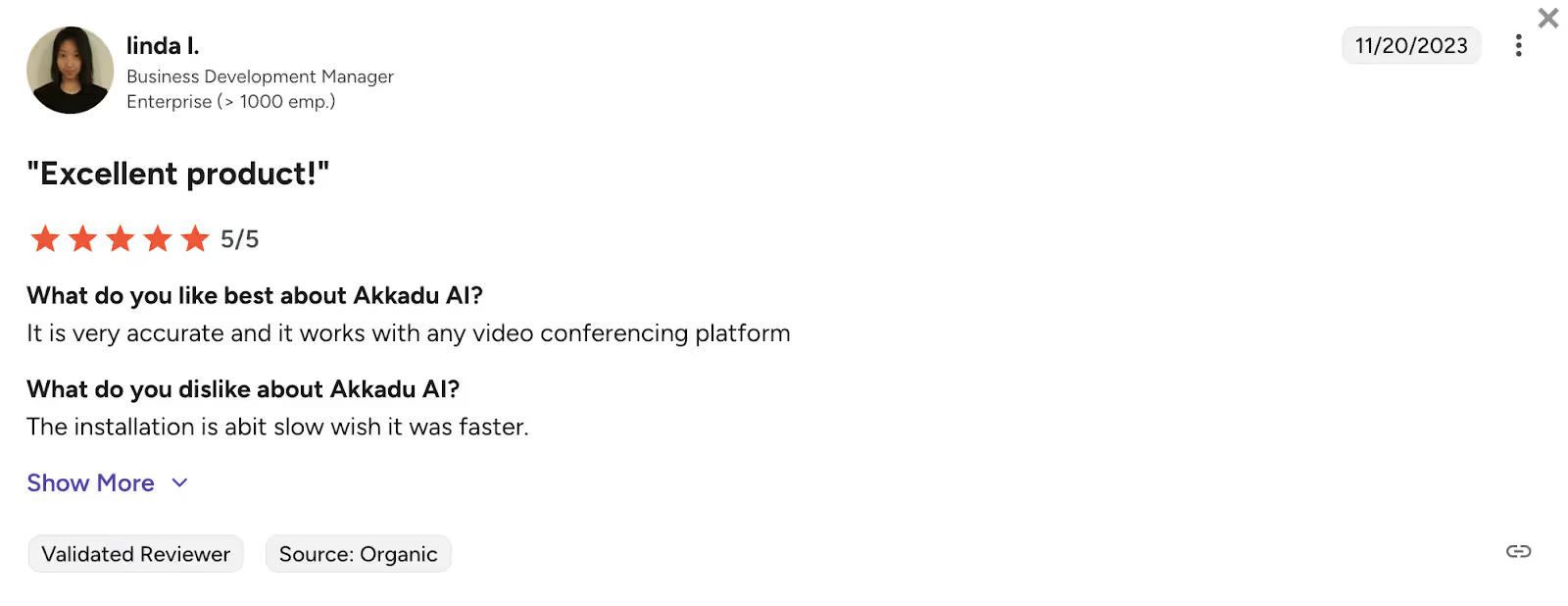
- Akkadu supports 90+ languages and is great for simultaneous captioning in multiple languages, though some users on G2 reported that “The installation is a bit slow, wish it was faster.”
- GlobalLink Live combines AI translation with human interpreters for large-scale conferences in 150+ languages. However, a G2 review read that it delivers “Inconsistent translations at times.”
Quick Comparison of English-to-Vietnamese Live Translation Tools
While evaluating the English-to-Vietnamese best AI translation tools, you need to understand their use cases, language support, integration capabilities, and other unique features. Here is a quick comparison table of the English-to-Vietnamese live translation tools before learning about them in detail.
What are the Best Live Translation Apps for English to Vietnamese?
The best apps to translate from English to Vietnamese language live include JotMe, Boostlingo, EventCAT, Akkadu, and GlobalLink Live. While every tool offers real-time translation and distinct features, picking the right one comes down to your budget and expectations. Take a detailed look at each of the tools below.
JotMe
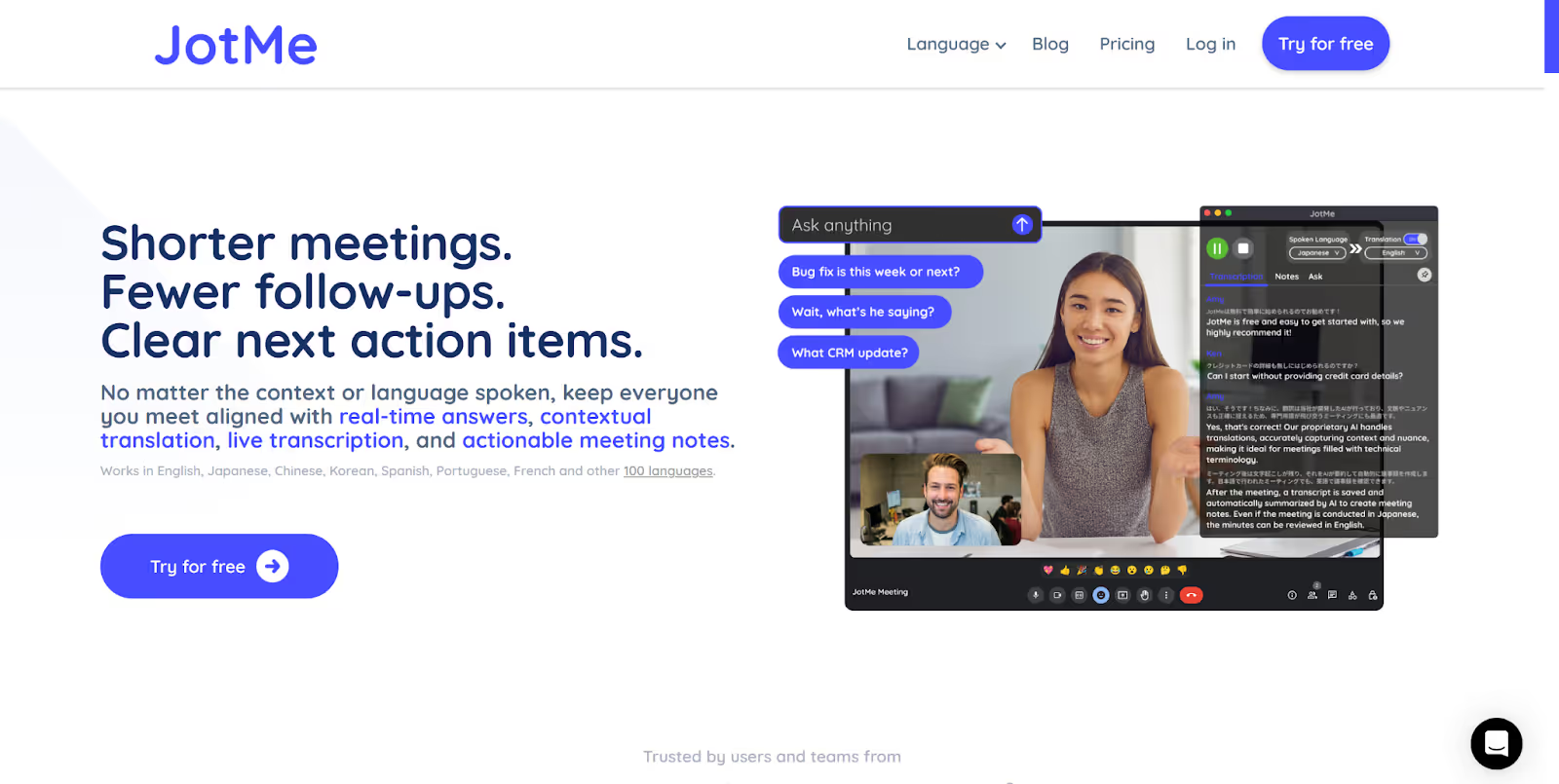
JotMe was the tool that impressed us the most for both accuracy and speed in real-time English to Vietnamese translation. Whether you’re dealing with technical farming terms or supporting Vietnamese clients, it consistently delivers context-aware translations that actually make sense.
Beyond translation quality, the personal, fast, human support you get from the team is something we rarely see with AI tools. It genuinely feels like working with an AI partner, not just software.
Here’s why JotMe stood out to us:
- Technical-Ready Translation: It handles technical conversations effortlessly. If you’re an agriculture consultant explaining concepts like pest management or soil nutrients to Vietnamese agriculture professionals, JotMe translates every term accurately and gives those Vietnamese professionals clear explanations in their own language, so nothing feels confusing or unclear.
- Faster Client Communication for Support Teams: Support teams working with Vietnamese customers can respond much faster because JotMe not only provides clear, natural translations but also offers real-time Vietnamese pronunciation. This means agents can dictate messages in the correct Vietnamese accent and pronunciation, helping customers understand instantly and reducing unnecessary back-and-forth.
- Quick Customer Support: The customer support genuinely surprised us. You can email the founder directly, no tickets, no queues, no waiting for multiple teams to respond. Issues get fixed fast, feedback is taken seriously, and updates roll out quicker than most platforms send their first automated reply.
- More Than Just Translation: JotMe doesn’t just translate; it also turns every conversation into a summary with short bullet points, gives quick answers with AI chat to make you understand technical terms, shares translation minutes, and creates complete meeting transcripts afterwards. It truly feels like having your own AI interpreter and analyst beside you in every meeting.
JotMe is currently available on desktop; its mobile app is launching soon. You can sign up to get notified about the mobile app and to join the waitlist.
Key Features of JotMe
The key features of JotMe include live contextual translation, bullet-point translation, live AI insights, shareable translation minutes, and AI-generated notes and summaries. Check out these features below in detail:
Contextual Translation
Have you ever tried those live translation tools that do word-for-word translation and provide meaningless translations?
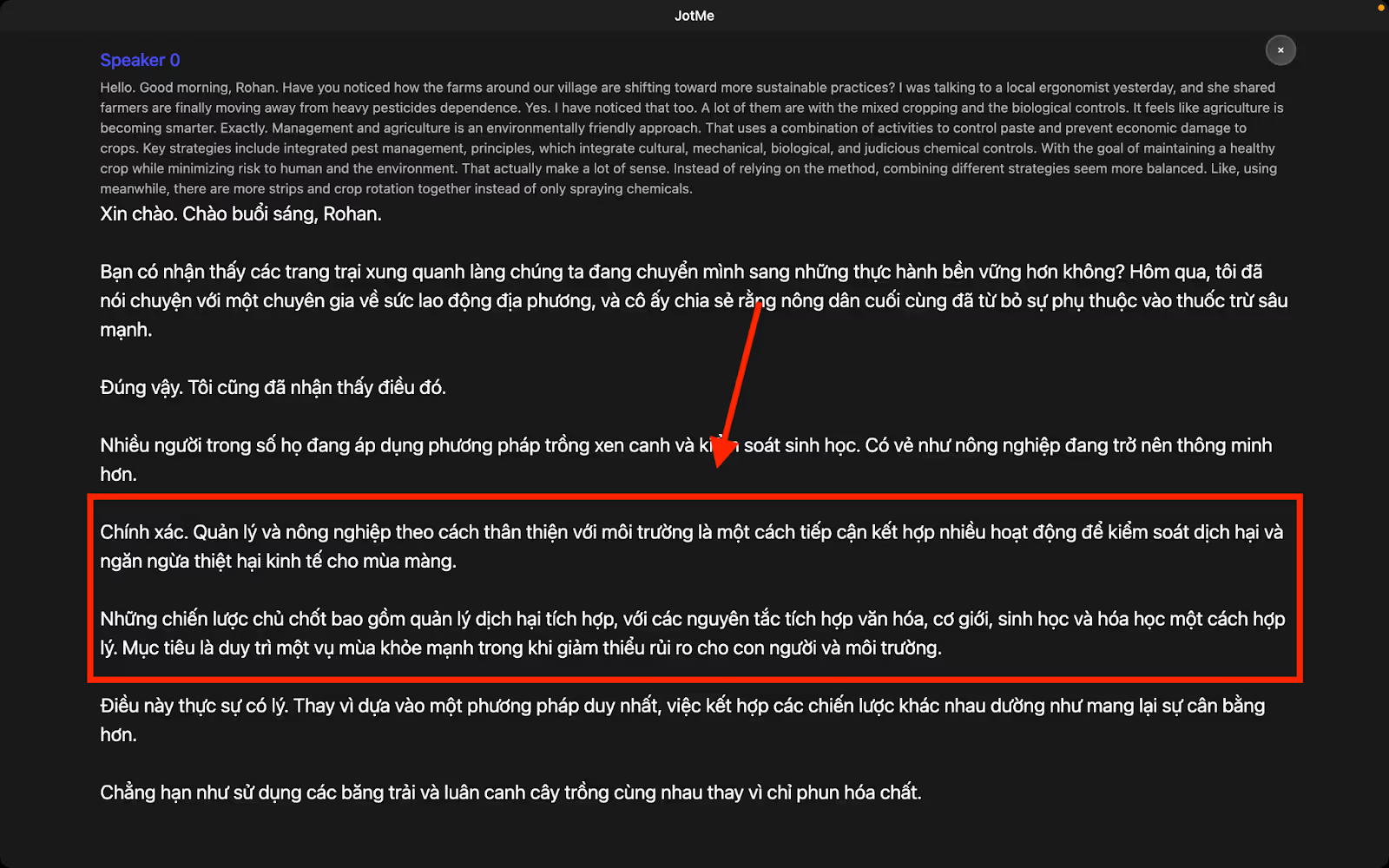
Well, not with JotMe! When we used JotMe during our discussion on pest management, it analyzed the entire conversation for context, nuance, and industry-related terms using natural language processing (NLP) and speech recognition, and delivered accurate and contextual live translation.
Take a look at these English statements as an example:
Management in agriculture is an environmentally-friendly approach that uses a combination of tactics to control pests and prevent economic damage to crops. Key strategies include integrated pest management (IPM) principles, which integrate cultural, mechanical, biological, and judicious chemical controls, with the goal of maintaining a healthy crop while minimizing risks to humans and the environment.
Here’s how JotMe translated them contextually:
Chính xác. Quản lý và nông nghiệp theo cách thân thiện với môi trường là một cách tiếp cận kết hợp nhiều hoạt động để kiểm soát dịch hại và ngăn ngừa thiệt hại kinh tế cho mùa màng.
Những chiến lược chủ chốt bao gồm quản lý dịch hại tích hợp, với các nguyên tắc tích hợp văn hóa, cơ giới, sinh học và hóa học một cách hợp lý. Mục tiêu là duy trì một vụ mùa khỏe mạnh trong khi giảm thiểu rủi ro cho con người và môi trường.
AI Chat
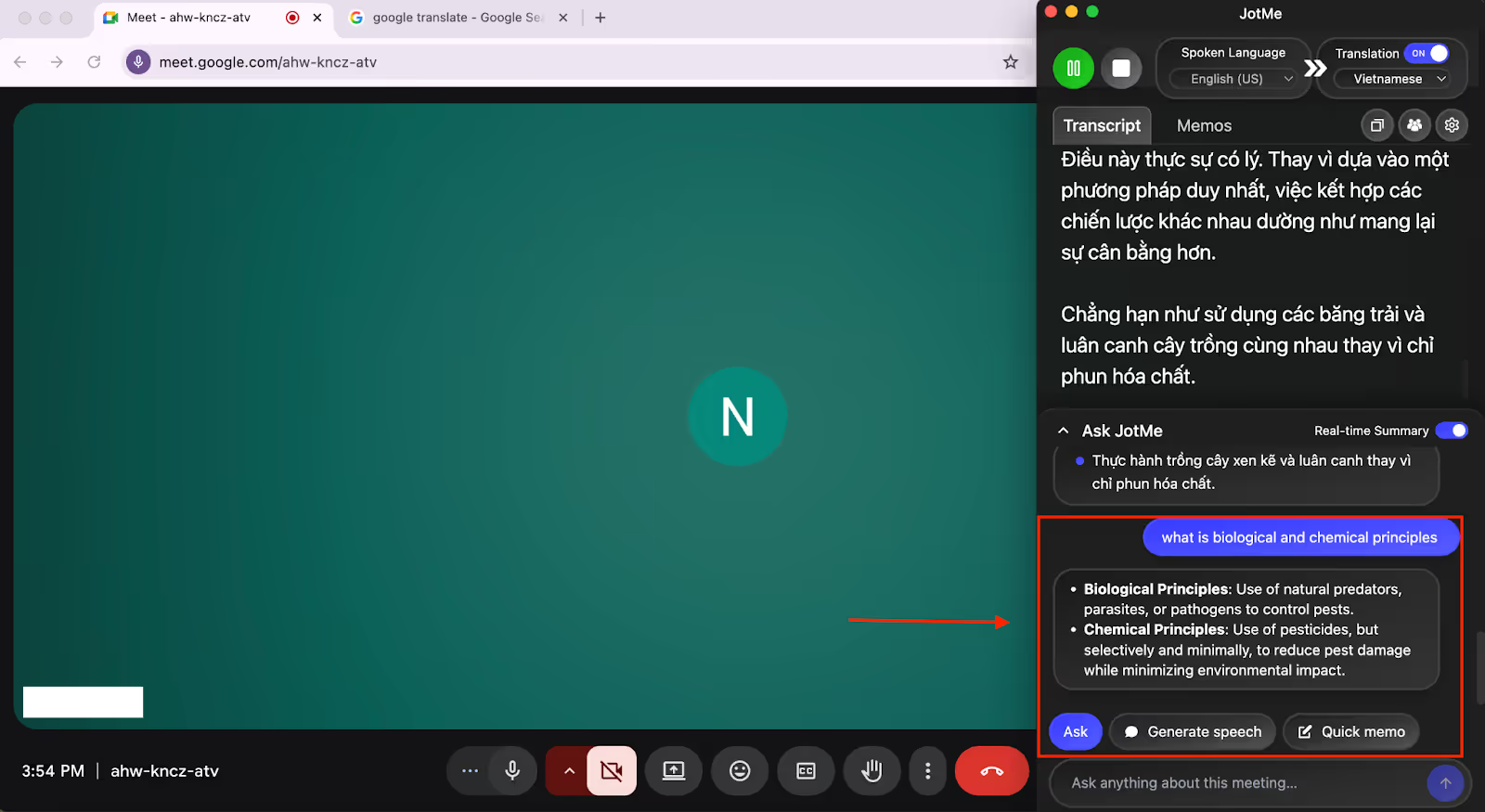
What really impressed us about JotMe is its AI chat. During the meeting, we got stuck on some terms and wanted to understand without leaving the meeting. We simply copied that term and asked AI chat for the meaning and explanation.
It was amazing to see how quickly it explained the term within seconds with a proper explanation. It eliminates the need to search on Google and then get involved in the meeting again.
Shareable Translation Minutes
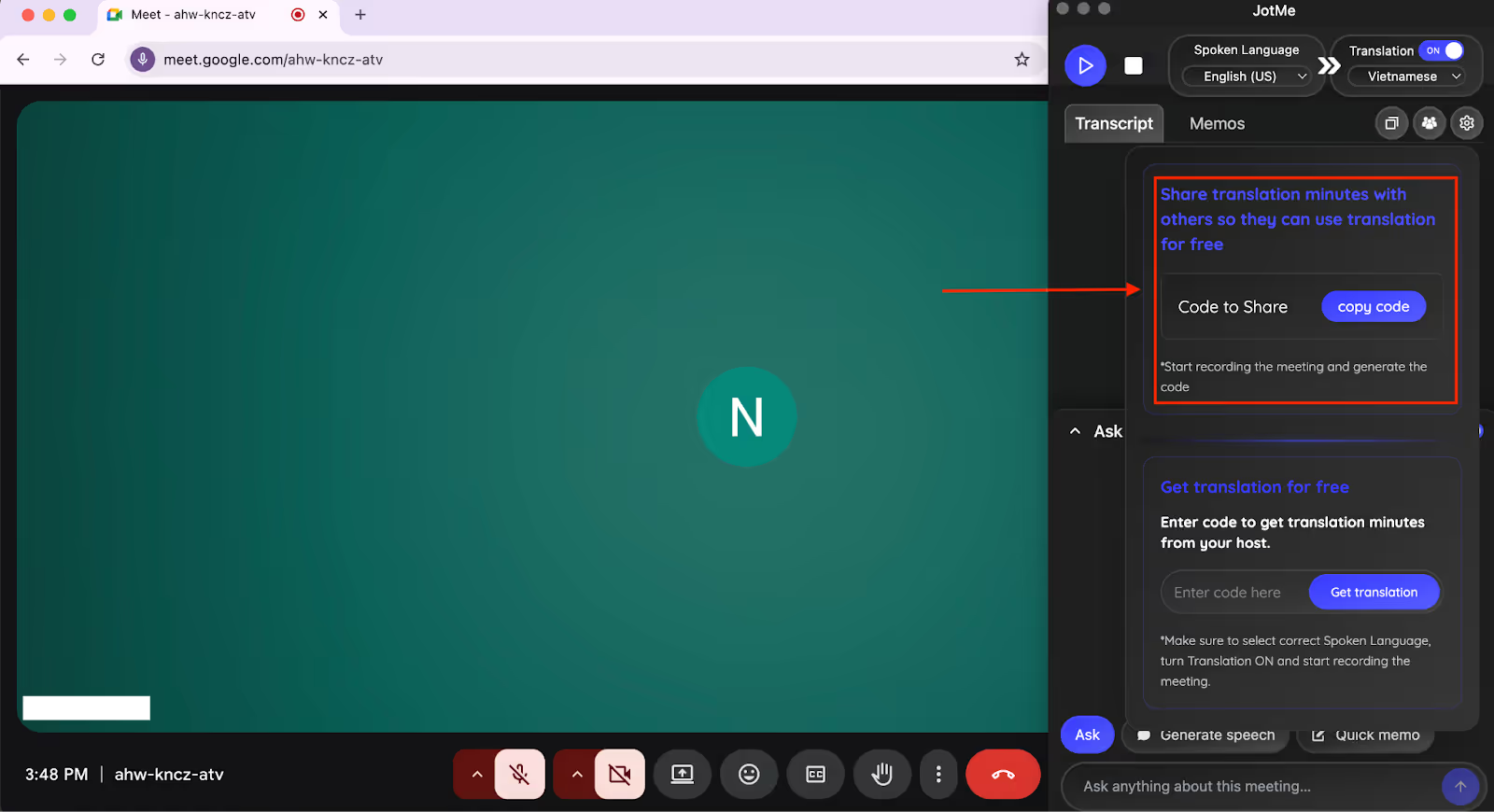
One of the features that impressed us was the ability to share translation minutes with other participants. After starting the recording and translation of the meeting, JotMe gave us a shareable code.
We shared this code with the Vietnamese speakers in our meeting, and they could record and translate the meeting and even get AI notes after the meeting, without having a paid account.
AI-Generated Notes
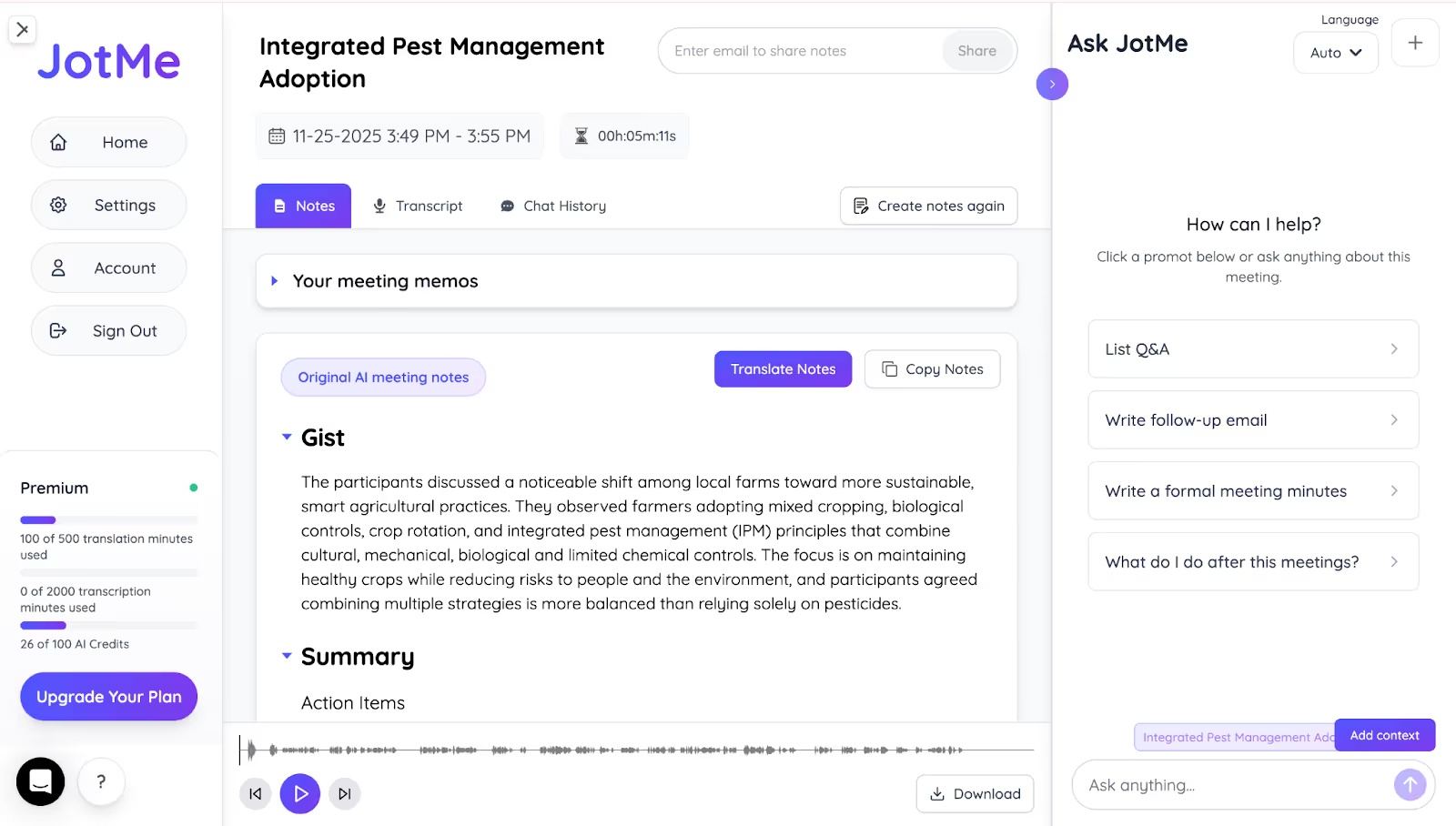
After we were done with our call, JotMe gave us AI-generated notes with action items, key points, and bullet-point translation. JotMe even allowed us to translate the notes in 13 different languages, including Vietnamese, to share with Vietnamese participants and those from different language backgrounds.
One more thing we found was that if we take notes during the meeting in JotMe’s “Notes” section, it will generate the post-meeting notes based on our key points.
Real-Time Summary
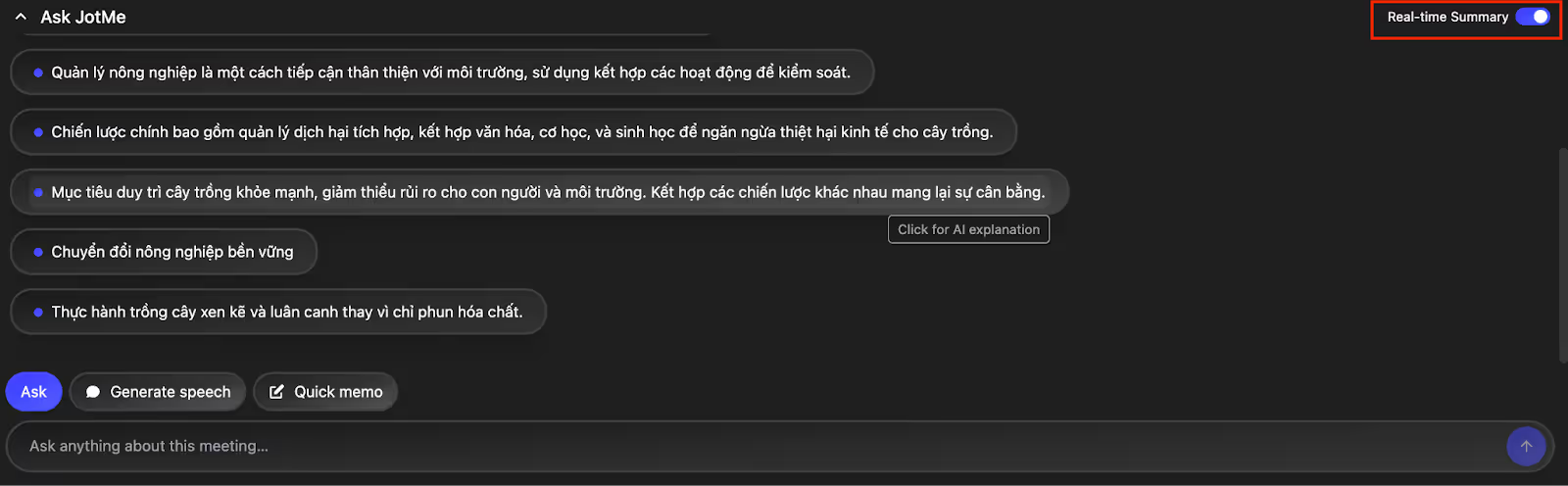
One of the most useful features we tested was JotMe’s real-time summary, which generates short bullet-point takeaways while the meeting is still in progress. Instead of waiting until the end of the call to understand key ideas, JotMe gives you instant, easy-to-read highlights of what’s being discussed.
When we used it during a technical conversation, JotMe continuously captured the main points, making it simple to stay aligned even when the discussion moved quickly. This is especially valuable for English-to-Vietnamese collaboration, where participants may need immediate clarity without interrupting the speaker.
It feels like having a running “quick digest” of the meeting, helping everyone follow along with confidence.
Text-to-Text Translation
JotMe’s text-to-text translation is fast, accurate, and context-aware. You can type a sentence, choose your target language, and add a request, such as “keep it friendly and simple.” JotMe saves this guideline so every future translation follows the same tone automatically.
You can also add context before translating, and JotMe gives a short explanation so you understand why it chose specific wording.
Example:
- Input: “He’s not annoyed, just overwhelmed today.”
- Request: “Keep the tone soft and empathetic.”
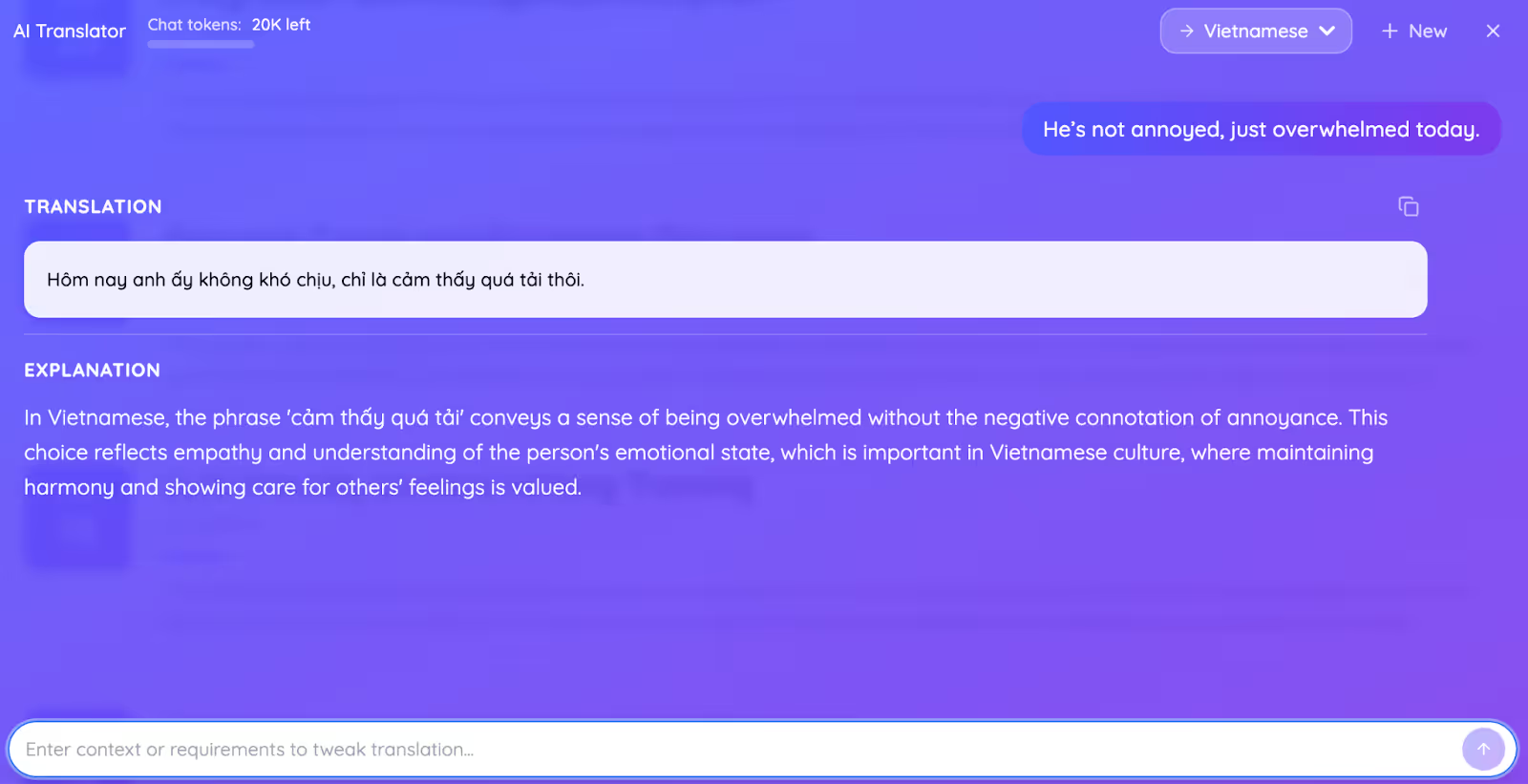
JotMe keeps the emotional meaning intact instead of turning it literal.
Quick Memo
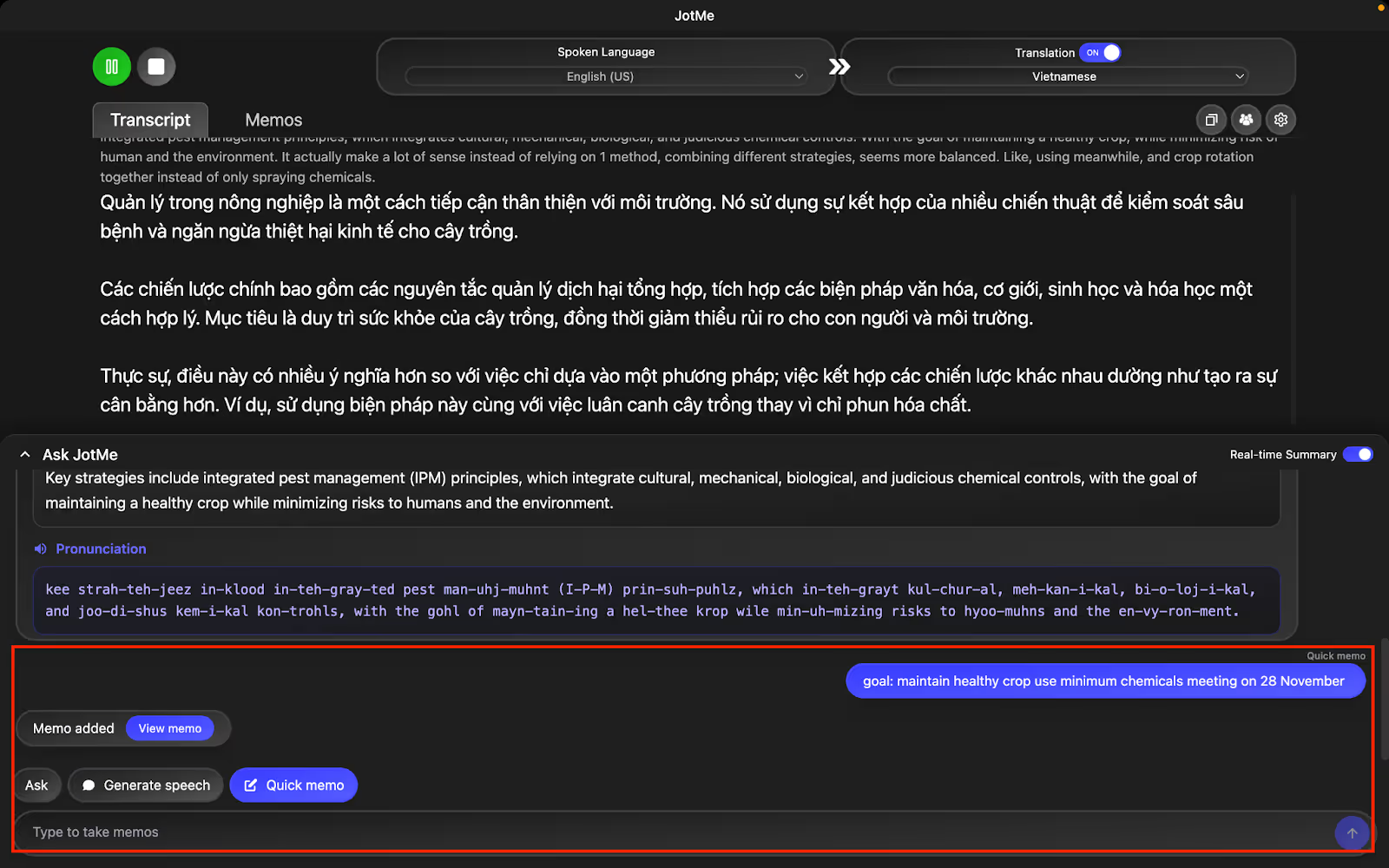
While using JotMe in our multilingual meetings, we found the Quick Memo feature extremely helpful. It allowed us to quickly jot down key points during the discussion without breaking focus.
Once the meeting ended, all our memos appeared on the homepage along with the summary and AI-generated notes, so we could revisit every important detail later without missing anything.
Real-Time Pronunciation
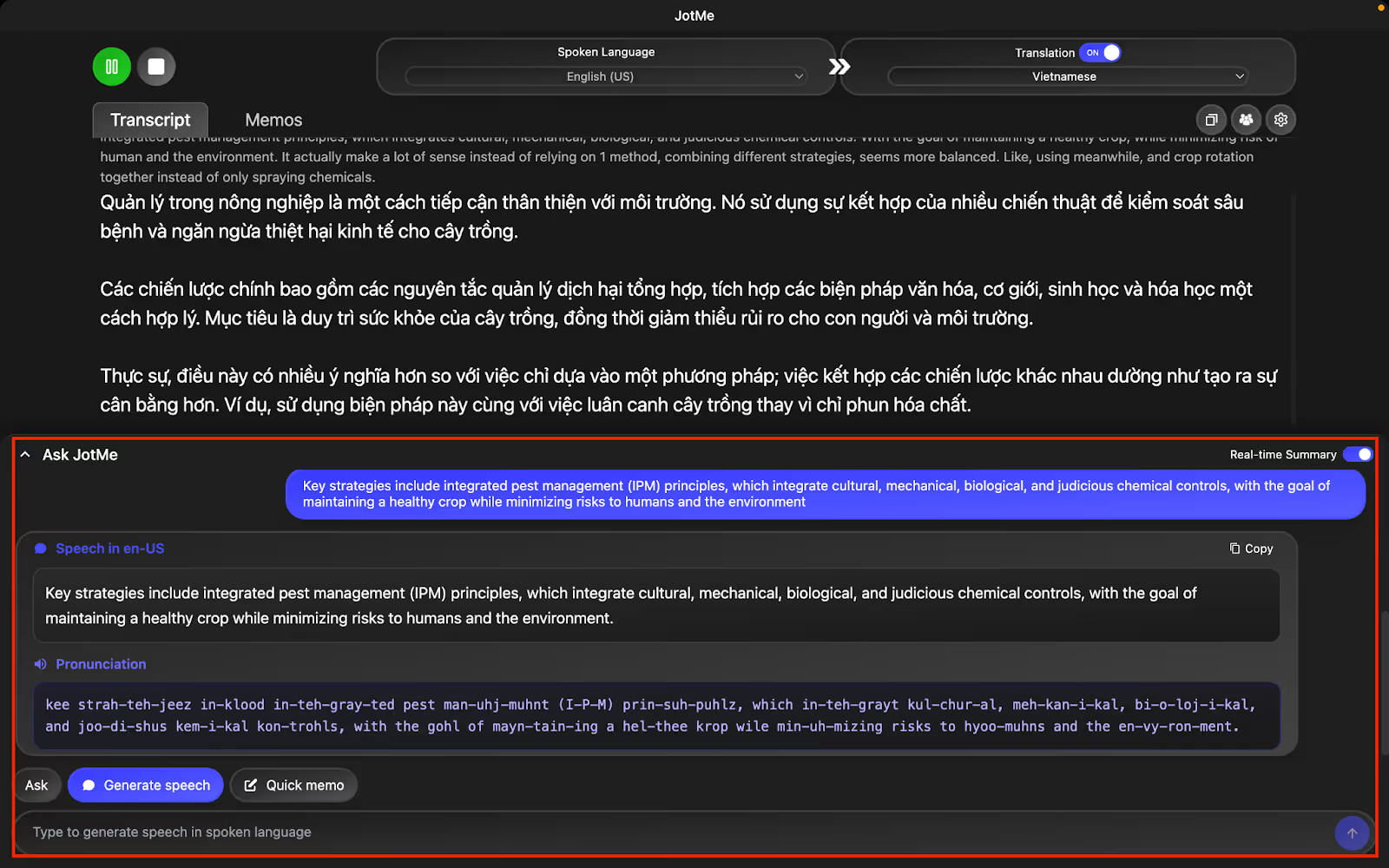
JotMe’s real-time pronunciation feature was extremely useful when speaking to Vietnamese teammates. During the meeting, we simply clicked “Generate Speech,” typed the message we wanted to deliver, and JotMe produced the correct Vietnamese pronunciation instantly.
This way it helped us speak clearly and confidently, even in multilingual conversations, without worrying about mispronouncing important terms.
JotMe Pricing
Apart from the Free plan, JotMe offers two paid plans, including the Pro plan and the Premium plan.
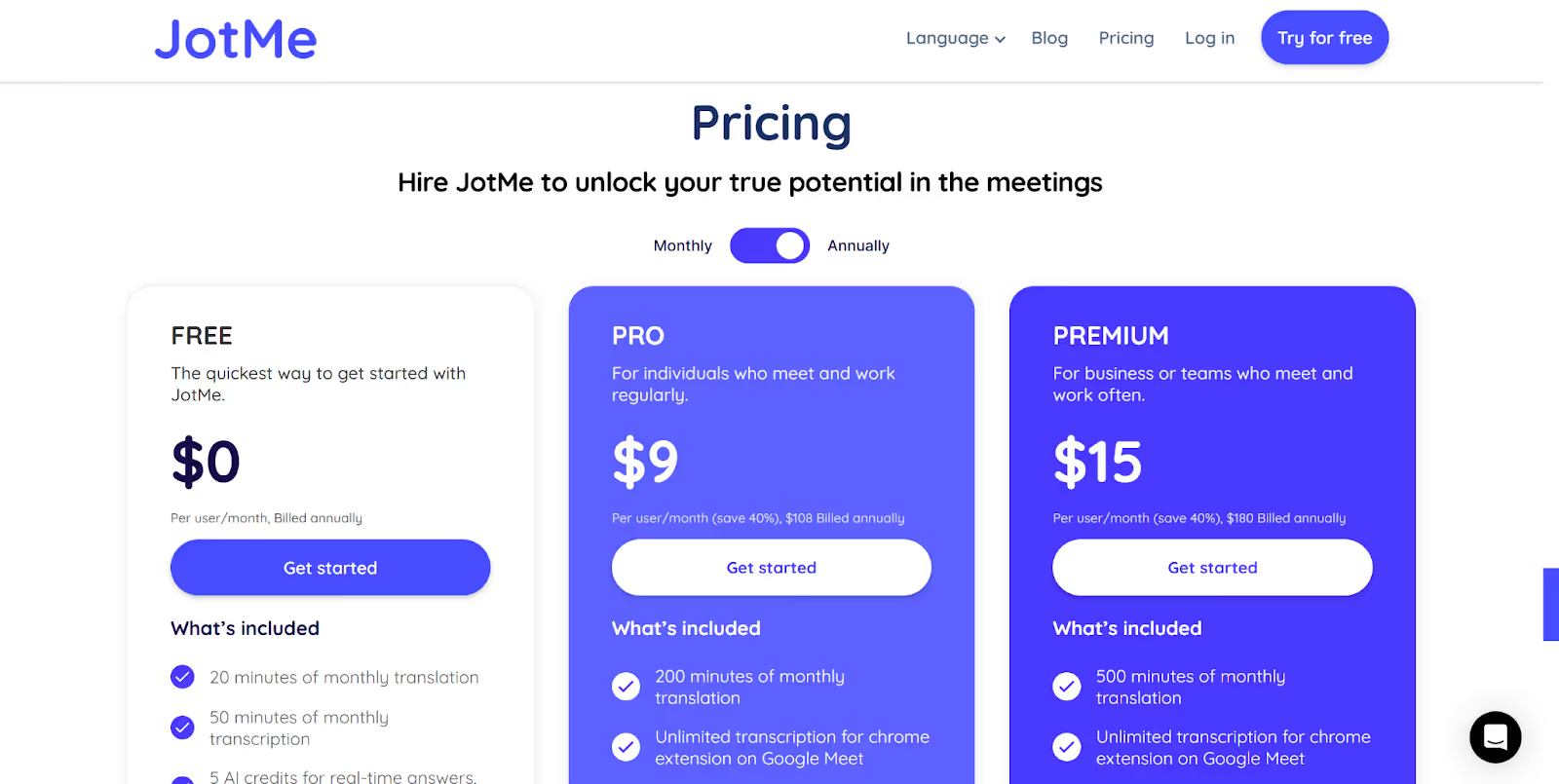
- With JotMe’s Free plan, you get 20 translation minutes and 50 transcription minutes per month, along with AI credits for meeting notes, real-time answers, etc.
- The Pro plan, priced at $10/month ($108 billed annually), offers 200 minutes of monthly translation, 500 minutes of monthly transcription, 20 AI credits, and access to the last 20 meeting recordings.
- JotMe’s Premium plan comes with 500 minutes of monthly translation, 2,000 minutes of monthly transcription, 50 AI credits, priority customer support, and access to unlimited meeting recordings at $15/month ($180 billed annually).
Pros
- Offers live AI insights during your meetings that explain complex topics.
- Provides live translation in 45 languages for desktop and 77 with a Chrome extension, without inviting a bot to your meetings.
- Live translates up to 10 languages simultaneously in your preferred language.
Cons
- JotMe is currently available only for desktop users, but the mobile app is launching soon.
JotMe Review
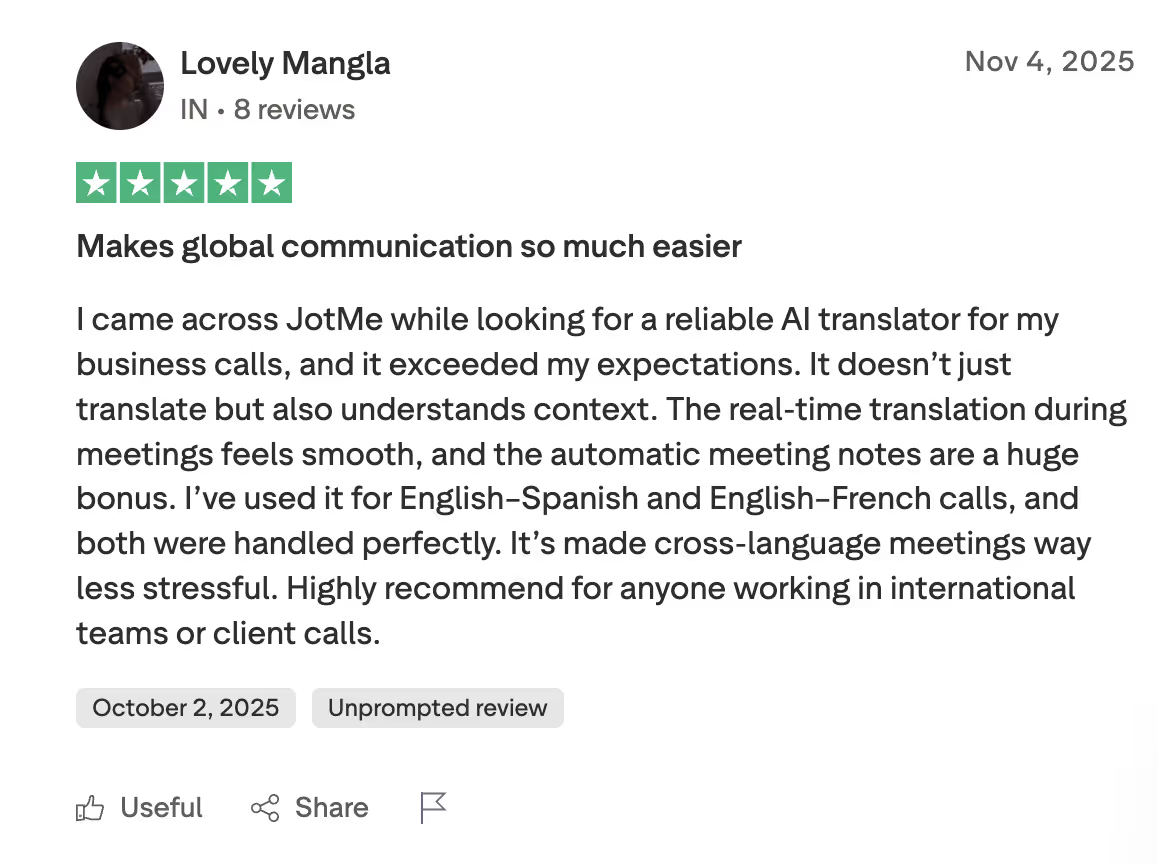
A user on Trustpilot mentioned that JotMe consistently produced smooth, context-aware translations that outperformed other AI tools. They also highlighted how well JotMe handled multiple language pairs, making cross-language communication far more seamless and dependable.
Boostlingo
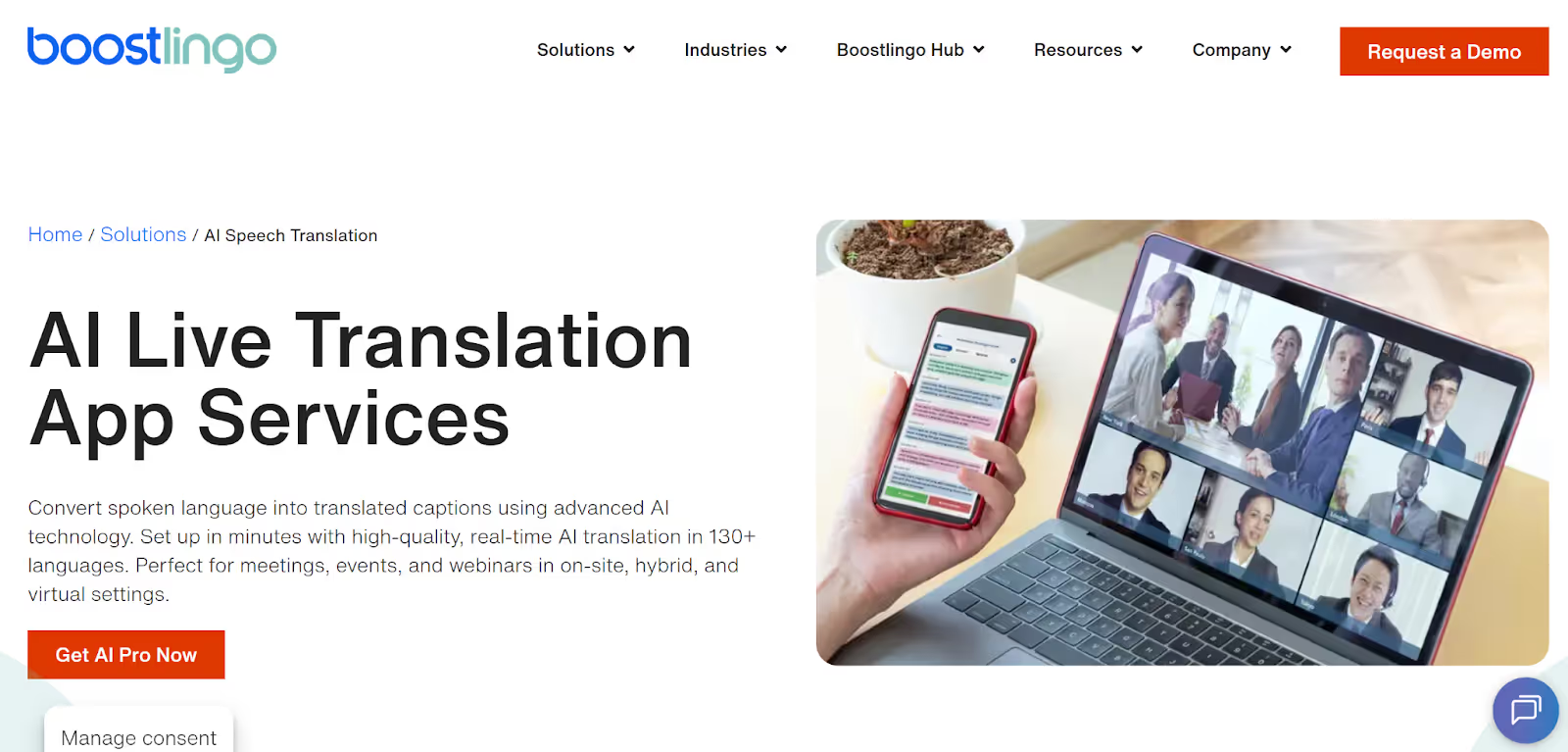
Boostlingo is designed for global companies that offer customer support to Vietnamese customers. With support for over 130 languages, Boostlingo is ideal for MNCs that need to handle customer inquiries with Vietnamese clients.
You can also add a custom glossary, which is suitable for customer support teams that need accurate translation of product-specific terminologies. Boostlingo integrates with multiple video conferencing platforms and also allows you to download post-meeting transcripts, which you can use for training purposes.
However, a user reported that he was billed a pro-rated amount even though he submitted a cancellation request.
Boostlingo Pricing
Boostlingo offers a free trial of up to 60 minutes and three paid plans, including Notetaker, Team, and Enterprise.
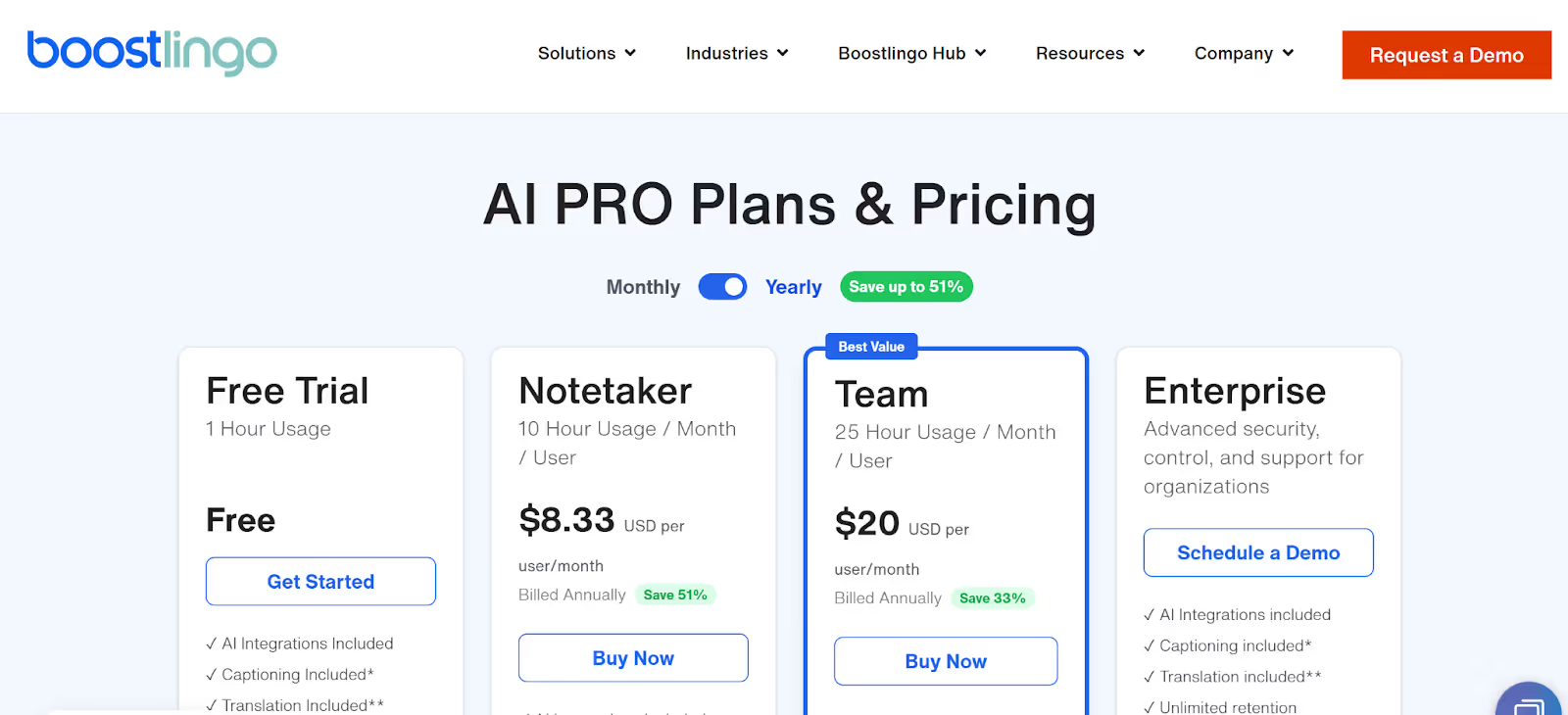
- Boostlingo offers a Free Trial with 60 minutes of live translation and captioning, and AI integrations.
- The Notetaker plan is priced at $8.33/month/user and offers 10 hours of translation and captioning, with two languages, a maximum of three participants, and a 5-day retention period of the sessions.
- The Team plan offers 25 hours of usage per month per user, with 10 maximum participants, two languages, and a 30-day retention period.
Pros
- Supports over 130 languages for real-time AI translation.
- Allows you to download the post-meeting transcripts in different formats.
Cons
- Doesn’t support the Vietnamese language for speech translation.
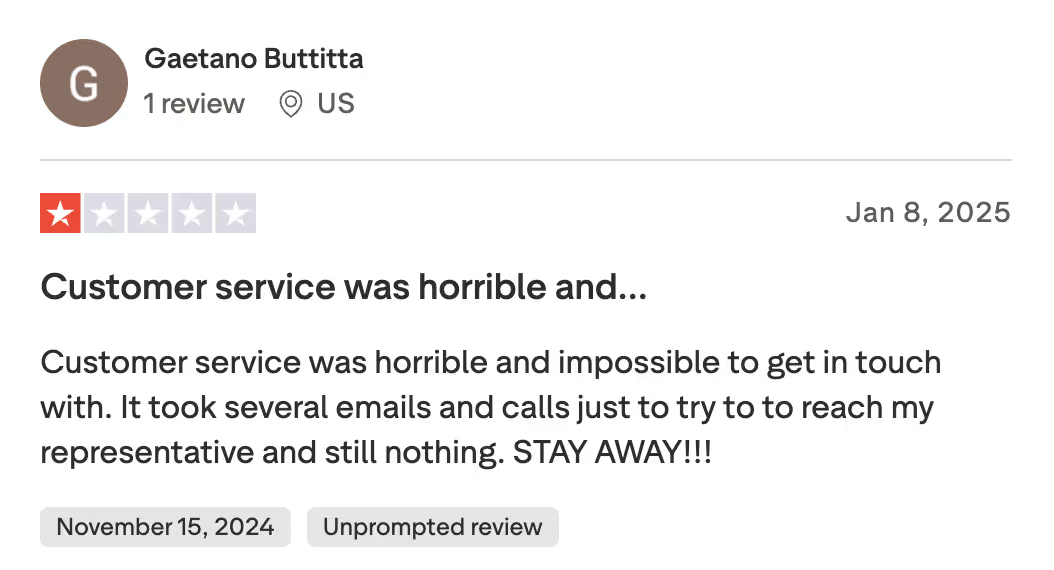
- A user on Trustpilot stated that customer service is horrible and did not get any reply, even after sending multiple emails. It is just the opposite of an AI interpreter like JotMe, which is quick in fixing bugs and also asks for more suggestions to improve service.
- The company email is needed to access the free trial.
Boostlingo Review
A Trustpilot user reported issues with customer support, as he sent multiple emails regarding issues, but did not get any response.
EventCAT
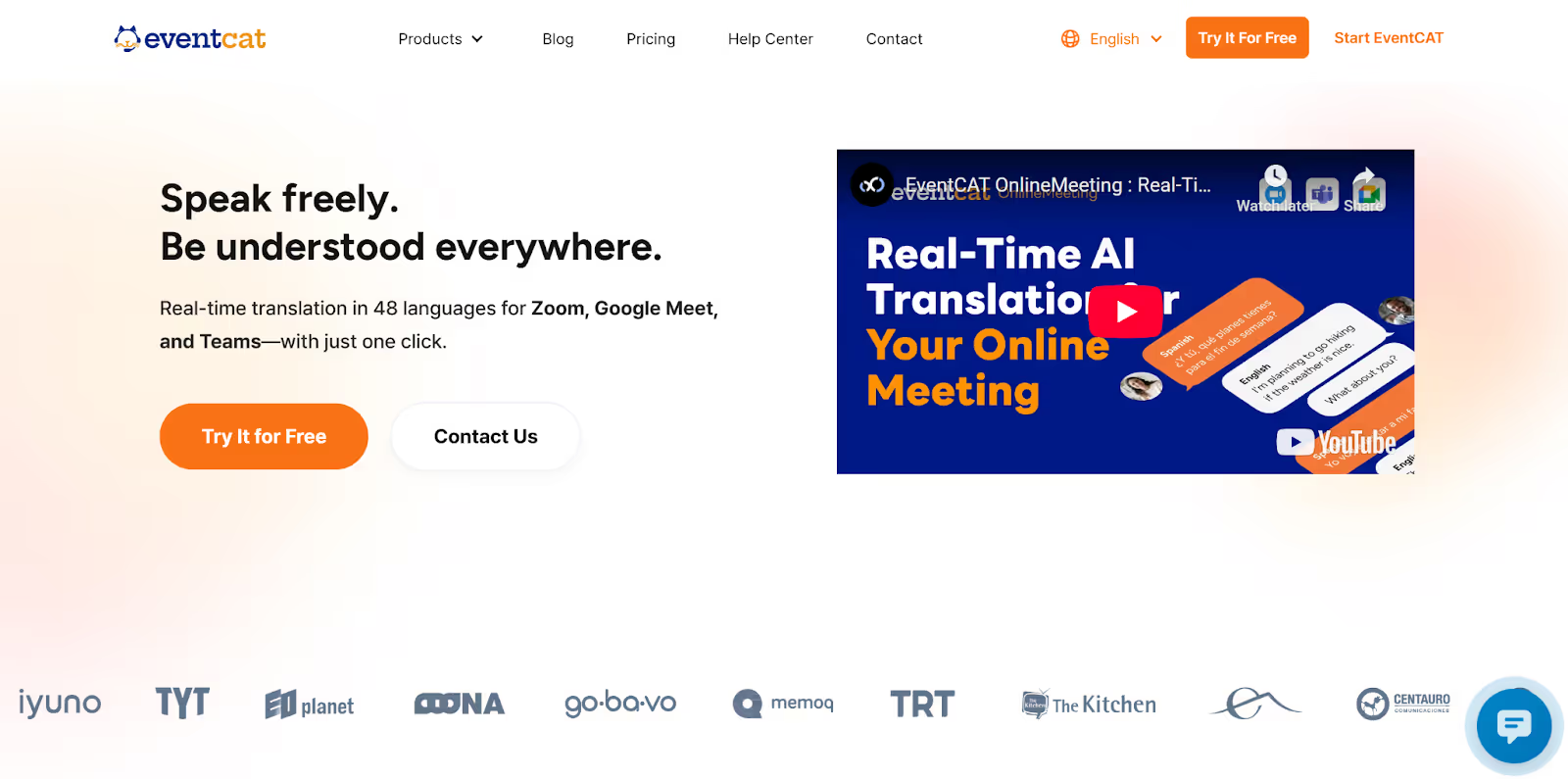
If you are a teacher conducting online lessons at a global level and also catering to Vietnamese-speaking students, EventCAT helps you bridge the communication gap while explaining complex topics.
It provides customized glossaries for accurate translation. EventCAT supports 48 languages, including Vietnamese, and also offers built-in glossaries for different sectors like finance, law, marketing, IT, etc.
However, we found that the pricing plans are too expensive, starting at $179/month. On the other hand, JotMe offers accurate and contextual translation in real time at just $15/month.
One more limitation of EventCAT we found is that if we select more than three speaking languages, it might cause translation delays, but with JotMe, you can get multilingual transcription in your preferred language without any delays.
EventCAT Pricing
EventCAT offers a free trial of 20 minutes for online meetings. Other than that, it offers two prepaid and two subscription plans.
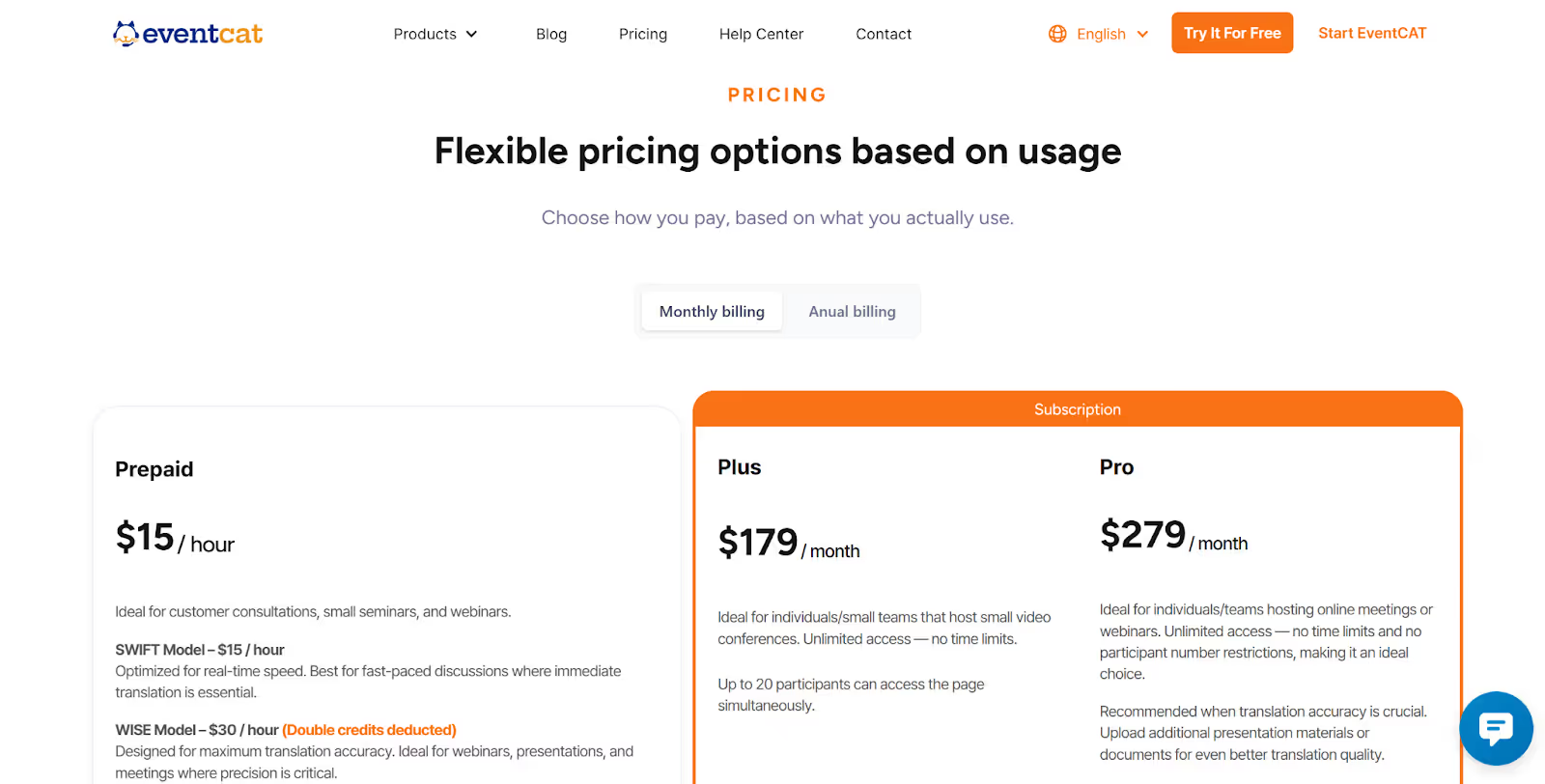
- The Prepaid plan with the SWIFT model costs $15/hour with average translation accuracy and is suitable for fast-paced meetings that require instant translation.
- The Prepaid plan with the WISE model costs $30/hour with double credits deduction, and excellent translation accuracy, making it ideal for meetings or webinars that need accurate translation.
- EventCAT’s Plus plan, priced at $179/month, supports the SWIFT model, and offers an average translation accuracy in 48 languages, a customized glossary, and allows 20 maximum people.
- EventCAT’s Pro plan is priced at $279/month and supports both SWIFT and WISE models, with excellent translation accuracy in 48 languages.
Pros
- Allows you to download the transcripts once the meeting ends.
- Easy integration with Zoom, Google Meet, and Microsoft Teams.
Cons
- Requires an interpreter bot to join and record the meeting.
- Small teams or freelancers might find the pricing plans expensive.
- Choosing more than three languages can cause a delay in translation.
Akkadu
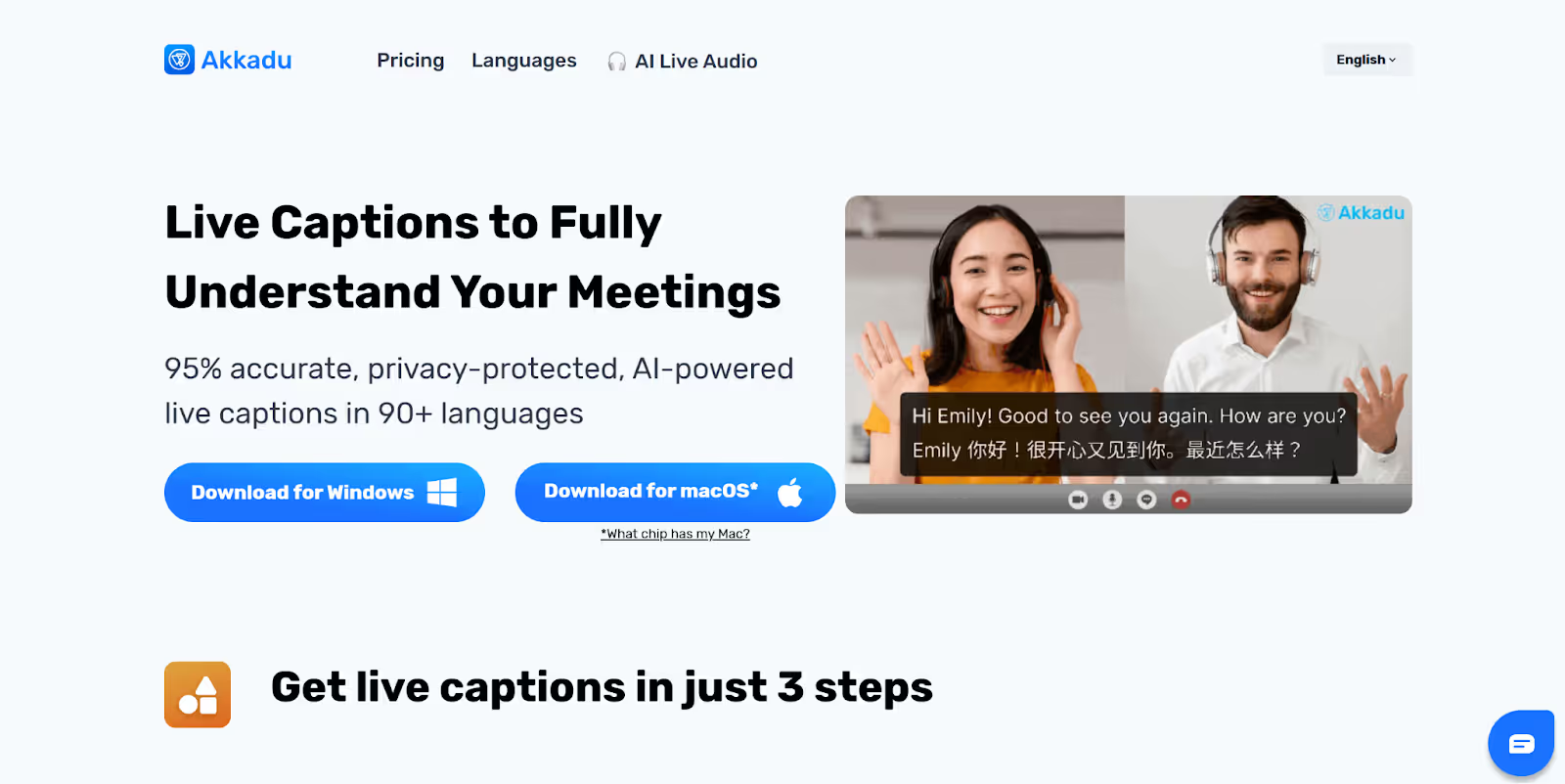
If you’re offering virtual tours of museums or historical sites to Vietnamese tourists, Akkadu allows you to translate from English to Vietnamese in real-time, so they don’t miss any details. Akkadu supports 90+ languages and allows you to add custom terminologies for accurate speech recognition, which is important while discussing historical events or location-specific names.
However, some users have reported that the installation process is a bit slow, and the post-meeting transcript only in one language at a time. But with JotMe, we could view the post-meeting transcripts in both the source and translated languages, and even its setup didn’t feel complicated or time-consuming.
Akkadu Pricing
Akkadu offers 10 minutes of free live captions and credit-based pricing plans.
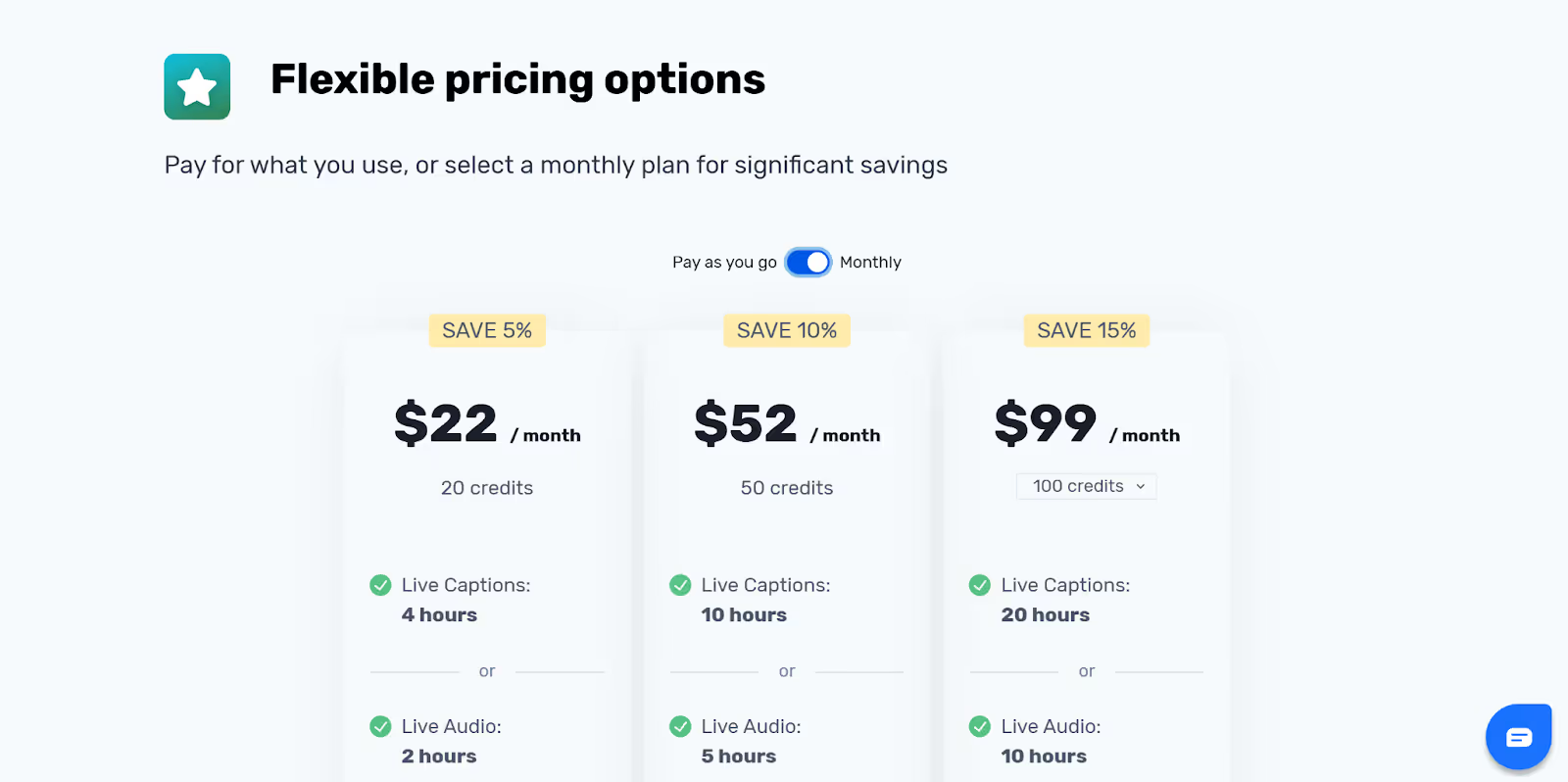
- Akkadu offers 20 credits at $22/month with 4 hours of live captions or 2 hours of live audio in 90+ languages, multilingual transcripts, and captions in multiple languages simultaneously.
- 50 credits are priced at $52/month with 10 hours of live captions or 5 hours of live audio.
- At $99/month, you get 100 credits with 20 hours of live captions or 10 hours of live audio.
Pros
- Allows you to add terminologies for speech recognition and accurate translation.
- You can view captions in multiple languages simultaneously.
Cons
- There is no web-based version of the platform.
- A user on Trustpilot said that the translation didn’t work on WhatsApp.
- A G2 user reported that the installation process is a bit slower.
Akkadu Review
A user on G2 has found that Akkadu AI is highly accurate and works well with any video-conferencing platform, making it easy to use across different setups. However, they also noted that the installation process feels a bit slow and could be faster.
GlobalLink Live
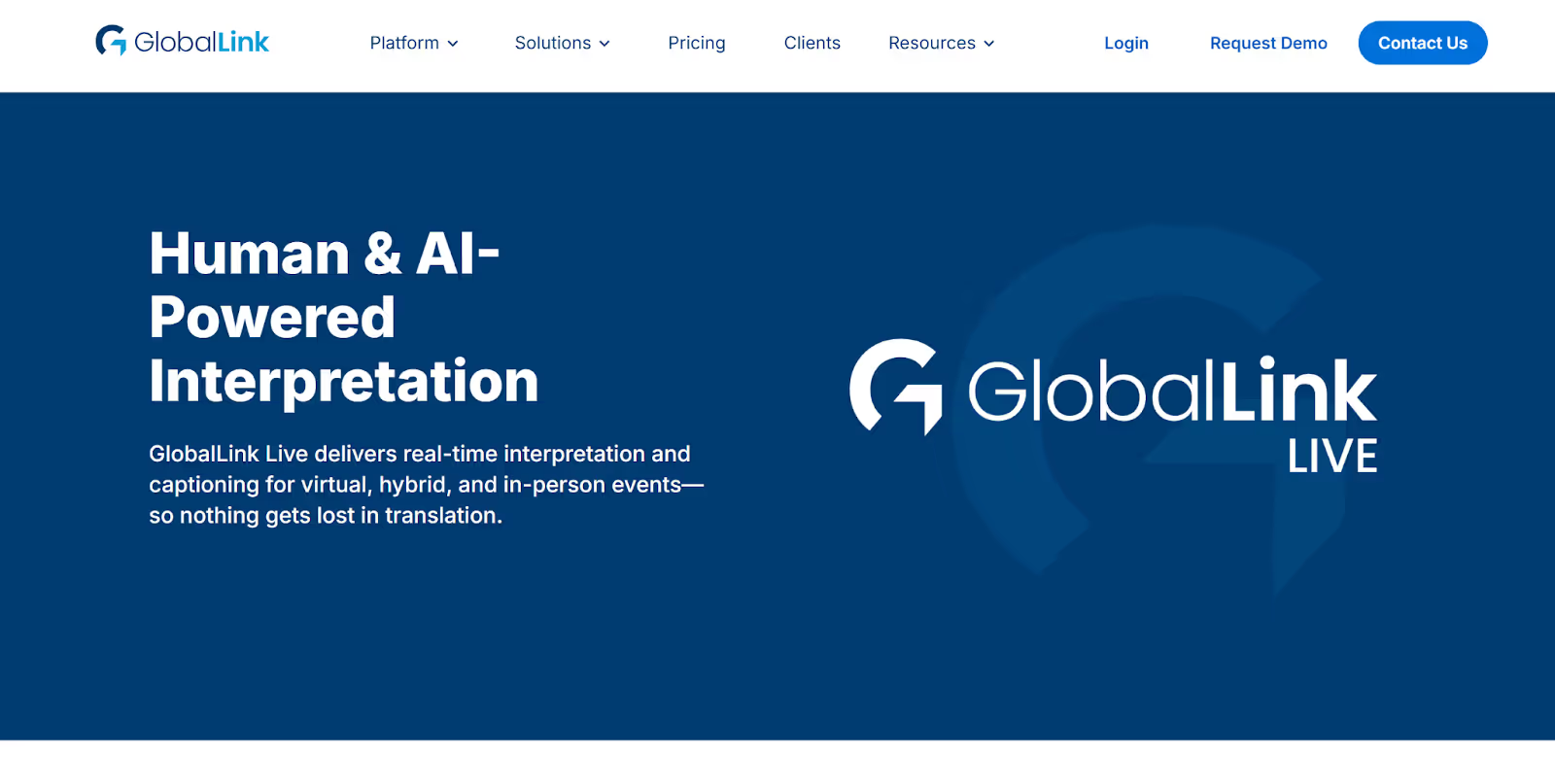
If you host large-scale international conferences with Vietnamese participants, you might want to check out GlobalLink Live. It combines human interpretation with AI-powered live translation, making it suitable to handle large events with accurate interpretation. We found that GlobalLink Live provides real-time captioning for virtual, hybrid, and in-person events in over 150 languages. However, we found a few drawbacks, like the lack of transparent pricing.
GlobalLink Live Pricing
GlobalLink Live has not mentioned its pricing plans publicly. You need to contact their sales team, who will walk you through how the platform works and then give you an estimate.
Pros
- Provides real-time captioning for virtual, hybrid, and in-person events
- Combines human interpretation with AI to deliver accurate translations.
Cons
- Pricing is not listed on its website, causing unnecessary friction in the buying process.
- A Capterra user reported facing problems in developing a glossary.
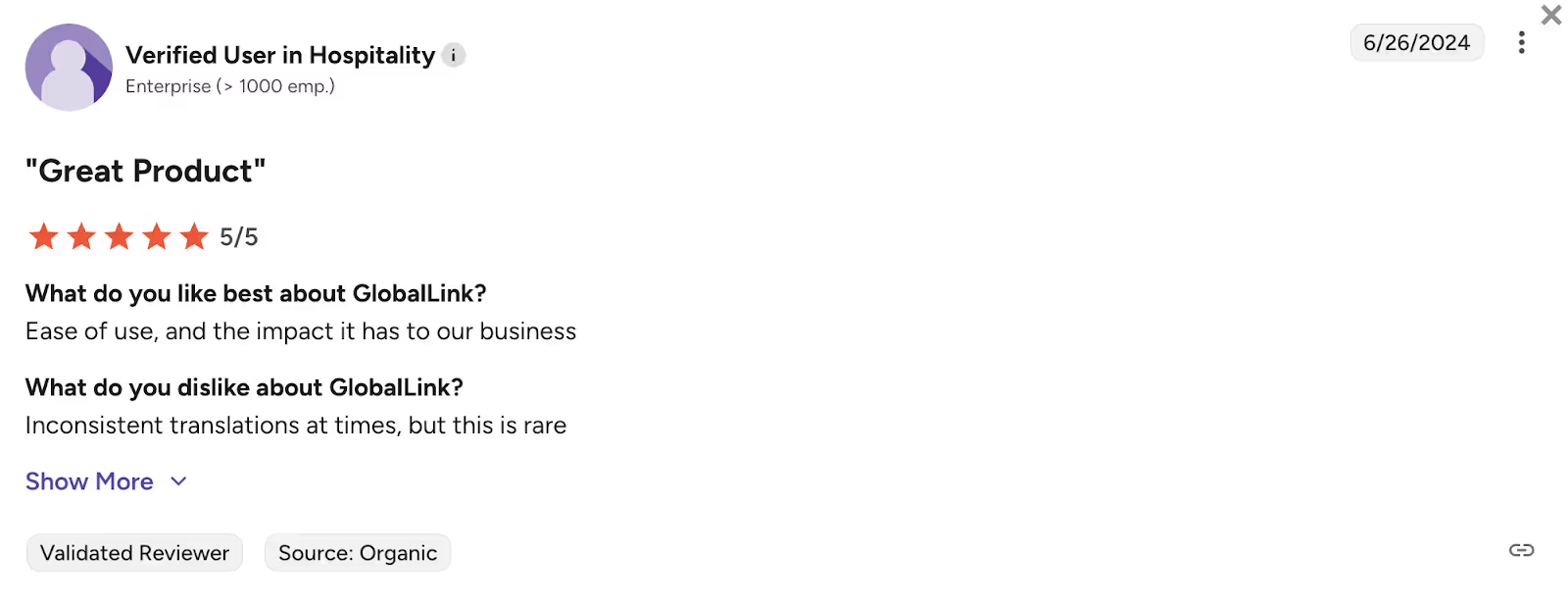
- G2 review read that it delivers inconsistent translation at times.
GlobalLink Live Review
A user on G2 says that GlobalLink Live does not provide accurate translation at times.
How to Live Translate From English to Vietnamese with JotMe?
To live translate from English to Vietnamese with JotMe, you first need to install JotMe on your device, enter your meeting or call, and open it to set the languages to begin the live translation.
Follow the steps below to understand how to live translate from English to Vietnamese with JotMe in detail:
Step 1: How to Download JotMe?
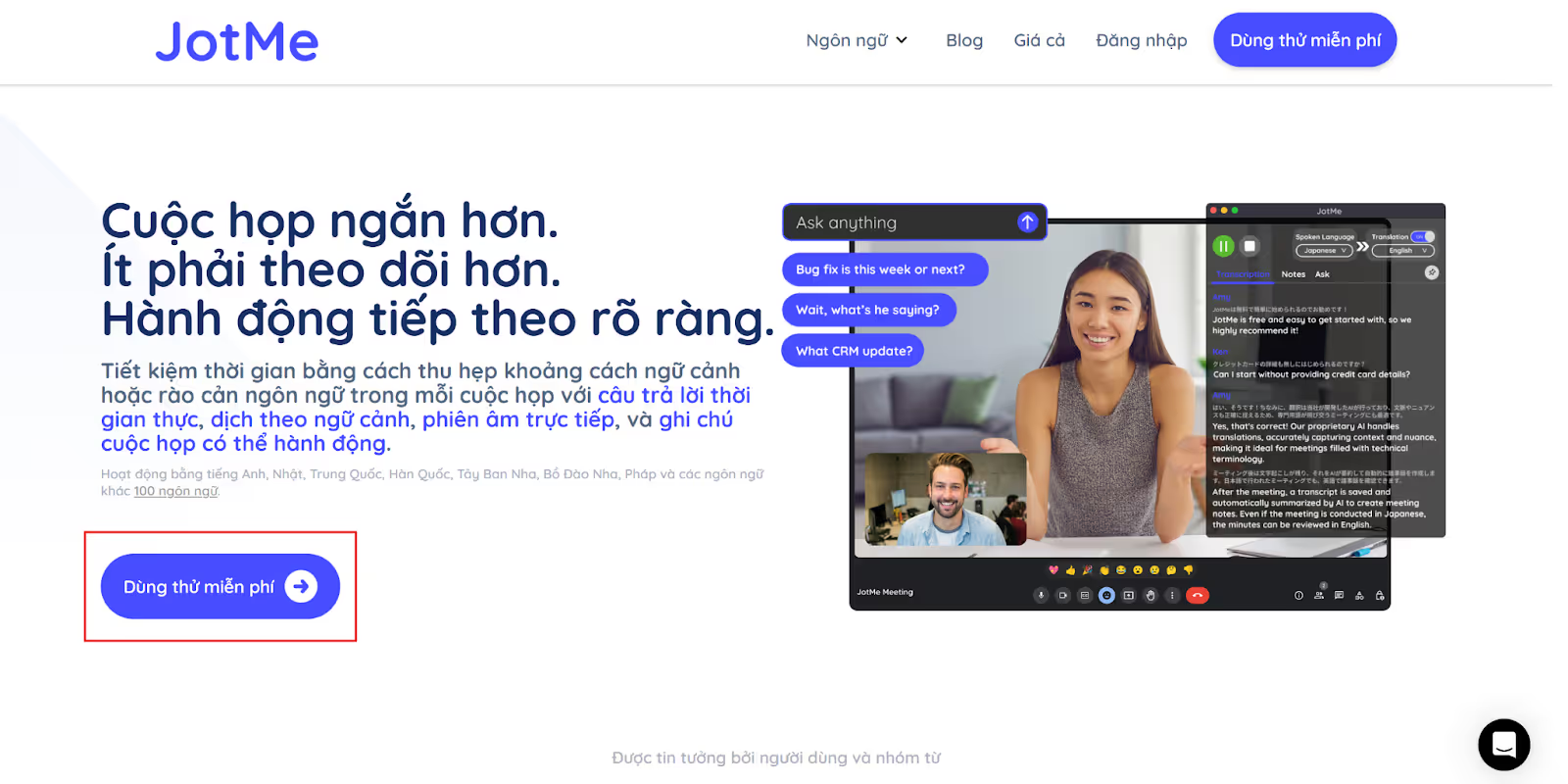
Go to the official website of JotMe or its Vietnamese page and click on the “Try for free” button to download the setup on your Windows or Mac device. Then, install the JotMe app by running the setup and following the instructions.
Step 2: How to Start a Meeting and Open JotMe?
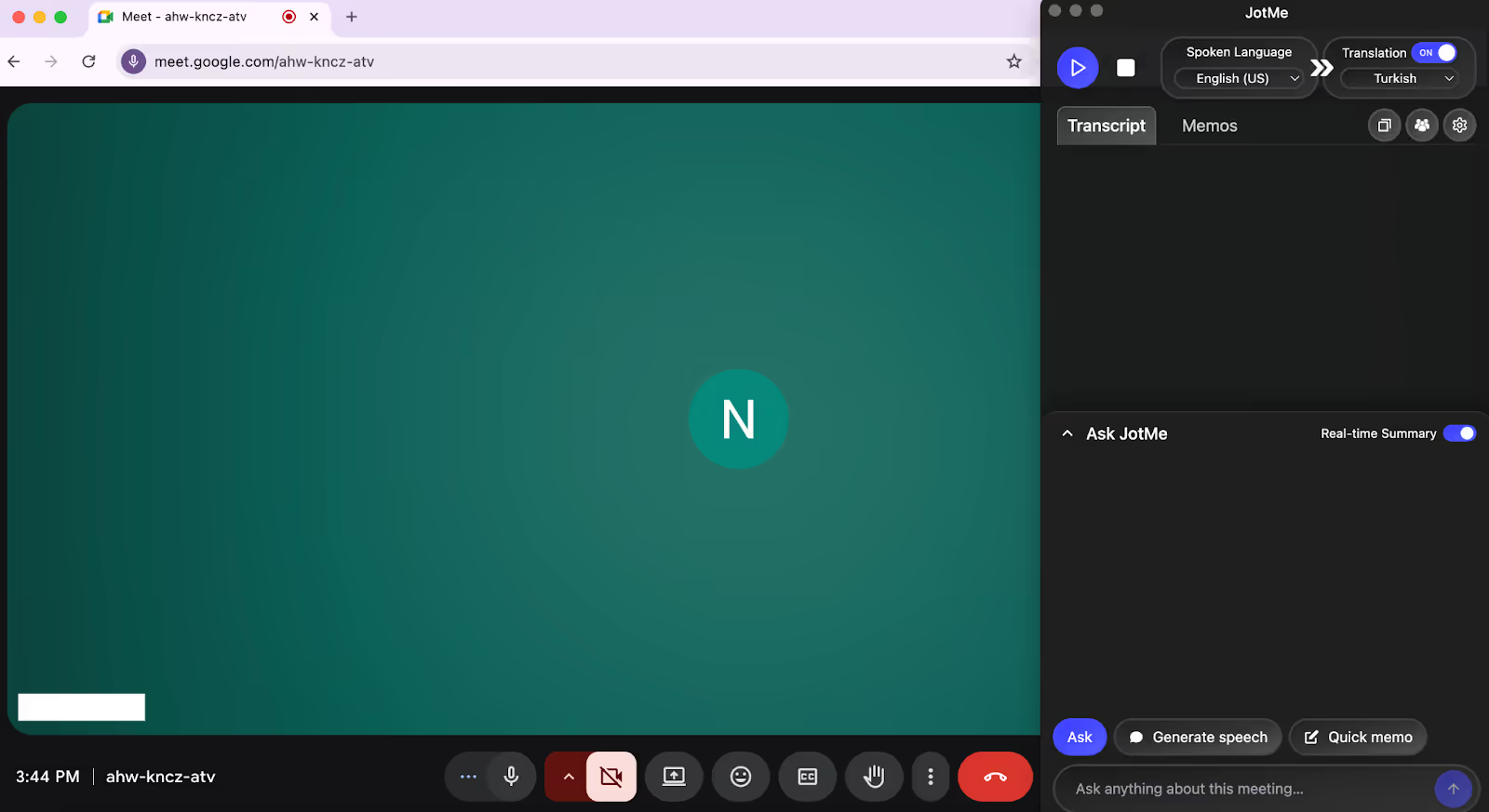
Start or join a meeting/call on video conferencing platforms like Google Meet, MS Teams, Zoom, etc., via their desktop apps or the web browser. Next, open the JotMe app, which will appear on the right.
Step 3: How to Set the Languages for English-to-Vietnamese Live Translation?
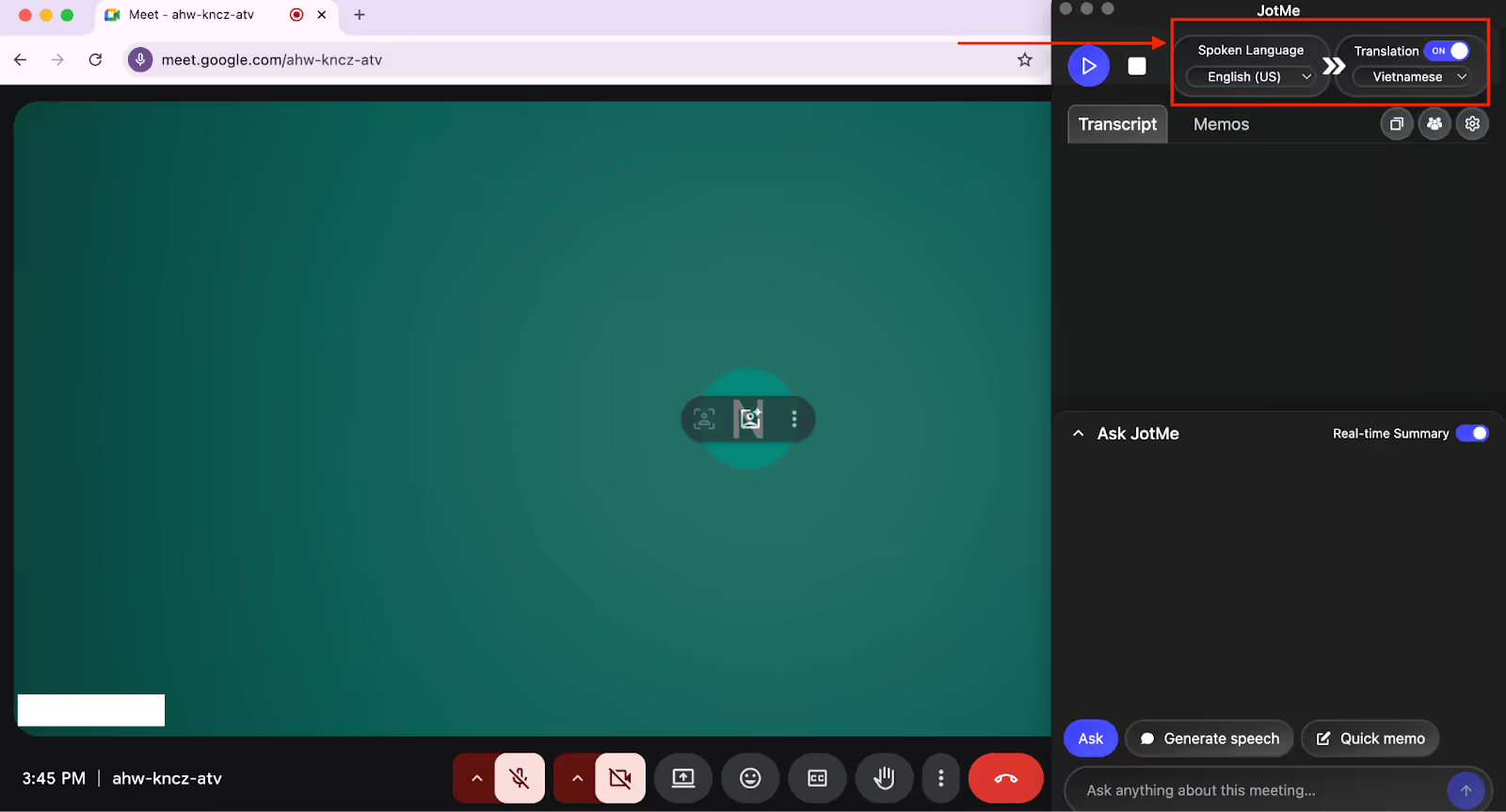
In the JotMe window, check the “Translation” button and turn it on if it’s off. Under the “Spoken Language” option, select English from the dropdown menu. In the same way, select Vietnamese under the “Translation” language option.
Step 4: How to Begin Live Audio Translation With JotMe?
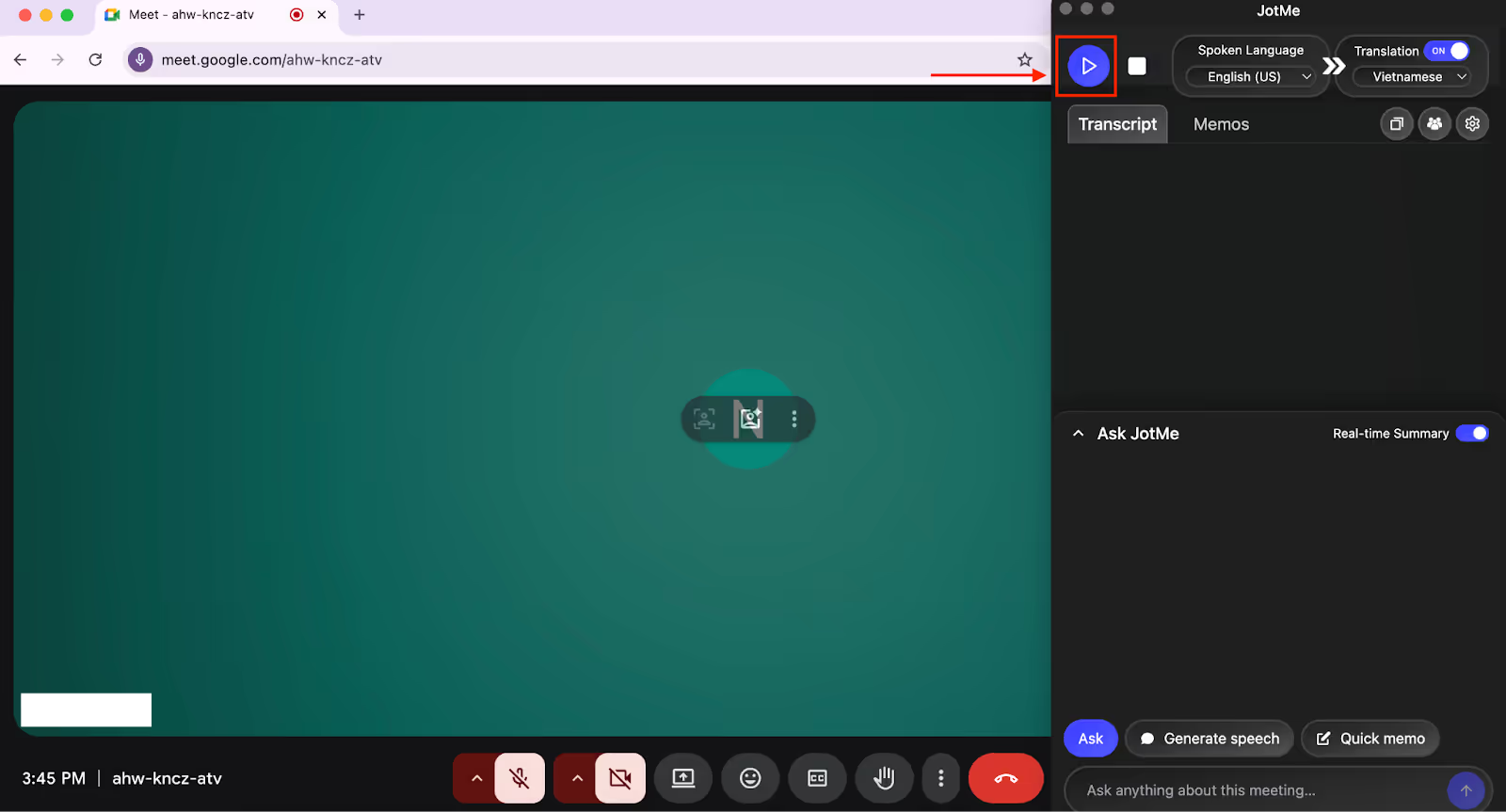
Now that you’ve selected the languages, just tap on the “Play” button on the top left of the JotMe window to begin the real-time live audio translation.
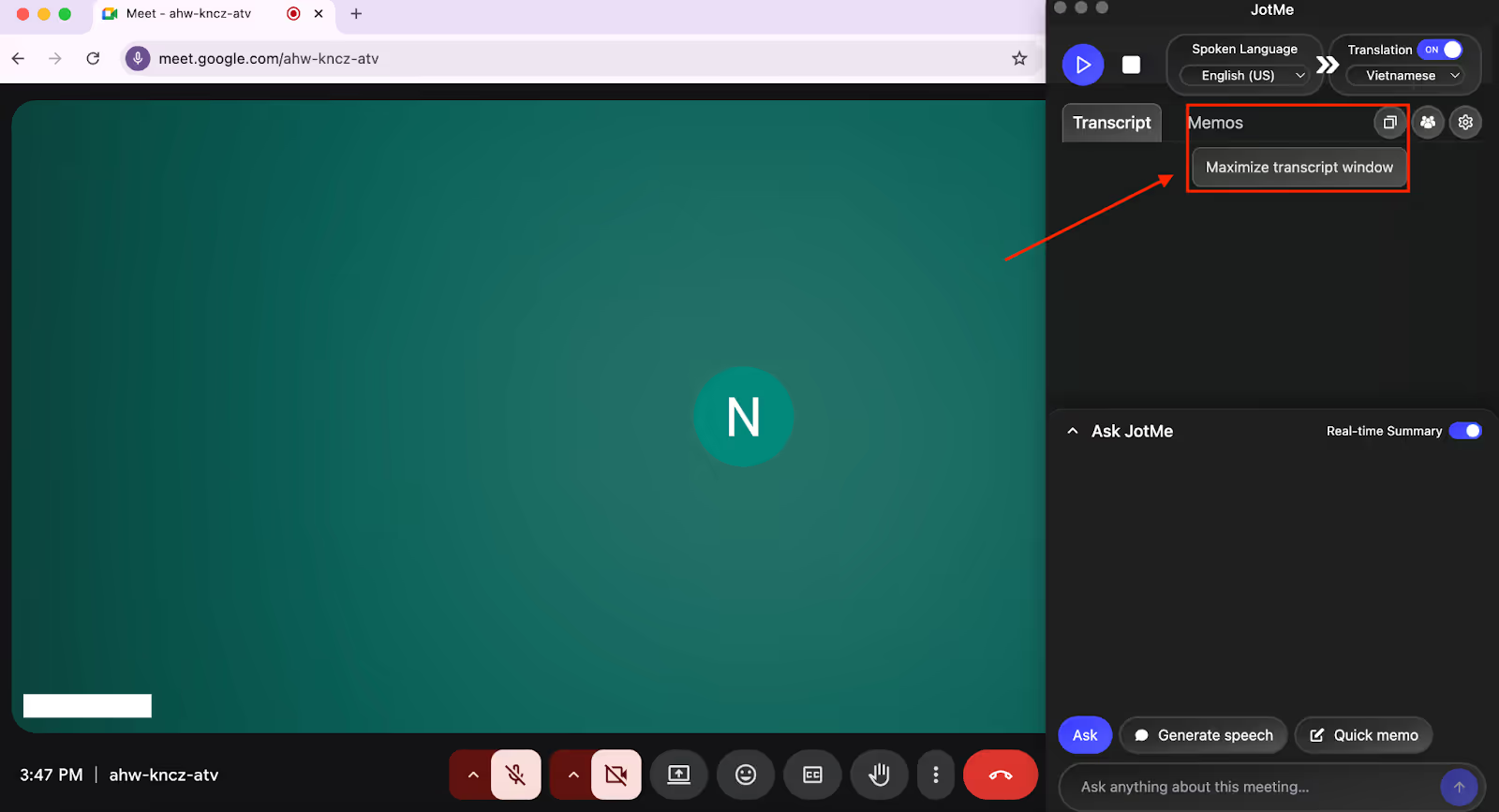
JotMe will begin the English-to-Vietnamese translation of live audio into text as soon as you start speaking. If you prefer to read the translations in traditional caption format, you can do that by adjusting the size of the JotMe app to view the translation at the bottom of your screen.
Which Tool Should You Choose to Live Translate from English to Vietnamese?
You should choose the right tool for English-to-Vietnamese live translation tool depending on how frequently you need live translation, how much you can spend, and what additional features you need. Take a look below to understand which tool suits your translation needs:
- JotMe stands out as the best choice for agriculture consultants, customer support teams, and anyone conducting regular meetings with Vietnamese participants.
- For global companies offering customer support to Vietnamese customers or hosting large-scale conferences, Boostlingo and GlobalLink Live are suitable.
- For teachers conducting online sessions globally with Vietnamese-speaking students, EventCAT offers sector-specific glossaries for technical accuracy.
- For offering virtual tours of museums or historical sites to Vietnamese tourists, Akkadu is a great fit.
But the thing is:
With a variety of live translation tools available in the market, it can be overwhelming to pick the right one. After testing multiple tools, we’ve found that JotMe outperforms these tools in terms of accuracy. Unlike word-for-word translators, JotMe delivers contextual real-time translation by understanding the tone and flow of the conversation, along with domain-related words.
JotMe doesn’t stop at live translation; it goes beyond by providing an AI chat for real-time to clear your doubts during the meeting and summary in bullet points for better readability, post-meeting notes, time-stamped transcripts that record what was discussed when, and more.
Try JotMe today in your meetings and experience seamless communication with your Vietnamese participants.
FAQs
What is the most accurate translator for Vietnamese?
The most accurate translator for Vietnamese is JotMe. With its NLP and speech recognition technology, JotMe goes beyond word-for-word translation and provides accurate, live audio translation into text that takes the context, nuance, and domain-specific knowledge into consideration.
Is AI translation good for English to Vietnamese audio?
Yes, AI translation can be good for English to Vietnamese audio because it is quick, accurate, and cost-effective, especially with live translation tools like JotMe. JotMe is an AI interpreter that makes it easy to translate from English to Vietnamese words online by providing instant, contextual, and accurate real-time translation in 77 languages with a Chrome extension and 45 languages with the desktop app.
What are some reliable online translation services for Vietnamese and English?
The reliable online translation services for Vietnamese and English include JotMe, Boostlingo, EventCAT, Akkadu, and GlobalLink Live. Though all these tools provide real-time translation from English to Vietnamese, JotMe outperforms them in terms of speed, accuracy, pricing, and additional features.
How much does EventCAT cost?
EventCAT costs are a bit expensive and offers four types of pricing plans: two prepaid and two subscription plans. The Prepaid plan with the SWIFT model costs $15/hour, while with the WISE model, it costs $30/hour. On the other hand, the Plus plan with average translation accuracy is priced at $179/month, and the Pro plan at $279/month with higher accuracy.
Last updated on
April 14, 2026
Follow us on social media: