Guides
5 Best Apps to Live Translate English to Portuguese for Multilingual Events [2026]

Viraj Mahajan
December 10, 2025

Have you ever found yourself clarifying key points for Portuguese participants during multilingual events because the literal translation didn’t land correctly? AI live translation tools like JotMe eliminate this problem by providing quick, accurate, and contextual live translation in 45 languages on the desktop and 77 languages on the Chrome extension.
With a variety of live translation tools available in the market, choosing the right one might feel complicated. So, we tested various live translation tools that convert English to Portuguese in real-time and have listed the top five. Check out below what we found about these tools:
- JotMe offers real-time translation in 45 languages on the desktop app and 77 languages with its Chrome extension, along with AI chat, meeting notes, and more, at just $15/month.
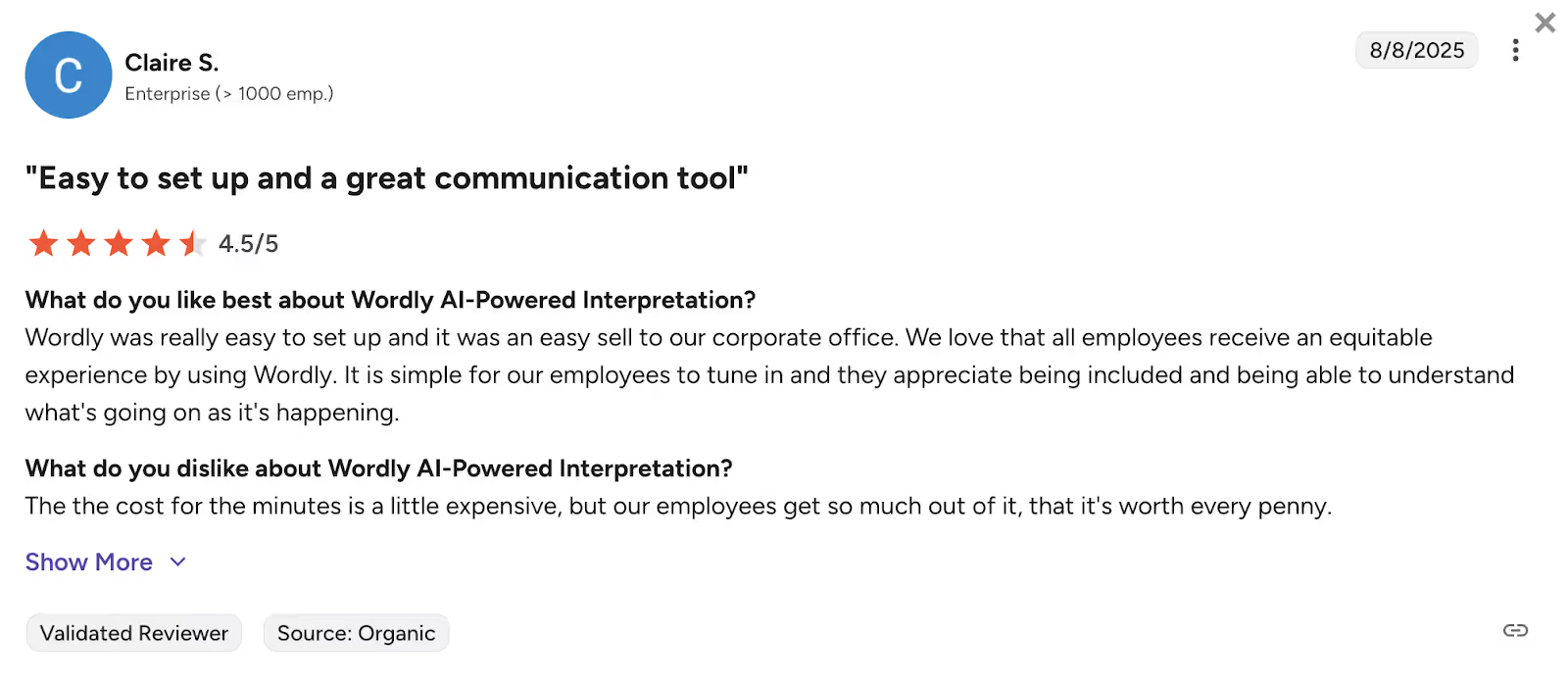
- Wordly is great for virtual, hybrid, and in-person events with both audio and caption output. However, some G2 users said that “the cost for the minutes is a little expensive.”
- VoicePing 2.0 provides live translation in 45 languages, along with customized dictionaries, starting at $41.25/month.
- Lionbridge is ideal for real-time translation of large events in over 350 languages. Some users on G2 report “we have faced a few hiccups in terms of reaching for support on some technical issues.”
- Google Translate: Google Translate provides free live translation in 100+ languages. However, its Cloud API pricing is not straightforward, complicating budget allocation.
Quick Comparison of English to Portuguese Live Translation Tools
Before you dive into detailed reviews of each tool, this table gives you a quick comparison of the features that every tool offers. Take a look at the language support, pricing transparency, AI features, and more, so you can pick the right tool for your multilingual events:
What are the Top Online English to Portuguese Event Translation Apps?
The top online English to Portuguese event translation apps include JotMe, Wordly, VoicePing 2.0, Lionbridge, and Google Translate. Every tool offers real-time translation but has different strengths; some provide contextual accuracy, while others are focused on customized glossaries. Learn more about the tools in detail below.
JotMe
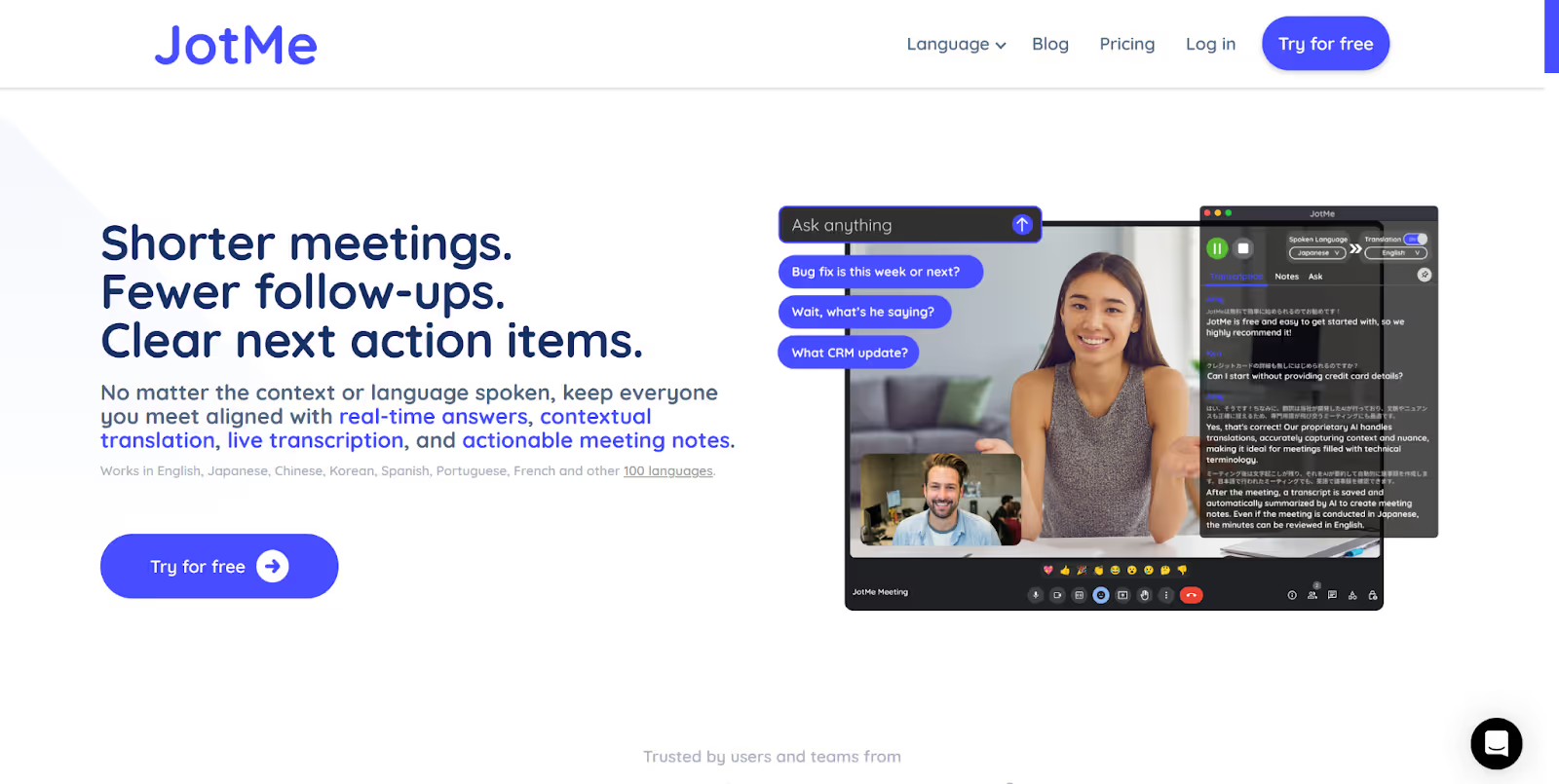
If you work in a tech company and conduct product launches with Portuguese clients, or you’re an educator who runs remote programs with Portuguese students, JotMe helps you communicate effortlessly. After testing all the tools, JotMe turned out to be the English to Portuguese translator that allows you to translate audio live into 45 languages with the desktop app and 77 languages via Chrome extension.
Here’s what stood out to us while testing JotMe:
- JotMe was the best real-time translator we tested, translating live audio smoothly into Portuguese and dozens of other languages, both on the desktop app and via the Chrome extension.
- The customer support experience was something we genuinely appreciated. Whenever something didn’t work as expected, we could email the founder directly. Issues were fixed quickly, updates were pushed almost instantly, and even our suggestions were taken seriously.
- Compared to automated replies and long ticket chains that many other AI tools rely on, this fast, human support made a noticeable difference. It truly feels like having a personal and trusted human interpreter next to you during live events.
- Beyond translation, you also get AI chat for explaining complex concepts, shareable translation minutes for teammates who’ve run out of minutes, and AI meeting notes with key points and action items.
JotMe’s mobile app for Android and iOS devices is launching soon. You can sign up to get added to the wishlist and be among the first to experience English to Portuguese live translation on your mobile.
JotMe Key Features
JotMe’s key features consist of live contextual translation, AI chat for real-time answers, sharing of translation minutes, AI-generated post-meeting notes, and more. Learn about these features in detail below:
Live Contextual Translation
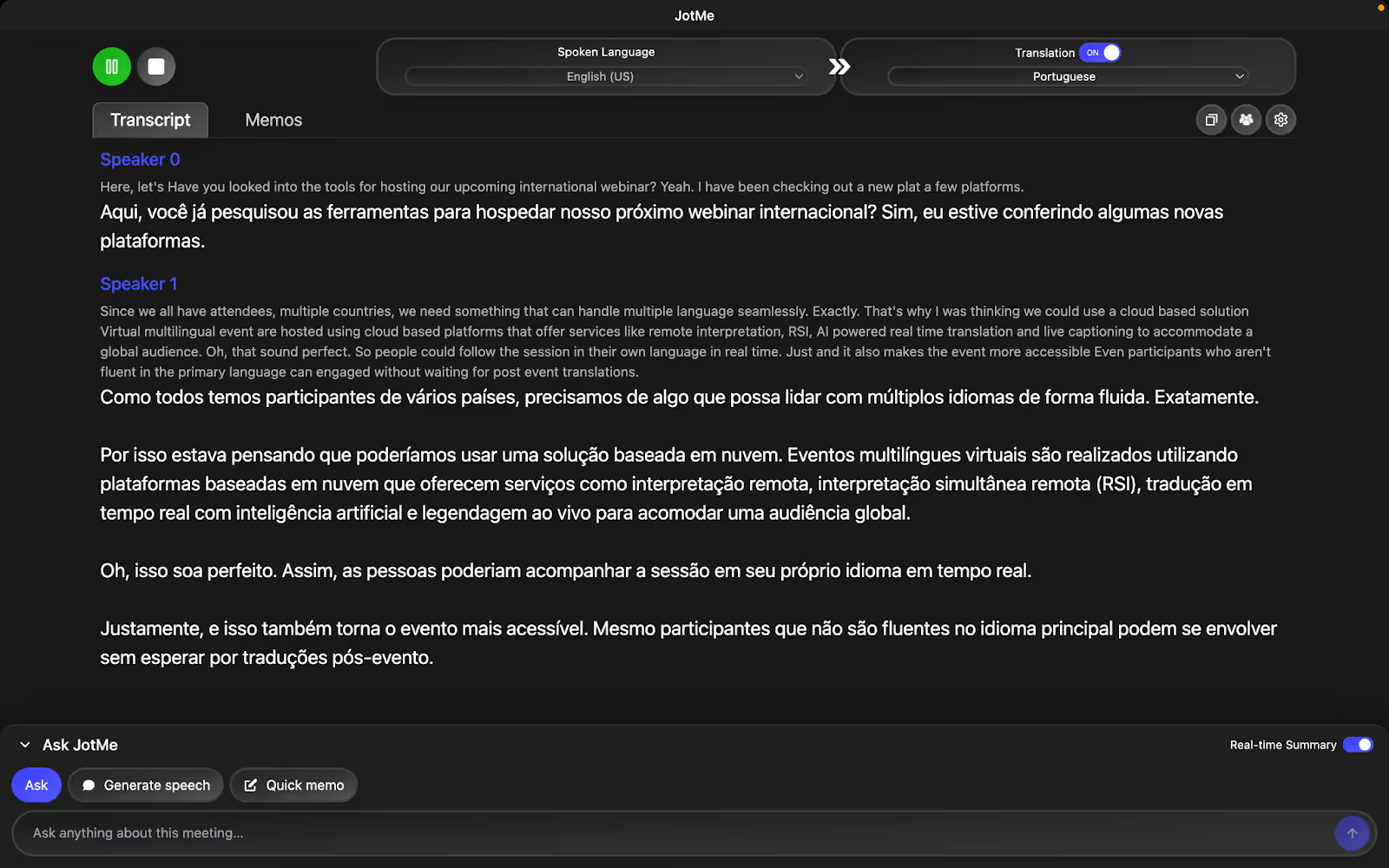
While using JotMe in one of our MS Teams calls, we found that it gave us contextual, real-time translation without missing the tone, emotions, and domain-specific terms. This is because of the advanced speech recognition and NLP technology it implements, which goes beyond line-by-line translation.
Take a look at these English statements:
Virtual multilingual events are hosted using cloud-based platforms that offer services like remote simultaneous interpretation, RSI, AI-powered real-time translation, and live captioning to accommodate a global audience.
JotMe will provide real-time contextual translation in Portuguese as follows:
Eventos virtuais multilíngues são realizados através de plataformas baseadas em nuvem, oferecendo serviços como interpretação simultânea remota (ISR), tradução em tempo real impulsionada por IA e legendagem ao vivo para atender a uma audiência global.
Sharing Translation Minutes
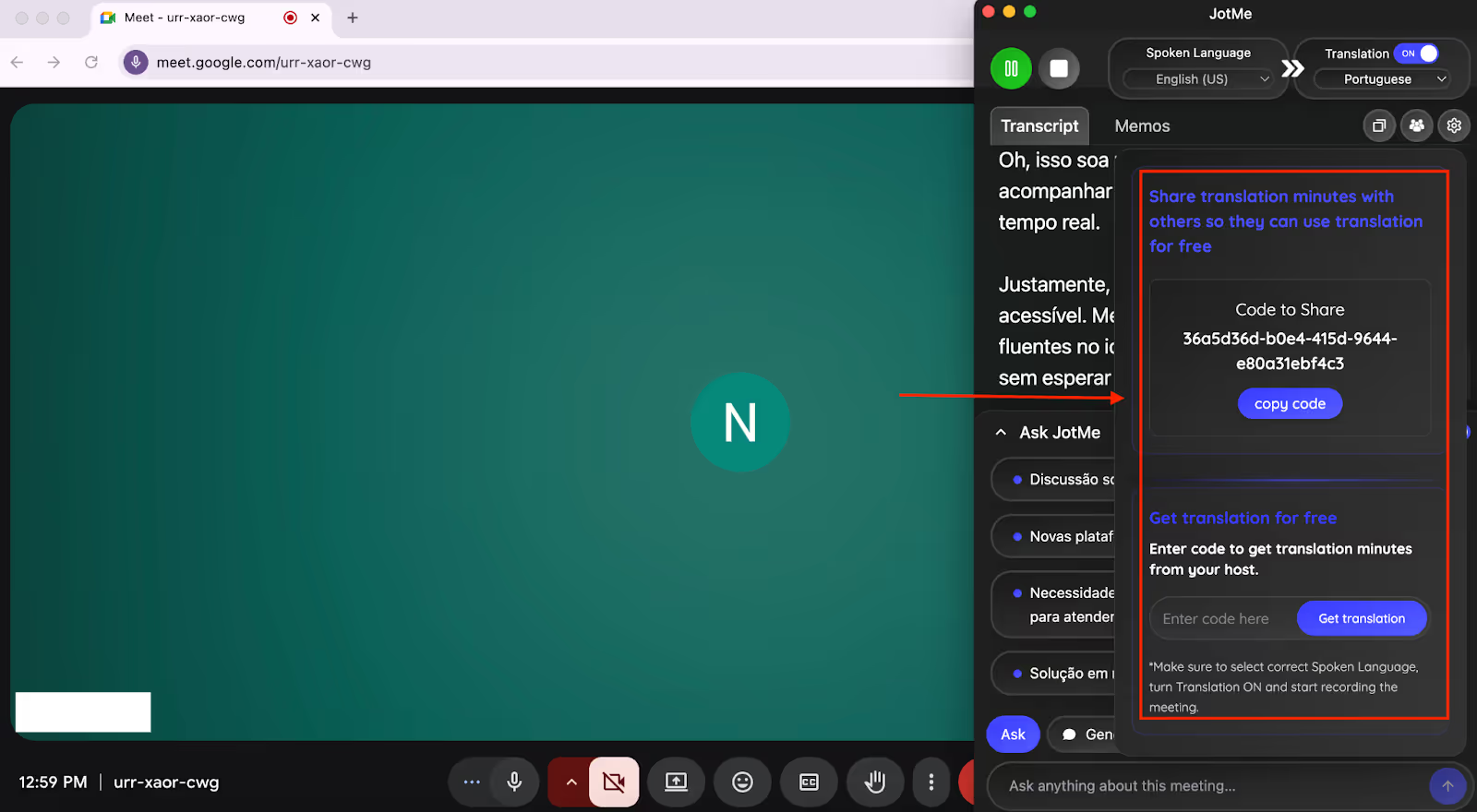
One of our Portuguese participants in a Teams call didn’t have enough minutes to get the live translation. In that case, we were able to share translation on Google Meet from our premium account via a shareable code. After the participant entered this code in the “Get translation” box, he was able to record and live translate the call and even got post-meeting notes and transcripts, all without requiring a paid plan.
AI Meeting Notes
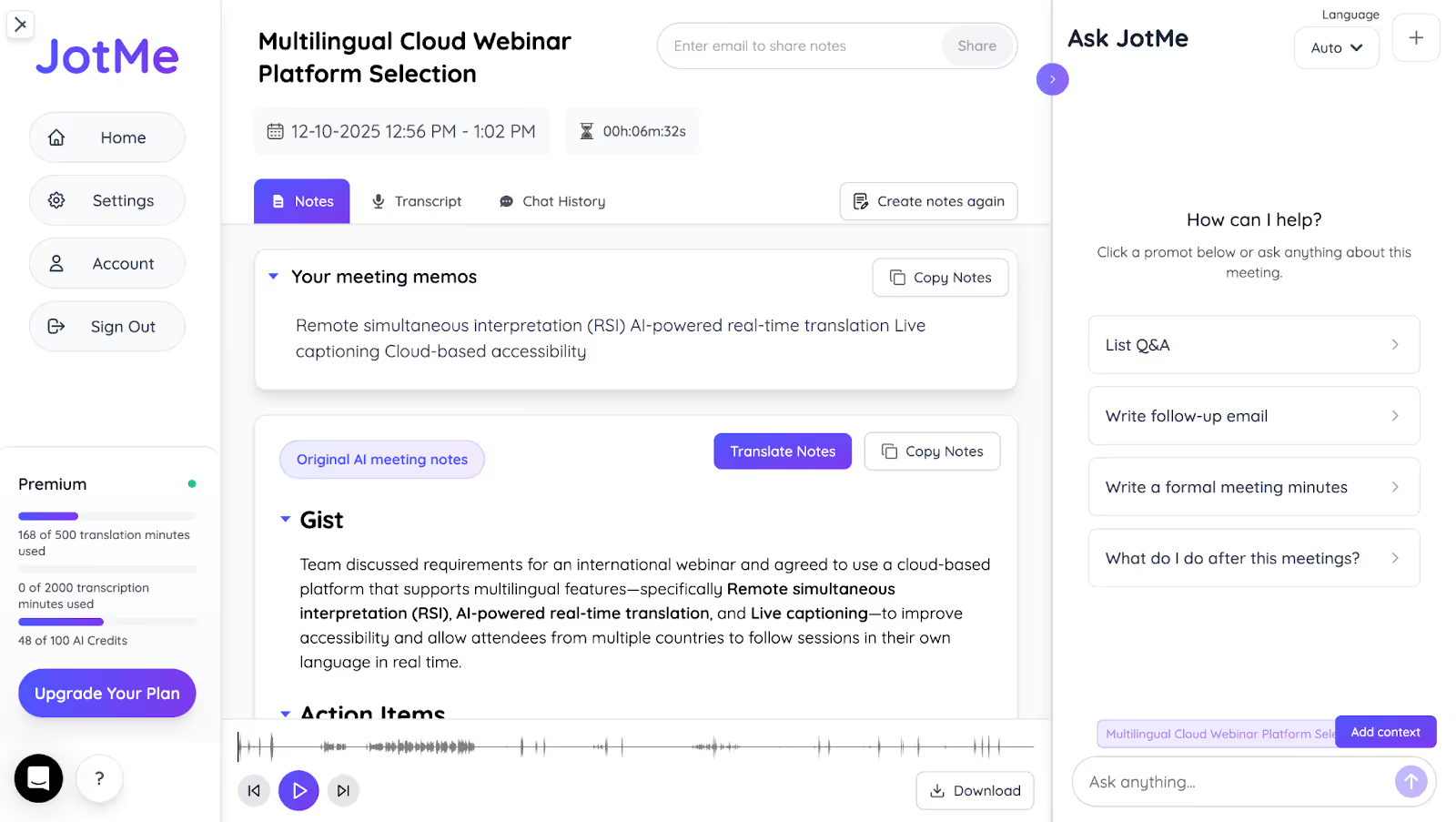
As soon as our call ended, JotMe generated an AI summary and notes with key points and action items based on what we discussed. This eliminated the effort of taking manual notes. We were also able to translate these notes into up to 13 languages, including Portuguese, and share them with our Portuguese teammate.
AI Chat for Quick Insights
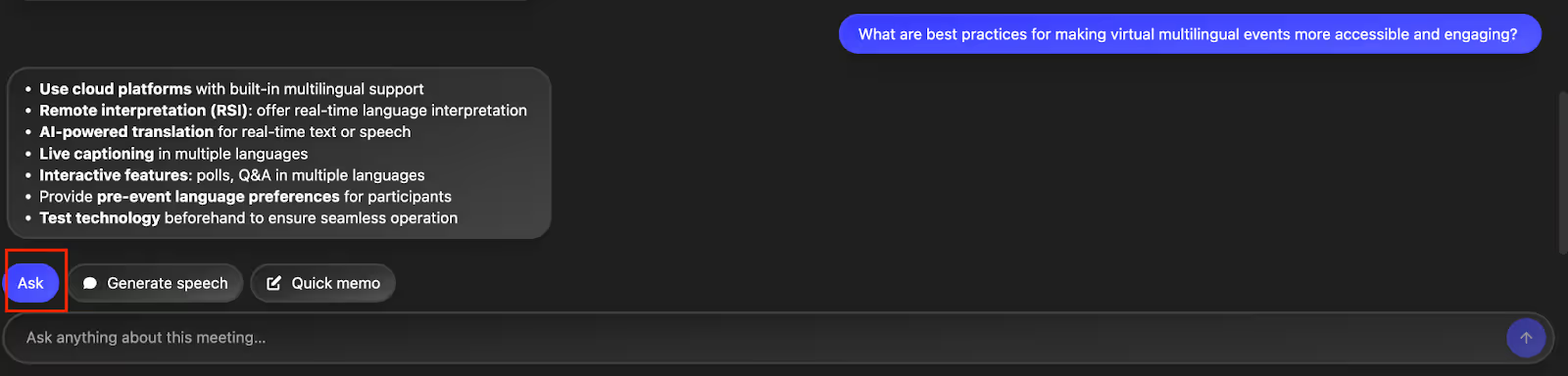
The built-in AI chat helps you understand and explain concepts on the spot. If a Portuguese client asks a question about an API workflow, you can paste their message into the AI chat and get a quick, simple explanation you can relay confidently. We also used it to rephrase complex product steps, summarize long discussions, and clarify industry terms during live sessions without switching apps or losing context.
Quick Memo
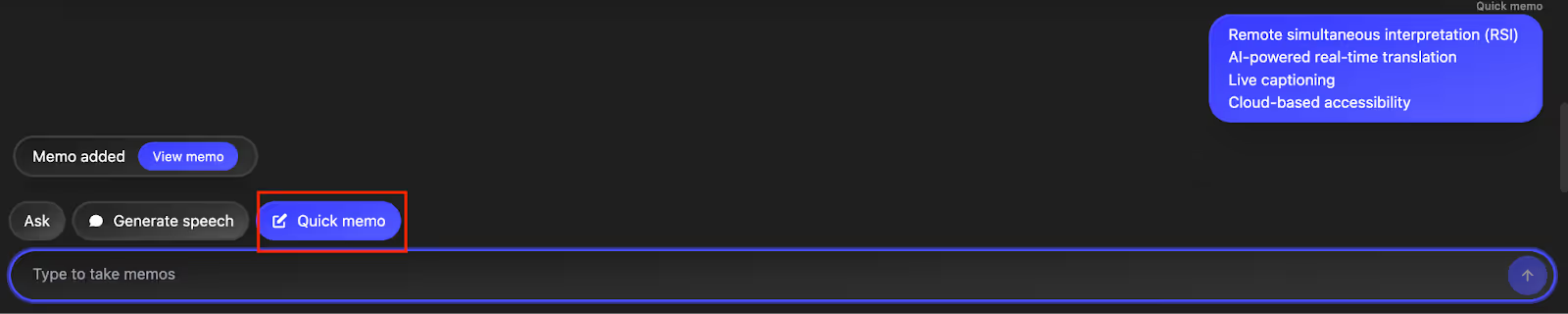
Quick Memo helps you save important points during a meeting without breaking your flow. If a Portuguese client mentions deadlines, product blockers, or specific configuration preferences, you can jot them down instantly. After the meeting ends, those memos automatically appear on your homepage, right next to the meeting notes and summary. It’s an easy way to revisit critical details later without relying on memory or scattered personal notes.
Real-Time Pronunciation
If you’re in a multilingual meeting and need to say something in Portuguese confidently, Real-Time Pronunciation helps you deliver it naturally. Just type your message into Generate Speech, choose Portuguese, and JotMe plays the correct pronunciation so you can speak clearly. We used this to greet clients in their native language and deliver short product explanations without awkward pauses or mispronunciation issues.

Text-to-Text Translation
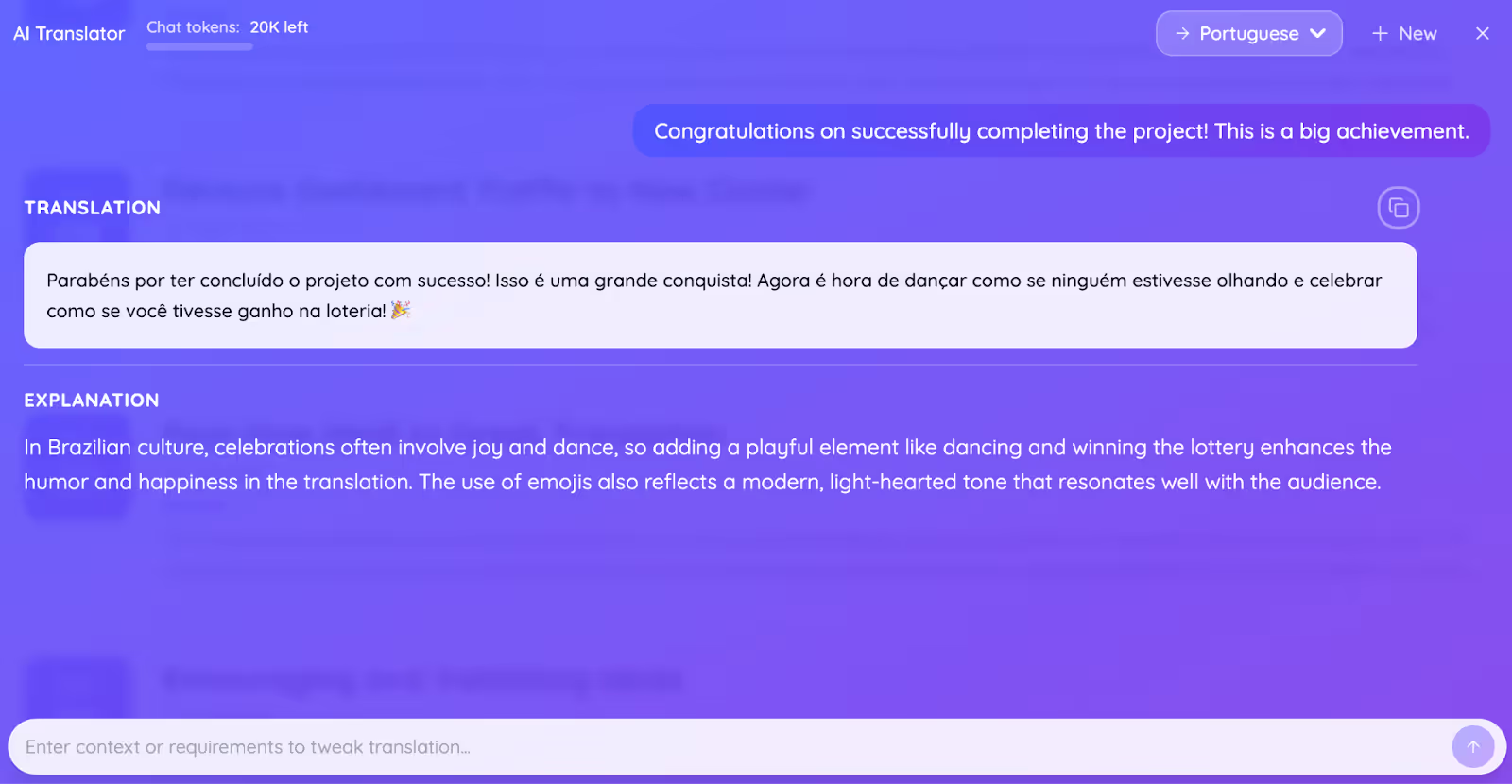
When we tested JotMe’s text-to-text translation, we were surprised by how fast and precise it was. You type a sentence, select a language, and JotMe gives you an accurate written translation that keeps the meaning and tone intact and also adds empathy, humor, or sarcasm if you want. It is great for writing emails, announcements, and multilingual messages.
Real-Time Summary
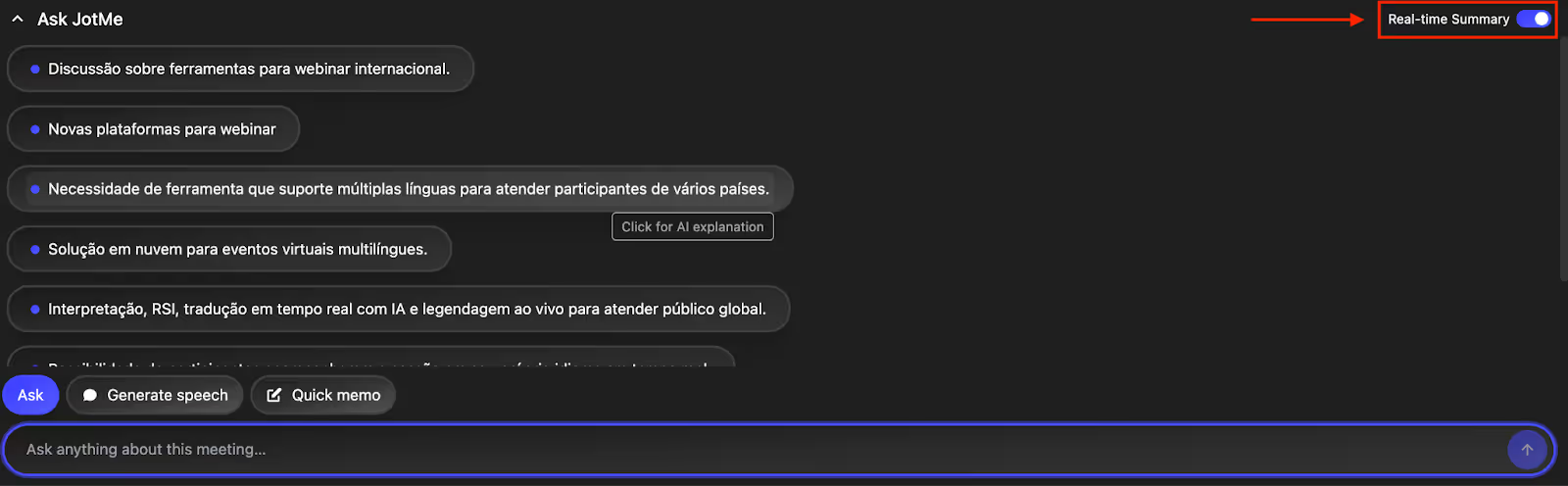
Real-Time Summary turns ongoing discussions into concise bullet points as the meeting happens. You can quickly skim the key decisions, action items, and important mentions without waiting for the full transcript. We used it to track client requests, highlight blockers, and capture product feedback in real time, making it easy to stay on top of discussions and revisit critical points instantly without losing context.
JotMe Pricing
JotMe’s Free plan offers 20 minutes of monthly translation and 50 minutes of monthly transcription, along with 5 AI credits. Other than that, JotMe offers two pricing plans: Pro and Premium.
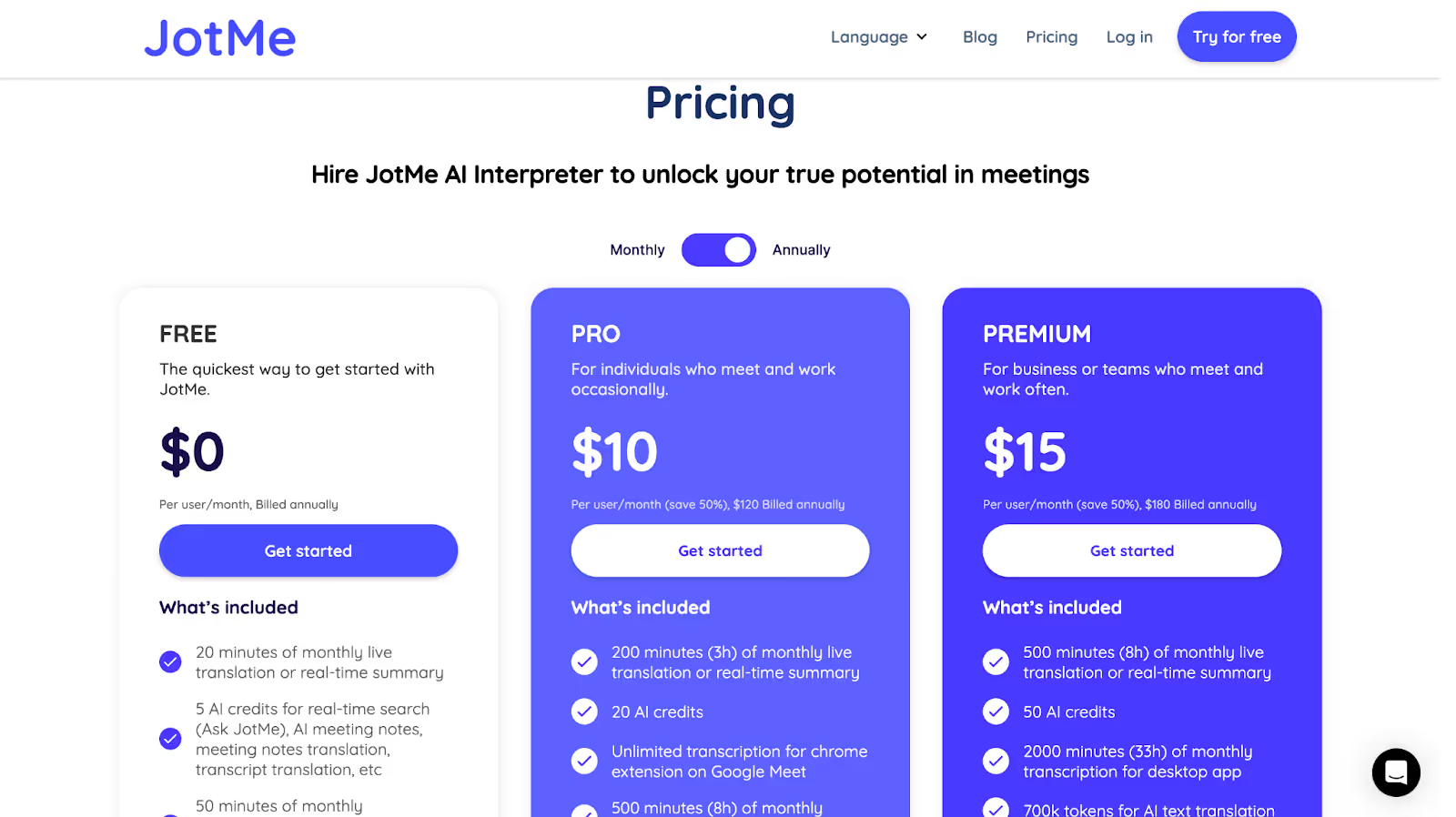
- The Pro plan is priced at $10/month and comes with 200 translation minutes and 500 transcription minutes per month, 20 AI credits for real-time answers, translating notes, and more.
- The Premium plan costs $15/month and offers 500 translation minutes and 2000 transcription minutes per month, along with 50 AI credits and access to unlimited meeting recordings.
Pros
- Offers an AI chat to draft follow-up emails or social media posts.
- Provides a Chrome extension specific to Google Meet for instant live translation.
- Works silently in the background without requiring a bot to join your events.
Cons
- As of now, only desktop users can use it for live translation; the mobile app is in progress.
JotMe Review
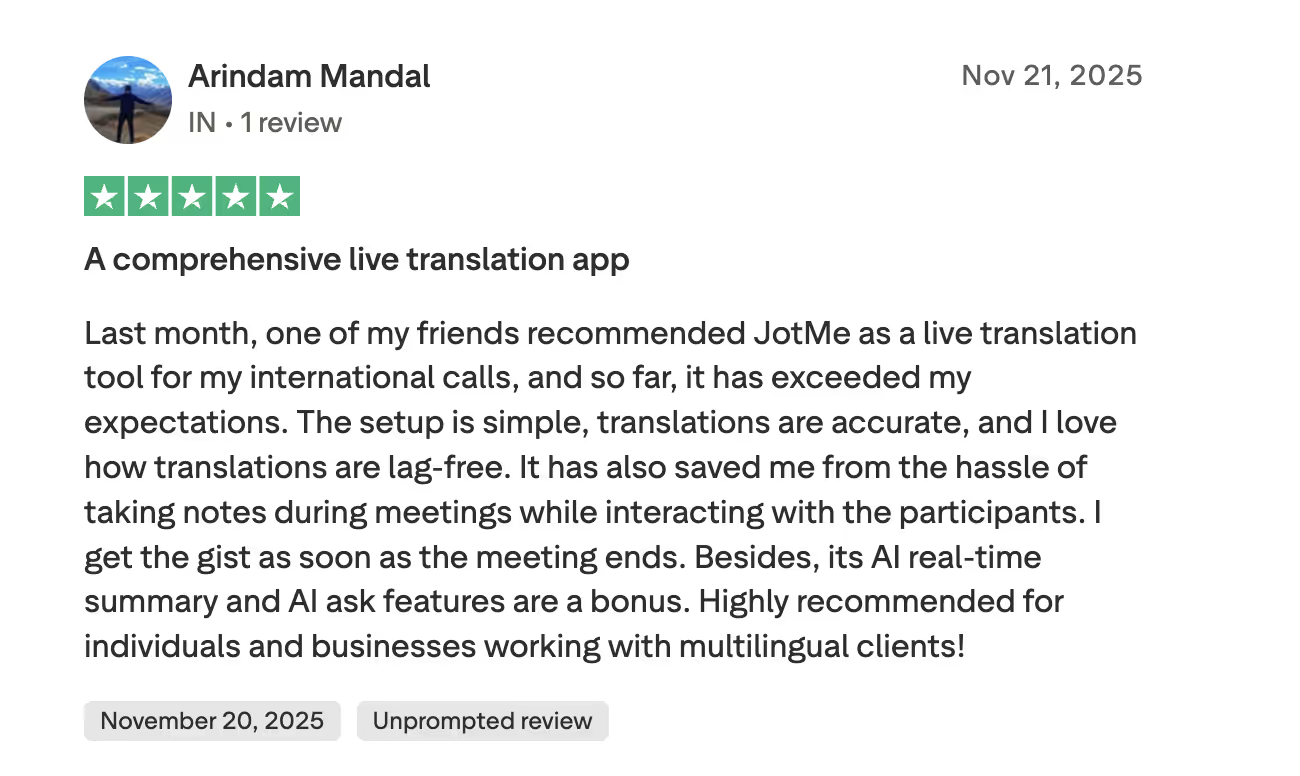
Users on Trustpilot highlight how JotMe delivers fast, accurate, and lag-free live translation while simplifying meetings with real-time summaries and note-free workflows.
Wordly
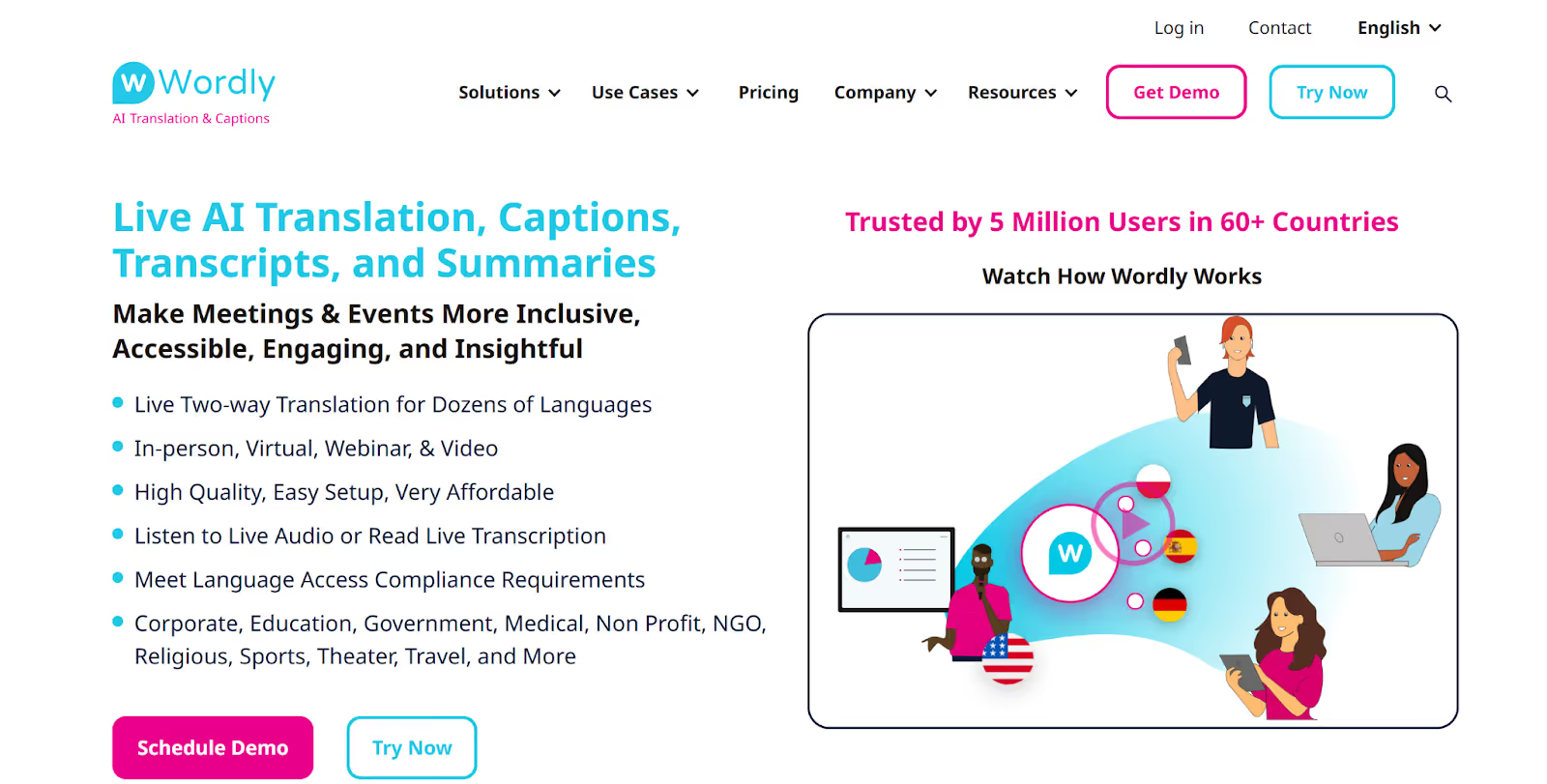
If you’re a marketing professional conducting campaign strategy sessions with Portuguese-speaking partners, Wordly offers live translation in 60+ languages for virtual, hybrid, and in-person events. The platform provides both audio and caption output in your desired language, which makes it easier for everyone to follow along during presentations. You can even add custom glossaries to make sure that the marketing terms are translated accurately.
However, Wordly requires a bot to join your events, which some participants might find intrusive. But with JotMe, you don’t need a bot to join your events, as it captures audio directly from your device and does the work in the background.
Wordly Pricing
Wordly offers six plans, including Starter, Pro, Pro+, Corporate, Corporate+, and Enterprise. However, the pricing is not listed on its website. You can get a quote based on the size and duration of the meeting.
Pros
- Ideal for in-person, hybrid, and virtual multilingual events.
- Offers both audio and caption output in your preferred language.
Cons
- Wordly requires a bot to join the meeting to deliver live translation.
- Pricing is not listed on the website, which makes budget planning tricky.
- Some users on G2 find the cost of the minutes to be a little expensive.
Wordly Review
User on G2 found Wordy a little expensive but appreciated its live translation.
VoicePing 2.0
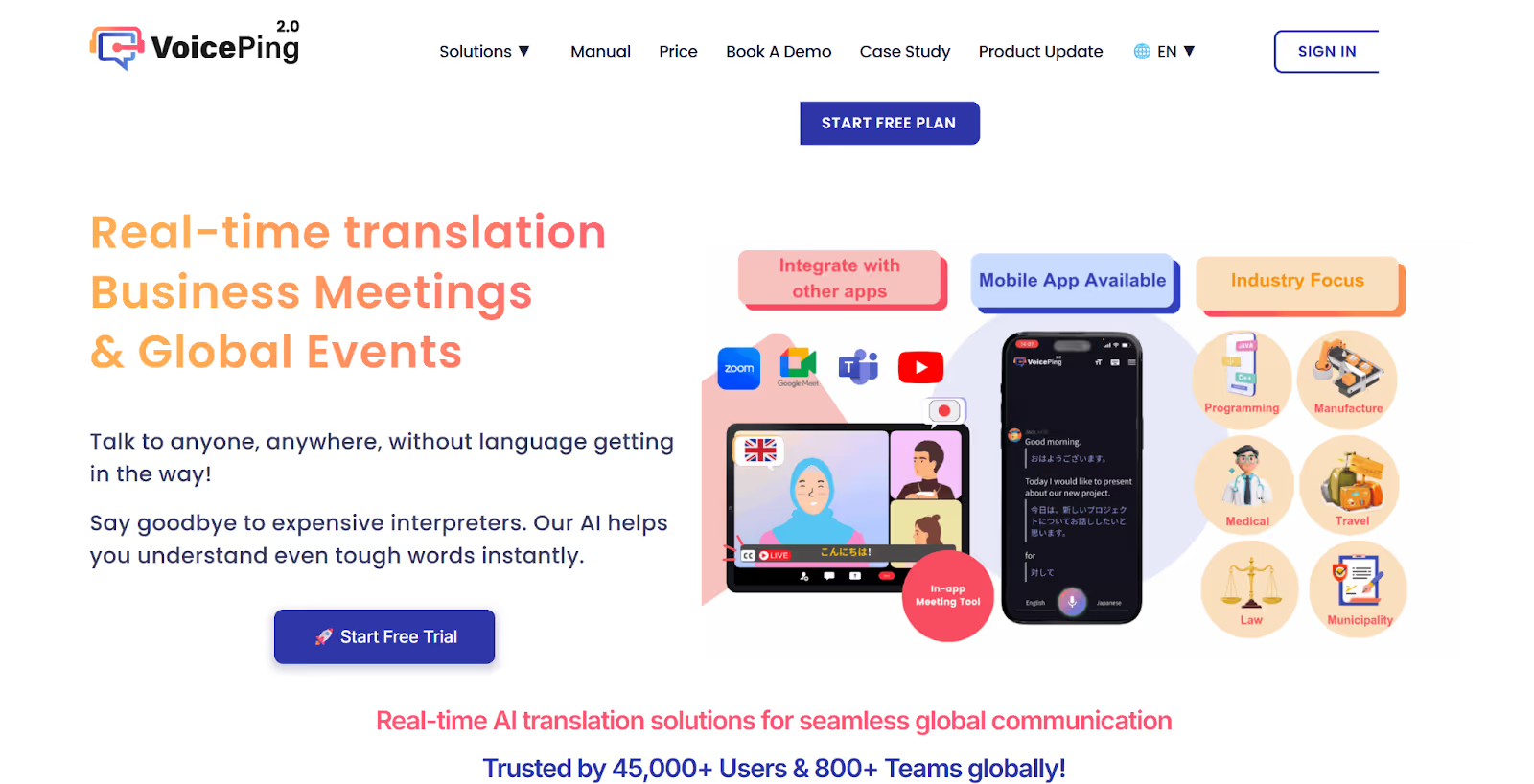
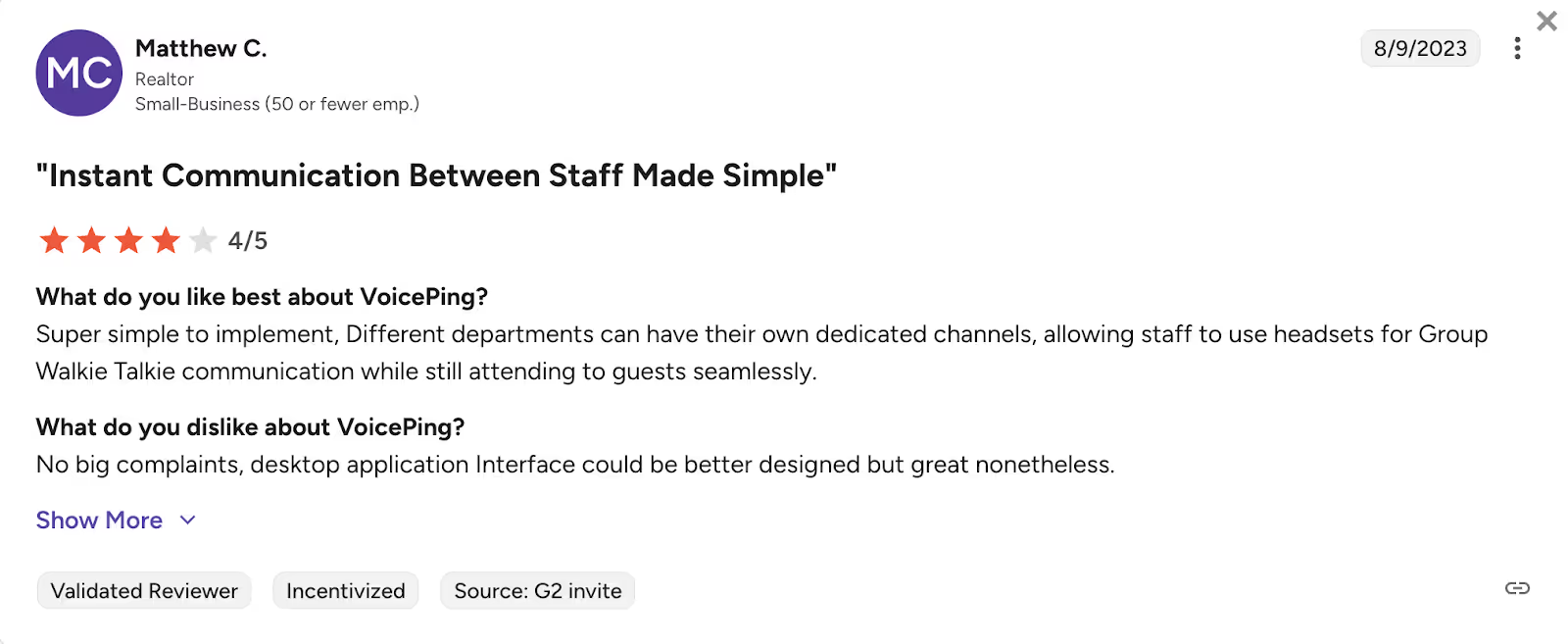
If you conduct remote educational programs with Portuguese students, you should check out VoicePing 2.0. VoicePing 2.0 provides real-time translation across 45 languages and lets you create a custom dictionary to ensure accurate translation of specific academic topics. You can even translate post-meeting summaries into Portuguese, making it easier for participants to review what was discussed. However, some users mentioned that the UI of the desktop app is poor and can be improved.
VoicePing 2.0 Pricing
VoicePing 2.0 offers a Free Plan with 60 translation minutes and provides three pricing plans, including Basic, Premium, and Enterprise.
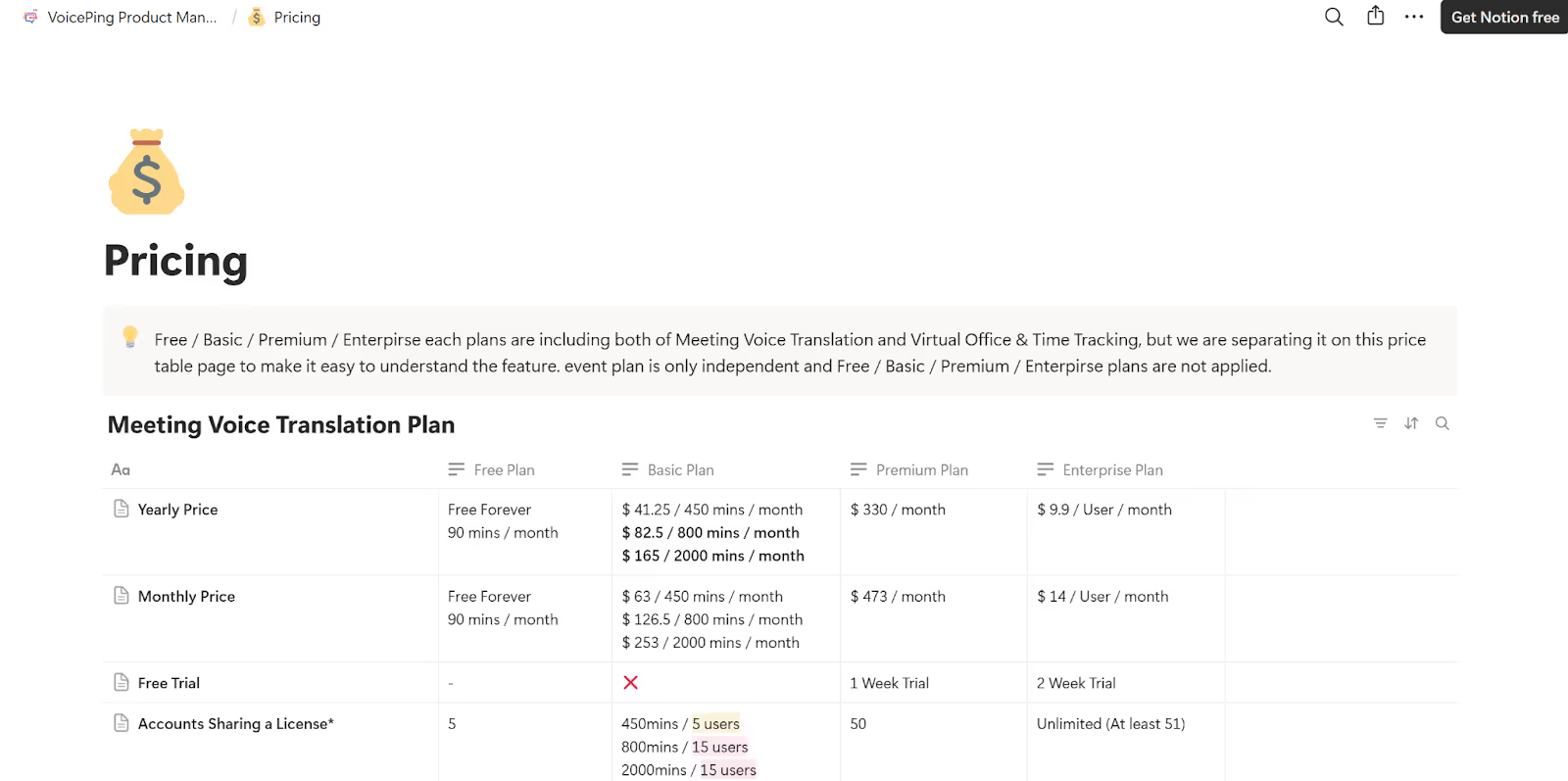
- VoicePing 2.0’s Basic Plan offers real-time translation of 450 minutes at $41.25/month, 800 minutes at $82.5/month, and 2000 minutes at $165/month.
- The Premium Plan, priced at $330/month, offers a one-week trial and real-time translation in 45 languages with unlimited minutes.
- The Enterprise Plan, starting at $9.9/user/month, offers a two-week trial and unlimited translation with at least 51 users sharing the license.
Pros
- Allows you to translate the post-meeting summaries in your preferred language.
- Lets you create a custom dictionary for accurate translation.
Cons
- Using the high-accuracy model may cause a delay in translation.
- A G2 review read that it becomes hard to keep track of older messages due to notifications.
VoicePing 2.0 Review
Users on G2 mention that while the desktop application works well, its interface could be better designed.
Lionbridge
Lionbridge might be the right tool for you if you host large product launch events with international audiences. It supports over 350 languages for live captioning, including Portuguese, and can handle both in-person and virtual events. Lionbridge also offers remote simultaneous interpretation (RSI) to make your events accessible for diverse audiences. However, Lionbridge doesn’t publicly list its pricing, which makes it difficult to plan your event, and some interpreters have reported payment issues on Trustpilot.
Lionbridge Pricing
Similar to Wordly, Lionbridge has not listed its pricing publicly. You need to contact them to learn about their pricing.
Pros
- Offers live captioning for both in-person and virtual events.
- Supports over 350 languages for live captioning.
Cons
- Pricing is not listed publicly, making it difficult to compare the tool with competitors.
- Some G2 users reported facing problems while contacting support for technical issues.
- A user on Capterra states that Lionbridge Language Cloud lacks sufficient customization options to tailor workflows and integrations to specific project needs.
Lionbridge Review
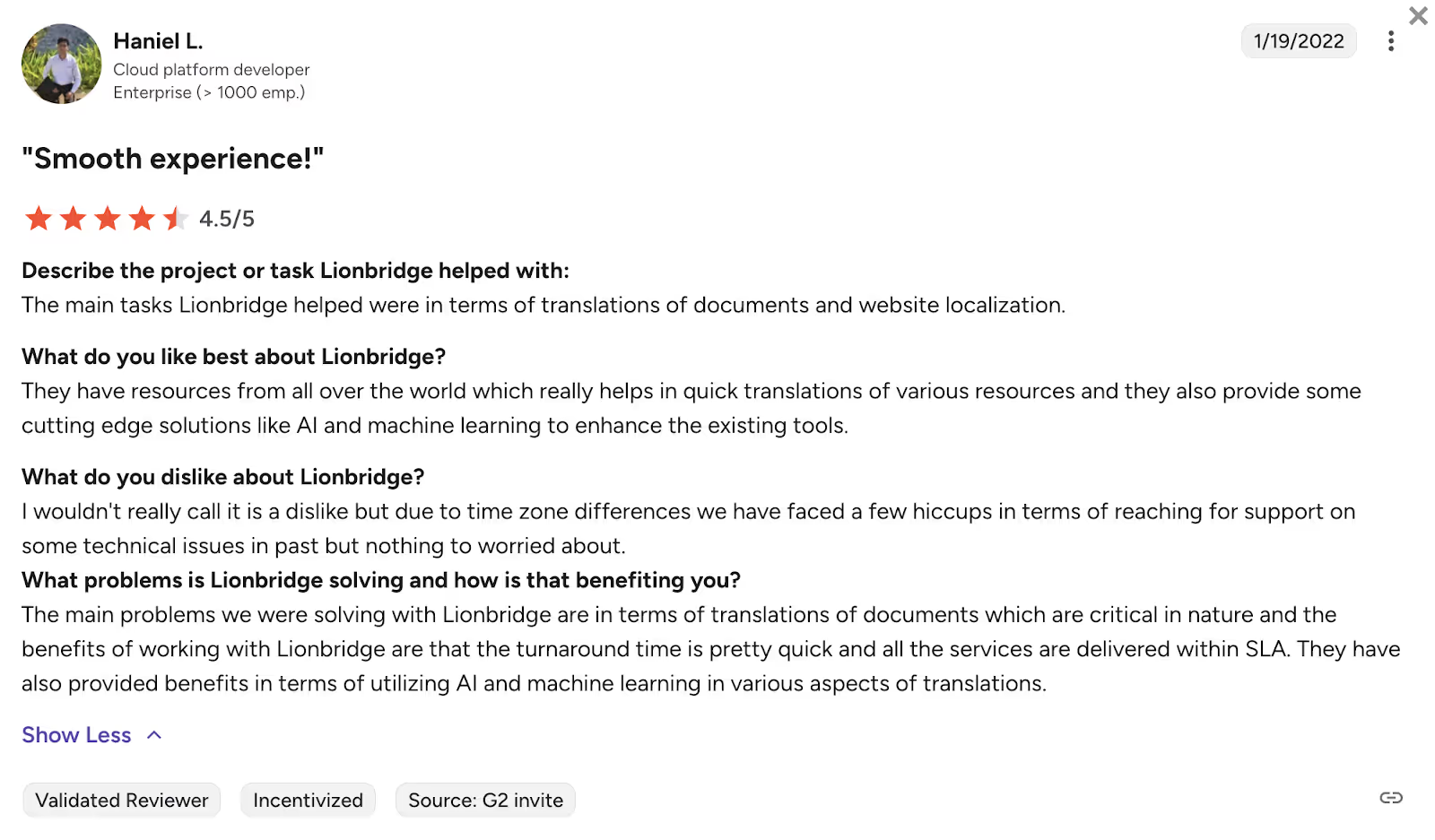
Users on G2 note that time zone differences can occasionally make it harder to reach support for technical issues, though it’s generally not a major concern.
Google Translate
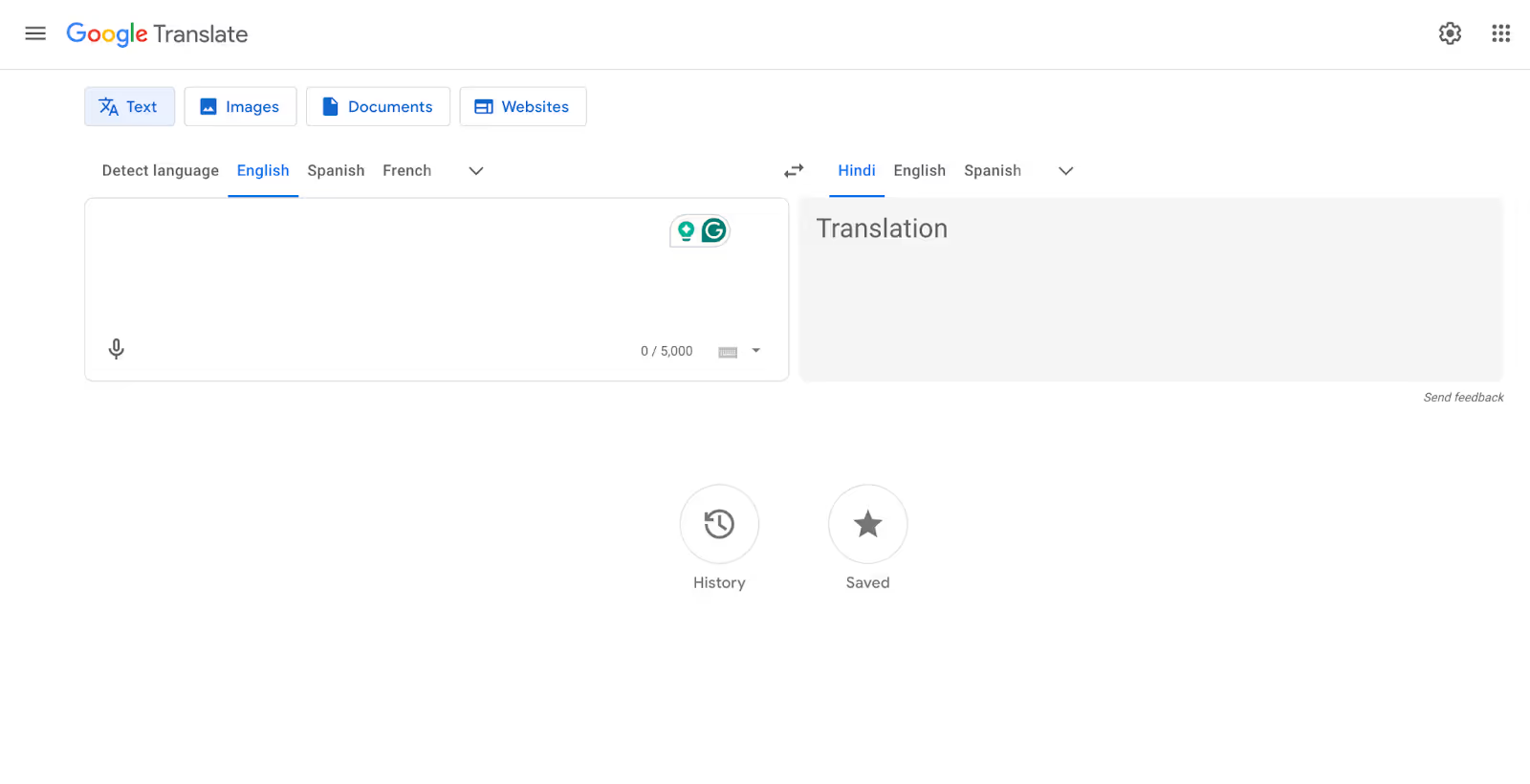
If you’re running smaller webinars or internal training sessions with Portuguese-speaking participants, Google Translate can be a practical way for attendees to follow along without extra licenses or complex setup. It supports English to Portuguese translation for text, voice, and even on-screen content using its camera feature, so participants can translate slides, chat messages, or quick questions directly from their own devices.
For example, during a remote onboarding session, Portuguese-speaking team members can use Google Translate’s conversation mode on their phones to listen to English explanations and see Portuguese text on-screen, helping them understand key points in real time even if the event platform itself doesn’t offer built-in interpretation.
Google Translate Pricing
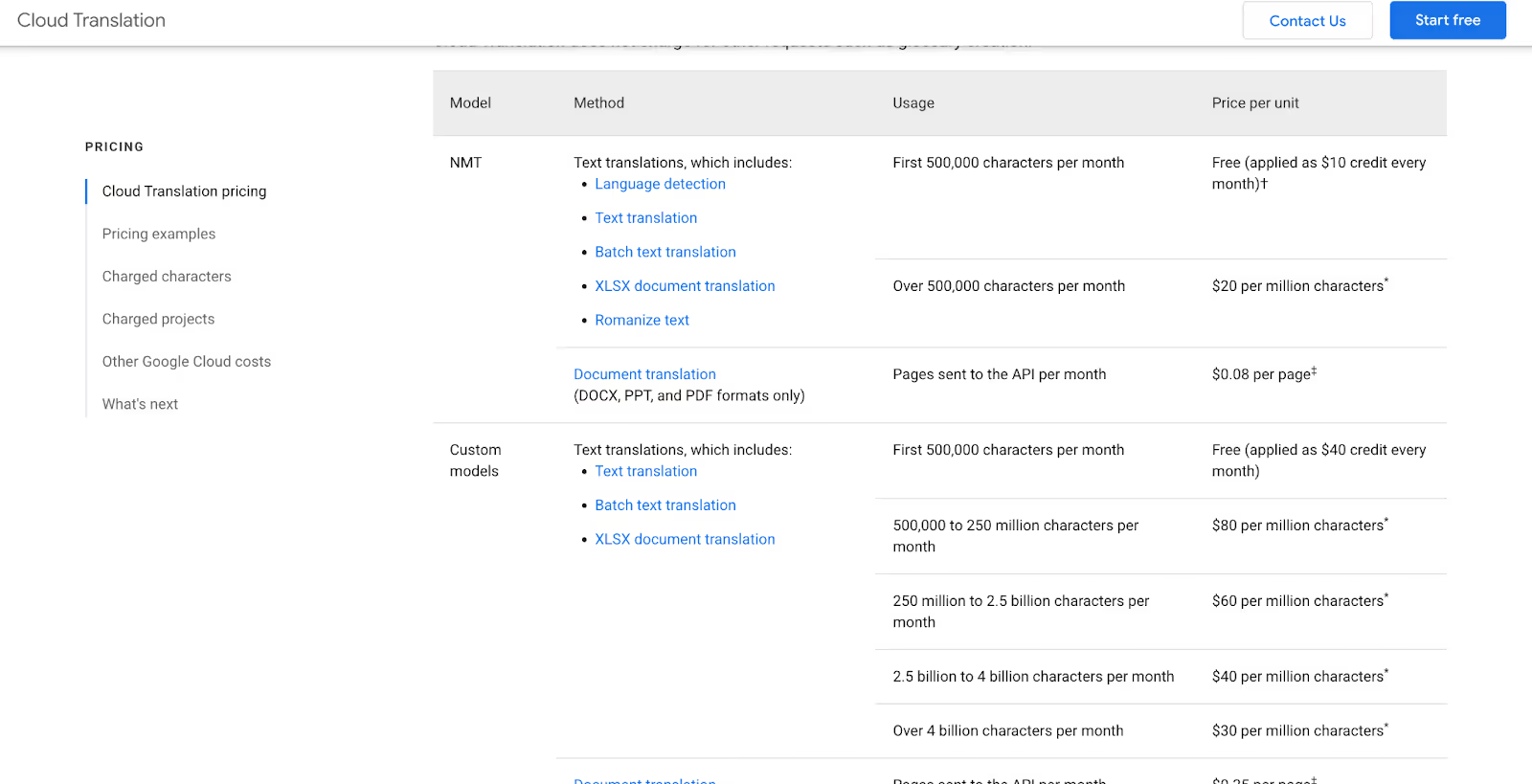
Google Translate’s consumer app and web interface are free to use for personal use, while the Cloud Translation API (for scalable/automated event integration) offers a free tier of 500,000 characters/month, then charges $20 per million characters (or tiered rates for advanced features).
Pros
- Provides free English to Portuguese translation via web and mobile apps, making it accessible for attendees without extra licenses.
- Supports text, voice, and camera translation, so participants can translate slides, documents, or conversations in real time during events.
Cons
- No direct event-grade integrations; attendees must handle translation on their own devices.
- Missing event features like shared glossaries and centralized control make it weaker for large or regulated events.
- For automated or high-volume use via the Cloud Translation API, organizers need to understand per-character pricing and manage quotas in Google Cloud, which adds technical and budgeting complexity.
Google Translate Review
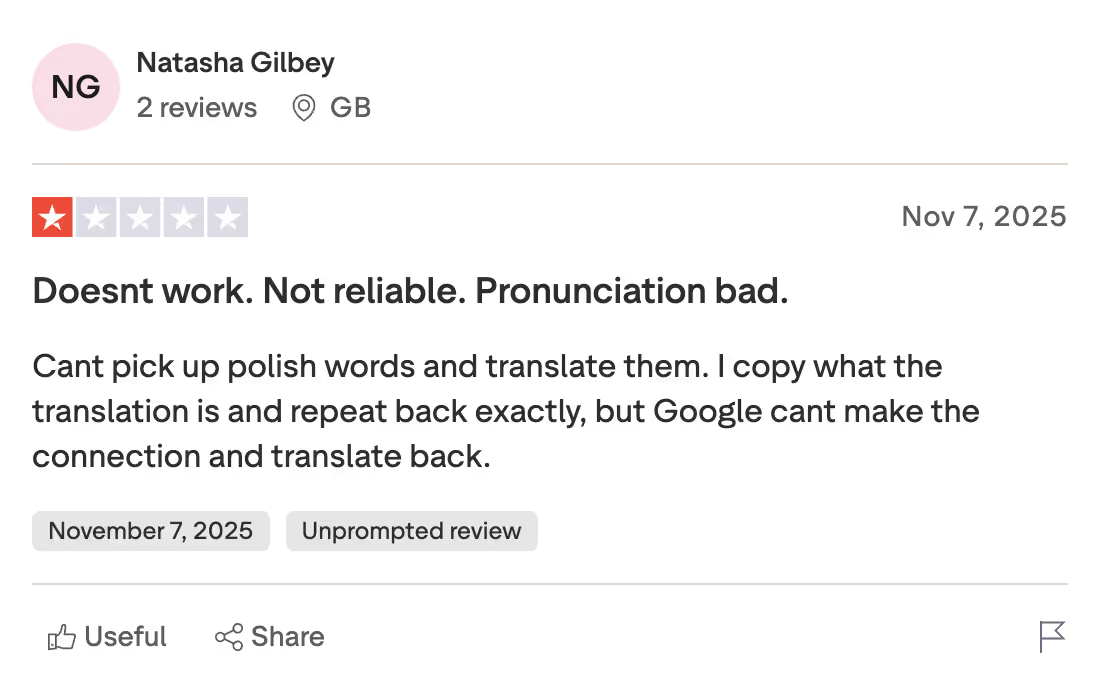
A user on Trustpilot says the tool is unreliable, struggles with pronunciation, and consistently fails to recognize or translate Polish words even when repeated exactly as provided.
How to Live Translate English to Portuguese With JotMe?
To live translate English to Portuguese with JotMe, first download and install it on your device. After joining your multilingual event on a virtual meeting platform, open the JotMe app. Then select the spoken and translation languages in JotMe and begin the live translation. Here’s a step-by-step guide on how to convert English to Portuguese live with JotMe:
Step 1: How to Install the JotMe App?
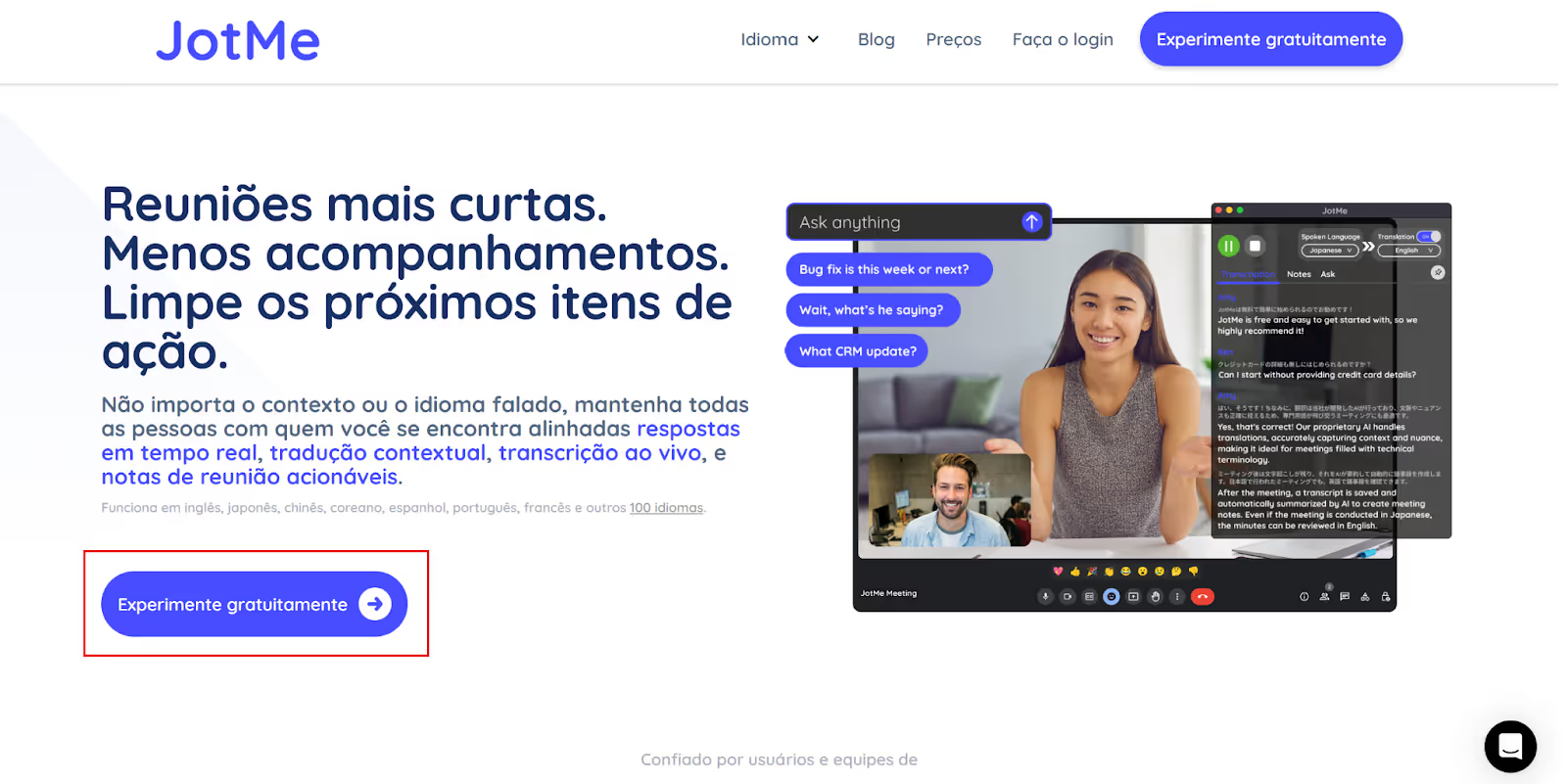
Visit JotMe’s official website or its Portuguese page and click on the “Try for free” button to download the setup for your Mac or Windows device. Next, run the setup and follow the on-screen instructions to complete the installation process.
Step 2: How to Join an Online Event and Open JotMe?
Join your multilingual event on platforms like Zoom, Google Meet, Microsoft Teams, etc., via their desktop apps or browser, and launch the JotMe app.
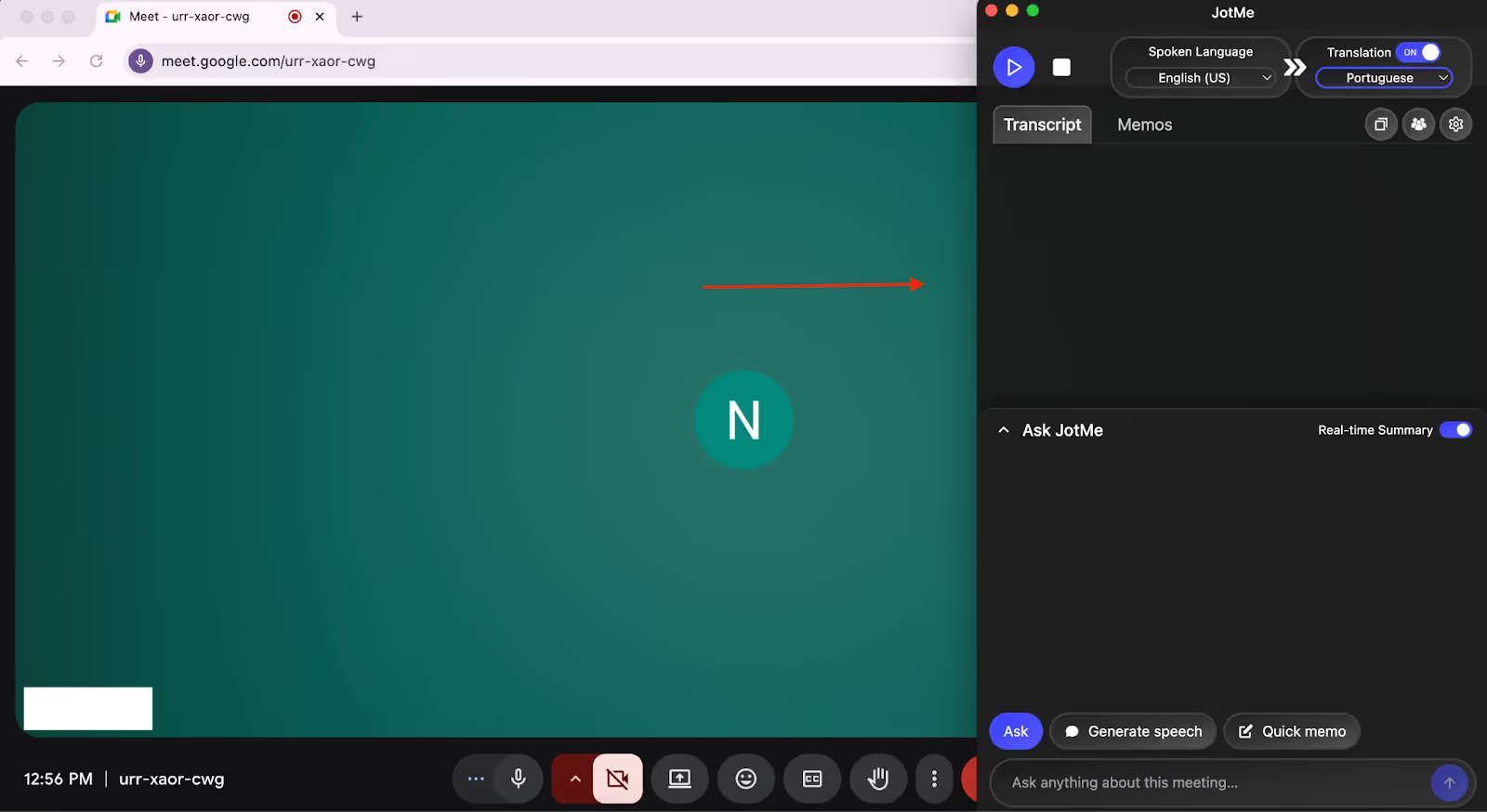
Step 3: How to Select the Languages for Translation?
On the top-right of the JotMe window, check the “Translation” button and turn it on if it’s not. Then, set the “Spoken Language” to English and “Translation” language to Portuguese from the respective dropdown lists.
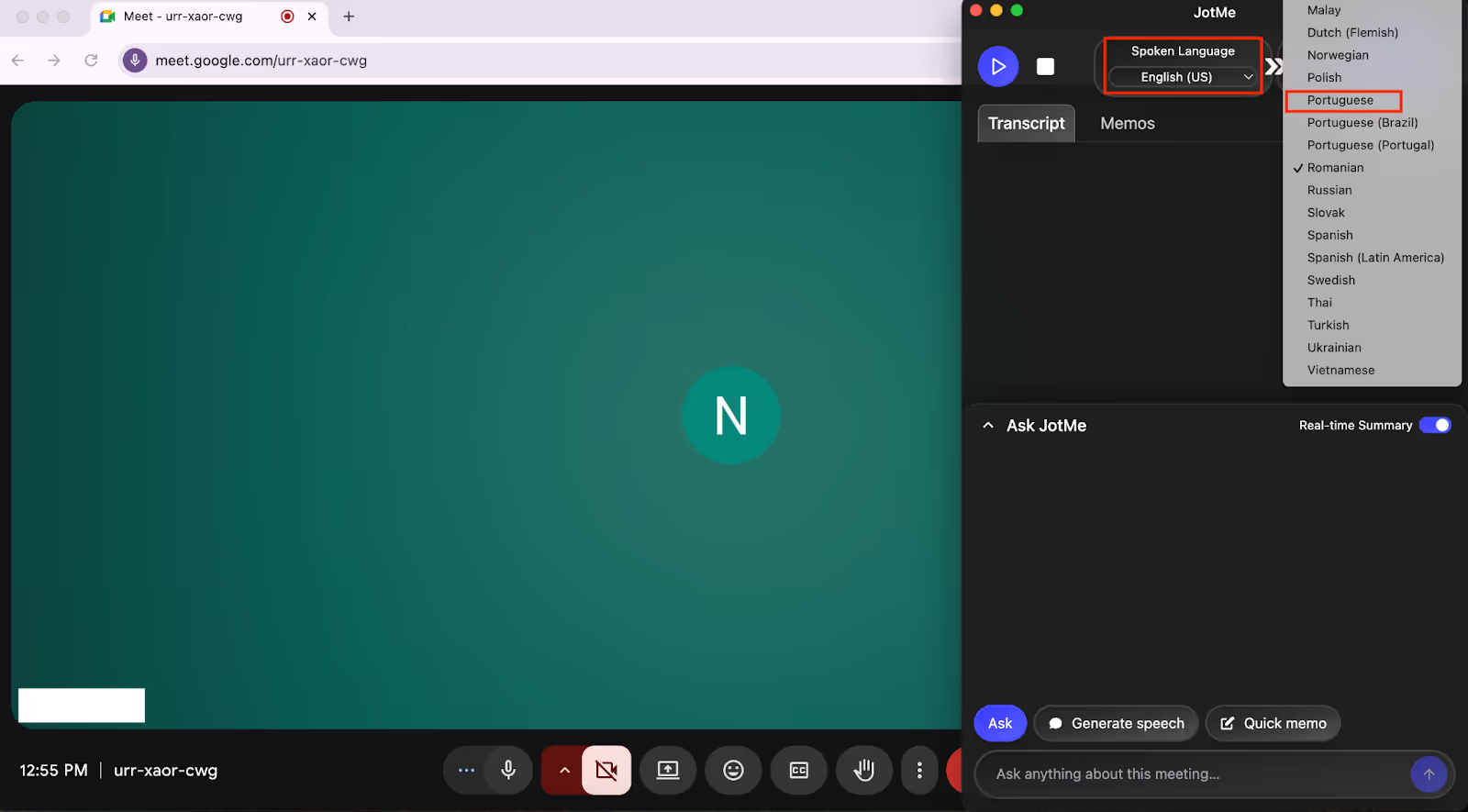
Step 4: How to Start English to Portuguese Live Translation in JotMe?
With the languages set, simply hit the “Play” button on the top-left of the JotMe window to begin the real-time translation.
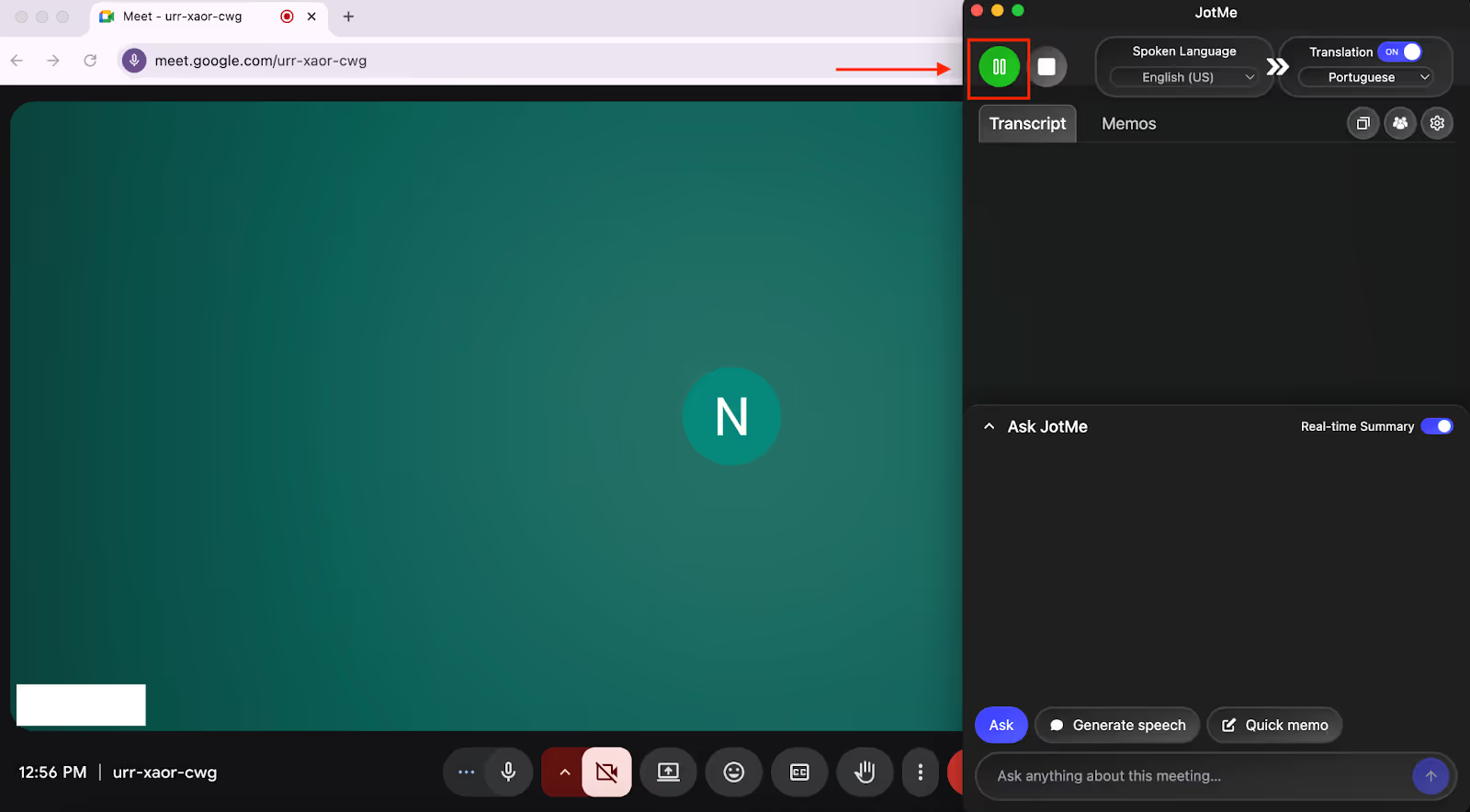
On hitting the “Play” button, JotMe will instantly start the translation in Portuguese as you speak. You can even adjust the JotMe window and view the live translation at the bottom of your screen like a traditional caption system.
Which App Should You Choose for English to Portuguese Live Translation?
You should choose the English to Portuguese live translation app that comes under your budget and has the features you’re looking for. Take a look at the breakdown below to understand which app you should choose:
- For tech professionals and marketers, JotMe provides contextual translation that understands technical terminology, along with accuracy, affordability, and ease of use at just $15/month.
- For educators conducting training sessions with Portuguese students, VoicePing 2.0 is a great fit.
- For large-scale events with hundreds or thousands of participants, including Portuguese-speaking attendees, Wordly or Lionbridge work ideally.
- Google Translate works ideally as a supplementary, low-cost option for smaller groups and individual attendees.
However:
JotMe stands out as the ideal choice whether you’re presenting tech products to Portuguese clients or teaching remote programs to Portuguese students. Priced at just $15/month, JotMe delivers contextual translations that understand industry jargon, tone, and emotion of the conversation.
What makes JotMe different is its additional features, like real-time AI chat that explains complex concepts instantly, so your Portuguese teammates don’t need to leave the meeting to search for the concept. With the shareable translation minutes feature, you can let participants without a paid account get live translation.
For teams that depend on English to Portuguese Translation during technical demos or event discussions, JotMe ensures each message is accurate and culturally aligned—without slowing down the conversation.
Plus, JotMe works silently in the background without a bot or screen sharing, without disrupting your workflow. Other than that, you also get AI meeting notes, AI meeting summaries, and time-stamped transcripts once the event ends.
Download JotMe today and experience how effortlessly it provides real-time contextual translation in Portuguese.
FAQs
Is there an app that can translate a voice lecture from English to Portuguese in real time?
Yes, JotMe can translate a voice lecture from English to Portuguese in real time. JotMe delivers contextual and accurate translation in 45 languages with the desktop app and 77 languages with the Chrome extension. Plus, it doesn’t require a bot to join your lectures.
What is the most accurate Portuguese translator?
The accurate English to Portuguese translator online is JotMe. JotMe’s speech recognition and NLP technology make sure that you get an accurate Portuguese translation in real time that understands the domain-related terms, without missing the context, tone, and flow of the conversations.
How much does Wordly AI translation cost?
The cost of Wordly AI translation is not disclosed publicly; it is based on the number of hours and attendees of your event or meetings. You need to contact their sales team for a quote.
What is the Lionbridge translation?
Lionbridge translation refers to the language services provided by Lionbridge, including translation, localization, and content creation. Lionbridge offers on-site interpretation, remote simultaneous interpretation, and live captioning in over 350 languages for multilingual events.
What are the best tools for translating Spanish to Portuguese?
JotMe is one of the most effective tools for Spanish to Portuguese translation, especially in live conversations. It delivers real-time, context-aware translation that captures intent, tone, and business terminology, making it ideal for meetings, client calls, and cross-border collaboration.
Are there effective tools or apps to help communicate across language differences?
Yes. JotMe is designed specifically to eliminate language barriers in real time. With support for 100+ languages, contextual translation, live captions, and AI summaries, it enables seamless communication across languages in meetings, calls, and day-to-day collaboration.
Last updated on
April 14, 2026
Follow us on social media: