







Discord文字起こし
Discordのすべてのボイスチャンネル・通話を、リアルタイムでも録音のアップロードでも、200以上の言語で文字起こし。文脈を理解する高精度で、サーバーにBotを入れる必要はありません。
無料プラン。クレジットカード登録は不要です。
.avif)
ブラウザでライブ文字起こしを体験:モデルと言語を選び、開始を押して話すだけ。Discordで使うにはデスクトップアプリをダウンロードしてください。フル版デモを開く。
134か国・2,000チーム・50万人のプロフェッショナルに利用されています



.avif)





.avif)


.avif)


.svg)
評価 4.7/5


GDPR準拠
.avif)
SOC 2 Type II (進行中)
Discordのための高精度リアルタイム文字起こし
ボイスチャンネルでの発言を記録し、検索するために必要な機能をすべて。
.avif)
文脈を理解する超高精度
JotMeは意味を理解しながら文字起こしします:誰が話しているか、チームが何に取り組んでいるか、これまでの発言、カスタム用語、直前の文とのつながりまで、一行ごとに考慮。名前や専門用語も正確に出力されます。
.avif)
会話を検索し、AIに質問
チャンネル内の発言についてJotMeに質問したり、わからない用語をその場で調べたり。録音を聞き返してスクラブする必要はありません。


Bot不要、設定不要
JotMeはあなたのPC上で動作し、チャンネルの音声をローカルでキャプチャします。Botの招待もサーバー権限も不要で、他の参加者は何もインストールする必要がありません。
.avif)
カスタム辞書 & 言語の自動検出
業界特有の用語やカスタム置換を追加して、精度をさらに向上。話されている言語は自動検出されるため、セッション中に設定し直す必要はありません。
Discord通話を文字起こしする方法
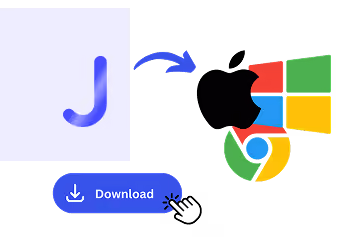
3ステップ、1分以内。Bot招待もサーバー権限も不要です。録音済みのファイルがある場合はこちらからアップロードしてください。


Discordでの文字起こし活用シーン
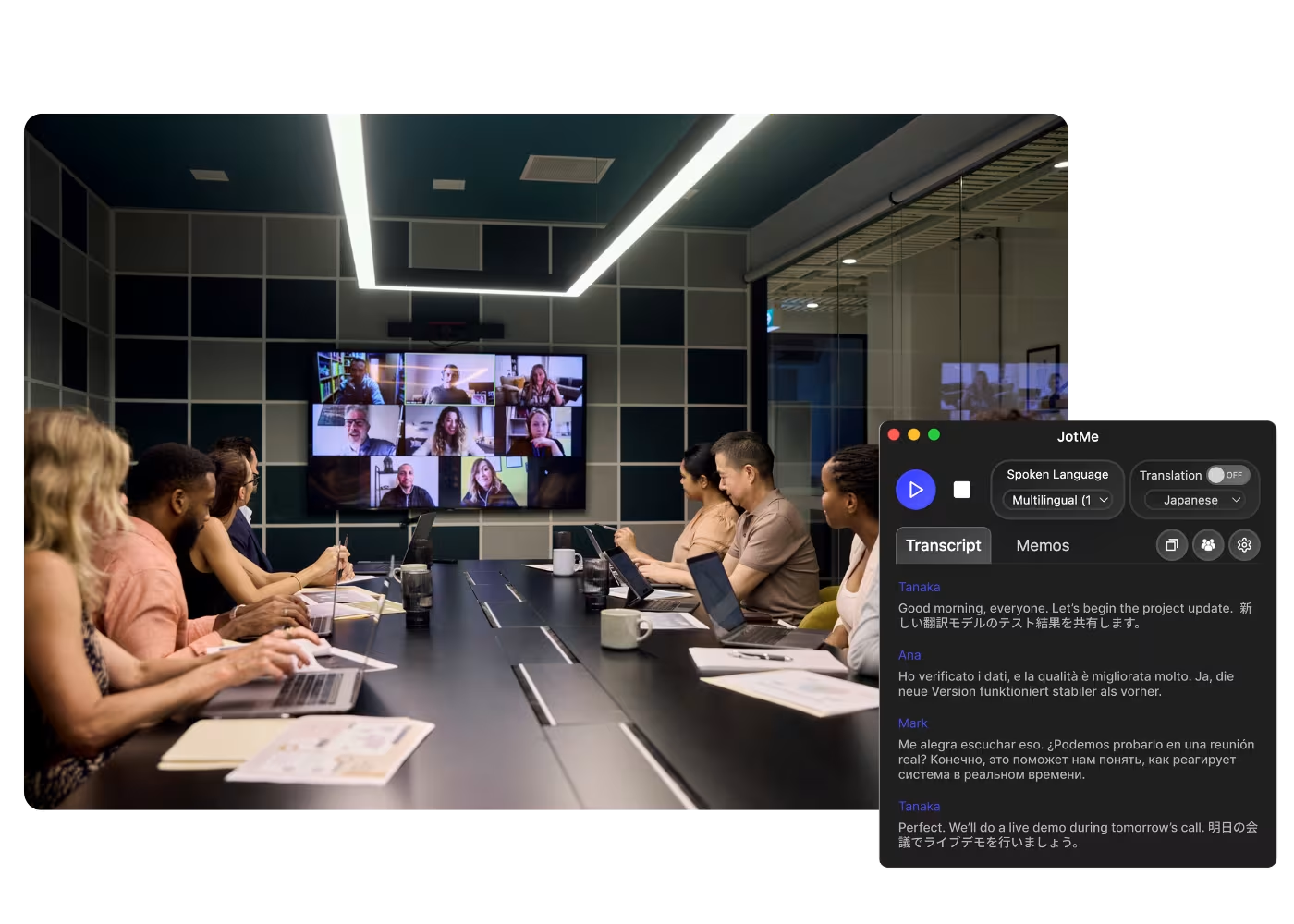
毎日のスタンドアップから全体ミーティングまで、JotMeが参加者全員を会話の輪に入れます。
.avif)
.avif)
.avif)
実際の動作を見る
JotMeがDiscordのボイスチャンネルをライブで文字起こしし、その全文を検索する様子をご覧ください。
50万人以上のプロフェッショナルが、JotMeで 会議・イベントをスムーズに進行
JotMeが多言語コミュニケーションのギャップ解消にどのように役立っているかをご覧ください。
4.7/5の評価

4.7/5の評価
「私の仕事は翻訳と異文化間の橋渡しなので、このツールは日々の業務に革命をもたらすものだと感じています。」

アダムス
オペレーションスペシャリスト / Tiktok
「日本語はかつて私にとって謎でしたが、この製品は文脈を理解した上で、それを明確で分かりやすいものにしてくれました。」

スタマティス
コンサルタント / Deloitte
「JotMeは多言語会議を効率化し、テンポの速い職場環境でのスムーズな共同作業を保証してくれます。」

セザール
プログラムマネージャー / Amazon
「このバイリンガル機能は、仕事での議事録作成を効率化し、時間を節約し、両言語での効率を高めてくれます。」

ユースケ
営業部長 / NTT
「流暢でない話者にとって不可欠なツールです。リアルタイム翻訳と正確な文字起こしで、複雑な会議を簡素化してくれます。」

ジェシー
ソフトウェアフリーランサー
「長年求めていた翻訳ツールが、JotMeでついに実現しました!」

エルストン
CEO兼創業者 / Tiny.host
「私の仕事は翻訳と異文化間の橋渡しなので、このツールは日々の業務に革命をもたらすものだと感じています。」
アダムス
オペレーションスペシャリスト / Tiktok
「日本語はかつて私にとって謎でしたが、この製品は文脈を理解した上で、それを明確で分かりやすいものにしてくれました。」
スタマティス
コンサルタント / Deloitte
「JotMeは多言語会議を効率化し、テンポの速い職場環境でのスムーズな共同作業を保証してくれます。」
セザール
プログラムマネージャー / Amazon
「このバイリンガル機能は、仕事での議事録作成を効率化し、時間を節約し、両言語での効率を高めてくれます。」
ユースケ
営業部長 / NTT
「流暢でない話者にとって不可欠なツールです。リアルタイム翻訳と正確な文字起こしで、複雑な会議を簡素化してくれます。」
ジェシー
ソフトウェアフリーランサー
「長年求めていた翻訳ツールが、JotMeでついに実現しました!」
エルストン
CEO兼創業者 / Tiny.host

よくある質問
JotMeで会議やイベントを運営するために必要な情報がすべてここにあります。
Discordの通話は文字起こしできますか?
はい、JotMeで可能です。あなたのPC上で動作し、あらゆるボイスチャンネルや通話を200以上の言語でライブ文字起こしします。サーバーにBotを入れる必要も、権限を付与する必要もありません。
Discordの文字起こしは無料ですか?
はい。JotMeの無料プランに文字起こし時間が含まれており、クレジットカードの登録も不要です。足りなくなったらアップグレードしてください。
Discordの文字起こしはどのくらい正確ですか?
JotMeは5層のコンテキストで文字起こしします:ユーザープロフィール、業務コンテキスト、セッションのリアルタイム記憶、カスタム用語・専門用語、そして直前の発言の流れ。名前や用語が正確に保たれ、セッションが進むほど精度が上がります。
文字起こしの保存・検索はできますか?
はい。文字起こしはダッシュボードに保存され、検索したり、セッションについて質問したり、翻訳・コピー・共有したりできます。
JotMeはDiscordで何語を文字起こしできますか?
JotMeはDiscordで200以上の話し言葉を文字起こしできます。対応言語ページで全リストをご覧ください。

Discordのすべての通話を、記録に
Discordボイスチャンネルのための最も正確なライブ文字起こし。200以上の言語に対応、リアルタイムでも録音からでも、ずっと検索可能。すべての通話を、残せます。