Guides
Best English to Chinese Translators for Live Translation [2026]

Viraj Mahajan
October 17, 2025
![JotMe — Best English to Chinese Translators for Live Translation [2026]](/_webflow-assets/a416d55e775c128ce56d4bc85a0d05f4.avif)
Do you spend your hours in professional discussions with your Chinese-speaking teammates, trying to explain key points better during meetings because English isn’t their native language? If yes, JotMe is your ideal partner to make communication smoother with live audio translation. With JotMe, you and your team will get live English-to-Chinese audio-to-text translation with context. JotMe provides AI insights that make the conversation smoother by breaking down complex terms without changing the core meaning.
We have tested several English-to-Chinese translators and have listed the top 5 AI interpreters. JotMe stands out as the best AI interpreter with high accuracy.
Here is a glance at live translation apps that translate live audio into text from English to Chinese:
- JotMe: JotMe is like your personal, ambient AI interpreter, offering contextual live audio translation starting at $9/month, with a high accuracy rate and AI insights.
- Maestra: Maestra offers live audio-to-text translation in multiple languages, with a starting price of $12 per 60 credits, which may seem high compared to other translation services.
- DeepL Voice: DeepL Voice offers live translation for global teams at $10.49 per month.
- Kudo: Kudo offers live translation with a Pay-As-You-Go plan. A user on G2 reports, “Sometimes with Zoom, there was a bit of a lag,” which may disrupt the overall quality of translation.
- VoicePing 2.0: VoicePing 2.0 offers decent AI English-to-Chinese translation, but users on G2 say “Interface could be better designed,” as it seems outdated.
Quick Comparison Between English-to-Chinese Live Translators
When it comes to the best AI English-to-Chinese translation, you will need to look at different tools and test them, as all tools offer various features and different accuracy rates. But we’ve done the work and testing for you so you can make the best choice of a personal AI interpreter for your English-to-Chinese translation needs. To understand each at first glance and make the right choice, take a look at this table:
What are the Best Live English to Chinese Translator Apps?
The best live English-to-Chinese translator apps include JotMe, VoicePing 2.0, Kudo, Maestra, and DeepL Voice, offering seamless multilingual translation with ease of use and accuracy. Here is the detailed analysis of different AI live translators.
JotMe
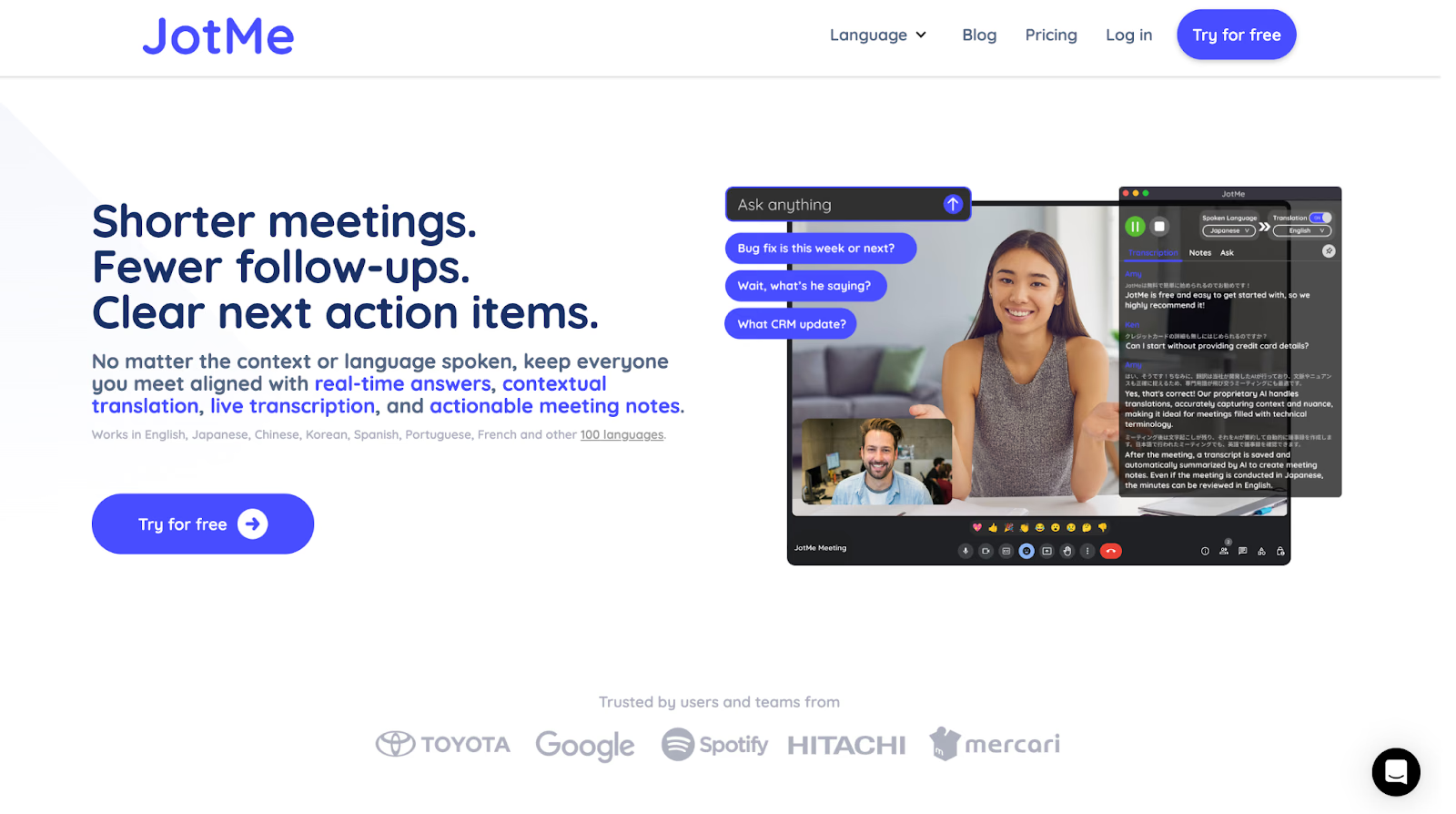
We have tested and tried several live audio-to-text, English-to-Chinese translator apps over the past few weeks for multilingual meetings. JotMe stood out as a reliable AI interpreter and live translation tool due to its high accuracy rate, AI insights, and contextual translation capabilities. What makes it different from other AI interpreters is its ease of use and the ability to join meetings without a bot, which ensures that your clients or other meeting guests don’t feel uncomfortable with a bot announcing itself.
JotMe’s AI insights make things easier for you. Suppose you are discussing business trade with cross-border Chinese traders to draft a report, and your teammate did not get the technical term in English. In this case, the AI will give details about that term in Chinese and help them understand each conversation effortlessly, including the nitty-gritty details and jargon that you and your English-speaking colleagues use.
JotMe is currently available on desktop, and the mobile app is launching soon. You can sign up to join the waitlist and be among the first to experience the on-the-go English to Chinese translation app on mobile.
Key Features of JotMe
Some notable features of JotMe include live contextual translation, AI insights, translation in bullet points, and more. Here, we will help you understand each feature in detail:
Live Contextual Translation
Instead of only translating the conversation word-for-word, JotMe is a contextual AI interpreter that deeply analyzes the communication and then translates in real time. JotMe understands the speaking tone and flow of the topic and then translates the live audio to text with greater fluency, taking into account the tone and nuances.
Many other English-to-Chinese tools only provide word-for-word translations. JotMe captures context and intent, translating the exact meaning rather than literal words. This matters for Chinese because English is compact and direct, while Chinese often needs extra explicit phrasing to convey tone, intent, and social nuance.
Here is the actual conversion in English:
I was on the fence about the proposal, but after seeing how the market reacted, I think we should pull the trigger before our competitors do.
❌ Word-for-Word Translation
我在關於這個提案的柵欄上,但看到市場的反應之後,我認為我們應該在競爭對手之前扣動扳機。
This literal translation sounds strange and confusing.
- “在柵欄上 (on the fence)” sounds like someone sitting on an actual fence.
- “扣動扳機 (pull the trigger)” sounds violent or out of place in a business conversation.
The literal words don’t match the intent — it loses the meaning entirely.
✅ Contextual (JotMe-Style) Translation
我原本對這個提案還有點猶豫,但看到市場反應後,我覺得我們應該趁競爭對手行動之前先採取行動。
Now it reads naturally and professionally:
- “有點猶豫” correctly conveys on the fence (indecisive).
- “採取行動” expresses pull the trigger as take action in a business tone.
The translator understood the intent and context, not just the words.
AI Insights
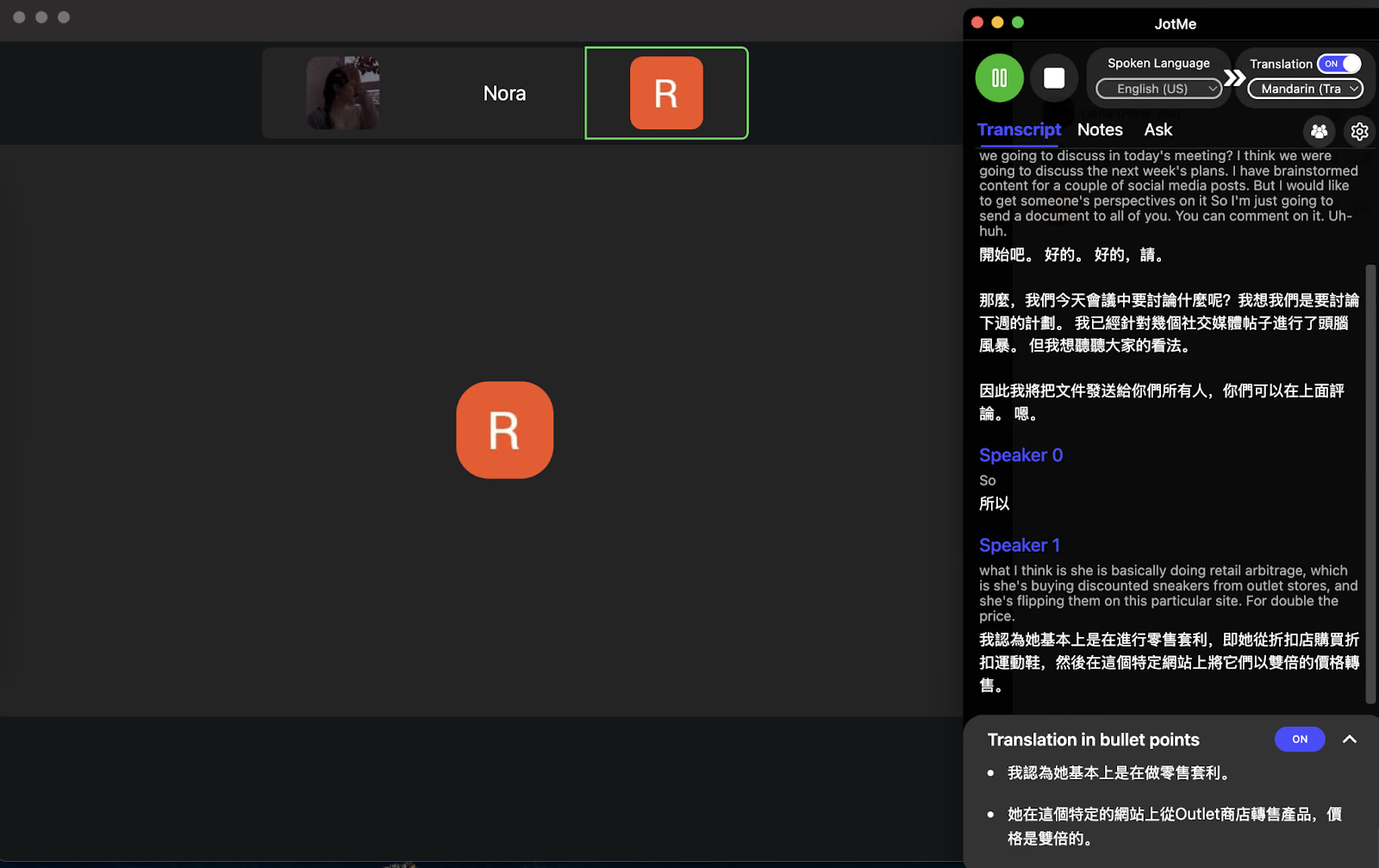
During the conversation, we mentioned "Arbitrage," and it took our Chinese-speaking colleagues a while to comprehend. JotMe’s AI Insights feature instantly explained that we are talking about the simultaneous buying and selling of an asset in different markets to profit from price differences. This explanation made the complex term simple and easy for our Chinese-speaking colleagues to grasp, much like having a quick Google search without leaving the meeting.
Translation in Bullet Points
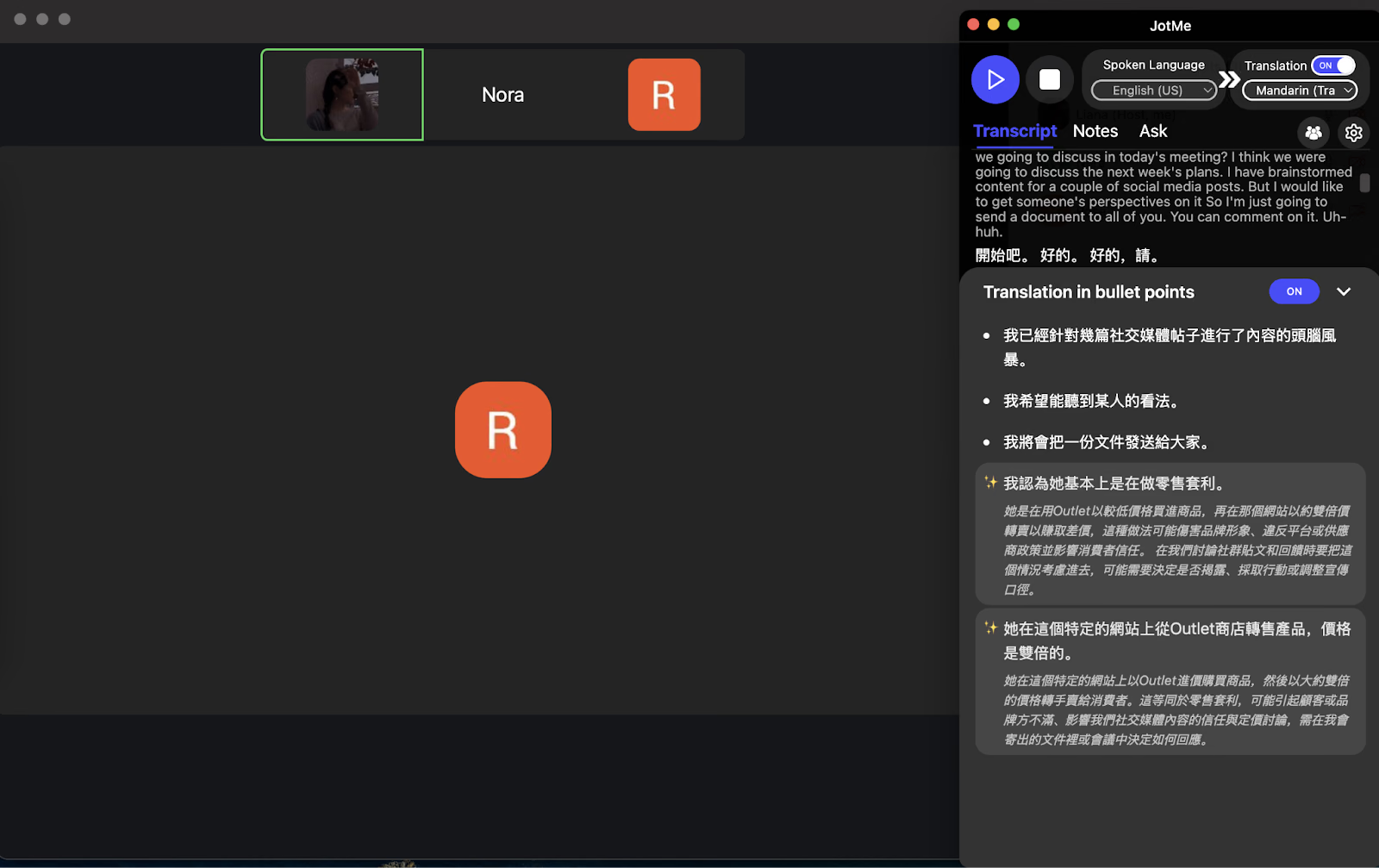
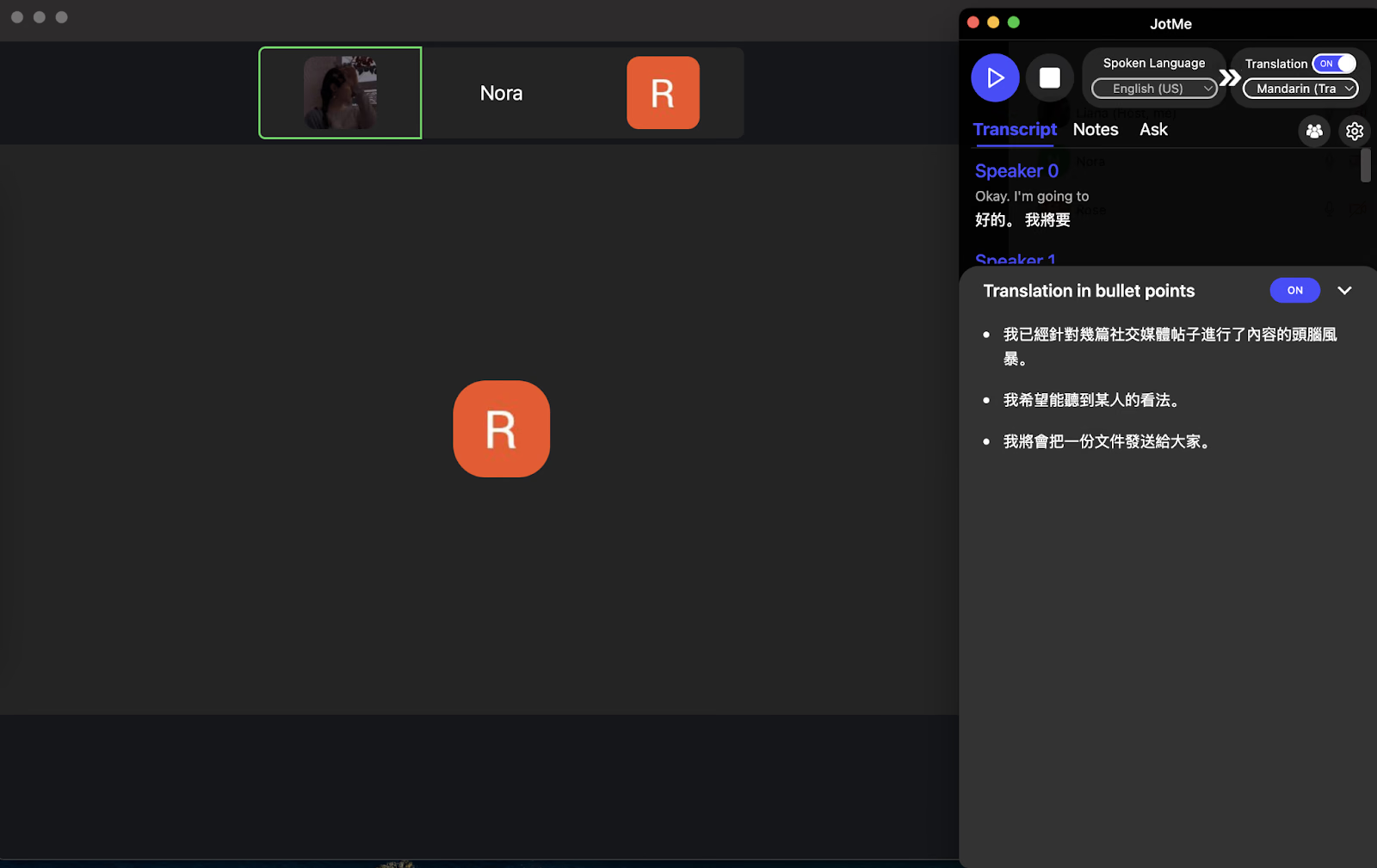
While testing JotMe's live translation, we noticed it provides translations in neat bullet points, making complex discussions easy to follow. For example, during a talk on workplace stress, JotMe summarized the key coping strategies into bullet points in Chinese, allowing our Chinese-speaking teammate to quickly grasp the main ideas without losing context. We also talked about a marketing meeting and schedule that JotMe organized into proper bullet points, as shown below.
Sharing Translation Minutes
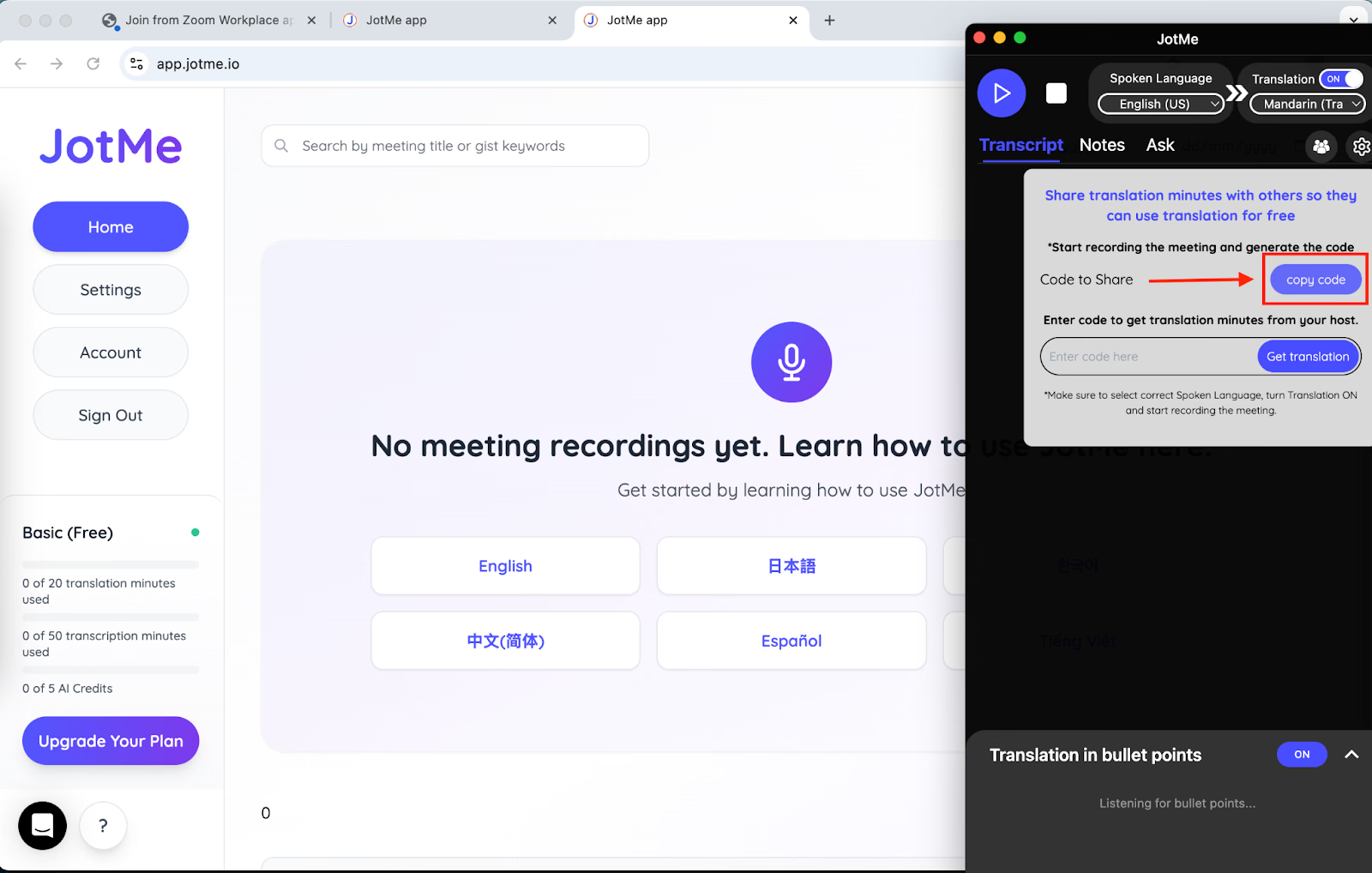
JotMe makes collaboration effortless with shareable translation minutes. Once you start recording and enable translation, it generates a unique access code. Anyone with the code can view real-time translations, record notes, and access post-meeting notes, all without needing a subscription plan.
Meeting Notes Translation
During a strategy call with our Chinese-speaking colleagues from China and other English-speaking colleagues in the US, JotMe’s AI Meeting Notes Translator automatically converted the notes into Chinese, preserving tone, context, and key details. This made it easy for our Chinese-speaking teammates to review decisions and follow up on action items without confusion or missing out on anything.
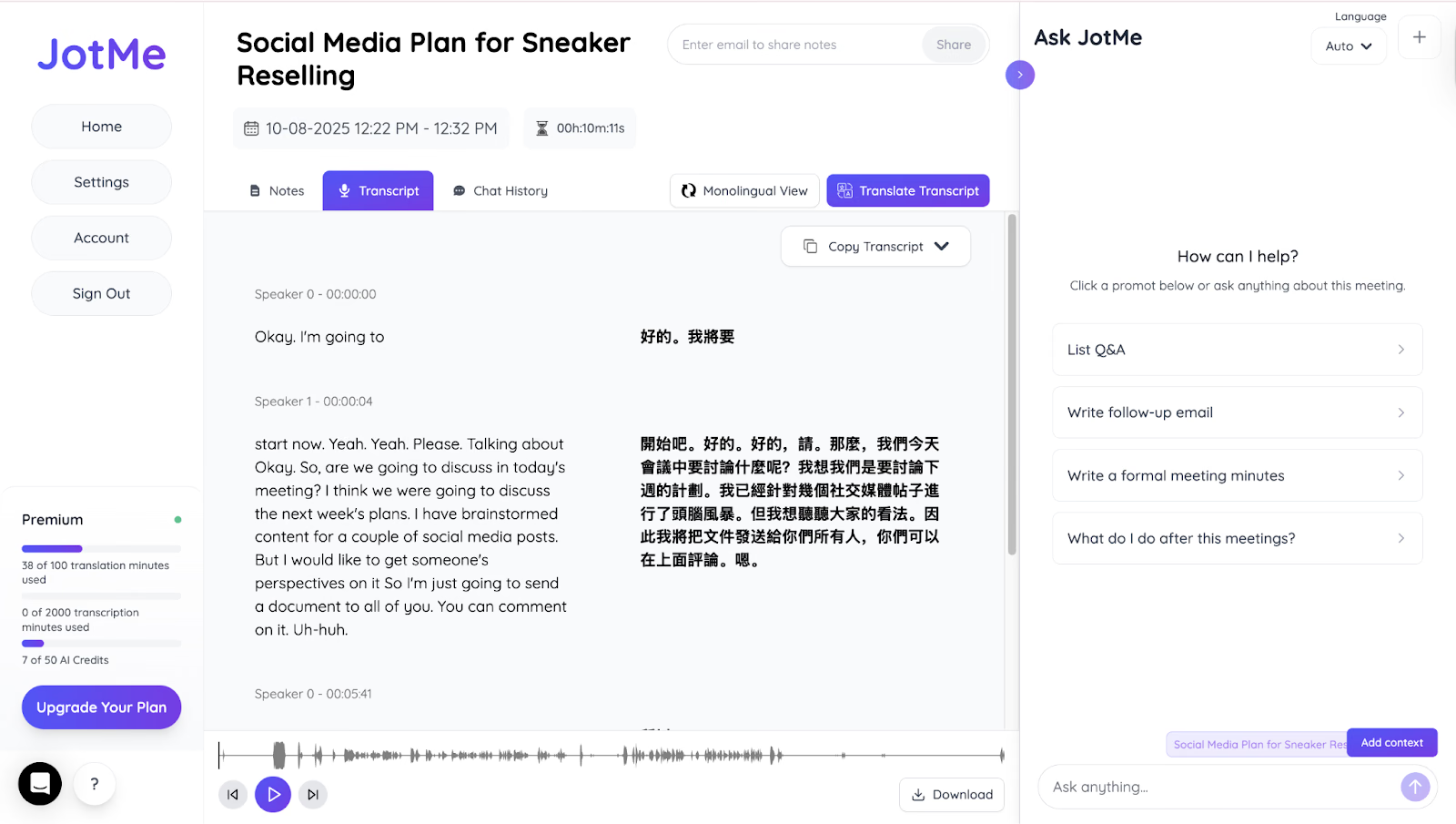
The translations preserved tone, context, and key details, making it easy for everyone to review decisions and follow up on action items. It truly felt like having a real-time multilingual assistant supporting the entire discussion.
Pricing of JotMe
JotMe keeps its pricing simple and transparent, offering free and paid plans based on your meeting volume and translation needs. You can start free and upgrade as your usage grows.
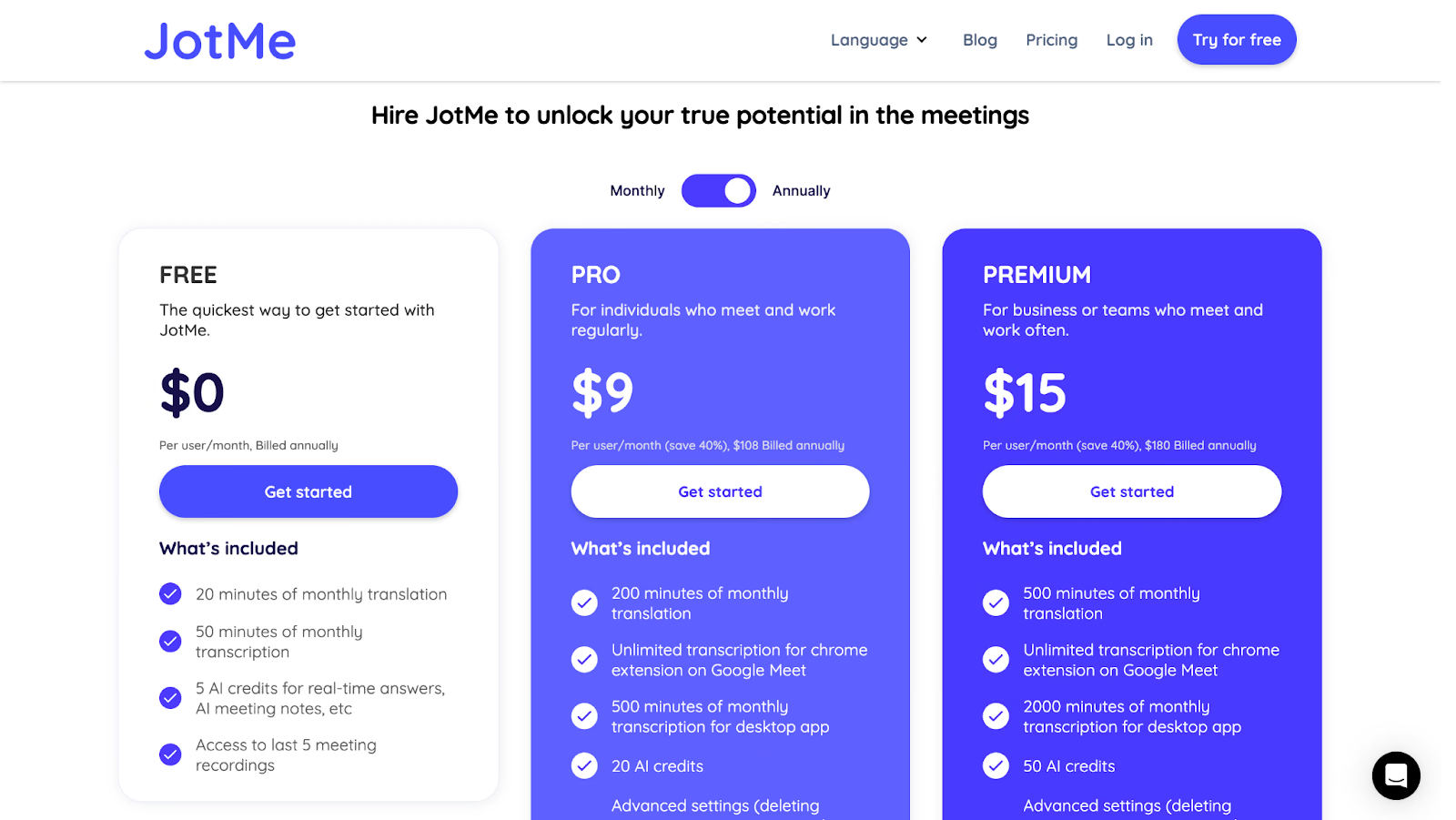
- JotMe offers a Free plan with 20 translation minutes and 50 transcription minutes each month, plus 5 AI credits for real-time answers and note summaries.
- JotMe’s Pro plan starts at $9/month with 200 translation minutes and 500 transcription minutes, which makes it ideal for small remote teams or professionals who frequently collaborate across languages in online meetings.
- JotMe’s Premium plan starts at $15 and provides 500 translation minutes, 2,000 transcription minutes, and unlimited access to meeting recordings. It is ideal for global teams, multilingual webinars, or organizations managing high meeting volumes with detailed AI summaries.
Pros
- Easy to use and integrate with meeting platforms without a bot.
- Offers multilingual translation in 107 languages.
- Offers a high accuracy rate and also makes corrections in sentences if it detects an incorrect word.
Cons
- Available only as a desktop app, which may limit accessibility for users who prefer mobile or web-based tools.
Kudo
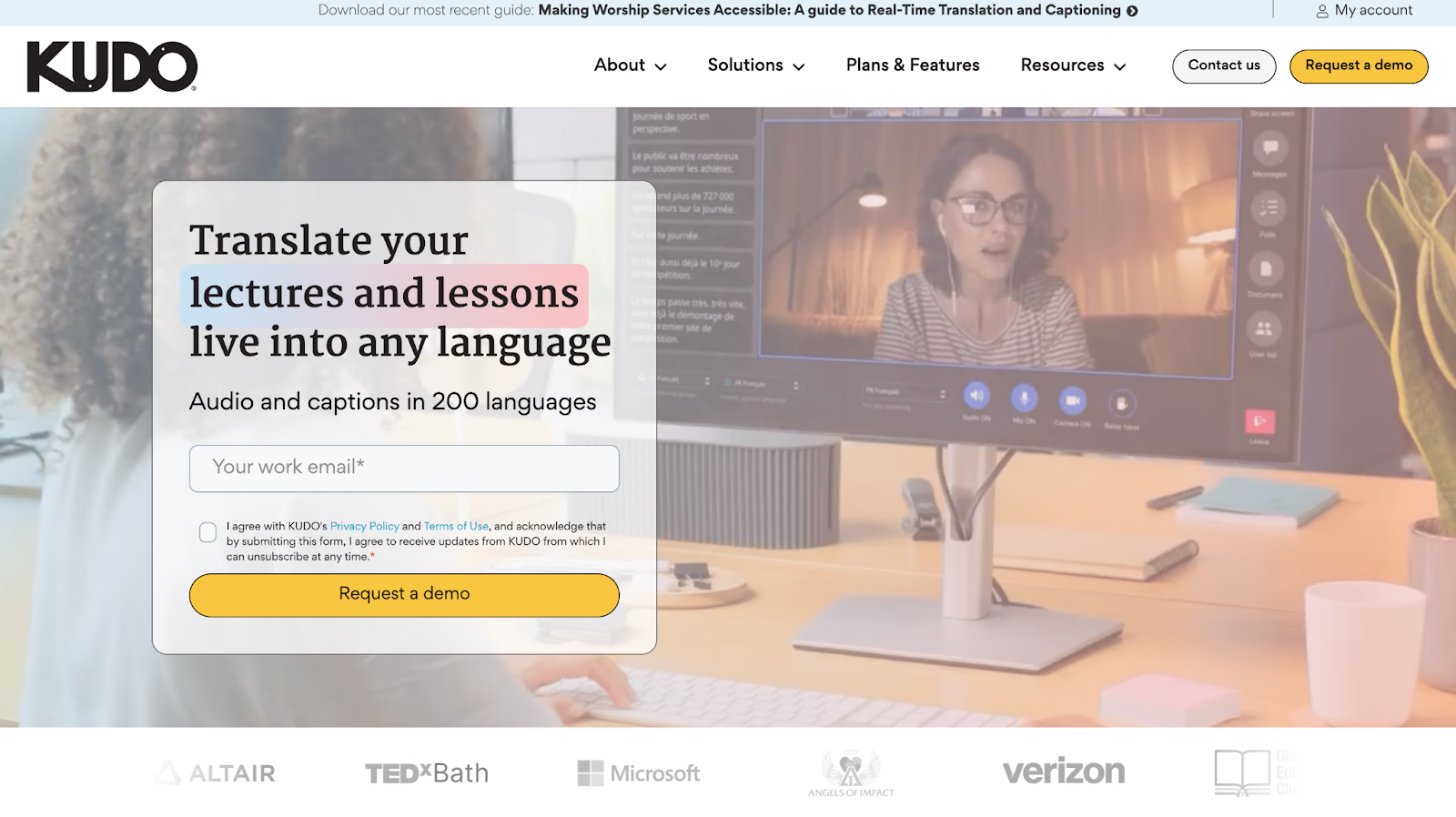
If you’re an engineer and have regular international calls and meetings with Chinese-speaking professionals, technical jargon will obviously fly back and forth. Suppose you’re having a meeting regarding your engineering project with a Chinese-speaking client, and the technical discussions get lost in jargon, speed of conversation, tone, and many other aspects. Kudo is a decent English-to-Chinese live translation app. Kudo focuses on professional interpretation, achieved through both AI speech translation and human interpreters, for mission-critical meetings.
However, Kudo sometimes lacks accuracy with heavy accents on unclear words. Unlike JotMe, Kudo somehow fails to make corrections based on its own understanding.
Pricing of Kudo
Kudo offers three main pricing options, as seen below:
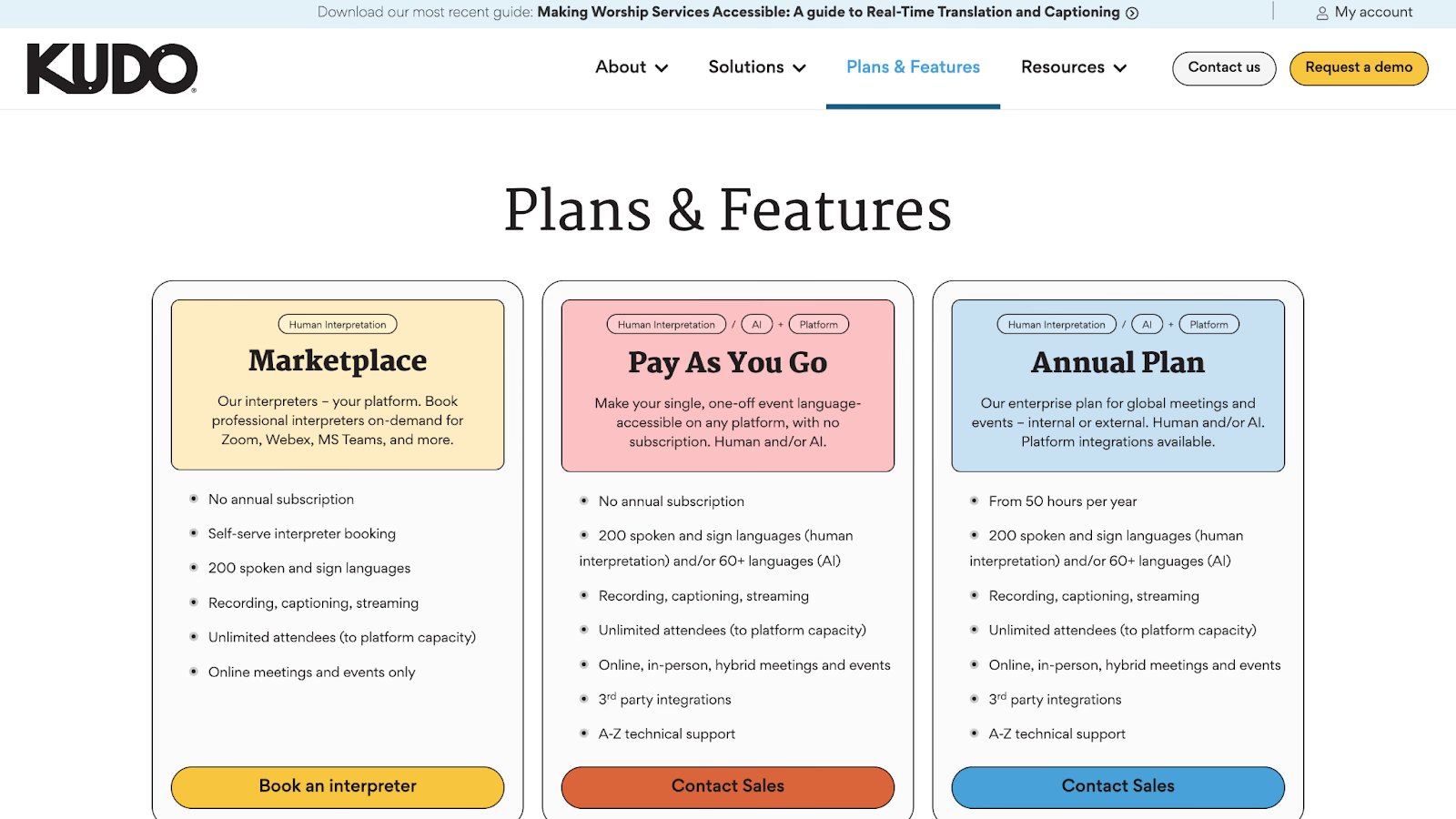
- Pay-As-You-Go interpreter booking with no annual subscription.
- The Marketplace plan offers human interpretation in 200 spoken and sign languages, plus unlimited attendees for online meetings and events.
Pros
- Combines AI translation with human interpreters for technical accuracy.
- Supports both real-time AI speech translation and on-demand professional interpretation.
Cons
- Pricing requires contacting sales for detailed quotes, making it less transparent.
- Integration challenges with the Teams and Zoom platforms, according to G2 user feedback.
- More enterprise-focused, which may be complex for individual users or small teams.
Maestra
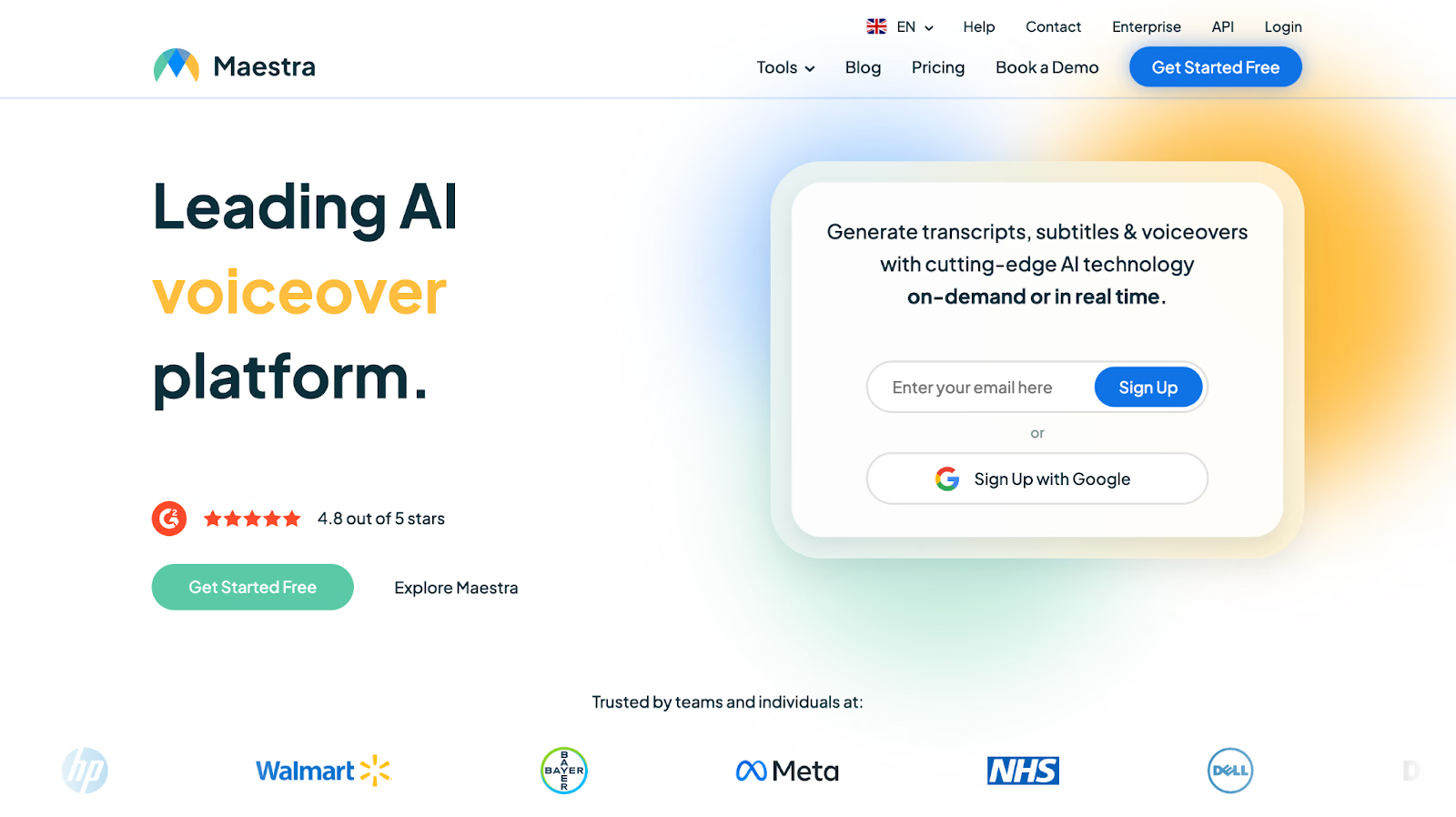
If you are presenting your software development project or technical demo to an international colleague and technical terms in English are literally ‘getting lost in translation’ to your Chinese-speaking colleagues, Maestra serves as a reliable online tool to translate English into Traditional Chinese. Its integrations with platforms like Zoom and OBS allow seamless live captioning and translation, making technical discussions more accessible and easier to understand. However, it took us and our colleagues a little time to get a hang of the interface and understand how to navigate the tool.
Pricing of Maestra
Maestra offers the following pricing structure for real-time translation:
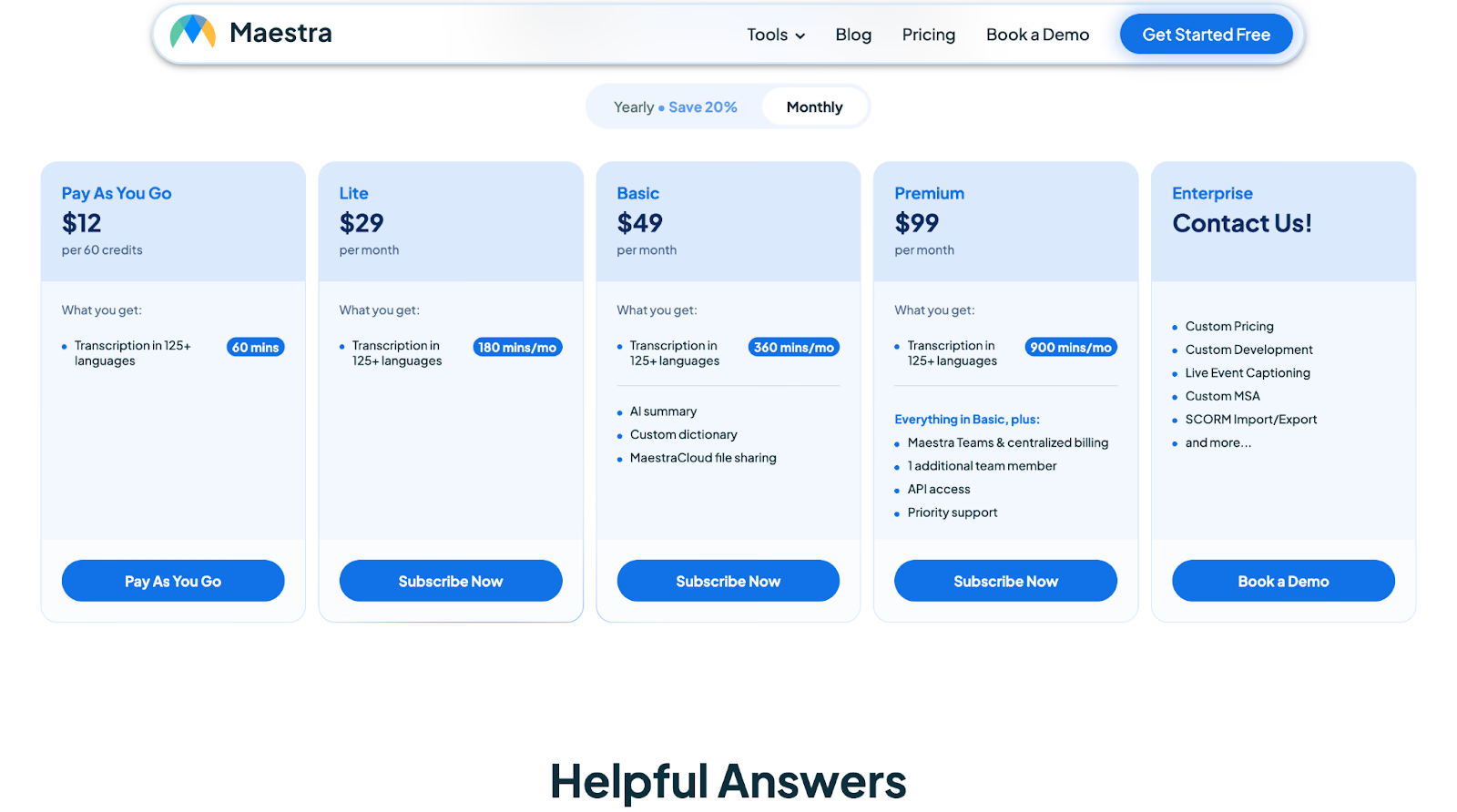
- Maestra’s Pay-As-You-Go plans start at $12 for 60 credits, which provides 60 minutes of translation in over 125 languages.
- Maestra’s Lite plan starts at $29/month, offering 180 minutes for transcription and translation.
- Maestra’s Basic plan starts at $49/month for 360 minutes of real-time captions (no translation included).
- Maestra’s Premium plan starts at $99/month for 900 minutes of real-time translation per language.
Pros
- Supports live translation in 125+ languages with accuracy for technical terminology.
- Integrates seamlessly with OBS, vMix, and Zoom for academic presentations and conferences.
Cons
- Offers only 2 minutes of free live translation trial, which is insufficient for longer scientific presentations.
- The Basic plan only includes captions without translation functionality, requiring the Premium plan for actual English-to-Chinese conversion.
- Occasional inaccurate translation, according to a user on G2.
DeepL Voice
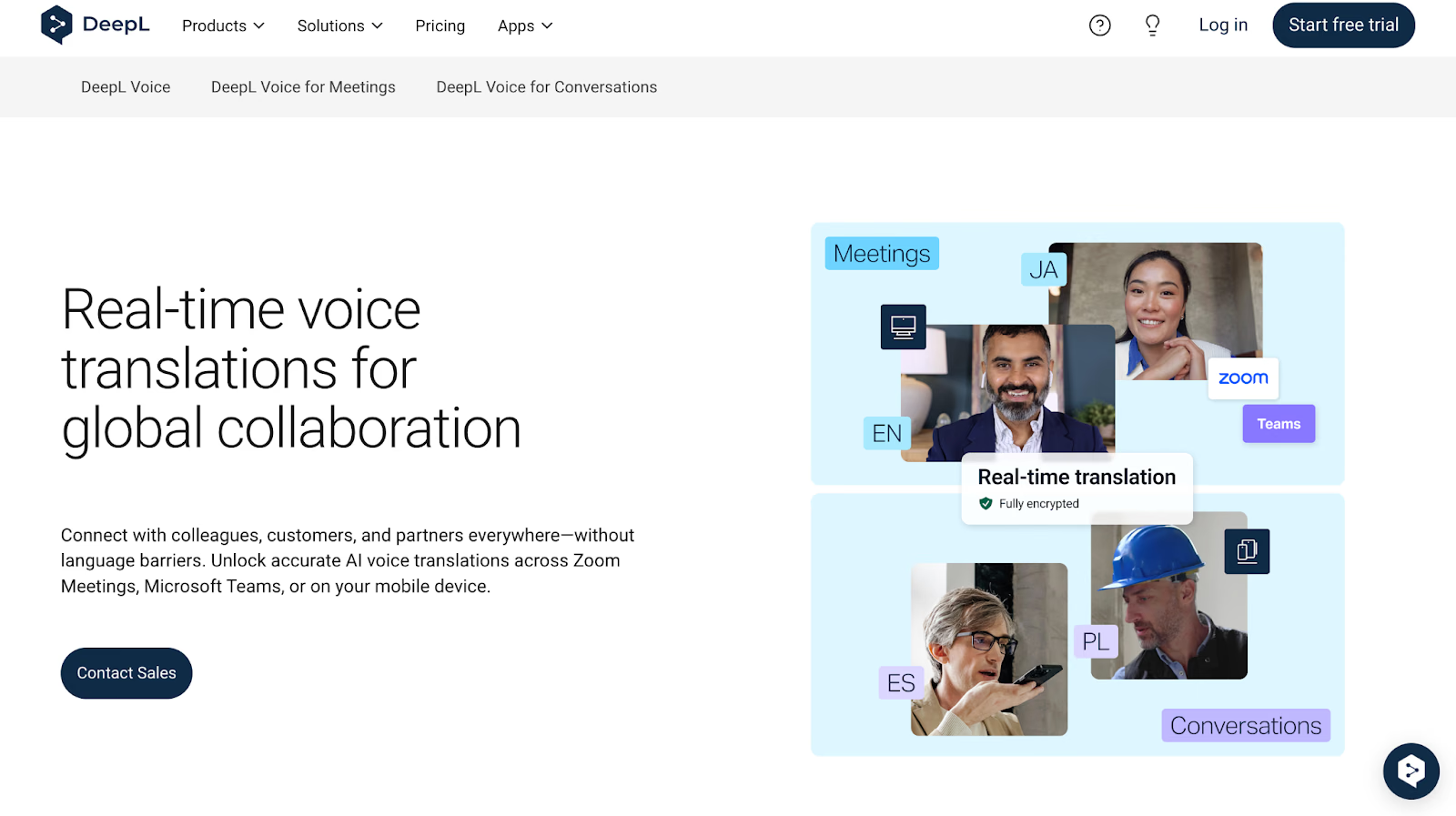
If you are a marketing professional collaborating with Chinese-speaking colleagues, you need to make sure your pointers, notes, and feedback about campaign strategies and creative briefs translate properly into Chinese. In that case, DeepL Voice's live English-to-Traditional Chinese translation delivers context-aware, accent-sensitive captions instantly, although it may occasionally struggle with highly idiomatic expressions.
Pricing of DeepL Voice
- DeepL Voice has not disclosed its pricing plans. You need to contact their sales team to discuss the pricing, which is tailored to different translation needs and use cases.
Pros
- Speech pattern and accent detection ensure more natural, conversational captions.
- Supports both virtual (meetings) and in-person (conversations) scenarios.
Cons
- Enterprise subscription only, with a minimum of 50 users, making it less accessible for small tour operators.
- Limited customization options for voice tone and language preferences.
- Occasional lag during high-bandwidth meetings, leading to interruptions in the flow of conversation, according to G2 users.
VoicePing 2.0
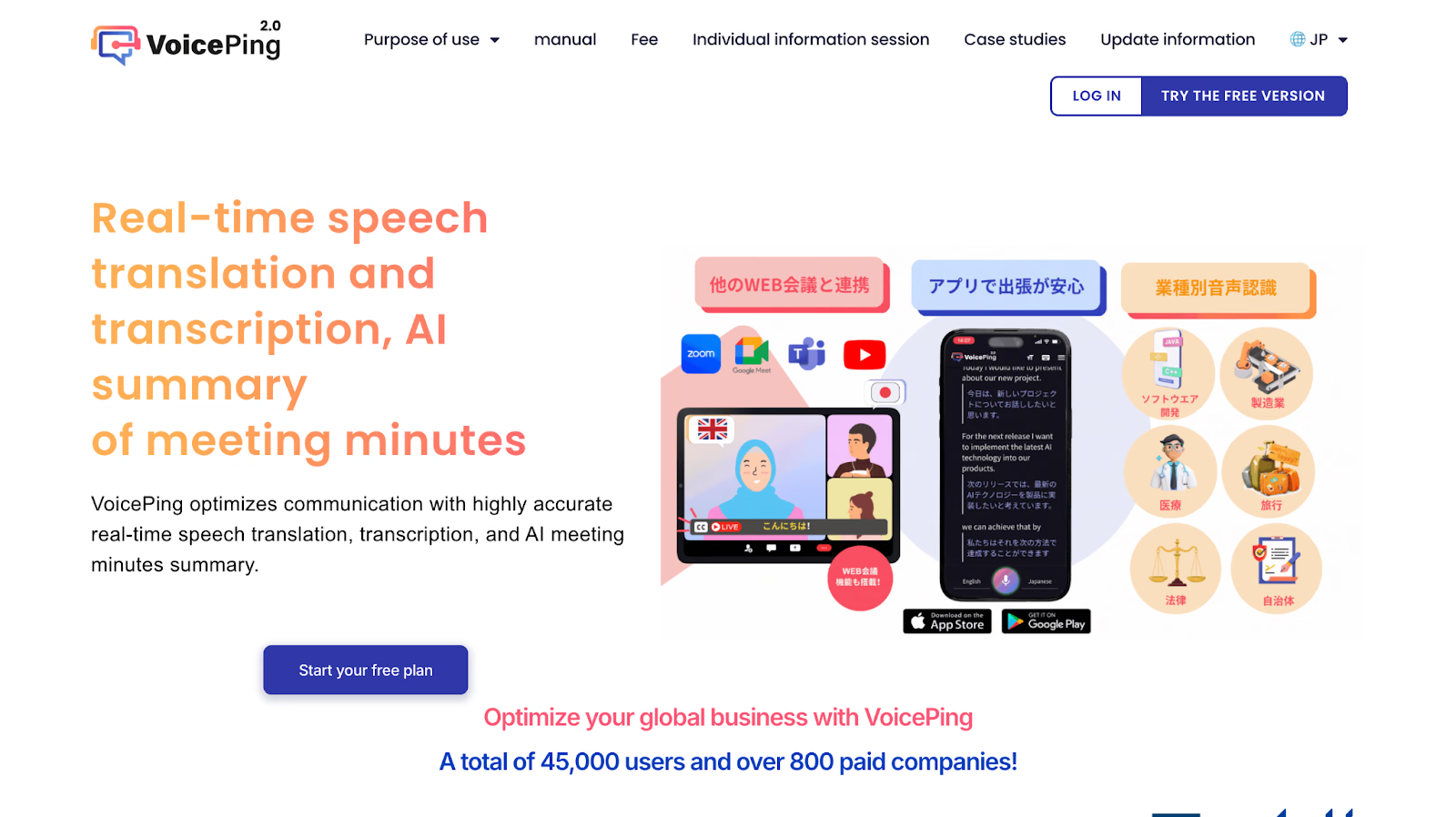
VoicePing 2.0's real-time translation helps Chinese-speaking professionals understand English conversations in their meetings and professional discussions, delivering Chinese captions and AI-generated summaries. However, when we were in a meeting with our Chinese-speaking colleagues, it occasionally misinterpreted common words, such as translating "Boss" as "玫瑰樹籬" and "6 pm" as "莎士比亞," so it’s essential to double-check crucial details. The platform is accessible via desktop and web, meaning there’s no need to rely on additional devices, and users can stay focused on study sessions without the hassle of switching tools.
Pricing of VoicePing 2.0
Here is the pricing of VoicePing 2.0, divided into four tiers:
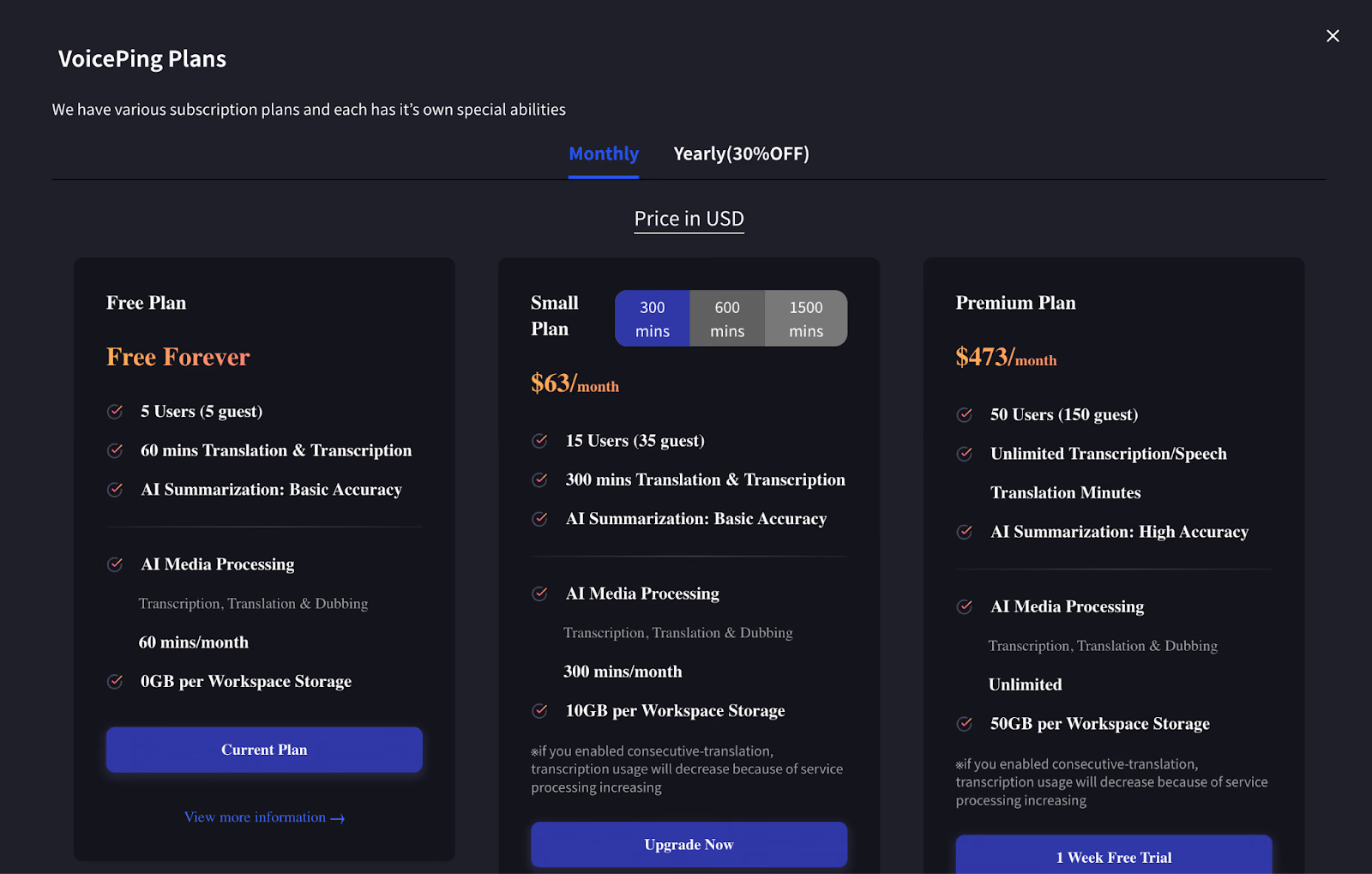
- VoicePing 2.0’s Free plan is free forever; 60 mins/day; offline translation; 5 users; AI summary.
- VoicePing 2.0’s Basic starts at $63 / 300 mins/month; $126.50 / 600 mins/month; $253 / 1500 mins/month; unlimited users; offline translation; AI summary.
- VoicePing 2.0’s Premium plan starts at $473 / month; unlimited time; offline translation; 50 users; AI summary.
- VoicePing 2.0’s Enterprise plan starts at $14 / user/month; unlimited time; offline translation; unlimited users (min. 51); AI summary.
Pros
- Real-time translation on both desktop and web.
- Enables audio file download and transcript of the meeting.
Cons
- Occasional misinterpretation of common words and numbers can disrupt the flow.
- Outdated interface and need for modern design implementations, according to users on G2.
- Daily usage limit on the Free plan is restrictive for long study sessions.
How to Use JotMe to Translate from English to Chinese?
You can use JotMe to translate from English to Chinese by downloading it to your desktop and running it alongside your online meetings on platforms like Zoom. JotMe is a real-time audio-to-text translator that instantly translates English to Chinese during online meetings, classes, or other professional discussions. JotMe’s live English-to-Chinese translator feature ensures smooth, accurate, and context-aware communication without needing any meeting bots or manual switching between tools. Here's how to use it step-by-step.
Step 1: How to Install JotMe?
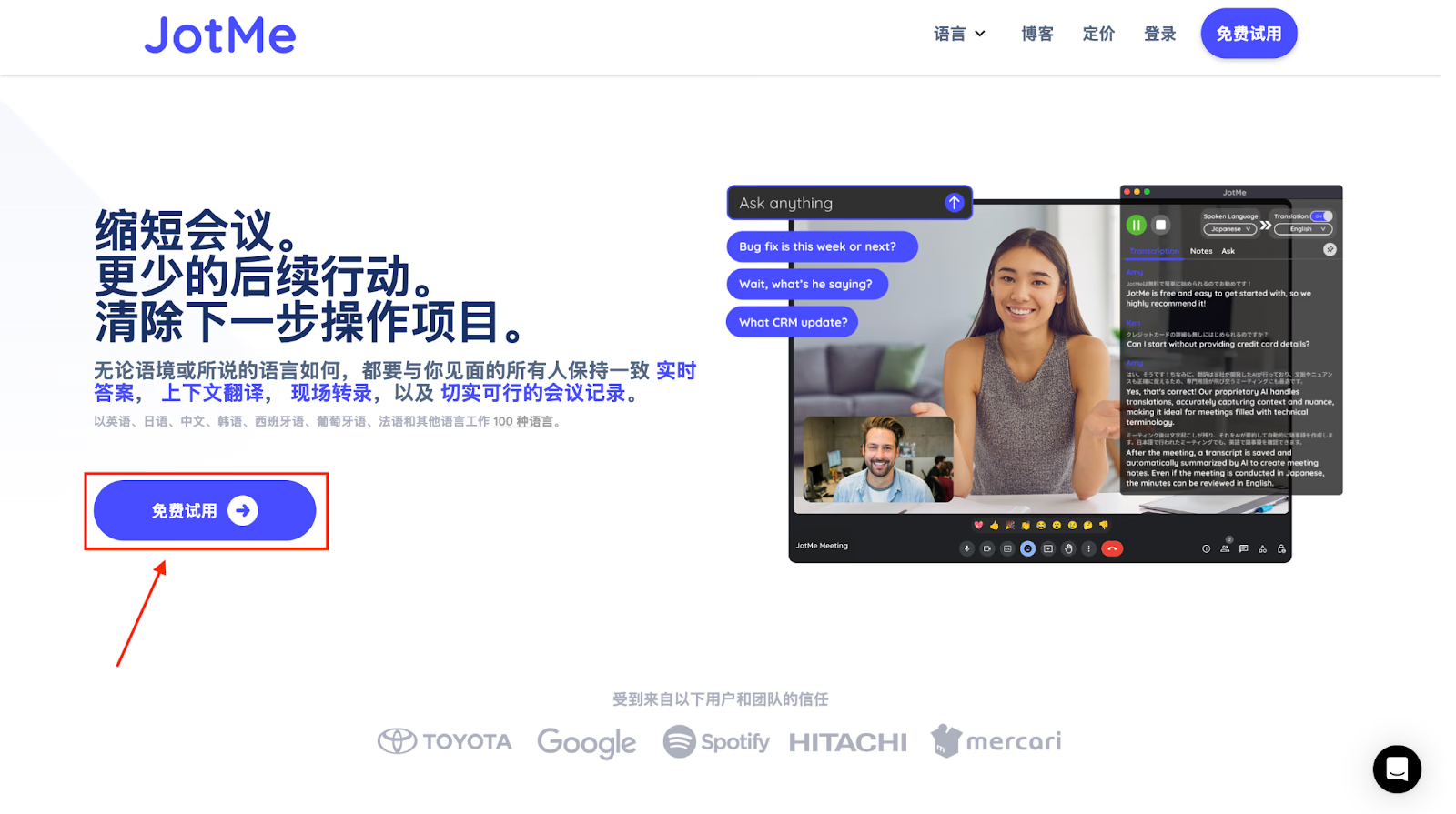
Go to the JotMe official website, or you can also visit JotMe’s Chinese page and click on "Try for free" to download the JotMe desktop app. Once downloaded, follow the on-screen instructions to complete the installation on your Mac or Windows computer.
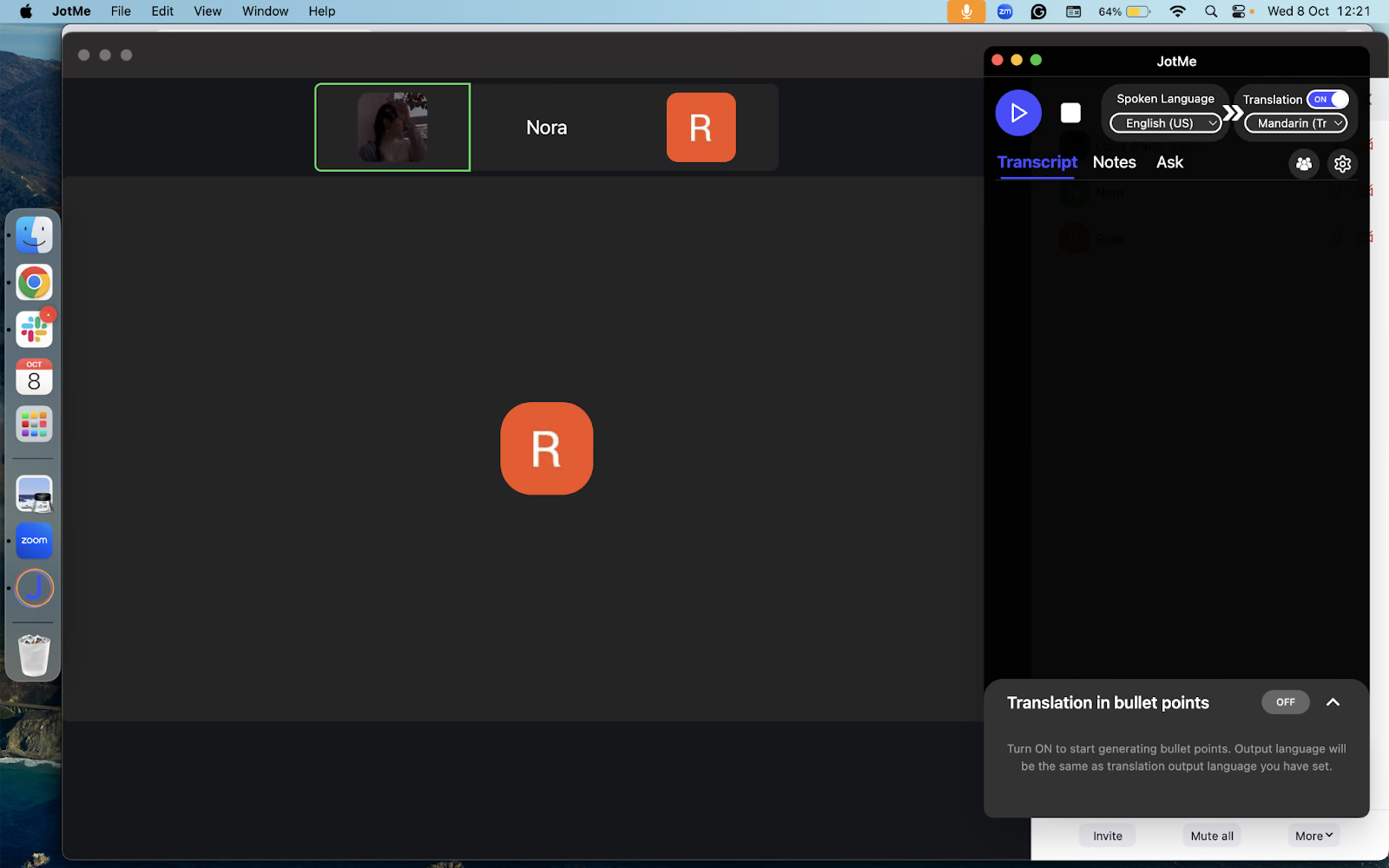
Step 2: How to Start a Voice Conversation and Launch JotMe?
Open the online platform or meeting tool you use (such as Zoom) and start your voice call or meeting. Keep the JotMe app open alongside—it will automatically detect the ongoing conversation for translation.
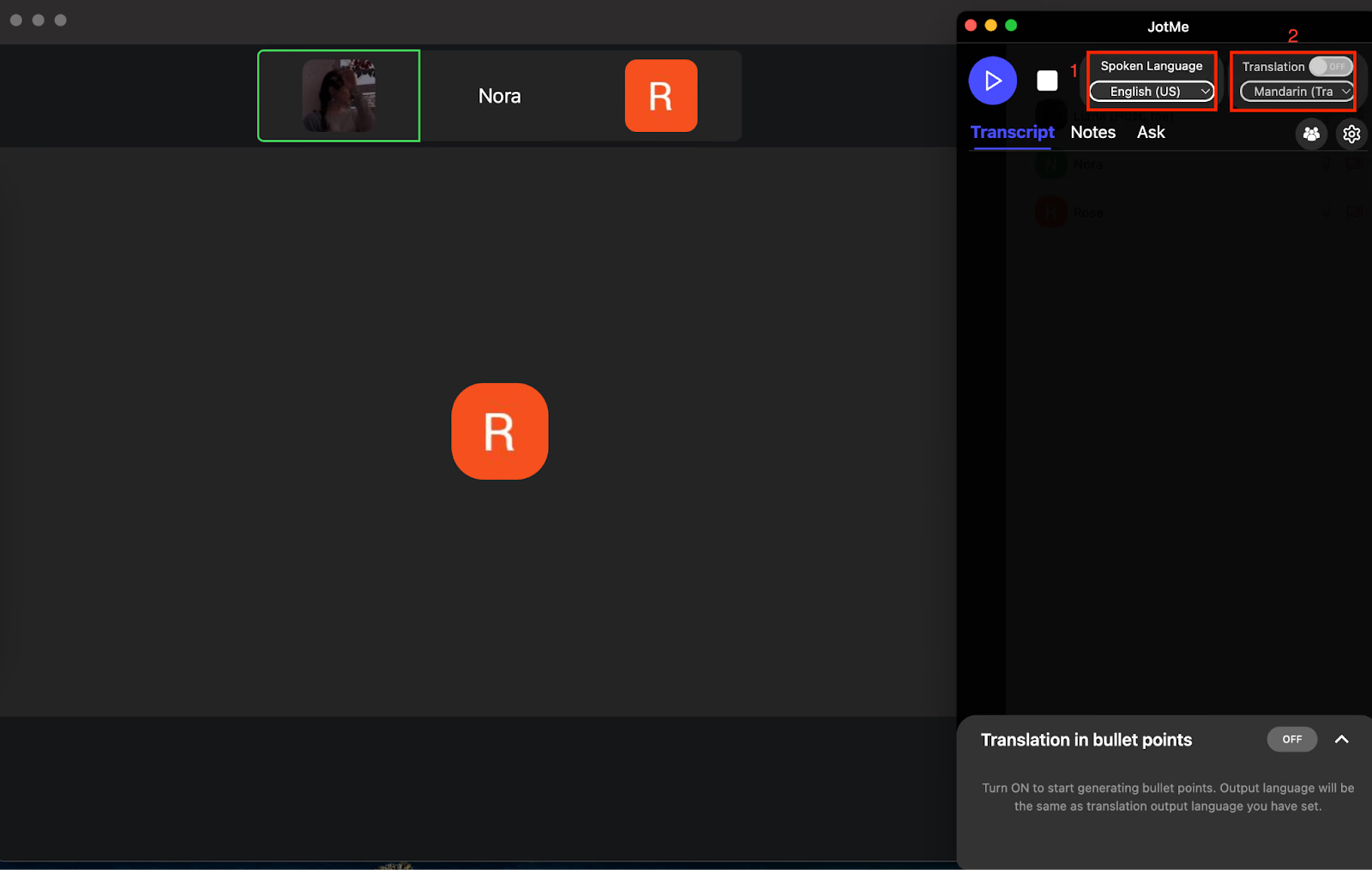
Step 3: How to Enable English to Chinese Translation in JotMe?
In the JotMe interface, switch on the "Translation" toggle. Set "Spoken Language" to English and "Translation Language" to Chinese to activate the live English-to-Chinese translation function.
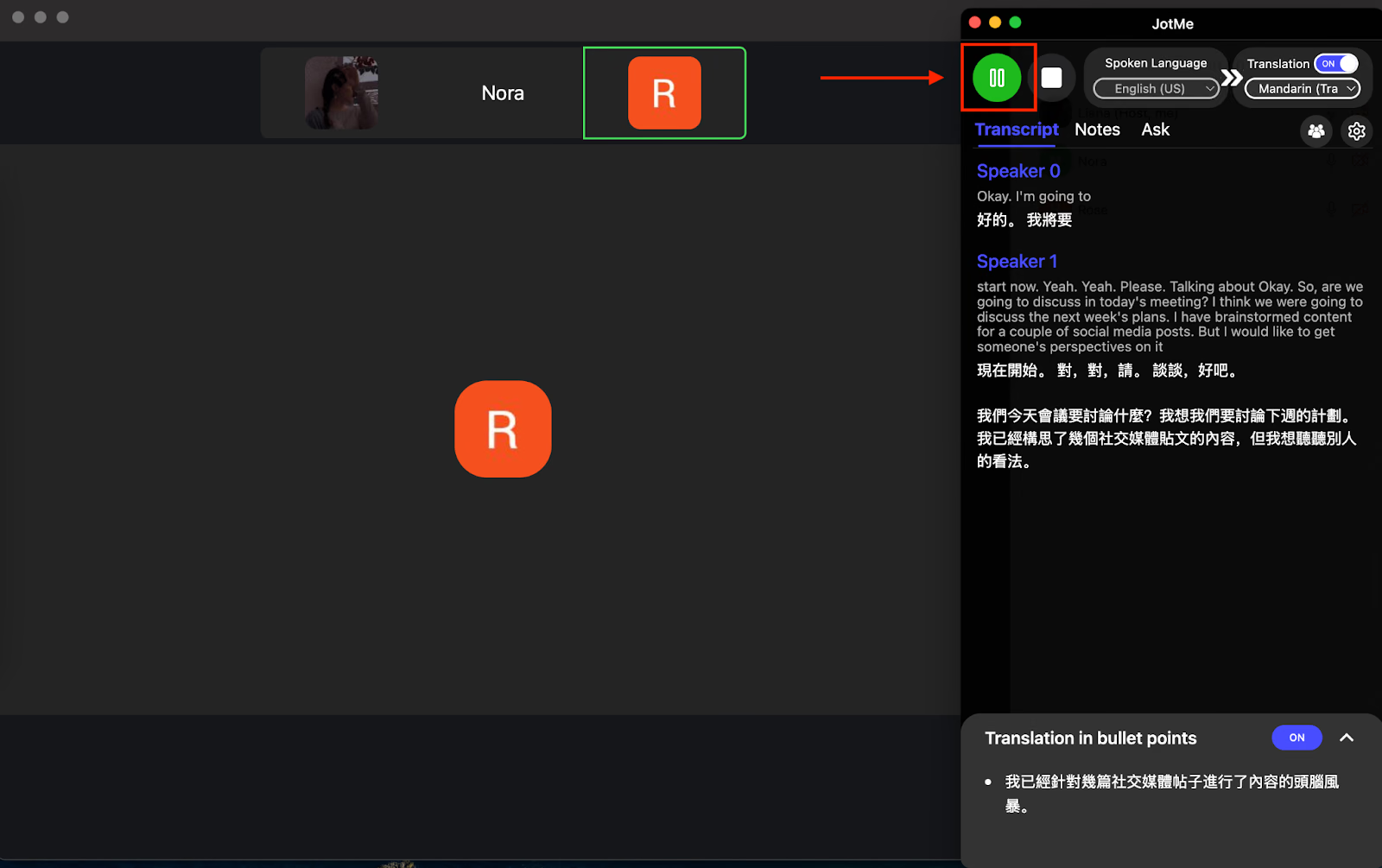
Step 4: How to Begin Real-Time Voice Translation in JotMe?
Click the "Play" button on the left side of the JotMe window. JotMe will immediately begin real-time voice translation, delivering fluent and context-rich Chinese translations for your English speech during the conversation.
Which English-to-Chinese Translator Should You Choose?
You should choose the right English-to-Chinese translator tool depending on your priorities, workflow, and the level of accuracy required. Understanding the features, pricing, and ease of integration of each app makes a significant difference in achieving smooth multilingual communication. Here's a quick overview:
- For business transactions and international meetings, JotMe stands out as the best English-to-traditional Chinese translator. It's live translation, contextual understanding, and AI-powered insights ensure every conversation flows naturally, without needing bots or complex setup.
- For academic presentations or technical discussions, Maestra is a reliable AI English-to-Chinese translator, particularly when handling complex terminology and live captions for global audiences.
- For marketing and content creation, DeepL Voice, Kudo, and VoicePing 2.0 provide real-time translation with accent detection, making them suitable for immersive experiences.
However, capturing nuance, tone, and context is essential when translating live English conversations into Chinese. Misinterpretation can disrupt collaboration, confuse participants, or affect outcomes.
This is why JotMe emerges as the top choice. Its ability to accurately translate live audio to text, support for 107 languages, and zero lag in live translation make it the most reliable live English-to-Chinese translator app. Beyond translation, JotMe functions as a full-fledged AI personal interpreter, taking meeting notes, summarizing conversations, and providing context-aware insights for smoother multilingual collaboration.
Experience the convenience and accuracy of JotMe for your next meeting or lecture. Try it today and see how effortless live audio translation can transform your English-to-Chinese communication.
FAQs
Can QuillBot do Chinese translation?
Yes, QuillBot supports Chinese translation using advanced AI to retain context, tone, and style. It is ideal for translating text accurately, and while QuillBot focuses on written content, tools like JotMe complement this by handling live voice translations.
What are the best translation apps for English to Chinese?
The best translation apps for English-to-Chinese translation include JotMe and Maestra, among others. JotMe stands out by offering real-time voice translation and AI-generated meeting note summaries, making it valuable for business and educational settings with multilingual needs.
What is the best AI for Chinese translation?
The best AI for Chinese translation is JotMe, DeepL, and Kudo. JotMe’s strength lies in live conversation translation with contextual accuracy and support for multiple languages in real-time communication scenarios.
Is ChatGPT good at translating Chinese?
No, ChatGPT is not good at translating Chinese. Although its GPT-4 derivatives have improved the translations by providing more idiomatic translations, there are still a few issues. The results are inconsistent, and ChatGPT might omit minor details unless specially instructed.
Last updated on
June 22, 2026
Follow us on social media:
![JotMe — Is Google Translate Accurate? [2026 Test]](/_webflow-assets/0d0512afc7b037d74dff536f22fed08f.avif)