Советы
Как поделиться живым AI-переводом и голосовым переводом «голос-в-голос» по URL-адресу с участниками встречи

Taka Shirasu
March 4, 2026
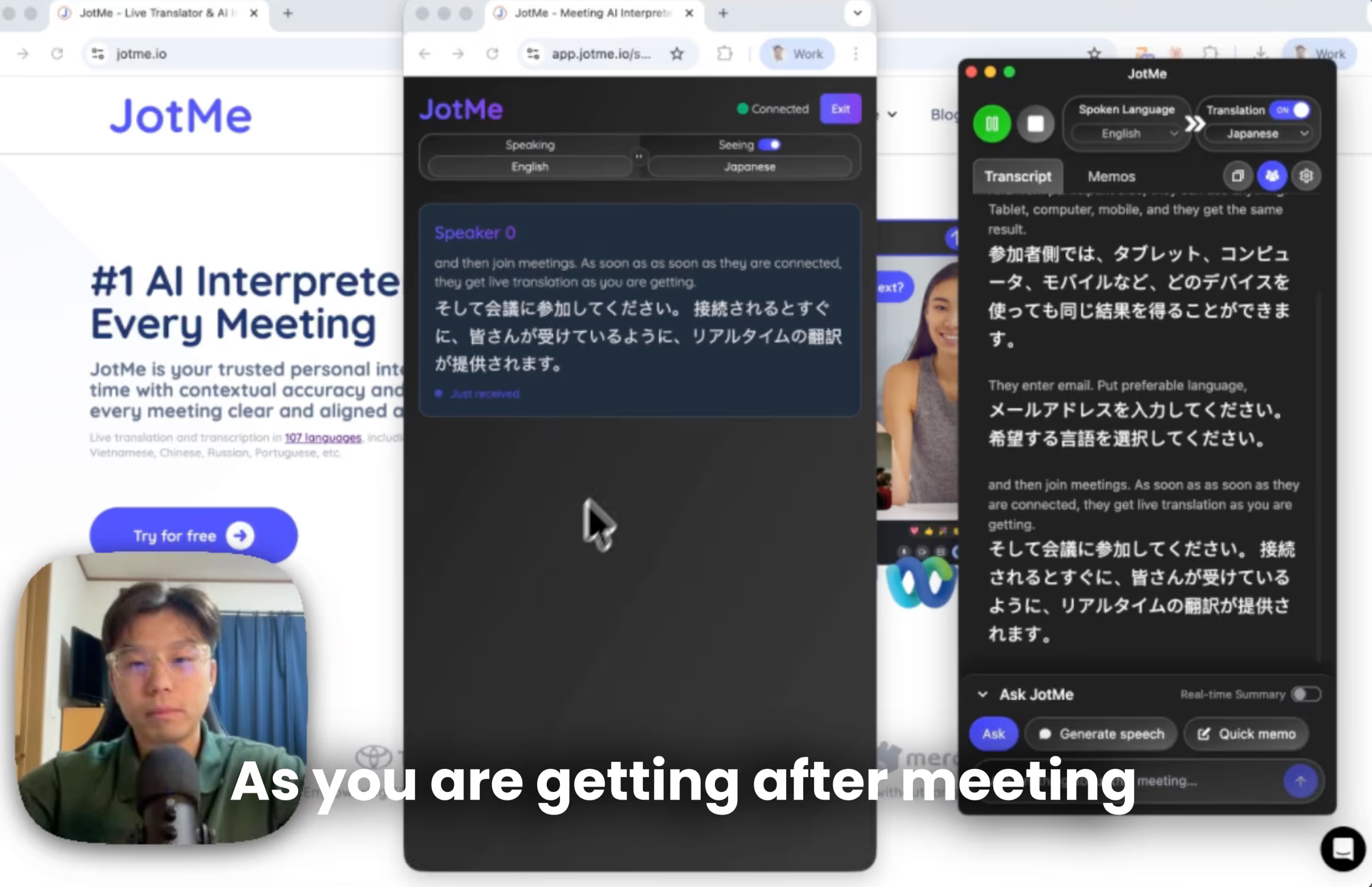
Если вы работаете в глобальной среде, вероятность того, что вы столкнетесь с многоязычными встречами, близка к 100%. От внешних встреч с клиентами, партнерами, инвесторами и поставщиками до внутренних собраний, таких как встречи с глазу на глаз или в мэрии, — кто-то всегда говорит на непонятном вам языке.
Некоторые думают о том, чтобы взять с собой переводчика-человека. Но это негибкое решение. Человеческие ресурсы ограничены и поэтому дороги. Некоторые думают об использовании машинного перевода. Но с точки зрения контекста он часто бывает неточным. Если вы технический оптимист, вы, вероятно, уже думали о переводе с помощью искусственного интеллекта. Но вот в чем реальная проблема... Как поделиться этим с другими людьми?
В июле 2026 года обмен переводом перестал ограничиваться только текстом. В зависимости от формата встречи JotMe также поддерживает голосовой перевод в реальном времени: участники слышат переведённую речь на своём языке и при этом продолжают говорить естественно, как обычно.
Быстрый TL; DR
- Загрузите настольное приложение JotMe (только для хоста).
- Нажмите на ссылку поделиться переводом с URL-адресом, чтобы создать ссылку.
- Поделитесь ссылкой с участниками, никаких установок или учетных записей не требуется.
- Участники выбирают свой язык и получают мгновенный перевод в реальном времени с помощью искусственного интеллекта, а также синхронный голосовой перевод «голос-в-голос».
- После встречи все участники автоматически получат комбинированную многоязычную стенограмму.
Как поделиться живым переводом с помощью искусственного интеллекта с глобальными командами?
Zoom, команды, Google Meet. Все они имеют встроенные функции перевода. Люди часто жалуются на то, что перевод слишком буквален и не соответствует сказанному ранее, что приводит к потере смысла и смысла. Кроме того, доступ предоставляется только определенным подписчикам, поэтому другие участники вообще не получают перевода.
Самое неприятное заключается в следующем: если многоязычные встречи проводятся ежедневно внутри компании, имеет смысл подписаться на них. Но большинство многоязычных встреч иногда проводятся с другими внешними партнерами. Сложно заставить их подписаться на план или даже создать учетную запись только для одной встречи.
На сегодняшний день у JotMe более 60 000 пользователей со всего мира. Пользователи, которые общались со мной и нашей службой поддержки, рассказали нам обо всех проблемах, о которых я рассказал выше. В этом месяце мы решили все живой перевод поделиться проблемой с помощью одного простого решения. А в июле 2026 года мы дополнительно представили голосовой перевод «голос-в-голос»: участники слышат переведённую речь на выбранном языке и при этом продолжают говорить естественно.
Как поделиться контекстным переводом искусственного интеллекта в реальном времени с помощью URL-адреса?
Делитесь контекстным переводом ИИ в реальном времени с помощью простого URL-адреса: никаких загрузок, учетных записей, мгновенный доступ с любого устройства (через Интернет, настольный компьютер, Android, iOS, планшет). Вот как шаг за шагом настроить обмен переводами в реальном времени.
Кроме того, вы можете посмотреть учебное пособие на YouTube о том, как поделиться переводом AI в реальном времени с помощью URL-адреса.
Каковы предварительные условия для публикации интерактивного перевода с помощью URL-адреса?
Сначала, как организатор, загрузите настольное приложение JotMe в качестве организатора совещания. Установка JotMe бесплатна, и вы можете получить к ней доступ прямо с нашего официального сайта Сайт компании JotMe чтобы начать работу за считанные минуты.
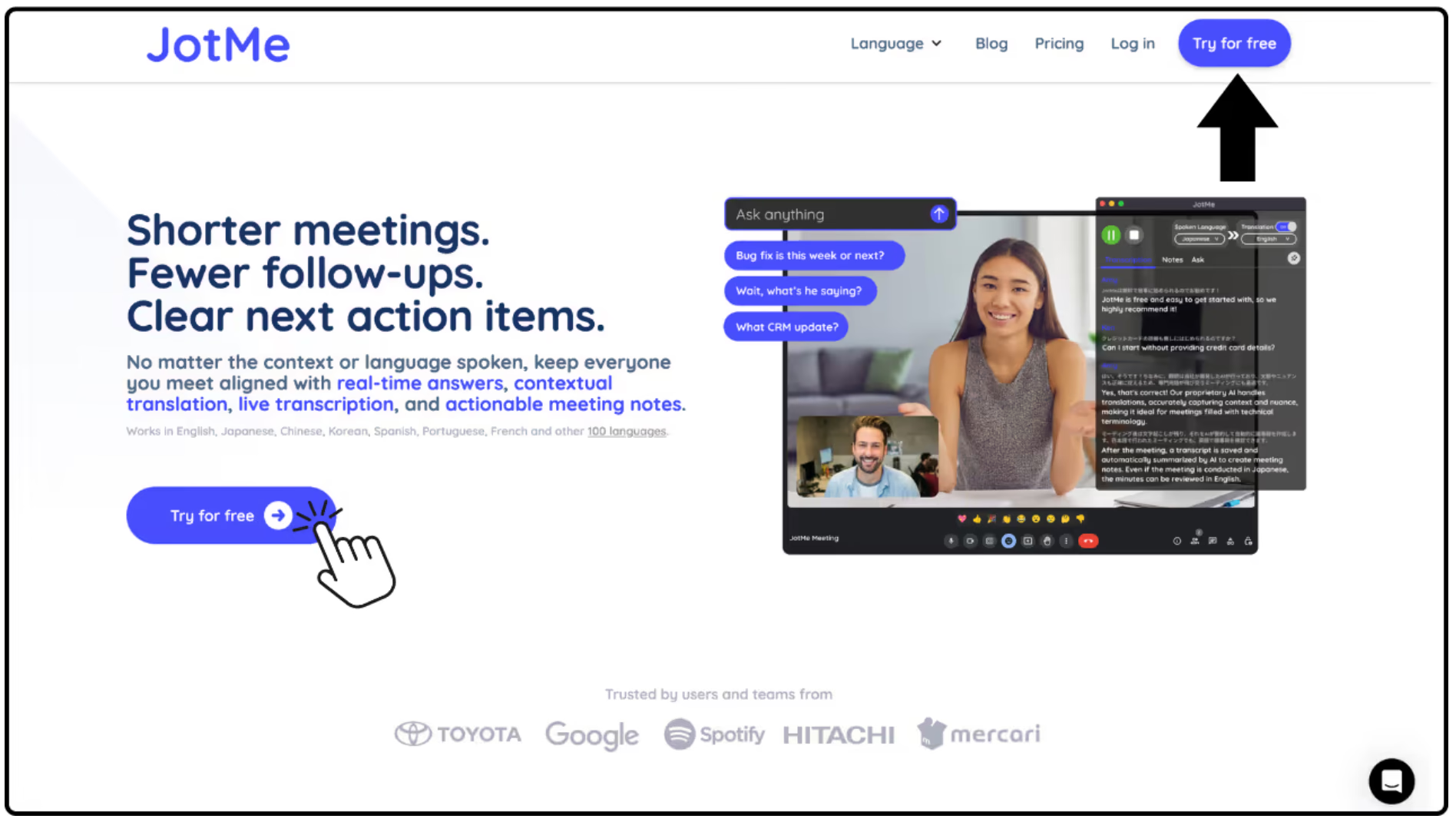
Как создать URL-адрес для совместного использования переводов AI?
Во-вторых, откройте меню «Поделиться переводом» и нажмите «С URL-адресом». Вы можете поделиться ссылкой с любым участником встречи, независимо от его местоположения. Нет ограничений на доступ к онлайн-трансляции.
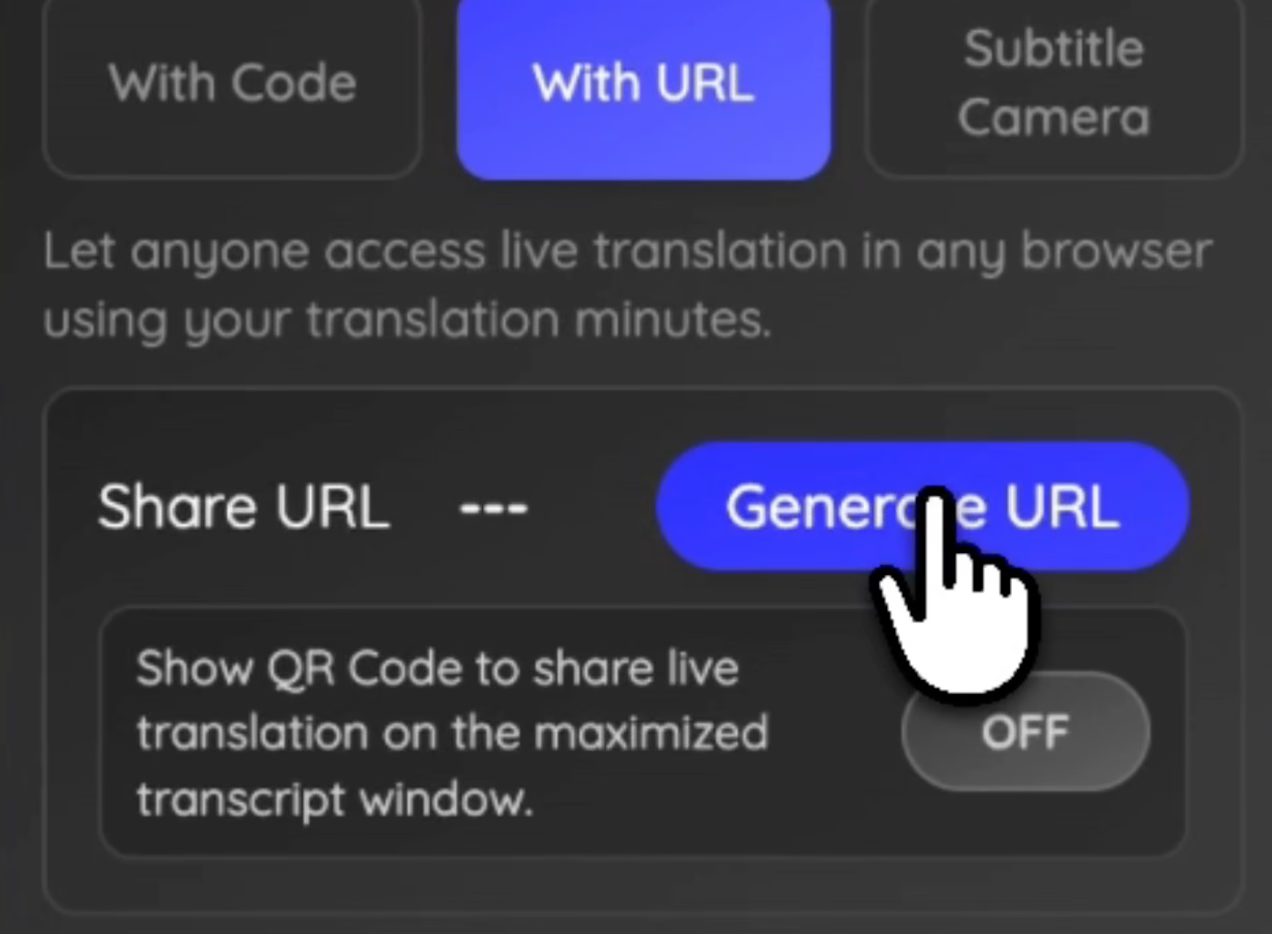
Однако имейте в виду: чем больше людей вы делитесь этой информацией, тем больше минут вы тратите на перевод, потому что вы делитесь своими минутами перевода. Большее количество участников также может немного увеличить задержку. Поэтому перед началом совещания убедитесь, что у вас достаточно минут перевода, умноженных на количество участников. Вы же не хотите, чтобы перевод прекращался во время важного обсуждения.
Как участники могут поделиться трансляцией в реальном времени?
Когда вы поделитесь ссылкой на перевод со своими коллегами по команде, им будет предложено ввести несколько основных сведений, прежде чем приступить к переводу с помощью искусственного интеллекта в реальном времени, например:
- Ввод электронной почты
- Выбор предпочтительного языка
- Согласие по электронной почте на обмен заметками о собрании
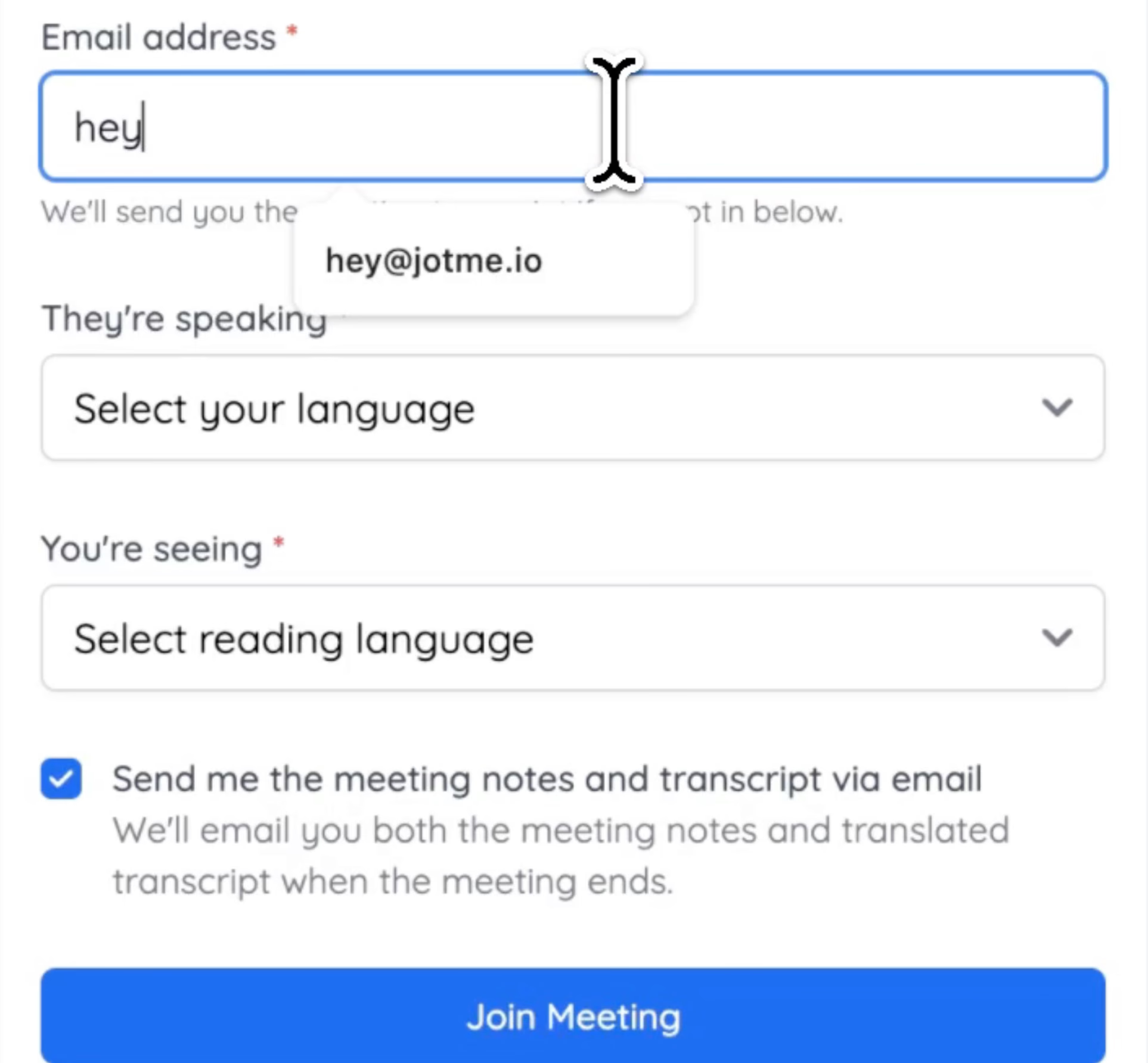
Как только ваши товарищи по команде введут информацию, они сразу же получат перевод в реальном времени, используя количество минут перевода на каждого участника.
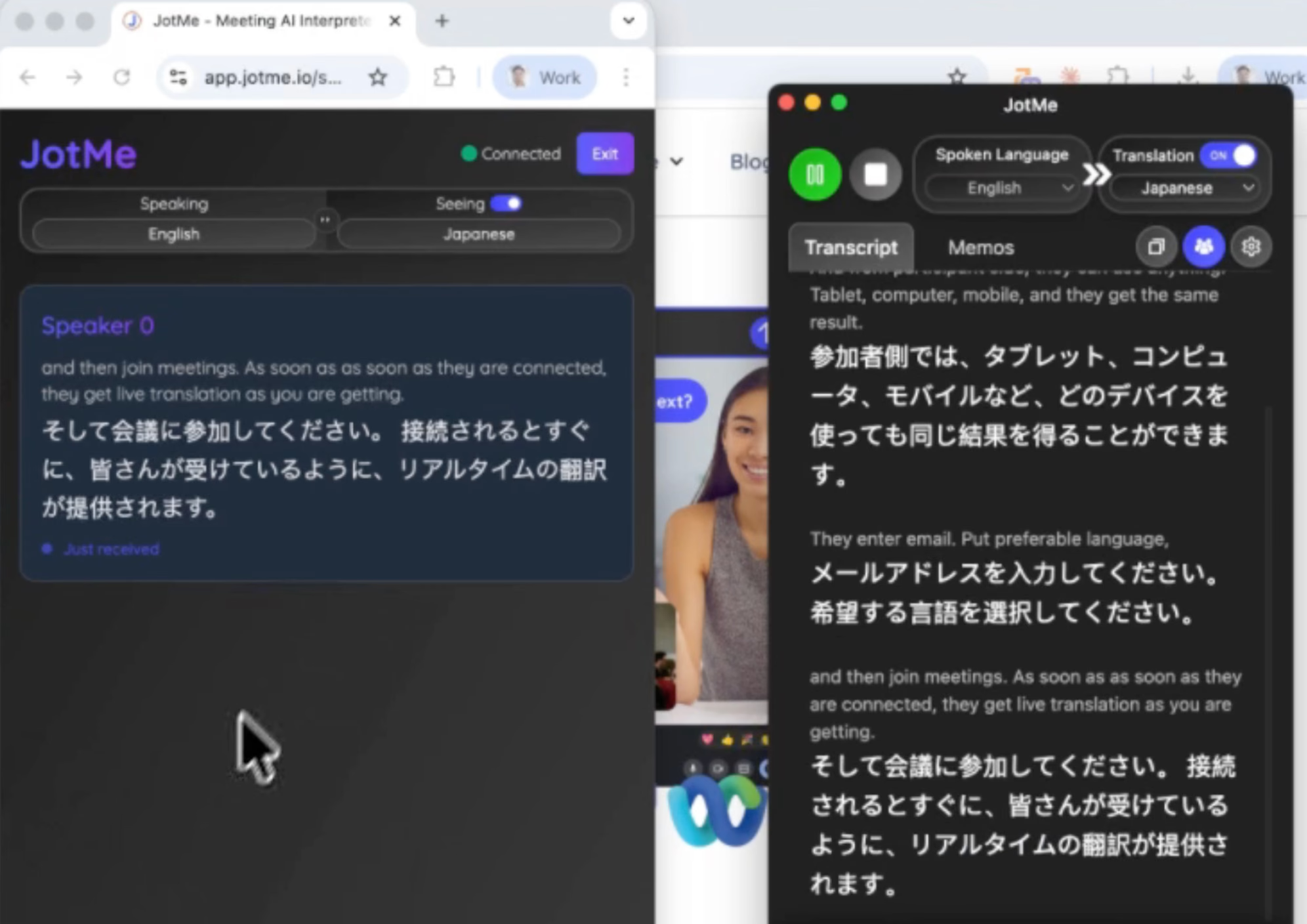
В чем уникальность настройки онлайн-перевода JotMe?
Без установки.
Нет создания учетной записи.
Подписка не требуется.
Просто откройте ссылку и присоединитесь.
А для небольших обсуждений, где участникам удобнее слышать перевод голосом, JotMe предлагает голосовой перевод «голос-в-голос» — как альтернативный формат общения.
Как поделиться транскрипцией после совещания со своей командой?
JotMe автоматически создает полную транскрипцию после совещания по окончании совещания и автоматически публикует ее Заметки о встречах AI с участниками. Это означает, что организаторам не нужно вручную отправлять резюме или стенограммы после сеанса.
Все разговоры с разными носителями и языковыми парами объединяются в единую упорядоченную запись, включающую расшифровку, Итоги встреч по искусственному интеллекту, а также ключевые вопросы для обсуждения. Команды могут легко пересматривать решения, анализировать важные моменты и оставаться на связи, даже если некоторые участники не смогли присутствовать на собрании в прямом эфире.
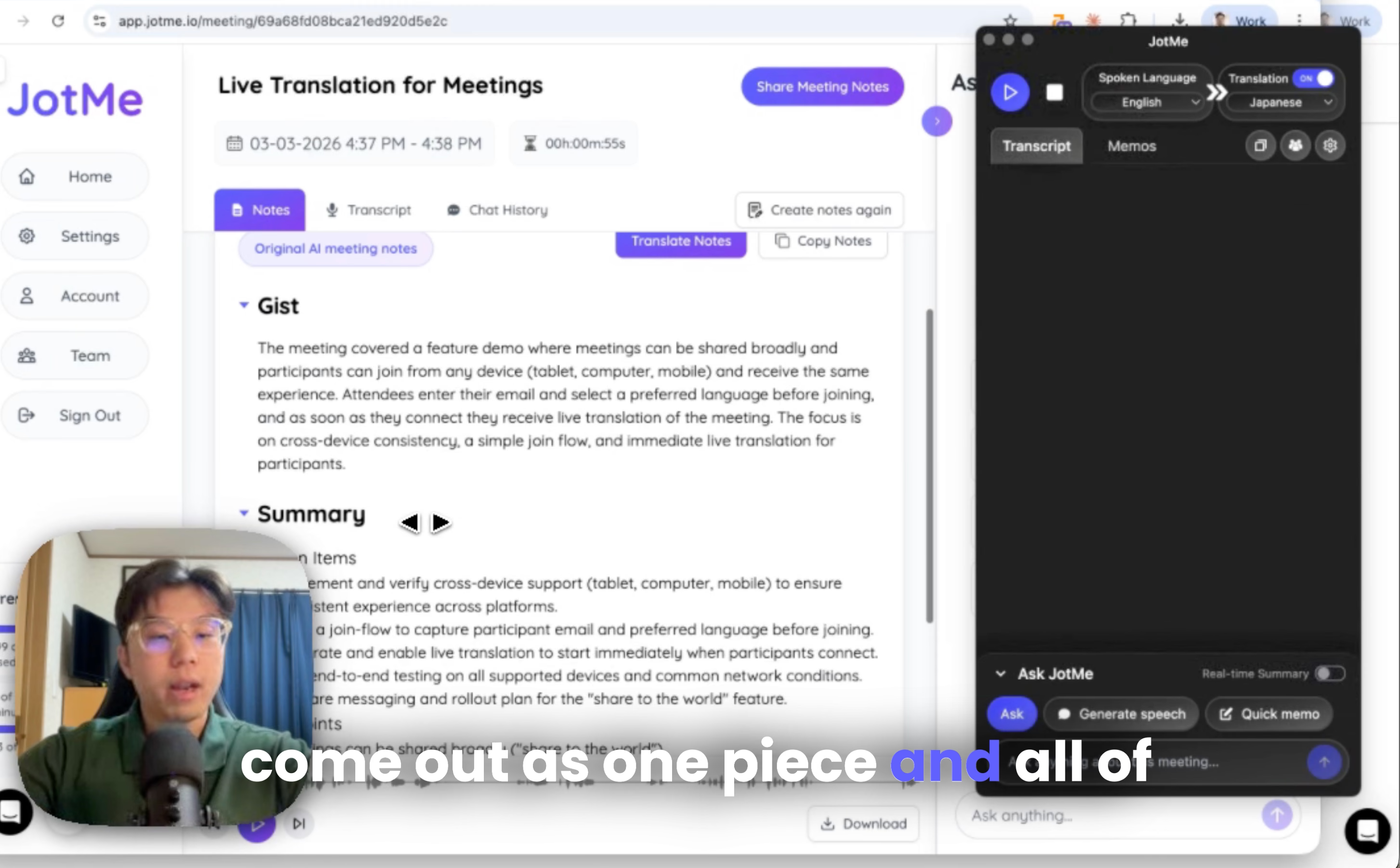
Например:
- Используемый хост С английского на японский
- Участник 1 использовал корейский язык на английский
- Участник 2 использовал испанский язык на китайский
В записи о собрании вы увидите транскрипцию на английском, корейском и испанском языках.
Ничто не потеряно.
Как поделиться синхронным голосовым переводом «голос-в-голос» через URL-адрес
Шаг 1. Откройте JotMe и нажмите на значок динамика (Speaker).
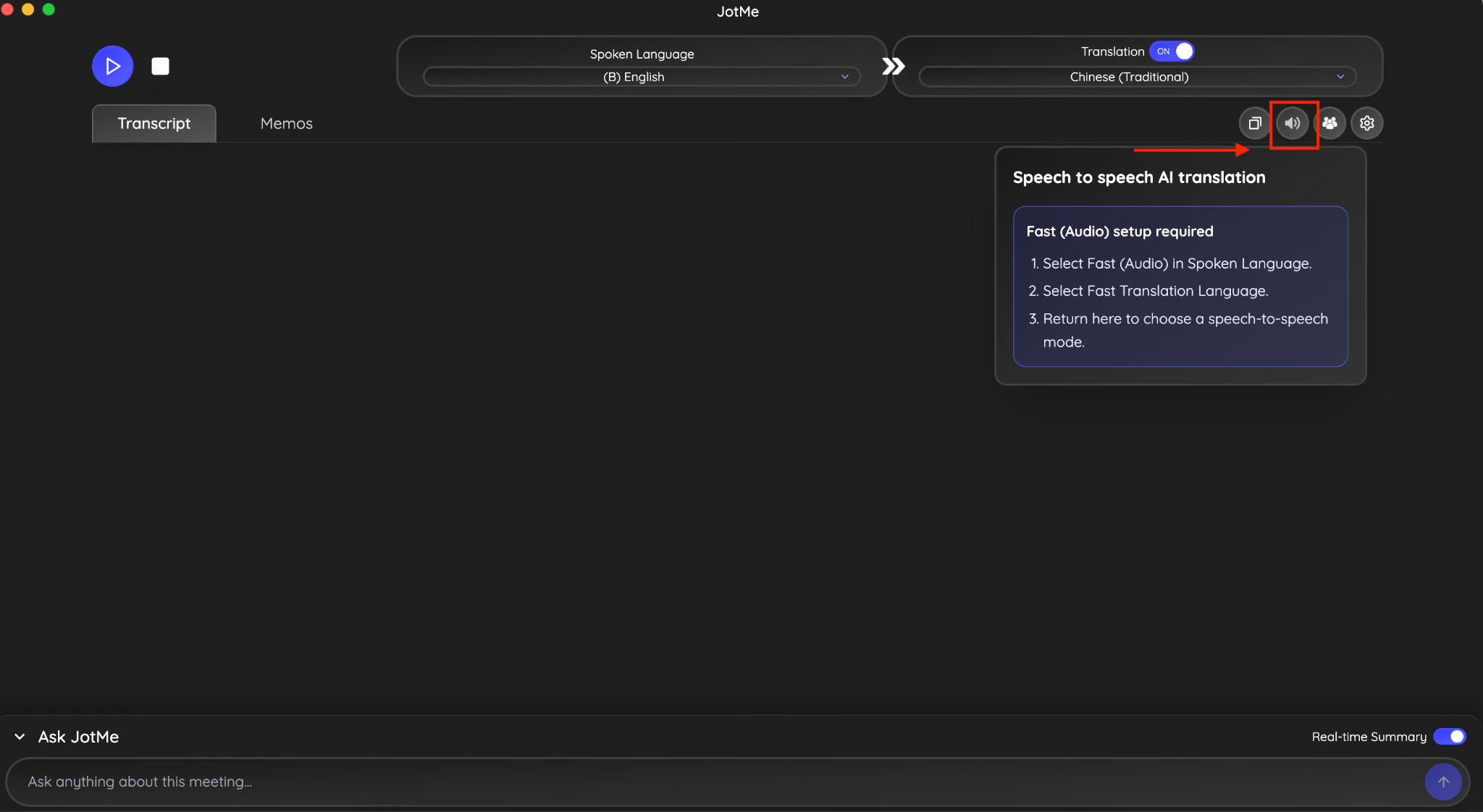
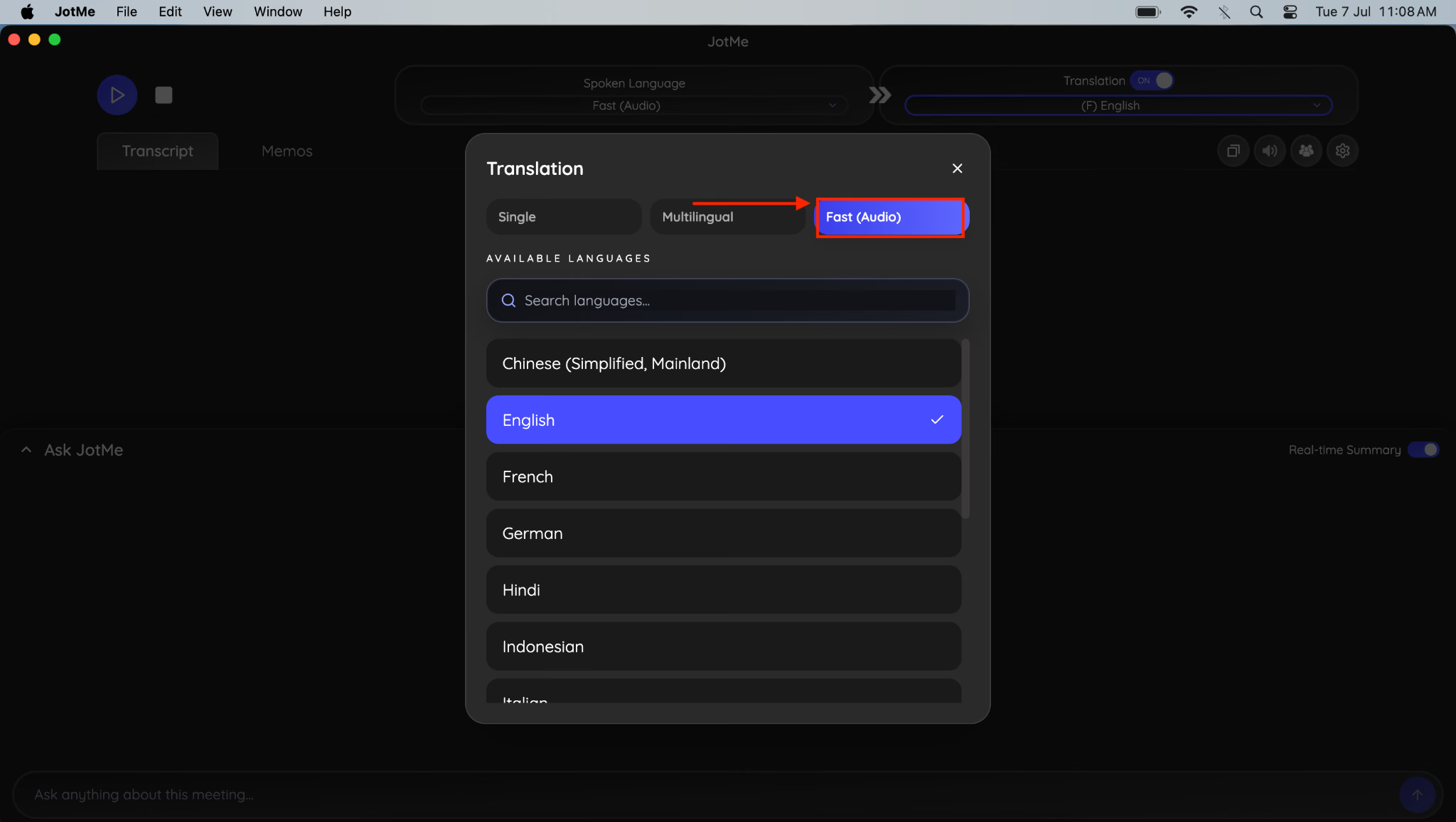
Шаг 2. Теперь в разделе языка речи выберите опцию Fast Audio (быстрый аудиорежим).
Шаг 3. Затем снова перейдите к опции Speaker и включите голосовой AI-перевод «голос-в-голос» (speech-to-speech).
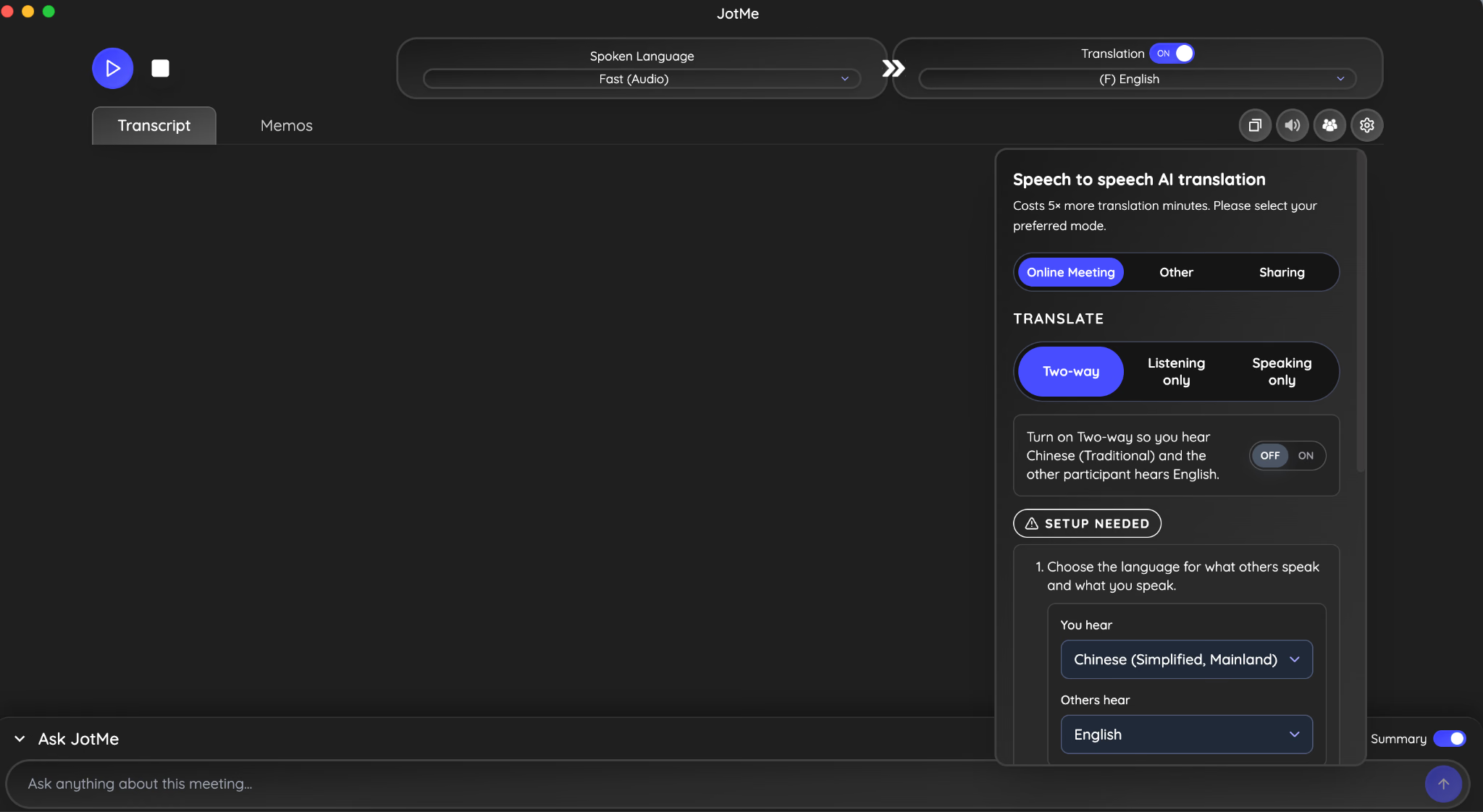
Шаг 4. Выберите тип встречи, вариант перевода и включите двустороннюю связь.
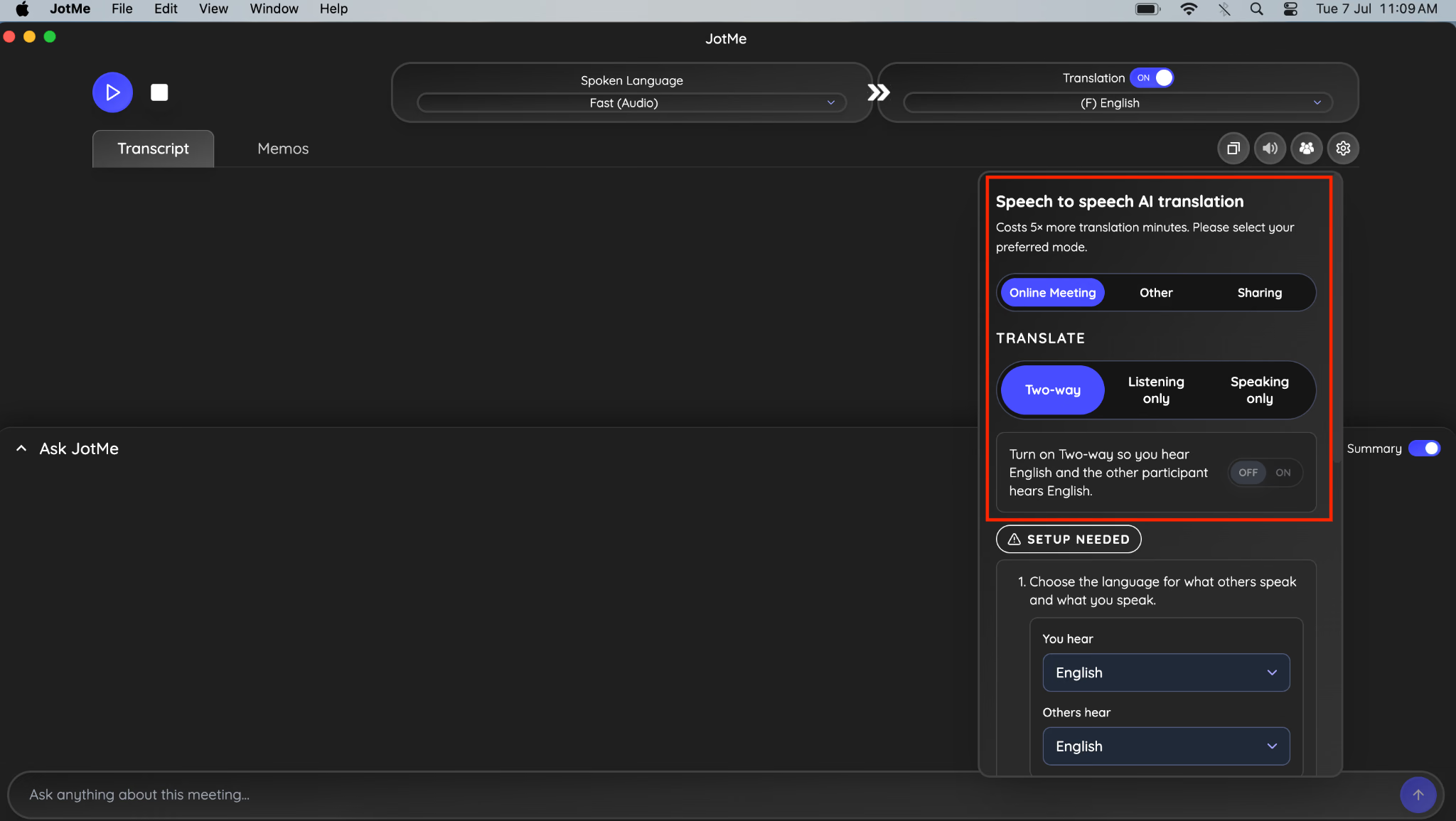
Шаг 5. Выберите язык, на котором будете слышать перевод вы, а на другом языке будет слушать ваш собеседник. После этого установите BlackHole 2ch и BlackHole 16ch.
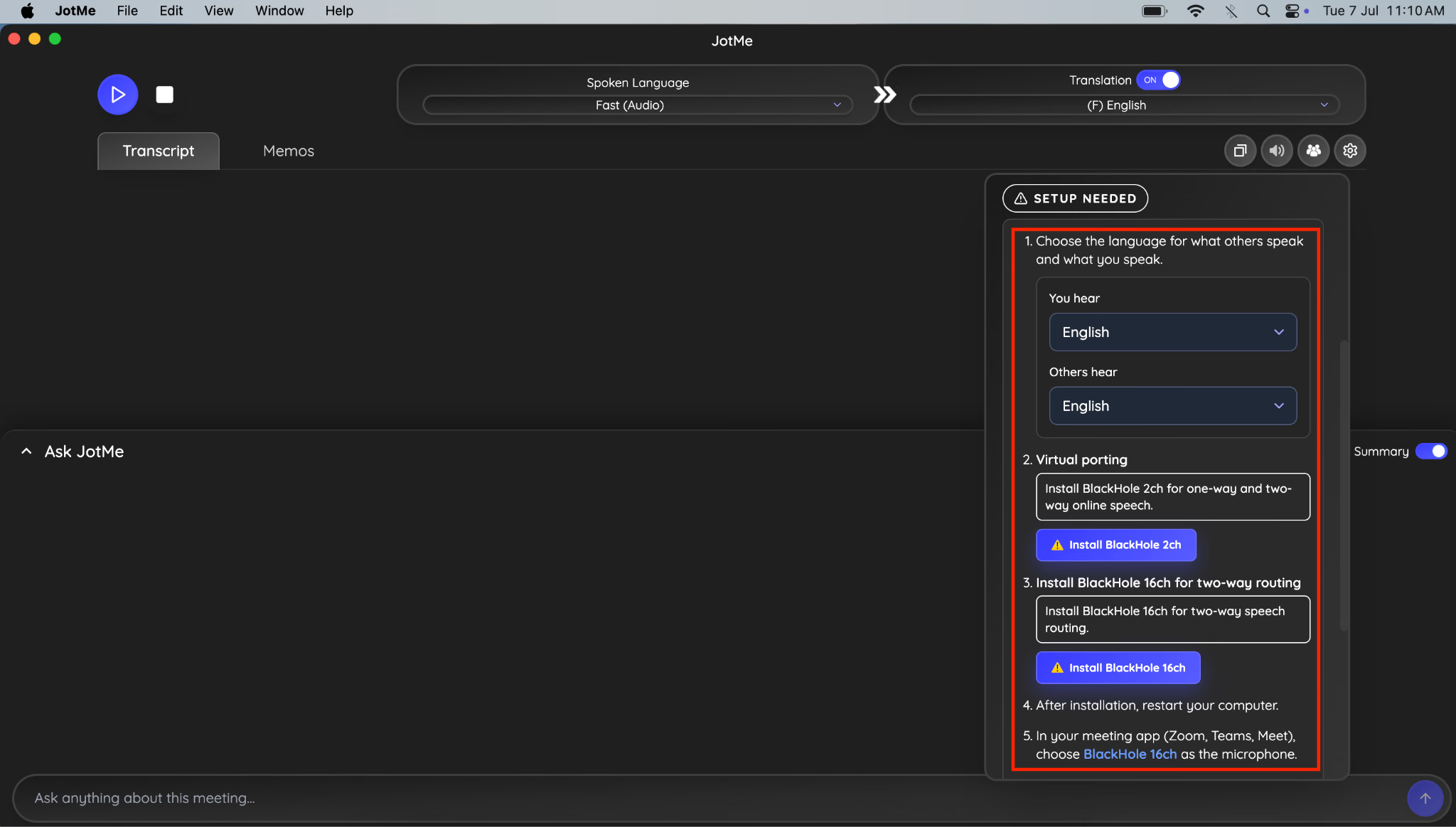
Шаг 6. Когда всё готово, перейдите к опции «Поделиться» рядом со значком динамика.
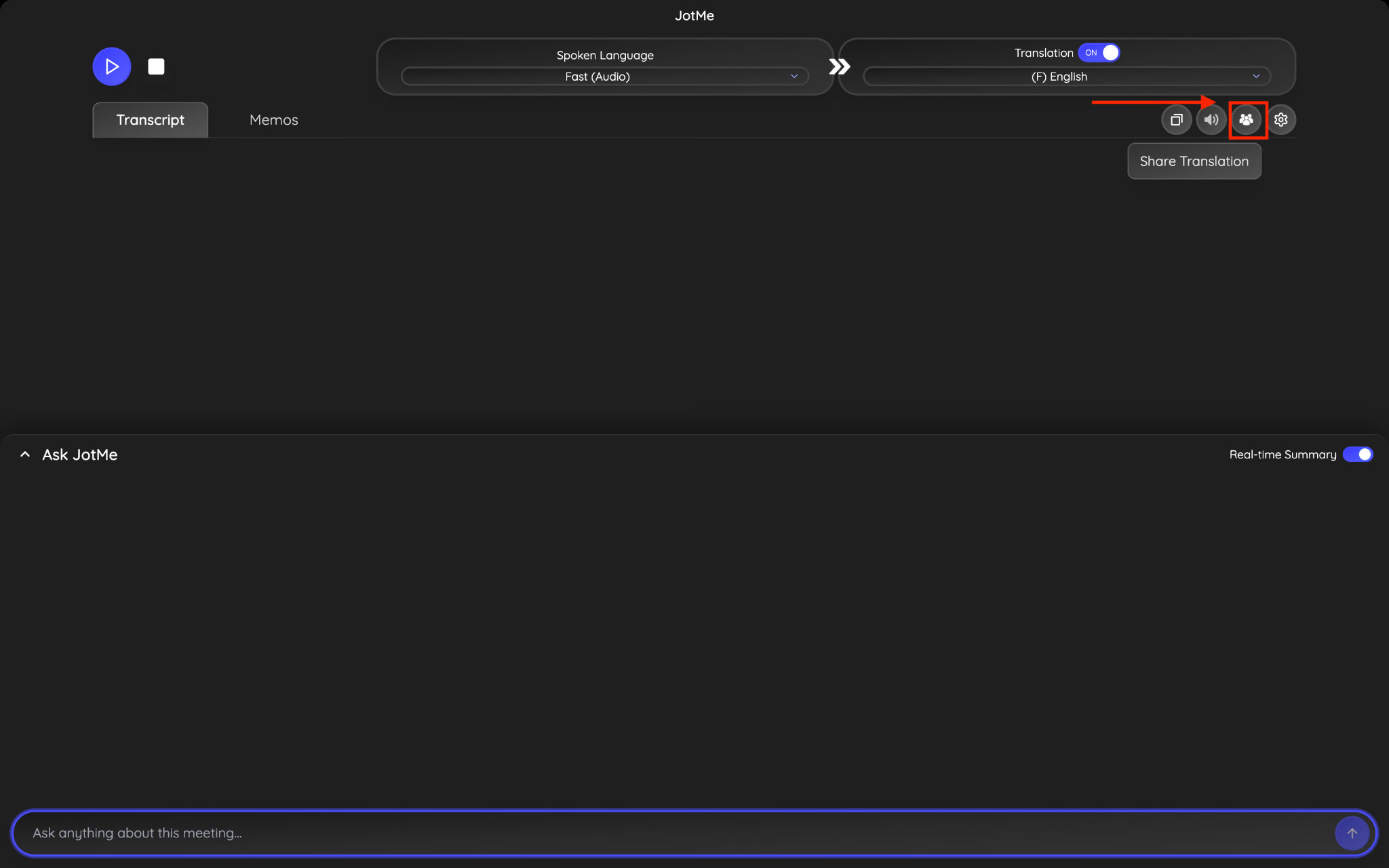
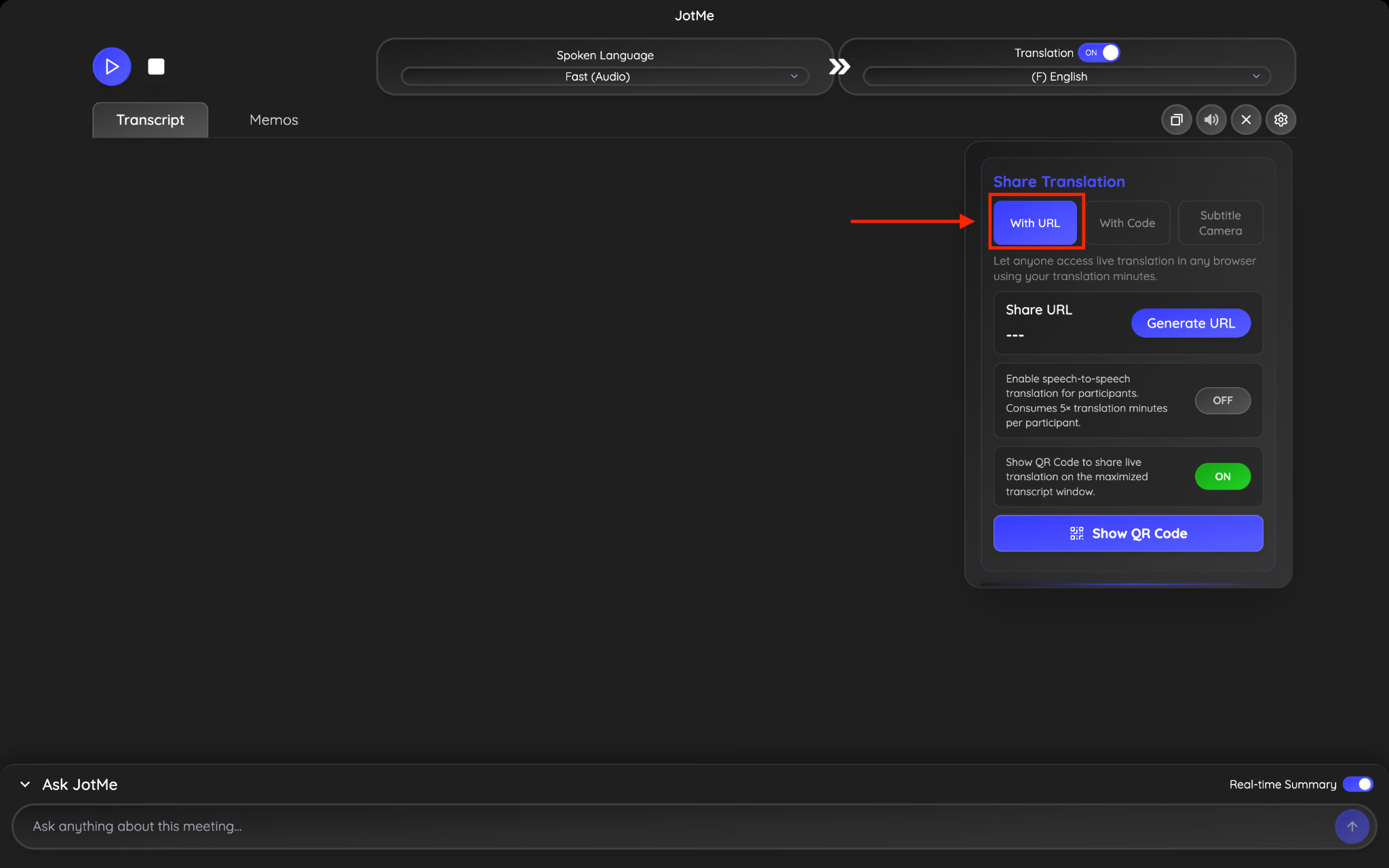
Шаг 7. Перейдите к варианту URL и нажмите кнопку «Сгенерировать код».
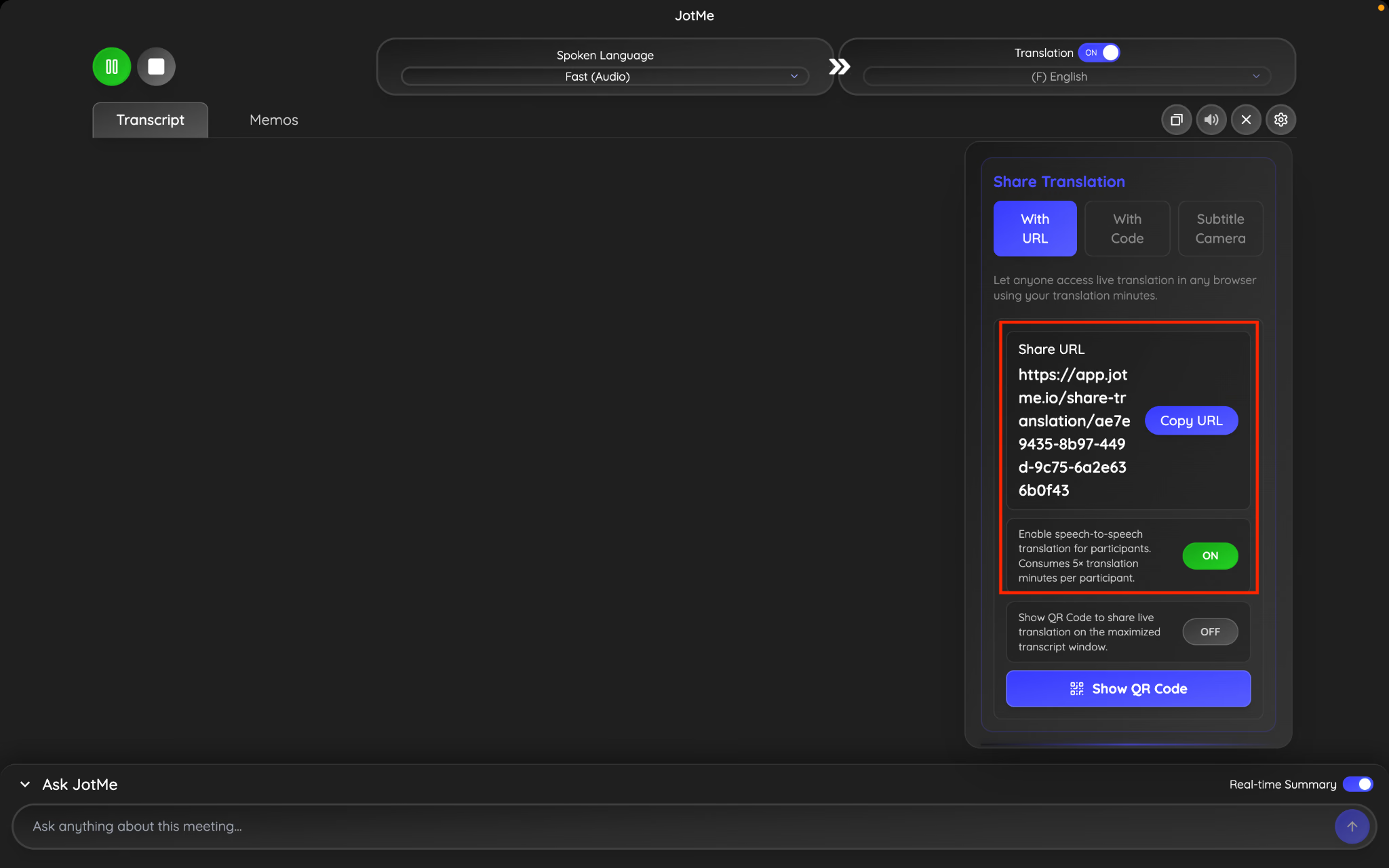
Шаг 8. Скопируйте URL-адрес, включите голосовой перевод «голос-в-голос» и отправьте ссылку своему коллеге. Он просто вставляет код, выбирает язык, на котором хочет слышать перевод, и сразу же начинает слушать ваш переведённый голос в реальном времени — вместе с живыми переведёнными субтитрами.
Легко делитесь переводом с помощью искусственного интеллекта в реальном времени с помощью JotMe
Вот как легко делиться контекстным переводом искусственного интеллекта в реальном времени. Его можно использовать в таких отраслях, как информационные технологии, производство, электронная коммерция, логистика, юриспруденция, здравоохранение, университеты и т. д. А также для различных сценариев использования: от встреч с клиентами, встреч с партнерами, встреч с инвесторами, вебинаров до личных конференций.
Если вашей встрече нужен более естественный формат живого диалога, JotMe также поддерживает голосовой перевод «голос-в-голос»: участники слышат переведённую речь и при этом говорят на своём языке. А для команд, которым в первую очередь важен доступ прямо из браузера, обмен по URL-адресу остаётся одним из самых простых и гибких способов объединить многоязычных участников.
Мы соответствуем требованиям GDPR. Кроме того, у нас есть удобный план работы для групп с панелью администратора, позволяющей распределять и контролировать количество минут, что упрощает интеграцию международных компаний и команд. Если у вас есть корпоративные вопросы или отзывы, вы всегда можете обратиться к: hey@jotme.io.
До следующего блога, увидимся!
Last updated on
July 13, 2026
Follow us on social media: