







Traduction FaceTime
Transformez vos appels FaceTime en sous-titres précis en temps réel et en voix clonée par IA, dans plus de 200 langues. Lancez JotMe sur votre Mac et parlez librement, quels que soient l'appareil, le système ou la langue de votre interlocuteur.
Formule gratuite. Aucune carte bancaire requise.
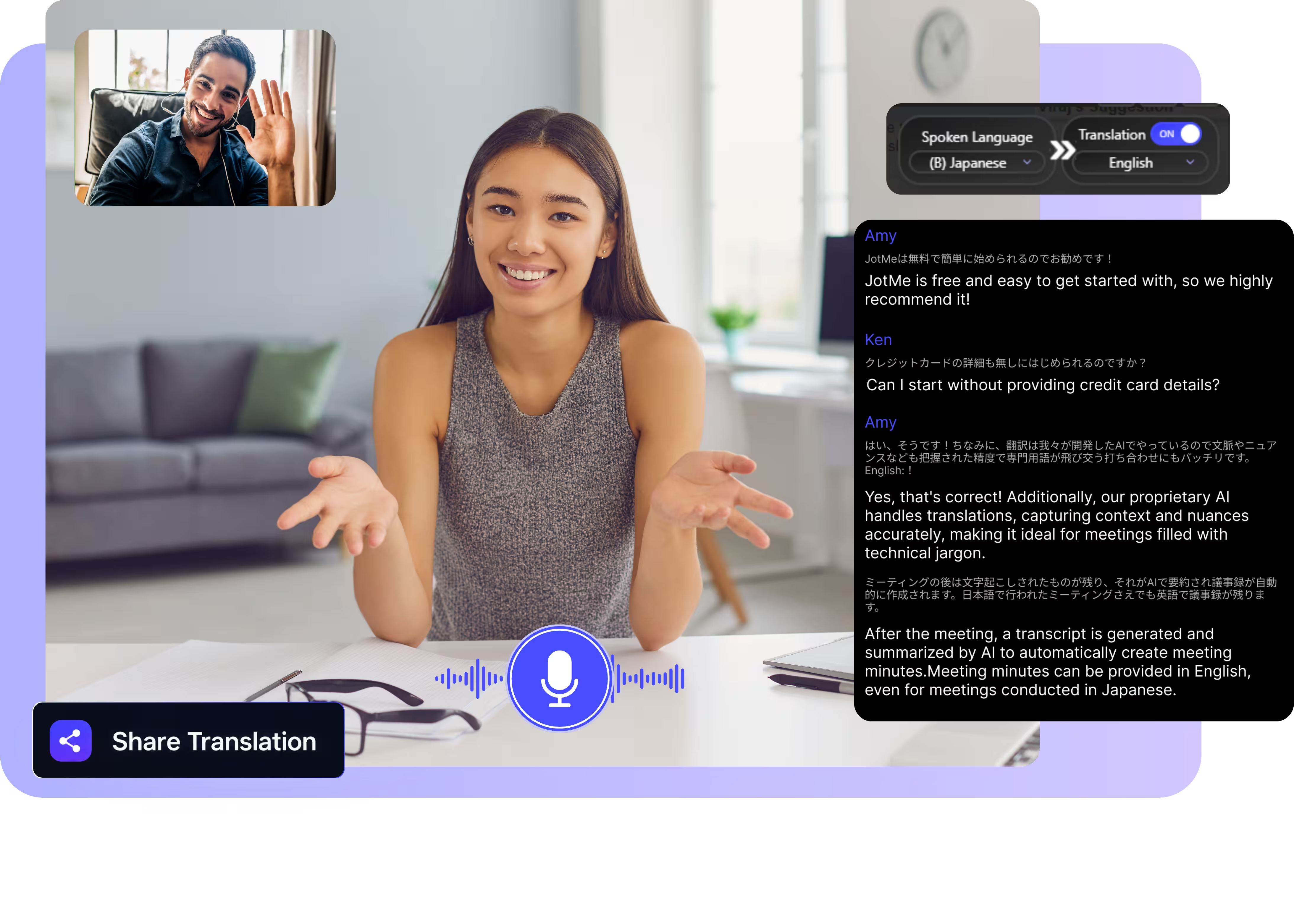
Choisissez le modèle et les langues, cliquez sur démarrer et parlez. Téléchargez l'application Mac et passez vos appels FaceTime avec la traduction en direct. Ouvrir la démo complète.
Déjà adopté par 2 000 équipes et 500 000 professionnels dans 134 pays



.avif)





.avif)


.avif)


.svg)
Évalué 4,7/5


Conforme au RGPD
.avif)
SOC 2 Type II (En cours)
Une traduction FaceTime précise, en temps réel
Tout ce qu'il vous faut pour converser dans toutes les langues sur FaceTime.
.avif)
Sensible au contexte, ultra-précis
JotMe traduit le sens, en tenant compte de qui parle, du sujet dont vous discutez, de ce qui a déjà été dit pendant l'appel et des termes personnalisés que vous enregistrez. La traduction reste précise, même avec l'argot, le jargon et les termes techniques.

Voix à voix, avec votre propre voix
Écoutez la traduction prononcée avec votre propre voix clonée, grâce au clonage vocal le plus rapide disponible aujourd'hui. Vos mots, votre voix, dans une autre langue.

Plus de 200 langues, en direct ou depuis un enregistrement
Traduisez vos appels FaceTime dans plus de 200 langues cibles et 39 000+ paires de langues, bien au-delà des jeux de langues des sous-titres intégrés, en direct ou depuis les enregistrements que vous importez.

Votre traduction est sauvegardée
La transcription, la traduction et les notes sont enregistrées dans votre tableau de bord après chaque appel : rien ne disparaît à la fin de la conversation.

Pas de bot, pas de configuration
JotMe tourne sur votre Mac et capture l'audio FaceTime en local. Il fonctionne quels que soient l'appareil, la version du système ou la langue de la personne à l'autre bout.
.avif)
Dictionnaire personnalisé et détection automatique de la langue
Ajoutez vos termes métier et des remplacements personnalisés pour garder une précision maximale sur le vocabulaire spécialisé. JotMe détecte automatiquement la langue parlée : rien à régler à la main, ni avant ni pendant l'appel.
Comment traduire un appel FaceTime
Trois étapes, moins d'une minute, et rien à installer ni à mettre à jour pour votre interlocuteur. Prenez l'appel FaceTime sur votre Mac, JotMe s'occupe du reste.
ÉTAPE 1
1. Téléchargez l'app Mac, ou importez un enregistrement
Installez JotMe pour Mac en 30 secondes environ et prenez votre appel FaceTime sur votre MacBook. Vous avez plutôt un enregistrement ? Importez-le pour obtenir une transcription et une traduction précises.
ÉTAPE 2
2. Choisissez la langue parlée
Sélectionnez la langue parlée pendant l'appel, par exemple le japonais. Si les participants passent d'une langue à l'autre, activez le mode multilingue.

ÉTAPE 3
3. Choisissez votre langue de traduction
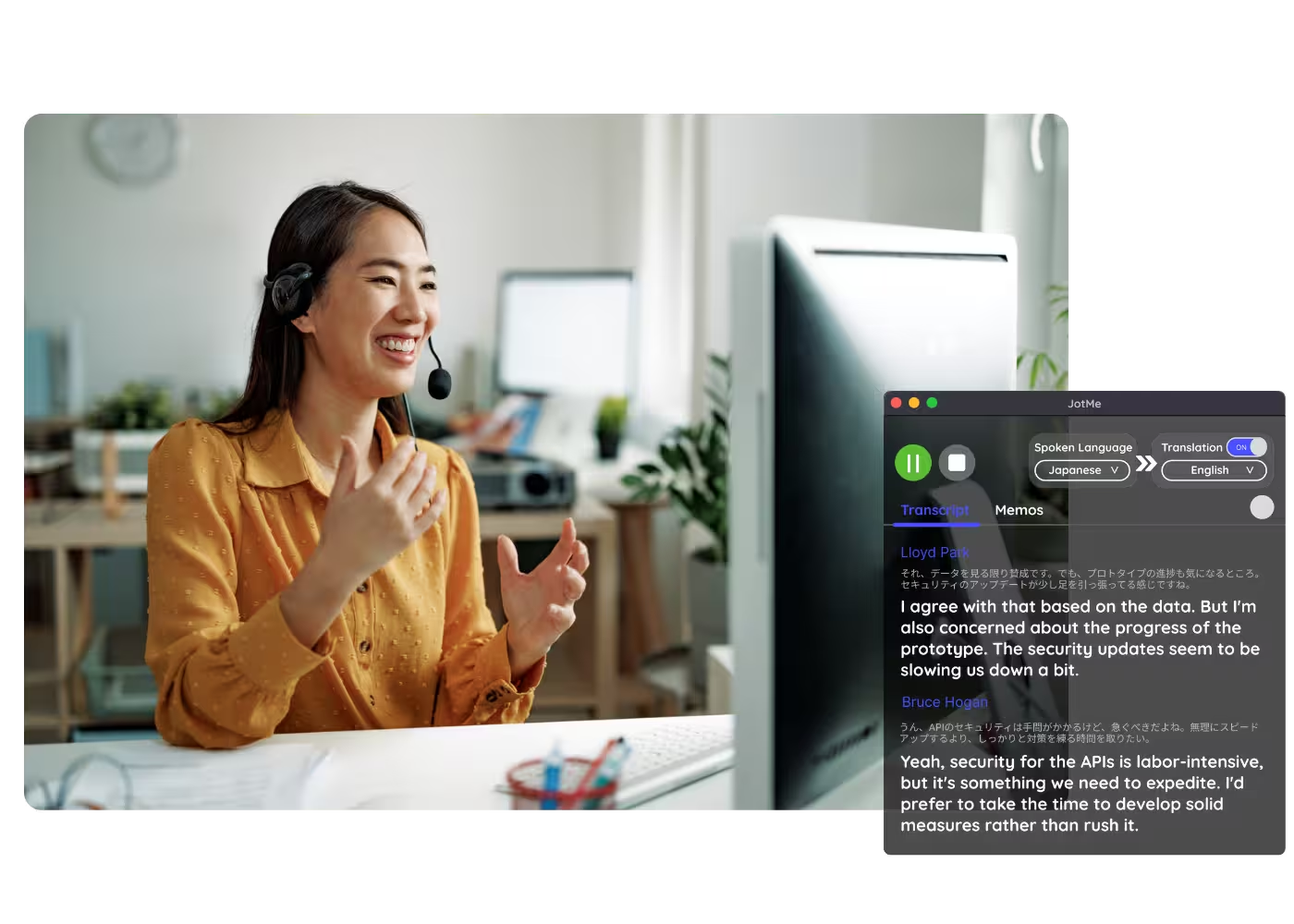
Choisissez la langue dans laquelle vous voulez lire ou écouter. Des sous-titres précis s'affichent en direct à l'écran, et la traduction voix à voix se joue au fil de la parole de chacun.

À quoi sert la traduction FaceTime ?
De vos grands-parents à l'étranger à votre belle-famille, JotMe garde tout le monde dans la conversation sur FaceTime.
.avif)
La famille, par-delà les frontières
Grands-parents, belle-famille et proches dans leur langue, sans interprète sur l'appel.

Couples internationaux
Échangez naturellement avec la famille de votre partenaire, sans attendre que quelqu'un traduise.
Appels enregistrés
Importez un enregistrement dans Audio to Text et obtenez la transcription accompagnée de sa traduction.

Webinaires et formations
Partagez la traduction en direct avec les participants via une URL, un QR code ou des sous-titres à la caméra, pour que les participants sur ordinateur comme dans le navigateur suivent sur leur propre écran.
JotMe en action
Regardez JotMe traduire un appel FaceTime en direct, de la parole à votre langue, en temps réel.
Plus de 500 000 professionnels fluidifient leurs réunions et événements avec JotMe
Découvrez comment les utilisateurs comblent leurs écarts opérationnels multilingues avec JotMe.
Noté 4,7/5

Noté 4,7/5
"Mon travail impliquant la traduction et le rapprochement des cultures, j'ai trouvé cet outil révolutionnaire pour mon quotidien."

Adams
Spécialiste des Opérations / Tiktok
"Le japonais était autrefois un mystère pour moi, mais ce produit l'a rendu clair et accessible grâce à une compréhension contextuelle."

Stamatis
Consultant / Deloitte
"JotMe optimise nos réunions multilingues, assurant une collaboration fluide dans notre environnement de travail dynamique."

Cesar
Chef de Projet / Amazon
"Cette fonctionnalité bilingue simplifie la prise de notes au travail, ce qui permet de gagner du temps et d'améliorer l'efficacité dans les deux langues."

Yusuke
Responsable Commercial / NTT
"Indispensable pour les locuteurs non natifs ; simplifie les réunions complexes grâce à la traduction en temps réel et à des transcriptions précises."

Jesse
Développeur Freelance
"L'outil de traduction dont nous avions besoin depuis des années – maintenant une réalité avec JotMe !"

Elston
CEO et Fondateur / Tiny.host
"Mon travail impliquant la traduction et le rapprochement des cultures, j'ai trouvé cet outil révolutionnaire pour mon quotidien."
Adams
Spécialiste des Opérations / Tiktok
"Le japonais était autrefois un mystère pour moi, mais ce produit l'a rendu clair et accessible grâce à une compréhension contextuelle."
Stamatis
Consultant / Deloitte
"JotMe optimise nos réunions multilingues, assurant une collaboration fluide dans notre environnement de travail dynamique."
Cesar
Chef de Projet / Amazon
"Cette fonctionnalité bilingue simplifie la prise de notes au travail, ce qui permet de gagner du temps et d'améliorer l'efficacité dans les deux langues."
Yusuke
Responsable Commercial / NTT
"Indispensable pour les locuteurs non natifs ; simplifie les réunions complexes grâce à la traduction en temps réel et à des transcriptions précises."
Jesse
Développeur Freelance
"L'outil de traduction dont nous avions besoin depuis des années – maintenant une réalité avec JotMe !"
Elston
CEO et Fondateur / Tiny.host

Foire aux questions
Tout ce qu'il faut savoir pour organiser vos réunions et événements avec JotMe.
Peut-on traduire un appel FaceTime en temps réel ?
Oui, avec JotMe sur votre Mac : des sous-titres traduits en direct dans plus de 200 langues, quel que soit l'appareil ou le système de votre interlocuteur, et la transcription est sauvegardée après l'appel.
Peut-on traduire un appel FaceTime enregistré ?
Oui. Importez l'enregistrement dans Audio to Text ou Video to Text : JotMe le transcrit, traduit la transcription et génère des notes IA, avec la même précision qu'un appel en direct.
La traduction FaceTime est-elle gratuite ?
Oui. Le forfait gratuit de JotMe inclut des minutes de traduction en direct, sans carte bancaire. Passez à un forfait supérieur quand il vous faut plus de minutes.
Quelle est la précision de la traduction FaceTime ?
JotMe s'appuie sur cinq niveaux de contexte à chaque appel : votre profil, ce sur quoi vous travaillez, la mémoire de ce qui a déjà été dit, les termes personnalisés que vous avez enregistrés et le lien entre chaque phrase et la précédente. La précision s'améliore au fil de l'appel, et les termes spécialisés gardent leur sens professionnel.
Peut-on sauvegarder les sous-titres traduits ?
Oui. JotMe enregistre la transcription et la traduction dans votre tableau de bord : vous pouvez les relire, les copier et les partager après l'appel.
Quelles langues JotMe prend-il en charge sur FaceTime ?
JotMe transcrit plus de 200 langues parlées pendant les appels FaceTime et traduit vers plus de 200 langues cibles. Consultez la page des langues disponibles.
La traduction est-elle en sous-titres ou en voix ?
La traduction en direct s'affiche aujourd'hui sous forme de sous-titres, et le mode rapide peut énoncer les traductions à voix haute. La traduction voix à voix se fait avec votre propre voix clonée grâce au modèle de traduction IA le plus rapide.
Heading
You can translate
Bulgarian
Catalan
Mandarin (Simplified
Mandarin (Traditional)
Cantonese (Traditional)
Czech, Danish
Dutch
English (US)
English (UK)
English (Australia)
English (New Zealand)
English (India)
Estonian, Finnis
French
French (Canada
German
German (Switzerland
Greek
Hindi
Hungarian
Indonesian
Italian
Japanese
Korean
Latvian
Lithuanian
Malay
Dutch (Flemish)
Norwegian
Polish
Portuguese
Portuguese (Brazil)
Portuguese (Portugal)
Romanian
Russian
Slovak
Spanish
Spanish (Latin America)
Swedish
Thai
Turkish
Ukrainian
Vietnamese

Parlez sur FaceTime dans toutes les langues
Des sous-titres précis en direct et votre propre voix pendant vos appels FaceTime, des transcriptions sauvegardées après, dans plus de 200 langues. Lancez-le sur votre Mac et parlez à n'importe qui, quel que soit son appareil.