Conseils
Comment partager AI Live Translation via votre caméra Web ?

Taka Shirasu
March 4, 2026
Les webinaires, les conférences Web, les réunions générales et les assemblées publiques nécessitent bien plus qu'un simple outil de réunion en ligne tel que Zoom, Teams, Google Meet ou Webex.
Il existe de nombreux autres paramètres et considérations. Combien de personnes pouvez-vous inviter ? Comment les invitez-vous ? Pouvez-vous partager les diapositives que vous avez préparées ? Les participants doivent-ils créer un compte ? La liste est longue. Certains d'entre vous pourraient également penser à des participants qui parlent des langues différentes. C'est alors que les choses deviennent encore plus difficiles.
Devons-nous engager un interprète humain et payer 300$ de l'heure tout en mettant en place un canal audio distinct pour l'interprétation ? Si ce n'est pas le cas, comment partager la traduction en direct de l'IA avec tous les participants ? Et si nous utilisons la traduction par IA, quelle est la meilleure façon de le faire tout en équilibrant qualité, fluidité pour les participants et budget? Cela fait trois ans que je réfléchis à ce problème et que je cherche la solution idéale.
Tout d'abord, parlons de qualité. De Google Translate à DeepL, leur qualité de traduction est principalement conçue pour des cas d'utilisation ponctuels. Vous dites quelque chose et il est traduit littéralement. Cela ne fonctionne pas bien pour les réunions professionnelles où des discussions techniques et des discussions spécifiques à un secteur sont constamment abordées. J'ai essayé de nombreux outils, mais la plupart d'entre eux reposent sur un seul échange d'API pour la traduction en temps réel. Cela signifie qu'ils traduisent phrase par phrase sans comprendre le contexte général de la conversation. J'ai donc construit un moteur d'IA qui comprend connaissances spécifiques au contexte et à l'industrie, ce qui lui permet de traduire les conversations avec un sens et une intention corrects ici à JotMe.
Parlons maintenant de fluidité et budget. Certains outils vous permettent de partager la traduction via une URL. JotMe propose également cette fonctionnalité aujourd'hui. Mais lorsque vous avez de nombreux participants, envoyer un lien et expliquer comment l'utiliser peut devenir compliqué. Pire encore, plus vous partagez le lien avec de participants, plus vous absorbez des coûts de latence et de traduction. Pendant longtemps, je n'ai cessé de me poser la même question que beaucoup de nos 60 000 utilisateurs se posaient également : Comment partager facilement une traduction en direct basée sur l'IA de haute qualité ?
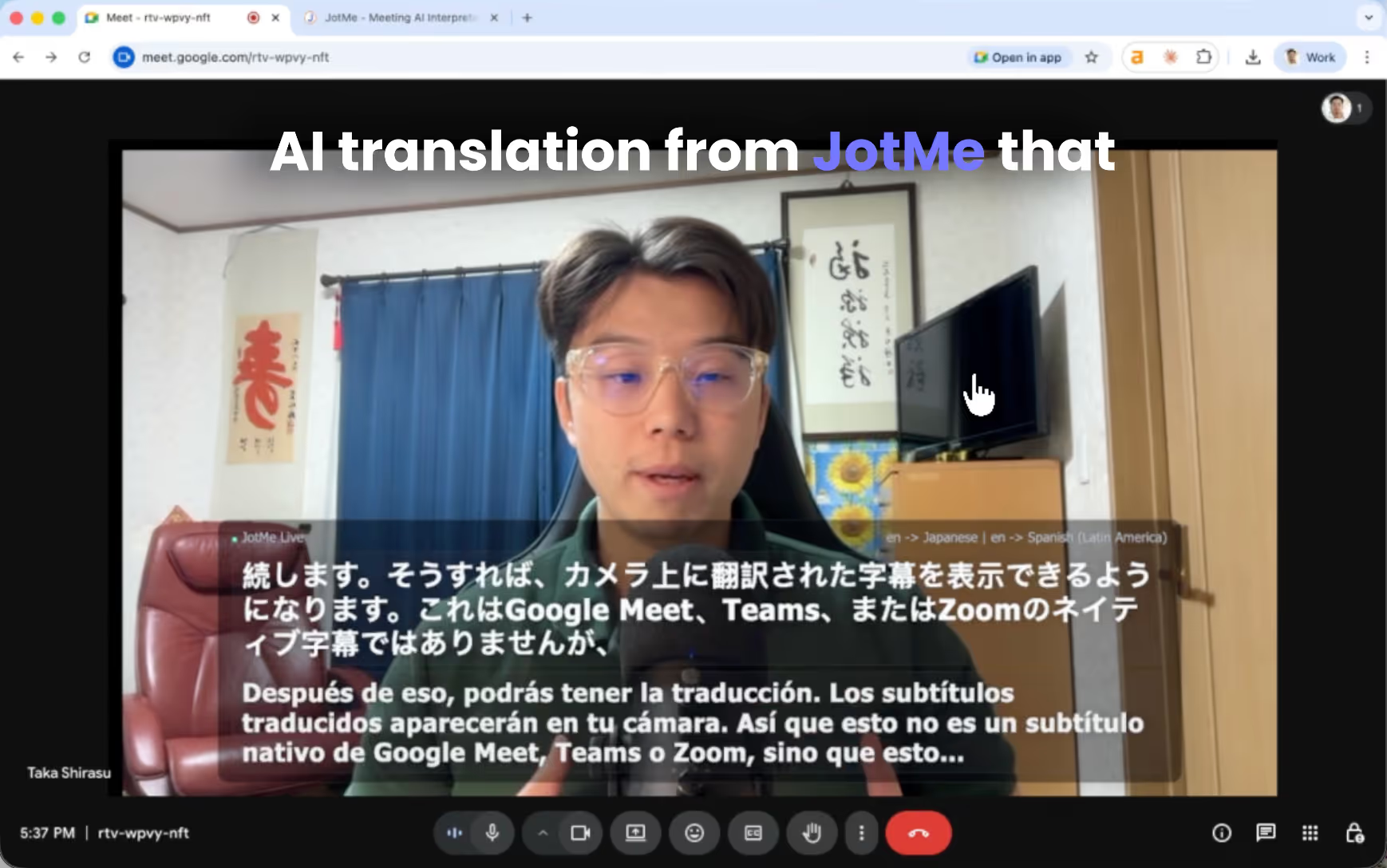
Aujourd'hui, j'ai la réponse. Et c'est quelque chose que vous n'avez peut-être jamais vu auparavant, mais cela fonctionne extrêmement bien. Sous-titres traduits directement sur votre caméra Web. Au lieu de demander aux participants d'ouvrir un lien ou de scanner un code QR, les sous-titres traduits apparaissent directement sur le fil de votre caméra. Tous les participants à la réunion les voient instantanément. Aucune configuration supplémentaire pour les participants.
Aujourd'hui, je vais vous montrer comment configurer le partage de traduction de sous-titres.
TL ; SEC
- Installez l'application de bureau JotMe, connectez-vous et assurez-vous que votre microphone et les minutes de traduction sont prêtes.
- Utilisez OBS pour ajouter votre webcam et l'URL des sous-titres JotMe, puis démarrez la caméra virtuelle.
- Les participants se joignent simplement à la réunion et voient les sous-titres traduits en direct directement sur leur flux vidéo.
- Accédez à la transcription combinée dans JotMe et partagez les notes de réunion avec votre équipe par e-mail.
Vous pouvez également regarder un didacticiel YouTube sur la traduction en direct par l'IA via votre caméra Web.
Quelles sont les conditions préalables pour partager une traduction en direct via une caméra Web ?
Tout d'abord, en tant qu'hôte, vous devez télécharger le Application de bureau JotMe. Il est téléchargeable gratuitement et facile à démarrer à partir de notre site Web.
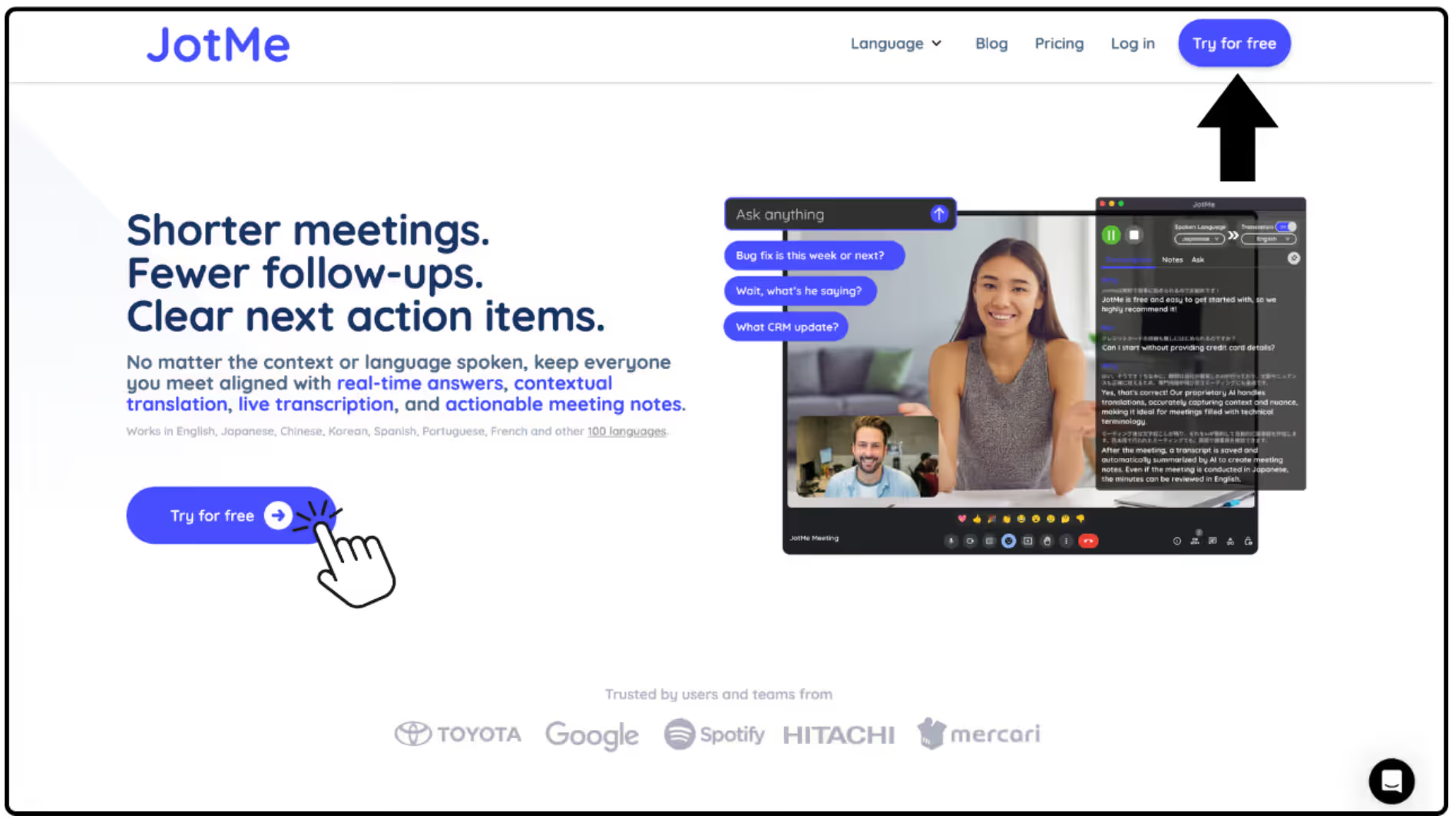
Une fois installée, ouvrez l'application de bureau et connectez-vous à votre compte.
Avant le début des réunions, assurez-vous de disposer de suffisamment de minutes de traduction et assurez-vous que votre microphone et votre entrée audio sont correctement configurés afin que JotMe puisse capturer clairement la voix de l'orateur.
Comment configurer la caméra de sous-titres dans JotMe ?
*La configuration de la caméra de sous-titres nécessite une certaine configuration technique. Si cela vous semble compliqué, nous vous recommandons d'utiliser Partage de code QR de JotMe ou Fonctionnalités de partage d'URL au lieu de cela.
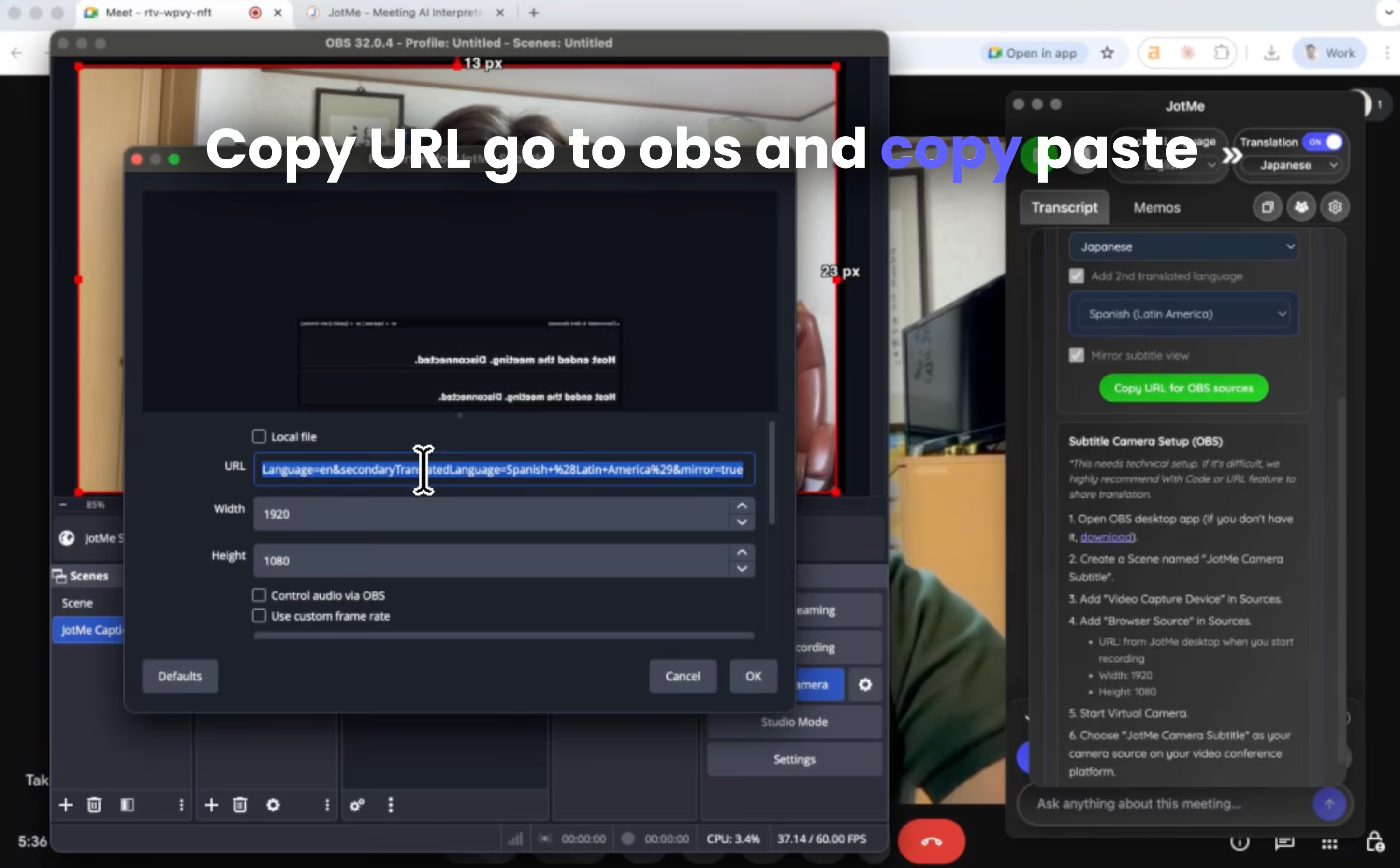
- Ouvrez l'application de bureau OBS.
- Si vous ne l'avez pas installé, téléchargez-le à partir du site officiel.
- Créez un nouveau Scène nommé « Sous-titre de la caméra JotMe. »
- Ajouter Appareil de capture vidéo dans Sources.
- Cela capturera votre webcam.
- Ajouter Source du navigateur dans Sources.
Configurez-le avec les paramètres suivants :
- URL : l'URL des sous-titres générée depuis le bureau JotMe lorsque vous commencez à enregistrer
- Largeur : 1920
- Hauteur : 1080
Cette source de navigateur affiche les sous-titres traduits.
- Démarrer Caméra virtuelle à l'intérieur d'OBS.
- Dans votre plateforme de visioconférence (Zoom, Teams, Google Meet, etc.), choisissez « Sous-titre de la caméra JotMe » comme source de votre caméra.
Désormais, le flux de votre webcam inclura des sous-titres traduits.
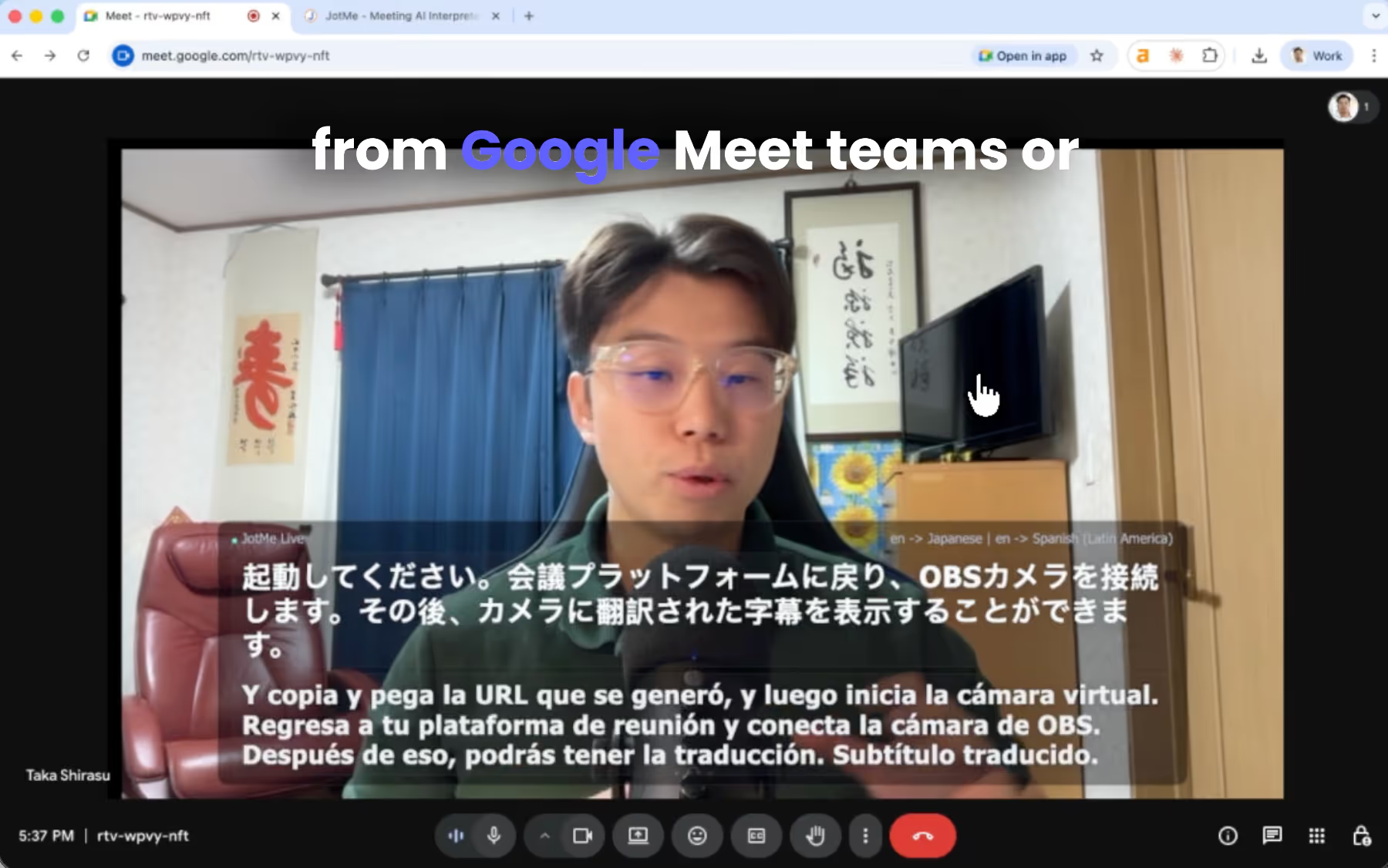
À quoi ressemble Live Translation du point de vue des participants ?
Pour les participants, rien ne change. Ils rejoignent simplement la réunion comme d'habitude. Lorsqu'ils verront le flux de votre caméra, ils verront également les sous-titres traduits apparaître en direct sur la vidéo.
Cette approche est extrêmement fluide car les participants n'ont pas besoin de :
- Installez n'importe quoi
- Liens ouverts
- Scannez les codes QR
Ils regardent simplement la réunion normalement tout en lisant les sous-titres traduits.
Cela fonctionne particulièrement bien pour :
- Webinaires
- Conférences Web
- Réunions ouvertes à tous
- mairies
- Réunions d'équipe mondiales
Comment partager la transcription d'une réunion avec votre équipe internationale ?
Une fois la réunion terminée, JotMe génère automatiquement Notes de réunion sur l'IA avec une transcription combinée.
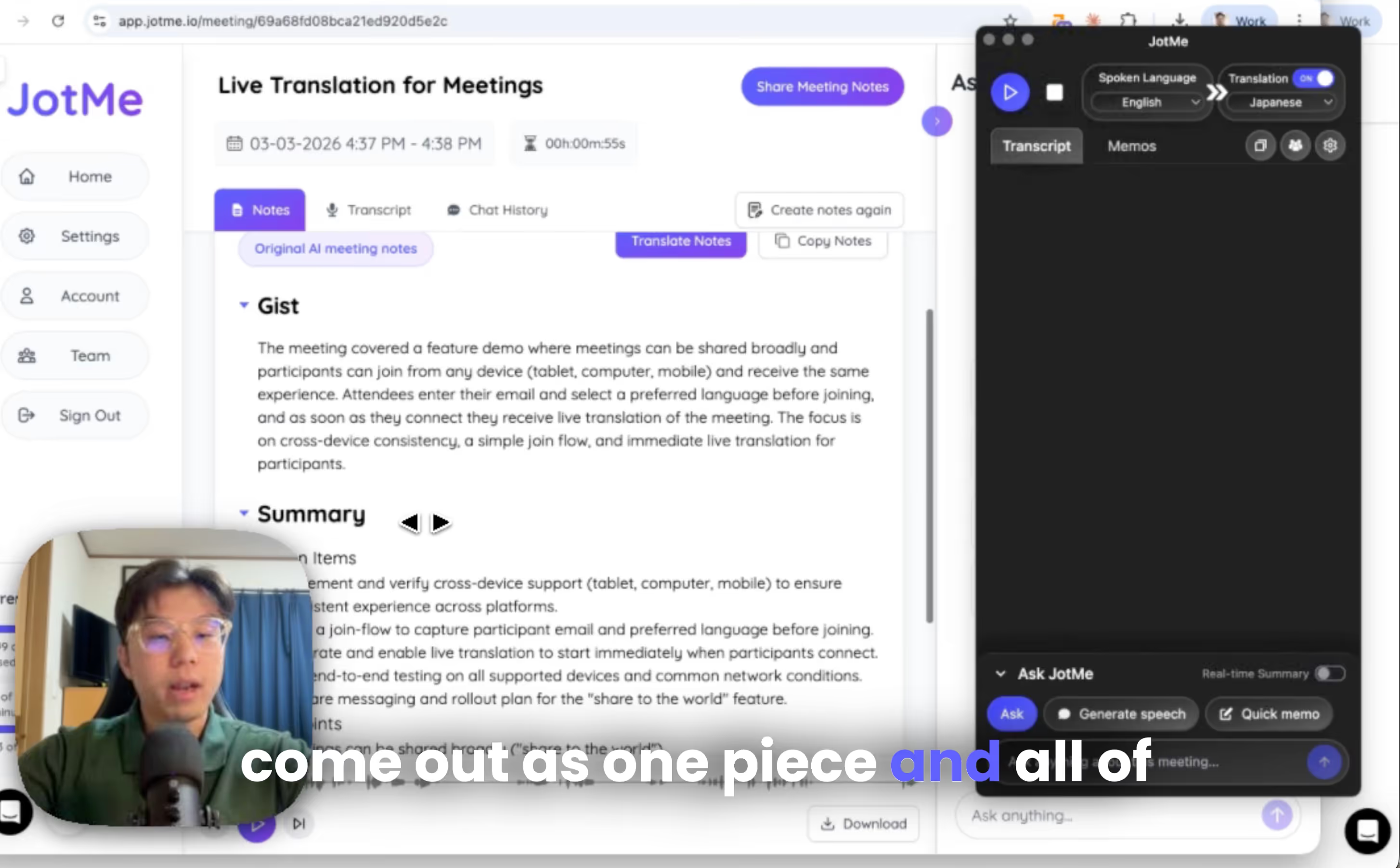
Vous pouvez y accéder depuis Tableau de bord de JotMe, et vous pouvez partager transcriptions et des notes de réunion avec les participants en saisissant leur adresse e-mail.
Partagez des sous-titres de réunions multilingues dans le monde entier avec JotMe
L'ajout de sous-titres traduits directement à votre caméra Web vous permet d'organiser des réunions multilingues sans demander aux participants d'installer de nouveaux outils ou de suivre des instructions compliquées.
Si vous souhaitez l'essayer vous-même, vous pouvez télécharger JotMe depuis le site officiel.
Et explorez plans de traduction ou quelques minutes après avoir créé un compte.
Nous sommes conformes au RGPD. Nous proposons également un plan d'équipe avec un tableau de bord d'administration pour l'attribution et la gestion des minutes, afin que les entreprises internationales et les organisateurs d'événements puissent s'y intégrer facilement. Nous nous efforçons également de nous améliorer chaque jour. Pour tout commentaire ou demande d'information, vous pouvez toujours nous contacter : hey@jotme.io.
Jusqu'au prochain blog, à bientôt !
Last updated on
July 13, 2026
Follow us on social media: