Application de bureau pour toutes vos réunions et événements

Traduction en direct précise, transcription multilingue, enregistrement des réunions, prise de notes et comptes rendus par IA, vocabulaire personnalisé, traduction de documents et de PDF, messagerie multilingue et clavier vocal IA.

Application mobile pour les conversations en présentiel

Traduction vocale instantanée et précise, avec voix traduite générée par IA — pour iPhone et Android.

Extension Chrome pour Google Meet

Traduction en temps réel précise, transcription en direct, prise de notes et comptes rendus de réunion par IA.

Ajouter à
Chrome
Essai rapide disponible

Comment installer JotMe sur Mac

Your JotMe for Mac download is on its way. Follow the three quick steps below to finish setup and start using AI live translation, transcription, and meeting notes across every call on your computer.

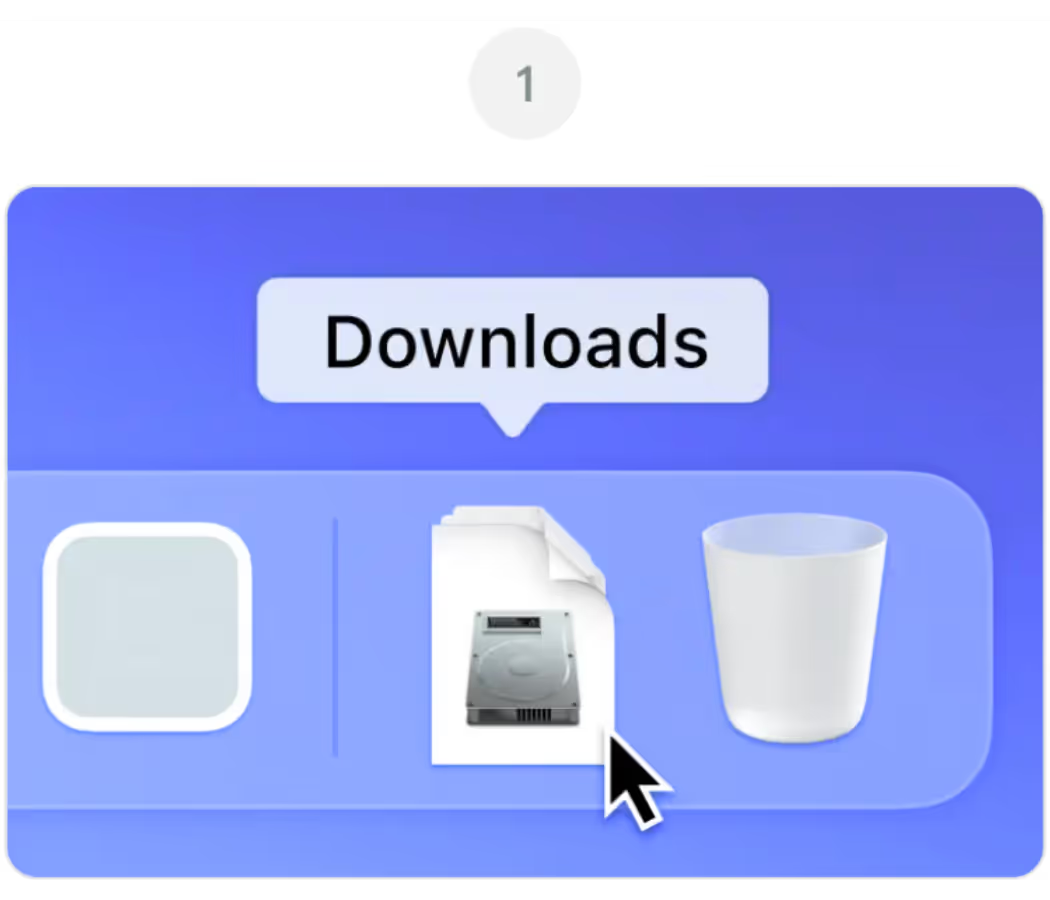
Ouvrir JotMe.dmg à partir de votre Téléchargements dossier

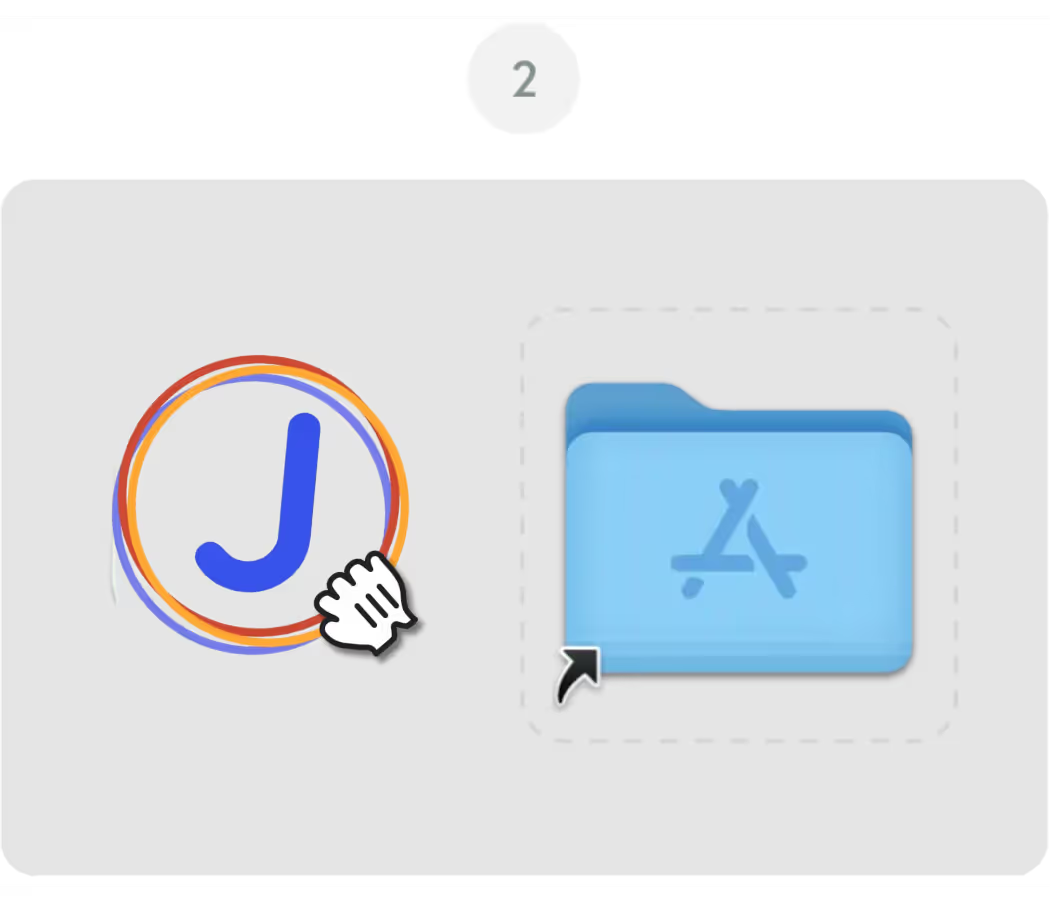
Faites glisser le Icône JotMe dans votre Demandes dossier

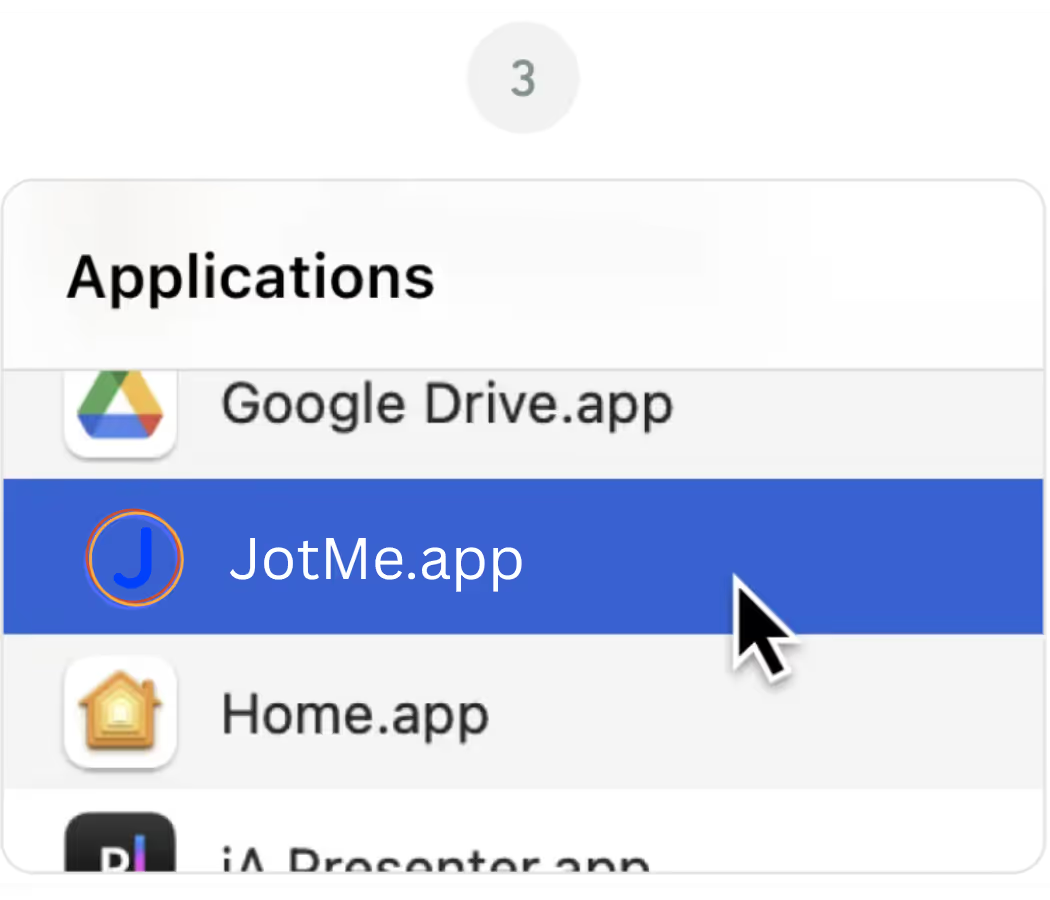
Ouvrez le Application JotMe à partir de votre Demandes dossier

Application de bureau pour toutes vos réunions et événements

Traduction en direct précise, transcription multilingue, enregistrement des réunions, prise de notes et comptes rendus par IA, vocabulaire personnalisé, traduction de documents et de PDF, messagerie multilingue et clavier vocal IA.

Application mobile pour les conversations en présentiel

Traduction vocale instantanée et précise, avec voix traduite générée par IA — pour iPhone et Android.

Extension Chrome pour Google Meet

Traduction en temps réel précise, transcription en direct, prise de notes et comptes rendus de réunion par IA.
Ajouter à
Chrome
Essai rapide disponible
Téléchargez à nouveau

Frequently Asked
Questions

1. The download didn't start automatically. What do I do?

If the latest version of the JotMe Mac file didn't download automatically, click the "Download Again" button on this page. Check your browser's download settings if the issue continues, and make sure pop-ups and downloads from jotme.io are allowed.

2. Which Mac version do I need for JotMe?

The main JotMe download on this page is built for Apple Silicon Macs (M1, M2, M3, M4, and later). If you're on an older Intel-based Mac, use the Download for Intel Mac option instead for the best performance.

3. macOS is blocking JotMe from opening. How do I fix it?

If macOS shows a message about an unidentified developer, go to System Settings, then Privacy & Security, and click "Open Anyway" next to the JotMe entry. This is a standard macOS security prompt and only happens on the first launch.

4. Do I need to grant any permissions after installing JotMe?

Yes. On first launch, JotMe will ask for microphone and screen recording permissions so it can capture meeting audio and provide live translation, transcription, and AI meeting notes. You can manage these anytime under System Settings, Privacy & Security.

5. Can I use JotMe on Mac and Chrome at the same time?

Yes. The JotMe Mac app and the JotMe Chrome extension share the same account and dashboard, so you can switch between the desktop app for Zoom and Teams and the Chrome extension for Google Meet without losing your transcripts or settings.