![JotMe — Die 12 besten KI-Übersetzer 2026: [Praxis-Test]](/_webflow-assets/94b933fce7552614a33ef5ad1429c13e.avif)
Die besten KI-Übersetzer sind JotMe, DeepL Translator, Google Translate, QuillBot, SYSTRAN, iTranslate und weitere. JotMe bietet kontextbezogene Übersetzung in 200+ Sprachen für 10 $/Monat/Nutzer.
Der beste KI-Übersetzer ist für die meisten Menschen der, der eine technische Spezifikation unversehrt lässt – und das trifft auf eine deutlich kleinere Gruppe zu, als die App-Stores vermuten lassen. Ich habe ein einziges japanisches Bau-Briefing genommen, 521 Zeichen Hotelsanierungs-Spezifikationen mit Legierungsgüten, Beschichtungsdicken, Schallschutzwerten und einem namentlich genannten Fliesenprodukt, und es durch jeden KI-Übersetzer geschickt, den ich in die Finger bekommen konnte. Fünf davon lieferten Ergebnisse nebeneinander, die ich auf dem Bildschirm festgehalten habe. Einer dieser fünf machte aus einer Anforderung an die Abriebfestigkeit eine Malaria-Resistenz.
Google berichtet, dass Menschen monatlich rund 1 Billion Wörter über Translate, Search und die visuelle Übersetzung in Lens und Circle to Search übersetzen – KI-Übersetzung läuft damit heute in einem Maßstab, den kein menschlicher Übersetzungsmarkt je erreicht hat. Am Problem der Genauigkeit hat das Volumen nichts gelöst.
Dieser Leitfaden zeigt, wie ich diese 12 KI-Übersetzer ausgewählt und bewertet habe, was die ernstzunehmenden von der App-Store-Füllmasse trennt und welcher genau zu akademischer Arbeit, Geschäftsdokumenten, Marketing-Lokalisierung oder einem Handy in der Hosentasche am Flughafen passt.
Das Wichtigste in Kürze
- Bester Allrounder für gemischte Dateitypen: JotMe deckt Text, Dokumente, Bilder, Video und Audio in einer einzigen Oberfläche über 200+ Sprachen und 39.000+ Sprachpaare ab – und liefert dazu eine Erklärung der eigenen Übersetzungsentscheidungen.
- Bester für kontextbewusste, professionelle Übersetzung: JotMe und Lara stechen heraus, weil sie über die Wort-für-Wort-Übersetzung hinausgehen. JotMe erklärt seine Übersetzungsentscheidungen und verarbeitet dabei Text, Dokumente, Bilder, Video und Audio, während Lara auf vollständigen Dokumentkontext, Stilsteuerung und transparente Begründungen für technische, juristische und geschäftliche Inhalte setzt.
- Bester für europäische Textqualität: DeepL schreibt nach wie vor die natürlichste deutsche, französische und spanische Prosa von allem, was ich getestet habe – für 8,74 $ pro Monat bei jährlicher Abrechnung im Individual-Tarif.
- Beste kostenlose Option: Google Translate bietet die breiteste Sprachliste zum Nulltarif, mit dem Vorbehalt, dass es in meinem Test eine falsche Auflösung eines technischen Akronyms erfand.
- Bester für Studierende und akademisches Schreiben: QuillBot und Wordvice AI schnallen Übersetzung an Grammatikprüfung, Paraphrasierung und Zitierwerkzeuge – was für eine Abschlussarbeit mehr zählt als die reine Sprachanzahl.
- Schlechtestes Ergebnis des Tests: iTranslate machte aus verstärkter Gipskartonplatte eine Steinplatte, aus schwer begehbarer Feinsteinzeugfliese eine gewichtsgesteuerte Magnetfliese und aus Abriebfestigkeit eine Malaria-Resistenz – in einem einzigen Absatz.
Schneller Vergleich der 12 besten KI-Übersetzer
Hier steht jeder KI-Übersetzer aus diesem Leitfaden in einer Reihe – bei den Punkten, die Menschen vor der Anmeldung prüfen. Die Preise geben die auf jeder Anbieterseite gelisteten Tarife vom 2. August 2026 wieder.
| KI-Übersetzer | Am besten geeignet für | Sprachen | Was er verarbeitet | Kostenloser Tarif | Einstiegspreis |
|---|---|---|---|---|---|
| JotMe | Gemischte Arbeit mit Text, Dokumenten, Bildern, Video und Audio | 200+ | Text, Dokumente, Bilder, Video, Audio, Transkription | Ja | 10 $ pro Nutzer/Monat (jährlich abgerechnet) |
| DeepL Translator | Natürliche europäische Prosa und Dokument-Formaterhalt | 30+ | Text, DOCX, PDF, PPTX | Eingeschränkt | 8,74 $/Monat (jährlich abgerechnet) |
| Google Translate | Kostenlose Alltagsübersetzung über die breiteste Sprachliste | 130+ | Text, Kamera, Sprache, Webseiten | Ja | Kostenlos |
| QuillBot | Studierende, die nach dem Übersetzen überarbeiten | 52 | Text | Ja (5.000 Zeichen) | 19,95 $/Monat |
| SYSTRAN Translate Pro | Regulierte Branchen und On-Premise-Kontrolle | 55 | Text, Word, Excel, PowerPoint, XML, JSON | Testversion | 17,99 € pro Nutzer/Monat |
| Translate Now | Apple-Nutzer, die eine App über alle Geräte wollen | 320+ gelistet | Text, Sprache, Foto, Tastatur | Ja | In-App-Kauf |
| Apple Translate | Offline-iPhone-Übersetzung ohne Konto | Unter 20 | Text, Sprache, Kamera, Konversation | Ja | Kostenlos |
| iTranslate | Reise-Sprachführer und Sprachenlernen | 100+ | Text, Sprache, Kamera, Webseiten | Text-Grundfunktion | Etwa 5,99 $/Monat |
| AI Voice Translator | Sprachbasierte Android-Übersetzung mit Modellauswahl | 150+ | Sprache, Text, Bild, Dokumente | Testversion | Angegeben mit 23,99 £/Jahr |
| ChatGPT | Prompt-gesteuertes Register und Tonfall | Modellabhängig | Eingefügter Text und hochgeladene Dateien | Ja | 20 $/Monat (Plus) |
| Wordvice AI | Forschende, die bei Fachjournalen einreichen | Rund 32 | Text und PDF über ChatPDF | Ja (500 Zeichen) | 9,95 $/Monat (jährlich abgerechnet) |
| Lara Translate | Kontextbewusste professionelle Übersetzung und Lokalisierung | 200+ | Text, Dokumente, Bilder, Audio, Übersetzungs-API und Workflows mit menschlicher Prüfung | Ja | Pro ab 8 € |
Wie habe ich die KI-Übersetzer ausgewählt
Ich habe die KI-Übersetzer ausgewählt, indem ich dieselbe Datei durch jeden einzelnen geschickt habe, statt Feature-Seiten zu lesen. Der Marketing-Text eines KI-Übersetzers liest sich bei jedem Anbieter gleich, also ist der einzige ehrliche Trennfaktor ein einziger harter Quelltext, der oberflächliche Übersetzung bestraft.
Die Quelle, die ich verwendet habe, ist ein japanisches Planungs- und Bau-Briefing für eine Hotelsanierung, datiert auf den 2. August 2026, für ein 28 Jahre altes städtisches Objekt im Besitz der Mizuho Hotel Group. Es umfasst 521 Zeichen und packt eine ungewöhnliche Dichte an Dingen zusammen, an denen eine Maschine scheitern kann:
- Eine Legierungsbezeichnung, A6063S-T5, direkt neben einer Beschichtungsspezifikation von 25 Mikrometern oder mehr
- Ein zusammengesetztes Baumaterial: doppellagige verstärkte Gipskartonplatte in Kombination mit hochdichter Glaswolle
- Ein Schallschutzwert, geschrieben als D-50, der einem allgemeinen Modell nichts sagt
- Ein namentlich genanntes Handelsprodukt, die INAX Gravina NX Feinsteinzeugfliese, ausgewiesen für hohe Begehungsfrequenz
- Drei getrennte Materialeigenschaften in einer Klausel: dynamischer Reibungskoeffizient, chemische Beständigkeit und Abriebfestigkeit
- Vier technische Akronyme, VRF, BMS, CO2 und BIM, keines davon im Quelltext ausgeschrieben
- Ein unpersönliches Spezifikationsregister, das die japanische Form ~すること verwendet, die Verpflichtung statt Absicht ausdrückt
Fünf Kriterien entschieden über das Ranking, und ich habe sie in dieser Reihenfolge angewendet.
- Ankererhalt: Überstehen jede Zahl, jeder Legierungscode, jeder Produktname und jede Bewertung die Reise? Eine fehlende Zahl in einer Spezifikation ist schlimmer als ein holpriger Satz.
- Registergenauigkeit: Liest sich die Ausgabe wie eine Bau-Spezifikation oder wie eine freundliche Zusammenfassung? Der japanische Quelltext nutzt Verpflichtungsformen, und ein KI-Übersetzer, der diese in ein lockeres Futur verwandelt, ändert, wozu der Auftragnehmer verpflichtet ist.
- Datei-Abdeckung: Kann das Tool das tatsächliche Artefakt verarbeiten – eine PDF, ein Foliensatz, ein Foto einer gedruckten Seite, eine MP3 – statt nur eingefügten Text?
- Kosten pro Arbeitseinheit: Zeichengrenzen, Kreditsysteme und Limits pro Datei entscheiden über die realen Kosten weit mehr als der monatliche Schlagzeilenpreis.
- Datenverarbeitung: Gibt der Anbieter an, was danach mit der Datei geschieht? Ein Hotelsanierungs-Briefing ist geschäftlich sensibel. Ein Patententwurf oder ein unveröffentlichter Vertrag ist es noch mehr.
Eine Sache blieb bewusst außerhalb der Bewertung. Ich habe keinen dieser Übersetzer an der Leistung in Live-Meetings gemessen, denn gesprochene Übersetzung während eines Gesprächs ist ein anderes technisches Problem und eine andere Kaufentscheidung. Dieser Vergleich lebt in unserem Leitfaden zu KI-Live-Übersetzungstools für Meetings und Webinare, und beides zu vermischen ergibt ein Ranking, das niemandem hilft.
Worauf sollten Sie bei einem KI-Übersetzer achten
Achten Sie auf Datei-Abdeckung, Kontextverarbeitung und ehrliche Grenzen, bevor Sie auf Sprachanzahlen schauen. Ein Tool, das mit 320 Sprachen wirbt, Sie aber bei 500 Zeichen deckelt, scheitert an einem echten Auftrag schneller als ein Tool, das mit 30 Sprachen und unbegrenzten Dokument-Uploads wirbt.
Sechs Dinge, die über reale Genauigkeit entscheiden
- Ganzdatei-Kontext: Satz-für-Satz-Engines übersetzen jede Zeile isoliert. Ein kontextbezogener KI-Übersetzer liest zuerst die umgebenden Absätze – so weiß ein Tool, dass D-50 ein Schallschutzwert und keine Modellnummer ist.
- Zeichen- und Seitengrenzen: Wordvice AI stoppt im kostenlosen Tarif bei 500 Zeichen. QuillBot stoppt bei 5.000. Mein 521 Zeichen langes Test-Briefing überschritt bereits eine davon. Prüfen Sie die Grenze an Ihrem längsten realistischen Dokument, nicht an Ihrem kürzesten.
- Formaterhalt: Übersetztes Japanisch fällt kürzer aus als Englisch, übersetztes Deutsch länger. Ein Tool, das reinen Text zurückgibt, hinterlässt Ihnen eine Neuformatierungsaufgabe. Ein Tool, das eine wiederaufgebaute DOCX oder PPTX zurückgibt, hinterlässt Ihnen eine fertige Datei.
- Terminologie-Kontrolle: Glossare, benutzerdefiniertes Vokabular und Stilregel-Listen halten Ihre Produktnamen und Ihren internen Fachjargon über Hunderte von Dokumenten hinweg stabil. DeepL, SYSTRAN, Lara Translate und JotMe bieten alle irgendeine Version davon. Die meisten Consumer-Apps bieten keine.
- Eingabetypen: Das Artefakt entscheidet über das Tool. Eine gescannte Seite braucht Bildübersetzung. Eine Sprachnachricht eines Lieferanten braucht Audio. Ein aufgezeichnetes Webinar braucht Video-Dubbing. Reine Text-Tools decken einen von fünf Eingabetypen ab.
- Datenaufbewahrungs-Richtlinie: Lesen Sie, was der Anbieter zur Speicherung sagt, bevor Sie etwas unter einer Geheimhaltungsvereinbarung hochladen. JotMe bewahrt nach Abschluss des Auftrags keine Datei auf einem Server auf. DeepL verkauft eine Keine-Datentraining-Garantie in den Bezahltarifen. Kostenlose Consumer-Tools versprechen in der Regel am wenigsten.
Der richtige KI-Übersetzer sollte Text, Dateien, Medienformate und Sprache präzise, mühelos und sicher übersetzen – und er sollte Ihnen sagen, was er getan hat, statt Ihnen eine Blackbox zurückzugeben.
Was sind die realen Vorteile der KI-Übersetzung
Der Vorteil ist Durchsatz zu einem Preis pro Wort, den menschliche Übersetzung nicht erreichen kann – mit dem Vorbehalt, dass die Fehlerarten anders und nicht abwesend sind. Hier ist, was sich tatsächlich ändert, wenn ein Team KI-gestützte Sprachübersetzung einführt.
- Tempo bei Volumen: Ein 40-seitiges Lieferantenhandbuch, das eine menschliche Agentur in Arbeitstagen veranschlagt, kommt von einem KI-Übersetzer in unter einer Minute zurück. Die Prüfung braucht weiterhin menschliche Zeit, und in der Prüfung steckt der Wert.
- Kostenstruktur: Agenturübersetzung rechnet pro Wort ab. KI zur Sprachübersetzung rechnet pro Abo oder pro Kredit ab, sodass die Grenzkosten des zweiten Dokuments gegen null gehen. Das ändert, welche Dokumente überhaupt übersetzt werden.
- Kontextverarbeitung: Moderne neuronale und Large-Model-Systeme lesen umgebende Sätze, bevor sie sich auf eine Wiedergabe festlegen – deshalb bewältigen die besten KI-Übersetzer heute Redewendungen und technische Register, an denen regelbasierte Engines vor einem Jahrzehnt scheiterten.
- Formaterhalt: Dokumentbewusste Tools bauen das ursprüngliche Layout wieder auf, statt reinen Text abzukippen, sodass ein übersetzter Foliensatz präsentabel bleibt.
- Die ehrliche Grenze: Jedes System in diesem Leitfaden produzierte bei einer 521-Zeichen-Datei mindestens einen Fehler. KI-Übersetzung beseitigt den Engpass und verlagert die Last auf die Prüfung – was bedeutet, dass jemand die Ausgabe weiterhin gegen die Quelle lesen muss, bevor sie einen Kunden erreicht.
Die 12 besten KI-Übersetzer 2026 für Unternehmen, Studierende und Reisende
Wir haben jeden KI-Übersetzer mit demselben Bewertungsverfahren getestet, um Genauigkeit, Kontextverarbeitung, Tempo und Praxisleistung zu messen. Jeder Eintrag behandelt, was das Tool am besten kann, seinen Preis, die unterstützten Anwendungsfälle und die Grenzen, die Sie vor der Wahl bedenken sollten.
JotMe: Bester KI-Übersetzer für Text, Dokumente, Bilder, Video und Audio
JotMe ist das einzige Tool in diesem Leitfaden, das jede Version meines Testmaterials verarbeitete, ohne die App zu wechseln. Übersetzen Sie Text und Dokumente sofort in 200+ Sprachen und verarbeiten Sie dann ein Bild, ein Video oder eine Audiodatei aus derselben Leiste. Die Übersetzungsleiste trägt sechs Tabs, und jeder verarbeitet ein anderes Artefakt, statt alles durch ein Textfeld zu leiten.
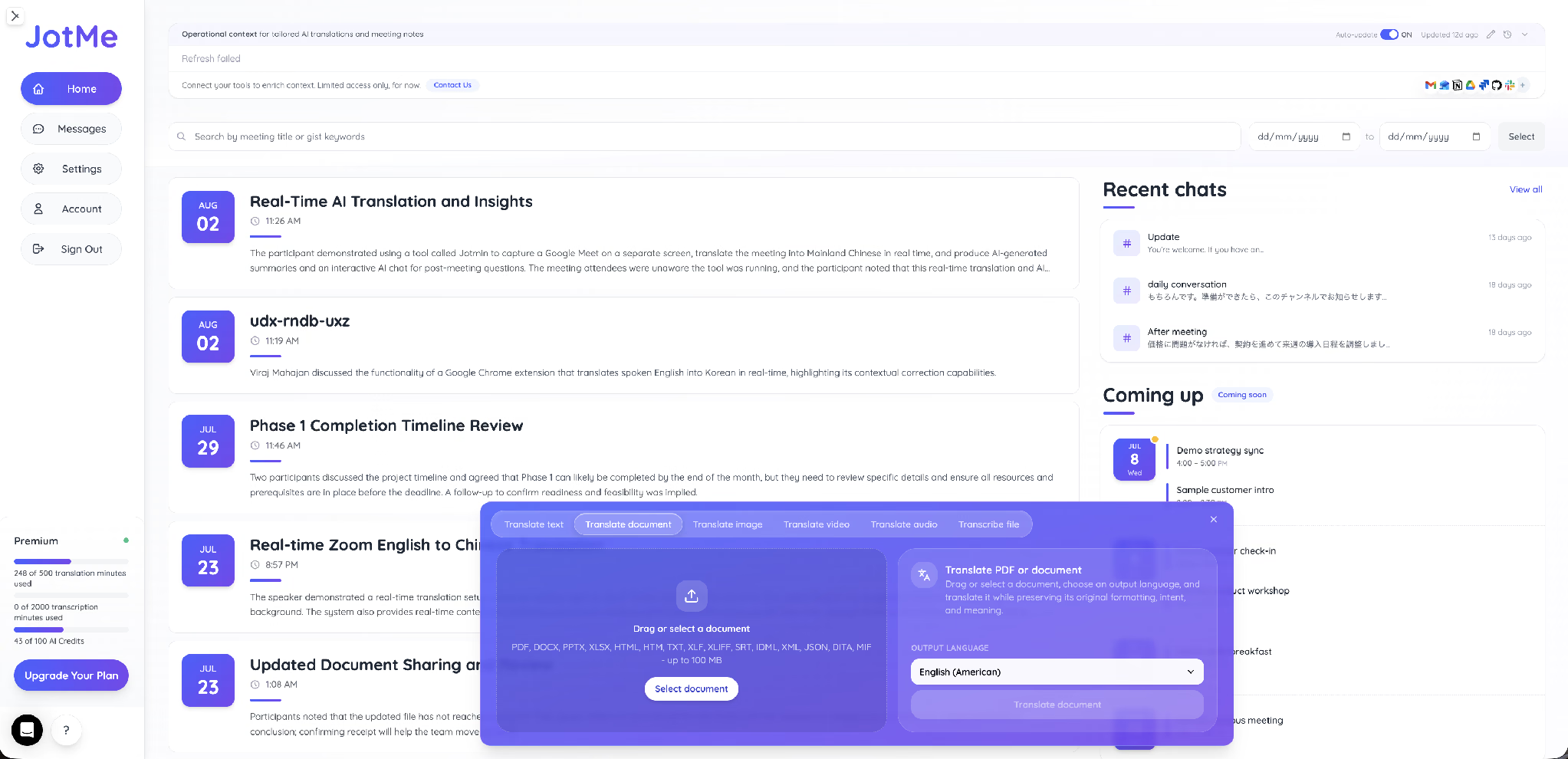
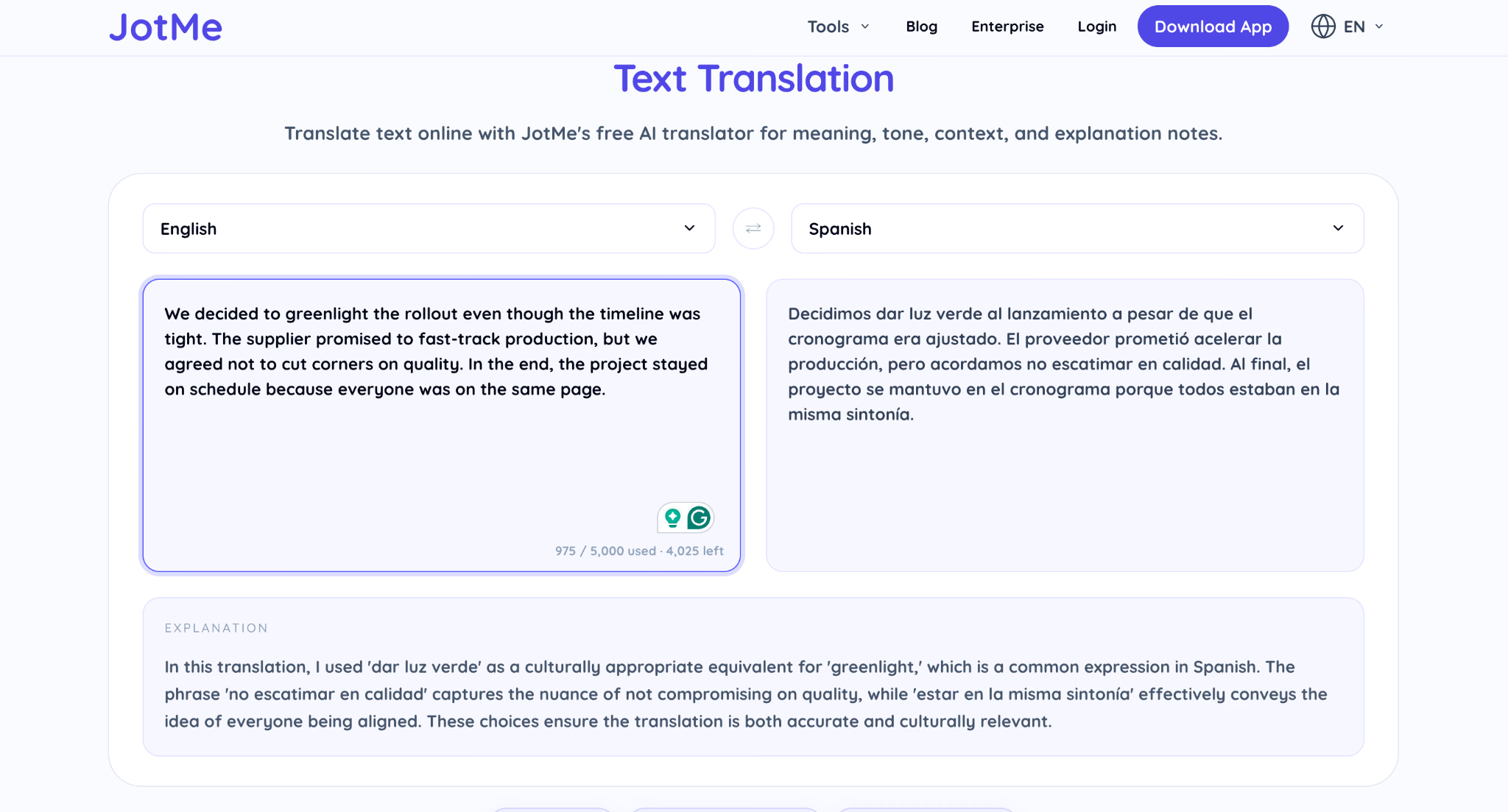
Sie können die Text-Engine direkt über den JotMe KI-Textübersetzer ausprobieren, der Wörter, Sätze und ganze technische Absätze sofort übersetzt und dabei einen laufenden Zeichenzähler anzeigt, sodass Sie immer wissen, wo Sie im Verhältnis zu Ihrem Kontingent stehen.
Wichtige Funktionen
- 200+ Sprachen und 39.000+ Sprachpaare: Die vollständige Liste läuft auf der JotMe-Seite der verfügbaren Sprachen und deckt Japanisch, Koreanisch, Chinesisch, Hindi, Tamil, Vietnamesisch und Thailändisch neben dem europäischen Set ab, bei dem die meisten Wettbewerber aufhören.
- Sechs Eingabetypen in einer Leiste: Text übersetzen, Dokument übersetzen, Bild übersetzen, Video übersetzen, Audio übersetzen und Datei transkribieren – zusammen machen sie es zu einer KI-gestützten Übersetzungssoftware für Text, Bilder, Dokumente und Sprache statt zu einem Textfeld mit angeschraubten Extras.
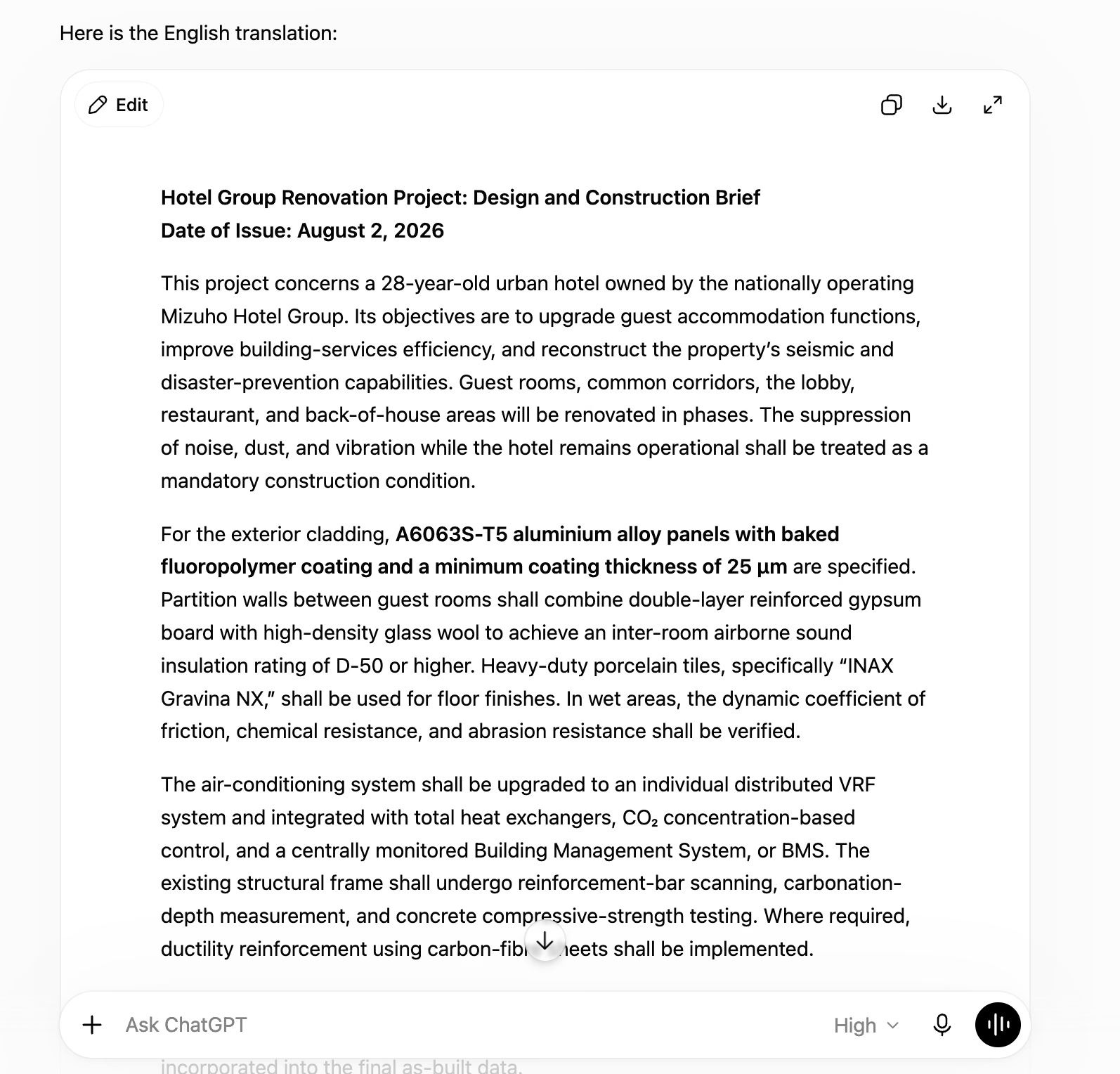
- Übersetzungs-Erklärung: Nach jedem Textauftrag schreibt JotMe eine kurze Notiz, die die getroffenen Entscheidungen erläutert. Bei meinem japanischen Briefing erklärte es, warum es die Erdbeben- und Katastrophenschutz-Klauseln als tragend behandelte und wie es BIM als Branchenakronym handhabte.
- Ausgabe-Steuerung: Eine Prompt-Leiste über der Eingabe zeigt „Anfrage an die Übersetzungsausgabe, z. B. formeller formulieren" – so passen Sie das Register an, ohne die Quelle neu zu schreiben.
- Keine Datei-Aufbewahrung: JotMe bewahrt nach Abschluss des Auftrags keine hochgeladene Datei auf einem Server auf – das macht es für Verträge, Prüfungsunterlagen und unveröffentlichtes Material nutzbar.
- Kontextbewusstsein: JotMe bewahrte den Kontext bei der Englisch-nach-Spanisch-Übersetzung und passte Geschäftsjargon und idiomatische Ausdrücke korrekt an, statt sie Wort für Wort zu übersetzen. Wendungen wie „greenlight", „fast-track" und „on the same page" wurden in natürliche spanische Entsprechungen übertragen, während die ursprüngliche Bedeutung erhalten blieb.
Originaltext: We decided to greenlight the rollout even though the timeline was tight. The supplier promised to fast-track production, but we agreed not to cut corners on quality. In the end, the project stayed on schedule because everyone was on the same page.
Spanische Übersetzung:
Decidimos dar luz verde al lanzamiento a pesar de que el cronograma estaba ajustado. El proveedor prometió acelerar la producción, pero acordamos no escatimar en calidad. Al final, el proyecto se mantuvo en el cronograma porque todos estaban en la misma sintonía.
Bedeutung auf Englisch: We decided to greenlight the launch, even though the schedule was tight. The supplier promised to accelerate production, but we agreed not to compromise on quality. Ultimately, the project stayed on schedule because everyone was on the same page.
JotMes Textübersetzer
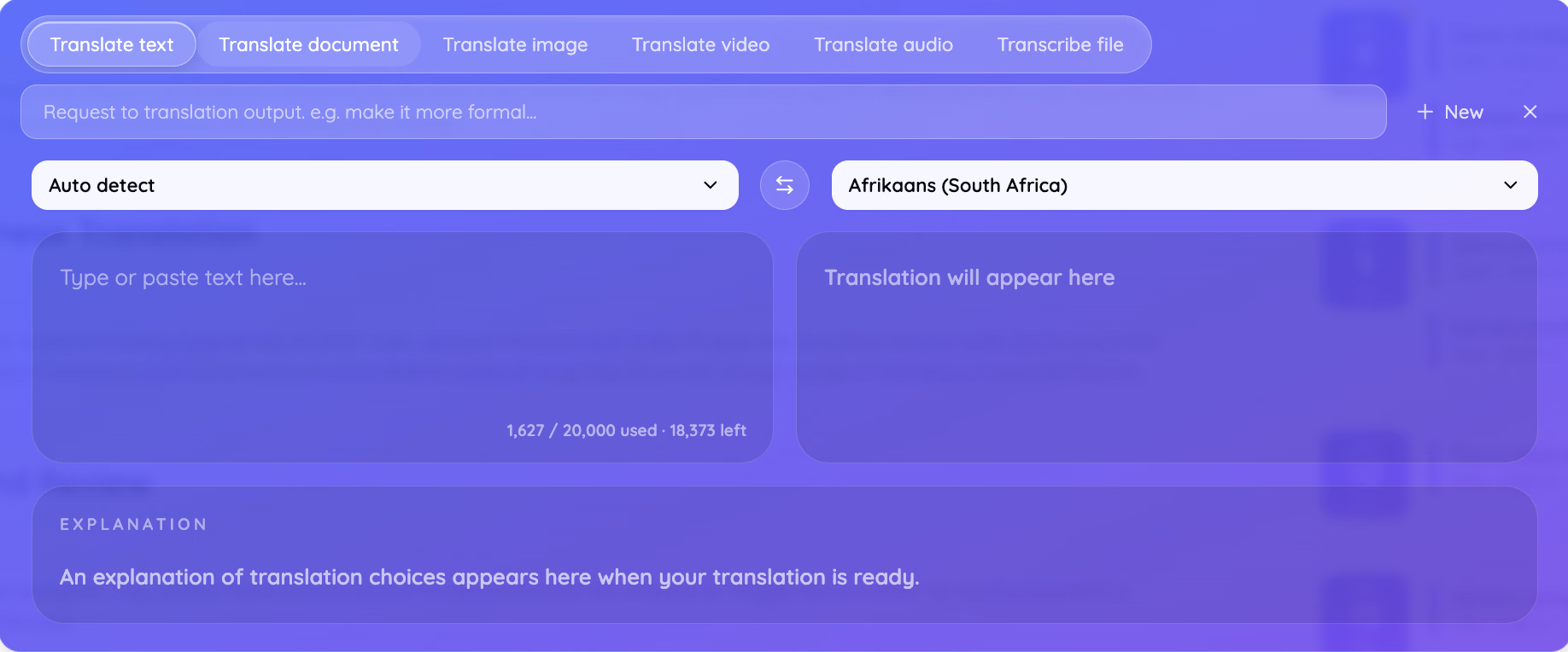
Der Text-Tab kombiniert ein Quellfeld mit automatischer Erkennung und einen Zielsprachen-Selektor, und der Zeichenzähler zeigte in meiner Sitzung 1.627 von 20.000 verwendet, mit 18.373 verbleibend. Ein Erklärungspanel darunter füllt sich, sobald die Übersetzung abgeschlossen ist. Genau dieses Panel ist der Grund, warum ich der Ausgabe bei einer Sprache vertraue, die ich nicht lesen kann.
JotMes Bildübersetzer
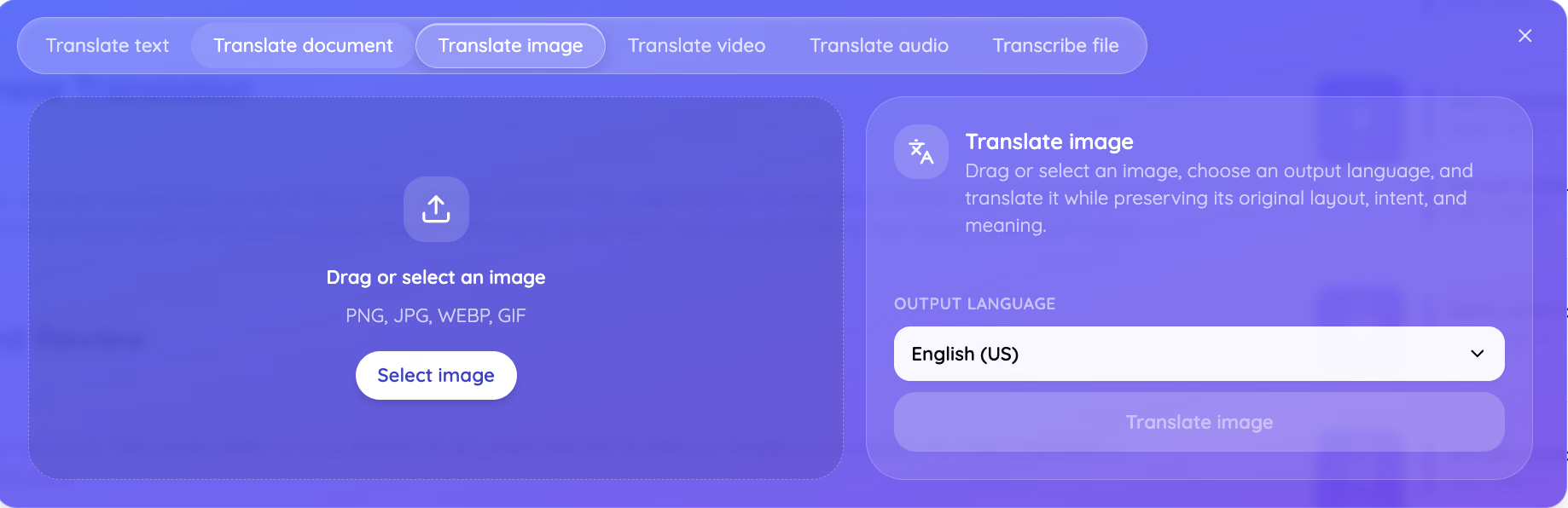
Der Bild-Tab nimmt PNG-, JPG-, WEBP- und GIF-Dateien, und das Panel benennt seine Aufgabe klar: Bild ziehen oder auswählen, eine Ausgabesprache wählen und übersetzen, während Layout, Absicht und Bedeutung des Originals erhalten bleiben. Dieser Layout-Erhalt ist wichtig für gescannte Spezifikationsblätter, Verpackungsgrafiken, Prüfungsunterlagen und Screenshots von Software in einer anderen Sprache, denn die Ausgabe kommt als gerendertes Bild zurück statt als Textwand, die Sie dann selbst platzieren müssen. Für ausführliche Schritt-für-Schritt-Anleitungen können Sie sich ansehen, wie man ein Bild übersetzt.
JotMes Dateiübersetzer
Der Dokument-Tab zeigt, wie man eine Doc-Datei online übersetzt, ohne die ursprüngliche Struktur zu verlieren. Er akzeptiert PDF, DOCX, PPTX, XLSX, HTML, HTM, TXT, XLF, XLIFF, SRT, IDML, XML, JSON, DITA und MIF bis zu 100 MB und baut die Datei wieder auf, statt sie auf reinen Text zu reduzieren. Das Panel beschreibt das Verhalten so, dass es das Dokument übersetzt, während Formatierung, Absicht und Bedeutung des Originals erhalten bleiben. Für jeden, der einen Abend damit verbracht hat, einen übersetzten Foliensatz wieder aufzubauen, ist diese Liste von 15 Formaten das eigentliche Produkt. Untertiteldateien und InDesign-Layouts laufen durch denselben Tab, was ihn stillschweigend zu einem Lokalisierungs-Workflow statt zu einer Lesehilfe macht.
JotMes Video-Dubbing
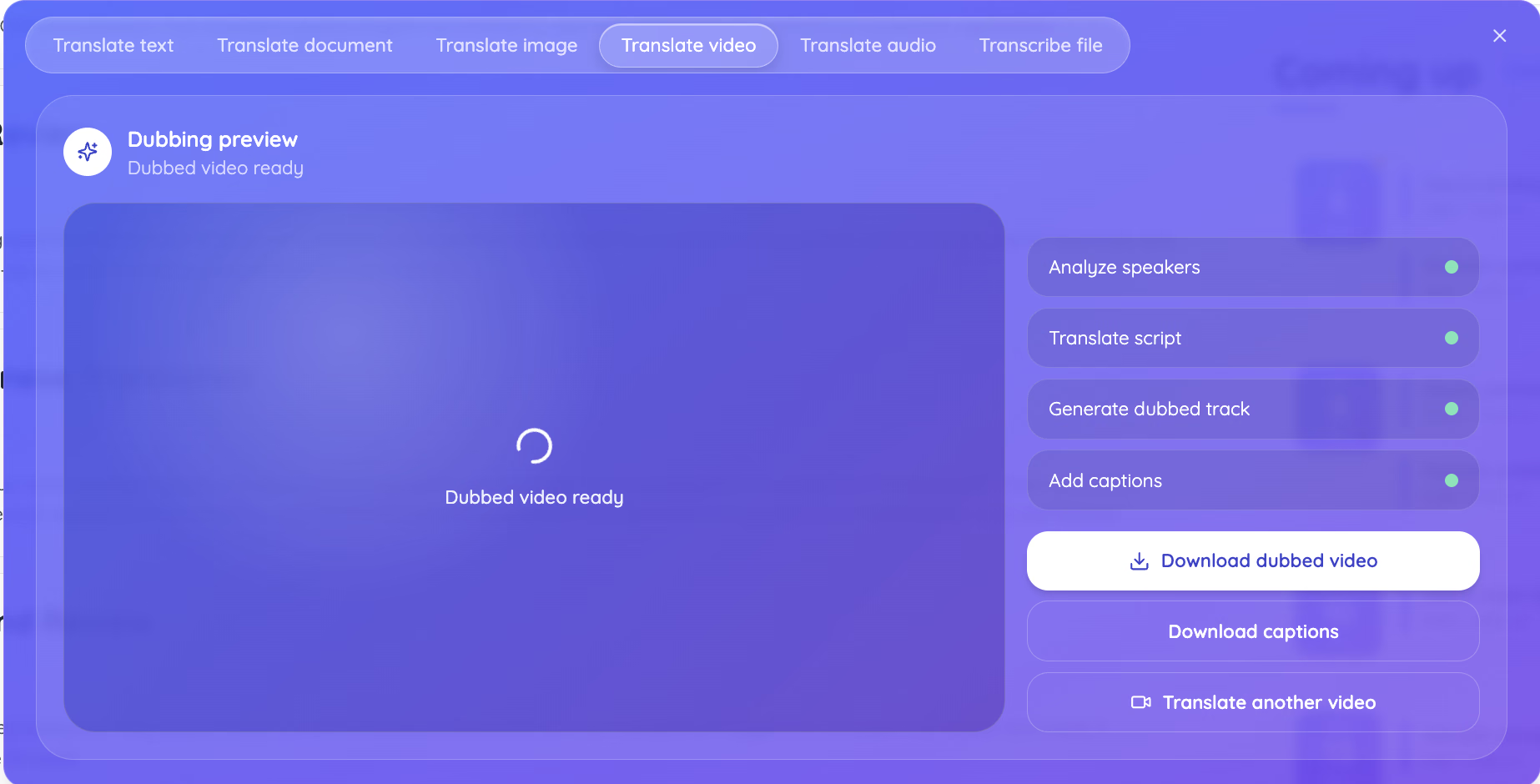
Der Video-Tab läuft in vier sichtbaren Stufen: Sprecher analysieren, Skript übersetzen, synchronisierte Tonspur erzeugen und Untertitel hinzufügen – dann bietet er sowohl das synchronisierte Video als auch die Untertiteldatei zum Download an. Dass die Sprecheranalyse als eigene Stufe läuft, ist der Grund, warum ein Interview mit zwei Personen mit den richtigen Zeilen an den richtigen Stimmen zurückkommt, und der Untertitel-Download gibt Ihnen ein Textartefakt, das Sie Zeile für Zeile gegen die Quelle prüfen können.
JotMes Audioübersetzer
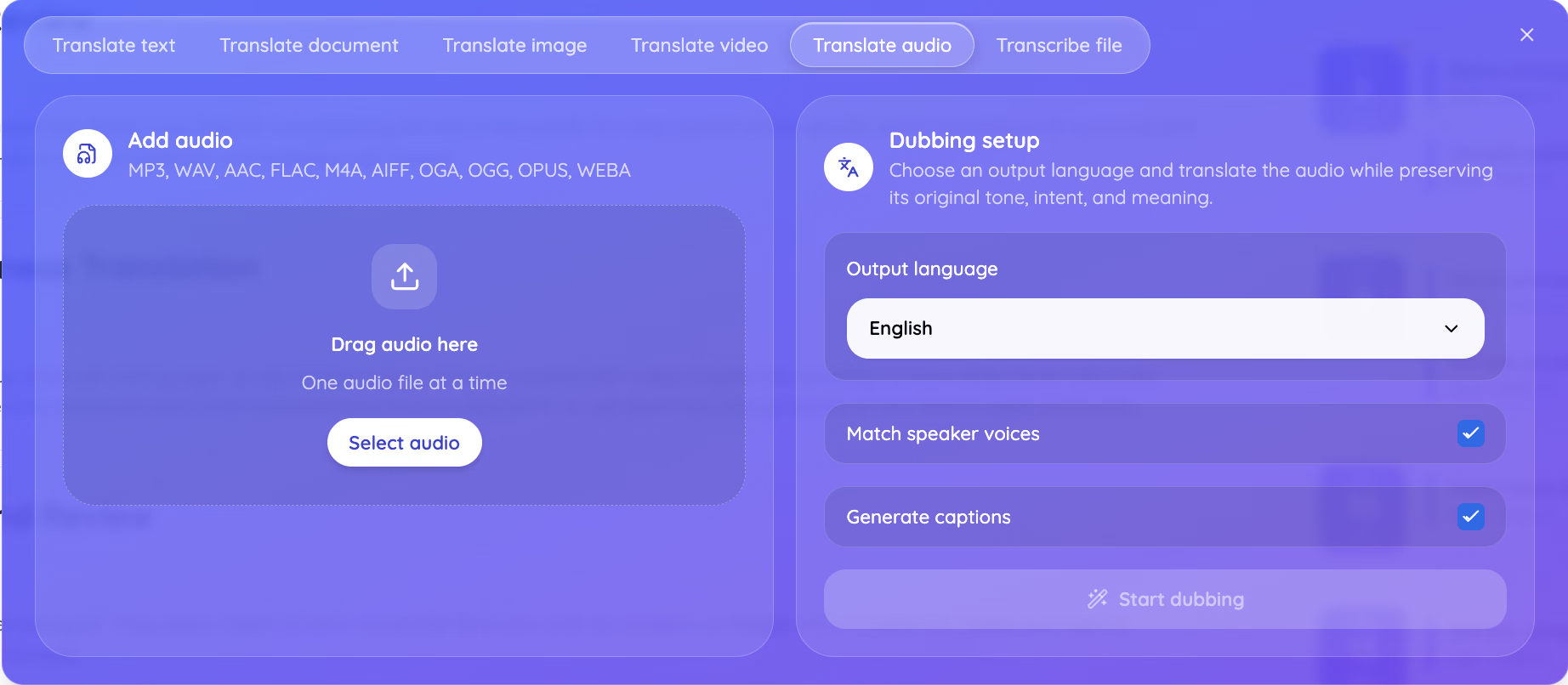
Der Audio-Tab nimmt MP3, WAV, AAC, FLAC, M4A, AIFF, OGA, OGG, OPUS und WEBA, wobei „Sprecherstimmen angleichen" und „Untertitel erzeugen" beide standardmäßig aktiviert sind. Das Dubbing-Setup beschreibt sein eigenes Ziel so, dass es das Audio übersetzt, während Tonfall, Absicht und Bedeutung des Originals erhalten bleiben. Eine WhatsApp-Sprachnachricht eines Lieferanten kommt als OPUS oder M4A an, eine iPhone-Aufnahme als M4A und ein Vorlesungsrekorder schreibt MP3 oder WAV – die gängigen Quellen laden also alle ohne vorherigen Konvertierungsschritt hoch.
JotMes Datei-Transkription
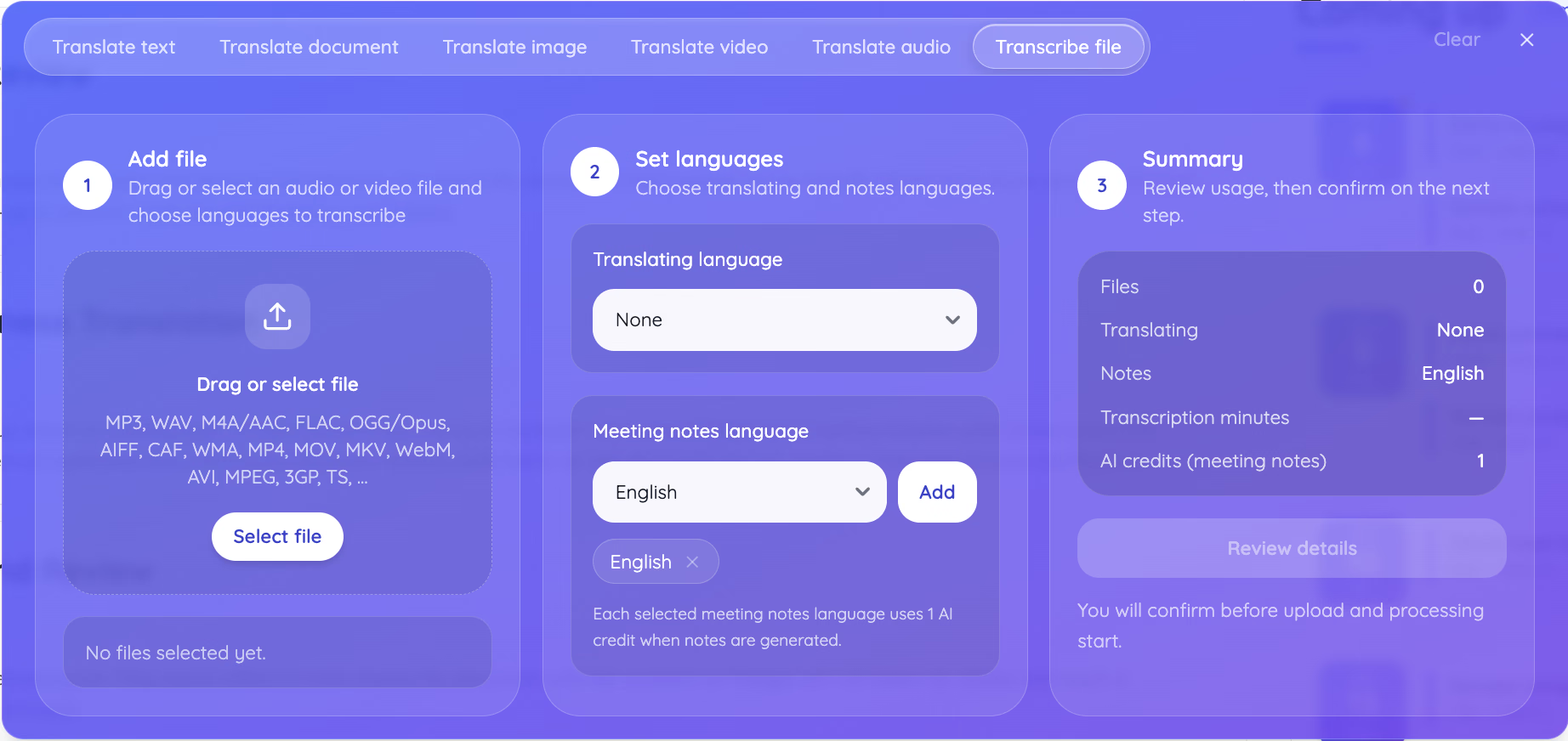
Der sechste Tab nimmt eine Audio- oder Videodatei und gibt Text zurück, mit getrennten Selektoren für die Übersetzungssprache und die Sprache der Besprechungsnotizen. Jede gewählte Notizsprache kostet einen KI-Kredit, wenn die Notizen erzeugt werden, und das Zusammenfassungspanel zeigt die Kosten an, bevor etwas läuft.
JotMes Preise
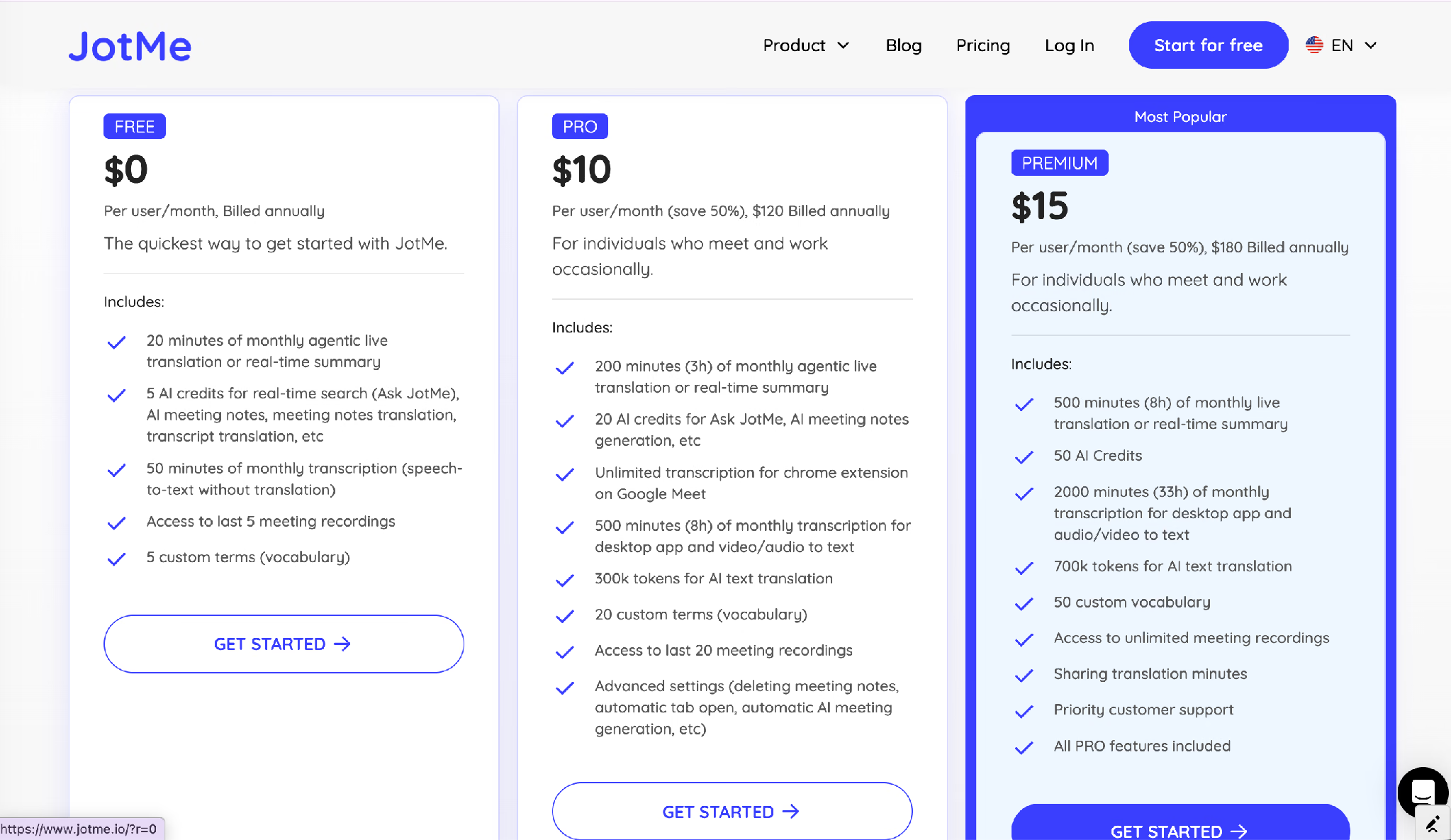
Der kostenlose Tarif umfasst 20 Minuten monatliche agentische Live-Übersetzung oder Echtzeit-Zusammenfassung, fünf KI-Kredite, 50 Minuten Transkription, Zugriff auf die letzten fünf Besprechungsaufnahmen und fünf benutzerdefinierte Vokabeleinträge.
JotMe Pro kostet 10 $ pro Nutzer und Monat, jährlich mit 120 $ abgerechnet, und hebt das auf 200 Minuten, 20 KI-Kredite, unbegrenzte Transkription für die Chrome-Erweiterung bei Google Meet, 500 Minuten Transkription für die Desktop-App sowie Audio oder Video zu Text, 300k Token für KI-Textübersetzung und 20 benutzerdefinierte Einträge an.
JotMe Premium kostet 15 $ pro Nutzer und Monat, jährlich mit 180 $ abgerechnet, für 500 Minuten Live-Übersetzung, 50 KI-Kredite, 2000 Minuten Transkription, 700k Token für KI-Textübersetzung, 50 benutzerdefinierte Vokabeleinträge, unbegrenzte Aufnahmen und geteilte Übersetzungsminuten.
Am besten für: Teams, die mehrere Dateitypen auf Japanisch, Koreanisch oder Chinesisch bearbeiten und das übersetzte Artefakt statt einer groben Lesefassung brauchen. Die JotMe KI-Übersetzer-App hat alles für Ihren täglichen Übersetzungsbedarf, vom eingefügten Absatz bis zum synchronisierten Video.
DeepL Translator: Bester KI-Übersetzer für europäische Prosa
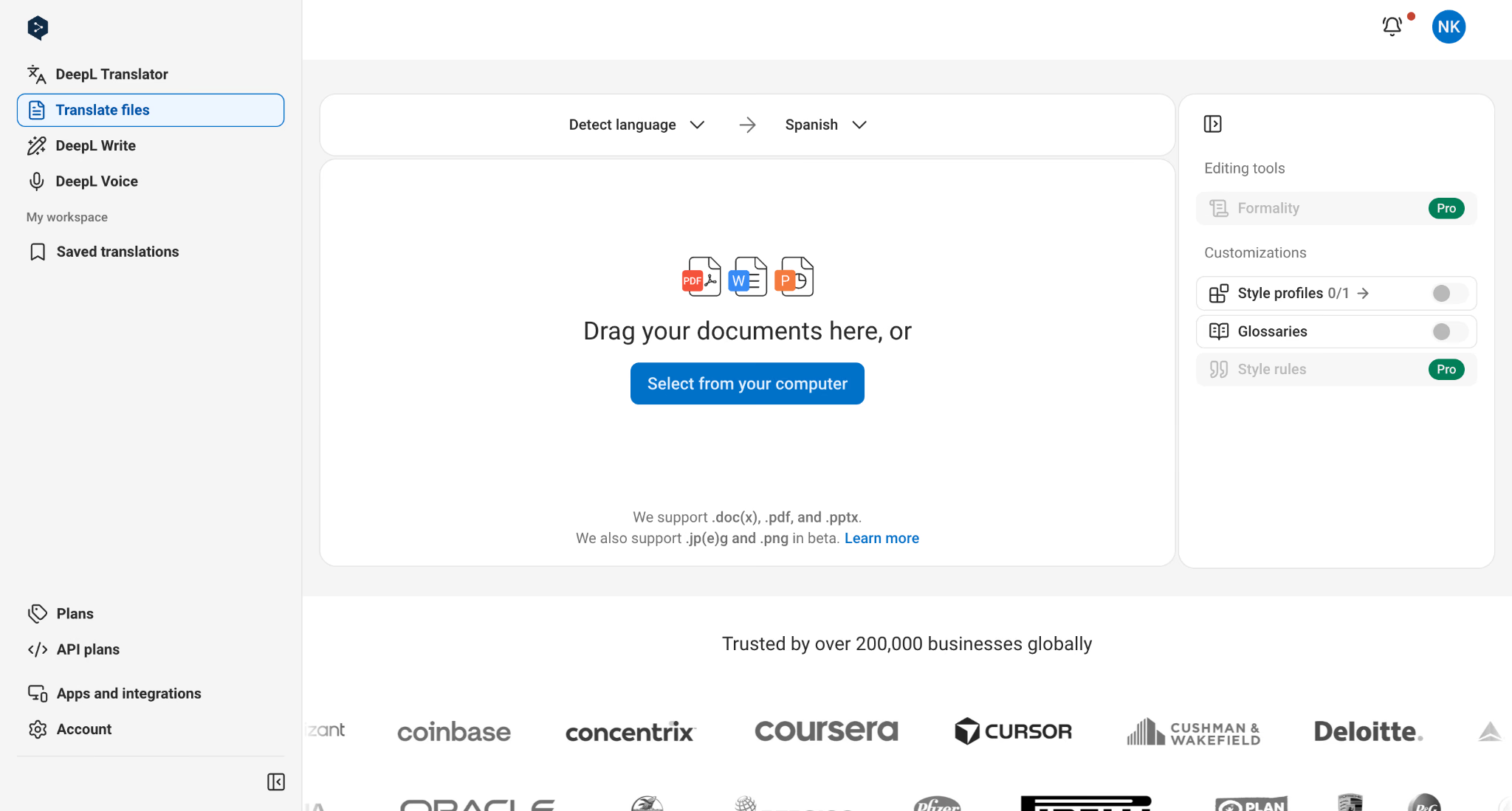
DeepL schreibt nach wie vor das natürlichste Deutsch und Französisch von allem, was ich getestet habe, und der Abstand zeigt sich in langen Absätzen statt in kurzen Wendungen. Wo andere Engines technisch korrekte Sätze produzieren, die sich wie Maschinenausgabe lesen, produziert DeepL Sätze, die ein Muttersprachler plausibel zuerst so geschrieben hätte.
Wichtige Funktionen
- Glossare: Sperren die Firmenterminologie, sodass derselbe Produktname in jedem Dokument identisch wiedergegeben wird.
- Dokumentübersetzung mit Formaterhalt: DOCX-, PDF- und PPTX-Dateien kommen mit weitgehend intaktem Originallayout zurück.
- Stilregel-Listen: Über ein Team hinweg in den Bezahltarifen geteilt, sodass der Tonfall zwischen Kolleginnen und Kollegen konsistent bleibt.
- Kein Datentraining: Ab dem Individual-Tarif angegeben, was für alles geschäftlich Sensible wichtig ist.
Preise
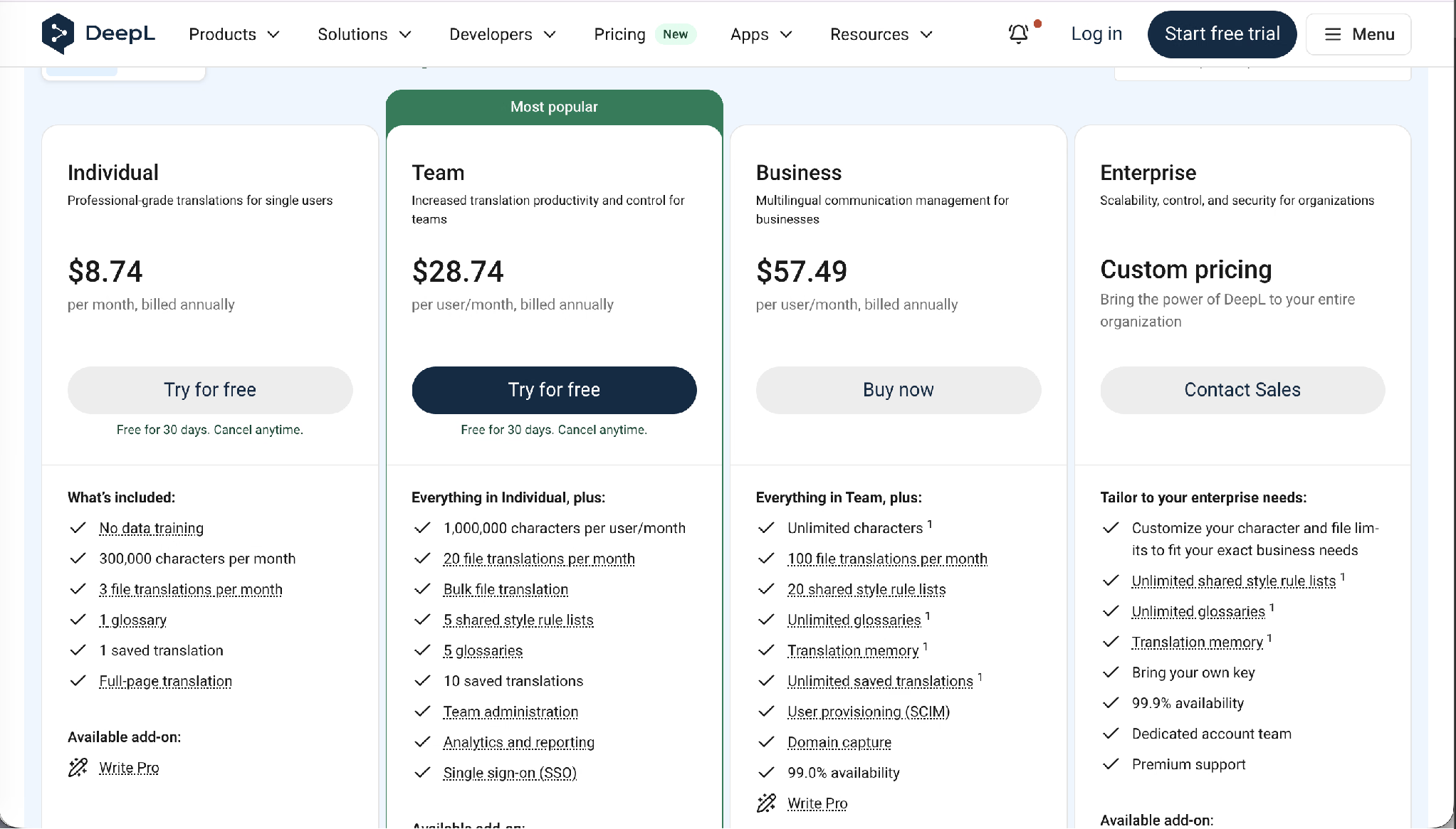
Der Individual-Tarif kostet 8,74 $ pro Monat, jährlich abgerechnet, und umfasst 300.000 Zeichen pro Monat, drei Dateiübersetzungen pro Monat, ein Glossar, eine gespeicherte Übersetzung und Ganzseitenübersetzung. Team kostet 28,74 $ pro Nutzer und Monat für 1.000.000 Zeichen pro Nutzer, 20 Dateiübersetzungen, Massen-Dateiübersetzung, fünf geteilte Stilregel-Listen, fünf Glossare, 10 gespeicherte Übersetzungen und Single Sign-on. Business kostet 57,49 $ pro Nutzer und Monat für unbegrenzte Zeichen, 100 Dateiübersetzungen, unbegrenzte Glossare, Translation Memory und SCIM-Provisionierung. Enterprise-Preise sind individuell.
Pro: Erstklassige Ausgabequalität für die großen europäischen Sprachen, starker Formaterhalt, klare Datenzusagen, Glossar-Kontrolle in jedem Bezahltarif.
Kontra: Die Sprachliste bleibt neben Google und JotMe schmal, die Qualität bei asiatischen Sprachen bleibt hinter der europäischen Arbeit zurück, und drei Dateiübersetzungen pro Monat im Einstiegstarif sind schnell aufgebraucht.
Am besten für: Marketing- und Rechtsteams, die zwischen Englisch und westeuropäischen Sprachen arbeiten und sich mehr darum kümmern, wie sich die Ausgabe liest, als darum, wie viele Sprachen es gibt.
Google Translate: Bester kostenloser KI-Übersetzer
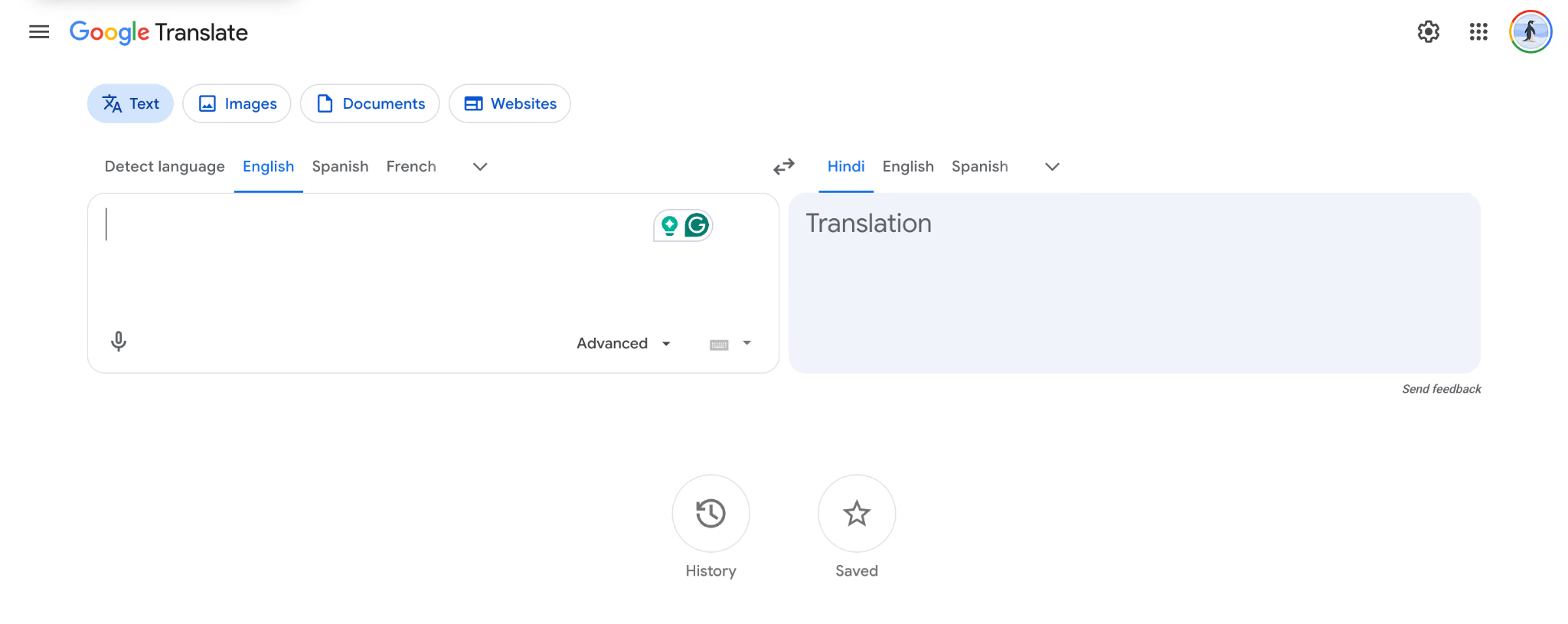
Google Translate bleibt aus gutem Grund der Standard. Es kostet nichts, deckt mehr als 130 Sprachen ab und lebt in Chrome, Android, iOS und Search, sodass es Menschen erreicht, die nie etwas installieren.
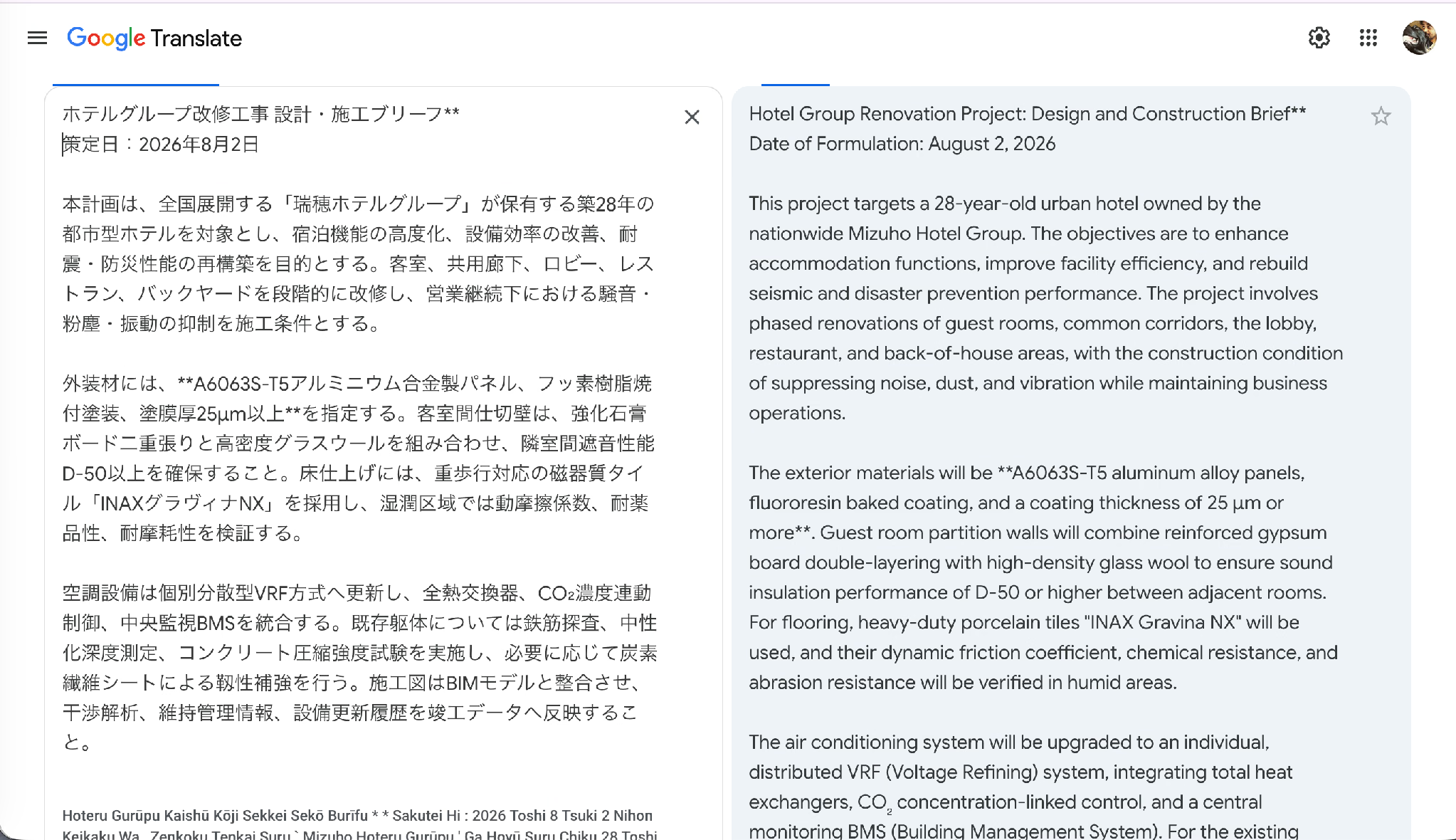
Es produzierte auch den lehrreichsten einzelnen Fehler in meinem Test. Konfrontiert mit 個別分散型VRF方式 erkannte es VRF korrekt und löste es dann als Voltage Refining auf. VRF bedeutet in der Gebäudetechnik Variable Refrigerant Flow. Die Ausgabe wirkte selbstsicher, las sich flüssig und war auf eine Weise falsch, die nur ein Maschinenbauingenieur bemerken würde.
Wichtige Funktionen
- Kameraübersetzung: Richten Sie ein Handy auf ein Schild oder eine Speisekarte und lesen Sie die Einblendung in Ihrer eigenen Sprache.
- Konversations- und Live-Übersetzungsmodi: Gesprochene Hin-und-her-Übersetzung in mehr als 70 Sprachen in der mobilen App, gestützt auf Gemini-Modelle.
- Offline-Pakete: Laden Sie Sprachpakete herunter und arbeiten Sie ohne Verbindung weiter.
- Chrome-Seitenübersetzung: Ganzseitige Website-Übersetzung mit einem Klick.
Preise
Das Consumer-Produkt Google Translate ist kostenlos und erfordert kein Konto. Der programmatische Zugriff läuft über Cloud Translation und rechnet nach einem monatlichen kostenlosen Kontingent pro Zeichen ab.
Pro: Unerreichte Reichweite und Sprachanzahl, wirklich kostenlos, Kamera- und Spracheingabe, funktioniert überall ohne Einrichtung.
Kontra: Selbstsichere Halluzination bei technischen Akronymen, keine Datenschutzkontrollen im kostenlosen Tarif, kein Audiodatei-Upload und Ausgabe, die bei allem, was länger als ein Absatz ist, Nachbearbeitung braucht.
Am besten für: Reisen, gelegentliches Lesen und schnelles Verstehen, wo ein Fehler nichts kostet.
QuillBot: Bester KI-Übersetzer für Studierende, die nach dem Übersetzen überarbeiten
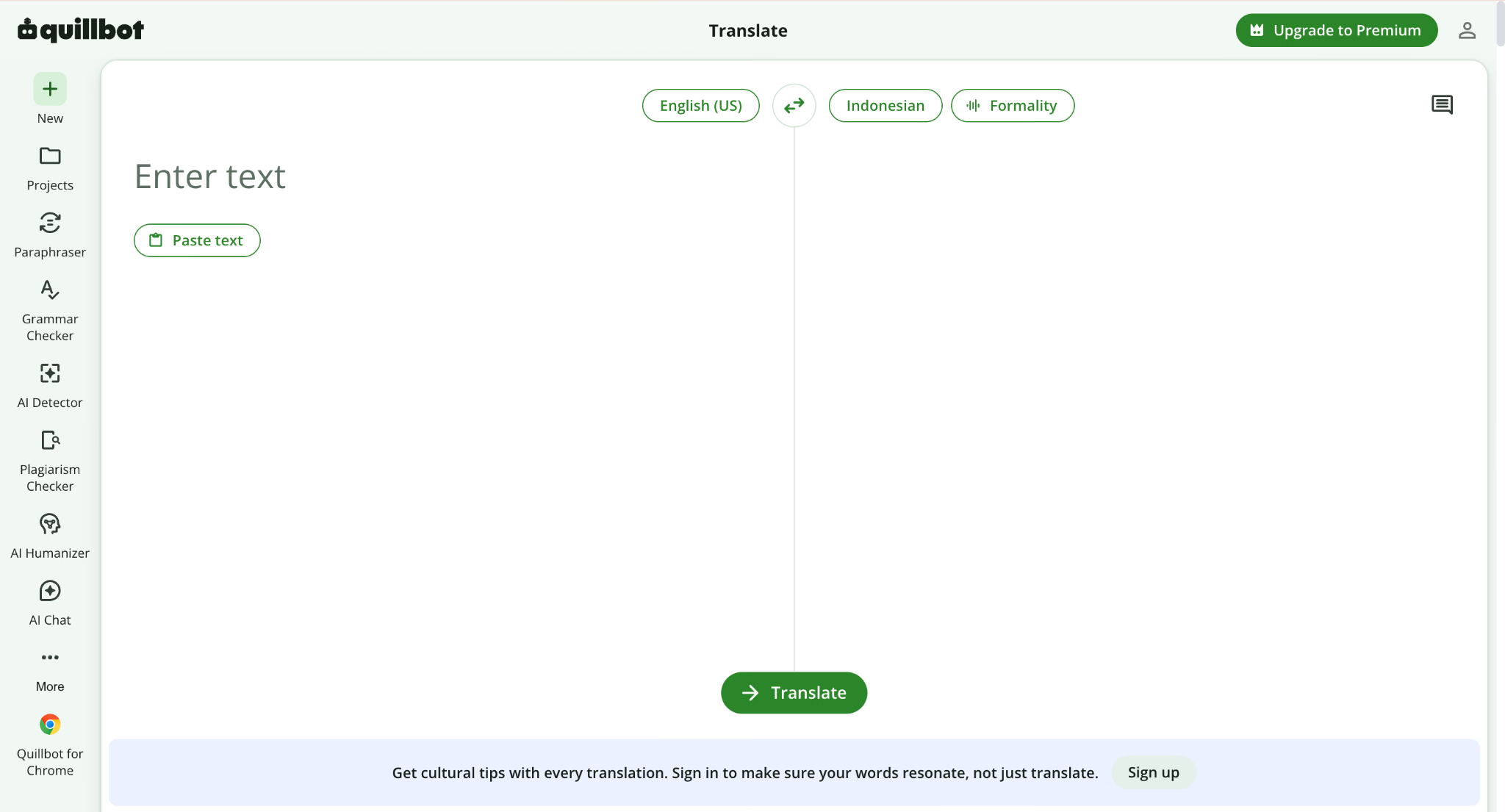
QuillBot unterstützt 52 Sprachen und verpackt die Übersetzung in eine Schreibsuite, statt sie allein auszuliefern. Sie übersetzen eine Passage, lassen dann den Paraphraser laufen, um steife Formulierungen zu lockern, lassen dann die Grammatikprüfung laufen, erzeugen dann eine Quellenangabe – alles, ohne den Tab zu verlassen.
Bei meinem japanischen Briefing schnitt QuillBot besser ab, als sein Ruf als Schreibwerkzeug vermuten lässt. Es behielt A6063S-T5, die Beschichtungsdicke von 25 Mikrometern, den Schallschutzwert D-50, INAX Gravina NX und alle drei Materialeigenschaften. Sein einziger Ausrutscher war das Register: Die Quelle verwendet unpersönliche Verpflichtungsformen, und QuillBot gab sie als „we will use the heavy-duty porcelain tile" wieder, was eine vertragliche Anforderung in eine erklärte Absicht verwandelt.
Wichtige Funktionen
- 52 Sprachen: Darunter Hindi, Tamil, Telugu, Marathi, Gujarati, Bengali, Sanskrit und Odia, was für ein Schreibwerkzeug eine ungewöhnlich tiefe südasiatische Abdeckung ist.
- Romanisierung: Transliteriert Chinesisch und Hindi ins lateinische Alphabet.
- Formalitäts-Steuerung: Ein Formalitätsschalter erscheint direkt über den Übersetzungsfeldern.
- Integrierte Schreibwerkzeuge: Paraphraser, Grammatikprüfung, Plagiatsprüfung, KI-Erkennung und Zitationsgenerator in einem Konto.
Preise
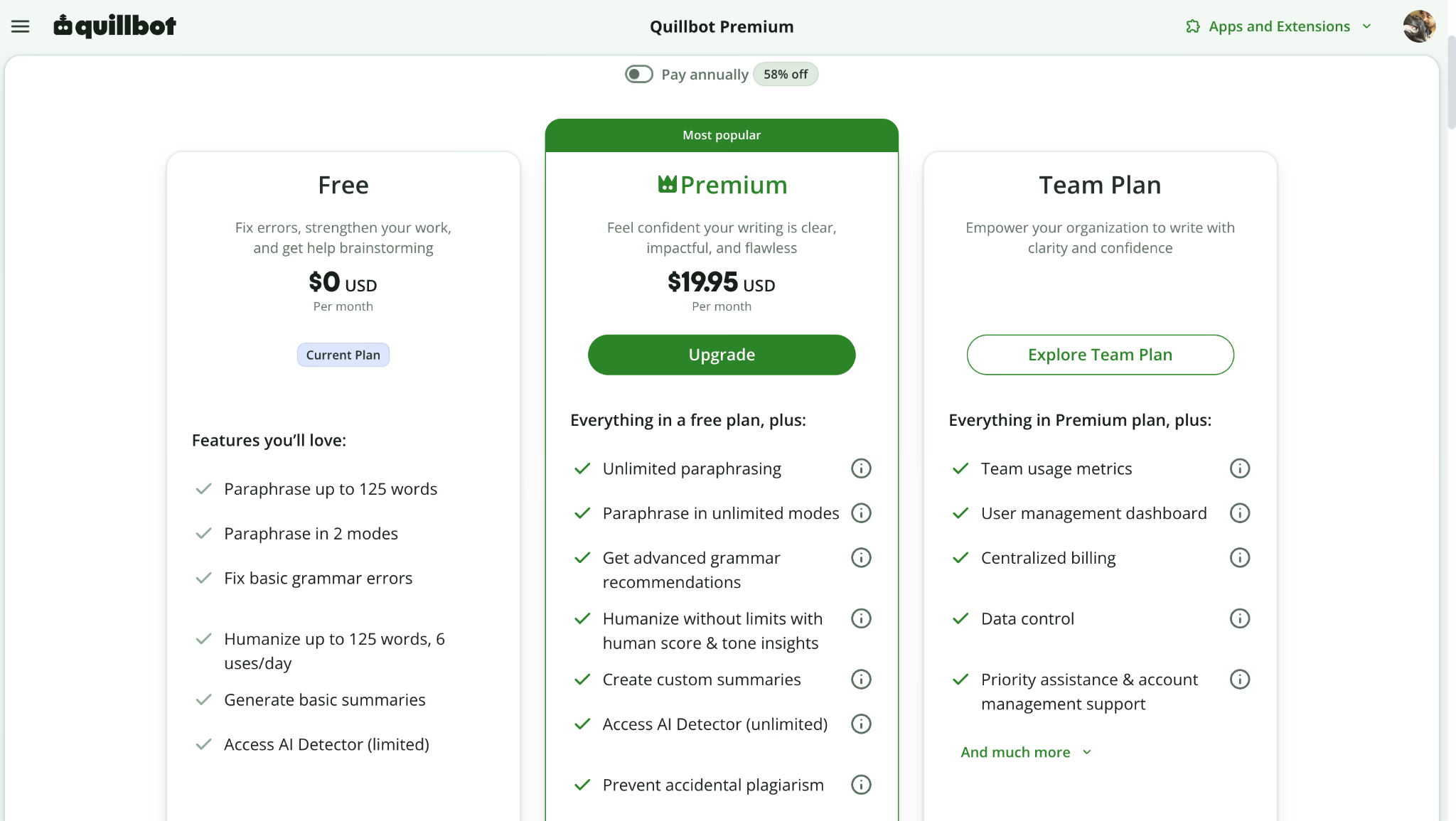
Der kostenlose Tarif deckelt die Übersetzung bei 5.000 Zeichen pro Eingabe, neben 125 Wörtern im Paraphraser und 1.200 Wörtern im Summarizer. Premium kostet 19,95 $ pro Monat bei monatlicher Abrechnung, sinkt auf 13,31 $ pro Monat im Quartalstarif, der mit 39,95 $ alle drei Monate abgerechnet wird, und spart 58 Prozent im Jahrestarif.
Pro: Großzügige kostenlose Zeichengrenze, starke südasiatische Sprachliste, Übersetzung und Bearbeitung in einem Workflow, ehrlicher Umgang mit technischen Begriffen.
Kontra: Nur Text, zum Testzeitpunkt kein Dokument-Upload, das Register driftet ins Lockere ab, und der Monatspreis ist hoch für eine Übersetzungsfunktion, die als Teil eines Bündels ausgeliefert wird.
Am besten für: Studierende und Forschende, die eine Passage übersetzen und sie dann zu einreichbarer Prosa polieren müssen.
SYSTRAN Translate Pro: Bester KI-Übersetzer für regulierte Branchen
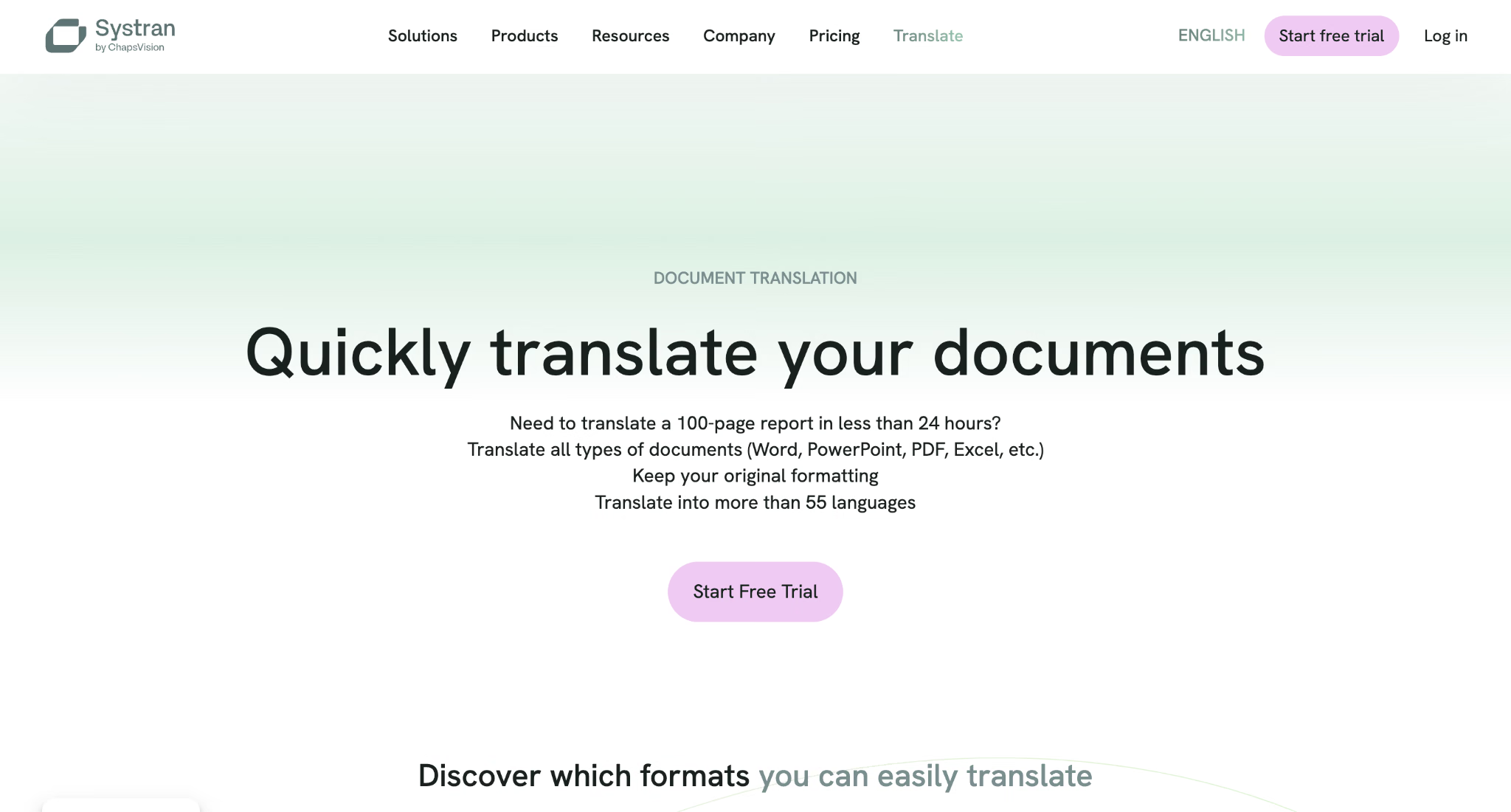
SYSTRAN spielt ein anderes Spiel als jedes Consumer-Tool hier. Es zielt auf Großkonzerne und Behörden, die keinen Text an einen öffentlichen Endpunkt senden dürfen, und seine Enterprise-Bereitstellung lässt die Übersetzungs-Engine innerhalb der eigenen Infrastruktur des Kunden laufen. Anders als Cloud-First-Übersetzer konzentriert sich SYSTRAN auf kontrollierte Umgebungen, in denen Datenhoheit, Compliance und Fachterminologie mehr zählen als Bequemlichkeit.
Wichtige Funktionen
- 55 Sprachen mit Domänenmodellen: Spezialisierte Engines für juristische, medizinische, finanzielle und technische Sprache statt eines allgemeinen Modells.
- Model Studio: Trainieren Sie die Engine auf Ihrem eigenen Korpus, sodass sie Ihre Handbücher und Verträge lernt.
- Dateiübersetzung: Word, Excel, PowerPoint, XML und JSON.
- On-Premise-Bereitstellung: Das Unterscheidungsmerkmal, das niemand sonst auf dieser Liste in gleicher Tiefe erreicht.
Preise
Translate Pro Plus kostet 17,99 Euro pro Nutzer und Monat mit unbegrenzter erweiterter Textübersetzung, Dateiübersetzung und rund 600 Seiten Text pro Nutzer und Monat. Pro Premium kostet 34,99 Euro pro Nutzer und Monat für rund 2.000 Seiten. Beide decken 55 Sprachen ab, und die Enterprise-Bereitstellung wird auf Anfrage bepreist.
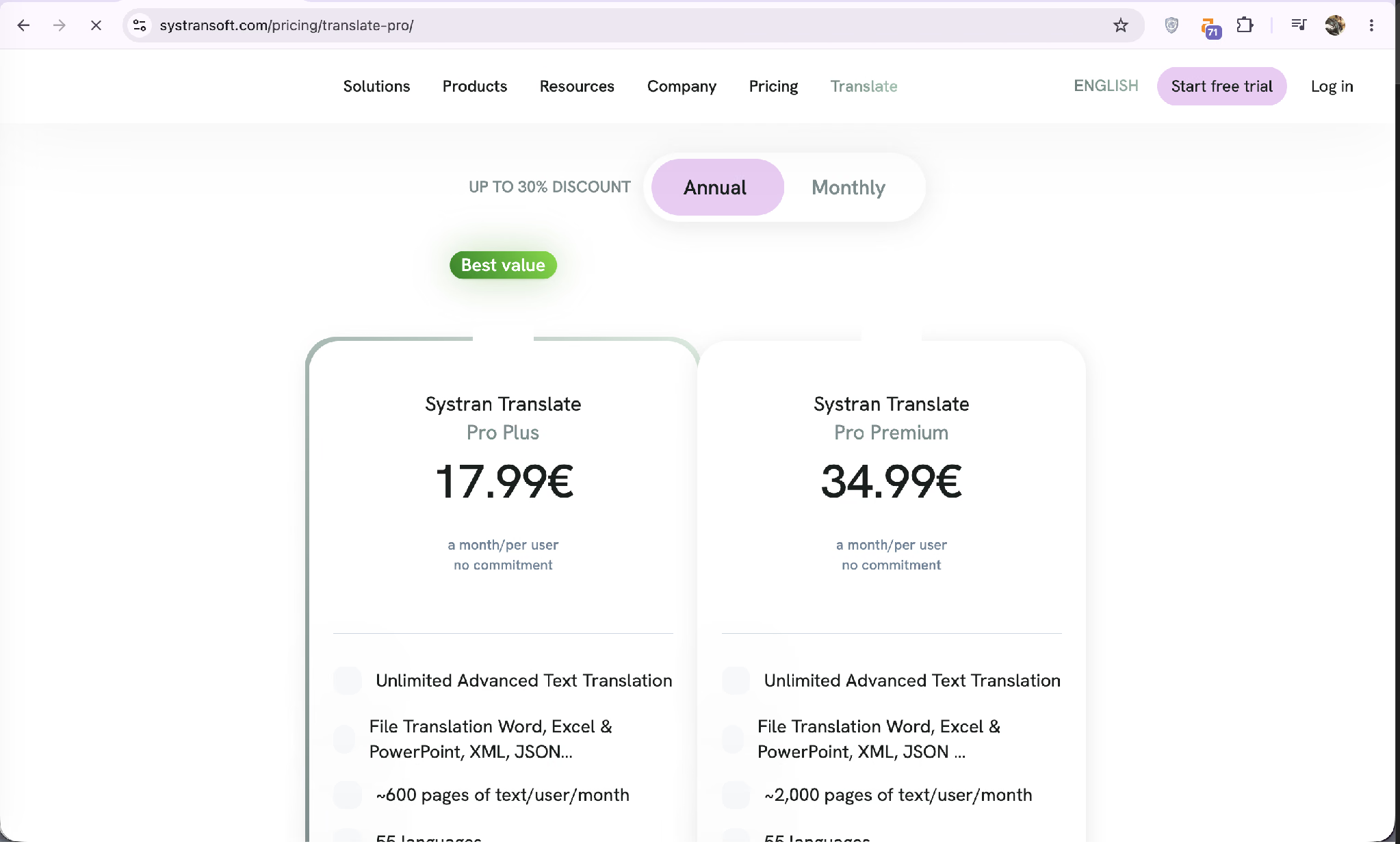
Pro: On-Premise- und Private-Cloud-Optionen, tiefe Anpassbarkeit, branchenspezifische Modelle, seitenbasierte Kontingente, die sauber auf Dokumentarbeit abbilden.
Kontra: Einrichtungskomplexität, Preise in Euro mit einem Pro-Platz-Modell, das sich summiert, und eine Funktionsfläche, die jeden mit einfachen Bedürfnissen überfordert.
Am besten für: Juristische, Verteidigungs-, Pharma- und Finanzorganisationen, die kein Dokument ihr eigenes Netzwerk verlassen lassen dürfen.
Translate Now: Bester KI-Übersetzer über Apple-Geräte hinweg
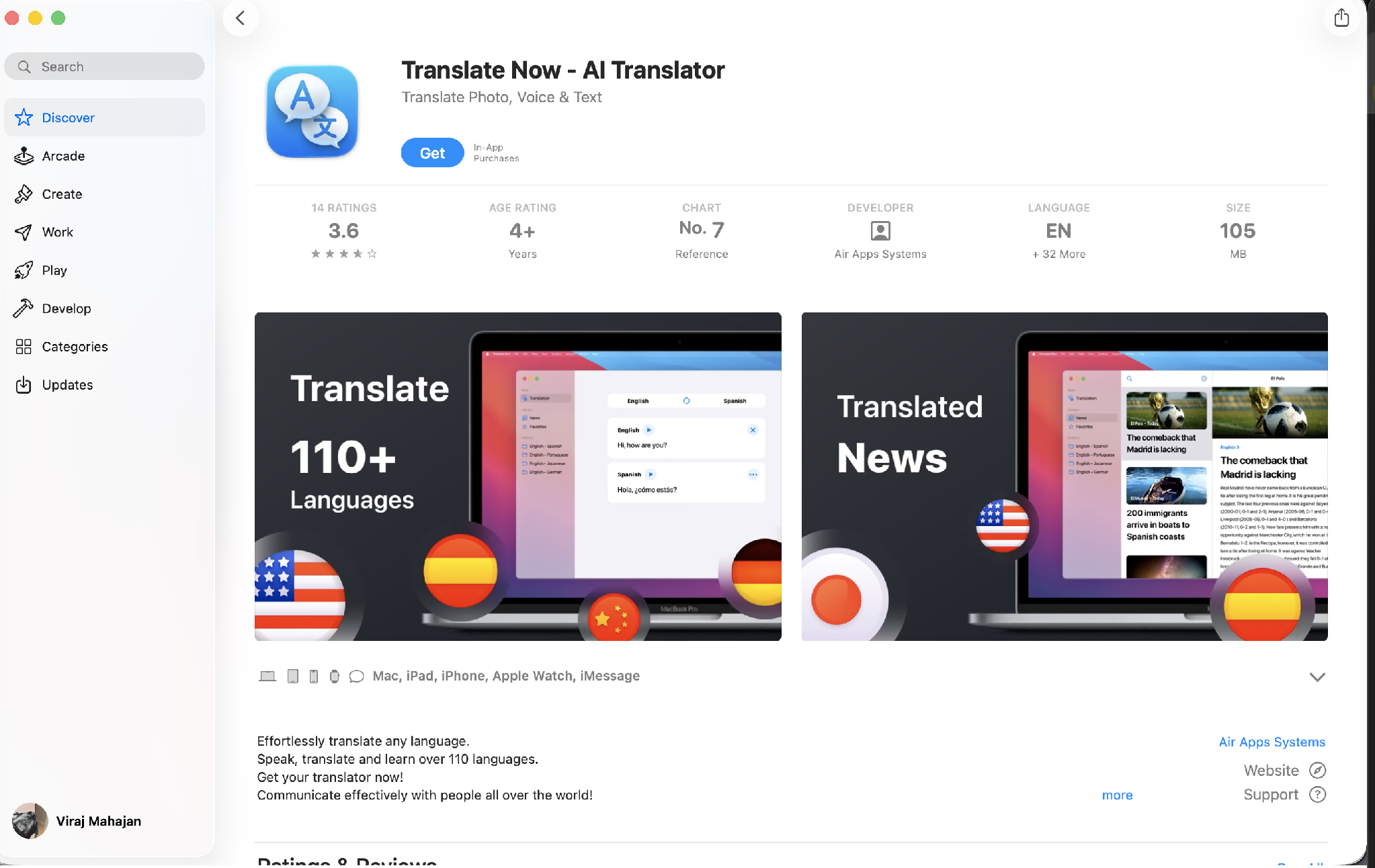
Translate Now von Air Apps Systems läuft auf Mac, iPad, iPhone, Apple Watch und iMessage aus einem einzigen Kauf, was ein wirklich nützliches Setup für jeden ist, der sich während eines Arbeitstages zwischen Geräten bewegt. Der App-Store-Eintrag zeigt 3,6 Sterne aus 14 Bewertungen und Platz 7 in der Referenz-Rangliste, bei einem Download von 105 MB.
Die Sprachanzahl braucht Sorgfalt. Die aktuelle App-Store-Beschreibung wirbt mit mehr als 320 Sprachen für Text-, Sprach- und Fotoübersetzung, während ältere Werbeansichten, die noch im Eintrag stehen, 110+ bewerben. Diese beiden Zahlen beschreiben unterschiedliche Funktionssätze, und der Anbieter hat sie nicht in Einklang gebracht.
Wichtige Funktionen
- Übersetzer-Tastatur: Übersetzen Sie in jeder App, ohne von ihr wegzuwechseln.
- Foto- und Kameraübersetzung: Draufhalten und lesen, dasselbe Muster, das Google populär gemacht hat.
- Übersetzte Nachrichten: Lesen Sie ausländische Publikationen in der App in Ihrer eigenen Sprache.
- Freihändiger Sprachmodus: Zweiwege-Sprachübersetzung ohne Tippen.
Preise
Die App wird kostenlos heruntergeladen, mit In-App-Käufen.
Pro: Breite Geräteabdeckung aus einer App, Tastaturerweiterung, reibungslose Installation, Lesen übersetzter Nachrichten.
Kontra: Eine Stichprobe von 14 Bewertungen ist dünner Beleg, die Sprachangaben widersprechen sich innerhalb des Eintrags selbst, und die App hat keinen Dokument-Workflow.
Am besten für: Apple-Nutzer, die eine einzige KI-Übersetzer-App wollen, die ihnen von der Uhr bis zum Laptop folgt.
Apple Translate: Bester Offline-KI-Übersetzer für das iPhone
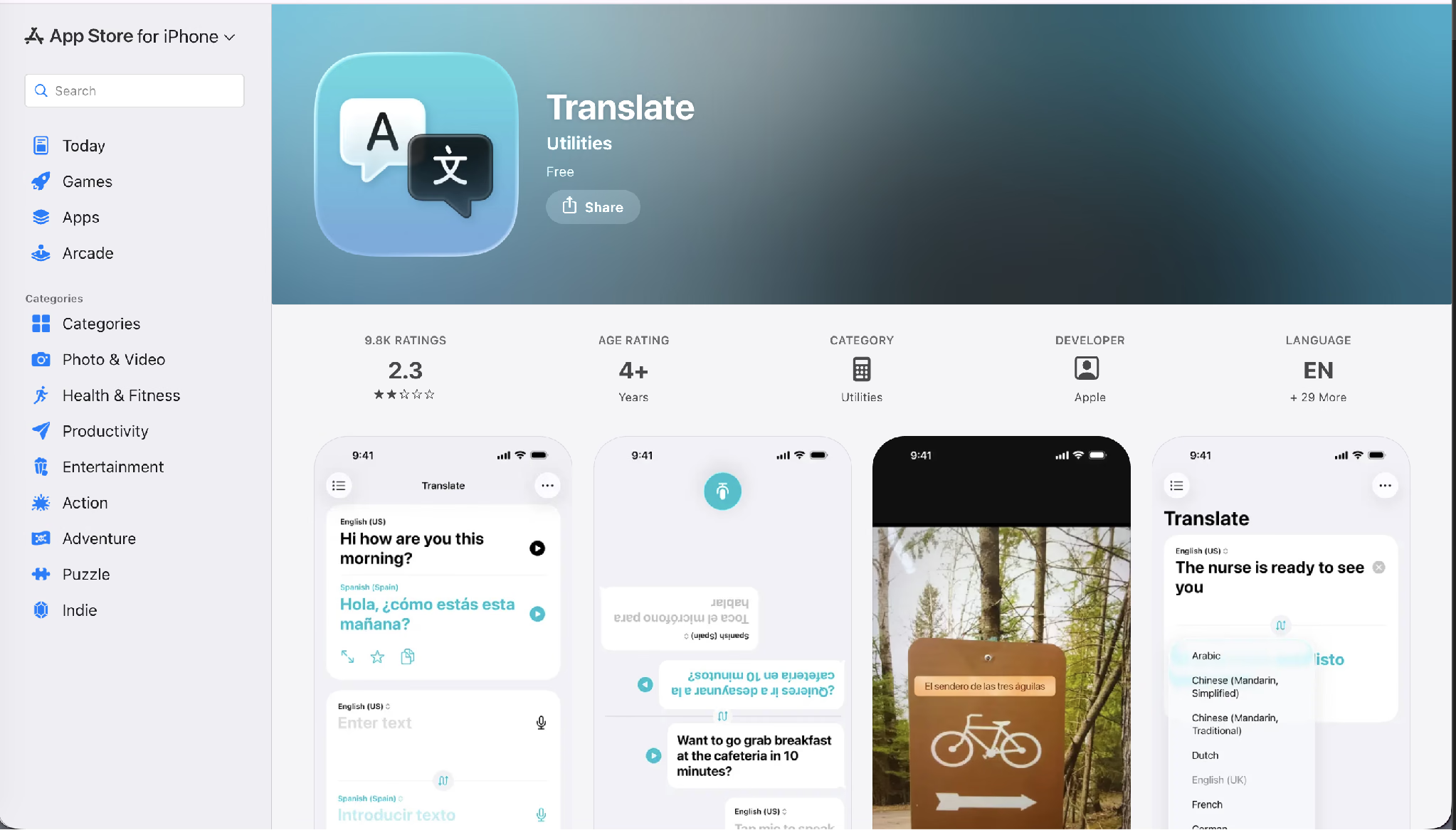
Apple Translate wird kostenlos auf jedem iPhone, iPad und Mac ausgeliefert, verarbeitet standardmäßig auf dem Gerät und braucht kein Konto. Es unterstützt weniger als 20 Sprachen, was mit Abstand die kürzeste Liste in diesem Leitfaden ist, und Apple hat Breite gegen Datenschutz und Systemintegration eingetauscht.
Die App-Store-Bewertung verdient eine Erwähnung, weil sie für ein Apple-Erstanbieter-Werkzeug ungewöhnlich ist: 2,3 Sterne aus 9.800 Bewertungen. Nutzer berichten durchgängig von Genauigkeitsbeschwerden statt von Abstürzen, was zu dem passt, was ein kleines, für die Inferenz auf dem Gerät abgestimmtes Sprachmodell realistisch leisten kann.
Wichtige Funktionen
- Verarbeitung auf dem Gerät: Die Übersetzung geschieht lokal, sodass nichts das Telefon verlässt.
- Vollständiger Offline-Modus: Funktioniert ganz ohne Verbindung, sobald die Sprachpakete heruntergeladen sind.
- AirPods-Integration: Live Translation liefert übersetztes Audio auf kompatiblen Modellen direkt in Ihre Ohren.
- Systemweite Verfügbarkeit: Verfügbar über Safari, Nachrichten und den Action Button, statt nur innerhalb einer App.
Preise
Vollständig kostenlos. Apple listet es unter Dienstprogramme mit Englisch plus 29 weiteren Oberflächensprachen.
Pro: Echter Datenschutz durch Verarbeitung auf dem Gerät, null Kosten, null Einrichtung, Offline-Fähigkeit, AirPods-Wiedergabe.
Kontra: Unter 20 Sprachen, schwache Genauigkeitsbewertungen, kein Android-Zugang, keine Dokument- oder Dateiverarbeitung.
Am besten für: iPhone-orientierte Reisende innerhalb der von Apple unterstützten Sprachpaare, die Datenschutz über Breite stellen.
iTranslate: Bester KI-Übersetzer für Reise-Sprachführer
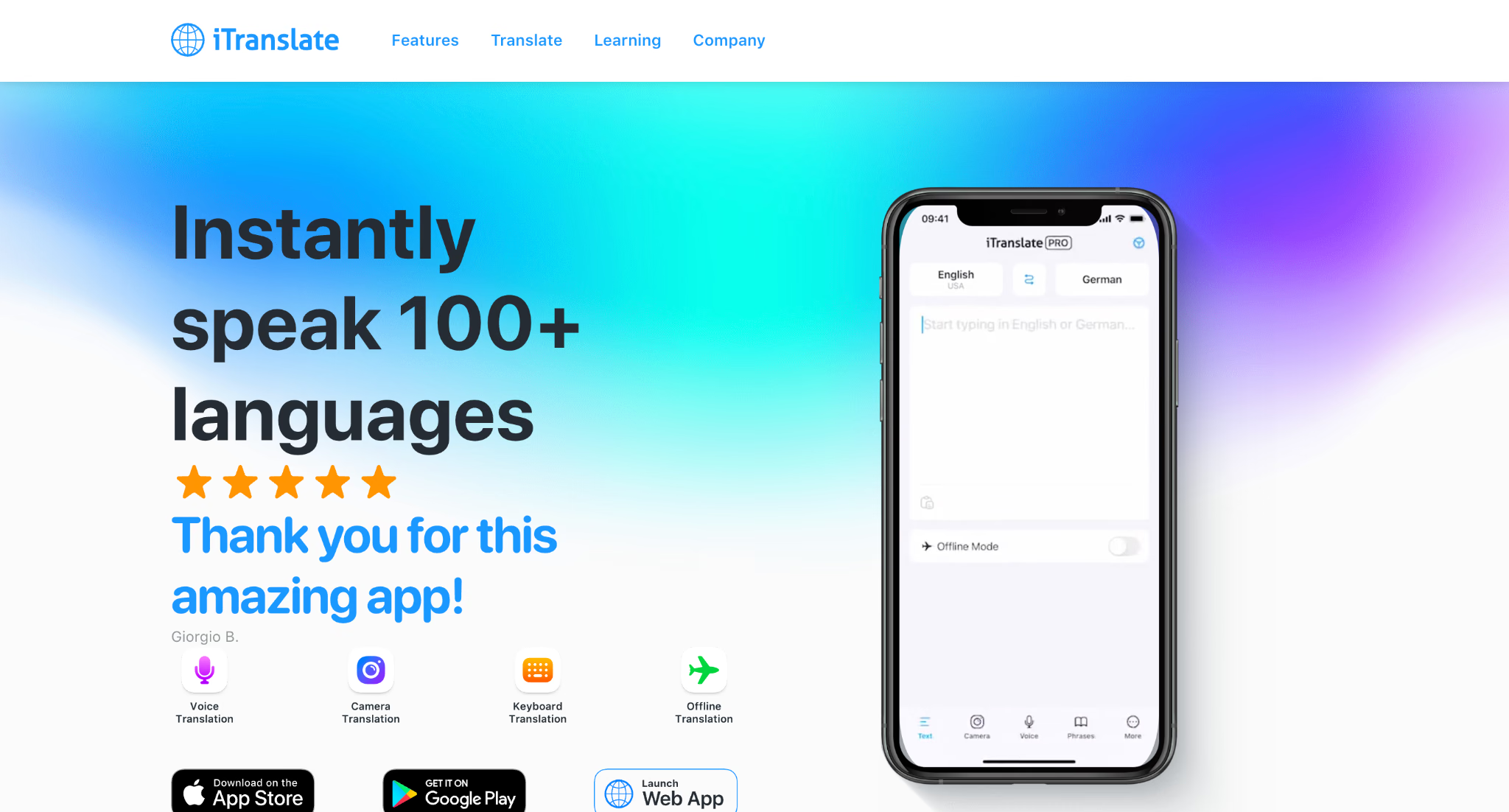
iTranslate deckt mehr als 100 Sprachen ab und positioniert sich ebenso sehr als Lernbegleiter wie als KI-Übersetzer, mit Sprachführern, Karteikarten, Verbkonjugation und einer Tastaturerweiterung für WhatsApp und Instagram.
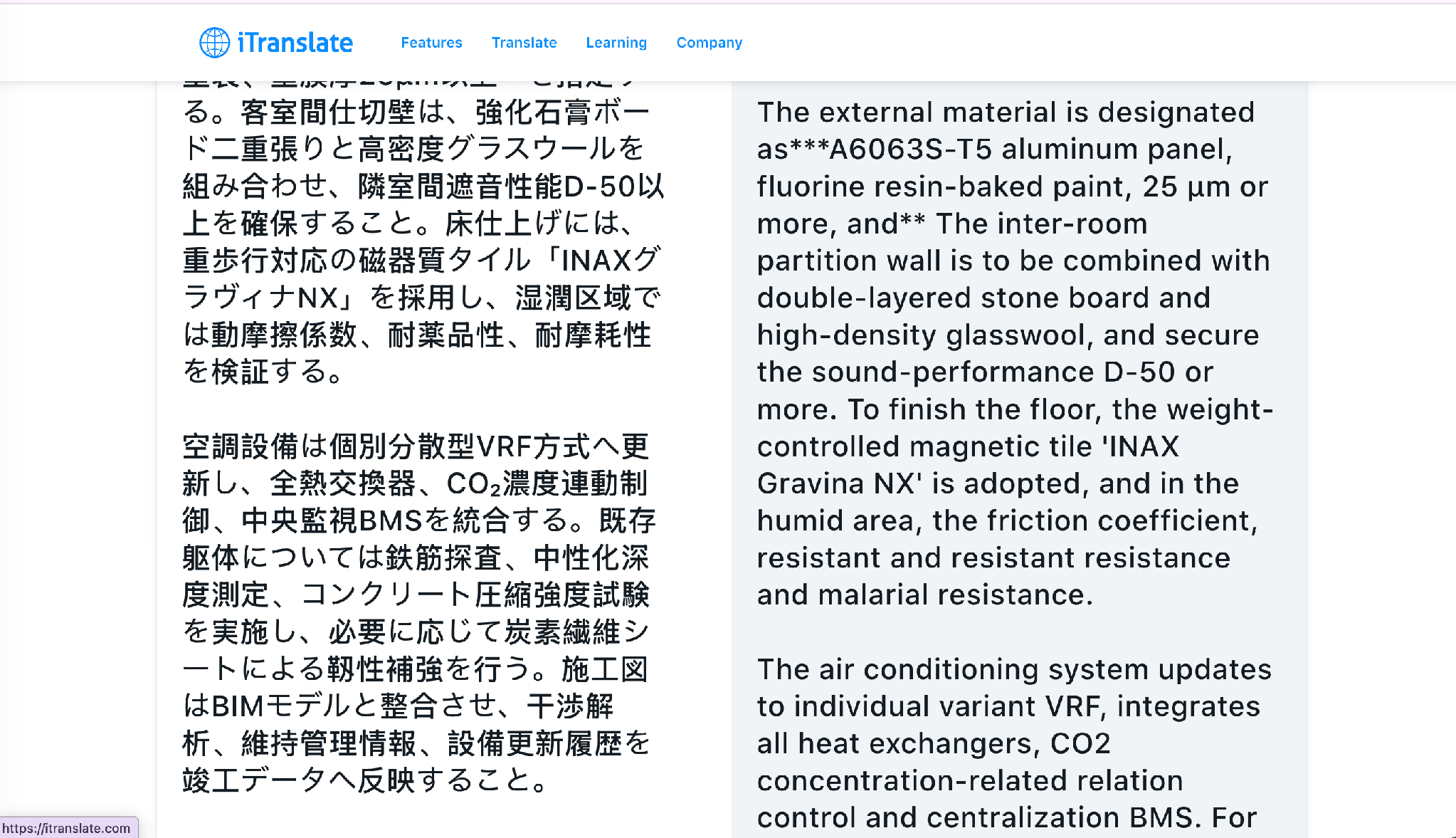
Es produzierte auch die schlechteste Ausgabe meines gesamten Tests, und die Fehler waren nicht subtil. Konfrontiert mit 強化石膏ボード, verstärkte Gipskartonplatte, schrieb es Steinplatte. Konfrontiert mit 重歩行対応の磁器質タイル, schwer begehbarer Feinsteinzeugfliese, schrieb es gewichtsgesteuerte Magnetfliese. Konfrontiert mit einer Klausel, die dynamischen Reibungskoeffizienten, chemische Beständigkeit und Abriebfestigkeit auflistet, produzierte es „resistant and resistant resistance and malarial resistance". Und es las 個別分散型VRF方式 als individual variant VRF statt als individuell verteiltes VRF.
Wichtige Funktionen
- Sprachführer und Karteikarten: Bauen Sie eine persönliche Bibliothek von Wendungen mit Audioaussprache auf.
- Tastaturerweiterung: Übersetzen Sie in Messaging-Apps, ohne zu wechseln.
- Konversationsmodus: Zweiwege-Sprachübersetzung über mehr als 40 Sprachen.
- Apple-Watch-Unterstützung: Schnelles Nachschlagen von Wendungen am Handgelenk.
Preise
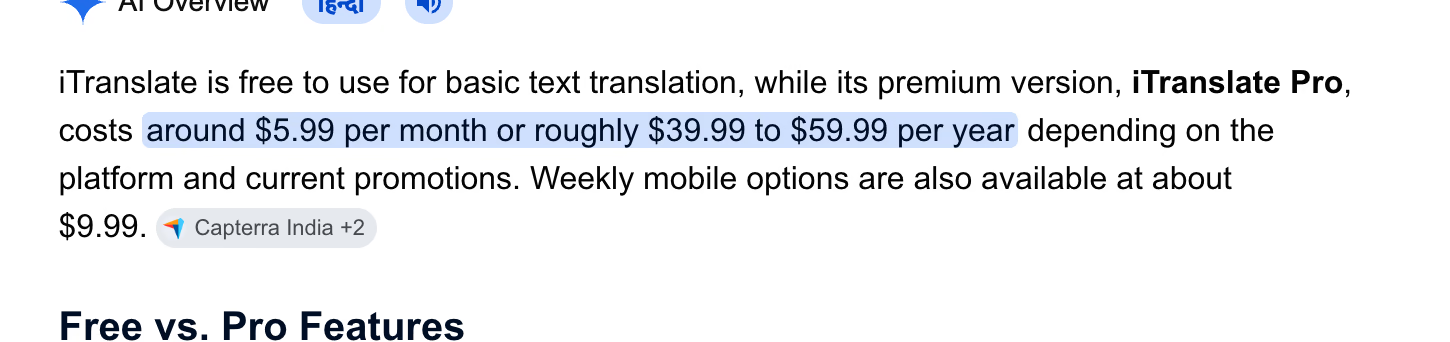
Die Text-Grundübersetzung ist kostenlos. Aggregierte Preisdaten zeigen iTranslate Pro bei rund 5,99 $ pro Monat oder etwa 39,99 $ bis 59,99 $ pro Jahr, je nach Store und Aktion, mit wöchentlichen Mobiloptionen um 9,99 $. [VERIFY: Diese Zahlen stammen aus einem aggregierten AI-Overview, das Capterra statt der Anbieter-Preisseite zitiert. Vor der Veröffentlichung auf itranslate.com bestätigen.]
Pro: Echte Sprachlernfunktionen, breite Sprachliste, Tastaturerweiterung, lange Erfolgsgeschichte auf Mobilgeräten.
Kontra: Schwere Genauigkeitsfehler bei technischem Material, Offline- und Sprachmodi hinter dem Bezahltarif eingesperrt, und Preise, die je nach Store variieren, ohne eine klare öffentliche Seite.
Am besten für: Reisende und Gelegenheitslernende, die Alltagswendungen übersetzen – und niemanden, der irgendetwas mit einer Spezifikation darin übersetzt.
AI Voice Translator: Bester KI-Übersetzer für sprachbasierte Android-Nutzung
AI Voice Translator von Aviapp verarbeitet mehr als 150 Sprachen über Sprach-, Text-, Bild- und Fotoeingabe und bietet etwas Ungewöhnliches für eine Consumer-App: eine Auswahl der zugrundeliegenden KI-Modelle, sodass Sie pro Auftrag Tempo gegen Nuance abwägen können.
Wichtige Funktionen
- Modellauswahl: Wählen Sie die Übersetzungs-Engine, die zur Aufgabe passt, statt eine Voreinstellung hinzunehmen.
- Dokumentübersetzer: Verarbeitet vollständige Dokumente einschließlich gescannter Seiten und handschriftlicher Notizen.
- Sprechender Übersetzer: Spricht Übersetzungen für das Gespräch von Angesicht zu Angesicht laut aus.
- Offline-Fähigkeit: Kontextbewusste Übersetzung ohne Verbindung bei unterstützten Sprachpaaren.
Preise
Eine dreitägige kostenlose Testphase geht einem Premium-Abo voraus. Eine Nutzerbewertung bei Google Play gibt die Premium-Version mit 23,99 Pfund pro Jahr an. [VERIFY: Die Abopreise erscheinen nur innerhalb der App und variieren je nach Region. Vor der Veröffentlichung bestätigen.]
Pro: Modellauswahl zu Consumer-Preisen, Handschrift- und Scan-Verarbeitung, sprachbasiertes Design, große Sprachliste.
Kontra: Undurchsichtige Preise, ein App-Store-Name, den sich mehrere unverwandte Produkte teilen, und keine veröffentlichten Genauigkeits-Benchmarks.
Am besten für: Android-Nutzer, die gesprochene Gespräche und fotografierte Dokumente häufiger übersetzen als getippten Text.
ChatGPT: Bester KI-Übersetzer zur Kontrolle des Registers
ChatGPT wird nicht als KI-Übersetzer vermarktet, und es übertraf die meisten der spezialisierten Tools bei meiner Testdatei. Es produzierte die einzige Ausgabe, die das Verpflichtungsregister korrekt trug, und schrieb „shall be treated as a mandatory construction condition" und „shall be verified", wo der japanische Quelltext ~すること verwendet. Es erweiterte außerdem die Bewehrungserkennung zu reinforcement-bar scanning und gab die Karbonatisierungstiefen-Messung präzise wieder.
Der Kompromiss ist, dass Sie fragen müssen. Ein spezialisiertes Tool hat eine Aufgabe und erledigt sie beim Upload. ChatGPT übersetzt gemäß dem, was Sie geprompt haben, was bedeutet, dass die Qualitätsobergrenze höher und der Boden niedriger liegt.
Wichtige Funktionen
- Prompt-gesteuerter Tonfall: Geben Sie juristisches Register, Marketing-Stimme oder einfaches Englisch an und bekommen Sie es.
- Datei-Upload: Hängen Sie eine PDF oder DOCX an und übersetzen Sie ihren Inhalt im Gespräch.
- Rückfragen: Fragen Sie, warum ein Begriff auf eine bestimmte Weise wiedergegeben wurde, und erhalten Sie eine begründete Antwort.
- Glossar per Anweisung: Fügen Sie Ihre Terminologieliste in den Prompt ein, statt eine Funktion zu konfigurieren.
Preise
Ein kostenloser Tarif existiert mit Modell- und Nutzungsgrenzen, Plus kostet 20 $ pro Monat und Pro kostet 200 $ pro Monat.
Pro: Höchste Registergenauigkeit von allem Getesteten, erklärt die eigenen Entscheidungen, geht mit Mehrdeutigkeit durch Nachfragen um, in der Praxis keine Zeichengrenze pro Eingabe.
Kontra: Kein Formaterhalt, kein Batch-Dokument-Workflow, die Ausgabe variiert mit der Prompt-Qualität, und keine Möglichkeit, eine Audio- oder Videodatei in eine synchronisierte Tonspur zu verarbeiten.
Am besten für: Jeden, der ein kleines Volumen an heikler Prosa übersetzt, bei der der Tonfall rechtliches oder geschäftliches Gewicht trägt.
Wordvice AI: Bester KI-Übersetzer für akademische Einreichungen
Wordvice AI zielt direkt auf Forschende, die Manuskripte für englischsprachige Fachjournale vorbereiten, und sein Übersetzer lebt in einer Suite, die um diese Aufgabe herum gebaut ist: KI-Korrekturleser, Paraphraser, Summarizer, Plagiatsprüfung und Zitationsgenerator.
Das Unternehmen erklärt seinen eigenen Ansatz offen und beschreibt KI-Übersetzung als einen neuronalen maschinellen Übersetzungsprozess mit neuronalen Netzen und Large Language Models, mit angewandtem Translation Memory, um die Terminologie über ein langes Dokument hinweg stabil zu halten. Genau dieser letzte Teil zählt für eine 9.000 Wörter lange Dissertation mehr als die reine Sprachanzahl.
Wichtige Funktionen
- Rund 32 unterstützte Sprachen: Fokussiert auf die Paare, die das akademische Publizieren tatsächlich nutzt.
- PDF-Übersetzung über ChatPDF: Übersetzt PDFs über 47+ Sprachen mit direktem Vergleich und erhaltener Formatierung.
- Translation Memory: Verwendet frühere Wiedergaben wieder, sodass die Terminologie konsistent bleibt.
- Chrome- und MS-Word-Add-ins: Übersetzen Sie innerhalb des Dokuments, an dem Sie ohnehin schreiben.
Preise
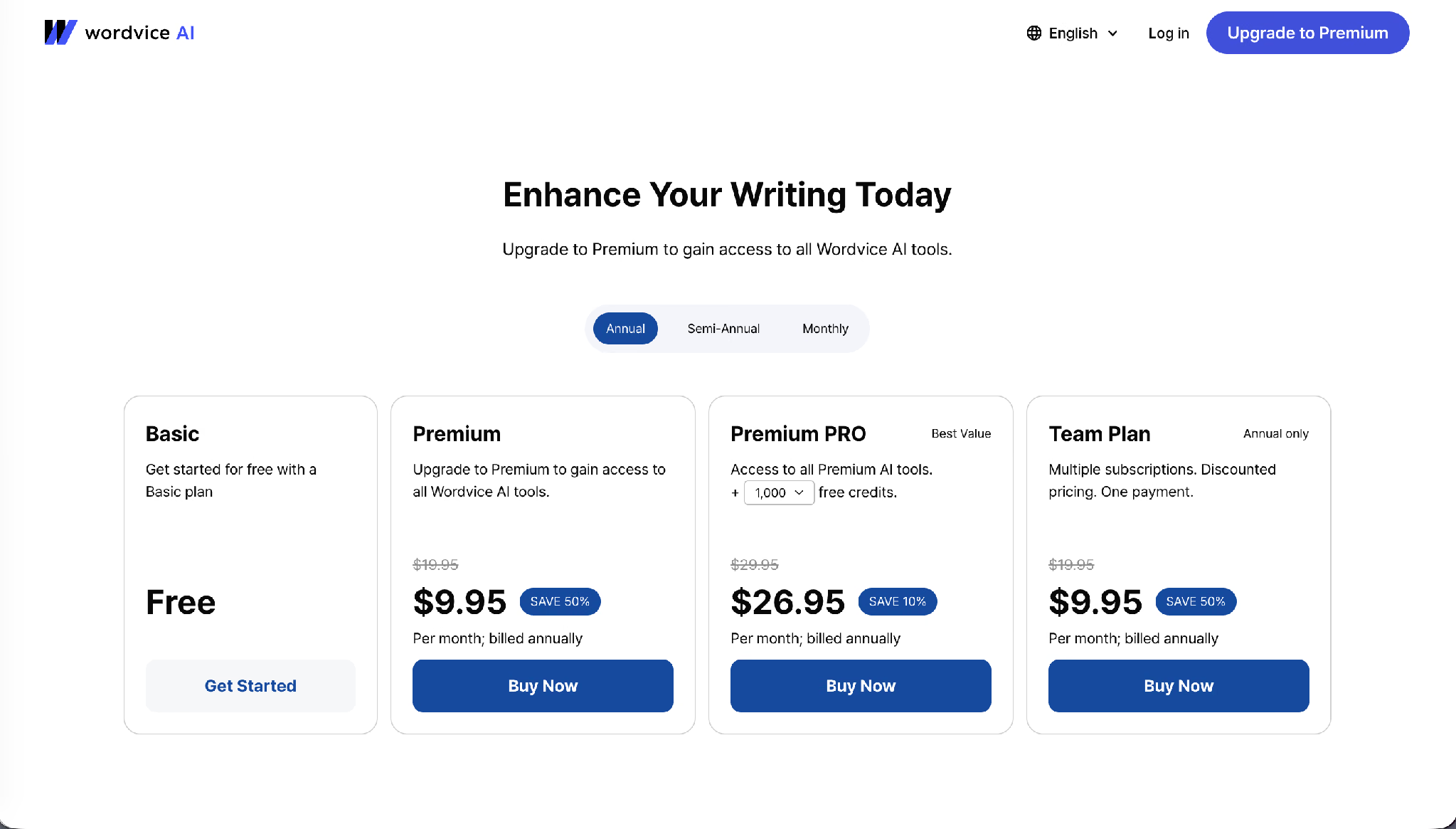
Der Basic-Tarif ist kostenlos und deckelt die Übersetzung bei 500 Zeichen pro Eingabe. Premium kostet 9,95 $ pro Monat bei jährlicher Abrechnung, reduziert von 19,95 $, und hebt die Grenze auf 5.000 Zeichen. Premium PRO kostet 26,95 $ pro Monat bei jährlicher Abrechnung und ergänzt 1.000 Kredite. Der Team-Tarif kostet 9,95 $ pro Nutzer und Monat, nur bei jährlicher Abrechnung.
Pro: Speziell für akademisches Englisch gebaut, Translation Memory, aggressive Jahresrabatte, integriertes Korrekturlesen.
Kontra: Eine kostenlose 500-Zeichen-Grenze, die an einem einzigen Abstract scheitert, die schmalste brauchbare Sprachliste nach Apple und überhaupt keine Medienverarbeitung.
Am besten für: Forschende, die auf Koreanisch, Japanisch oder Chinesisch verfassen und auf Englisch einreichen.
Lara Translate: Bester KI-Übersetzer für professionelle Übersetzung
Lara verfolgt einen anderen Ansatz als die meisten KI-Übersetzer in diesem Leitfaden. Statt nur einen übersetzten Satz zurückzugeben, erklärt es, warum es bestimmte Wörter gewählt hat, bittet um Klärung, wenn die Quelle mehrdeutig ist, und lässt Nutzer je nach Auftrag zwischen drei Übersetzungsstilen wählen.
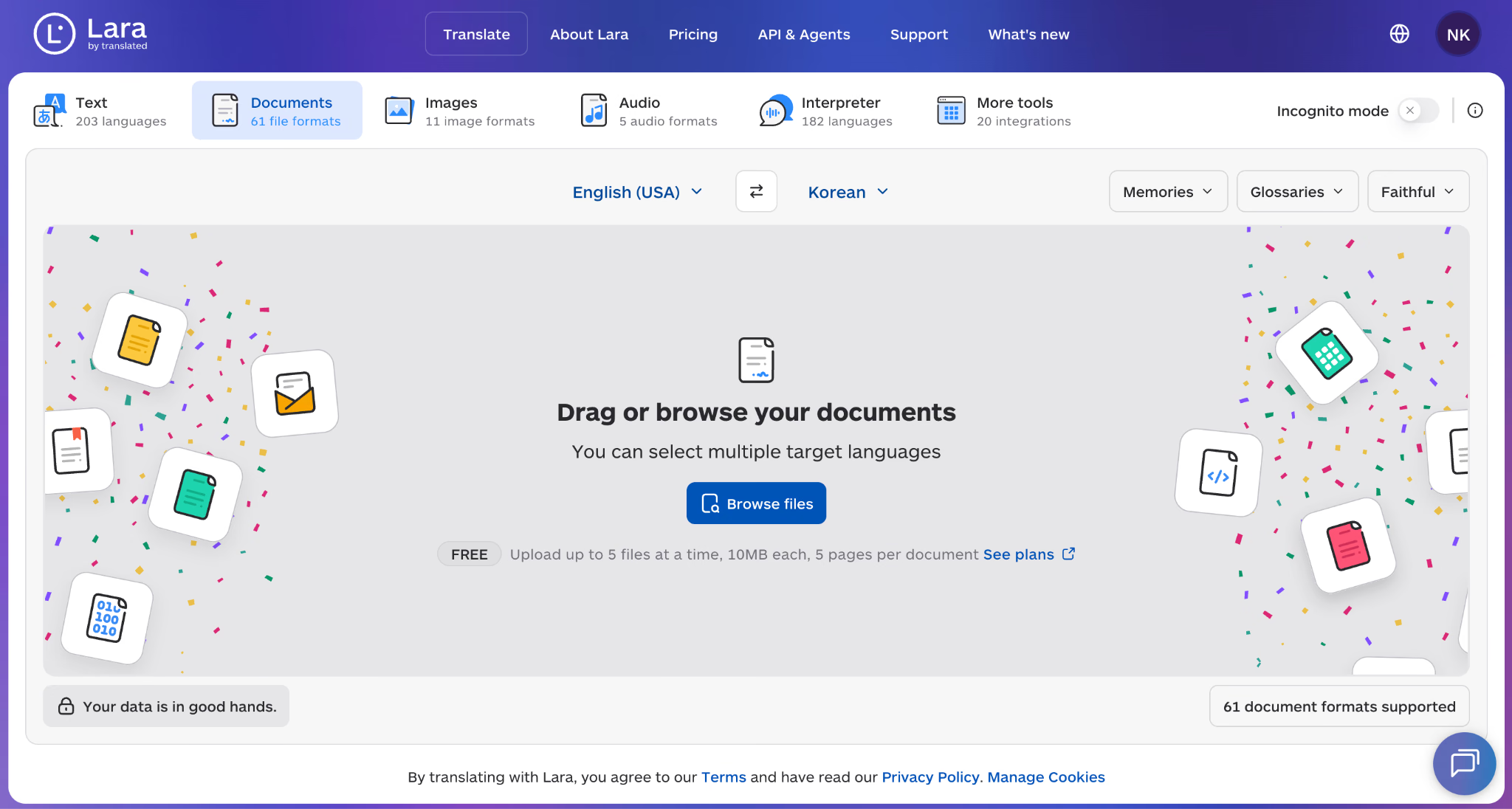
Lara Translate ist besonders ideal für technische, juristische und geschäftliche Dokumente, weil die größten Übersetzungsfehler meist aus fehlendem Kontext statt aus fehlendem Vokabular entstehen. Sein System analysiert das gesamte Dokument vor der Übersetzung und hält Terminologie und Bedeutung über längere Dateien hinweg konsistent.
Wichtige Funktionen
- Kontextbewusste Übersetzung: Lara analysiert den gesamten Text oder das gesamte Dokument, statt Satz für Satz zu übersetzen. Das hilft, Konsistenz zu wahren, wenn ein Begriff je nach umgebendem Inhalt seine Bedeutung ändert.
- Übersetzungs-Erklärungen: Lara erklärt seine Übersetzungsentscheidungen anhand von Wissen aus Millionen professioneller Übersetzungsbeispiele und zeigt, warum eine Formulierung einer anderen vorgezogen wurde.
- Drei Übersetzungsstile: Nutzer können Faithful für Handbücher, Rechtsdokumente und technische Inhalte, Fluid für alltägliches Schreiben oder Creative für Marketing und literarische Arbeit wählen.
- Unterstützung durch menschliche Experten: Für komplexe Lokalisierungsprojekte bietet Lara Zugang zu Sprachprofis, die Übersetzungen prüfen, kulturelle Kontrollen durchführen und Desktop-Publishing-Workflows unterstützen können.
Preise
Lara Translate bietet einen kostenlosen Tarif mit 60.000 Zeichen pro Monat, Zugang zu Text- und Dokumentübersetzung, Übersetzungs-Erklärungen, Kontextverständnis und Sprach-Dolmetscher-Funktionen. Der Pro-Tarif kostet 8 € pro Monat bei jährlicher Abrechnung und umfasst 500.000 Zeichen pro Monat, Unterstützung für gescannte PDFs, mobile Apps und zusätzliche Integrationen. Team-Tarife beginnen bei 25 € pro Monat mit 1,5 Millionen geteilten Zeichen und erweiterten Datenschutzkontrollen. Enterprise-Preise werden nach Nutzung und Sicherheitsanforderungen individuell festgelegt.
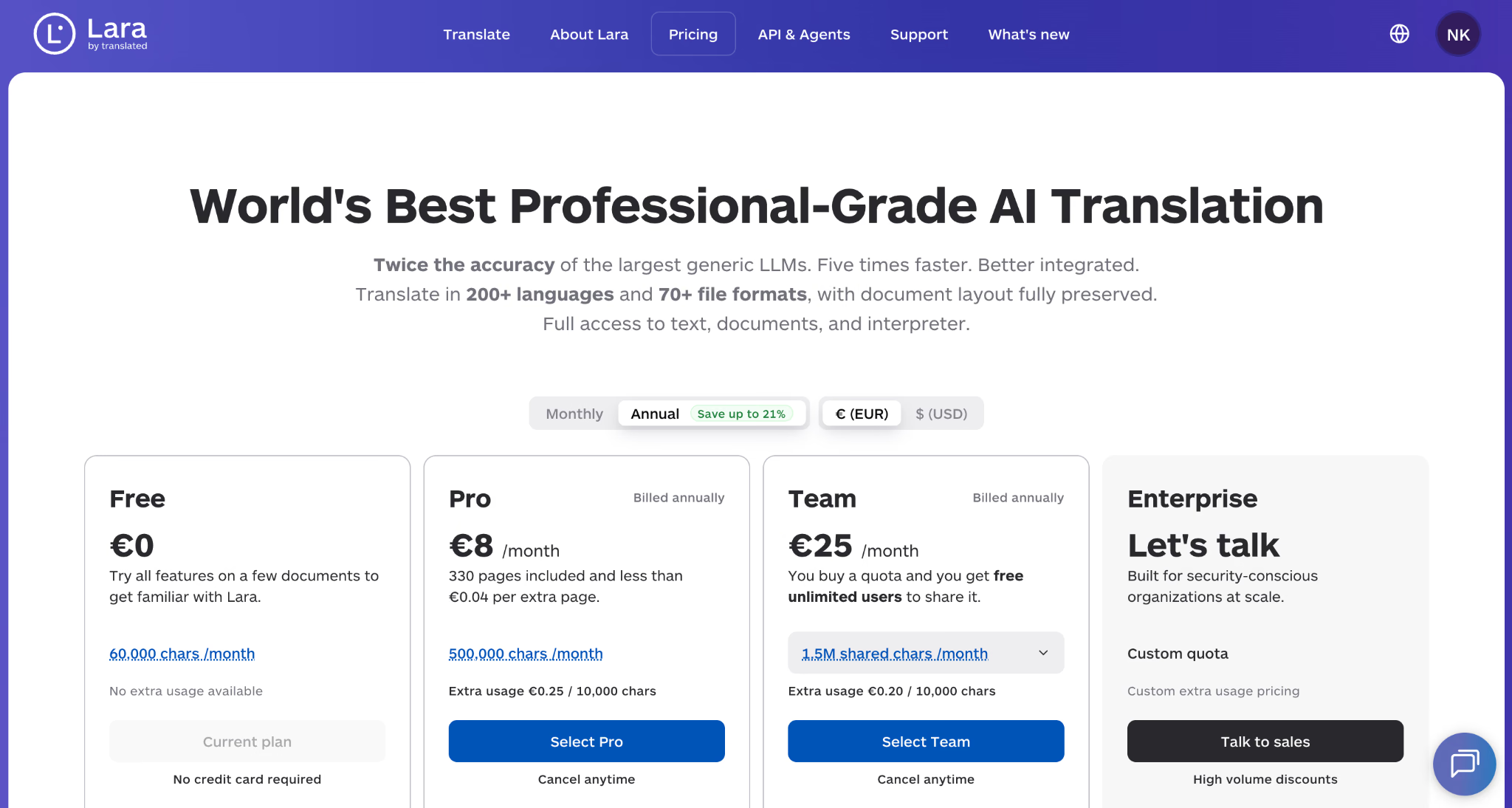
Pro: Starkes Kontextverständnis, transparente Übersetzungs-Erklärungen, Stilkontrollen für verschiedene Inhaltstypen, Unterstützung durch professionelle Übersetzer, breite Sprachabdeckung.
Kontra: Weniger auf lockere Reisefunktionen ausgerichtet als Consumer-Apps, die erweiterten Lokalisierungsfunktionen zielen eher auf professionelle Nutzer, und die Erklärungsfunktion mag für einfache Alltagsübersetzungen unnötig sein.
Am besten für: Unternehmen, Forschende und Fachleute, die einen Übersetzer brauchen, der Entscheidungen erklärt und komplexe Dokumente verarbeitet, bei denen Kontext mehr zählt als die reine Sprachanzahl.
Wie schneiden KI-Übersetzer bei echten japanischen Übersetzungstests ab
Fünf der 12 lieferten Ergebnisse nebeneinander, die ich auf dem Bildschirm festgehalten habe, und die Spanne zwischen dem besten und dem schlechtesten war weit größer, als jeder Funktionsvergleich vermuten ließe. Die übrigen sechs erscheinen in diesem Leitfaden auf Basis veröffentlichter Leistungsdaten und Preise statt auf Basis dieser Datei, und ich habe diese Unterscheidung klar markiert, statt einen Test anzudeuten, den ich nicht durchgeführt habe.
Die vier technischen Genauigkeitsprüfungen
Jeder KI-Übersetzer bekam dasselbe 521 Zeichen lange japanische Briefing. Ich bewertete jede Ausgabe anhand von vier Ankern, gewählt, weil ein menschlicher Fachmann alle vier sofort bemerken würde und ein allgemeiner Leser keinen davon.
- Genauigkeit der Materialspezifikation: Aluminiumlegierungspaneel A6063S-T5 mit fluorharzeingebrannter Beschichtung von 25 Mikrometern oder mehr.
- Bau- und Akustik-Terminologie: Doppellagige verstärkte Gipskartonplatte mit hochdichter Glaswolle, die D-50 oder höher erreicht.
- Produktname und Branchenkontext: Schwer begehbare Feinsteinzeugfliese, namentlich INAX Gravina NX.
- HLK- und Leistungs-Terminologie: Individuell verteiltes VRF-System und Abriebfestigkeit als verifizierte Eigenschaft.
Die Bewertungen
| KI-Übersetzer | Behaltene Anker von vier | Wo er ausrutschte |
|---|---|---|
| JotMe | 4 von 4 | Gab die Verpflichtungsform als „must" und „should" statt „shall" wieder, was zu einem weicheren Register als in der Quelle führte. |
| ChatGPT | 4 von 4 | Verwendete britische Schreibweise (aluminium) ohne Aufforderung und gab reinen Text zurück, ohne die ursprüngliche Formatierung zu erhalten. |
| QuillBot | 4 von 4 | Änderte die unpersönliche Spezifikation in die erste Person, zum Beispiel: „we will use the heavy-duty porcelain tile." |
| Google Translate | 3 von 4 | Löste VRF falsch als Voltage Refining auf. Die korrekte Auflösung ist Variable Refrigerant Flow. |
| iTranslate | 0 von 4 | Mehrere Terminologiefehler: Gipskartonplatte → Steinplatte, Feinsteinzeugfliese → Magnetfliese, Abriebfestigkeit → Malaria-Resistenz und VRF → individuelle Variante. |
JotMe: Vier von vier plus eine Erklärung
JotMe behielt jeden Anker und fügte etwas hinzu, das keiner der anderen produzierte. Unter dem Ausgabepanel erschien eine Erklärung auf Japanisch, die anmerkte, dass es sich um ein technisches Dokument über eine Hotelsanierung mit Fachterminologie und detaillierten Spezifikationen handelt, dass Erdbeben- und Katastrophenschutzleistung im japanischen Bauwesen besonderes Gewicht trägt und dass die neuesten technischen Begriffe einschließlich BIM angemessen wiedergegeben wurden.
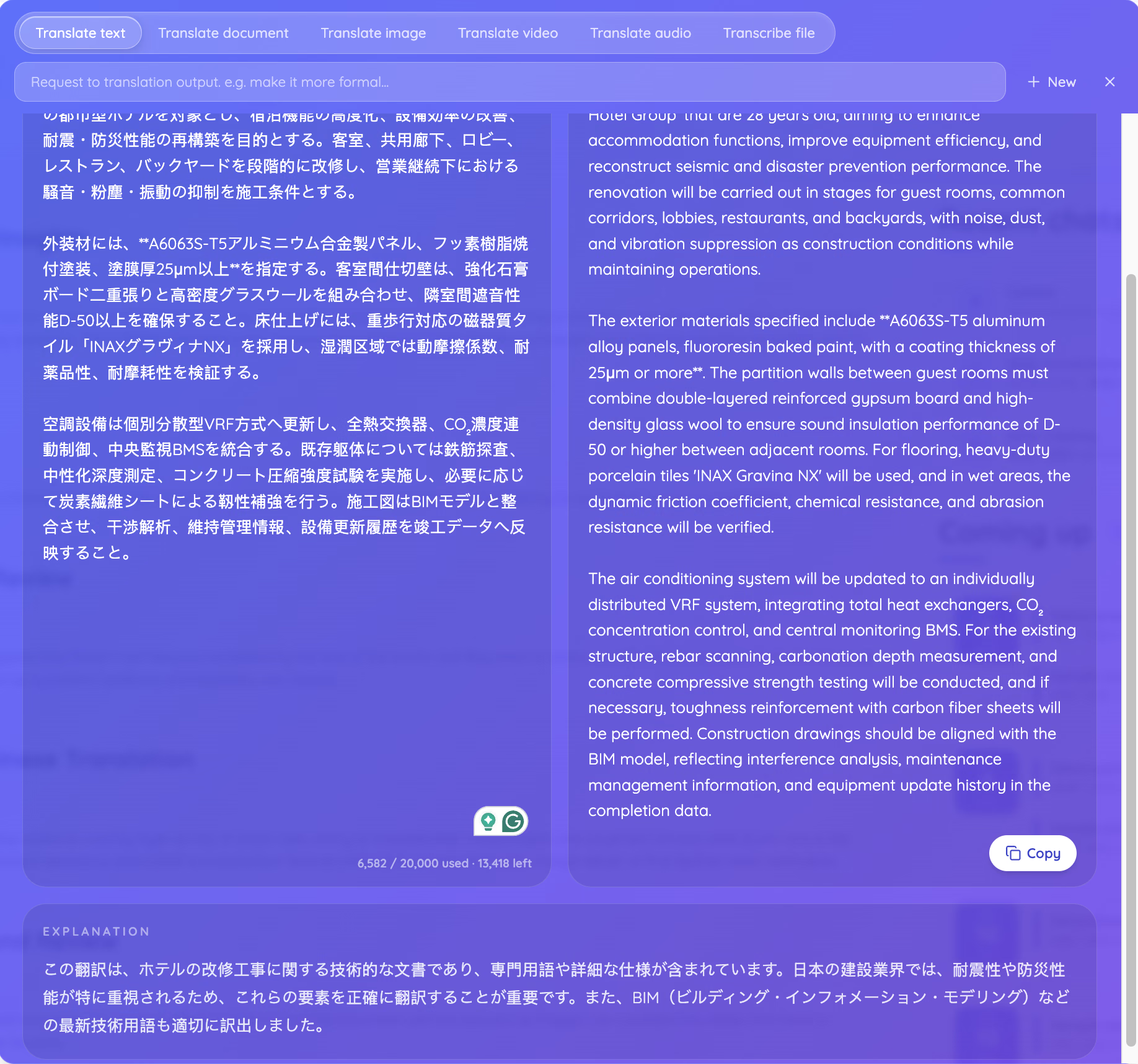
ChatGPT: Vier von vier mit dem besten Register
ChatGPT produzierte die einzige Ausgabe, die sich wie eine Spezifikation las statt wie eine Beschreibung. Es verwendete „shall be treated as a mandatory construction condition", „shall be verified" und „shall be implemented" und las damit die japanische Verpflichtungsform korrekt. Es wählte außerdem reinforcement-bar scanning gegenüber dem lockereren rebar detection und carbonation-depth measurement gegenüber carbonation depth measurement – beides die Begriffe, die ein Bausachverständiger verwenden würde.
Google Translate: Drei von vier und eine erfundene Auflösung
Google behielt den Legierungscode, die Beschichtungsdicke, den D-50-Wert und den Fliesennamen. Es schrieb dann „individual, distributed VRF (Voltage Refining) system". Die Quelle enthält überhaupt keine Auflösung, also lieferte die Engine eine – und sie lieferte die falsche. Ein Ingenieur, der diese Zeile liest, würde stutzen. Ein Projektmanager, der sie weiterleitet, nicht.
Das andere Verräterische ist stilistisch: Google beschriftete das Datumsfeld mit „Date of Formulation", einer wörtlichen Wiedergabe von 策定日, die kein englisches Bau-Briefing verwenden würde. Es hängte außerdem eine vollständige Romaji-Transliteration unter das Quellfeld, was für die Aussprache nützlich und für alle anderen Rauschen ist.
QuillBot: Vier von vier mit einem Register-Drift
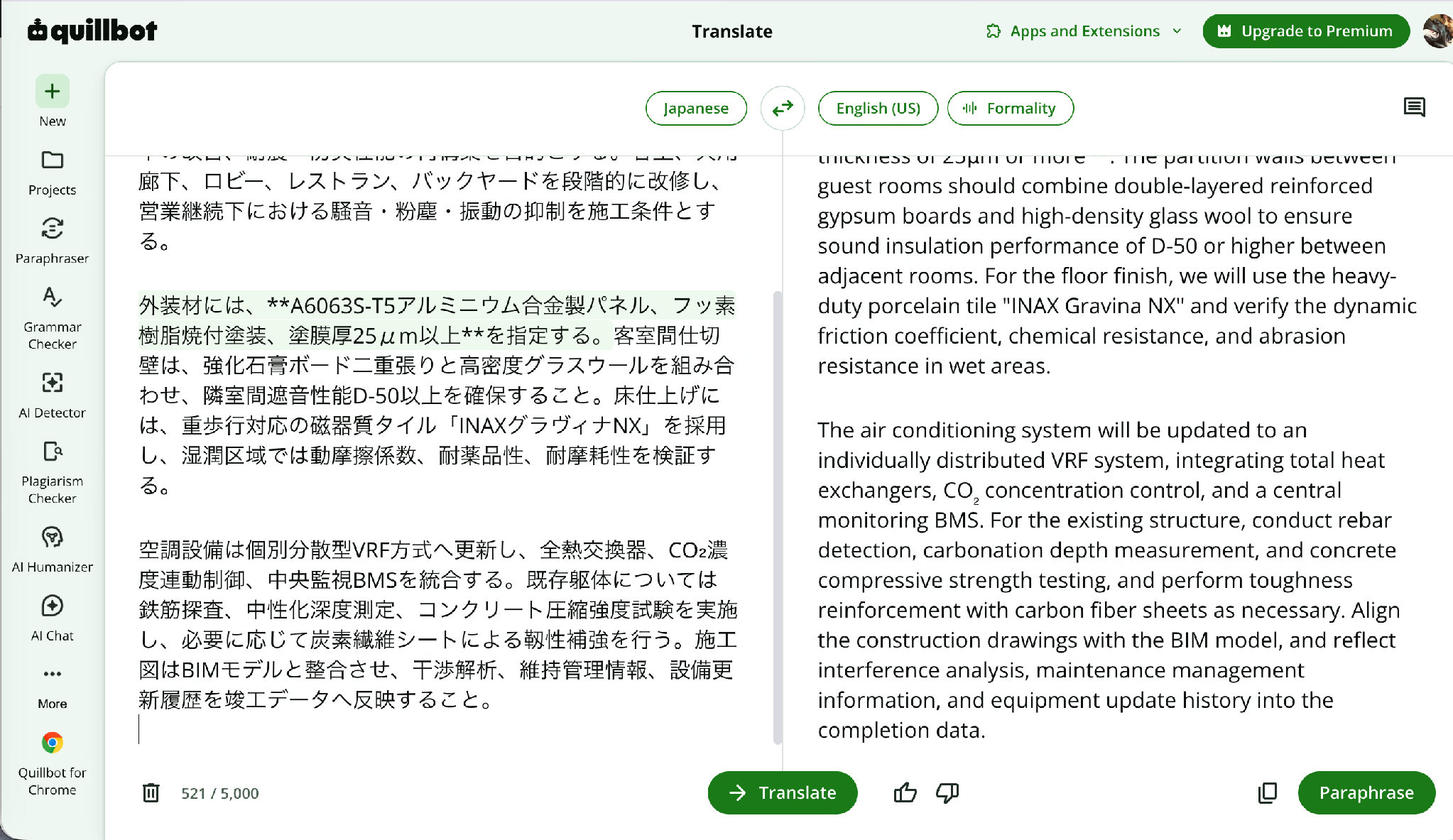
QuillBot überraschte mich. Ein Schreibwerkzeug mit angehängter Übersetzungsfunktion hielt jeden technischen Anker, einschließlich der vollständigen Drei-Eigenschaften-Klausel über dynamischen Reibungskoeffizienten, chemische Beständigkeit und Abriebfestigkeit. Es behielt außerdem rebar detection, carbonation depth measurement, concrete compressive strength testing, carbon fiber sheets, BIM-Abstimmung und Interferenzanalyse.
Seine Schwäche war die Stimme. Das Japanische verwendet unpersönliche Verpflichtung, und QuillBot schrieb „we will use the heavy-duty porcelain tile" und „For the floor finish, we will use". In einer Spezifikation, die einem Auftragnehmer übergeben wird, tragen „we will use" und „shall be used" unterschiedliches rechtliches Gewicht.
iTranslate: Null von vier
Die iTranslate-Ausgabe ist der Grund, warum dieser Test existiert. Verstärkte Gipskartonplatte wurde zu Steinplatte, was ein anderes Material mit anderem Brand- und Akustikverhalten ist. Schwer begehbare Feinsteinzeugfliese wurde zu gewichtsgesteuerter Magnetfliese, was kein existierendes Produkt ist. Die Drei-Eigenschaften-Klausel brach zusammen zu „the friction coefficient, resistant and resistant resistance and malarial resistance" und führte eine Tropenkrankheit in ein Hotelsanierungs-Briefing ein. Und individuell verteiltes VRF wurde zu individual variant VRF.
Ein Leser, der kein Japanisch versteht, hätte keine Möglichkeit, diese Fehler zu erkennen. Der übersetzte Text erscheint grammatikalisch korrekt und liest sich natürlich, aber die technische Bedeutung wurde unter der Oberfläche vollständig verzerrt. Genau hier kann eine flüssig klingende Übersetzung trotzdem scheitern.
Was der Test tatsächlich beweist
Flüssigkeit und Genauigkeit sind getrennte Eigenschaften, und jedes Tool hier ist flüssig. Die drei, die vier von vier erreichten, taten alle dasselbe: Sie behandelten den Absatz als zusammenhängendes technisches Dokument statt als Abfolge unabhängiger Sätze. Die zwei, die scheiterten, behandelten jede Klausel für sich und rieten, wenn ein Begriff unbekannt aussah.
Das ist das praktische Argument für KI-gestützte Sprachübersetzung, die Kontext liest, bevor sie sich festlegt, und es ist der Grund, warum das Erklärungspanel mehr zählt als jede Sprachanzahl auf einer Preisseite.
Welcher KI-Übersetzer passt zu Ihrer Arbeit
Passen Sie das Tool an das Artefakt und den Einsatz an, nicht an die Sprachanzahl. Nachfolgend die vier Situationen, die den größten Teil der Suchnachfrage nach KI zur Sprachübersetzung abdecken.
Für Studierende und Forschende, die Arbeiten übersetzen
Ein Doktorand der Stadtplanung, der japanische Bauvorschriften liest, braucht Terminologie-Stabilität über 200 Seiten, keine Chat-Oberfläche. Wordvice AI und QuillBot passen beide, weil die Übersetzung neben den Korrekturlese- und Zitierwerkzeugen landet, die die Einreichung tatsächlich erfordert. Nutzen Sie unseren kostenlosen KI-Übersetzer für präzise Ergebnisse in 200+ Sprachen. Diese Abdeckung zählt, wenn die Quelle als gescannte PDF oder fotografierte Seite ankommt, denn keine der beiden Schreibsuiten verarbeitet Bilder. Unser Leitfaden zu Text-zu-Text-KI-Übersetzern vergleicht die reinen Textoptionen ausführlicher.
Für Marketing-Teams, die Ihre Inhalte für ausländische Zielgruppen übersetzen
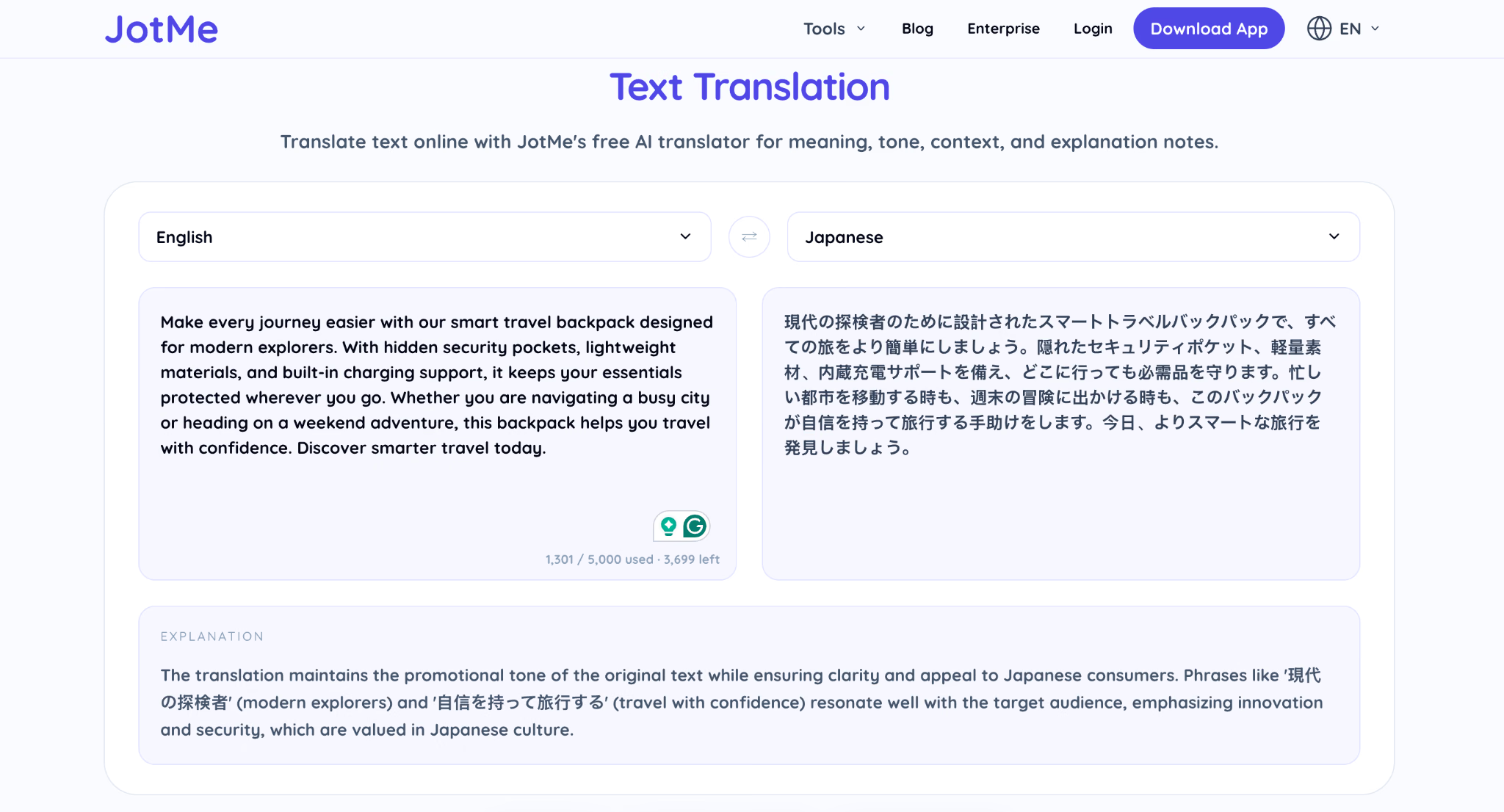
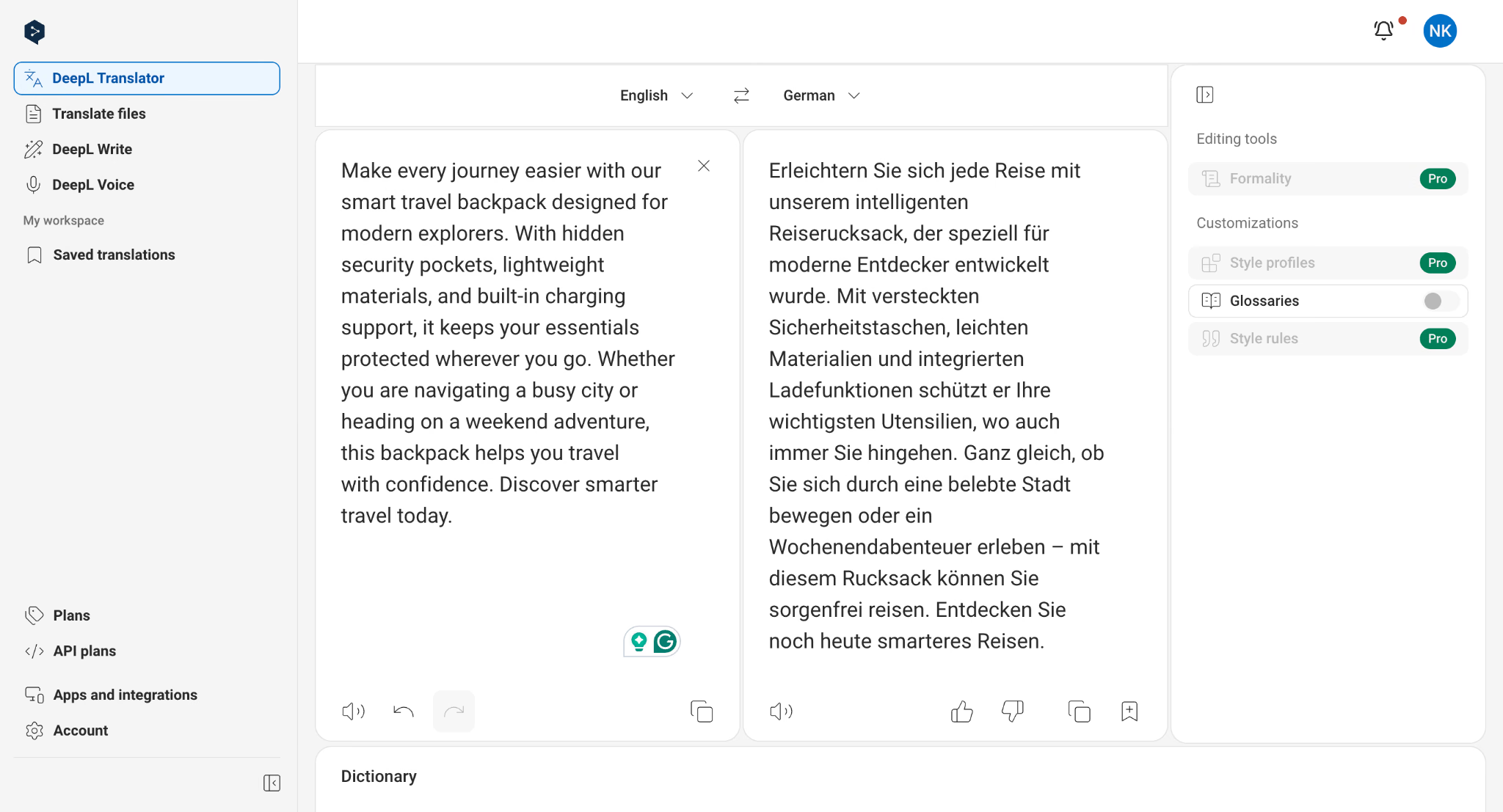
Eine Kampagnen-Landingpage, eine Produktbeschreibung und eine Social-Media-Bildunterschrift brauchen alle Tonfall, bevor sie Genauigkeit brauchen, denn ein technisch korrekter Satz, der sich wie Maschinenausgabe liest, killt die Conversion. DeepL führt für westeuropäische Märkte. JotMe deckt die asiatischen Märkte ab, die DeepL nicht erreicht, und seine Ausgabe-Steuerungs-Prompt lässt Sie um ein formelleres oder lockereres Register bitten, ohne die Quelle neu zu schreiben. Lassen Sie beide auf denselben Absatz laufen und lesen Sie sie laut, bevor Sie entscheiden.
JotMe Englisch nach Japanisch-Übersetzung für Inhalte einer Produkt-Landingpage:
DeepL Englisch nach Deutsch:
Für Operations-Teams, die Lieferantendokumente bearbeiten
Ein Einkaufsleiter, der in einer Woche ein koreanisches Qualitätszertifikat, ein japanisches Materialsicherheitsdatenblatt und eine chinesische Packliste erhält, braucht Dokumentübersetzung mit intaktem Layout – und das Layout ist der Punkt. Eine wiederaufgebaute PDF wandert in den Compliance-Ordner. Extrahierter reiner Text wandert nirgendwohin. JotMe und SYSTRAN erhalten beide die Struktur, und SYSTRAN ergänzt On-Premise-Bereitstellung, wenn die Dokumente das Netzwerk nicht verlassen dürfen.
Für alle, die mit aufgezeichneten Medien arbeiten
Ein aufgezeichnetes Produkt-Briefing, eine Sprachnachricht eines Lieferanten und eine Konferenzsitzung widersetzen sich Text-Tools vollständig. Ein KI-Video-Übersetzer verarbeitet das erste, Audio-Dubbing verarbeitet das zweite, und der Transkriptions-Tab wandelt beides in Text um, den Sie durchsuchen können. Wenn das Gespräch noch nicht stattgefunden hat, ist Echtzeit-Abdeckung eine ganz andere Kategorie, und sie lebt auf unserer Seite zum Live-Übersetzungstool.
Wie übersetzen Sie ein Dokument mit einem KI-Übersetzer
Sie übersetzen ein Dokument in fünf Schritten, und die Schritte bleiben über jedes Tool in diesem Leitfaden hinweg ungefähr gleich. Hier ist der Ablauf mit JotMe, da es die breiteste Palette an Dateitypen akzeptiert.
Schritt 1: Öffnen Sie die Übersetzungsleiste und wählen Sie den Tab, der zu Ihrer Datei passt
Beginnen Sie damit, die Übersetzungsleiste zu öffnen und die Option zu wählen, die zu Ihrem Inhalt passt. Nutzen Sie „Text übersetzen" für reinen Text, „Dokument übersetzen" für Dateien wie PDF, DOCX, PPTX, XLSX, HTML, TXT, SRT, XLIFF, IDML, XML, JSON, DITA und MIF und „Bild übersetzen" für Screenshots oder Fotos. Die Wahl des richtigen Modus stellt sicher, dass JotMe Struktur und Formatierung intakt hält, statt nur extrahierten Text zurückzugeben.
Schritt 2: Laden Sie die Datei hoch und bleiben Sie unter der Größengrenze
Der Dokument-Tab akzeptiert Dateien bis zu 100 MB. Große gescannte PDFs nähern sich dieser Obergrenze schneller, als Menschen erwarten, also prüfen Sie das, bevor Sie ein vollständiges Handbuch hochladen.
Schritt 3: Legen Sie die Ausgabesprache fest
Wählen Sie aus 200+ unterstützten Sprachen oder lassen Sie die automatische Erkennung die Quellsprache selbst identifizieren. Das ist nützlich, wenn Sie eine Datei von einem Lieferanten oder Kunden erhalten, ohne zu wissen, welche Sprache sie enthält. Wählen Sie dann die Sprache, in die das Dokument übersetzt werden soll.
Schritt 4: Steuern Sie das Register, wenn das Dokument es braucht
Nutzen Sie die Anfrageleiste über der Eingabe, um einen formelleren Ton, einfacheres Englisch oder die konsistente Verwendung eines bestimmten Begriffs zu erbitten. Dieser eine Schritt hätte den Register-Drift verhindert, den ich in der QuillBot-Ausgabe sah.
Schritt 5: Laden Sie die übersetzte Datei herunter und prüfen Sie sie gegen die Quelle
Führen Sie die Vier-Anker-Prüfung aus dem Testabschnitt oben durch. Ziehen Sie jede Zahl, jeden Produktnamen, jeden Legierungscode und jede Bewertung aus der Quelle und bestätigen Sie dann, dass jedes davon in der Ausgabe erscheint. Das dauert bei einem zweiseitigen Dokument etwa fünf Minuten und fängt die Fehler ab, die zählen.
Kann KI Sprachen genau genug für professionelle Arbeit übersetzen
Ja für das Verständnis, und ja für die Veröffentlichung nach einer menschlichen Prüfung – mit dem ehrlichen Vorbehalt, dass kein Tool in diesem Leitfaden einen fehlerfreien 521-Zeichen-Absatz produzierte. Drei behielten jeden technischen Anker. Eines erfand eine technische Auflösung. Eines produzierte eine Ausgabe, die einen Baustreit ausgelöst hätte.
Die praktische Regel, der ich jetzt folge: Ein KI-Übersetzer bringt Sie in Sekunden zu einem prüfbaren Entwurf, und die Prüfung ist bei allem, was eine Zahl enthält, nicht optional. Wo das Material gesprochen statt geschrieben ist, ändern sich sowohl das Werkzeug als auch die Entscheidung, weshalb KI-Dolmetscher-Apps eine eigene Kategorie mit eigenen Siegern bilden und weshalb das Einrichten eines Live-Übersetzers für ein Gespräch einem völlig anderen Workflow folgt als das Hochladen einer Datei.
Welchen KI-Übersetzer würden Sie tatsächlich morgen nutzen
Für ein japanisches oder koreanisches Lieferantendokument mit Zahlen darin: JotMe, weil es jeden Anker behielt, die Datei wiederaufbaut statt sie zu reduzieren und seine eigenen Entscheidungen so erklärt, dass ich eine Sprache prüfen kann, die ich nicht lesen kann.
Für eine deutsche Marketingseite: DeepL, weil nichts sonst europäische Prosa so natürlich schreibt. Für komplexe professionelle Übersetzung, bei der es zählt, zu verstehen, warum ein Begriff gewählt wurde, ist Lara eine Überlegung wert, weil es kontextbezogene Übersetzung mit Erklärungen und Optionen für menschliche Prüfung verbindet. Für das schnelle Lesen einer Speisekarte oder eines Schildes nutzen Sie Google Translate, weil es kostenlos und sofort ist und die Kosten eines Fehlers null sind.
Was auch immer Sie wählen, führen Sie die Vier-Anker-Prüfung an Ihrer ersten echten Datei durch, bevor Sie ihr ein Kundenprodukt anvertrauen. Ziehen Sie die Zahlen, die Produktnamen und die Bewertungen aus der Quelle und bestätigen Sie dann, dass jedes davon überstanden hat. Wenn Sie mit der Text-Engine beginnen möchten, verarbeitet der JotMe KI-Textübersetzer das erste Einfügen kostenlos.
FAQs
Was ist ein KI-Übersetzer?
Ein KI-Übersetzer ist Software, die neuronale maschinelle Übersetzung und Large Language Models nutzt, um Text, Sprache, Bilder oder Dokumente von einer Sprache in eine andere zu übertragen und dabei den Kontext berücksichtigt, statt Wörter einzeln zu ersetzen. Die modernen Versionen lesen umgebende Sätze, bevor sie sich auf eine Wiedergabe festlegen – so bewältigen sie Redewendungen, technische Register und Akronyme, an denen ältere regelbasierte Engines scheiterten.
Kann KI Sprachen besser übersetzen als ein Wörterbuch-Nachschlagen?
Ja, und der Abstand wird größer, je länger der Text wird. Ein Wörterbuch bewältigt ein Wort. Ein KI-Übersetzer bewältigt eine Klausel im Kontext des Absatzes, der sie umgibt. Mein Test zeigte den Unterschied klar: Die Tools, die das vollständige Briefing lasen, behielten den D-50-Schallschutzwert als Wert, während das Tool, das Klausel für Klausel las, eine Abrieb-Eigenschaft in eine Krankheit verwandelte.
Was ist der beste kostenlose KI-Übersetzer?
Google Translate für die Breite, Apple Translate für den Datenschutz auf dem iPhone und JotMe für alle, die im kostenlosen Tarif mehr als Text brauchen. QuillBot bietet mit 5.000 pro Eingabe die großzügigste kostenlose Zeichengrenze, während Wordvice AI bei 500 stoppt, was kleiner ist als ein einzelnes Abstract.
Erhält ein KI-Übersetzer die Dokumentformatierung?
Manche Tools tun das, etwa JotMe, DeepL und SYSTRAN; alle bauen das Dokument wieder auf, statt reinen Text zurückzugeben, und JotMe deckt 15 Dateiformate bis zu 100 MB ab, einschließlich PPTX, IDML und XLIFF. Reine Text-Tools wie QuillBot, Wordvice AI und ChatGPT geben Ihnen Prosa zurück, die Sie dann selbst platzieren müssen.
Was ist ein KI-Video-Übersetzer und wie unterscheidet er sich von Untertiteln?
Ein KI-Video-Übersetzer erzeugt eine synchronisierte Tonspur in der Zielsprache statt nur Text auf dem Bildschirm, und die besseren erhalten die ursprünglichen Sprecherstimmen. JotMe führt dies in vier Stufen aus: Sprecher analysieren, Skript übersetzen, synchronisierte Tonspur erzeugen und Untertitel hinzufügen – dann bietet es sowohl das synchronisierte Video als auch die Untertiteldatei zum Download an. Untertitelung gibt Ihnen Text zum Lesen, und Dubbing gibt Ihnen etwas, das ein Zuschauer ohne Lesen ansehen kann.
Wird mein Dokument nach einer KI-Sprachübersetzung gespeichert?
Das hängt vollständig vom Anbieter ab, und das ist die Frage, die die Leute überspringen. JotMe bewahrt nach Abschluss des Auftrags keine hochgeladene Datei auf einem Server auf. DeepL gibt ab dem Individual-Tarif kein Datentraining an. SYSTRAN bietet On-Premise-Bereitstellung, sodass Dateien Ihr Netzwerk überhaupt nicht verlassen. Kostenlose Consumer-Tools machen in der Regel die schwächsten Zusagen, also lesen Sie die Richtlinie, bevor Sie etwas unter einer Geheimhaltungsvereinbarung hochladen.
Wie viele Sprachen unterstützt der beste KI-Übersetzer?
JotMe deckt 200+ Sprachen und 39.000+ Sprachpaare ab, was die breiteste echte Abdeckung in diesem Leitfaden ist, sobald man Marketing-Zahlen ausschließt, die Text, Sprache und Kameraeingabe in eine Zahl mischen. Google Translate listet mehr als 130. DeepL deckt rund 30 mit der höchsten Qualität pro Sprache ab. Apple Translate stoppt unter 20.
Last updated on
13. August 2026
Follow us on social media: