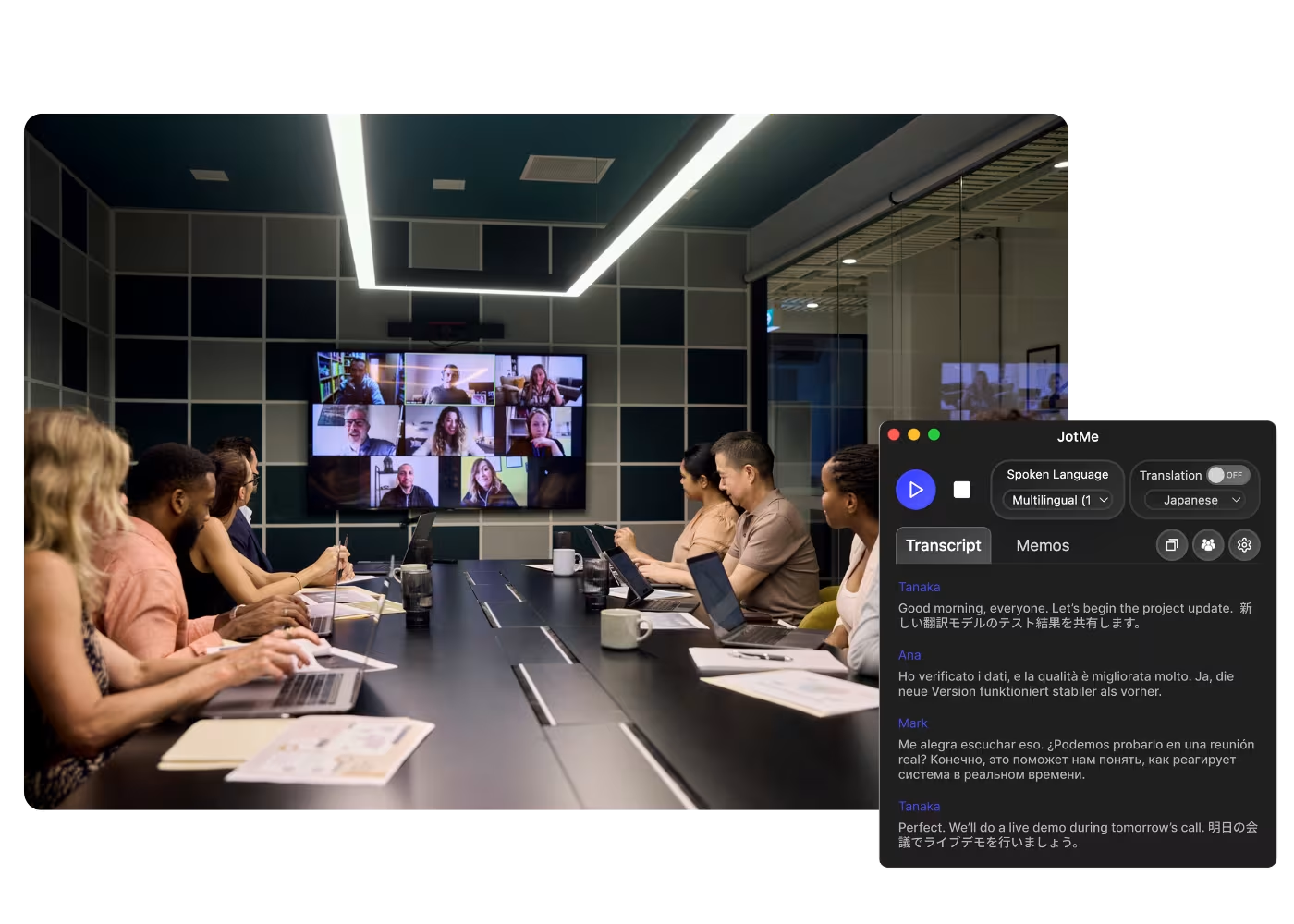
Desktop-App für alle Calls auf Ihrem Computer

Mehrsprachige Transkription, Live-Sprachübersetzung, Notizfunktion, KI-Suche, Echtzeit-Zusammenfassung, benutzerdefiniertes Vokabular, KI-Besprechungsprotokolle, Audio-Aufzeichnungen und mehr.

Mobile App für Gespräche vor Ort

Live-Sprachübersetzung und KI-Sprachgenerierung für iPhone und Android.

Chrome-Erweiterung für Google Meet

Echtzeit-Transkription, Live-Sprachübersetzung, Notizfunktion, KI-Besprechungsprotokolle.
Zu Chrome hinzufügen
Sofortiger Test verfügbar

Google Meet Transcript

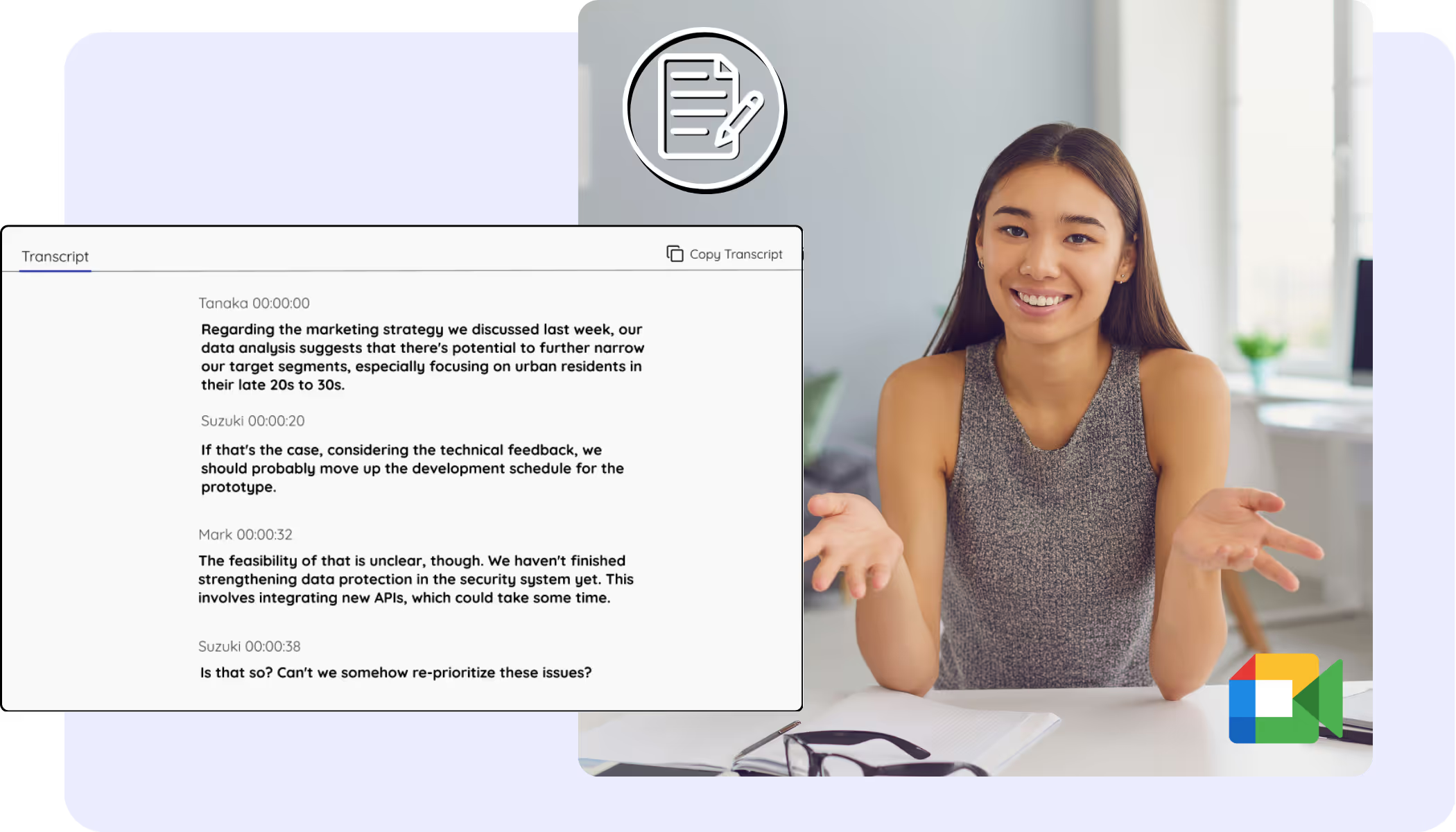
Every Google Meet becomes a clean, accurate transcript with speaker names, saved to your dashboard from live calls or recordings you upload. The Meet captions you always wanted to keep, search, and copy.
Vertrauensvoll genutzt von 2.000 Teams und 500.000 Fachkräften in 134 Ländern


Bewertet mit 4,7/5
DSGVO-konform
SOC 2 Typ II (in Bearbeitung)

Transcript Chrome Extension for Google Meet

Need to verify meeting details or maintain recordings for company compliance? JotMe provides instant access to your transcripts right after your Google Meet sessions, supporting up to 77 languages. Sign up today for free – no credit card required – and never miss an important detail again!

How to get the transcript of a Google Meet

In 3 einfachen Schritten!

SCHRITT 1

1. Add the Chrome extension, or upload your Meet recording

Add JotMe to Chrome or get the desktop app in about 30 seconds. Already have a recorded Meet? Upload it for the full transcript with speaker labels.

SCHRITT 2

2. Set the spoken language

Choose the language being spoken in the meeting, for example Japanese. If people switch languages, pick multilingual mode.

SCHRITT 3

3. Open your transcript

Your transcript is on the dashboard the moment the call ends, with speaker labels, search, editing, and copy or share one click away.

Sehen Sie es in Aktion!

What teams use Google Meet transcripts for

A woman is working effectively

Global all-hands & team meetings

Every all-hands and team meeting archived as a searchable transcript.

Track Conversations in Real-Time

Sales & client calls

Pull exact quotes and commitments from client calls when you need them.

A group a having a discussion and speech is transcribed

Recorded Meet meetings

No time to run it live? Upload the recording to Audio to Text or Video to Text for the transcript of a Meet recording, with speaker labels, an accurate transcript, translation, and AI notes.

Häufig gestellte Fragen

Alles, was Sie über die Durchführung von Meetings und Veranstaltungen mit JotMe wissen müssen.

Is Google Meet transcript free?

Yes, it is free to get started!

How do I add the transcript extension for Google Meet?

Install the JotMe Chrome extension to your Chrome browser. Set the language preference to receive transcripts after your Google Meet sessions.

Where is the Google Meet transcript stored?

Transcripts are stored on the dashboard. Access them from the transcription dashboard, Chrome extension popup, or URL.

Can I search for specific words in the transcript?

Yes! Visit the dashboard and use cmd + F to search for specific words in your transcript.

Which languages are available for Google Meet transcripts?

Transcripts are available in 77 languages, including Japanese, Chinese, Korean, Spanish, Portuguese, French, German, Swedish, Finnish, Arabic, Hindi, Urdu, Turkish, Norwegian, Italian, Burmese, Russian, Filipino, Swahili, Hungarian, and more. Ensure you select the correct language during your Google Meet.

The Easiest and Most Reliable Way to Store and Access Google Meet Transcripts, from Audio to Text.

Verfügbare Sprache
Afrikaans (Südafrika)
Albanisch (Albanien)
Amharisch (Äthiopien)
Arabisch (Vereinigte Arabische Emirate)
Arabisch (Ägypten)
Arabisch (Levante)
Arabisch (Maghreb)
Armenisch (Armenien)
Baskisch (Spanien)
Bengalisch (Bangladesch)
Bulgarisch (Bulgarien)
Burmesisch (Myanmar)
Katalanisch (Spanien)
Chinesisch Mandarin (Vereinfacht)
Chinesisch Mandarin (Traditionell)
Niederländisch
Englisch
Englisch (Australien)
Englisch (Indien)
Englisch (Philippinen)
Englisch (UK)
Estnisch (Estland)
Filipino (Philippinen)
Finnisch (Finnland)
Französisch
Französisch (Kanada)
Galicisch (Spanien)
Georgisch (Georgien)
Deutsch
Gujarati (Indien)
Hebräisch (Israel)
Hindi
Ungarisch (Ungarn
Indonesisch (Indonesien)
Italienisch
Japanisch
Javanisch (Indonesien)
Kannada (Indien)
Khmer (Kambodscha)
Kinyarwanda (Ruanda)
Koreanisch
Lettisch (Lettland)
Mazedonisch (Nordmazedonien)
Lettisch (Lettland)
Mazedonisch (Nordmazedonien)
Malayalam (Indien)
Marathi (Indien)
Mongolisch (Mongolei)
Nepali (Nepal)
Nord-Sotho (Südafrika)
Norwegisch (Norwegen)
Persisch (Iran)
Polnisch (Polen)
Portugiesisch (Brasilien)
Portugiesisch (Portugal)
Rumänisch (Rumänien)
Russisch
Sesotho (Südafrika
Singhalesisch (Sri Lanka)
Slowakisch (Slowakei)
Slowenisch (Slowenien)
Spanisch (Mexiko)
Spanisch (Spanien)
Sundanesisch (Indonesien)
Swahili
Swati (Südafrika)
Schwedisch (Schweden)
Tamil (Indien)
Telugu (Indien)
Thailändisch (Thailand)
Tshivenda (Südafrika)
Tswana (Südafrika)
Türkisch (Türkei)
Urdu (Pakistan)
Usbekisch (Usbekistan)
Vietnamesisch (Vietnam)
Xhosa (Südafrika)
Xitsonga (Südafrika)
Zulu (Südafrika)

MORE THAN GOOGLE MEET TRANSCRIPT

JotMe not only provides access to the Google Meet transcripts but also offers translation and post-meeting tools. Explore our comprehensive suite of multilingual AI tools - from AI translation to AI meeting notes. Automate your transcript storing and other tasks with JotMe to focus on more impactful tasks, such as decision-making and tackling action items effectively.

Führen Sie jedes Meeting und Event ür Ihre mehrsprachigen Abläufe reibungslos durch

Transkribieren, dolmetschen und übersetzen Sie jede wichtige Unterhaltung und wandeln Sie sie mit Kontext in Insights um, damit alle über Sprachgrenzen hinweg abgestimmt bleiben.

Google Meet Transcript

Every Google Meet becomes a clean, accurate transcript with speaker names, saved to your dashboard from live calls or recordings you upload. The Meet captions you always wanted to keep, search, and copy.

Kostenloser Tarif. Keine Kreditkarte erforderlich.

Pick your language, hit start, and speak. JotMe transcribes as you talk and improves accuracy as the conversation continues. Open the full demo.

Vertrauensvoll genutzt von 2.000 Teams und 500.000 Fachkräften in 134 Ländern

Bewertet mit 4,7/5
DSGVO-konform
SOC 2 Typ II (in Bearbeitung)

A complete, accurate transcript for every Google Meet

Everything you need to find, read, and share what was said.

Kontextbewusst, ultrapräzise

Präzise, weil JotMe im Kontext arbeitet: Es berücksichtigt den Sprecher, den Fokus Ihres Teams, das bisherige Gespräch und Ihre eigenen Begriffe – so landen Namen, Akronyme und Fachjargon korrekt im Transkript.

Sprecher-Labels inklusive

JotMe kennzeichnet jeden Sprecher, während er spricht, sodass Ihr Meet-Transkript mit Sprechernamen leicht zu verfolgen ist – und Sie können Sprecher nachträglich umbenennen.

200+ Sprachen, live oder aus einer Aufnahme

Erhalten Sie Transkripte für Meet-Meetings in 200+ gesprochenen Sprachen – aus dem Live-Call oder der Meet-Aufnahme, die Sie danach hochladen.

Ihr Transkript wird gespeichert

Jedes Transkript bleibt in Ihrem Dashboard mit Sprecher-Labels erhalten – bereit, wann immer Sie nachsehen müssen, was gesagt wurde.

Kein Bot, keine Einrichtung

JotMe erfasst Meet-Untertitel in Ihrem Browser oder den Ton auf Ihrem Computer. Kein Bot tritt dem Call bei, und es gibt nichts, das jemand anderes installieren oder aktivieren müsste.

Eigenes Wörterbuch und automatische Spracherkennung

Steigern Sie die Genauigkeit mit branchenspezifischen Begriffen und eigenen Ersetzungen. JotMe erkennt zudem die gesprochene Sprache automatisch, sodass Sie sie nie von Hand einstellen.

How to get the transcript of a Google Meet

Three steps, under a minute. No Meet settings, no bot invite, no host approval. Already have a recording? Upload it instead.

STEP 1

1. Add the Chrome extension, or upload your Meet recording

Add JotMe to Chrome or get the desktop app in about 30 seconds. Already have a recorded Meet? Upload it for the full transcript with speaker labels.

STEP 2

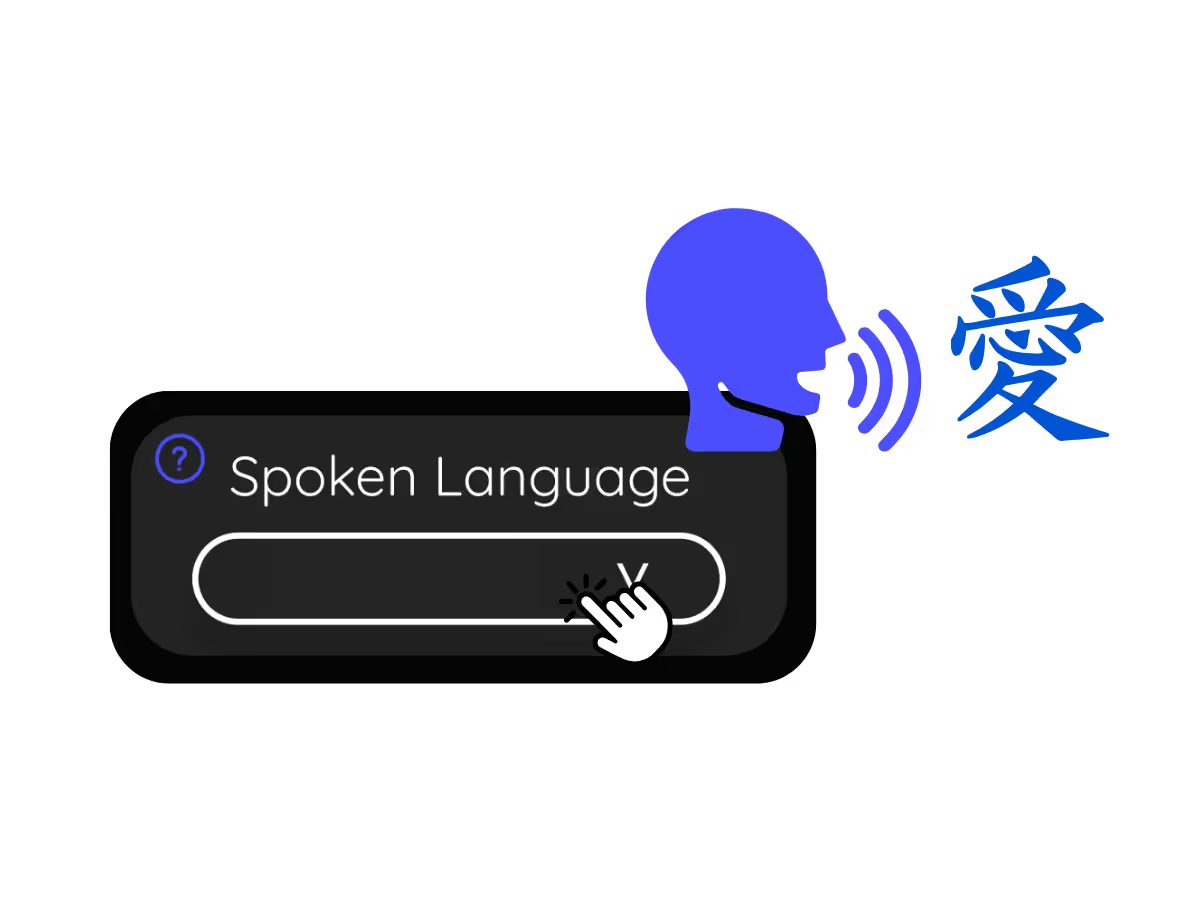
2. Set the spoken language

Choose the language being spoken in the meeting, for example Japanese. If people switch languages, pick multilingual mode.
STEP 3

3. Open your transcript

Your transcript is on the dashboard the moment the call ends, with speaker labels, search, editing, and copy or share one click away.

What teams use Google Meet transcripts for

From daily standups to all-hands, JotMe keeps every attendee in the conversation.

Global all-hands & team meetings

Every all-hands and team meeting archived as a searchable transcript.

Sales & client calls

Pull exact quotes and commitments from client calls when you need them.

Recorded Meet meetings

No time to run it live? Upload the recording to Audio to Text or Video to Text for the transcript of a Meet recording, with speaker labels, an accurate transcript, translation, and AI notes.

Compliance & documentation

Keep a searchable record of what was agreed, with speaker labels, accessible anytime on your dashboard.

See it in action

Watch a Google Meet become a clean transcript with speaker labels, ready to search.

Mehr als 500.000 Fachkräfte führen Meetings und Events mit JotMe reibungslos durch

Erfahren Sie, welche Ergebnisse Nutzer mit JotMe erzielen, wenn sie Lücken in mehrsprachigen Abläufen schließen.

Bewertet 4.7/5
Bewertet 4.7/5
"Da meine Arbeit Übersetzungen und die Überbrückung von Kulturen umfasst, hat sich dieses Tool als bahnbrechend für meine tägliche Arbeit erwiesen."
Adams
Operationsspezialist / Tiktok
"Japanisch war für mich einst ein Rätsel, aber dieses Produkt machte es mit kontextuellem Verständnis klar und zugänglich."
Stamatis
Berater / Deloitte
"JotMe optimiert unsere mehrsprachigen Meetings und sorgt für eine reibungslose Zusammenarbeit in unserem schnelllebigen Arbeitsumfeld."
Cesar
Programm-Manager / Amazon
"Diese zweisprachige Funktion optimiert die Notizen bei der Arbeit, spart Zeit und steigert die Effizienz in beiden Sprachen."
Yusuke
Vertriebsleiter / NTT
"Unerlässlich für Nicht-Muttersprachler; vereinfacht komplexe Meetings mit Echtzeit-Übersetzung und präzisen Transkriptionen."
Jesse
Software-Freelancer
"Die Übersetzung, die wir seit Jahren brauchten – jetzt Realität mit JotMe!"
Elston
CEO & Gründer / Tiny.host
"Da meine Arbeit Übersetzungen und die Überbrückung von Kulturen umfasst, hat sich dieses Tool als bahnbrechend für meine tägliche Arbeit erwiesen."
Adams
Operationsspezialist / Tiktok
"Japanisch war für mich einst ein Rätsel, aber dieses Produkt machte es mit kontextuellem Verständnis klar und zugänglich."
Stamatis
Berater / Deloitte
"JotMe optimiert unsere mehrsprachigen Meetings und sorgt für eine reibungslose Zusammenarbeit in unserem schnelllebigen Arbeitsumfeld."
Cesar
Programm-Manager / Amazon
"Diese zweisprachige Funktion optimiert die Notizen bei der Arbeit, spart Zeit und steigert die Effizienz in beiden Sprachen."
Yusuke
Vertriebsleiter / NTT
"Unerlässlich für Nicht-Muttersprachler; vereinfacht komplexe Meetings mit Echtzeit-Übersetzung und präzisen Transkriptionen."
Jesse
Software-Freelancer
"Die Übersetzung, die wir seit Jahren brauchten – jetzt Realität mit JotMe!"
Elston
CEO & Gründer / Tiny.host

Häufig gestellte Fragen

Alles, was Sie über die Durchführung von Meetings und Veranstaltungen mit JotMe wissen müssen.

How do I get a transcript of a Google Meet?

Run JotMe during the meeting, through the Chrome extension or desktop app, or upload the recording afterward. Either way you get a full transcript with speaker labels on your dashboard.

Can I save what the Google Meet captions said?

Yes, this is exactly what JotMe is for. It saves the captions as a transcript you can keep, search, and copy, so your Google Meet captions never vanish when the call ends.

Is the Google Meet transcript free?

Yes. JotMe's free plan includes transcription minutes, and no credit card is required. Upgrade when you need more.

How accurate is the transcript?

JotMe builds the transcript with five layers of context: your user profile, your operational context, real-time memory of the meeting, your custom terms, and the flow from previous speech, so names and terms stay accurate. Speaker labels keep it easy to follow.

Can I edit, search, and share the transcript?

Yes. On your dashboard you can edit speaker names and text, search the conversation, translate it, and copy or share it.

What languages are supported for Google Meet transcripts?

JotMe transcribes 200+ spoken languages on Meet, including Hindi, Hebrew, Tamil, and Bengali, which already have dedicated transcript pages. See the full list on the available languages page.

Can I translate the transcript?

Yes. Translate the transcript into your language on the dashboard, and get the AI notes and summary in the same language.

Heading

You can translate
Bulgarian
Catalan
Mandarin (Simplified
Mandarin (Traditional)
Cantonese (Traditional)
Czech, Danish
Dutch
English (US)
English (UK)
English (Australia)
English (New Zealand)
English (India)
Estonian, Finnis
French
French (Canada
German
German (Switzerland
Greek
Hindi
Hungarian
Indonesian
Italian
Japanese
Korean
Latvian
Lithuanian
Malay
Dutch (Flemish)
Norwegian
Polish
Portuguese
Portuguese (Brazil)
Portuguese (Portugal)
Romanian
Russian
Slovak
Spanish
Spanish (Latin America)
Swedish
Thai
Turkish
Ukrainian
Vietnamese

The transcript of every Google Meet, one click away

The full Google Meet transcript, with speaker names, saved and searchable on your dashboard after every meeting, from live calls or uploaded recordings. Yours to keep.