컴퓨터의 모든 통화에 대응하는데스크톱 앱

다국어 음성 텍스트 변환, 실시간 음성 번역, AI 회의록 작성, AI 검색, 실시간 요약, 사용자 정의 어휘, 음성 녹음 등을 지원.

대면 대화를 위한 모바일 앱

iPhone·Android용 실시간 음성 번역과 AI 음성 생성.

Google Meet용 Chrome 확장 프로그램

실시간 음성 텍스트 변환, 실시간 음성 번역, AI 회의록.
Chrome
에 추가
바로 체험할 수 있습니다

Google Meet Transcription

Transcribe every Google Meet as it happens, right in your browser with the Chrome extension or on the desktop app for 200+ languages, live or from a recording you upload, with accurate, searchable text.
134개국·2,000개 팀·50만 명의 비즈니스 전문가가 사용하고 있습니다


평점 4.7/5
GDPR 준수
SOC 2 Type II (진행 중)

AI-powered Real-time Transcription on Google Meet

Struggle with missing key points during fast-paced meetings? Or find it difficult to understand certain terms before the conversation moves on? With JotMe's audio-to-text feature, you can effortlessly capture every word and instantly look up unfamiliar terms. Whether you're reviewing past discussions or clarifying new information, JotMe has you covered. Enjoy support for 200+ languages. Stay on top of every detail – sign up for free today, no credit card required!

What teams use Google Meet transcription for

간단한 3단계로!

1단계

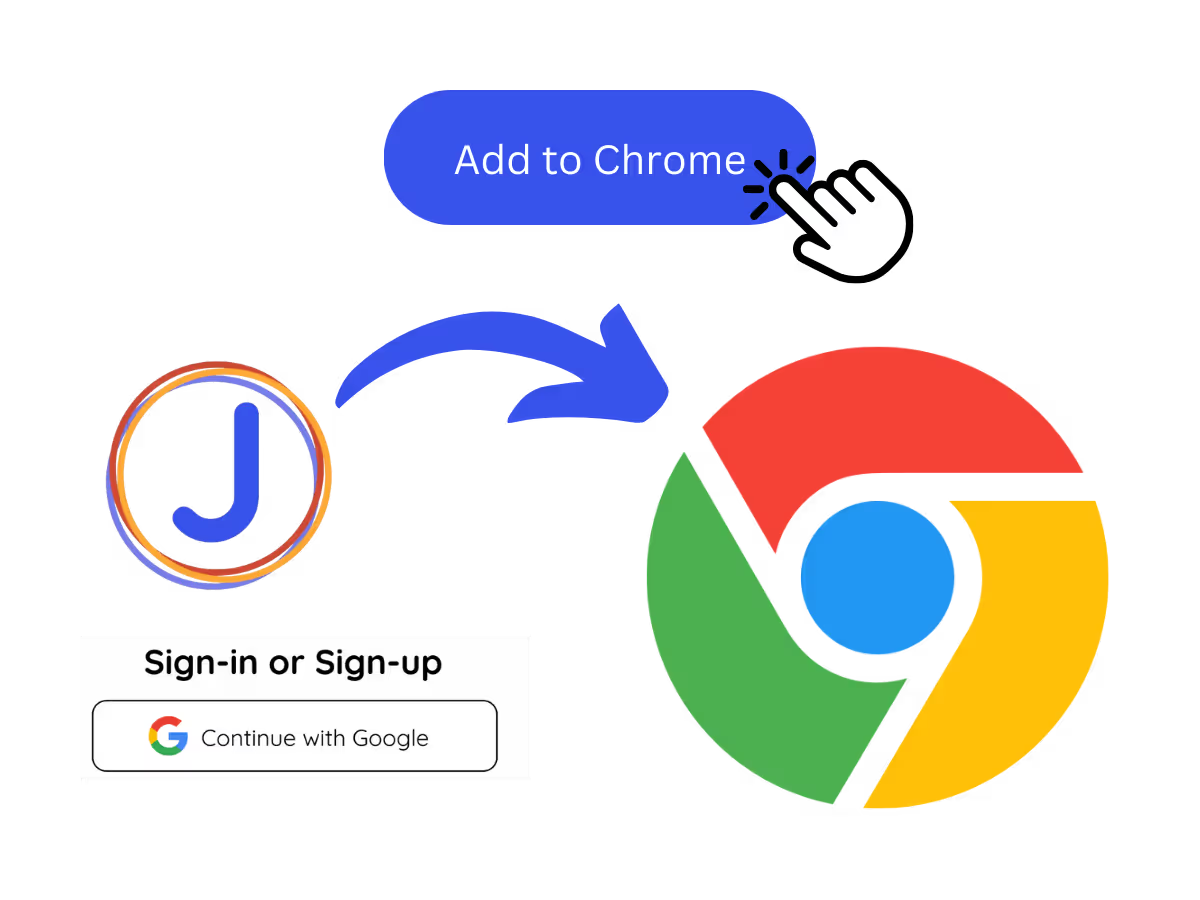
1. Add the Chrome extension, or upload your Meet recording

Add JotMe to Chrome for in-Meet transcription, or get the desktop app for 200+ languages. Already have a recorded Meet? Upload it for the same searchable transcript.

2단계

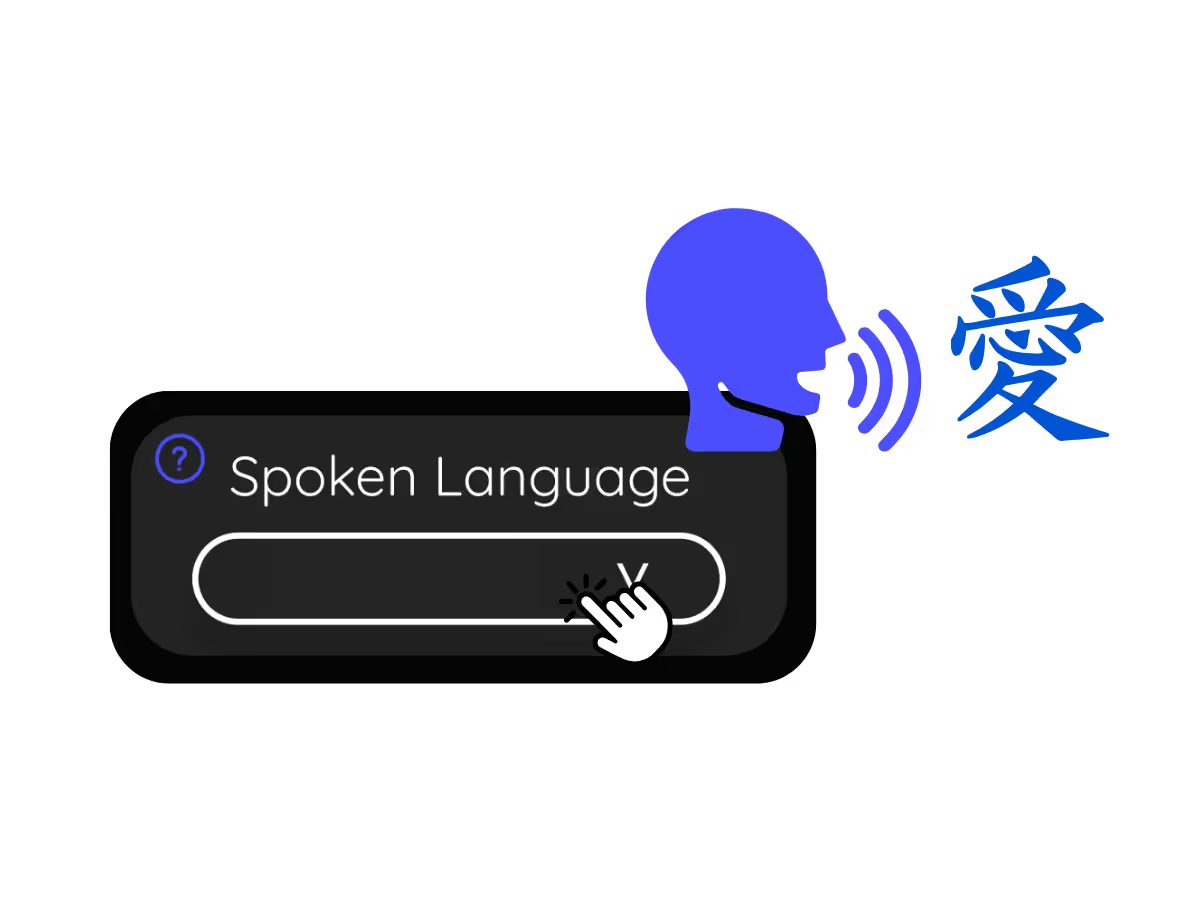
2. Set the spoken language

Choose the language being spoken in the meeting, for example Japanese. If people switch languages, pick multilingual mode.

3단계

3. Read, search, and share the transcript

The live transcript scrolls as everyone speaks, then saves to your dashboard when the call ends, ready to search, copy, and share.

실제로 확인해 보세요!

What teams use Google Meet transcription for

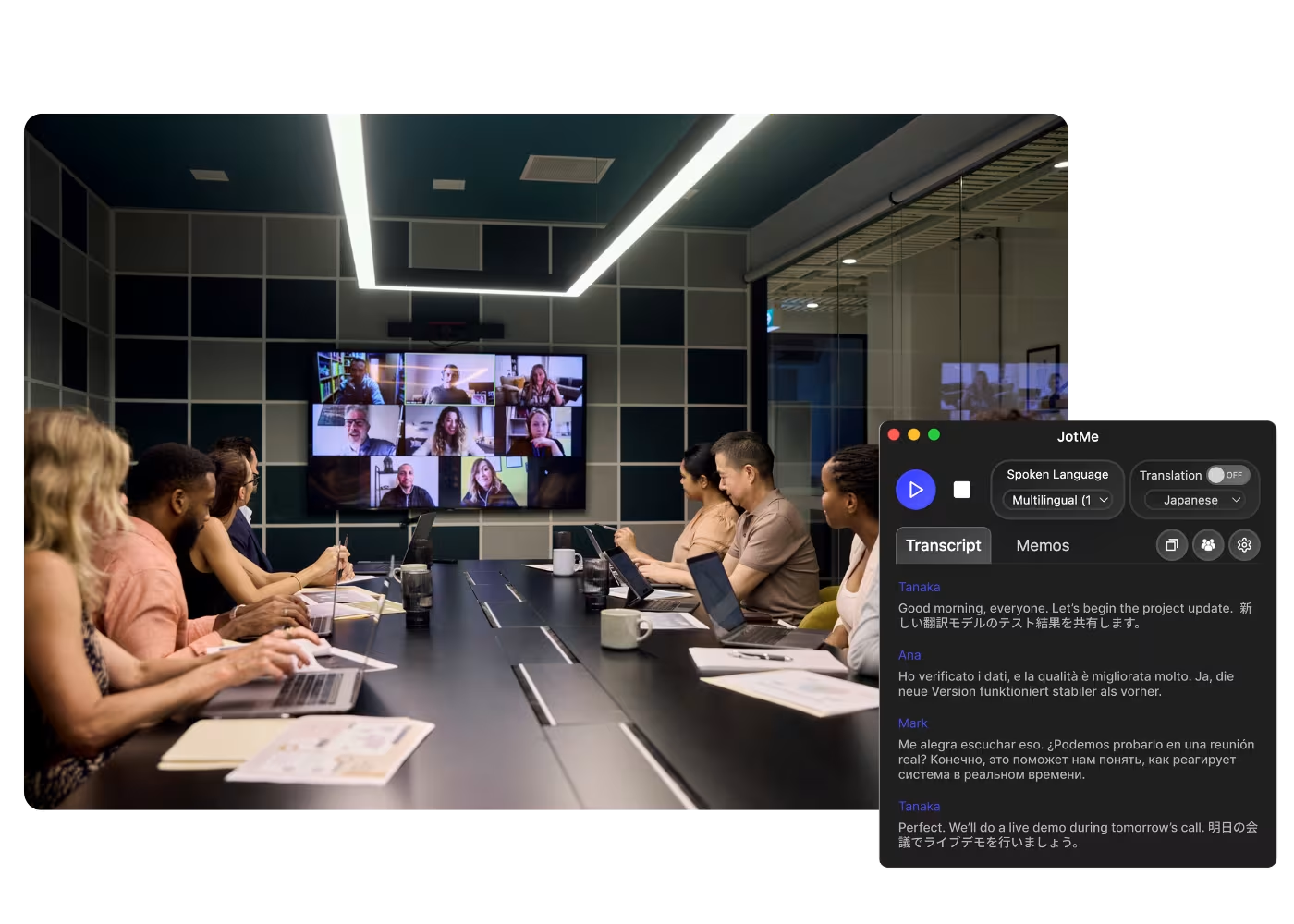
A woman is working effectively

Global all-hands & team meetings

Follow announcements from HQ in your language and speak up without waiting for a recap.

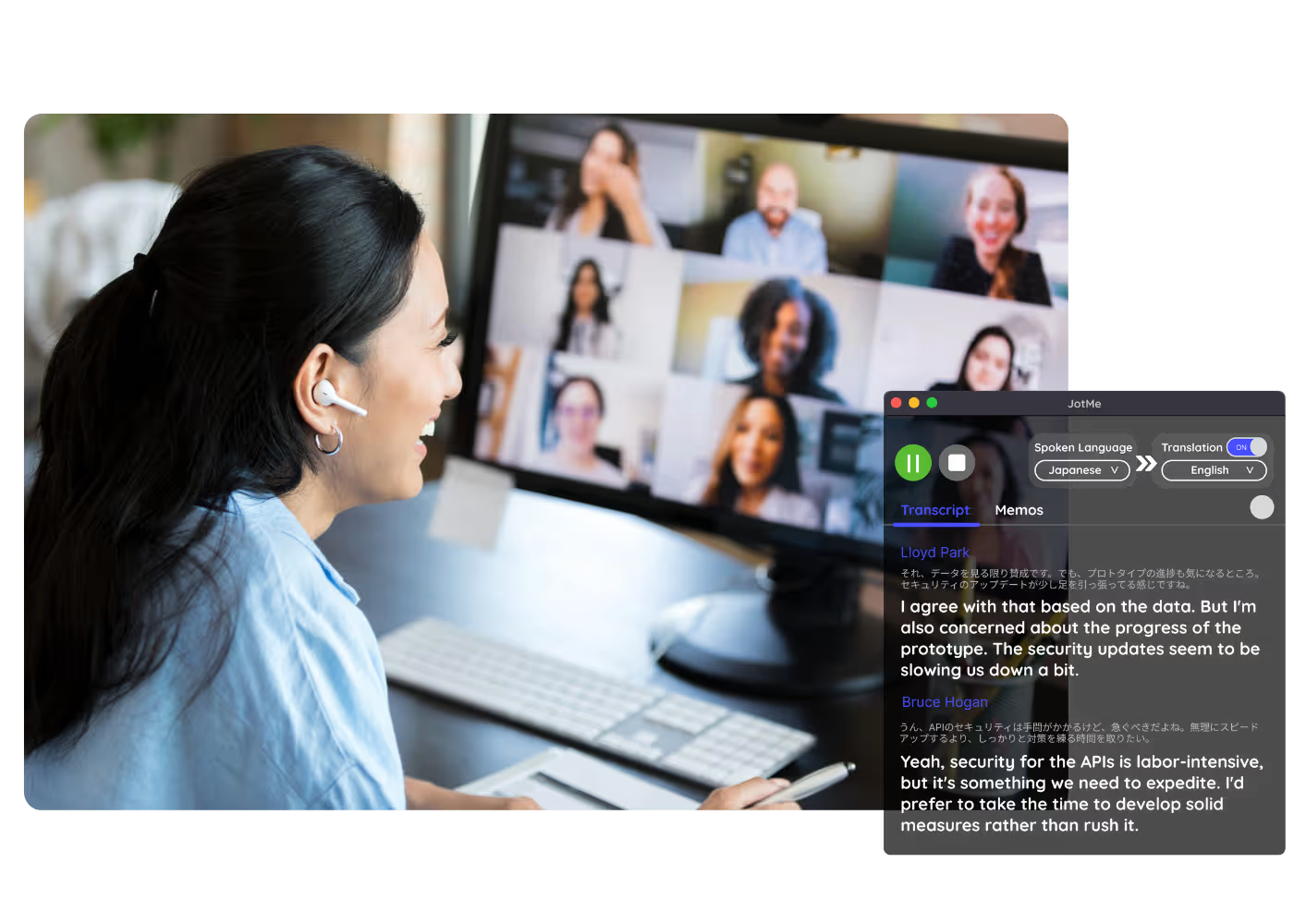
Track Conversations in Real-Time

Sales & client calls

Catch every requirement and objection when customers speak another language, and reply with confidence.

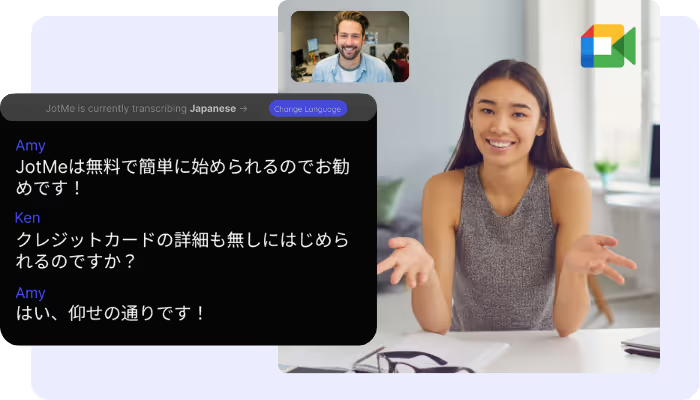
A group a having a discussion and speech is transcribed

Recorded Meet meetings

No time to run it live? Upload the recording to Audio to Text or Video to Text to transcribe a Meet recording, with an accurate transcript, optional translation, and AI notes.

자주 묻는 질문

JotMe로 회의 및 이벤트를 운영하는 데 필요한 모든 정보.

Is Google Meet transcription free?

Yes, it is!

How do I add the transcription extension for Google Meet?

Install the JotMe Chrome extension, set your language preferences, and get real-time speech-to-text transcription on Google Meet.

How can I search for spoken words during meetings on Google Meet?

View transcriptions as captions during meetings. Highlight the text, right-click, and select “Search Google for” to find meanings.

Can I save and store the transcription content?

Yes, real-time transcriptions are saved on the JotMe dashboard. You can view, copy, and even translate transcripts for documentation in your preferred tool.

What languages are supported for Google Meet transcription?

We support 200+ languages – English, Japanese, Chinese, Korean, Spanish, Portuguese, French, German, Swedish, Finnish, Arabic, Hindi, Urdu, Turkish, Norwegian, Italian, Burmese, Russian, Filipino, Swahili, Hungarian, and more.

The Easiest and Most Reliable Way to Transcribe Google Meet to Get Audio to Text

사용 가능한 언어
아프리칸스어 (남아프리카 공화국)
알바니아어 (알바니아)
암하라어 (에티오피아)
아랍어 (아랍에미리트
아랍어 (이집트)
아랍어 (레반트)
아랍어 (마그레브)
아르메니아어 (아르메니아)
바스크어 (스페인)
벵골어 (방글라데시)
불가리아어 (불가리아)
버마어 (미얀마)
카탈루냐어 (스페인)
중국어 표준어 (간체)
중국어 표준어 (번체)
네덜란드어
영어
영어 (호주)
영어 (인도)
영어 (필리핀)
영어 (영국)
에스토니아어 (에스토니아)
필리핀어 (필리핀)
핀란드어 (핀란드)
프랑스어
프랑스어 (캐나다)
갈리시아어 (스페인)
조지아어 (조지아)
독일어
구자라트어 (인도)
히브리어 (이스라엘)
힌디어
헝가리어 (헝가리)
인도네시아어 (인도네시아)
이탈리아어
일본어
자바어 (인도네시아)
칸나다어 (인도)
크메르어 (캄보디아)
르완다어 (르완다)
한국어
라트비아어 (라트비아)
마케도니아어 (북마케도니아)
라트비아어 (라트비아)
마케도니아어 (북마케도니아)
말라얄람어 (인도)
마라티어 (인도)
몽골어 (몽골)
네팔어 (네팔)
북소토어 (남아프리카 공화국)
노르웨이어 (노르웨이)
페르시아어 (이란)
폴란드어 (폴란드)
포르투갈어 (브라질)
포르투갈어 (포르투갈)
루마니아어 (루마니아)
러시아어
세소토어 (남아프리카 공화국)
싱할라어 (스리랑카)
슬로바키아어 (슬로바키아)
슬로베니아어 (슬로베니아)
스페인어 (멕시코)
스페인어 (스페인)
순다어 (인도네시아)
스와힐리어
스와티어 (남아프리카 공화국)
스웨덴어 (스웨덴
타밀어 (인도)
텔루구어 (인도)
태국어 (태국)
벤다어 (남아프리카 공화국)
츠와나어 (남아프리카 공화국)
튀르키예어 (튀르키예)
우르두어 (파키스탄)
우즈베크어 (우즈베키스탄)
베트남어 (베트남)
코사어 (남아프리카 공화국)
총가어 (남아프리카 공화국)
줄루어 (남아프리카 공화국)

MORE THAN GOOGLE MEET TRANSCRIPTION

JotMe not only provides real-time Google Meet transcription but also offers translation and post-meeting tools. Explore our comprehensive suite of multilingual AI tools—from AI translation to AI meeting notes. Automate your speech-to-text transcription and focus on more impactful tasks, such as decision-making and tackling action items effectively.

다국어 운영을 위한 모든 회의·이벤트를 매끄럽게

실시간 음성 번역, 음성 텍스트 변환, 통역, AI 회의록을 통해 중요한 대화를 맥락 있는 인사이트로 전환하고, 모두가 언어를 넘어 같은 이해를 유지할 수 있게 합니다.

Google Meet Transcription

Transcribe every Google Meet as it happens, right in your browser with the Chrome extension or on the desktop app for 200+ languages, live or from a recording you upload, with accurate, searchable text.

무료 플랜. 신용카드 정보가 필요하지 않습니다.

Pick your language, hit start, and speak. JotMe transcribes as you talk and improves accuracy as the conversation continues. Open the full demo.

134개국·2,000개 팀·50만 명의 비즈니스 전문가가 사용하고 있습니다

평점 4.7/5
GDPR 준수
SOC 2 Type II (진행 중)

Accurate, searchable Google Meet live transcription

How to transcribe a Google Meet meeting

문맥을 이해하는 초정밀 변환

정확한 이유는 JotMe가 문맥 속에서 동작하기 때문입니다. 화자, 팀의 관심사, 지금까지의 논의, 그리고 사용자의 커스텀 용어를 함께 고려하므로 이름·약어·전문 용어가 녹취록에 정확히 담깁니다.

회의에 검색하고 질문하기

회의에서 나온 어떤 내용이든 Ask JotMe에 물어보고 낯선 용어도 그 자리에서 바로 찾아보세요. 녹화를 되감아 뒤질 필요가 없습니다.

200개 이상 언어, 라이브도 녹화에서도

데스크톱 앱이라면 어떤 Meet 회의든 200개 이상 언어로 텍스트로 변환하고, 확장이라면 Meet 안의 자막을 그대로 담아냅니다. 라이브로도, 업로드한 녹화에서도 가능합니다.

녹취록이 자동으로 저장됩니다

모든 녹취록은 통화가 끝나면 대시보드에 저장되므로, 회의가 끝나도 내용이 사라지지 않습니다.

봇 없이, 설정 없이

JotMe는 브라우저 안에서 Meet 자막을, 또는 컴퓨터의 오디오를 담아냅니다. 봇이 통화에 참여하지 않고, 다른 사람이 설치하거나 활성화할 것도 없습니다.

커스텀 사전과 자동 언어 감지

업계 특화 용어와 커스텀 치환으로 정확도를 높이세요. JotMe는 말하는 언어를 자동으로 감지하므로 회의 도중에 다시 설정할 필요가 없습니다.

What teams use Google Meet transcription for

Three steps, under a minute. No Meet settings, no bot invite, no admin approval. Already have a recording? Upload it instead.

STEP 1

1. Add the Chrome extension, or upload your Meet recording

Add JotMe to Chrome for in-Meet transcription, or get the desktop app for 200+ languages. Already have a recorded Meet? Upload it for the same searchable transcript.
STEP 2

2. Set the spoken language

Choose the language being spoken in the meeting, for example Japanese. If people switch languages, pick multilingual mode.

STEP 3

3. Read, search, and share the transcript

The live transcript scrolls as everyone speaks, then saves to your dashboard when the call ends, ready to search, copy, and share.
What teams use Google Meet transcription for

From daily standups to all-hands, JotMe keeps every attendee in the conversation.

Global all-hands & team meetings

Follow announcements from HQ in your language and speak up without waiting for a recap.

Sales & client calls

Catch every requirement and objection when customers speak another language, and reply with confidence.

Recorded Meet meetings

No time to run it live? Upload the recording to Audio to Text or Video to Text to transcribe a Meet recording, with an accurate transcript, optional translation, and AI notes.

Compliance & documentation

Keep a searchable record of what was agreed, accessible anytime on your dashboard.

See it in action

Watch JotMe transcribe a Google Meet live from the extension, then search every word of it.

50만 명 이상의 비즈니스 전문가가 JotMe로 회의·이벤트를 매끄럽게 진행하고 있습니다

다국어 운영의 격차를 해소하는 과정에서 사용자들이 JotMe로 어떤 성과를 얻고 있는지 확인해 보세요.

평점 4.7/5
평점 4.7/5
“제 업무는 번역과 문화 간의 가교 역할을 포함하기 때문에, 이 도구가 제 일상 업무에 혁신을 가져왔다고 생각합니다.”
아담스
운영 전문가 / Tiktok
“일본어는 한때 저에게 미스터리였지만, 이 제품은 문맥적 이해를 통해 일본어를 명확하고 접근하기 쉽게 만들어주었습니다.”
스타마티스
컨설턴트 / Deloitte
“JotMe는 다국어 회의를 간소화하여 빠르게 변화하는 업무 환경에서 원활한 협업을 보장합니다.”
세자르
프로그램 관리자 / Amazon
“이 이중 언어 기능은 업무 중 메모 작성을 간소화하여 시간을 절약하고 두 언어 모두에서 효율성을 높여줍니다.”
유스케
영업 관리자 / NTT
“유창하지 않은 사용자에게 필수적입니다. 실시간 번역과 정확한 녹취록으로 복잡한 회의를 간소화합니다.”
제시
소프트웨어 프리랜서
"수년간 필요했던 번역 도구 – JotMe 덕분에 이제 현실이 되었습니다!"
엘스턴
대표 겸 창업자 / Tiny.host
“제 업무는 번역과 문화 간의 가교 역할을 포함하기 때문에, 이 도구가 제 일상 업무에 혁신을 가져왔다고 생각합니다.”
아담스
운영 전문가 / Tiktok
“일본어는 한때 저에게 미스터리였지만, 이 제품은 문맥적 이해를 통해 일본어를 명확하고 접근하기 쉽게 만들어주었습니다.”
스타마티스
컨설턴트 / Deloitte
“JotMe는 다국어 회의를 간소화하여 빠르게 변화하는 업무 환경에서 원활한 협업을 보장합니다.”
세자르
프로그램 관리자 / Amazon
“이 이중 언어 기능은 업무 중 메모 작성을 간소화하여 시간을 절약하고 두 언어 모두에서 효율성을 높여줍니다.”
유스케
영업 관리자 / NTT
“유창하지 않은 사용자에게 필수적입니다. 실시간 번역과 정확한 녹취록으로 복잡한 회의를 간소화합니다.”
제시
소프트웨어 프리랜서
"수년간 필요했던 번역 도구 – JotMe 덕분에 이제 현실이 되었습니다!"
엘스턴
대표 겸 창업자 / Tiny.host

자주 묻는 질문

JotMe를 활용한 회의 및 이벤트 운영에 필요한 모든 정보를 확인하세요.

Can Google Meet be transcribed in real time?

Yes, with JotMe. The Chrome extension captures Meet captions right in your browser, and the desktop app handles google meet live transcription in 200+ languages. No bot, and no admin setting to enable.

Can I transcribe a recorded Google Meet?

Yes. Upload the recording to Audio to Text or Video to Text and JotMe transcribes it accurately, with optional translation and AI notes.

Is Google Meet transcription free?

Yes. JotMe's free plan includes transcription minutes, and no credit card is required. Upgrade when you need more.

How accurate is JotMe's Google Meet transcription?

JotMe transcribes with five layers of context: your user profile, your operational context, real-time memory of the meeting, your custom terms and jargon, and the flow from previous speech, so names and terms stay accurate. It sharpens as the meeting runs.

Can I save and search the transcript?

Yes. Transcripts are saved to your dashboard, where you can search them, ask questions about the meeting, translate them, and share them.

What languages can JotMe transcribe on Google Meet?

JotMe transcribes 200+ spoken languages on Meet with the desktop app, including Hebrew, Hindi, Tamil, Malayalam, and Bengali, which already have dedicated pages. See the full list on the available languages page.

Do I also get translation and AI notes?

Yes. Turn on live translation to follow the meeting in your language, and get AI notes with a summary and action items when it ends.

Heading

You can translate
Bulgarian
Catalan
Mandarin (Simplified
Mandarin (Traditional)
Cantonese (Traditional)
Czech, Danish
Dutch
English (US)
English (UK)
English (Australia)
English (New Zealand)
English (India)
Estonian, Finnis
French
French (Canada
German
German (Switzerland
Greek
Hindi
Hungarian
Indonesian
Italian
Japanese
Korean
Latvian
Lithuanian
Malay
Dutch (Flemish)
Norwegian
Polish
Portuguese
Portuguese (Brazil)
Portuguese (Portugal)
Romanian
Russian
Slovak
Spanish
Spanish (Latin America)
Swedish
Thai
Turkish
Ukrainian
Vietnamese

Every word of every Google Meet, captured

The most accurate live transcription for Meet, in your browser or from a recording, in 200+ languages, and searchable forever. Every word of every call, kept.