







Google Meet AI Note Taker
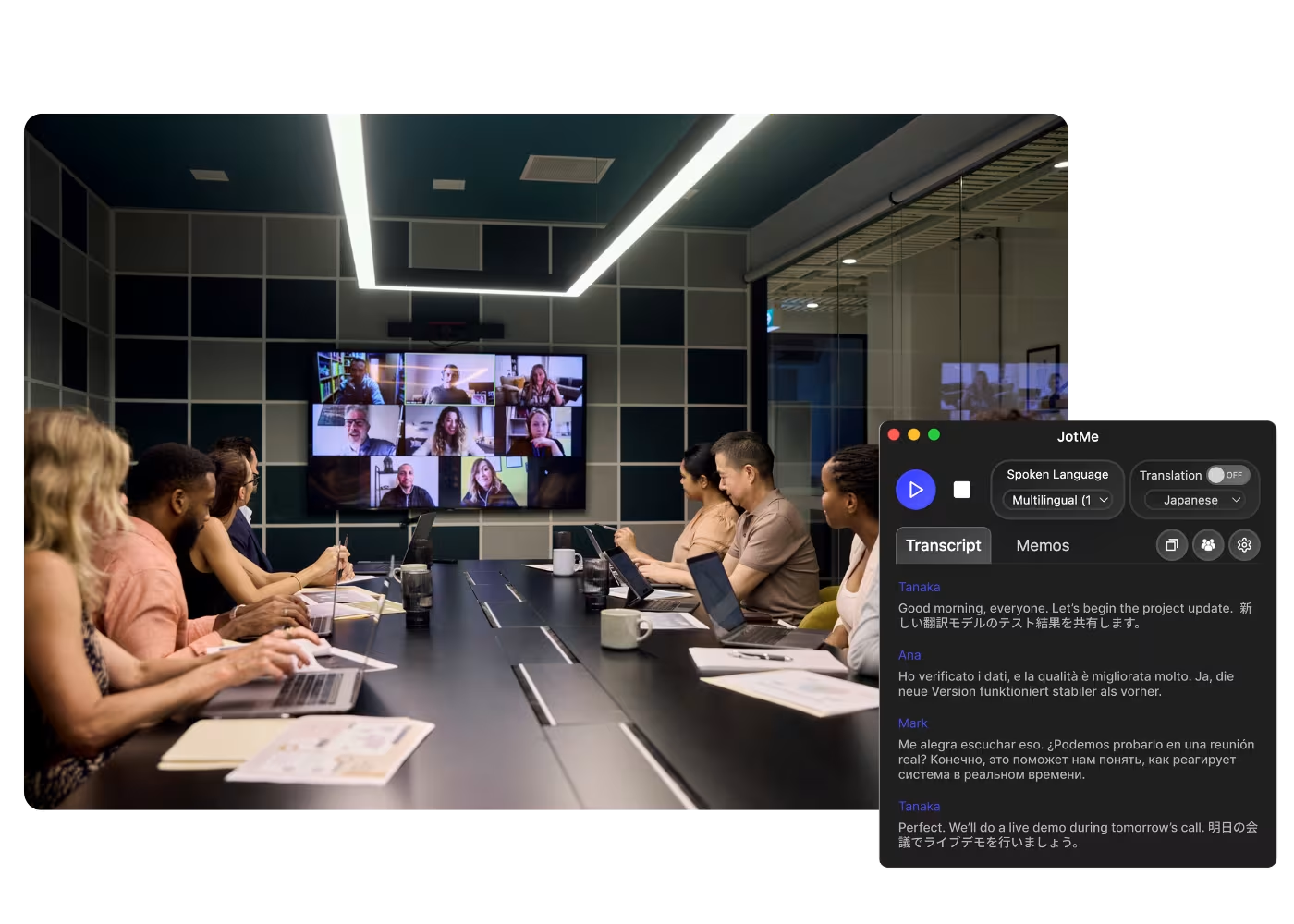
JotMe takes notes for your Google Meets right in the browser with the Chrome extension or desktop app, live or from an uploaded recording, and highlights every action item in the language you choose. No bot joins the call.
.gif)
Usado por 2.000 equipes e 500.000 profissionais em 134 países



.avif)





.avif)


.avif)


.svg)
Avaliado em 4.7/5


Em conformidade com o GDPR
.avif)
SOC 2 Tipo II (Em Andamento)
AI Note Taker on Google Meet
You receive AI-generated meeting notes after meetings, which is great. However, they’re not always exactly what you were hoping for because the AI doesn’t always know what key points matter to you. It’s not the AI’s fault—every meeting is unique, and the information you want to focus on can change. With JotMe, you can take notes during the meeting, allowing the AI to understand which details to highlight and elaborate on, all within the context of the entire conversation. Curious to see it in action? Try it for free—no credit card required!
How to get AI notes from Google Meet
Em 3 passos simples!
PASSO 1
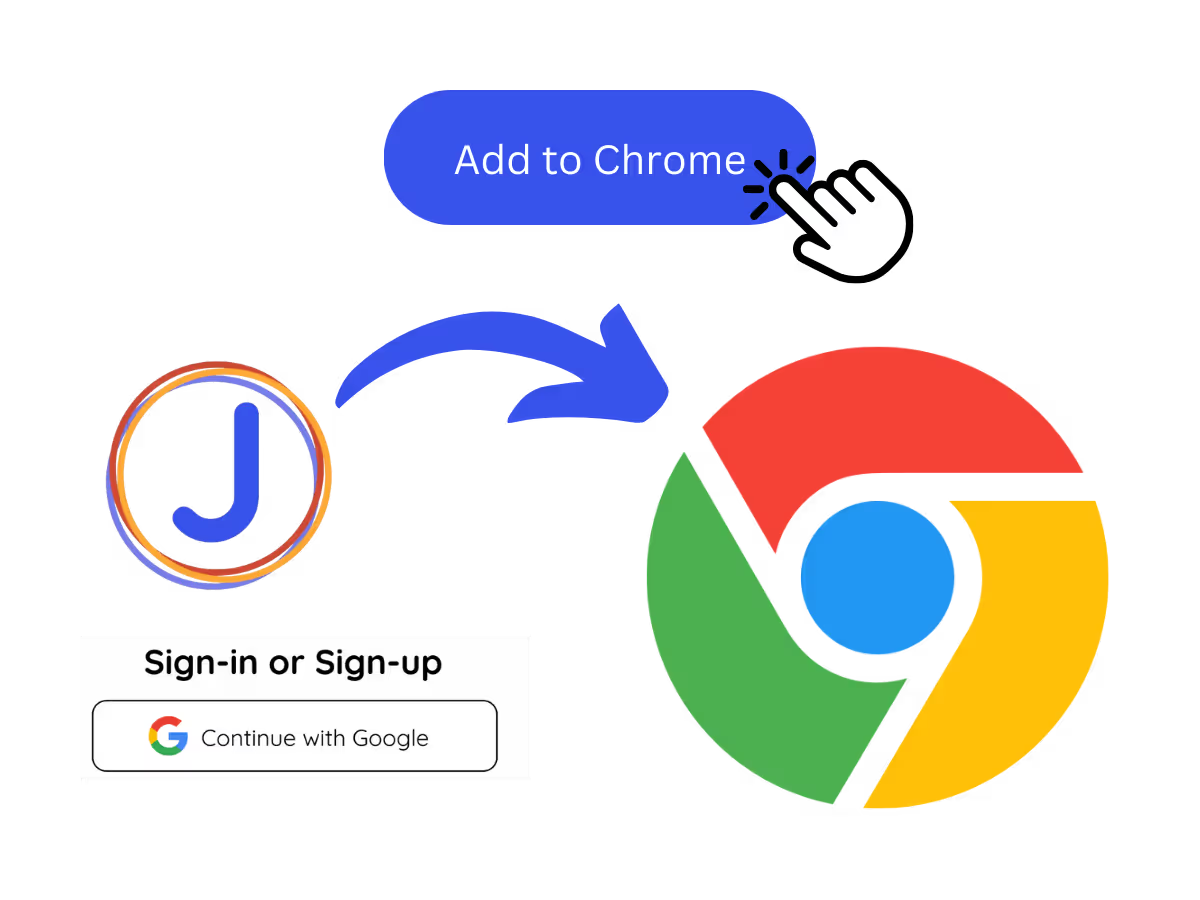
1. Add the Chrome extension or desktop app, or upload your Meet recording
Add JotMe to Chrome for in-Meet notes, or get the desktop app. Already have a recorded Meet? Upload it for the same accurate notes, summary, and action items.
PASSO 2
2. Set the spoken language
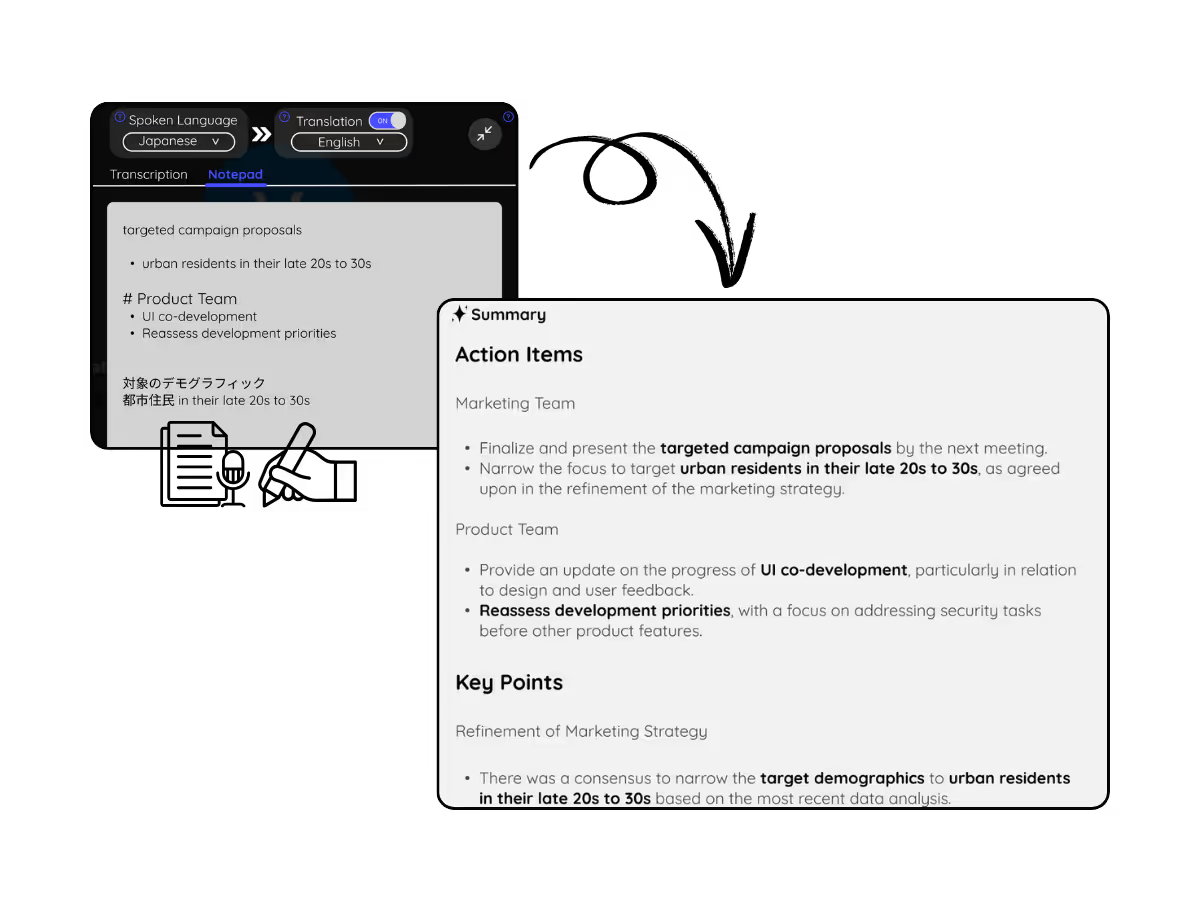
Choose the language being spoken in the meeting, for example Japanese. If people switch languages, pick multilingual mode.

PASSO 3
3. Jot highlights if you want
During the meeting, note key points in the Notes panel. When it ends, JotMe writes the meeting notes, summary, and action items, guided by your highlights.
Veja em Ação!
What teams use the Google Meet AI note taker for
.avif)
Global all-hands & team meetings
Capture decisions from HQ announcements once, and share the notes in each office's language, so nobody waits on a translated recap.

Sales & client calls
Every requirement and objection lands in the notes with action items, even when the customer speaks another language.
.avif)
Recorded Meet meetings
No time to run it live? Upload the recording to Audio to Text or Video to Text for the same accurate notes, summary, and action items, no need to have been in the call.
Perguntas frequentes
Tudo o que você precisa saber sobre como organizar reuniões e eventos com o JotMe.
Is JotMe's Google Meet AI Note Taker feature free?
Yes, it is free to get started!
How can I take notes during meetings on Google Meet?
Open the JotMe overlay on Google Meet and click “Note.” You can type anything in markdown format.
How do I use the JotMe Google Meet AI Note Taker feature?
You can use the JotMe AI meeting notes feature by installing the JotMe Chrome extension, signing up, and starting a meeting. JotMe will automatically transcribe and summarize your meeting notes based on the notes you take and the meeting transcript.
What is the default format of the JotMe Google Meet AI Note Taker?
The default format includes the Gist, Action Items, and Key Points from your meeting, allowing you to quickly grasp the essential outcomes and next steps.
Which languages are supported by JotMe’s Google Meet AI Note Taker?
JotMe currently supports Google Meet AI Note Taker in 13 different languages, with the ability to transcribe meetings in 77 languages.
The easiest and most reliable way to create the AI meeting notes you truly need on Google Meet
Idioma Disponível
Afrikaans (África do Sul)
Albanês (Albânia)
Amárico (Etiópia)
Árabe (Emirados Árabes)
Árabe (Egito)
Árabe (Levante)
Árabe (Magrebe)
Armênio (Armênia)
Basco (Espanha)
Bengali (Bangladesh)
Búlgaro (Bulgária)
Birmanês (Mianmar)
Catalão (Espanha)
Chinês Mandarim (Simplificado)
Chinês Mandarim (Tradicional)
Neerlandês
Inglês
Inglês (Austrália)
Inglês (Índia)
Inglês (Filipinas)
Inglês (Reino Unido)
Estoniano (Estónia)
Filipino (Filipinas)
Finlandês (Finlândia)
Francês
Francês (Canadá)
Galego (Espanha)
Georgiano (Geórgia)
Alemão
Guzerate (Índia)
Hebraico (Israel)
Hindi
Húngaro (Hungria)
Indonésio (Indonésia)
Italiano
Japonês
Javanês (Indonésia)
Kannada (Índia)
Khmer (Camboja)
Kinyarwanda (Ruanda)
Coreano
Letão (Letônia)
Macedônio (Macedônia do Norte)
Letão (Letônia)
Macedônio (Macedônia do Norte)
Malaiala (Índia)
Marata (Índia)
Mongol (Mongólia)
Nepalês (Nepal)
Sotho do Norte (África do Sul)
Norueguês (Noruega)
Persa (Irã)
Polonês (Polônia)
Português (Brasil)
Português (Portugal)
Romeno (Romênia)
Russo
Sesotho (África do Sul
Cingalês (Sri Lanka)
Eslovaco (Eslováquia)
Esloveno (Eslovênia)
Espanhol (México)
Espanhol (Espanha)
Sudanês (Indonésia)
Suaíli
Suázi (África do Sul)
Sueco (Suécia
Tâmil (Índia)
Telugu (Índia)
Tailandês (Tailândia)
Tshivenda (África do Sul)
Tswana (África do Sul)
Turco (Turquia)
Urdu (Paquistão)
Uzbeque (Uzbequistão)
Vietnamita (Vietnã)
Xhosa (África do Sul)
Xitsonga (África do Sul)
Zulu (África do Sul)

MORE THAN Google Meet AI Note Taker
JotMe not only provides Google Meet AI Note Taker but also offers real-time translation and transcription tools. Explore our comprehensive suite of multilingual AI tools - from AI translation to transcription. Automate note taking process and other tasks with JotMe to focus on more impactful tasks, such as decision-making and tackling action items effectively.
.avif)
EXPLORE FERRAMENTAS RELACIONADAS
Conduza cada reunião e evento das suas operações multilíngues sem atritos
Transcreva, interprete, traduza e transforme cada conversa crítica em insights com contexto para que todos se mantenham alinhados entre idiomas.
.png)

.png)
.avif)
.avif)
.avif)







