Dicas
Como compartilhar a tradução ao vivo de IA por meio de sua câmera web?

Taka Shirasu
March 4, 2026
Webinars, conferências na web, reuniões gerais e prefeituras exigem mais do que apenas uma ferramenta de reunião na web, como Zoom, Teams, Google Meet ou Webex.
Há muitas outras configurações e considerações. Quantas pessoas você pode convidar? Como você os convida? Você pode compartilhar os slides que preparou? Os participantes precisam criar uma conta? A lista continua. Alguns de vocês também podem pensar em participantes que falam idiomas diferentes. É aí que as coisas ficam ainda mais difíceis.
Contratamos um intérprete humano e pagamos $300 por hora enquanto configuramos um canal de áudio separado para interpretação? Se não, como compartilhamos a tradução de IA ao vivo com todos os participantes? E se usarmos a tradução de IA, qual é a melhor maneira de fazer isso enquanto equilibramos qualidade, perfeição para os participantes e orçamento? Estive pensando sobre esse problema nos últimos três anos e procurando a solução perfeita.
Primeiro, vamos falar sobre qualidade. Do Google Translate ao DeepL, sua qualidade de tradução é projetada principalmente para casos de uso únicos. Você diz alguma coisa e ela é traduzida literalmente. Isso não funciona bem em reuniões profissionais em que palavras técnicas e discussões específicas do setor acontecem constantemente. Eu tentei muitas ferramentas, mas a maioria delas depende de uma única troca de API para tradução em tempo real. Isso significa que eles traduzem frase por frase sem entender o contexto mais amplo da conversa. Então, eu construí um mecanismo de IA que entende contexto e conhecimento específico do setor, permitindo que ele traduza conversas com significado e intenção corretos aqui no JotMe.
Agora vamos falar sobre perfeição e orçamento. Algumas ferramentas permitem que você compartilhe a tradução por meio de um URL. O JotMe também oferece esse recurso hoje. Mas quando você tem muitos participantes, enviar um link e explicar como usá-lo pode se tornar confuso. Pior ainda, quanto mais participantes você compartilha o link, mais custos de latência e tradução você absorve. Por muito tempo, continuei me perguntando a mesma pergunta que muitos de nossos 60.000 usuários também fizeram: Como podemos compartilhar a tradução ao vivo de IA de alta qualidade sem problemas?
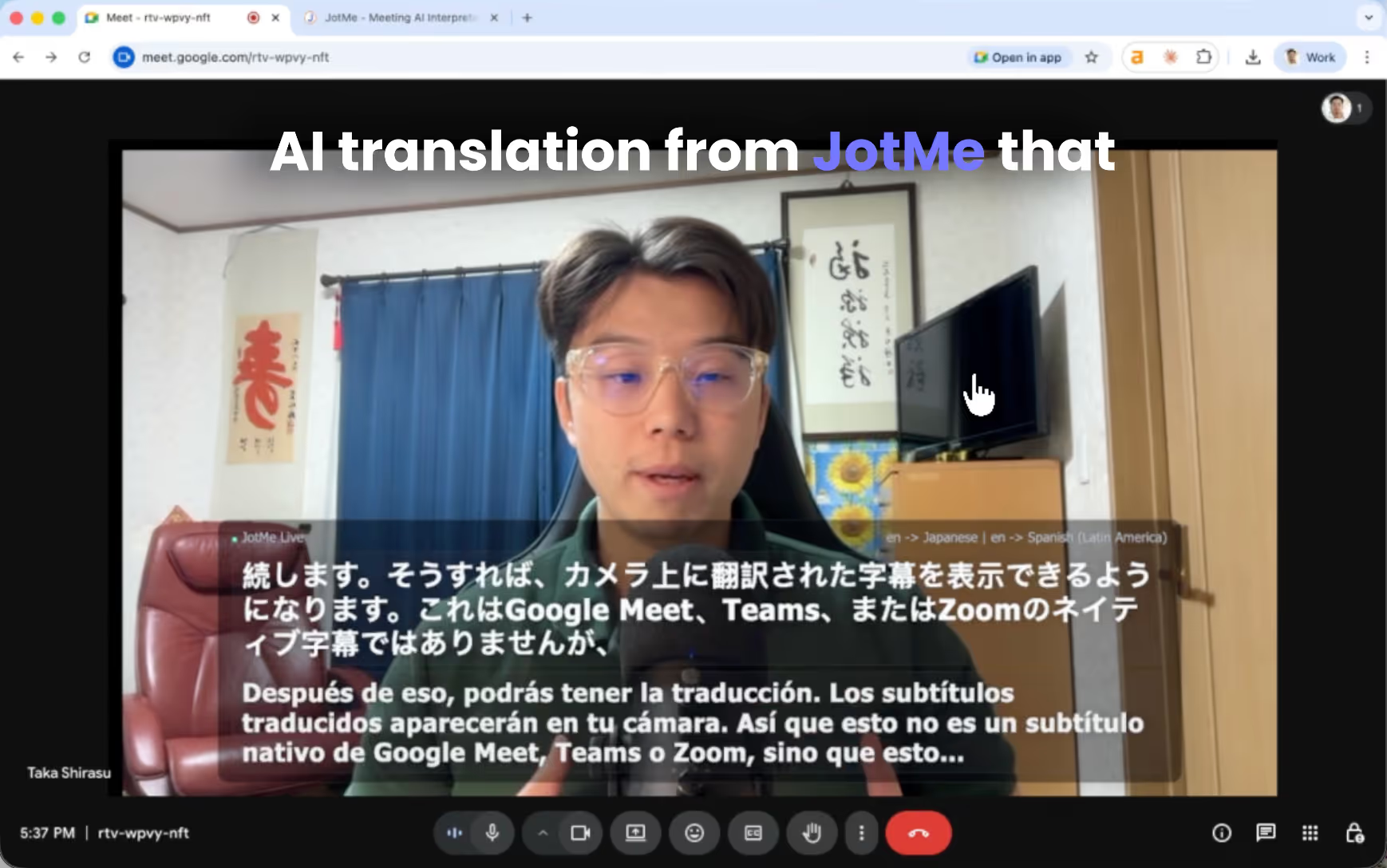
Hoje, eu tenho uma resposta. E é algo que você talvez não tenha visto antes, mas funciona muito bem. Legendas traduzidas diretamente na sua câmera web. Em vez de pedir aos participantes que abram um link ou digitalizem um código QR, as legendas traduzidas aparecem diretamente no feed da câmera. Todos na reunião os veem instantaneamente. Nenhuma configuração extra para os participantes.
Hoje, mostrarei como configurar o compartilhamento de tradução de legendas.
TL; DR
- Instale o aplicativo JotMe para desktop, faça login e verifique se o microfone e os minutos de tradução estão prontos.
- Use o OBS para adicionar sua webcam e o URL da legenda do JotMe e, em seguida, inicie a câmera virtual.
- Os participantes simplesmente participam da reunião e veem as legendas traduzidas ao vivo diretamente no feed de vídeo.
- Acesse a transcrição combinada no JotMe e compartilhe notas da reunião com sua equipe por e-mail.
Como alternativa, você pode assistir a um tutorial do YouTube sobre tradução ao vivo de IA por meio de sua câmera web.
Quais são os pré-requisitos para compartilhar tradução ao vivo via câmera web?
Primeiro, como anfitrião, você precisará baixar o Aplicativo de desktop JotMe. O download é gratuito e fácil de começar em nosso site.
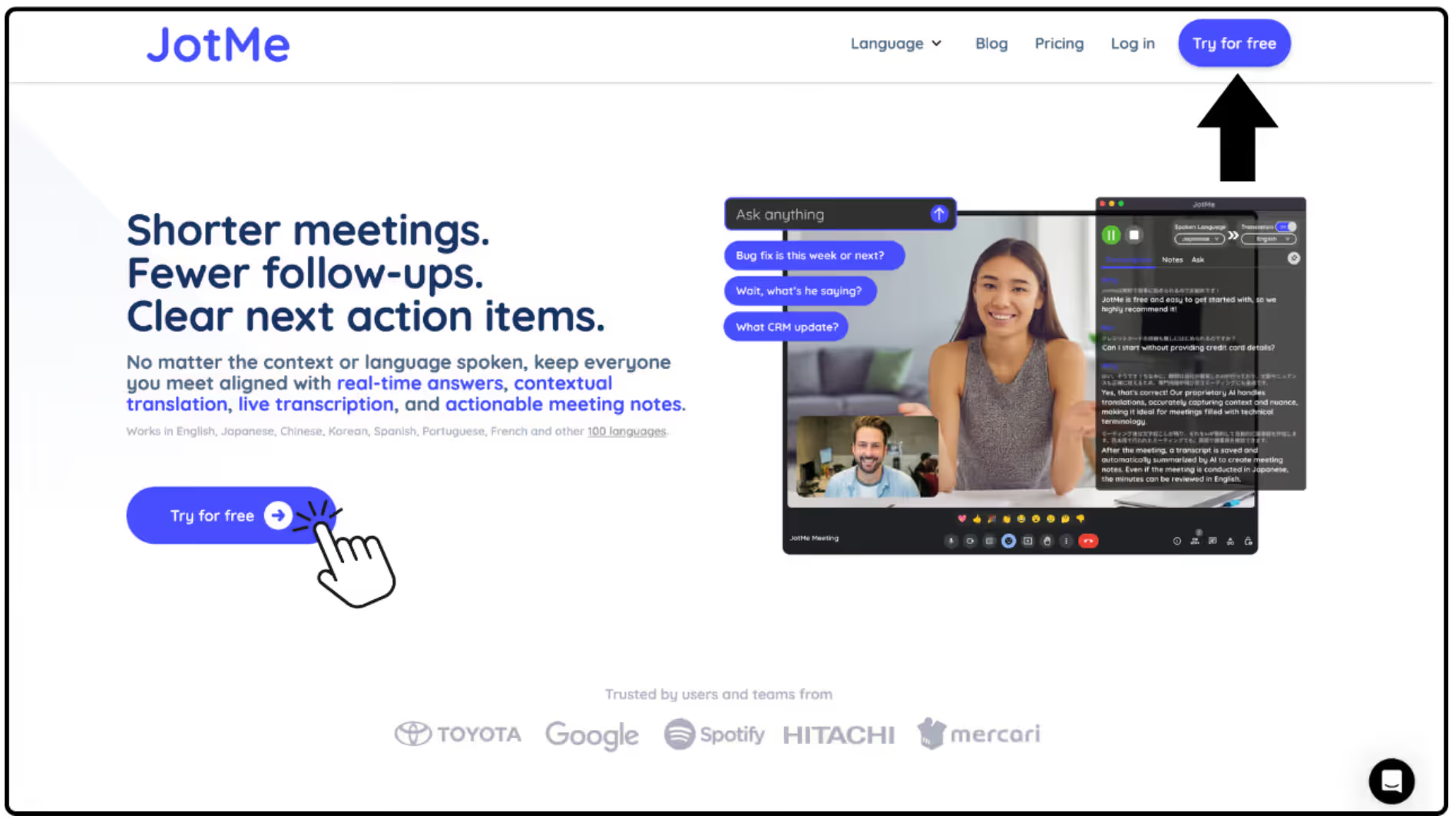
Depois de instalado, abra o aplicativo para desktop e faça login na sua conta.
Antes do início das reuniões, verifique se você tem minutos de tradução suficientes e se o microfone e a entrada de áudio estão configurados corretamente para que o JotMe possa capturar a voz do palestrante com clareza.
Como configurar a câmera de legendas no JotMe?
*A configuração da câmera de legendas requer alguma configuração técnica. Se parecer complicado, recomendamos usar Compartilhamento de código QR do JotMe ou Recursos de compartilhamento de URL em vez disso.
- Abra o aplicativo OBS para desktop.
- Se você não o tiver instalado, baixe-o do site oficial.
- Crie um novo Cena nomeado “Legenda da câmera JotMe.”
- Adicionar Dispositivo de captura de vídeo em Fontes.
- Isso capturará sua webcam.
- Adicionar Fonte do navegador em Fontes.
Configure-o com as seguintes configurações:
- URL: o URL da legenda gerado a partir do JotMe para desktop quando você inicia a gravação
- Largura: 1920
- Altura: 1080
Essa fonte do navegador exibe as legendas traduzidas.
- Iniciar Câmera virtual dentro do OBS.
- Na sua plataforma de videoconferência (Zoom, Teams, Google Meet etc.), escolha “Legenda da câmera JotMe” como sua fonte de câmera.
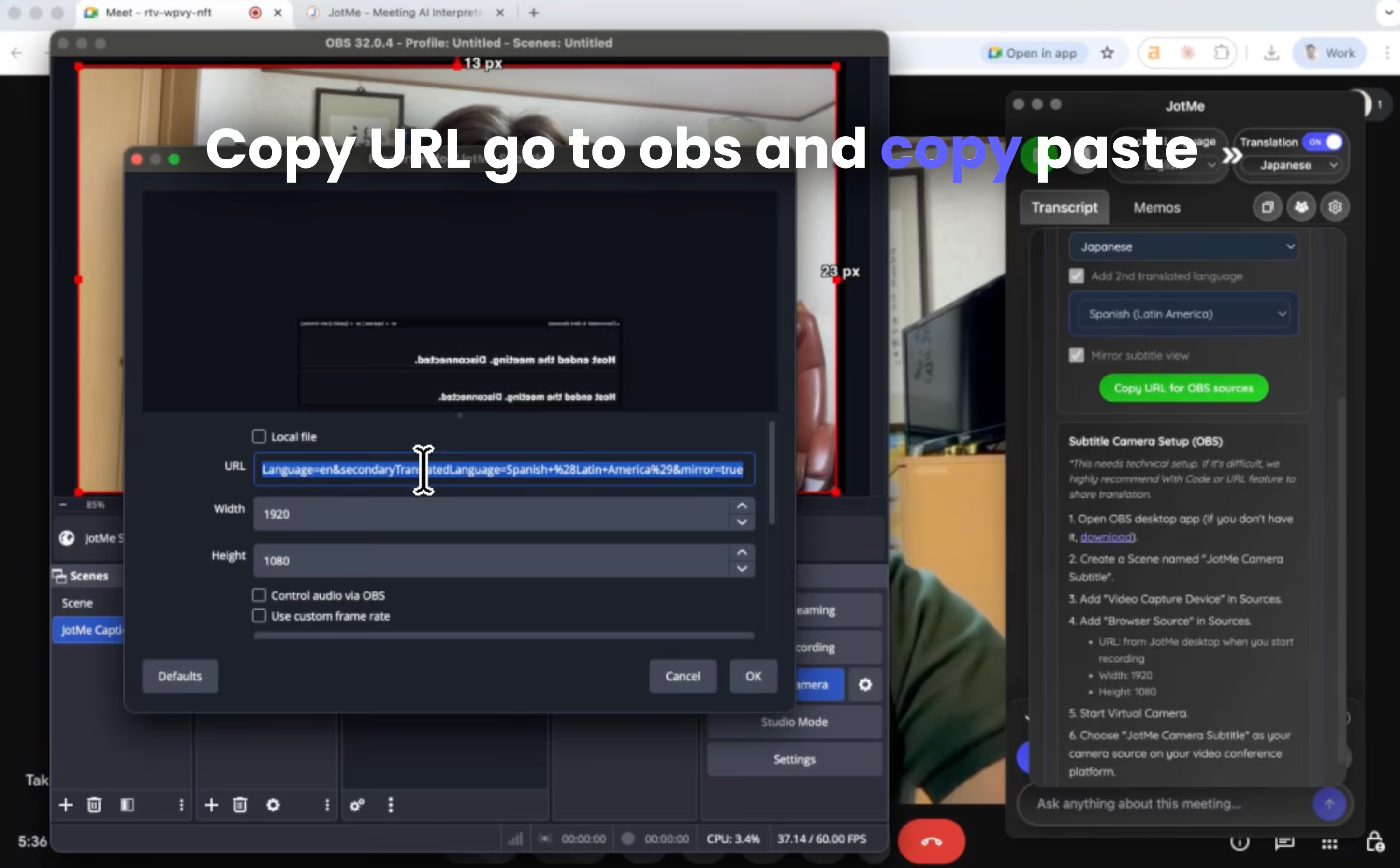
Agora, o feed da sua webcam incluirá legendas traduzidas.
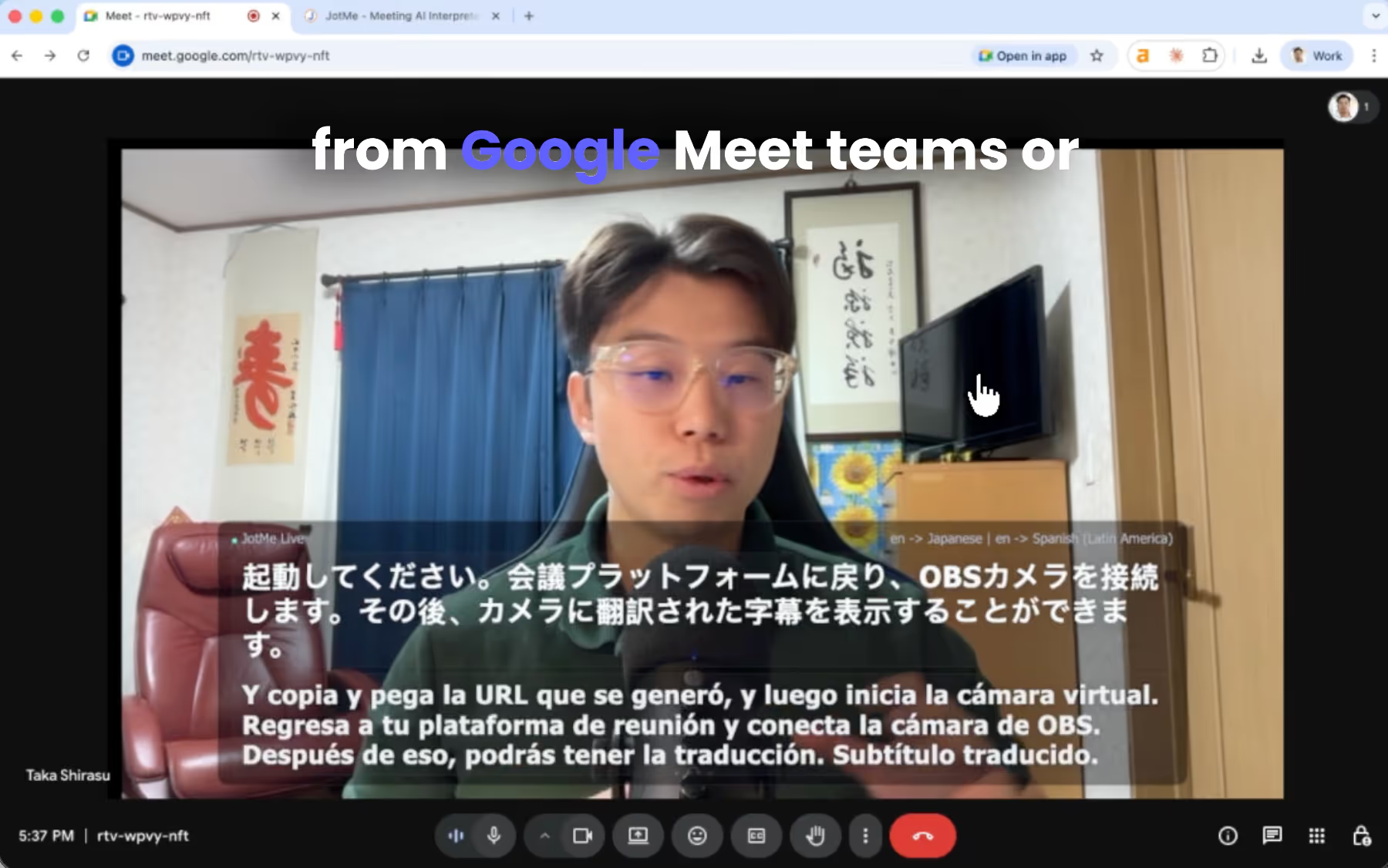
Qual é a aparência da tradução ao vivo do lado do participante?
Para os participantes, nada muda. Eles simplesmente participam da reunião normalmente. Quando eles virem o feed da sua câmera, eles também verão as legendas traduzidas aparecendo ao vivo no vídeo.
Essa abordagem é extremamente simples porque os participantes não precisam:
- Instale qualquer coisa
- Links abertos
- Digitalize códigos QR
Eles simplesmente assistem à reunião normalmente enquanto lêem as legendas traduzidas.
Isso funciona especialmente bem para:
- Webinars
- Conferências na web
- Reuniões gerais
- Prefeituras
- Reuniões globais da equipe
Como compartilhar a transcrição pós-reunião com sua equipe global?
Após o término da reunião, o JotMe gera automaticamente Notas de reunião de IA com uma transcrição combinada.
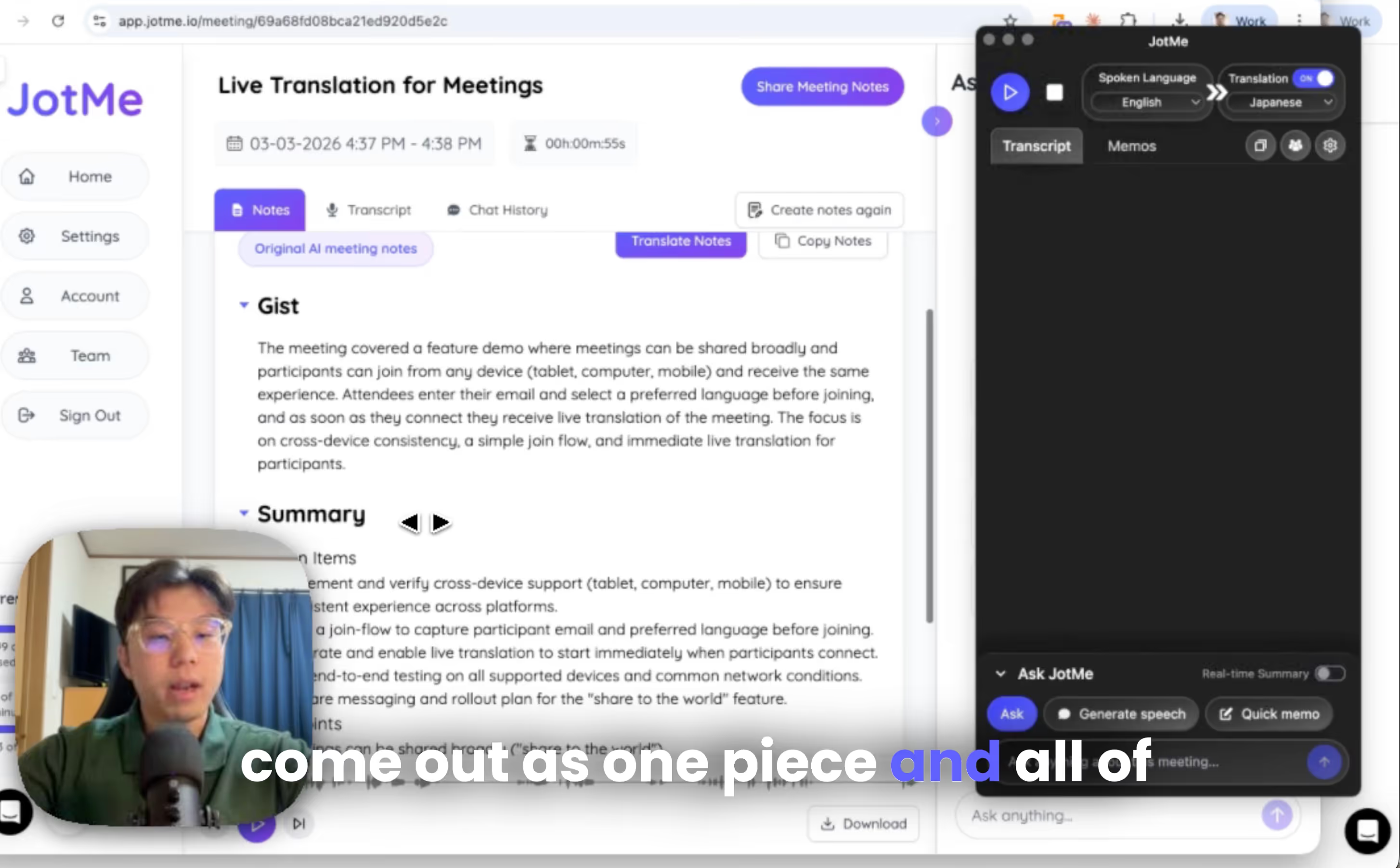
Você pode acessá-los em Painel do JotMe, e você pode compartilhar transcrições e notas de reunião com os participantes inserindo seus endereços de e-mail.
Compartilhe legendas multilíngues de reuniões globalmente com o JotMe
Adicionar legendas traduzidas diretamente à sua webcam permite que você realize reuniões multilíngues sem pedir aos participantes que instalem novas ferramentas ou sigam instruções complicadas.
Se você quiser experimentar você mesmo, você pode baixar o JotMe do site oficial.
E explore planos de tradução ou minutos depois de criar uma conta.
Estamos em conformidade com o GDPR. Também fornecemos um plano de equipe com um painel administrativo para alocação e gerenciamento de minutos, para que empresas globais e organizadores de eventos possam se integrar facilmente. Também estamos nos esforçando para melhorar todos os dias, portanto, para obter feedback ou empresa, você sempre pode entrar em contato com: hey@jotme.io.
Até o próximo blog, até lá!
Last updated on
July 13, 2026
Follow us on social media: