Guías
Las 6 mejores herramientas de traducción en vivo con IA para Zoom Meetings

Viraj Mahajan
August 12, 2025

Are you looking to communicate better with your multilingual stakeholders on Zoom?
We get you! Language barriers in Zoom meetings can be challenging when participants speak different languages, especially when there are work intricacies and details to be understood, transcribed, and translated. Getting everyone on the same page needs to start with everybody understanding all that’s being said, regardless of language.
Even if Zoom offers a translated captions feature that automatically translates speech in a meeting to captions in another language in real-time, the translated captions are often inaccurate. Apart from this obvious setback, accounts in regulated industries like healthcare and higher education may not have access to translated captions.
We’ve curated a list of the best AI live translation tools that offer real-time captions and are not heavy on your pocket. We reviewed over 20 tools, used them rigorously for over a week, tested all functionalities, and summarized the top 6. Here’s what we found:
- For just $9 per month, JotMe offers real-time translation in over 45 languages as well as post-meeting notes and tasks. It is quick, reliable, and efficient.
- Maestra’s real-time pricing plan starts at $39 per month with vMix, OBS, WebHooks, and Zoom Integration.
All the tools we tested offer something unique. But if you’re looking for an accurate translation and transcription tool with an AI note taker and AI chat, then you should check out JotMe.
In this article, we provide a detailed guide to the best AI live translation tools for Zoom meetings, along with other features they offer.
Quick Recommendations Based on Use Cases
Before we learn about all the tools in detail, here is a quick recommendation of the AI live translation tools:
- JotMe: Ideal for bot-less live translation in 45+ languages.
- Maestra AI: Ideal for AI translation, dubbing, and voice cloning.
- Kudo: Ideal for live speech translation and human interpretation.
- Wordly AI: Works decently for live two-way translation for 3000+ language pairs.
- Boostlingo: Ideal for AI translation and interpretation management.
- Talo: Decent for instant, real-time translation for video calls.
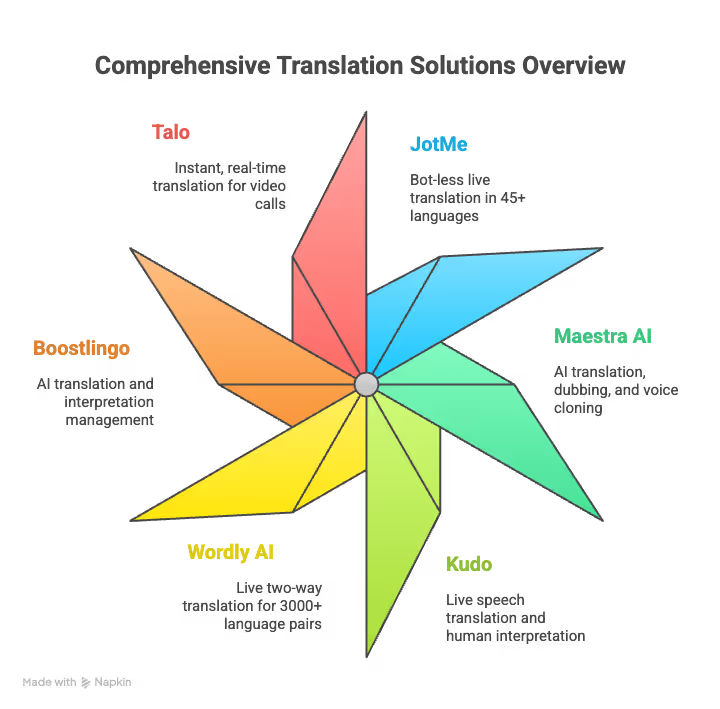
Best AI Live Translation Tools for Zoom Meetings at a Glance
How We Chose the Best AI Live Translation Tools
Choosing the right live translation tool for your Zoom meetings can be overwhelming, especially with numerous options available on the market and each offering various features. While one tool, for example, offers an AI meeting summary, the other might offer a bulleted list of insights. Similarly, you may like the features of one tool but then find out that another tool offers similar features at a cheaper rate. We tested the tools and compared them thoroughly, along with checking out scores of reviews to create this list of six tools.
However, instead of just relying on reviews and other marketing claims, we used JotMe, Talo, Boostlingo, and other tools in our Zoom meetings to understand which one was good for which functionality we needed. Here, we will provide features of these tools that we liked so you can decide which AI live translation tool you should use.
Why Trust Our List?
We didn’t just rely on online reviews, but we tried every tool by conducting Zoom meetings and assessing their performance.
We prioritized tools that didn’t lag during conversations. In this case, JotMe’s live translation in 45+ languages stood out. What amazed us was that when we started a Zoom meeting in Japanese, JotMe began translating it in English with almost zero delay.
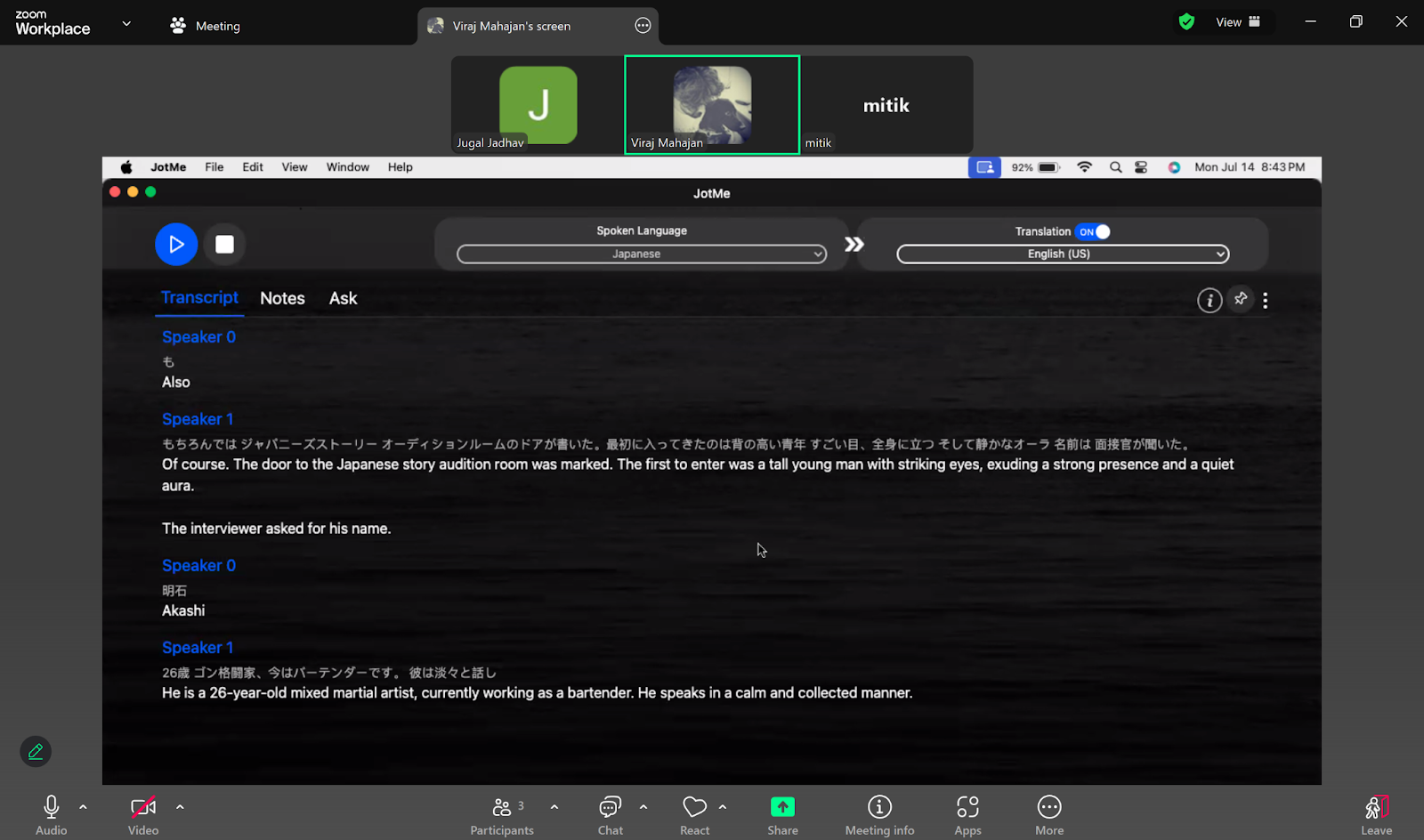
We looked for tools that let users test them before buying a plan. We found that Maestra can translate in real-time in 125+ languages, but it doesn’t offer it for free for Zoom meetings. However, we found tools like JotMe that offer free translation of up to 20 minutes and Boostlingo up to 60 minutes.
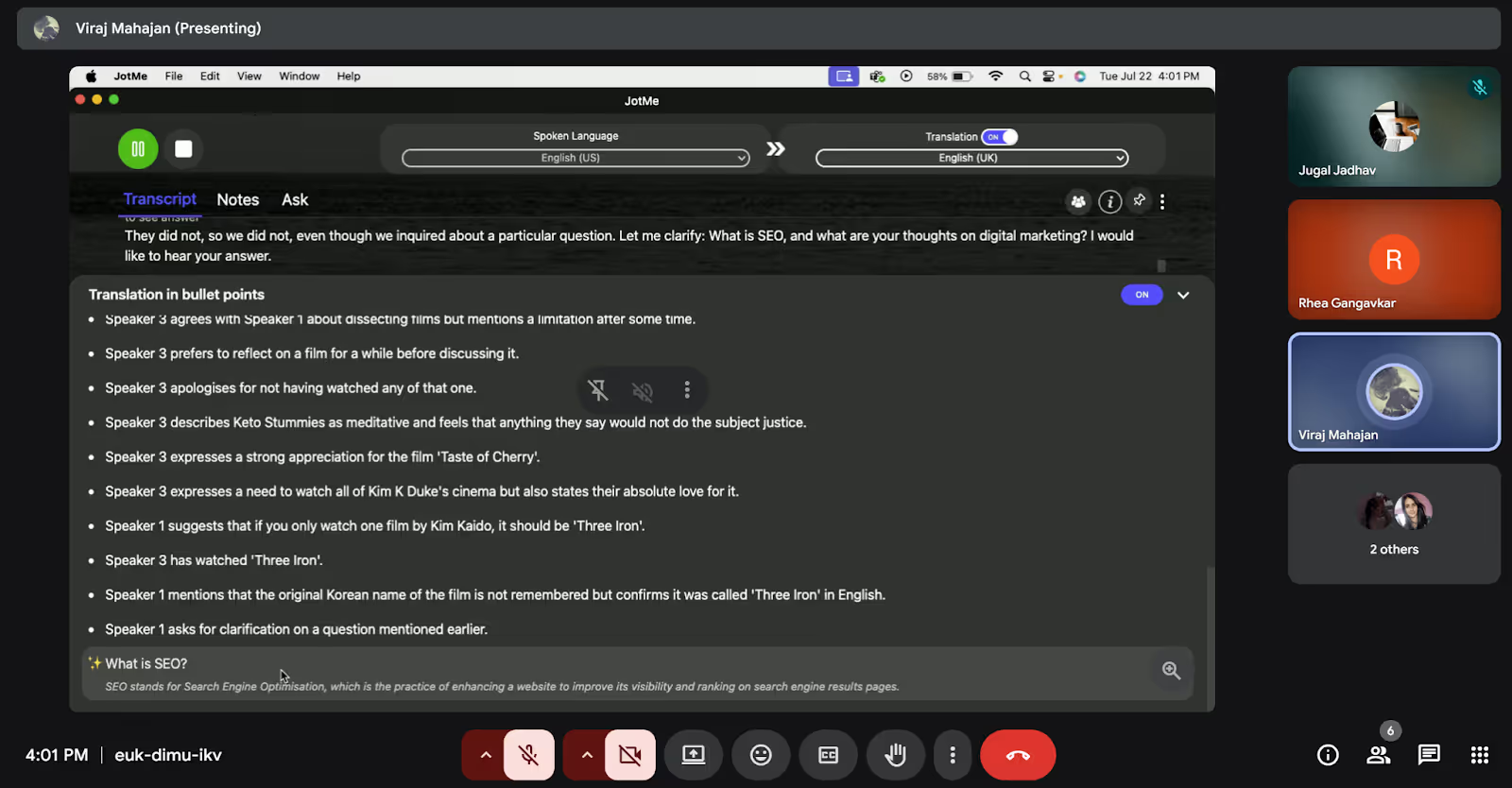
Unlike other tools that offer AI chats for post-meeting tasks, JotMe offers live AI insights in an ongoing meeting. We were testing it on a Zoom call and found that it gave an AI insight into a question with just one click.
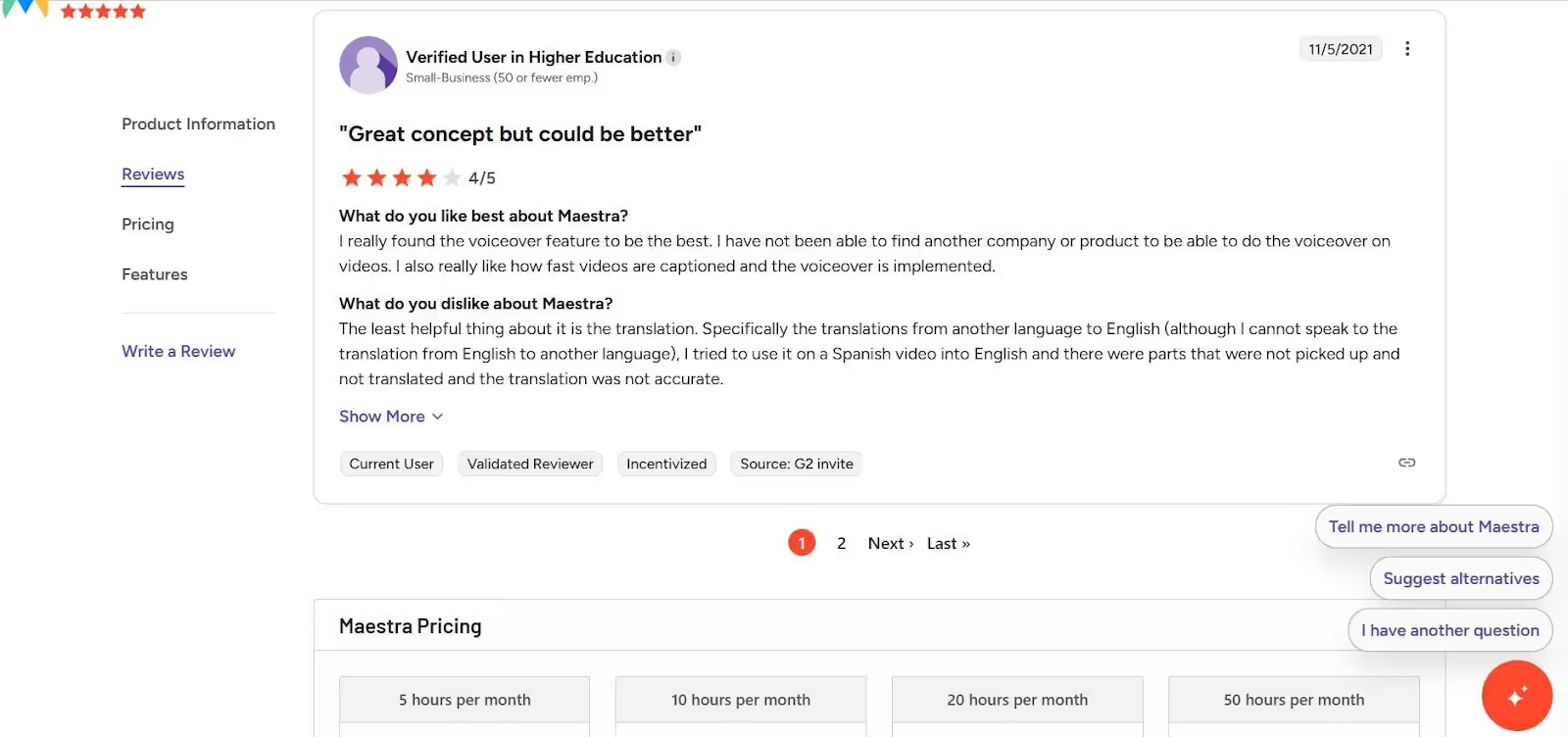
What we wanted to check primarily was how good the live translation and translation accuracy were. For instance, with a tool like Maestra AI, we found that the translation accuracy was a little lacking, which was a similar verdict to a G2 user, who complained that translations from other languages to English were particularly inaccurate.
Even though our main focus was live translation, we considered checking other features that can be useful during Zoom meetings. JotMe offers bot-free meeting translation and an AI chat feature that lets you pull out specific points from the discussion instead of going through it all over again. Plus, it also offers a bulleted list of the live translation points for us to document our Zoom meeting discussion better.
Best Live Translation Tools for Zoom Meetings
AI live translation has picked up tremendously because of work spilling out of offices and transcending regional boundaries. Teams now work globally and across multiple time zones, as well as in various languages. According to Hubspot’s State of AI Report, 35% of marketers use GenAI to translate marketing content into other languages.
Most professionals prefer to have an assistant who handles tasks in the background, such as capturing every word, translating in real-time, and creating summaries. Here are the best live translation tools you should try in your Zoom meetings.
JotMe: Ideal for Bot-less Live Translation
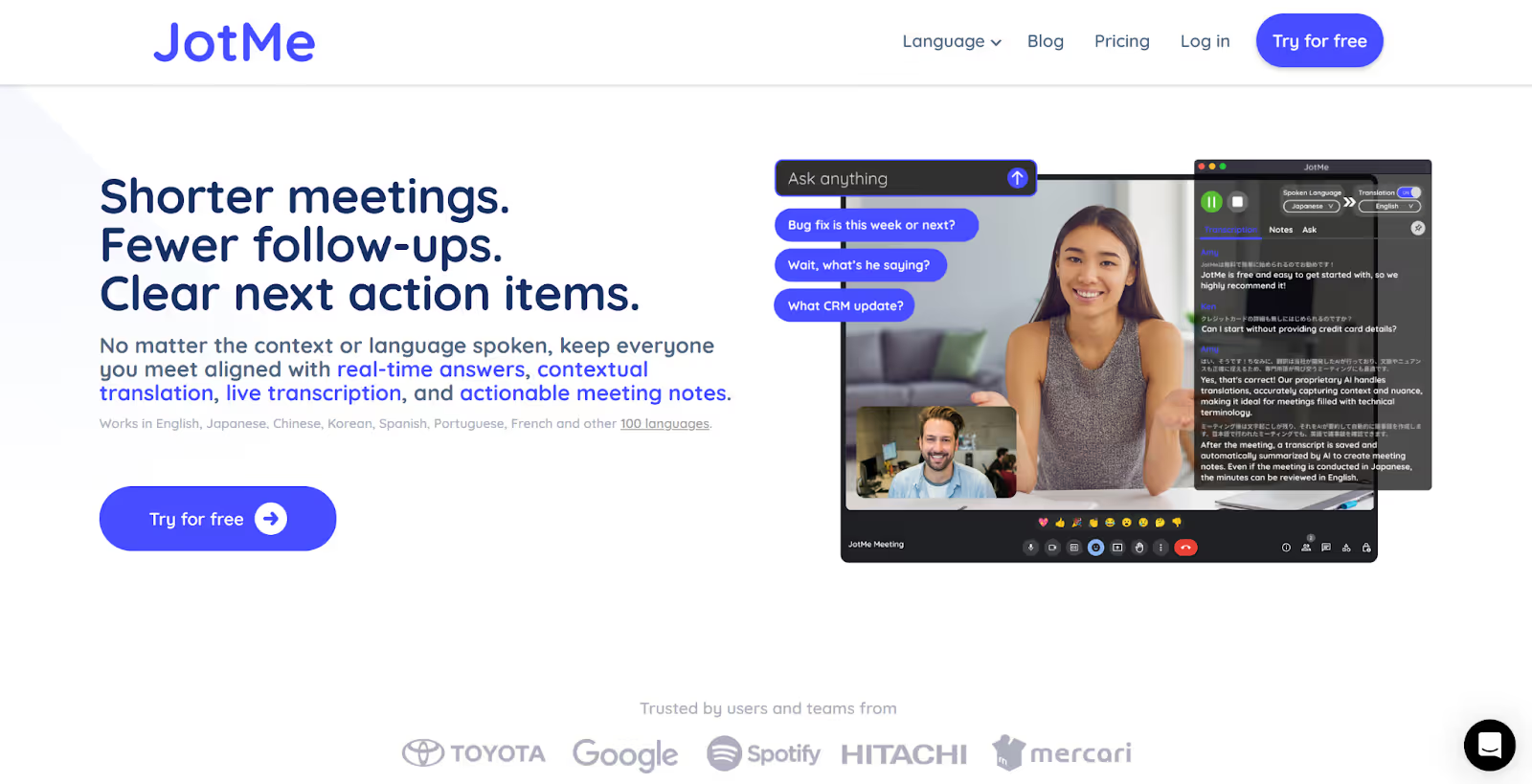
JotMe is like having someone next to you during your Zoom meetings, answering questions, translating, and capturing your thoughts in real time. If you’re someone from sales, customer success, product, or engineering, calls in different languages can slow down your Zoom meetings. JotMe fixes this issue by capturing what the speaker has to convey.
Most meeting translation tools come with a bot to join the meetings. But what if you don’t want the host to know that you’ve added a bot on your behalf? That’s where JotMe makes a difference.
With JotMe, you don’t need a bot to join a meeting. It captures audio directly from your system and runs in the background so that you can focus on your meeting.
Supported Platforms: Zoom, Google Meet, Microsoft Teams, Webex, Slack, and more.
Key Features of JotMe
AI Note Taker
JotMe’s AI Note Taker captures every word in your Zoom meeting and provides clear follow-up action items. It takes notes to capture your thoughts as they happen, and the AI summarizes everything with your Zoom meeting transcript. This way, you can always know what’s next and don’t have to follow up with anyone.
Meeting Recording
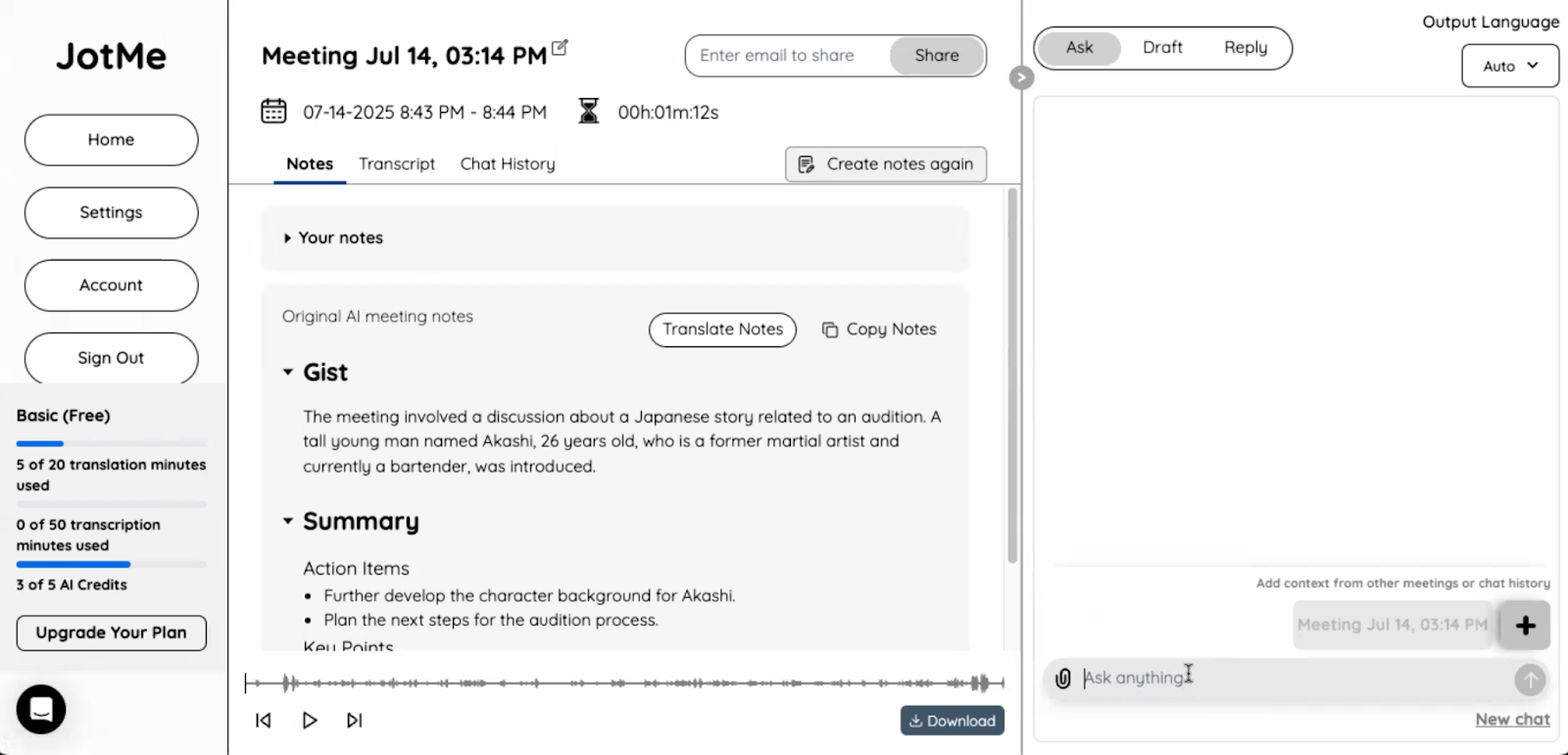
With JotMe, you can start recording your meetings in audio and automatically generate a transcript with just one click on any online meeting platform, such as Zoom, Teams, or Google Meet. The good part is that everything is in one place, including the audio recording of your meeting, the meeting transcript, and meeting notes.
Multilingual Transcription
JotMe can transcribe up to 10 languages simultaneously, including English, Japanese, Spanish, French, and more. All the discussion is transcribed so that you won’t be lost in the conversation.
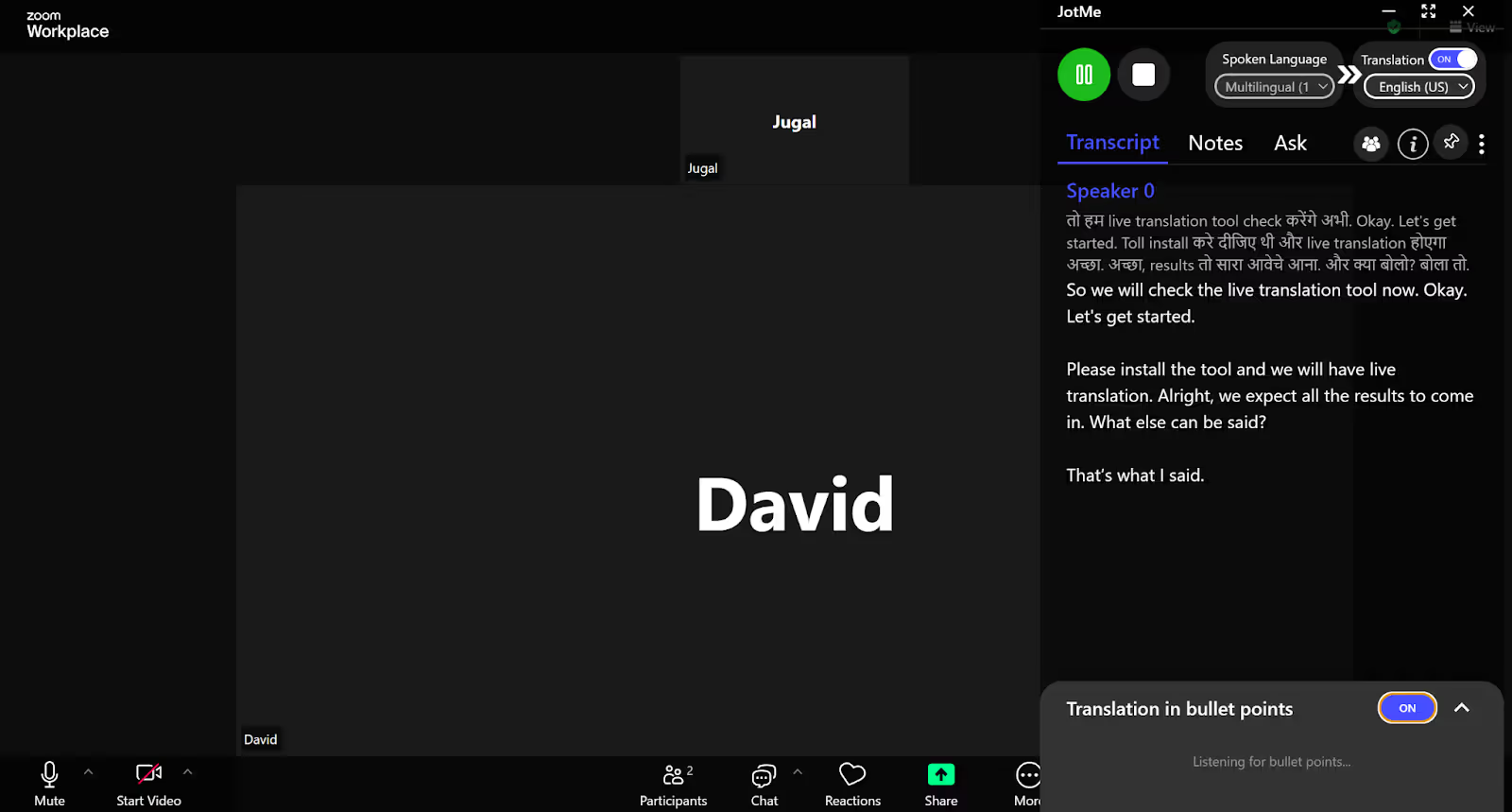
When we conducted a Zoom meeting in English and Hindi, JotMe started the live transcription of the meeting in seconds.
AI Chat
Did you miss any important part of the meeting, or were you inattentive for some time? Don’t worry, with the AI feature, you can understand the finer points of the discussion, like what was discussed in the meeting or what tasks were assigned and to whom. It even offers to create a draft for a document, email, or blog so that you don’t have to start writing and formatting your content from scratch.
No-bot Integration
When you’re in a meeting, it’s unnerving when you see that a bot has joined it and is taking notes on the participant’s behalf. It might make you feel watched or uncomfortable. Here’s where JotMe comes in and eliminates that aspect of discomfort. JotMe captures audio directly from your system and runs in the background while you focus on your meeting.
Sharing Translation Minutes
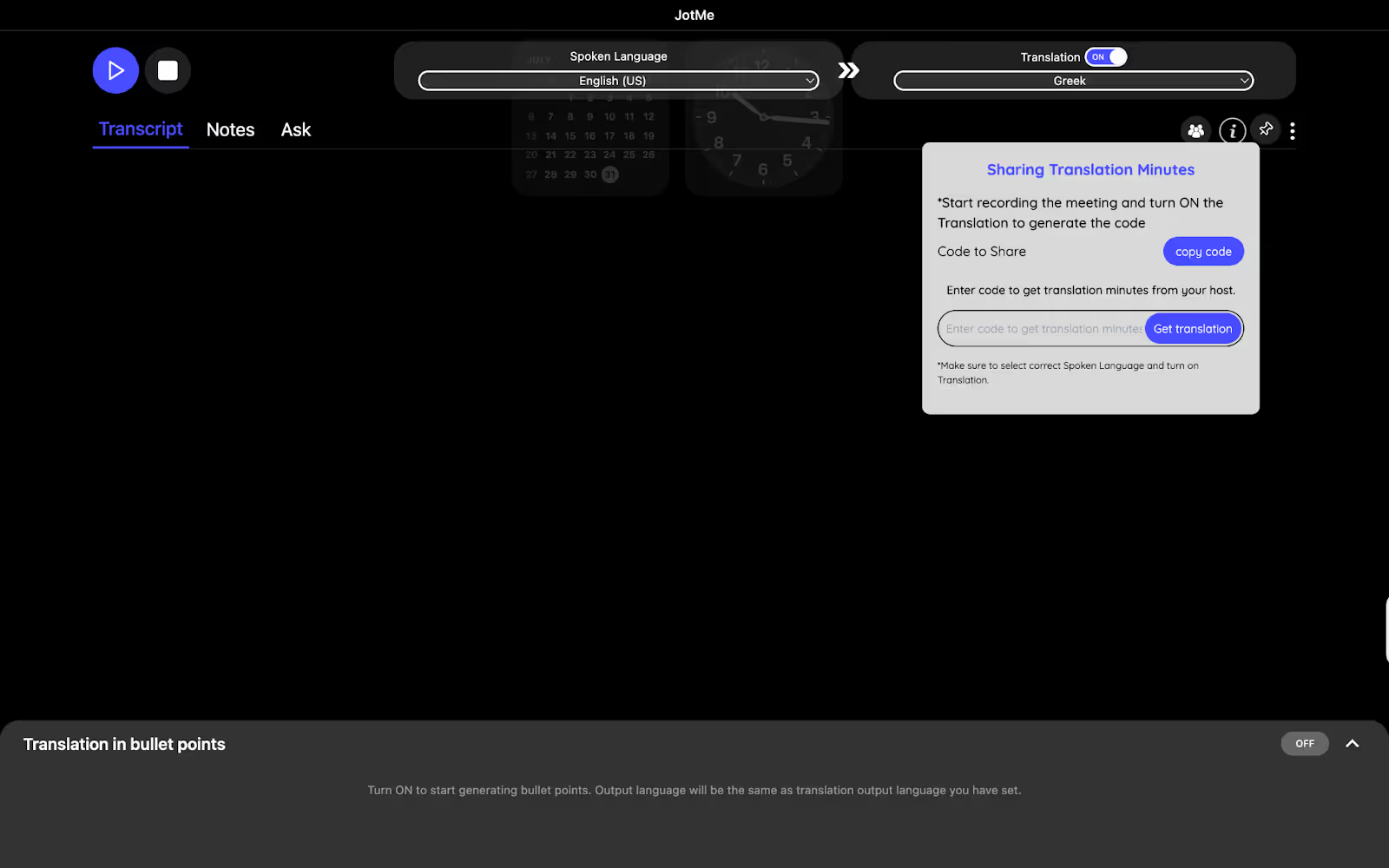
What makes JotMe a great live translation tool is that it lets you share the translation minutes with a simple code. To share the code with the participant, click on the ‘people’ icon on the right. You’ll get an option “Sharing Translation Minutes.” Below that, you’ll see an option “Get code to share.”
Copy this code and share it with the team members. When the participants enter this code in “Get Translation” on the right, they will be able to record the meeting, transcribe and translate it, and get meeting notes as well, without getting a paid subscription.
Pricing
Free Plan
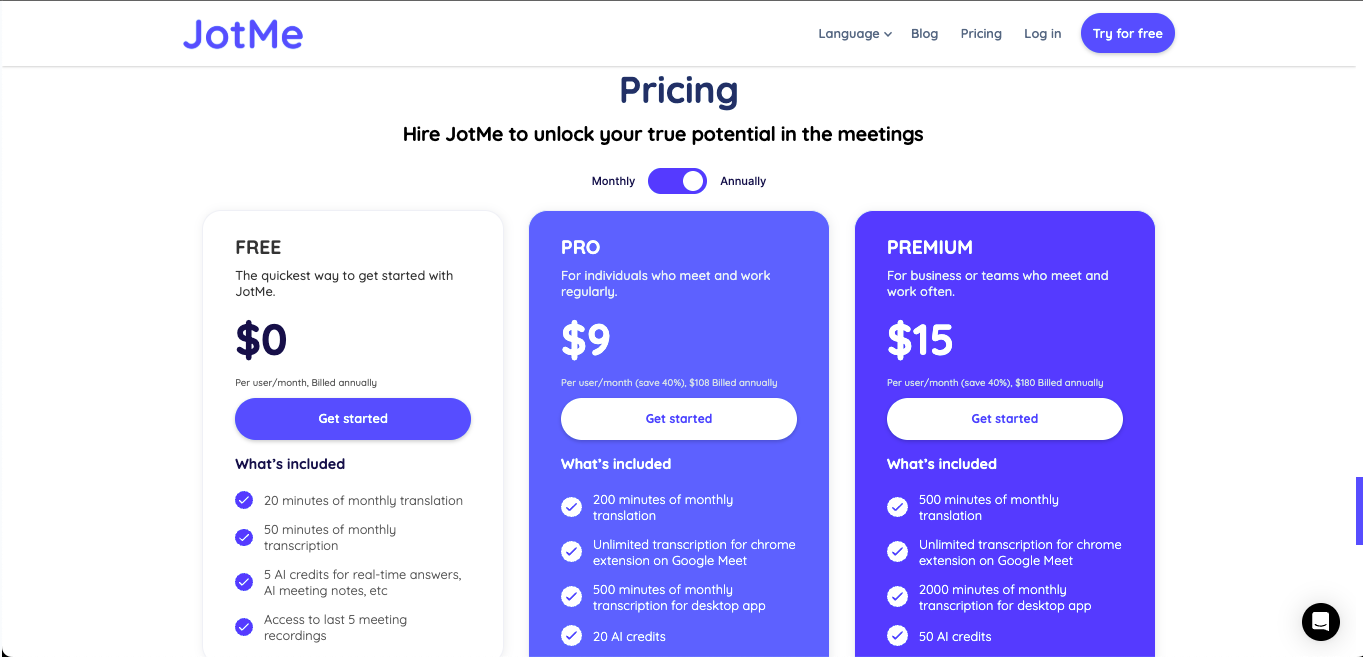
- JotMe offers a free plan with 20 minutes of translation and 50 minutes of transcription per month, which is decent enough to get a complete idea of the tool’s functionalities.
Paid Plans
- The JotMe Pro plan starts at $9 per month (billed annually at $108) and includes 200 translation minutes, 20 AI credits, and 500 transcription minutes for the desktop app.
- The JotMe Premium plan starts at $15 per month (billed annually at $180). It offers 500 minutes of monthly translation, 50 AI credits, 2,000 minutes of transcription, AI meeting generation, access to unlimited meeting recordings, and more.
Pros
- It offers live translation and transcription in over 45 languages.
- You don’t need to give your credit card details to try the free version.
- Offers multilingual summary generation and meeting notes.
Cons
- The platform doesn’t have a mobile application yet.
Maestra AI: Known for AI Translation, Dubbing, and Voice Cloning
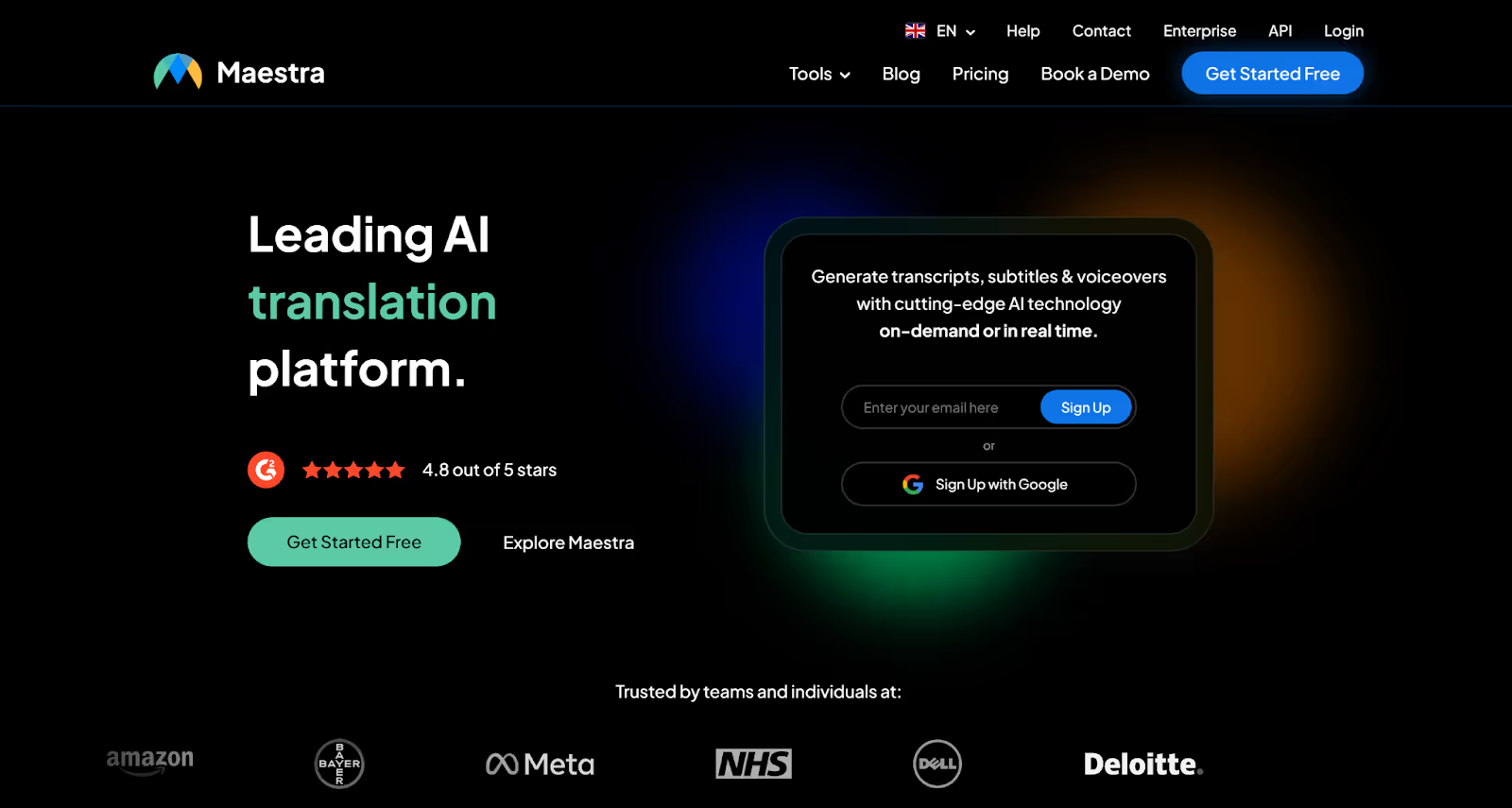
Maestra AI is a leading AI platform for translation, transcription, and voiceover. You can effortlessly translate your Zoom meetings in real time and generate captions in over 125 languages. Whether you’re hosting a global webinar or a team meeting, Maestra provides simultaneous interpretation through captions. If you’re a podcaster or content creator, Maestra’s subtitle generator, video dubber, and video translator can be a good choice.
Supported Platforms: Zoom, YouTube, TikTok, OBS, vMix, and more
Key Features of Maestra AI
- Subtitle Generator: Create subtitles for over 125 languages in seconds and expand your video’s reach, enhancing accessibility.
- Audio to Text Transcriber: Convert audio files to text in various languages, including Spanish, Arabic, French, Portuguese, and more. You can even use AI to create quizzes, chapters, summaries, and sentiment analyses of transcripts and extract keywords.
- Video Dubber: Dub audio content using 800+ realistic AI voices with accent and emotional nuance options. You can even generate AI voices for TikTok videos and create voiceovers in different languages.
- AI Video Translator: Translate a video from one language to another using subtitles, AI voices, and voice cloning. You can even translate audio and MP3 files to multiple languages using Maestra’s voice translator.
Pricing
Free Plan
- Maestra doesn’t offer a free plan.
Paid Plans
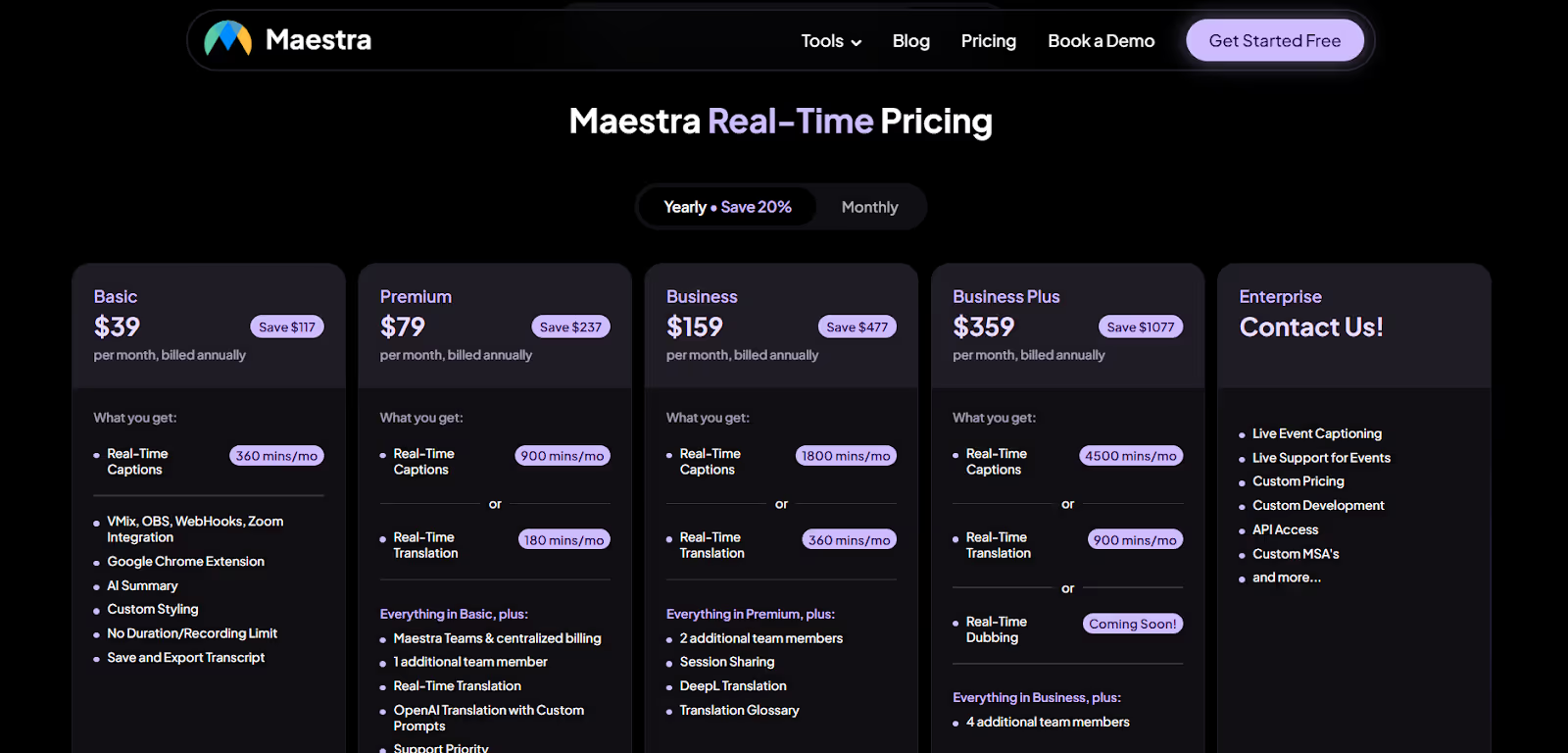
- Maestra’s Basic plan starts from $39 per month and offers 360 caption minutes, vMix, OBS, WebHooks, and Zoom Integration.
- Maestra’s Premium plan starts at $79 per month and offers 900 caption minutes or 180 translation minutes.
- Maestra’s Business plan starts from $159 per month and offers 1800 caption minutes or 360 translation minutes per month.
- Maestra’s Business Plus plan starts at $359 per month (billed annually) and offers 4500 caption minutes or 900 translation minutes per month.
Enterprise Plan
- You will have to contact Maestra for a quote for its Enterprise plan, which offers live event captioning, live support for events, API access, and more.
Pros
- It offers real-time dubbing in over 125 languages.
- It has a drag-and-drop upload feature for translation.
- It integrates smoothly with Zoom, apart from other platforms like Slack and Google Meet.
Cons
- It doesn’t offer a free trial for live translation of Zoom meetings.
- The translation from other languages to English is inaccurate.
- The cost of all its paid plans is steep.
Kudo: Ideal for Live Speech Translation and Human Interpretation
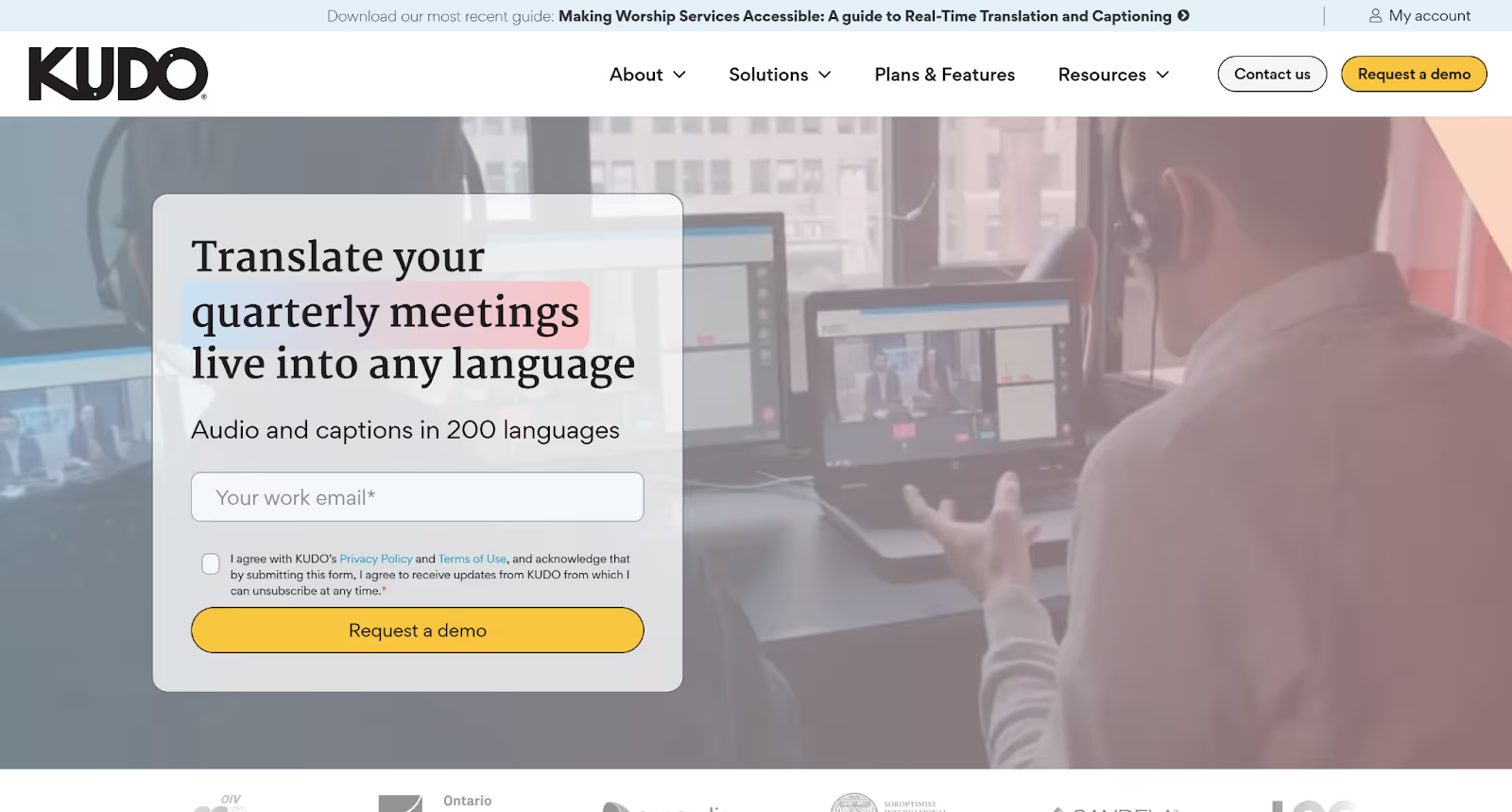
If you’re a student or educator who regularly attends training sessions on Zoom, Kudo is a great choice. With its real-time translation feature, you can live-translate audio and captions in 60+ languages. You can even add a custom glossary of your translation preferences. The tool offers an embedded widget for Zoom, with up to 3000 users being able to attend a meeting.
Supported Platforms: Zoom, Google Meet, Microsoft Teams, EventMobi, Hubilo, and more.
Key Features of Kudo AI
- Professional Interpretation: Kudo offers 12,000 professional interpreters who specialize in a particular industry, accurately and reliably conveying important information in every language.
- AI-Generated Voice: Kudo allows you to select an AI-generated voice that mimics the natural flow of speech.
- AI Speech Translator: It offers AI-powered, live-translated audio and captions in over 60 languages for your Zoom meetings, presentations, and training sessions.
- Download Option: You can download recordings in each language for offline use.
Pricing
Kudo’s pricing is based on use cases like the recurrence of your Zoom meetings, the length of the sessions, etc. You will need to contact them for pricing information.
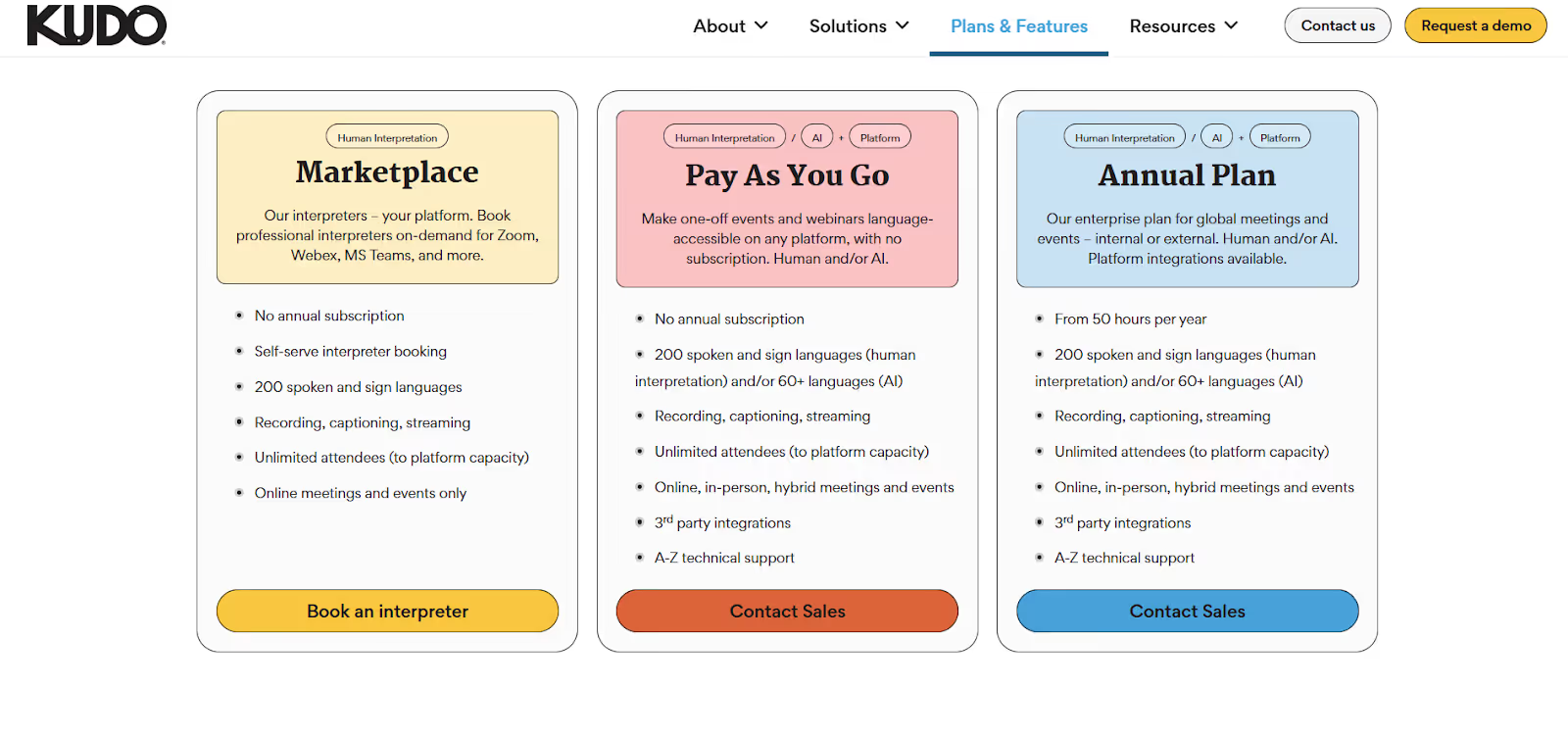
- Kudo’s Marketplace plan: If you want quick interpreter bookings without any subscription, you can choose this plan and contact your interpreter via Zoom, Webex, or MS Teams.
- Pay-As-You-Go Model: Kudo’s pay-as-you-go model is a decent plan for one-off events or webinars. You get both AI and human interpretation in 200 languages, and you don’t need to get a separate subscription.
Pros
- It works across multiple platforms like Zoom, Webex, MS Teams, and more.
- It has mobile applications available on Android and iOS.
- You can upload a custom glossary of terminology and translation preferences.
Cons
- You cannot try the tool for free, and you need to contact their team for a demo.
- Users may experience lag if their connection is unstable.
- Users can’t use it casually or in smaller use cases.
Wordly AI: Perfect for Live Two-way Translations
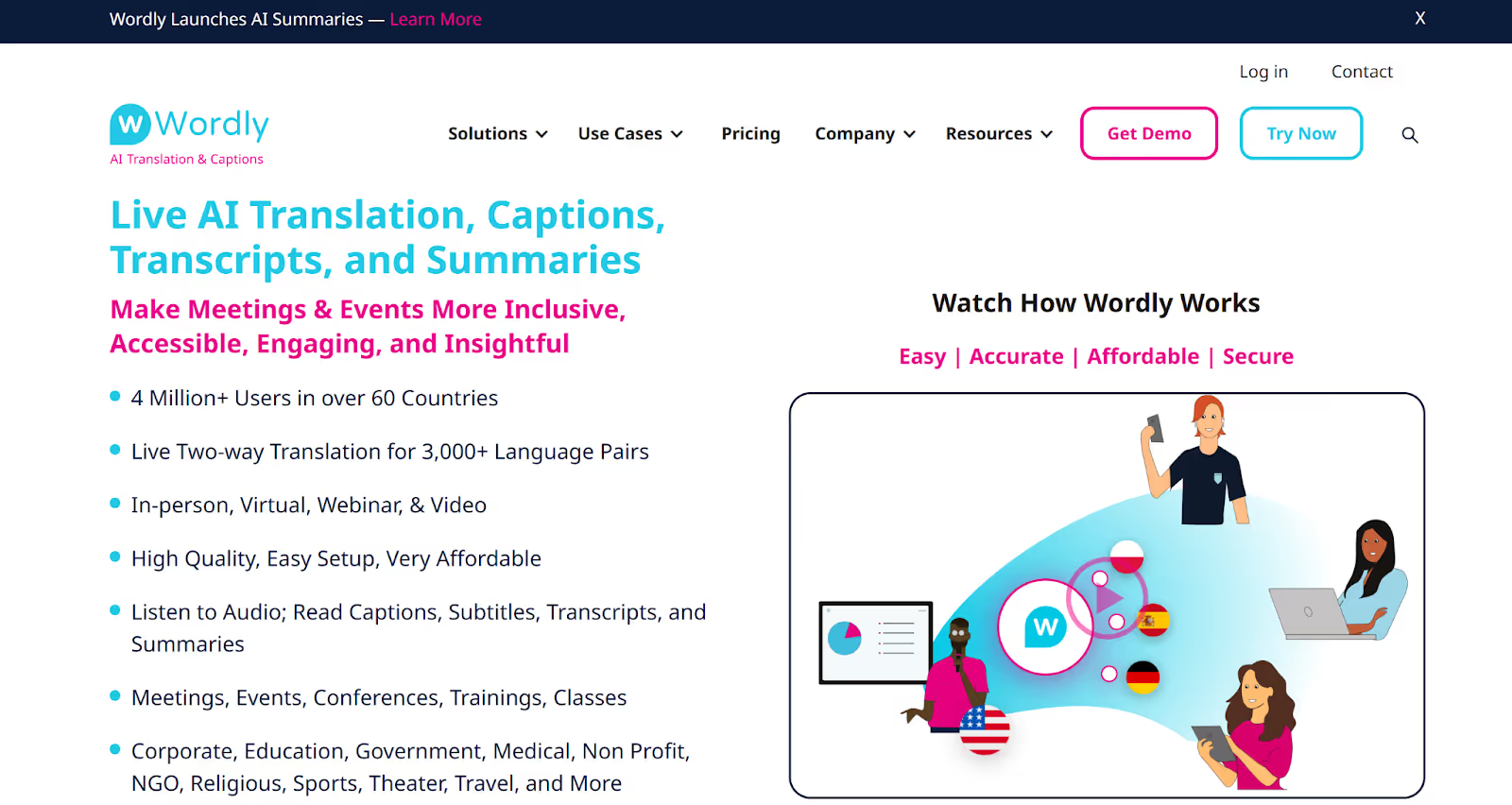
Wordly AI provides live translation, captions, transcripts, and summaries of your Zoom meetings. It helps with two-way translation for 3000+ language pairs. Wordly captures the speaker’s audio, processes it through the system, and translates it in real time. Whether you’re in corporate, education, medical, or government, you can make your Zoom meetings more accessible and engaging with its easy setup.
Supported Platforms: Zoom, Microsoft Teams, Cvent, Encore, and more.
Key Features of Wordly AI
- AI Summarizer: You can get insights from your Zoom meetings to use for post-event needs. Use the summarizer for content creation, record keeping, and knowledge sharing.
- AI Transcription: It provides access to a complete transcript file with written records of the conversations during Zoom meetings.
- Integration Options: Wordly works with a wide range of event management and video conferencing platforms like Zoom.
- Admin Portal: The portal provides a centralized place to set up and manage new live translation and caption sessions.
Pricing
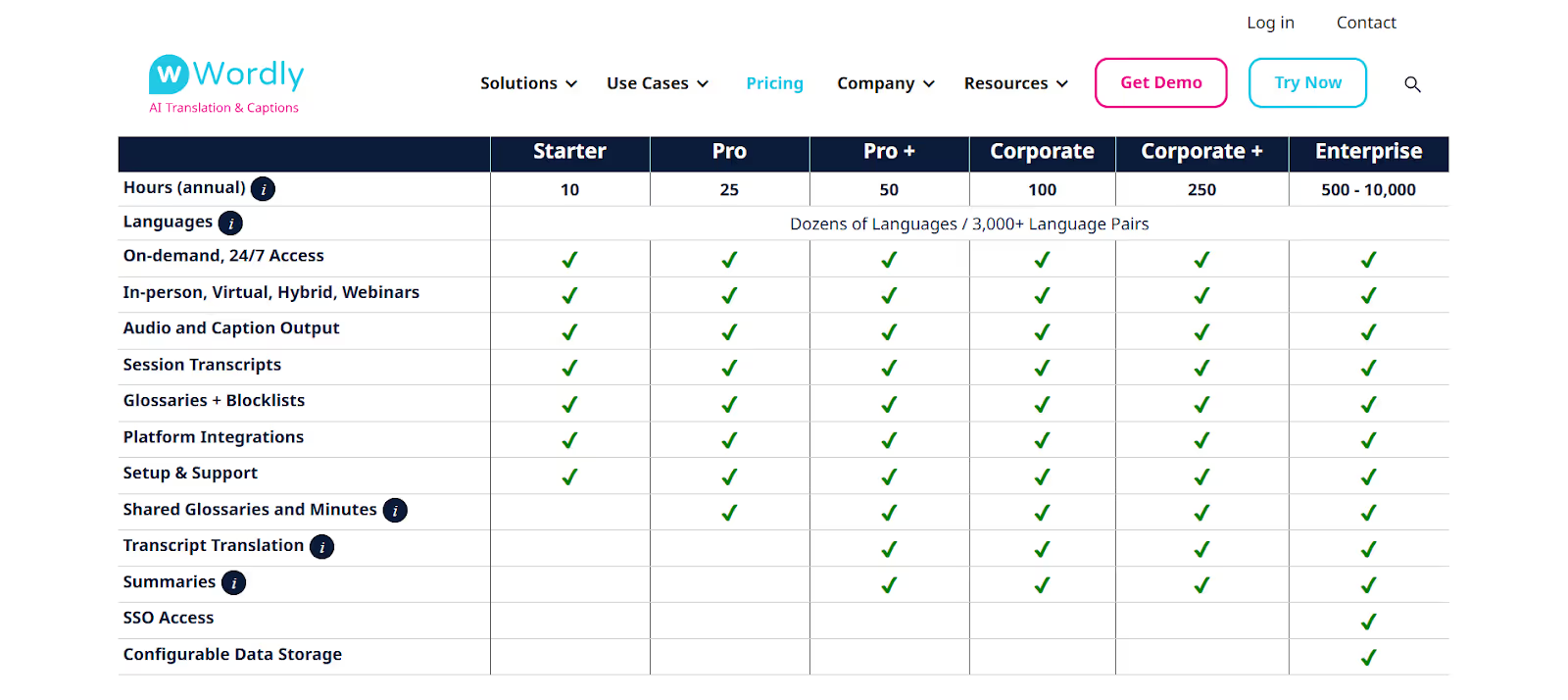
Wordly pricing is based on the size of the package, which starts at 10 hours annually. We inquired and found out that you need to request a quote from the Wordly AI team. The customized package will have an annual validity and will include captions, live translation, and transcription.
Pros
- The tool offers live translation of Zoom meetings in over 60 languages.
- Attendees don’t need to create a Wordly account to access translation and captions.
- Wordly supports thousands of simultaneous users per session.
Cons
- You cannot try the tool for free, and you must contact their team to request a demo.
- Some users on G2 found the pricing to be higher than that of other tools.
- The interpretation of technical terms or specific idioms can be inaccurate.
Boostlingo: Ideal for AI Translation and Interpretation Management
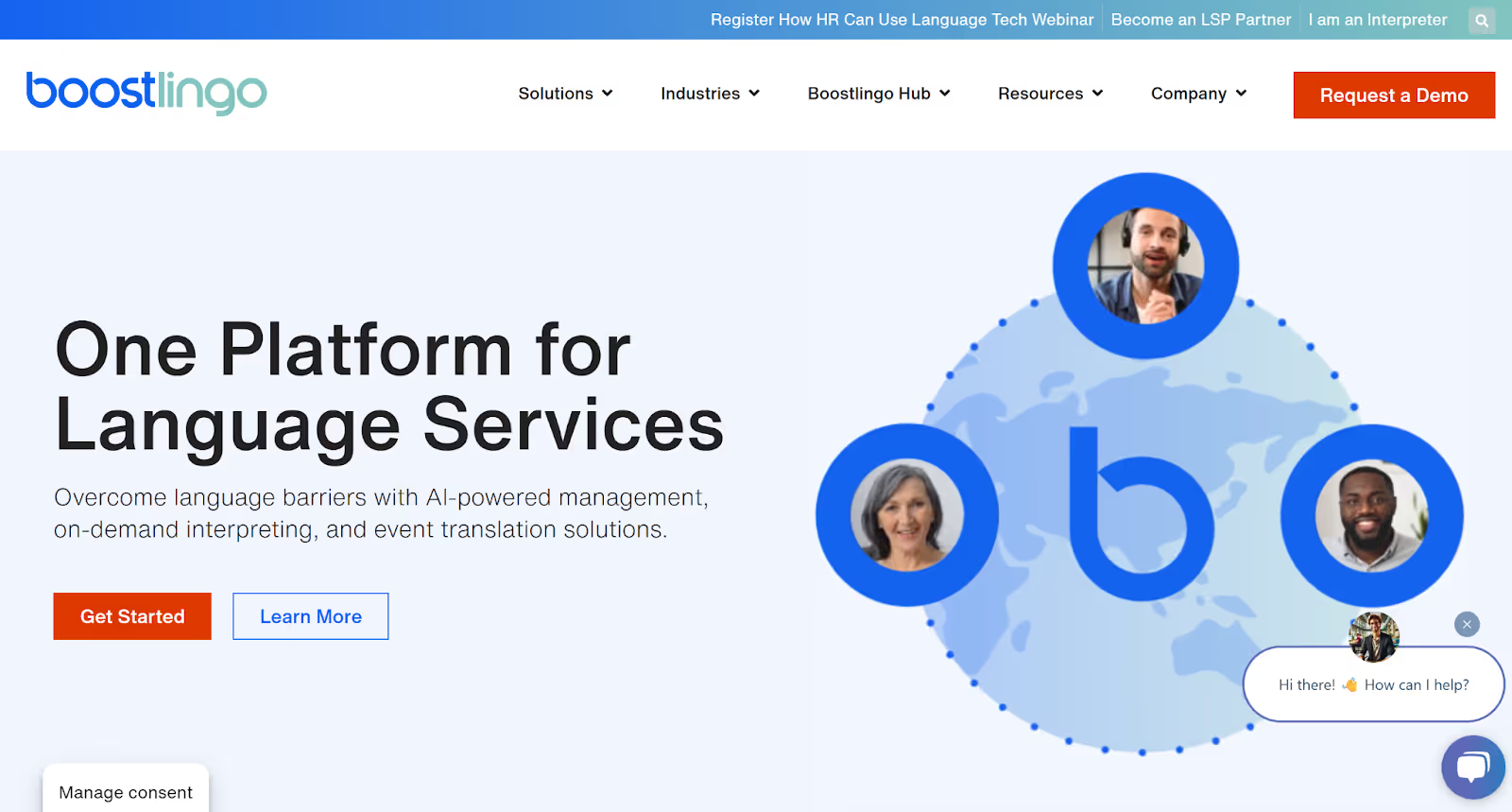
If you’re a businessman who regularly conducts high-stakes meetings on Zoom or on-site events, Boostlingo is a good choice. It offers AI-powered management, on-demand interpreting, and event translation tools. You can set it up in minutes for high-quality, real-time AI translation in 130+ languages.
Supported Platforms: Zoom, Microsoft Teams, and Webex
Key Features of Boostlingo
- AI Assistance Services: Get AI assistance with various tasks, from Zoom meeting summaries to AI-generated glossaries.
- ASL Interpretation Service: The on-demand ASL (American Sign Language) interpretation services provide instant access to certified and professional ASL interpreters for accurate communication.
- Multilingual Interpretation: Boostlingo Events can help with engagement in any language in Zoom meetings with live interpretation.
- Billing and Invoicing: Send invoices to clients and interpreters for review, comments, and approval in real-time in a centralized platform.
Pricing
Free Trial
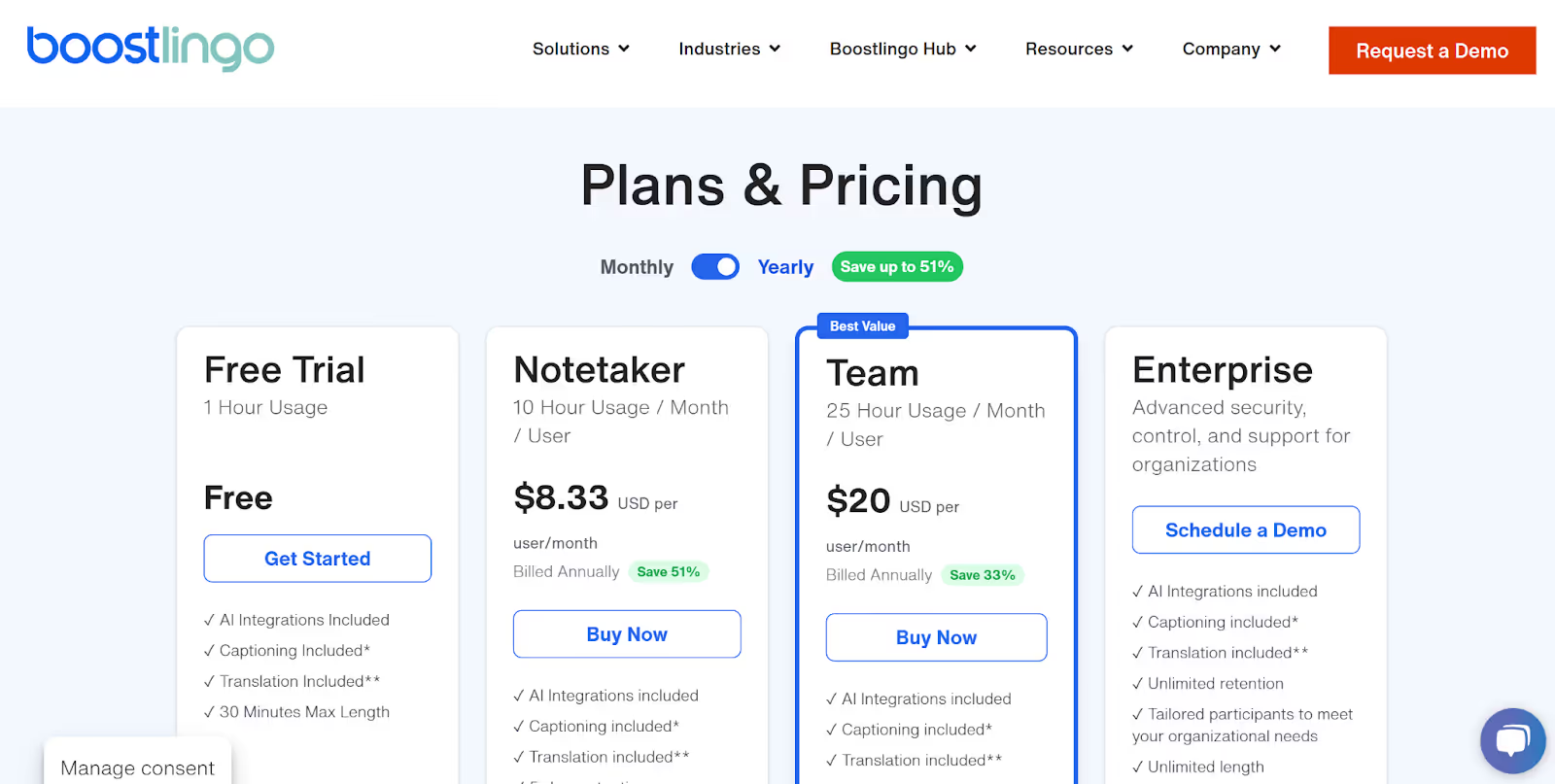
- Boostlingo doesn’t offer a free plan, but it offers a free trial. The trial lets you caption and translate for 30 minutes max, and you can avail yourself of the plan for an hour after getting the plan.
Paid Plans
- Boostlingo’s Notetaker plan starts at $8.33 per month and offers 10 hours of usage per user, 5-day retention, and live translation in two languages.
- Boostlingo’s Team plan starts at $20 per month and offers 25 hours of usage per user, 30-day retention, and access for up to 10 participants.
Pros
- The tool offers a 60-minute free trial for AI language translation.
- The OPI service provides 24/7 access for real-time language support.
- Offers integration with Zoom, Slack, Teams, and more.
Cons
- Some users on Capterra claimed that the customer service overcharged them.
- Some of the setups in the Admin section can be confusing.
- The platform has limited functionality.
Talo: Best for Quick Real-time Translation for Video Calls
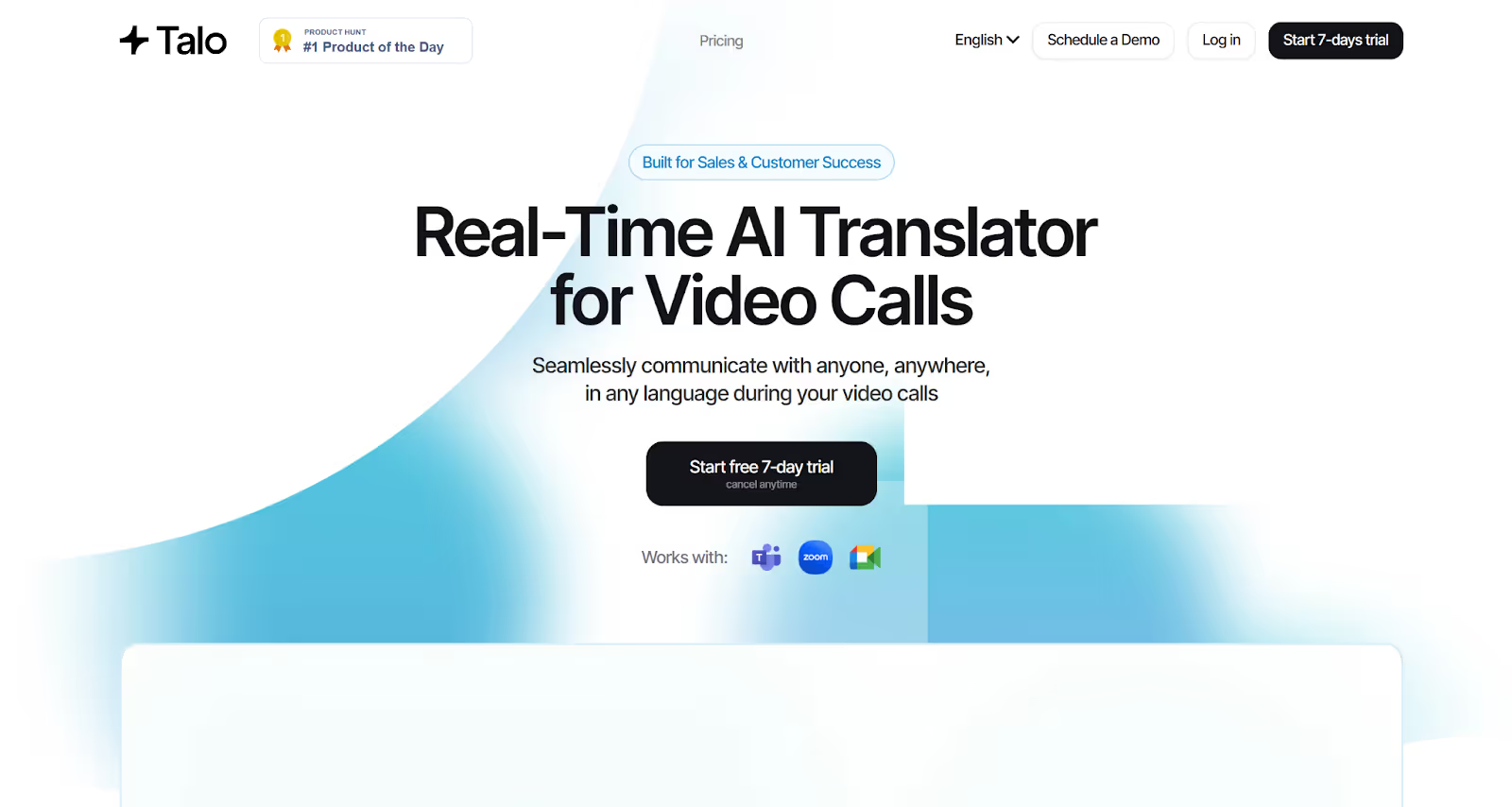
We tested Talo in one of our Zoom meetings, and its real-time AI translator felt seamless. Its AI bot instantly translated every participant’s speech. When you try Talo, you’ll find that you can communicate effortlessly in 60+ languages without missing context or meaning.
Supported Platforms: Zoom, Google Meet, and Microsoft Teams.
Key Features of Talo
- Instant Translation in 60+ languages: Talo’s advanced AI translation technology provides accurate and real-time translation in 60+ languages.
- Smooth Integration: You can easily integrate Talo’s AI interpreter with tools like Zoom, Google Meet, and Microsoft Teams.
- Privacy-First Security: The tool’s security framework aligns with SOC 2 and ISO 27001 standards, providing encryption and secure cloud infrastructure.
- Single Bot for Multilingual Meetings: Talo’s single AI-powered bot seamlessly translates every participant’s speech in Zoom meetings, eliminating the need for multiple accounts.
Pricing
Free Plan
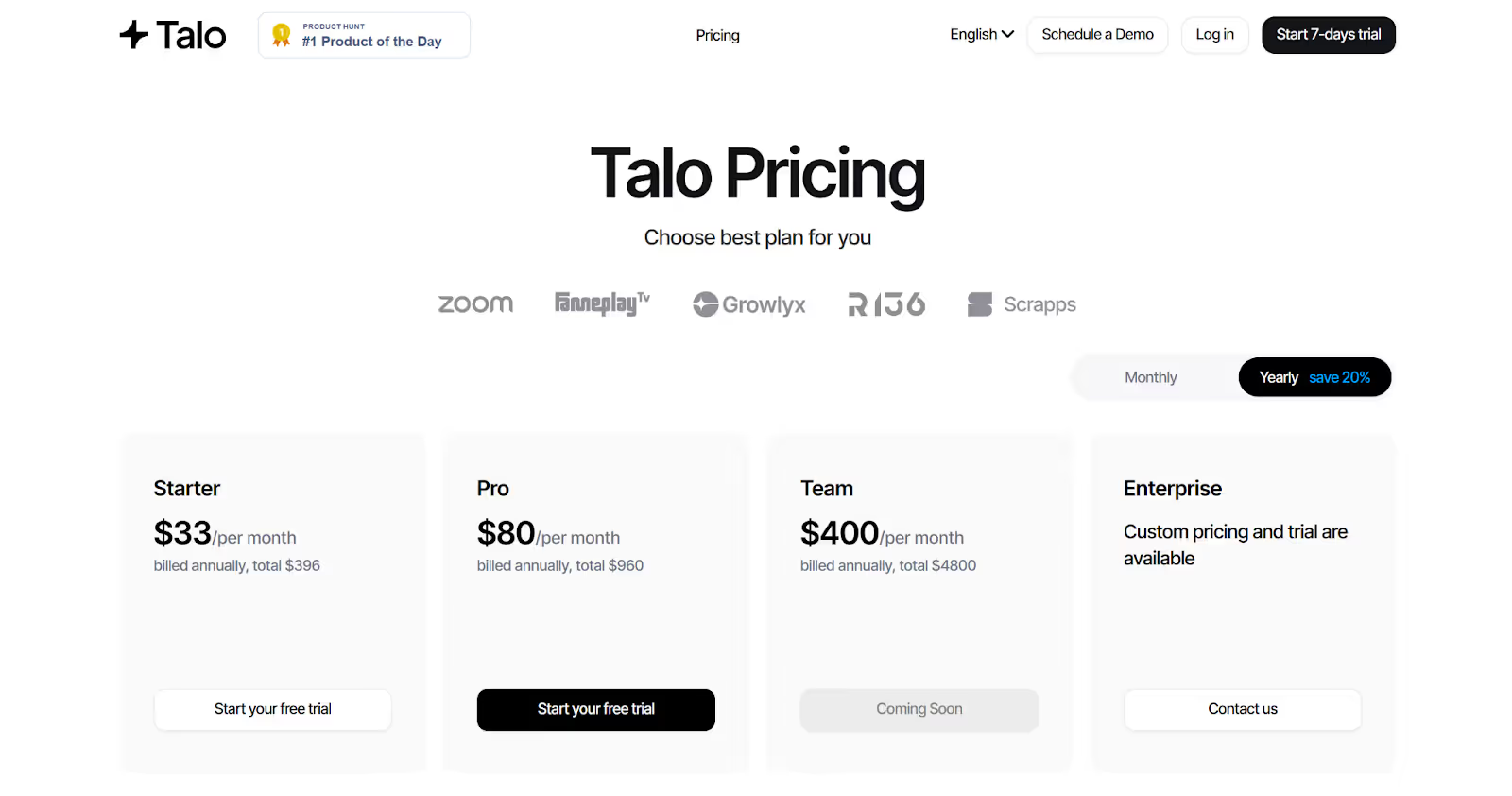
- Talo offers a 7-day free trial plan that offers 20 minutes of live translation.
Paid Plans
- Talo’s Starter plan starts at $33 per month and offers 1140 minutes per year, plus translation in 60 languages.
- Talo’s Pro plan offers 4,800 minutes annually at $80 per month, and additional minutes cost $0.25 per minute.
- Talo’s Team plan is priced at $400/month and is ideal for 5 members and includes 30,000 minutes, and 30,000 minutes per year, and additional minutes at $0.2 per minute.
Pros
- Decent and context-aware translation.
- Simple interface and minimal set-up required.
- Easy integration with video conferencing tools for businesses and enterprises.
Cons
- You need to give your credit card details even to access the free trial.
- The cost of plans can be high for smaller teams.
- There is no mention of a browser-based version of the tool.
Which Live Translation Tool Should You Pick for Zoom Meetings?
Choosing the right tool depends on how you use Zoom and your needs, whether it’s speed, budget, or accuracy. Here’s a quick breakdown:
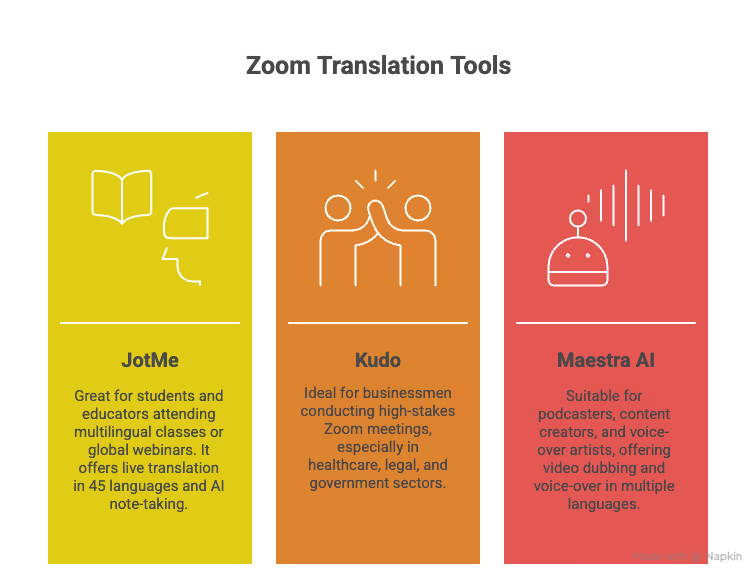
- If you’re a student or an educator attending multilingual classes or global webinars on Zoom, JotMe is a great choice. It’s a bot-free tool offering live translation in 45 languages, plus you can also use it as a meticulous AI note-taker.
- If you’re a businessman conducting regular high-stakes Zoom meetings or from industries like healthcare, legal, and government, Kudo and Boostlingo are great for you.
- If you’re a podcaster, content creator, or voice-over artist, Maestra AI offers various tools from video dubbing to voice-over in multiple languages.
However:
AI live translation can’t be limited to only translating from one language to another. The tool has to pick up on context, emotion, and tone to convey what’s being said and what’s being communicated. That is what truly lends to effective communication across teams and languages.
Language barriers shouldn't slow down your Zoom meetings. Its built-in translation feature can be inaccurate, but various tools offer better real-time translation and multiple-platform support. Whether you use Zoom for international webinars or training sessions, JotMe comes with zero setup hassles and supports over 45 languages. Try JotMe for free today and experience how you can communicate smoothly across different languages.
FAQs
Does Zoom have an AI translator?
No, Zoom doesn’t have an AI translator, but it does offer a translated captions feature that translates the speech in a meeting into captions in another language. However, this feature is occasionally inaccurate and may not be available for all Zoom accounts.
Can Zoom do live translation?
Yes, Zoom-translated captions enable users to have the speech in a meeting or webinar automatically translated in real-time to captions in another language.
What's the best AI for real-time translation?
The best AI for real-time translation is JotMe. JotMe keeps everyone aligned during Zoom meetings with real-time answers, contextual translation, live transcription, and actionable meeting notes.
Which AI translator is better than Google?
Yes, there are several AI translators, like JotMe, Talo, and DeepL, among others, that are better than Google. These tools use speech recognition and natural language processing to translate in real time with better accuracy than Google.
What are the best AI language translators?
Some of the best AI language translators are Google Translate, JotMe, Maestra AI, ChatGPT, Amazon Translate, and more. Some of these tools provide extensive language support, real-time translation, and additional features, such as AI-driven transcription and meeting summaries.
¿Cuál es la mejor aplicación de traducción de idiomas gratuita?
JotMe es la mejor aplicación gratuita de traducción de idiomas. JotMe ofrece 20 minutos de traducción mensual de forma gratuita, junto con créditos de IA para respuestas en tiempo real, notas de reuniones con IA, etc.
¿Cuál es el servicio de traducción online basado en IA más preciso?
JotMe es el servicio de traducción en línea basado en IA más preciso. A diferencia de otros traductores de idiomas palabra por palabra, JotMe considera el contexto y los matices y proporciona traducciones precisas en tiempo real.
¿Cuál es la mejor solución de traducción automática e inteligencia artificial para las reuniones de Zoom?
Hay varias soluciones de traducción automática e inteligencia artificial para las reuniones de Zoom, como JotMe, Wordly, Kudo, Talo, etc. Ya sea que utilices Zoom para seminarios web internacionales o sesiones de formación, herramientas como JotMe vienen sin problemas de configuración y proporcionan traducción en directo en más de 45 idiomas.
Last updated on
April 16, 2026
Follow us on social media: