







Google Meet Transcription
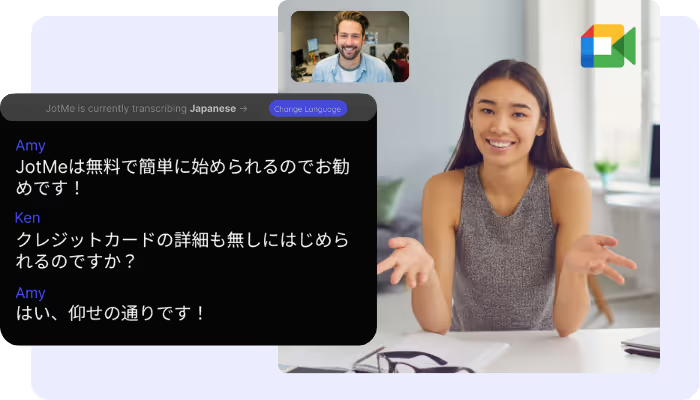
Transcribe every Google Meet as it happens, right in your browser with the Chrome extension or on the desktop app for 200+ languages, live or from a recording you upload, with accurate, searchable text.
已被 134 个国家的 2,000 个团队和 50 万名专业人士信赖使用



.avif)





.avif)


.avif)


.svg)
评分 4.7/5


符合 GDPR 规定
.avif)
SOC 2 Type II(进行中)
AI-powered Real-time Transcription on Google Meet
Struggle with missing key points during fast-paced meetings? Or find it difficult to understand certain terms before the conversation moves on? With JotMe's audio-to-text feature, you can effortlessly capture every word and instantly look up unfamiliar terms. Whether you're reviewing past discussions or clarifying new information, JotMe has you covered. Enjoy support for 200+ languages. Stay on top of every detail – sign up for free today, no credit card required!
What teams use Google Meet transcription for
3 步轻松搞定!
第 1 步
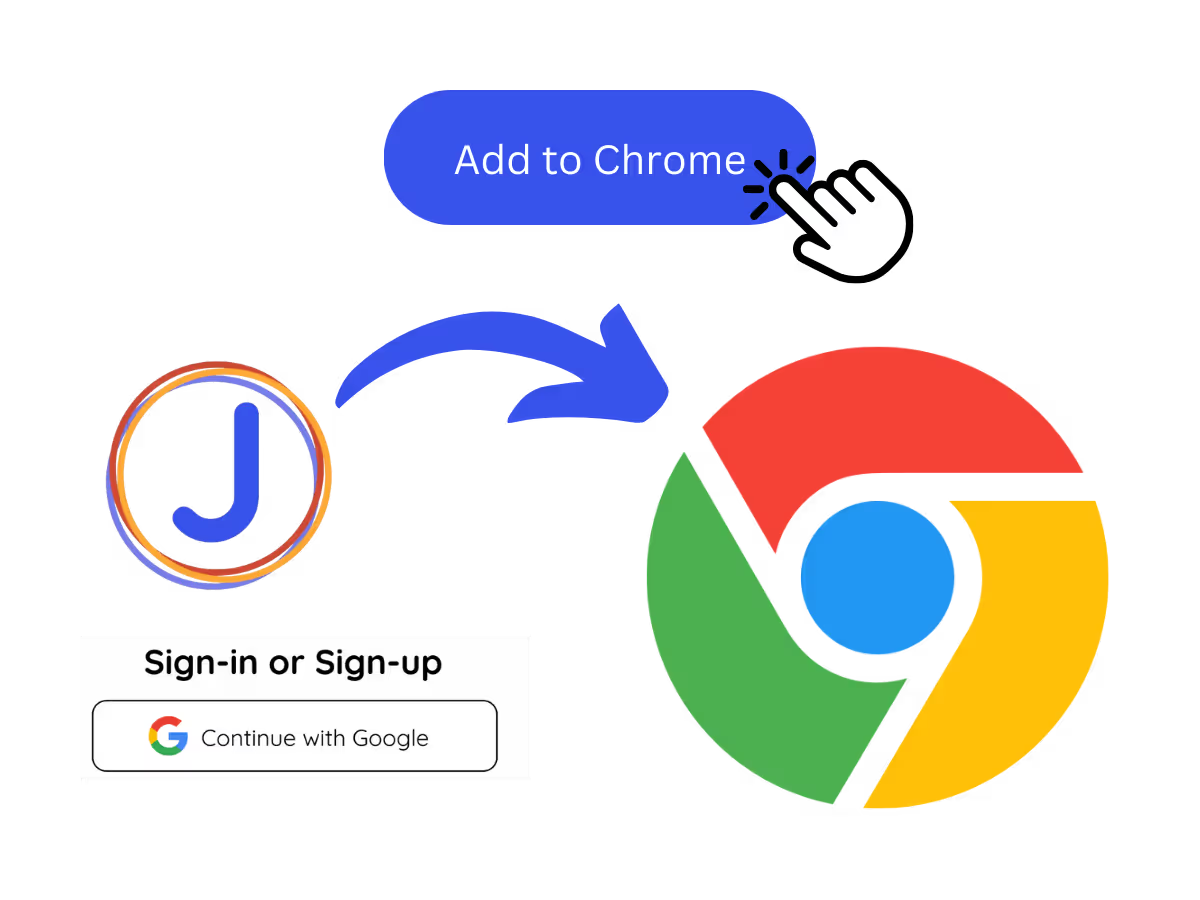
1. Add the Chrome extension, or upload your Meet recording
Add JotMe to Chrome for in-Meet transcription, or get the desktop app for 200+ languages. Already have a recorded Meet? Upload it for the same searchable transcript.
第 2 步
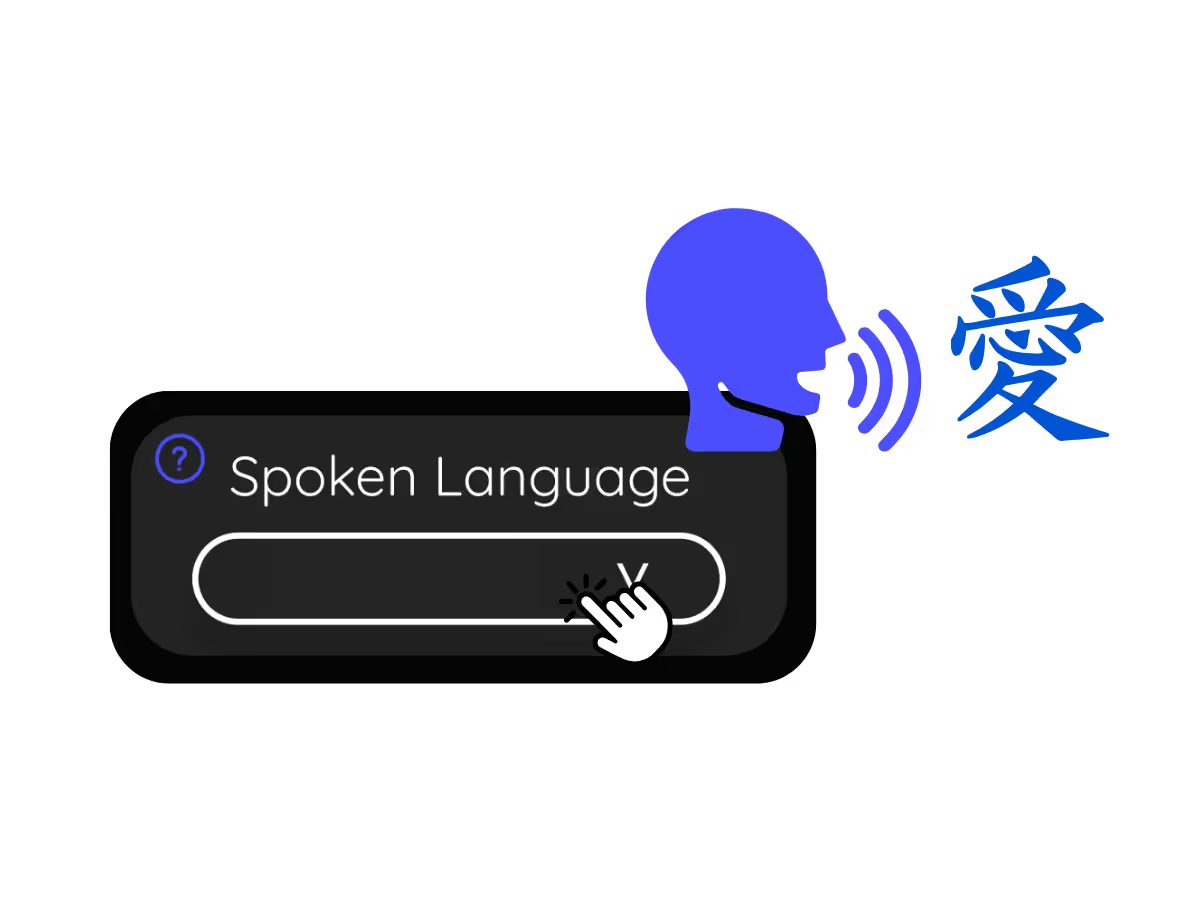
2. Set the spoken language
Choose the language being spoken in the meeting, for example Japanese. If people switch languages, pick multilingual mode.
.avif)
第 3 步
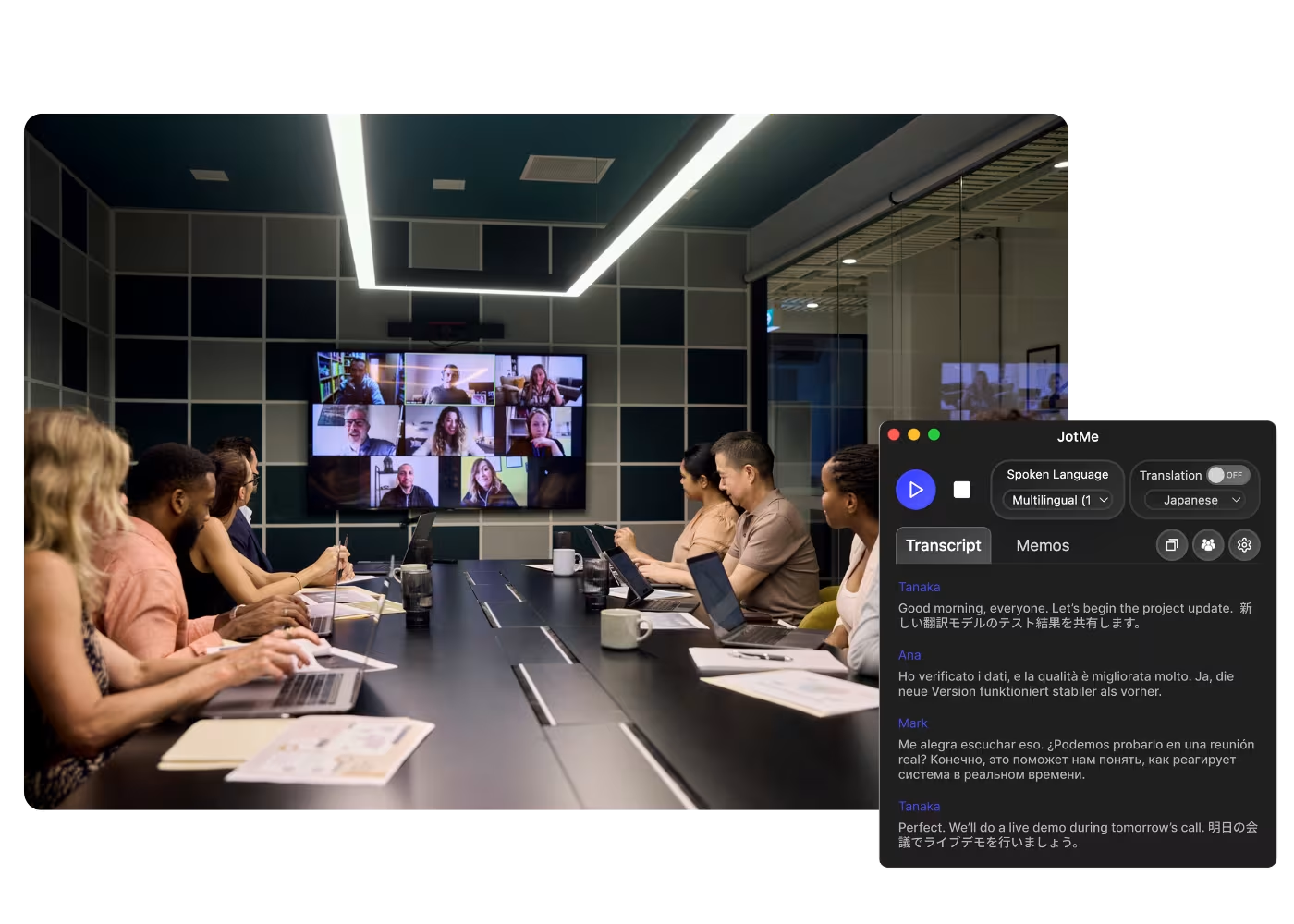
3. Read, search, and share the transcript
The live transcript scrolls as everyone speaks, then saves to your dashboard when the call ends, ready to search, copy, and share.
观看实际演示!
What teams use Google Meet transcription for
.avif)
Global all-hands & team meetings
Follow announcements from HQ in your language and speak up without waiting for a recap.

Sales & client calls
Catch every requirement and objection when customers speak another language, and reply with confidence.
.avif)
Recorded Meet meetings
No time to run it live? Upload the recording to Audio to Text or Video to Text to transcribe a Meet recording, with an accurate transcript, optional translation, and AI notes.
常见问题
关于使用 JotMe 举办会议和活动,您需要了解的一切。
Is Google Meet transcription free?
Yes, it is!
How do I add the transcription extension for Google Meet?
Install the JotMe Chrome extension, set your language preferences, and get real-time speech-to-text transcription on Google Meet.
How can I search for spoken words during meetings on Google Meet?
View transcriptions as captions during meetings. Highlight the text, right-click, and select “Search Google for” to find meanings.
Can I save and store the transcription content?
Yes, real-time transcriptions are saved on the JotMe dashboard. You can view, copy, and even translate transcripts for documentation in your preferred tool.
What languages are supported for Google Meet transcription?
We support 200+ languages – English, Japanese, Chinese, Korean, Spanish, Portuguese, French, German, Swedish, Finnish, Arabic, Hindi, Urdu, Turkish, Norwegian, Italian, Burmese, Russian, Filipino, Swahili, Hungarian, and more.
The Easiest and Most Reliable Way to Transcribe Google Meet to Get Audio to Text
可用语言
南非荷兰语 (南非)
阿尔巴尼亚语(阿尔巴尼亚)
阿姆哈拉语(埃塞俄比亚)
阿拉伯语(阿拉伯联合酋长国)
阿拉伯语(埃及)
阿拉伯语(黎凡特)
阿拉伯语(马格里布)
亚美尼亚语(亚美尼亚)
巴斯克语(西班牙)
孟加拉语(孟加拉国)
保加利亚语(保加利亚)
缅甸语(缅甸)
加泰罗尼亚语(西班牙)
汉语普通话(简体)
汉语普通话(繁体)
荷兰语
英语
英语(澳大利亚)
英语(印度)
英语(菲律宾)
英语(英国)
爱沙尼亚语 (爱沙尼亚)
菲律宾语 (菲律宾)
芬兰语 (芬兰)
法语
法语 (加拿大)
加利西亚语 (西班牙)
格鲁吉亚语 (格鲁吉亚)
德语
古吉拉特语 (印度)
希伯来语 (以色列)
印地语
匈牙利语 (匈牙利
印度尼西亚语 (印度尼西亚)
意大利语
日语
爪哇语 (印度尼西亚)
卡纳达语 (印度)
高棉语 (柬埔寨)
卢旺达语 (卢旺达)
韩语
拉脱维亚语 (拉脱维亚)
马其顿语 (北马其顿)
拉脱维亚语 (拉脱维亚)
马其顿语 (北马其顿)
马拉雅拉姆语 (印度)
马拉地语 (印度)
蒙古语 (蒙古)
尼泊尔语 (尼泊尔)
北索托语 (南非)
挪威语 (挪威)
波斯语 (伊朗)
波兰语 (波兰)
葡萄牙语 (巴西)
葡萄牙语 (葡萄牙)
罗马尼亚语 (罗马尼亚)
俄语
塞索托语 (南非
僧伽罗语 (斯里兰卡)
斯洛伐克语 (斯洛伐克)
斯洛文尼亚语 (斯洛文尼亚)
西班牙语(墨西哥)
西班牙语(西班牙)
巽他语(印度尼西亚)
斯瓦希里语
斯瓦蒂语(南非)
瑞典语(瑞典
泰米尔语(印度)
泰卢固语(印度)
泰语(泰国)
文达语(南非)
茨瓦纳语(南非)
土耳其语(土耳其)
乌尔都语(巴基斯坦)
乌兹别克语(乌兹别克斯坦)
越南语(越南)
科萨语(南非)
聪加语(南非)
祖鲁语(南非)

MORE THAN GOOGLE MEET TRANSCRIPTION
JotMe not only provides real-time Google Meet transcription but also offers translation and post-meeting tools. Explore our comprehensive suite of multilingual AI tools—from AI translation to AI meeting notes. Automate your speech-to-text transcription and focus on more impactful tasks, such as decision-making and tackling action items effectively.
.avif)
让多语言运营中的每一场会议和活动都顺畅进行
通过实时语音翻译、语音转文字、传译和 AI 会议纪要,将每一段关键对话转化为带有上下文的洞察,让所有人跨语言保持一致理解。
.png)
.png)


.png)

.avif)
.avif)







