







谷歌 Meet 笔录
存储和访问您的 Google Meet 成绩单
免费套餐。无需信用卡。
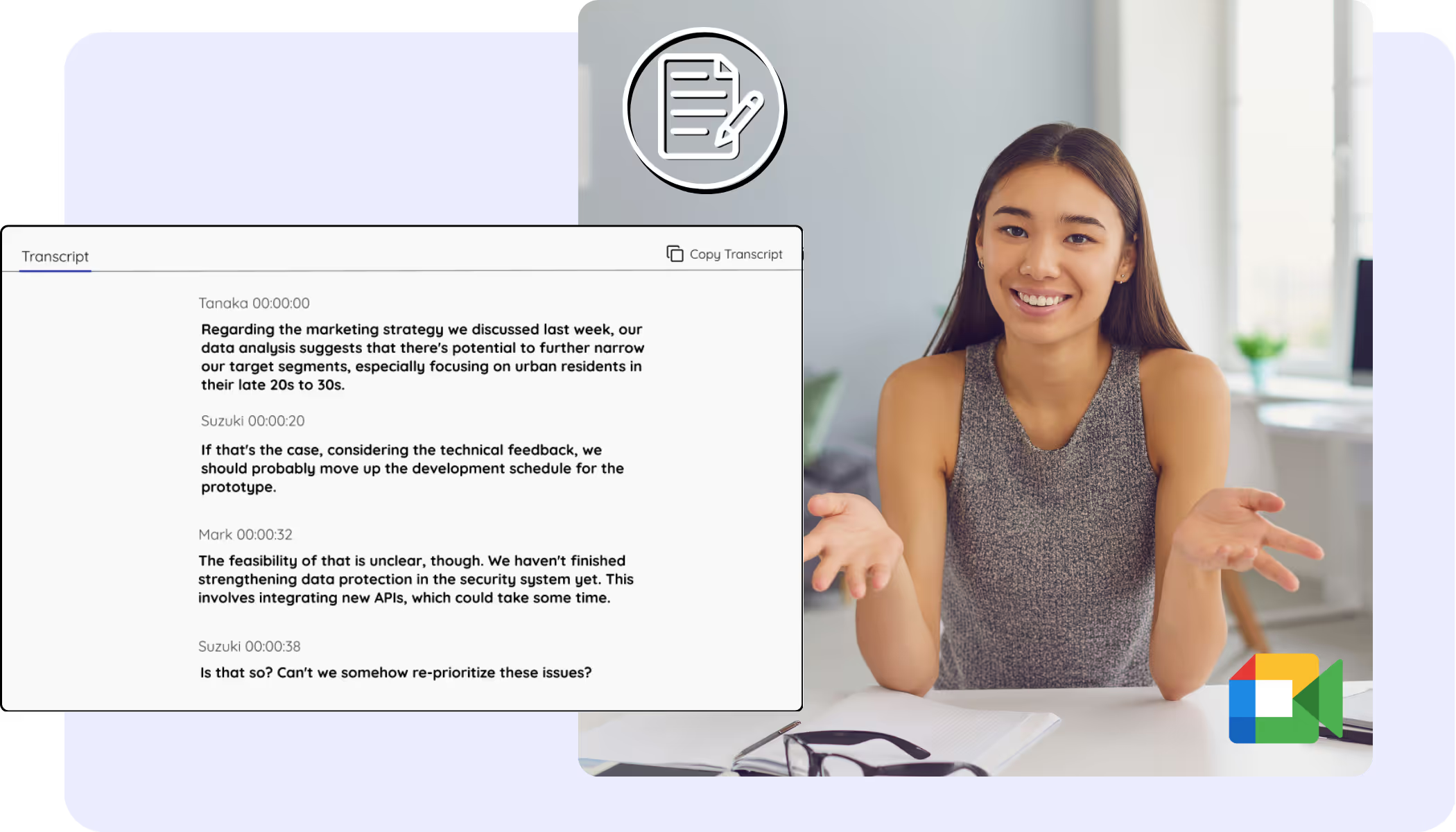
Pick your language, hit start, and speak. JotMe transcribes as you talk and improves accuracy as the conversation continues. Open the full demo.
已被 134 个国家的 2,000 个团队和 50 万名专业人士信赖使用



.avif)





.avif)


.avif)


.svg)
评分 4.7/5


符合 GDPR 规定
.avif)
SOC 2 Type II(进行中)
A complete, accurate transcript for every Google Meet
Everything you need to find, read, and share what was said.
.png)
上下文感知,超高准确度
准确,是因为 JotMe 结合上下文工作:它会权衡发言人、你团队的关注点、目前为止的讨论内容以及你的自定义术语,让人名、缩写和行业黑话在会议记录里都能转对。

自带发言人标注
JotMe 会在每个人发言时为其标注,让你带发言人姓名的 Meet 会议记录一目了然,事后还能重命名发言人。

200+ 语言,实时或录像都行
用 200+ 种口语语言 为 Meet 会议生成会议记录,实时通话或会后上传的 Meet 录像都行。
你的会议记录已保存
每份会议记录都带发言人标注留在你的控制面板上,需要核对会上内容时随时可查。
无 bot,无需设置
JotMe 在你的浏览器里采集 Meet 字幕,或在你电脑上本地采集音频。没有 bot 加入通话,别人也无需安装或开启任何东西。
.png)
自定义词典与自动语言检测
用行业专属术语和自定义替换提升准确度。JotMe 还会自动检测发言语言,你永远不用手动设置。
如何获得 Google Meet 成绩单?
Three steps, under a minute. No Meet settings, no bot invite, no host approval. Already have a recording? Upload it instead.

STEP 2
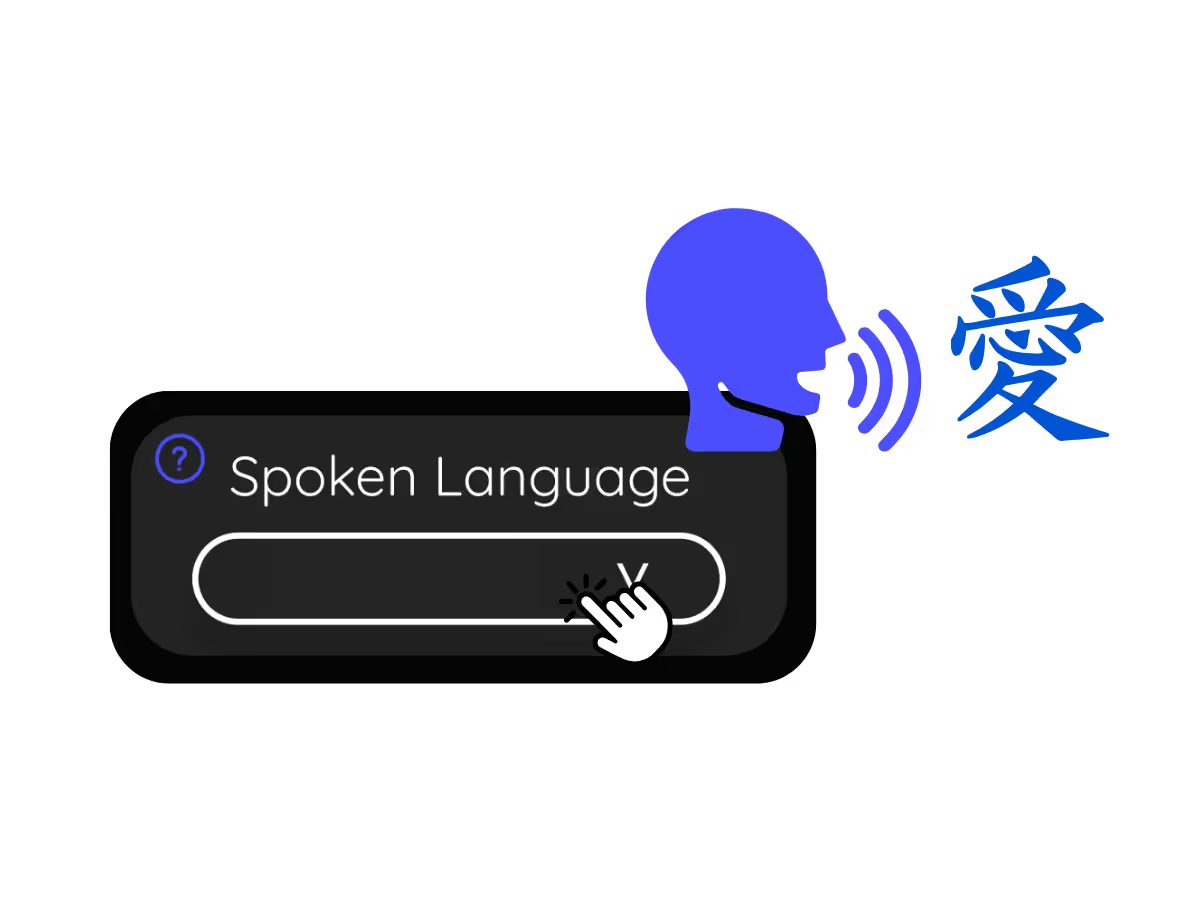
2。设置你的 “口语”
选择会议期间使用的语言。例如,如果您需要英语成绩单,请将语言设置为英语。
.avif)
获取 Google Meet 笔录至
From daily standups to all-hands, JotMe keeps every attendee in the conversation.
自动存储对话
将整个会议内容捕获并存储为文本,便于将来参考。
.avif)
追踪谁说了什么
要求个人对会议期间的捐款负责。
.avif)
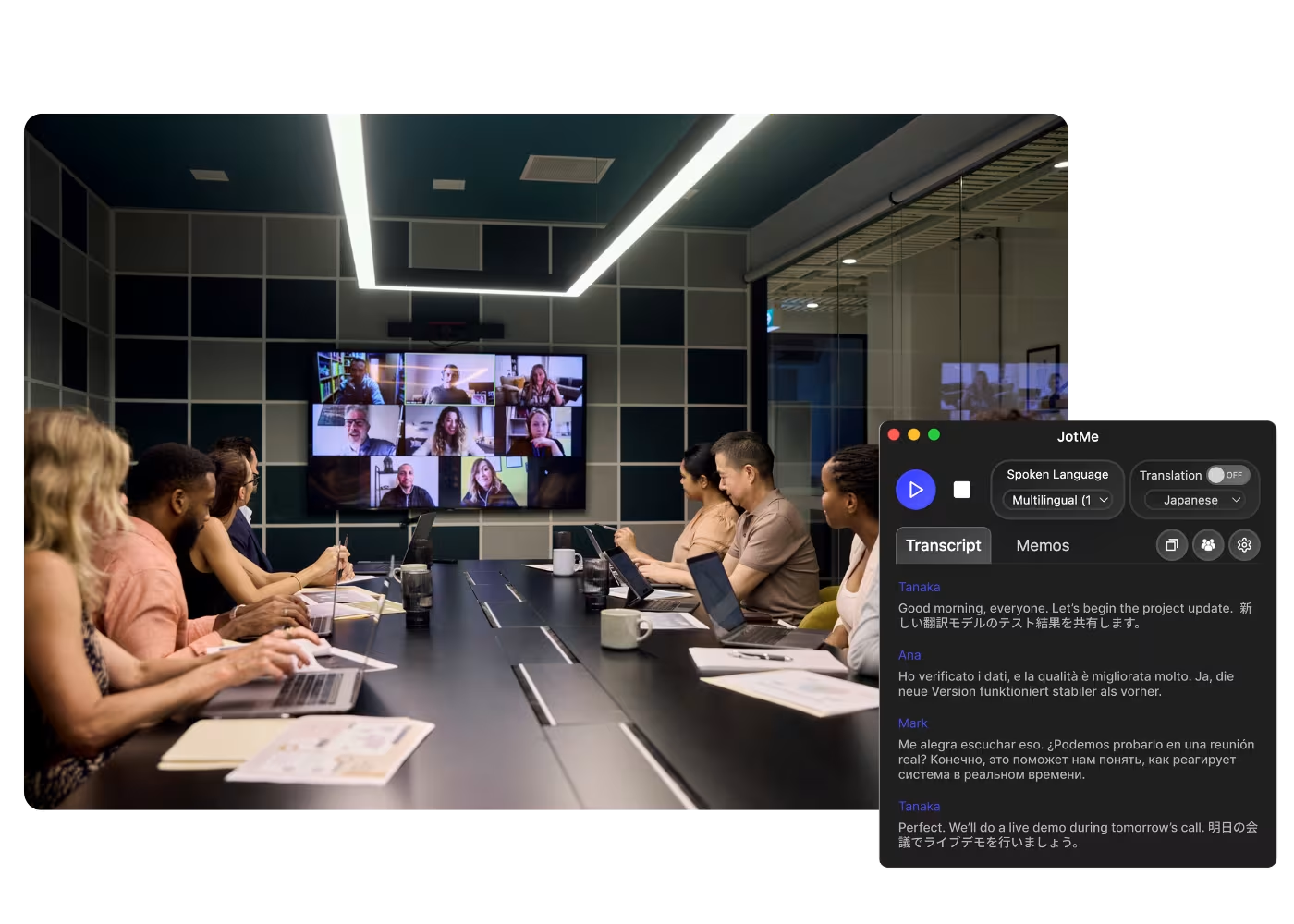
接收多语言成绩单
通过调整 JotMe 中的 “口语” 设置,以各种语言转录会议。
.avif)
Compliance & documentation
Keep a searchable record of what was agreed, with speaker labels, accessible anytime on your dashboard.
See it in action
Watch a Google Meet become a clean transcript with speaker labels, ready to search.
50 万多名专业人士使用 JotMe 顺畅运营会议和活动
了解用户如何借助 JotMe 弥合多语言运营中的沟通差距,并取得实际成果。
评分 4.7/5

评分 4.7/5
“我的工作涉及翻译和文化交流,我发现这个工具彻底改变了我的日常工作。”

亚当斯
运营专员 / TikTok
“日语对我来说曾是一个谜,但这款产品通过上下文理解使其变得清晰易懂。”

斯塔马蒂斯
顾问 / 德勤
“JotMe 简化了我们的多语言会议,确保在快节奏的工作环境中实现无缝协作。”

凯撒
项目经理 / 亚马逊
“这项双语功能简化了工作中的笔记记录,节省了时间,并提高了两种语言的工作效率。”

佑介
销售经理 / NTT
“对于非流利使用者来说至关重要;通过实时翻译和准确的转录简化了复杂的会议。”

杰西
软件自由职业者
“我们多年来一直需要的翻译工具——现在通过 JotMe 变成了现实!”

埃尔斯顿
首席执行官兼创始人 / Tiny.host
“我的工作涉及翻译和文化交流,我发现这个工具彻底改变了我的日常工作。”
亚当斯
运营专员 / TikTok
“日语对我来说曾是一个谜,但这款产品通过上下文理解使其变得清晰易懂。”
斯塔马蒂斯
顾问 / 德勤
“JotMe 简化了我们的多语言会议,确保在快节奏的工作环境中实现无缝协作。”
凯撒
项目经理 / 亚马逊
“这项双语功能简化了工作中的笔记记录,节省了时间,并提高了两种语言的工作效率。”
佑介
销售经理 / NTT
“对于非流利使用者来说至关重要;通过实时翻译和准确的转录简化了复杂的会议。”
杰西
软件自由职业者
“我们多年来一直需要的翻译工具——现在通过 JotMe 变成了现实!”
埃尔斯顿
首席执行官兼创始人 / Tiny.host

常见问题解答
关于使用 JotMe 举办会议和活动,您需要了解的一切。
How do I get a transcript of a Google Meet?
Run JotMe during the meeting, through the Chrome extension or desktop app, or upload the recording afterward. Either way you get a full transcript with speaker labels on your dashboard.
Can I save what the Google Meet captions said?
Yes, this is exactly what JotMe is for. It saves the captions as a transcript you can keep, search, and copy, so your Google Meet captions never vanish when the call ends.
Is the Google Meet transcript free?
Yes. JotMe's free plan includes transcription minutes, and no credit card is required. Upgrade when you need more.
How accurate is the transcript?
JotMe builds the transcript with five layers of context: your user profile, your operational context, real-time memory of the meeting, your custom terms, and the flow from previous speech, so names and terms stay accurate. Speaker labels keep it easy to follow.
Can I edit, search, and share the transcript?
Yes. On your dashboard you can edit speaker names and text, search the conversation, translate it, and copy or share it.
What languages are supported for Google Meet transcripts?
JotMe transcribes 200+ spoken languages on Meet, including Hindi, Hebrew, Tamil, and Bengali, which already have dedicated transcript pages. See the full list on the available languages page.
Can I translate the transcript?
Yes. Translate the transcript into your language on the dashboard, and get the AI notes and summary in the same language.
Heading
You can translate
Bulgarian
Catalan
Mandarin (Simplified
Mandarin (Traditional)
Cantonese (Traditional)
Czech, Danish
Dutch
English (US)
English (UK)
English (Australia)
English (New Zealand)
English (India)
Estonian, Finnis
French
French (Canada
German
German (Switzerland
Greek
Hindi
Hungarian
Indonesian
Italian
Japanese
Korean
Latvian
Lithuanian
Malay
Dutch (Flemish)
Norwegian
Polish
Portuguese
Portuguese (Brazil)
Portuguese (Portugal)
Romanian
Russian
Slovak
Spanish
Spanish (Latin America)
Swedish
Thai
Turkish
Ukrainian
Vietnamese

The transcript of every Google Meet, one click away
The full Google Meet transcript, with speaker names, saved and searchable on your dashboard after every meeting, from live calls or uploaded recordings. Yours to keep.