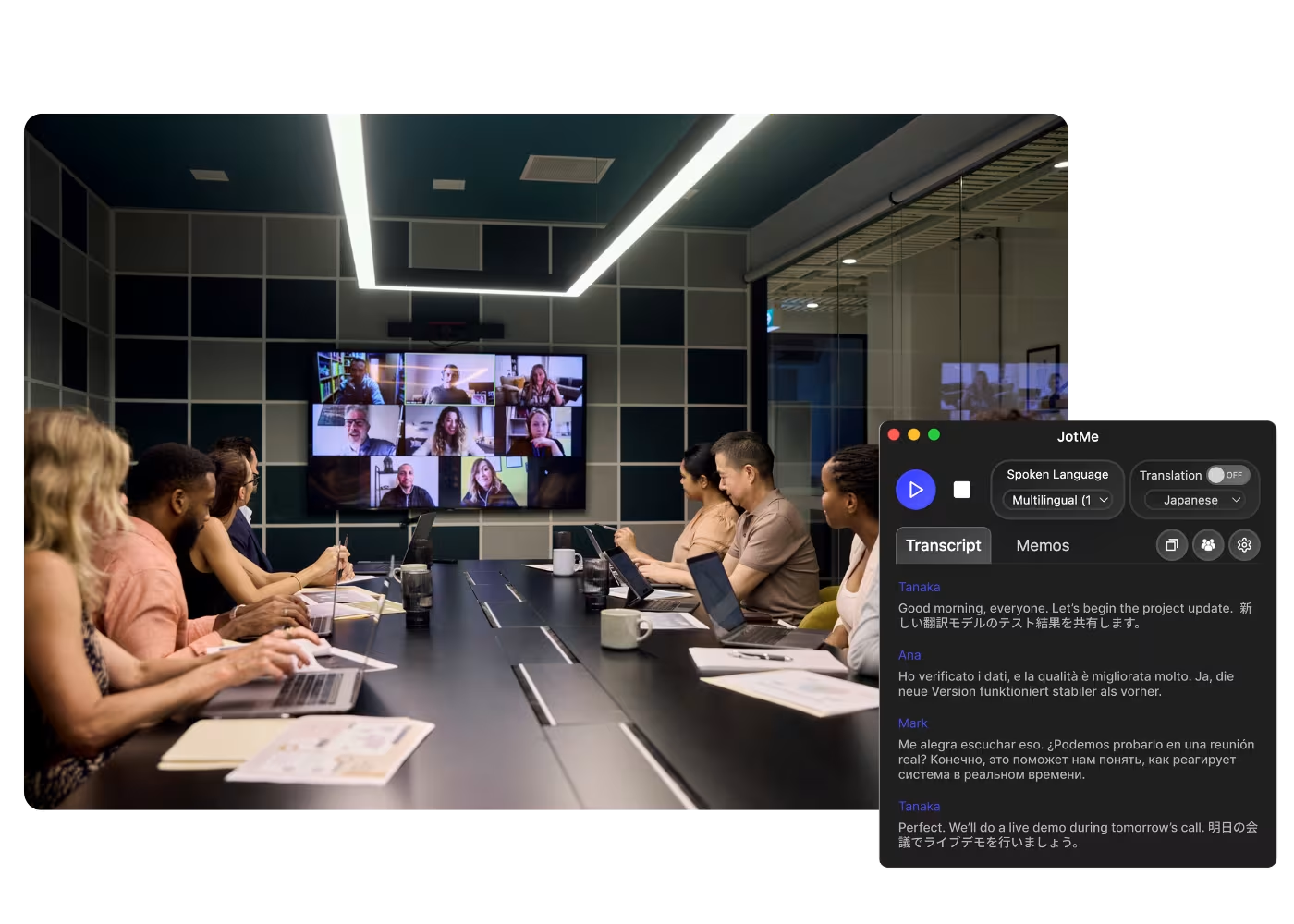
App de escritorio para todas tus llamadas en la computadora

Transcripción multilingüe, traducción de voz en tiempo real, toma de notas, búsqueda con IA, resumen en tiempo real, vocabulario personalizado, actas de reunión con IA, grabaciones de audio y más.

Aplicación móvil para conversaciones presenciales

Traducción de voz en tiempo real y generación de voz con IA para iPhone y Android.

Extensión de Chrome para Google Meetpara Google Meet

Transcripción en tiempo real, traducción de voz en tiempo real, toma de notas, actas de reunión con IA.
Agregar
a Chrome
Prueba rápida disponible

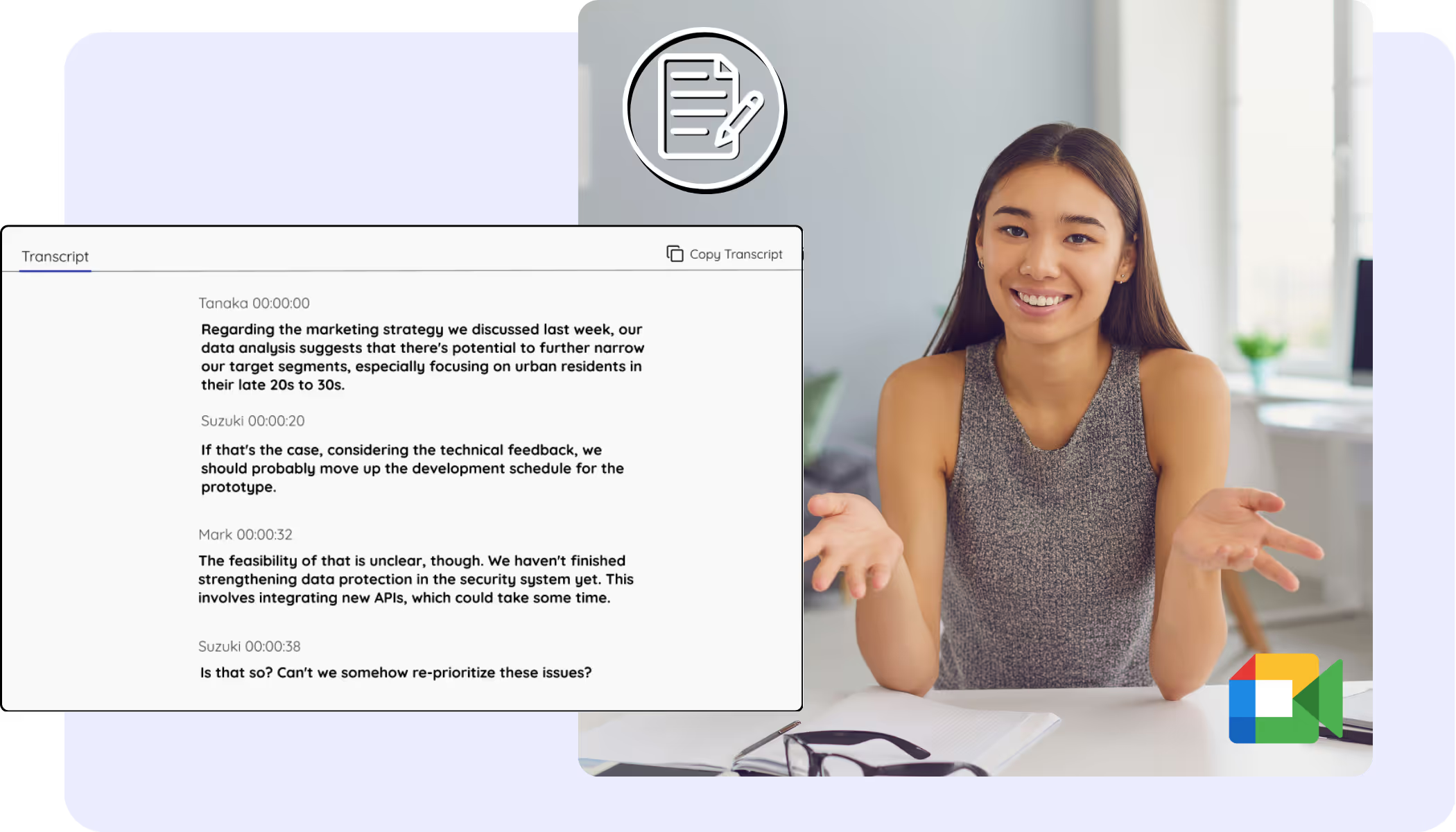
Google Meet Transcript

Every Google Meet becomes a clean, accurate transcript with speaker names, saved to your dashboard from live calls or recordings you upload. The Meet captions you always wanted to keep, search, and copy.
Con la confianza de 2,000 equipos y 500,000 profesionales en 134 países


Calificado 4.7/5
Cumple con el RGPD
SOC 2 Tipo II (En curso)

Transcript Chrome Extension for Google Meet

Need to verify meeting details or maintain recordings for company compliance? JotMe provides instant access to your transcripts right after your Google Meet sessions, supporting up to 77 languages. Sign up today for free – no credit card required – and never miss an important detail again!

How to get the transcript of a Google Meet

¡En 3 sencillos pasos!

PASO 1

1. Add the Chrome extension, or upload your Meet recording

Add JotMe to Chrome or get the desktop app in about 30 seconds. Already have a recorded Meet? Upload it for the full transcript with speaker labels.

PASO 2

2. Set the spoken language

Choose the language being spoken in the meeting, for example Japanese. If people switch languages, pick multilingual mode.

PASO 3

3. Open your transcript

Your transcript is on the dashboard the moment the call ends, with speaker labels, search, editing, and copy or share one click away.

¡Véalo en acción!

What teams use Google Meet transcripts for

A woman is working effectively

Global all-hands & team meetings

Every all-hands and team meeting archived as a searchable transcript.

Track Conversations in Real-Time

Sales & client calls

Pull exact quotes and commitments from client calls when you need them.

A group a having a discussion and speech is transcribed

Recorded Meet meetings

No time to run it live? Upload the recording to Audio to Text or Video to Text for the transcript of a Meet recording, with speaker labels, an accurate transcript, translation, and AI notes.

Preguntas frecuentes

Todo lo que necesitas saber sobre cómo organizar reuniones y eventos con JotMe.

Is Google Meet transcript free?

Yes, it is free to get started!

How do I add the transcript extension for Google Meet?

Install the JotMe Chrome extension to your Chrome browser. Set the language preference to receive transcripts after your Google Meet sessions.

Where is the Google Meet transcript stored?

Transcripts are stored on the dashboard. Access them from the transcription dashboard, Chrome extension popup, or URL.

Can I search for specific words in the transcript?

Yes! Visit the dashboard and use cmd + F to search for specific words in your transcript.

Which languages are available for Google Meet transcripts?

Transcripts are available in 77 languages, including Japanese, Chinese, Korean, Spanish, Portuguese, French, German, Swedish, Finnish, Arabic, Hindi, Urdu, Turkish, Norwegian, Italian, Burmese, Russian, Filipino, Swahili, Hungarian, and more. Ensure you select the correct language during your Google Meet.

The Easiest and Most Reliable Way to Store and Access Google Meet Transcripts, from Audio to Text.

Idioma disponible
Afrikáans (Sudáfrica)
Albanés (Albania)
Amárico (Etiopía)
Árabe (Emiratos Árabes)
Árabe (Egipto)
Árabe (Levante)
Árabe (Magrebí)
Armenio (Armenia)
Euskera (España)
Bengalí (Bangladés)
Búlgaro (Bulgaria)
Birmano (Myanmar)
Catalán (España)
Chino mandarín (simplificado)
Chino mandarín (tradicional)
Neerlandés
Inglés
Inglés (Australia)
Inglés (India)
Inglés (Filipinas)
Inglés (Reino Unido)
Estonio (Estonia)
Filipino (Filipinas)
Finlandés (Finlandia)
Francés
Francés (Canadá)
Gallego (España)
Georgiano (Georgia)
Alemán
Guyaratí (India)
Hebreo (Israel)
Hindi
Húngaro (Hungría)
Indonesio (Indonesia)
Italiano
Japonés
Javanés (Indonesia)
Canarés (India)
Jemer (Camboya)
Kinyarwanda (Ruanda)
Coreano
Letón (Letonia)
Macedonio (Macedonia del Norte)
Letón (Letonia)
Macedonio (Macedonia del Norte)
Malayalam (India)
Maratí (India)
Mongol (Mongolia)
Nepalí (Nepal)
Sesotho del Norte (Sudáfrica)
Noruego (Noruega)
Persa (Irán)
Polaco (Polonia)
Portugués (Brasil)
Portugués (Portugal)
Rumano (Rumanía)
Ruso
Sesotho (Sudáfrica
Cingalés (Sri Lanka)
Eslovaco (Eslovaquia)
Esloveno (Eslovenia)
Español (México)
Español (España)
Sundanés (Indonesia)
Suajili
Suazi (Sudáfrica)
Sueco (Suecia
Tamil (India)
Telugu (India)
Tailandés (Tailandia)
Tshivenda (Sudáfrica)
Setsuana (Sudáfrica)
Turco (Turquía)
Urdu (Pakistán)
Uzbeko (Uzbekistán)
Vietnamita (Vietnam)
Xhosa (Sudáfrica)
Xitsonga (Sudáfrica)
Zulú (Sudáfrica)

MORE THAN GOOGLE MEET TRANSCRIPT

JotMe not only provides access to the Google Meet transcripts but also offers translation and post-meeting tools. Explore our comprehensive suite of multilingual AI tools - from AI translation to AI meeting notes. Automate your transcript storing and other tasks with JotMe to focus on more impactful tasks, such as decision-making and tackling action items effectively.

Conduce cada reunión y evento de tus operaciones multilingües sin fricción

Transcribe, interpreta, traduce y convierte cada conversación crítica en insights con contexto para que todos se mantengan alineados entre idiomas.

Google Meet Transcript

Every Google Meet becomes a clean, accurate transcript with speaker names, saved to your dashboard from live calls or recordings you upload. The Meet captions you always wanted to keep, search, and copy.

Plan gratuito. No se requiere tarjeta de crédito.

Pick your language, hit start, and speak. JotMe transcribes as you talk and improves accuracy as the conversation continues. Open the full demo.

Con la confianza de 2,000 equipos y 500,000 profesionales en 134 países

Calificado 4.7/5
Cumple con el RGPD
SOC 2 Tipo II (En curso)

A complete, accurate transcript for every Google Meet

Everything you need to find, read, and share what was said.

Ultraprecisa y consciente del contexto

Precisa porque JotMe trabaja en contexto: tiene en cuenta quién habla, el foco de tu equipo, lo dicho hasta ese momento y tus términos propios, para que los nombres, las siglas y la jerga queden bien en la transcripción.

Con nombres de los hablantes

JotMe etiqueta a cada hablante mientras habla, así tu transcripción de Google Meet con nombres es fácil de seguir, y puedes renombrar a los hablantes después.

200+ idiomas, en vivo o desde una grabación

Consigue transcripciones de tus reuniones de Meet en más de 200 idiomas hablados, desde la llamada en vivo o desde la grabación de Meet que subas después.

Tu transcripción queda guardada

Cada transcripción se guarda en tu panel con los nombres de los hablantes, lista cuando necesites comprobar qué se dijo.

Sin bot, sin configuración

JotMe captura los subtítulos de Meet en tu navegador o el audio en tu ordenador. Ningún bot se une a la llamada, y no hay nada que los demás tengan que instalar ni activar.

Diccionario personalizado y detección automática de idioma

Mejora la precisión con términos específicos de tu sector y reemplazos personalizados. JotMe también detecta el idioma hablado automáticamente, así nunca lo configuras a mano.

How to get the transcript of a Google Meet

Three steps, under a minute. No Meet settings, no bot invite, no host approval. Already have a recording? Upload it instead.

STEP 1

1. Add the Chrome extension, or upload your Meet recording

Add JotMe to Chrome or get the desktop app in about 30 seconds. Already have a recorded Meet? Upload it for the full transcript with speaker labels.

STEP 2

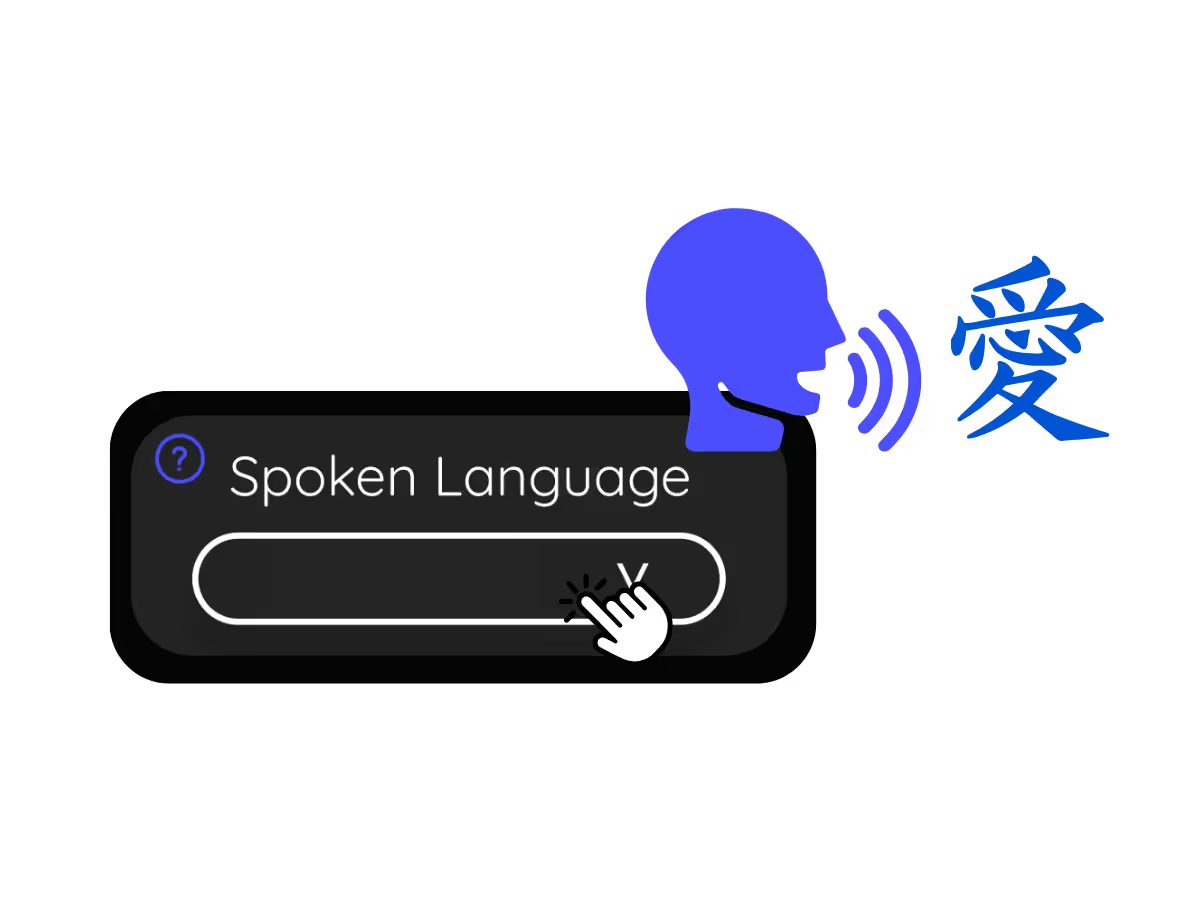
2. Set the spoken language

Choose the language being spoken in the meeting, for example Japanese. If people switch languages, pick multilingual mode.
STEP 3

3. Open your transcript

Your transcript is on the dashboard the moment the call ends, with speaker labels, search, editing, and copy or share one click away.

What teams use Google Meet transcripts for

From daily standups to all-hands, JotMe keeps every attendee in the conversation.

Global all-hands & team meetings

Every all-hands and team meeting archived as a searchable transcript.

Sales & client calls

Pull exact quotes and commitments from client calls when you need them.

Recorded Meet meetings

No time to run it live? Upload the recording to Audio to Text or Video to Text for the transcript of a Meet recording, with speaker labels, an accurate transcript, translation, and AI notes.

Compliance & documentation

Keep a searchable record of what was agreed, with speaker labels, accessible anytime on your dashboard.

See it in action

Watch a Google Meet become a clean transcript with speaker labels, ready to search.

Más de 500,000 profesionales conducen reuniones y eventos con JotMe

Descubre cómo los usuarios cierran brechas en sus operaciones multilingües con JotMe.

Calificado 4.7/5
Calificado 4.7/5
"Dado que mi trabajo implica traducción y unir culturas, he encontrado que esta herramienta cambia las reglas del juego en mi trabajo diario."
Adams
Especialista en Operaciones / Tiktok
"El japonés era antes un misterio para mí, pero este producto lo hizo claro y accesible con comprensión contextual."
Stamatis
Consultor / Deloitte
"JotMe agiliza nuestras reuniones multilingües, garantizando una colaboración fluida en nuestro entorno de trabajo de ritmo rápido."
Cesar
Gerente de Programa / Amazon
"Esta función bilingüe agiliza la toma de notas en el trabajo, ahorrando tiempo y aumentando la eficiencia en ambos idiomas."
Yusuke
Gerente de Ventas / NTT
"Esencial para quienes no dominan el idioma; simplifica reuniones complejas con traducción en tiempo real y transcripciones precisas."
Jesse
Desarrollador de software autónomo
"La herramienta de traducción que hemos necesitado durante años, ¡ahora es una realidad con JotMe!"
Elston
CEO y Fundador / Tiny.host
"Dado que mi trabajo implica traducción y unir culturas, he encontrado que esta herramienta cambia las reglas del juego en mi trabajo diario."
Adams
Especialista en Operaciones / Tiktok
"El japonés era antes un misterio para mí, pero este producto lo hizo claro y accesible con comprensión contextual."
Stamatis
Consultor / Deloitte
"JotMe agiliza nuestras reuniones multilingües, garantizando una colaboración fluida en nuestro entorno de trabajo de ritmo rápido."
Cesar
Gerente de Programa / Amazon
"Esta función bilingüe agiliza la toma de notas en el trabajo, ahorrando tiempo y aumentando la eficiencia en ambos idiomas."
Yusuke
Gerente de Ventas / NTT
"Esencial para quienes no dominan el idioma; simplifica reuniones complejas con traducción en tiempo real y transcripciones precisas."
Jesse
Desarrollador de software autónomo
"La herramienta de traducción que hemos necesitado durante años, ¡ahora es una realidad con JotMe!"
Elston
CEO y Fundador / Tiny.host

Preguntas frecuentes

Todo lo que necesitas saber para organizar reuniones y eventos con JotMe.

How do I get a transcript of a Google Meet?

Run JotMe during the meeting, through the Chrome extension or desktop app, or upload the recording afterward. Either way you get a full transcript with speaker labels on your dashboard.

Can I save what the Google Meet captions said?

Yes, this is exactly what JotMe is for. It saves the captions as a transcript you can keep, search, and copy, so your Google Meet captions never vanish when the call ends.

Is the Google Meet transcript free?

Yes. JotMe's free plan includes transcription minutes, and no credit card is required. Upgrade when you need more.

How accurate is the transcript?

JotMe builds the transcript with five layers of context: your user profile, your operational context, real-time memory of the meeting, your custom terms, and the flow from previous speech, so names and terms stay accurate. Speaker labels keep it easy to follow.

Can I edit, search, and share the transcript?

Yes. On your dashboard you can edit speaker names and text, search the conversation, translate it, and copy or share it.

What languages are supported for Google Meet transcripts?

JotMe transcribes 200+ spoken languages on Meet, including Hindi, Hebrew, Tamil, and Bengali, which already have dedicated transcript pages. See the full list on the available languages page.

Can I translate the transcript?

Yes. Translate the transcript into your language on the dashboard, and get the AI notes and summary in the same language.

Heading

You can translate
Bulgarian
Catalan
Mandarin (Simplified
Mandarin (Traditional)
Cantonese (Traditional)
Czech, Danish
Dutch
English (US)
English (UK)
English (Australia)
English (New Zealand)
English (India)
Estonian, Finnis
French
French (Canada
German
German (Switzerland
Greek
Hindi
Hungarian
Indonesian
Italian
Japanese
Korean
Latvian
Lithuanian
Malay
Dutch (Flemish)
Norwegian
Polish
Portuguese
Portuguese (Brazil)
Portuguese (Portugal)
Romanian
Russian
Slovak
Spanish
Spanish (Latin America)
Swedish
Thai
Turkish
Ukrainian
Vietnamese

The transcript of every Google Meet, one click away

The full Google Meet transcript, with speaker names, saved and searchable on your dashboard after every meeting, from live calls or uploaded recordings. Yours to keep.